DJ Starter Equipment: What to Buy First (and What to Skip)
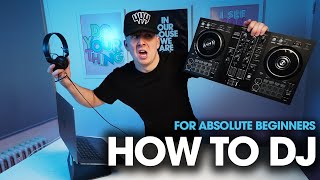
Watch Crossfader’s tutorial above (913K views on YouTube).
This guide is a buying order for new DJs. Instead of listing gear, it tells you what to buy first, what to skip, and when to spend more. If you are stuck between controllers, speakers, headphones, and software, this shows you the sequence that gets you practicing fastest for the least money.
By the end you will have an order to buy in, a staged roadmap so you are not buying everything at once, a home-versus-gig decision, and a rule for when an upgrade is actually justified.
Start with one rule. Buy the smallest complete system that lets you practice real DJ actions: load tracks, beatmatch by ear and display, cue in headphones, manage your library, and record a mix. Everything beyond that can wait until you feel a specific limit.
The Buy Order: Core Pieces First
The fastest path from unopened box to actual practice is a fixed buying order. Buy in this sequence:
- Controller. The thing you mix on. Nothing else matters until you have it.
- Headphones. Cueing and timing depend on them, and they are useless without a controller to plug into, which is why they come second, not first.
- Software and a small working library. Free to start, and it is what turns the hardware into a usable instrument.
- Speakers. Modest active monitors, added once you are practicing regularly.
- Accessories. Stands, cases, and backup storage, last.
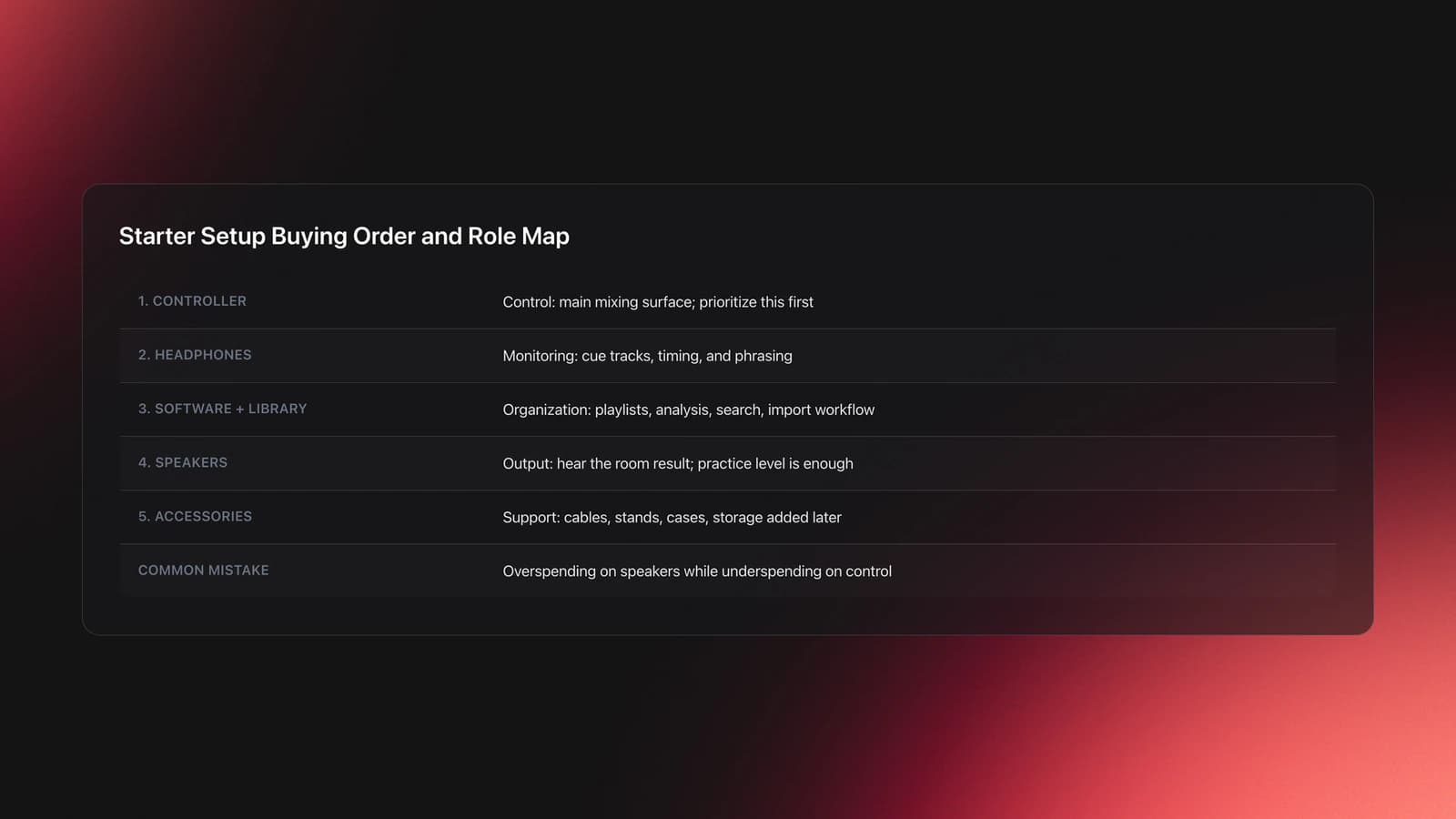
The reasoning behind the order is a simple priority rule: control before output. Split any setup into control (the controller), monitoring (headphones), output (speakers), and organization (software and library). Most beginners overspend on output and underspend on control, which is backwards. A weak pair of practice speakers can still teach phrasing, EQ, and transitions. A cramped or confusing controller slows every single session.
Why the controller comes before headphones, and headphones before speakers: the controller is the only piece that is useless on its own, headphones are what let you practice cueing the moment the controller arrives, and speakers only confirm a result you can already hear and fix in headphones. Buy in the order of what unblocks practice.
What to Skip at the Start
The flip side of a buy order is a skip list. These add cost without teaching core control early on:
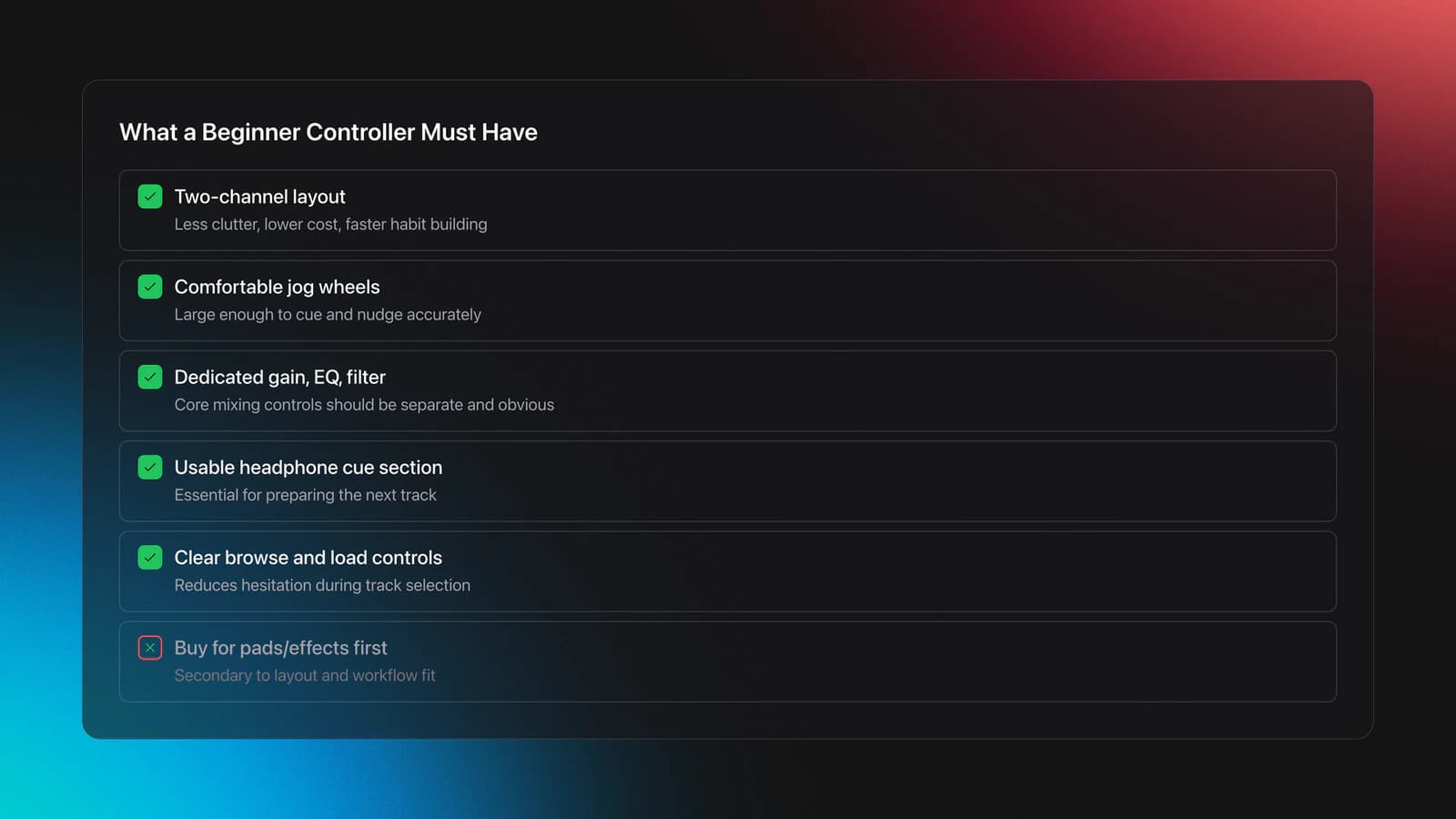
- A four-channel controller. Two channels cover almost everything a beginner does. Skip the extra decks until you can confidently mix two tracks.
- A separate mixer. A controller has a mixer section built in. A standalone mixer is for people who already own players or turntables.
- Booth monitors, external effects units, and large speakers. Comfort and scale, not skill.
- Cases and stands, until you start moving gear.
The test for skipping something: if it does not help you load a track, cue it, fix timing, or find the next song, it can wait.
Budget Tiers: What Each Spend Level Buys
The buy order also has price tiers. Most first controllers land between roughly 200 and 500 dollars, and that range buys reliable build, bundled software, and the full beginner control set without paying for features you will not use yet. Use these tiers as staging targets, not a checklist to clear all at once.
- Entry tier, around 100 to 200 dollars. A compact two-channel controller plus the bundled lite software. Enough to learn loading, cueing, beatmatching, and a clean transition. This is where most people should start.
- Core tier, around 200 to 500 dollars. A two-channel controller with a club-standard layout, better jogs, and FX paddles, plus solid closed-back headphones. This is the sweet spot for a first complete setup that you will not outgrow in a season.
- Add-on tier, spent later. Modest active monitors, a sturdier case, and a backup USB drive, bought once you are practicing regularly and starting to move gear.
The mistake is buying a 500 dollar setup all at once when a 200 dollar one would get you practicing this week. Spend up only when a specific limit, covered below, keeps blocking you.
Choose Your Setup by Where You Will Play
Do not choose dj starter equipment by brand hype. Choose it by where you will actually use it in the next six months. A home practice setup, a recording setup, and a small-gig setup prioritize different things.
There are three common paths:
- Home practice only. A compact controller, laptop, headphones, and modest speakers.
- Home plus recording mixes. Add better monitoring and clean file organization.
- Home plus small gigs. Prioritize sturdier build, a clear screen workflow, and faster setup time.
Screen usability matters more than beginners expect. In dim venues, tiny displays and cramped browsing slow track selection, especially when your library is not well tagged. This is one reason some DJs prefer standalone units while others stay laptop-based. Standalone gear reduces laptop friction; laptop-based systems lower entry cost and keep browsing flexible.
For most people building a first setup, a two-channel controller plus a laptop is the cleanest starting point. It is cheaper, lighter, and easier to replace piece by piece.
Library and Workflow: Buy This Order of Habits Too
Your first setup is hardware plus a usable library. The buying order has a workflow counterpart: set up your organization early, because a messy library slows every session no matter how good the hardware is.
If you are still building your collection, pair your hardware choices with a solid music workflow. See DJ music library organization, which matters as early as your first controller.
The software layer does three jobs in order: it imports your music, analyzes it, and helps you find the next track under pressure. Beginners often think they need more songs when the real problem is weak retrieval. A library of 300 tracks with strong playlists is easier to play than 3,000 unsorted files.
Set up a simple structure from day one. Starting categories if you do not have a system yet:
- Genre or lane.
- Energy level.
- Set-time use, such as warm-up or peak.
- Personal confidence rating.
- Recently tested or untested.
One caution that affects your buy order: DJ software references file locations rather than copying everything, so renaming folders carelessly creates missing-file headaches. Pick one consistent structure and keep file locations stable before your collection grows. Setting up that structure early is its own buy-order step, and Vibes is built for exactly this stage, sorting a starter library by energy and set-time use before it grows large enough to be painful to fix.
Validation Check
Headphones Before Speakers: The Ordering Point
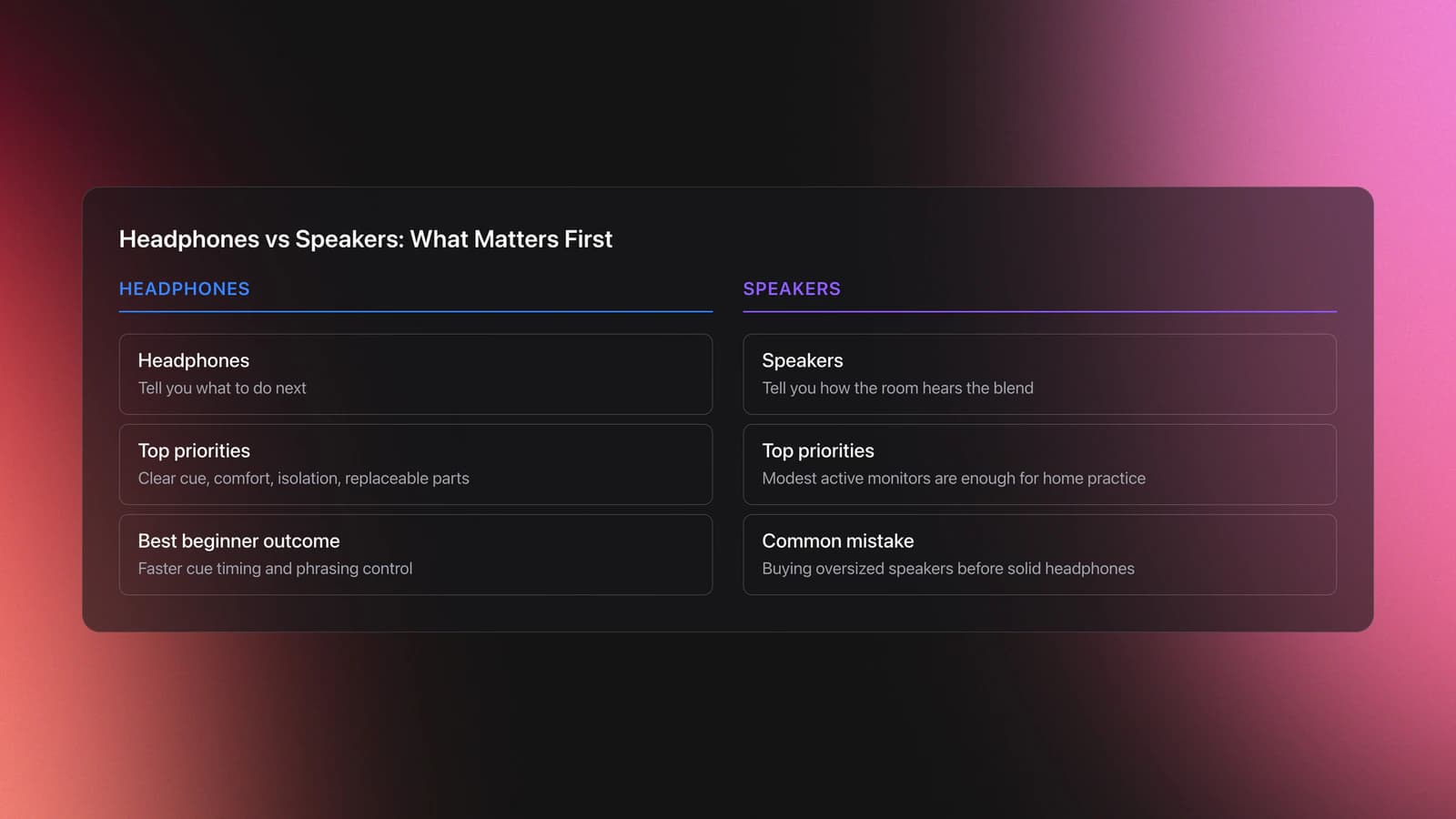
The order inside monitoring is fixed: headphones before speakers. Speakers tell you how the room hears the blend. Headphones tell you what to do next. If your budget is tight, buy solid headphones and average speakers, not the other way around. You can lock phrasing and cue timing on modest speakers if your headphone cueing is clear, but strong speakers cannot fix vague cueing.
For speakers, a pair of modest active monitors is enough for home practice. In a bedroom, oversized speakers often create more room problems than value, so this is another place to spend later, not first.
Home Setup vs First Gigs
A home setup should optimize repetition. A first-gig setup should optimize reliability and speed. At home you can tolerate extra steps. At a venue, every extra step becomes stress.
A home system can stay simple: laptop, controller, headphones, speakers, and a small library you actually know. Repetition on a stable setup builds intuition faster than constantly changing equipment.
A first-gig system needs a few extra checks:
- Carry the exact cables you need.
- Test outputs before leaving home.
- Prepare playlists for opening, peak, and recovery moments.
- Keep file locations unchanged after final prep.
- Pack headphones and one backup USB if your workflow allows it.
Under performance pressure, retrieval beats collection size. If you are moving from home to club practice, prepare playlists for different room energy before buying more gear. Better sequencing often solves what beginners think is a hardware problem.
Common Mistakes With DJ Starter Equipment
| Mistake | Why It Happens | How to Avoid |
|---|---|---|
| Buying too many features early | Beginners confuse more controls with faster progress | Choose a clean two-channel workflow first and add complexity later |
| Ignoring library structure | Gear feels more exciting than file management | Create playlists and categories before your collection gets large |
| Overspending on speakers | Output feels more visible than cueing | Prioritize controller usability and headphones before louder speakers |
| Moving music files after import | Folders get renamed during cleanup | Lock your file structure early and relocate files carefully if needed |
| Using one huge playlist | It feels simpler at first | Split by genre, energy, and set role so retrieval stays fast |
Common beginner errors in a starter dj setup
Notice the pattern. Most mistakes are about friction, not sound quality. When friction piles up, you practice less. That is the hidden cost of buying in the wrong order.
Buying Paths by Scenario
If you are unsure what to buy first, use a simple decision based on where you will play and how often you will practice.
| Scenario | Best Choice | Why | Next Action |
|---|---|---|---|
| Bedroom practice only | Two-channel controller plus laptop | Lowest cost and fastest route to core skills | Choose software first, then buy matching controller |
| Practice plus mix recording | Controller, laptop, solid headphones, entry monitors | Recording exposes timing and EQ issues clearly | Record one 20-minute mix each week |
| Frequent travel to friends' houses | Compact controller and durable headphones | Portability matters more than larger controls | Test full pack-in and pack-out before buying extras |
| Preparing for first small gigs | Sturdier controller and disciplined library structure | Reliability and fast browsing matter under pressure | Build event playlists and test all outputs at home |
| Unsure if DJing will stick | Used entry controller and basic monitoring | Keeps cost low while preserving real workflow | Commit to 30 days of practice before upgrading |
Quick decision guide for entry level dj setup choices
The right basic setup is usually the one that removes excuses and gets used four nights a week.
Build Your Setup in Stages
You do not need to buy everything at once. Staged buying leads to a better setup because each upgrade solves a problem you have already felt.
Use this sequence:
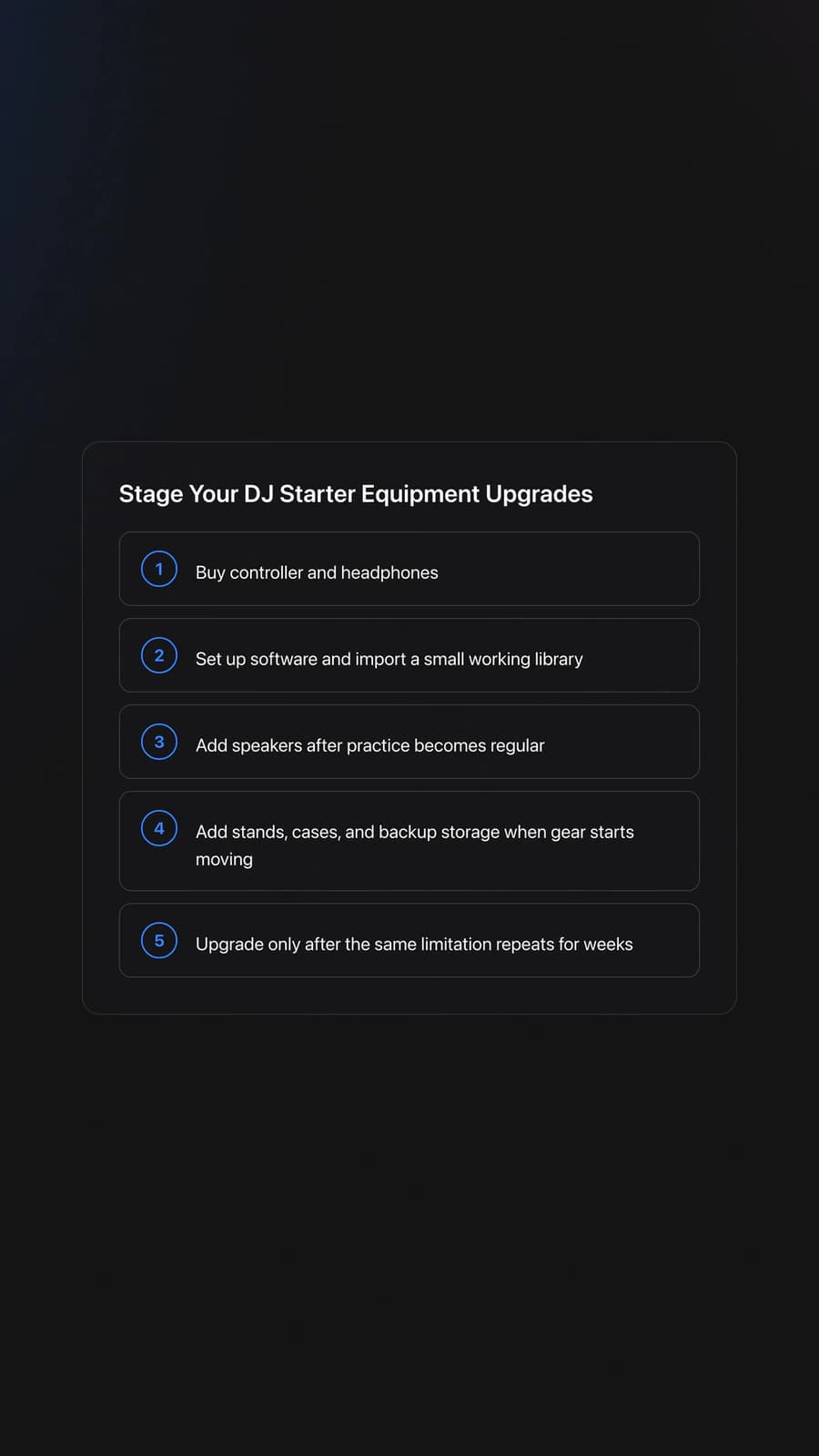
- Buy controller and headphones.
- Set up software and import a small working library.
- Add speakers once regular practice is established.
- Add stands, cases, and backup storage when you start moving gear.
- Upgrade only after a specific limitation repeats for several weeks.
That last point is the core of upgrading from friction. My own path ran DDJ-400 to a Denon Prime 4 to a Pioneer XDJ-RX2 and RX3, and I eventually sold all of it to fund production gear and now mostly play a tiny Denon Prime Go; the lesson was fun over firepower, buy what you actually use. Upgrade from evidence, not restlessness. If you keep noticing you cannot browse comfortably in low light, that is a real issue. If you keep losing tracks because your playlists are weak, that is not a controller problem yet.
For progression beyond the first setup, learn how to organize DJ playlists fast so your next upgrade supports a stronger workflow rather than compensating for chaos.
Practice Routine That Justifies Your Next Buy
Your gear only earns an upgrade if you use it enough to feel its limits. Build a short routine that trains control, retrieval, and transition judgment together.
- Week 1 to 2. Practice loading, cueing, and matching intros for 20 minutes, four times per week.
- Week 3 to 4. Record 15-minute mixes using only 15 to 20 tracks you know well.
- Week 5 to 6. Build mini playlists by energy and practice switching between them without stopping.
Validation Check
What Matters Most: Order, Not Price
The best dj starter equipment is not the cheapest gear or the most advanced gear. It is the setup bought in the right order so you get repeatable control, clear cueing, fast browsing, and enough structure to keep practicing.
If you remember only three things:
- Buy in order: controller, headphones, software and library, speakers, accessories.
- Prioritize control over output, and headphones before speakers.
- Build in stages and upgrade only from repeated friction, not from fear of missing out.
The visual way to organize your DJ library
Tag tracks by vibe. See everything at once. Export to rekordbox, Serato, Traktor or Engine DJ.
14-day free trial. Full access, no strings attached.
or see how it works
Techniques Covered

Equipment & Software
Continue Your Learning Journey
Start Here First
Alternative Approaches
Related Content
DJ Transitions: The Three-Layer Handoff for Beginners
intermediate
Transition DJ Online: Browser Mixer Workflow
intermediate
DJ Playlist Spotify: Mixing With Streaming Inside Rekordbox
intermediate
DJ Record Pool Guide for Working DJs
intermediate
How To Mix In Key Live: Worked Transitions And Failure Fixes
intermediate
DJ Library Organization System: Tags, Crates, Keys
intermediate
Harmonic Mixing Guide for DJs: Energy & Workflow
intermediateFrequently Asked Questions

Hey, it's Ben Modigell 👋
I DJ and produce as so I so: downtempo, minimal, dub house, tech house, and techno (releases on Spotify and SoundCloud, links above). Everything I write here comes from my own gigs, studio sessions, and library cleanups: the rules I follow, the failure modes I have actually hit, and the workflow I use when nobody is watching. If a technique did not earn its place in my own sets, it does not make it into a tutorial.