
VirtualDJ
·Atomix ProductionsDJ software for Windows and macOS that handles audio mixing, video mixing, karaoke, stems, and broad hardware support.

Professional DJ Software
DJ software is the foundation of digital DJing. Modern platforms offer stems separation, live remixing, and deep integration with controllers and external gear for hybrid performance setups.
Quick Answer
If you are running an older version, the VirtualDJ 7 overview covers what still works and when to upgrade.
VirtualDJ is for DJs who want one platform that can cover home practice, controller gigs, video sets, and karaoke without locking them into one hardware brand. The main reason to consider VirtualDJ is flexibility. It handles standard audio mixing well, but it also goes further with real-time stems, video playback, and unusually wide controller support.
VirtualDJ Overview
VirtualDJ is a DJ software platform for Windows and macOS made by Atomix Productions. It is free for home use without external hardware, then scales up through Home, Pro, and Business licenses depending on whether you use controllers, play paid gigs, or need commercial support.
That split matters because VirtualDJ can look cheap at first, then become a more serious purchase once you connect hardware or work professionally. Even so, the free tier is more useful than many rivals. You can learn core mixing, prep playlists, test workflows, and decide if the software fits your setup before paying.
VirtualDJ also covers more ground than most DJ apps. According to the VirtualDJ official features page, it supports audio and video effects, karaoke playback, built-in editors, performance pads, and browser tools. The official pricing and licenses page also lists support for 2 to 99 decks, which tells you where the platform sits: broad, configurable, and built for edge cases as much as standard sets.
If your question is simple, here is the short answer. VirtualDJ is worth a close look if you want one DJ app for practice, paid gigs, video, karaoke, and mixed hardware. It is less ideal if you want the most club-standard workflow or the cleanest interface with minimal setup.
For readers comparing software, it also helps to see where it sits next to Serato DJ Pro, rekordbox, and Traktor Pro 4. Those tools each have clearer ecosystem identities. VirtualDJ wins on range.
VirtualDJ Features
VirtualDJ stands out because it combines stems, video, karaoke, and controller support inside one package. That makes it especially attractive for mobile DJs, open-format DJs, and anyone who moves between practice at home and mixed-format gigs.
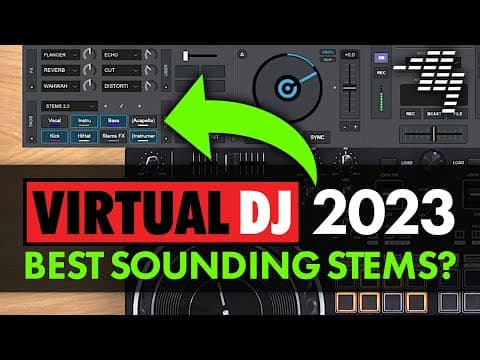
The headline feature is real-time [stem separation](/learn/techniques/stem-separation). The VirtualDJ stems overview and Stems 2.0 manual describe live isolation of vocals, instruments, bass, and drums, plus stem-specific effects and performance pad control. In practice, that means faster mashups, cleaner transitions, and more control over acapella or instrumental moments.
The second big feature is format range. VirtualDJ is one of the few mainstream DJ platforms that treats video and karaoke as core functions instead of side add-ons. The karaoke manual shows singer rotation tools, lyric extraction, instrumental mode, and video output options. If you do weddings, bars, or mixed entertainment nights, that is a real advantage.
Library management is another strength. The software includes fast search, smart filters, custom folders, nested organization, and quick-access shortcuts from the browser. Experienced practitioners usually care more about this than flashy marketing features, because bad library flow slows every set.
Customization is where VirtualDJ pulls away from more locked-down rivals. The official feature set includes skins, scripts, plugins, VST support, custom pad pages, and advanced options. If you like to shape software around your workflow, VirtualDJ gives you room to do it.
- Real-time stems with pad and FX control
- Audio, video, and karaoke in one application
- Plug-and-play support for a huge range of controllers
- Smart library tools and embedded editors
- Deep customization through skins, scripting, and plugins
Technical Specs
VirtualDJ is software, so the important specs are platform support, licensing limits, and workflow capacity rather than physical measurements. Official information confirms current Windows and macOS support, broad hardware compatibility, and a deck count that goes far beyond typical two- or four-deck software.
| Specification | Details |
|---|---|
| Developer | Atomix Productions |
| Platforms | Windows and macOS |
| Current download line | VirtualDJ 2026 |
| OS requirement on download page | Windows 10 64-bit or macOS 10.14 |
| Recommended hardware guidance | Apple Silicon M1 or better, 8 GB RAM or more for general use |
| Extra for stems 2.0 | macOS 13 or newer and Apple Silicon with 16 GB RAM on the mac guidance page |
| Deck count | 2 to 99 decks |
| Media support | Audio, video, karaoke |
| Effects support | Native effects plus VST and VSTi |
| Hardware support | Plug-and-play with most popular controllers and mixers |
One note on requirements: the download page says VirtualDJ 2026 requires Windows 10 64-bit or macOS 10.14, while the minimum system requirements page lists older legacy minimums and stronger recommendations for modern features. In other words, it may install on less, but stems and video work better on current hardware.
Who Is This For
VirtualDJ fits a wide audience, but it makes the most sense for DJs who need flexibility. Beginners can start free with just a laptop. Working DJs can move into controller use, paid gigs, video, or karaoke without switching platforms.
It is especially strong for mobile DJs, bar DJs, karaoke hosts, and open-format performers. These users often need fast requests, mixed media, and odd hardware combinations. VirtualDJ handles those jobs better than many club-focused platforms.
It also works well for home users who want to learn before buying a controller. The free home-use model lowers the risk. You can build library habits and basic beatmatching skills first, then decide whether to invest.
It is less ideal for DJs who want the most standard Pioneer-style export-to-club path. In that case, rekordbox still has the clearest workflow connection to CDJs and XDJ systems. If your identity is scratch-heavy battle work, Serato DJ Pro may still feel more familiar.
In Practice
VirtualDJ feels broad before it feels elegant. That is not always a criticism. It means the software can adapt to more setups than most competitors, but it also means you may spend more time shaping the interface and options to fit your style.
The daily workflow is strongest in the browser, search, and live feature depth. You can move from normal audio mixing to stem work, then into video or karaoke tasks, without leaving the same environment. That continuity is useful if your gigs are unpredictable.
The trade-off is polish. MusicRadar describes VirtualDJ as highly customizable and strong for beginners, while also noting that the jump to Pro pricing is steep once hardware enters the picture. Digital DJ Tips goes further, calling it one of the most powerful DJ platforms while noting that the interface and effects are not as slick as some rivals.
That tracks with how many experienced DJs talk about it. VirtualDJ often wins on capability first, then loses points on presentation. If you judge software by what it lets you do rather than how trendy it looks, that balance may work in your favor.
Pros and Cons
VirtualDJ has clear strengths and clear compromises. The strongest case for it is breadth. The biggest caution is that you may pay more than expected once you move from casual home use to serious controller-based work.
Pros
- Broad hardware support, useful free tier, strong stems, video and karaoke tools, deep customization, and solid library management.
Cons
- -Pro pricing matters once you need controller access or paid-gig use, the interface feels less refined than some rivals, and some features take setup time to dial in.
Price and Value
VirtualDJ pricing is unusual because the low end is very accessible, but the professional end is not bargain software. The official buy page lists Home at $4 per month, Pro at $19 per month, Business at $99 per month, and annual options that lower the monthly effective cost.
The same buy page also offers a Pro Infinity license as a one-time purchase, while MusicRadar lists that perpetual price at $299 or about £319. Converting recent US pricing puts the monthly Pro plan at roughly €18 and £16, though regional taxes can change the exact checkout price.
That makes value depend on your use case. For home practice, VirtualDJ is excellent value because free use is real, not a useless demo. For paid DJs, the value comes from range. If you need stems, controller flexibility, video, and karaoke in one tool, the Pro tier can replace multiple pieces of software.
If you only want a standard two-deck performance workflow, though, rivals may feel simpler. This is where comparison shopping matters. A broader DJ software buying guide helps if you are weighing long-term cost against workflow fit.
Alternatives
The main alternatives each solve a different problem. Serato focuses on performance feel and market acceptance. rekordbox focuses on Pioneer-style preparation and booth continuity. Traktor focuses on creative mixing and effects.
| Product | Price | Key Difference |
|---|---|---|
| VirtualDJ | $19/mo Pro | Best range of use cases, including video and karaoke |
| Serato DJ Pro | Official pricing varies by plan and hardware bundle | Stronger club familiarity and tighter core performance workflow |
| rekordbox | Plan-based pricing with free and paid tiers | Best fit for Pioneer DJ and AlphaTheta ecosystems |
| Traktor Pro 4 | Official pricing varies by current plan or bundle | Great for electronic DJs who prioritize effects and remix-style tools |
If you mainly play clubs with Pioneer booths, start with rekordbox. If you want a scratch-friendly standard with broad recognition, look at Serato DJ Pro. If you want performance flexibility across odd gear, mixed-format gigs, and non-standard workflows, VirtualDJ remains one of the most capable options.
VirtualDJ vs Serato vs rekordbox
If you are choosing between the big three, it comes down to who they are built for. VirtualDJ wins on range and hardware flexibility, Serato is the club/scratch standard, and rekordbox is the default for Pioneer and AlphaTheta gear.
| VirtualDJ | Serato | rekordbox | |
|---|---|---|---|
| Best for | Mobile, wedding, home, open-format | Hip-hop, scratch, club | Pioneer/AlphaTheta club setups |
| Stems | Real-time, very flexible | Real-time (pre-analyzed) | Real-time (users rate it less precise) |
| Hardware | Nearly any controller + custom mapping | Mostly official plug-and-play | Best with Pioneer/AlphaTheta gear |
| Library | Plug in a drive and browse instantly | Crate-based, needs pre-analysis | Strong tagging + USB export for players |
| Video mixing | Built in | Separate Serato Video pack | Limited |
| Free tier | Free for home (no controller) | Serato DJ Lite (free) | Free performance mode with many controllers |
| Paid | ~$49 home to $299 perpetual, or ~$19/mo | ~$9.99/mo or ~$99-250 perpetual | Subscriptions for advanced/cloud features |
VirtualDJ vs Serato vs rekordbox, verified against each vendor and Digital DJ Tips (2026). Pricing varies by region and bundle.
Choose it if
- You play mobile, wedding, or open-format sets and want audio, video, karaoke, and stems in one app.
- You mix across many controller brands.
- You want a capable free tier for home practice.
Skip it if
- -You want the club-standard workflow that matches Pioneer/AlphaTheta gear, or the cleanest minimal interface.
- -In that case rekordbox or Serato fits better.
Watch
Bottom Line
VirtualDJ is not the coolest-looking DJ platform, and that is part of why it gets underestimated. What it offers is range. You can learn on it for free, connect a controller later, run paid gigs, use stems creatively, and even handle karaoke or video without changing software.
For many DJs, that is more valuable than brand prestige. If your workflow is simple and club-standard, another platform may feel cleaner. If your gigs are varied, your hardware changes, or your sets go beyond straight audio mixing, VirtualDJ deserves serious consideration.
One more angle worth naming: VirtualDJ performs well in the booth, but its browser is not built for deep crate organization. If library prep is your bottleneck, a dedicated DJ library tool like Vibes handles tagging, sorting, and set building, then exports directly to Rekordbox, Serato, Traktor, or Engine DJ.
Continue readingNext: best DJ software for mobile DJsSee where VirtualDJ lands against the field for mobile and open-format work.Organize for Live Performance
Tag tracks by set position, energy level, and key. When you're performing live, every second counts, find what you need instantly.
14-day free trial. Full access, no strings attached.
or see how it works
Tutorials Using VirtualDJ





DJ Techniques Using This Gear
See how DJs and live performers incorporate VirtualDJ into their workflow.



Similar & Alternative Gear
Frequently Asked Questions

Hey, it's Ben Modigell 👋
I DJ and produce as so I so: downtempo, minimal, dub house, tech house, and techno (releases on Spotify and SoundCloud, links above). Everything I write here comes from my own gigs, studio sessions, and library cleanups: the rules I follow, the failure modes I have actually hit, and the workflow I use when nobody is watching. If a technique did not earn its place in my own sets, it does not make it into a tutorial.