Track Analysis
Track analysis helps DJs understand a song’s tempo, key, phrasing, energy, and transition points before performance.
Track Analysis Tutorials



Track analysis is the process of studying a song before you play it so you know its BPM, key, phrase layout, energy curve, and best mix points. Good track analysis makes transitions easier, reduces surprises, and helps you choose the right track faster in the booth.
If you already master beat matching fundamentals, track analysis is what turns raw mixing skill into repeatable set control. It helps you stop guessing where the breakdown lands, whether the groove drifts, or why one mix feels smooth while another feels forced.
What Is Track Analysis?
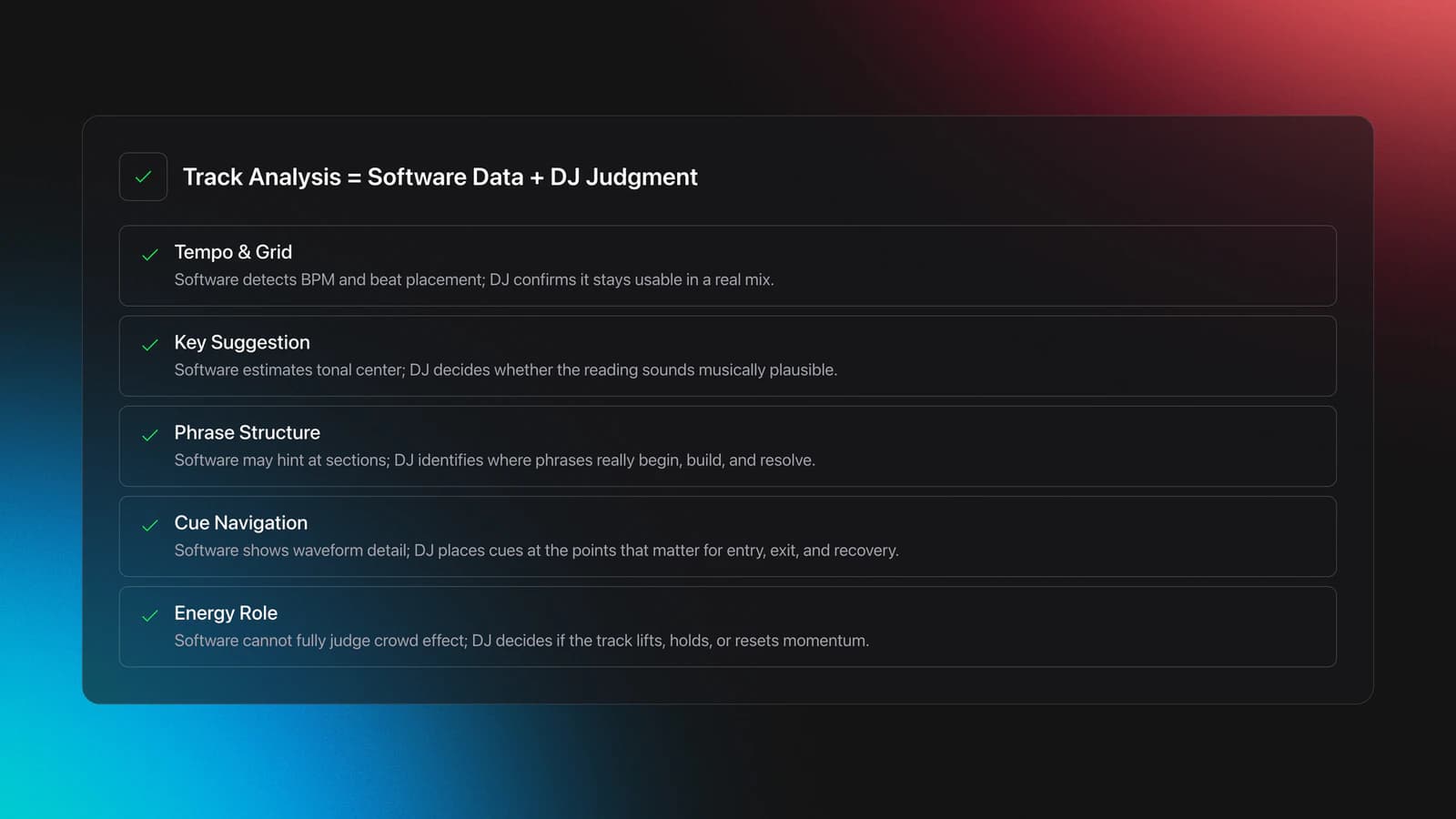
Track analysis means combining software data with your own listening. DJ software can detect BPM, beatgrid, key, waveform, and in some cases phrase or vocal information, but the DJ still has to judge energy, crowd impact, and whether the suggested data is actually useful in a real set. Educational resources like the rekordbox manual, the Serato support guide, and the DJ TechTools energy guide all point to the same core idea.
In practical terms, track analysis answers five questions. What tempo is this? What key center does it suggest? Where do phrases begin and end? Where are the useful cue points? What kind of energy does it create on a dancefloor?
This is why track analysis is not just software analysis. It is preparation, judgment, and recall.
Why Track Analysis Matters
Track analysis matters because it shortens decision time during performance. When your files already show stable BPM, a usable beatgrid, clear cue markers, and your own energy notes, you can focus on timing and crowd response instead of searching through the waveform.
It also improves consistency. rekordbox lets you analyze BPM/Grid, Key, Phrase, and Vocal data, and can auto-set cues at the first beat if enabled in preferences, while Serato analyzes files to build waveforms, detect corruption, and calculate auto-gain, key, and BPM. Those tools speed up prep, but they work best when you review the result rather than trust it blindly through the rekordbox feature overview, the rekordbox manual, and the Serato support guide.
- Analyze BPM and beatgrid first.
- Confirm key, but verify by ear.
- Mark intro, breakdown, drop, and outro.
- Rate the track’s energy honestly.
- Test one or two likely transitions.
- Save notes and cue points before gig day.
Track Analysis Workflow
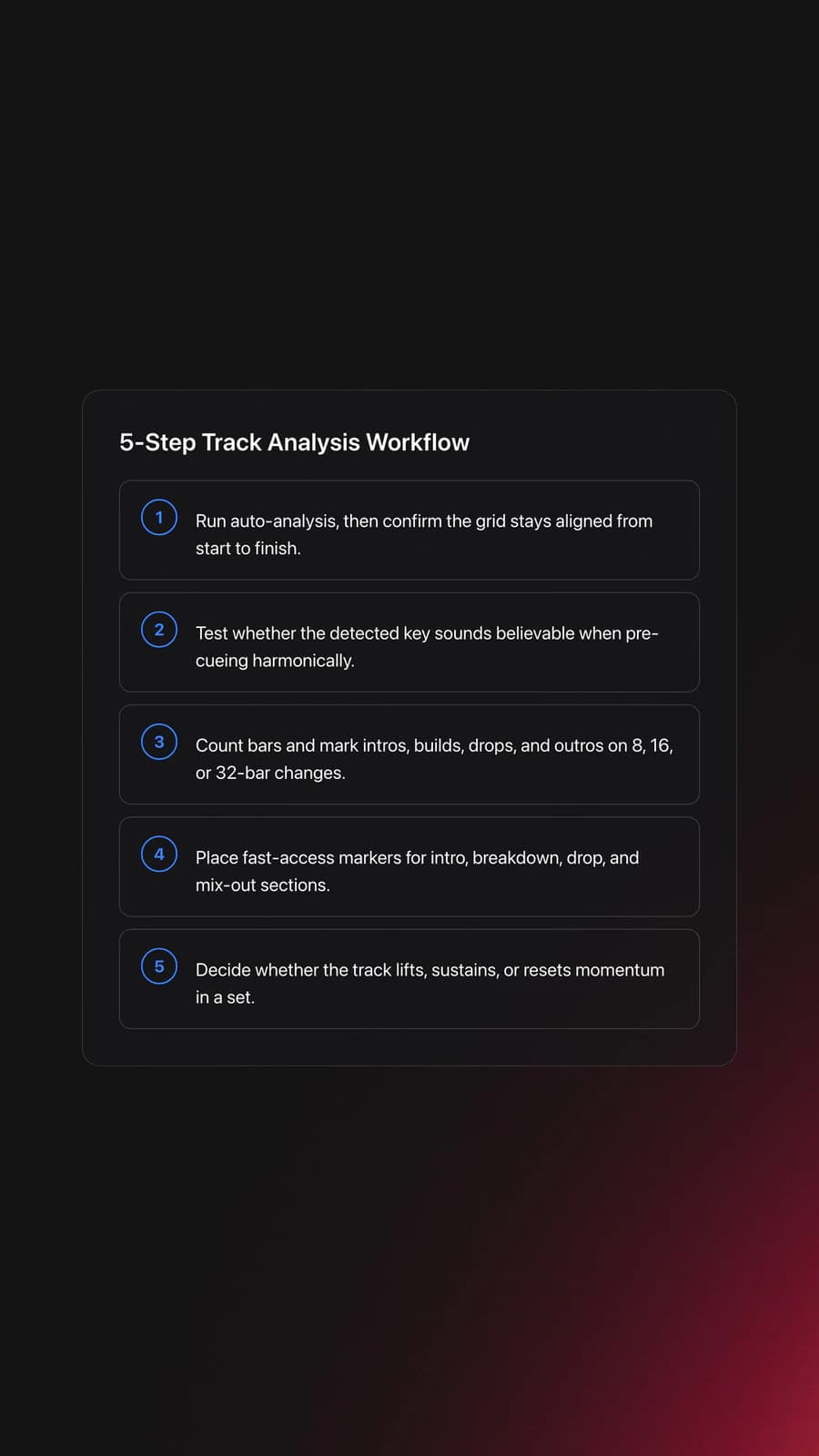
A solid track analysis workflow starts with automation, then moves to manual correction. Let the software scan the file, then listen once from start to finish with a specific goal for each pass.
On the first pass, check tempo stability. For most electronic tracks, a static grid is enough. Some tracks with live drumming, older edits, or tempo drift need dynamic analysis or manual beatgrid repair, which is also noted in the Rekordbox analysis tutorial and the rekordbox manual.
On the second pass, map structure. Count bars. Find the first clean downbeat. Mark where the intro ends, where tension rises, where the main groove lands, and where the outro becomes mixable. The DJ cue points guide is useful here because it frames cue points as navigation markers, not decoration.
On the third pass, listen for compatibility. Ask whether the track has room for another vocal, whether the low end is dense, and whether the arrangement leaves a clean place to enter or exit. This is the point where learn phrase mixing structure and use harmonic mixing with confidence start to overlap with track analysis.
| Step | What To Check | Success Indicator |
|---|---|---|
| 1 | BPM and beatgrid | Grid stays aligned for the full track |
| 2 | Key reading | Key feels plausible when pre-cueing harmonically |
| 3 | Phrase layout | Main changes land on predictable 8, 16, or 32-bar points |
| 4 | Cue points | You can jump to intro, breakdown, drop, and outro instantly |
| 5 | Energy role | You know if the track lifts, holds, or resets momentum |
BPM, Key, and Phrase Signals
BPM is the easiest signal to overtrust. Software usually gets close, but half-time and double-time errors still happen. A drum and bass tune can be read at 87 instead of 174, and a swung or broken rhythm can confuse the grid. Always watch whether the grid stays locked through the whole arrangement.
Key detection is helpful, but it is still a guide. Dedicated tools may outperform built-in analysis in some libraries, yet even good key software can misread ambiguous harmony, modal material, or tracks that do not sit cleanly in major or minor. Community discussions often mention this, and even practitioner-oriented guides stress listening first, not rule worship, as reflected by the DJ TechTools energy guide.
Phrase analysis is where many beginners level up fast. If you can see or hear where 16-bar and 32-bar blocks begin, you can set cleaner entries and exits. rekordbox supports phrase analysis as part of track analysis settings, and phrase-oriented cue prep is also emphasized in the rekordbox manual and the DJ cue points guide.
In other words, metadata helps you search. Structure helps you mix.
Equipment and Software
You do not need expensive tools to start track analysis. A laptop, headphones, local files, and one major DJ platform are enough. Serato and rekordbox both support core file analysis, including BPM and key options, while rekordbox also exposes phrase-related analysis controls in current documentation through the Serato support guide, the rekordbox manual, and the rekordbox feature overview.
Optional tools can speed things up. Some DJs use separate key analysis software, then disable duplicate key analysis in their main platform to avoid conflicting tags. That setup can work well, but only if you keep one source of truth for your library.
The real requirement is consistency. Use the same cue naming logic, the same energy labels, and the same review process every time.
Practice Drills for Track Analysis
The fastest way to improve track analysis is short, focused repetition. In practice, reviewing just three to five tracks with a strict checklist builds better judgment than trying to process fifty files in one marathon sitting.
Start with one genre you know reasonably well. Analyze five tracks per day. For each one, set the first downbeat, confirm the beatgrid, mark four cue points, write one energy note, and test one outgoing transition.
Then repeat the process on unfamiliar music. This is where weaknesses show up. You will notice if your phrase counting is shaky, if your key decisions are too rigid, or if you label every song as high energy because you are listening in isolation instead of in set context.
If you keep practice material organized, a structured reference library helps. In Vibes, you can group tracks by mood, function, and energy so your analysis drills stay focused instead of turning into random browsing.
Common Mistakes in Track Analysis
Most track analysis mistakes come from treating automation as final. Software is fast, but it cannot fully judge dancefloor impact, hidden arrangement edits, or whether a breakdown arrives too late for your set flow.
| Mistake | Why It Happens | Fix |
|---|---|---|
| Trusting BPM blindly | Half-time or drifting analysis slips through | Check grid alignment at the start, middle, and end |
| Using key as a hard rule | Software labels feel objective | Pre-cue by ear before committing to the transition |
| Setting random cue points | No phrase logic or naming system | Mark structural points you will actually use live |
| Ignoring energy role | Listening only for technical compatibility | Label whether the track lifts, holds, or resets momentum |
Why do most beginners struggle here? Because track analysis feels administrative at first. But once you start using it mid-set, you realize every clean note you saved earlier removes stress later.
Troubleshooting Bad Analysis
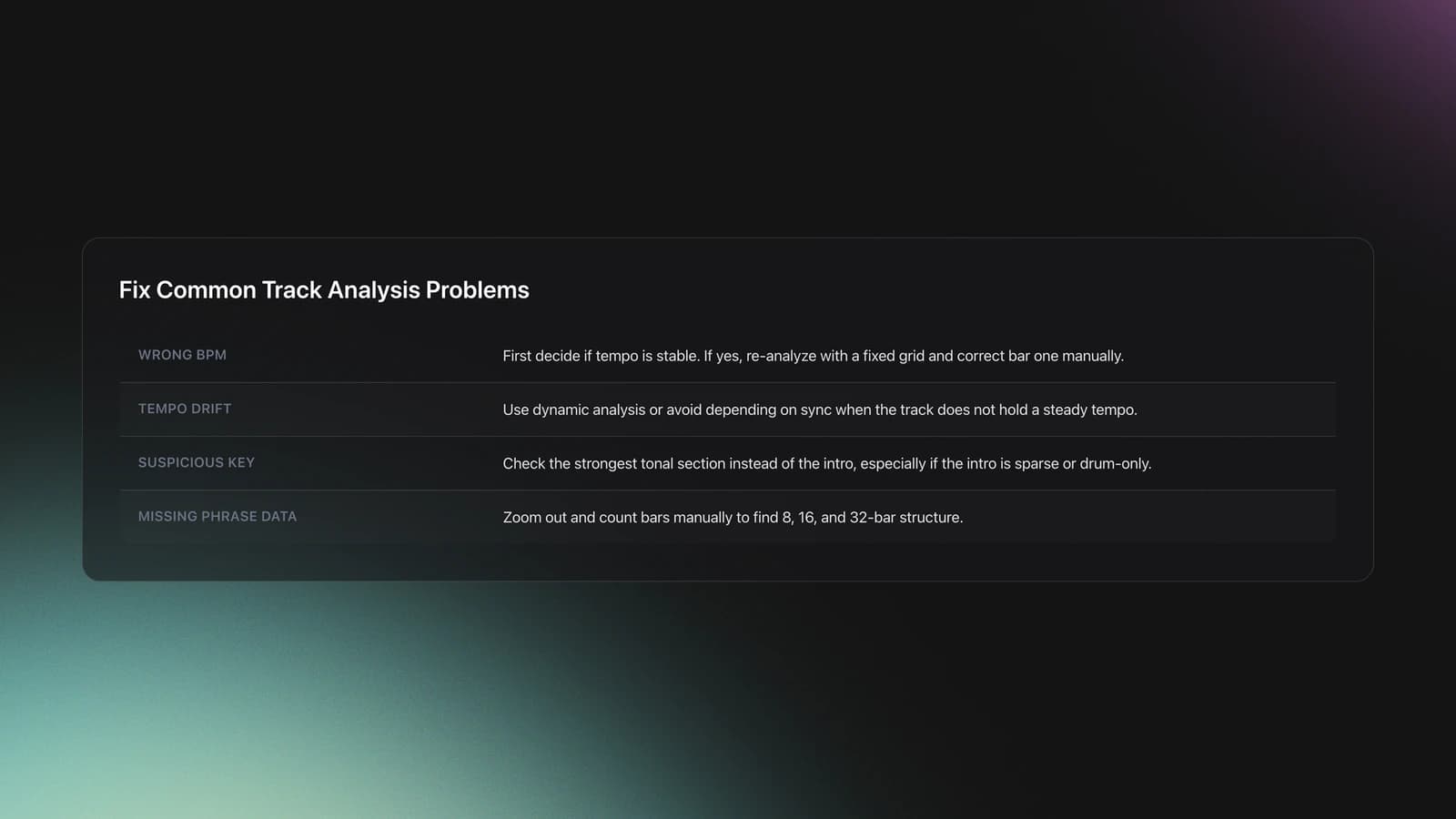
If the BPM looks wrong, first decide whether the song has a truly stable tempo. If it does, re-analyze with a fixed grid and manually correct the first bar. If it does not, use a dynamic method or avoid relying on sync for that file.
If the key looks suspicious, compare it with the track’s strongest tonal section instead of the intro. Sparse intros, drum-only passages, and atonal breakdowns can throw off automatic detection.
If phrase analysis is missing or unclear, zoom out and count manually. Many electronic tracks still reveal clear 8, 16, and 32-bar sections even when the software labels are incomplete. The Rekordbox analysis tutorial and DJ cue points guide both reinforce the value of manual review.
Real-World Use in DJ Sets
In a real set, track analysis helps you make faster and calmer choices. You can sort by BPM, filter by key, recall a cue at the start of a 32-bar intro, and avoid tracks whose vocals or basslines will overcrowd the mix. That workflow is reflected across the DJ TechTools energy guide, the Serato support guide, and the rekordbox manual.
It also makes back-to-back and high-pressure gigs safer. If another DJ jumps genres, you can quickly search for bridges by tempo, key neighborhood, or energy level instead of scrambling through memory alone.
The result is not a robotic set. It is more freedom, because the boring decisions were handled before the doors opened.
Next Steps
Track analysis gives you a working map of every song in your library. It tells you how a track moves, where it fits, and what kind of transition it can support. Once that map exists, your mixes become easier to plan and easier to trust.
Keep these takeaways in mind.
- Use software analysis as a starting point, not a verdict.
- Mark structure and energy, not just BPM and key.
- Practice on small batches until your judgments stay consistent.
Start by analyzing ten tracks you already love, then test them in short transitions. After that, move deeper into learn phrase mixing structure or use harmonic mixing with confidence so your preparation turns into stronger set flow.
The visual way to organize your DJ library
Tag tracks by vibe. See everything at once. Export to rekordbox, Serato, Traktor or Engine DJ.
14-day free trial. Full access, no strings attached.
or see how it works
More Tutorials
Deep House: Sound, Structure, and Flow

Mixed In Key Manual for DJs

House Trance: Sound, Structure, Mixing

Beginner DJ Equipment: What You Need

Starter DJ Controller Buying Guide

DJ City Song: What You Actually Get

DJ Starter Equipment: What to Buy First (and What to Skip)

Virtual DJ Tutorial: Beatmatching Basics

What Is a House DJ?

Type of House Music Explained
Mixed In Key Database Guide

DJ Key Wheel Decision Framework: Four Safe Moves and Advanced Jumps

Best DJ Controller: How to Choose
Equipment You'll Need
Project Studio
optionalA custom Windows desktop workstation built for music production, recording, mixing, and sample-heavy project studio use.
Roland TR-808
optionalThe Roland TR-808 is an analog drum machine whose punchy kick, snappy hats, and step-sequencing workflow helped define hip-hop, electro, pop, and modern electronic music.
Pioneer DJ DDJ-FLX4
optionalA compact 2-channel DJ controller with built-in audio interface, USB-C connectivity, and beginner-friendly smart mixing features.
Fruity Delay 3
optionalA stock FL Studio delay effect that combines tempo-synced echoes, filtering, modulation, diffusion, and feedback distortion in one plugin.
Hercules DJControl Inpulse 500
optionalA 2-channel USB DJ controller with built-in audio interface, performance pads, and guided mixing features for home practice and small public sets.
Serato DJ Lite
optionalFree two-deck DJ software for Mac and Windows that introduces Serato’s workflow, controller support, and basic mixing tools.
Traxsource
optionalTraxsource is a digital music download store focused on house and underground dance music for DJs.
FL Studio
optionalA pattern-based digital audio workstation for beatmaking, recording, arrangement, mixing, and music production on Windows and macOS.
VirtualDJ
optionalDJ software for Windows and macOS that handles audio mixing, video mixing, karaoke, stems, and broad hardware support.
Tiptop Audio CYMBL909
optionalA dual-voice Eurorack drum module that recreates the TR-909 crash and ride cymbal circuits with added CV control and hot modular-level outputs.
Pioneer DJ DDJ-1000
optionalA 4-channel rekordbox DJ controller with full-size jog wheels, onboard displays, and club-style mixer controls.
Ableton Live
optionalAbleton Live is the go-to DAW for hybrid DJ sets and live electronic performance. Session View enables non-linear clip launching perfect for DJs transitioning from decks. Use it alongside CDJs, with controllers like Push and Launchpad, or as your complete performance rig.
Serato DJ Pro
optionalProfessional DJ software for mixing, performance, library management, recording, and hardware-integrated club workflows.
DJControl Inpulse 200 MK2
optionalCompact 2‑deck USB DJ controller with built‑in audio, Beatmatch Guide LEDs, and Serato DJ Lite/DJUCED integration.
iZotope RX 8
optionalAudio repair and restoration software for cleaning dialogue, music, and field recordings in a standalone editor and plug-in workflow.
Pioneer DJ DDJ-SB
optionalA compact 2-channel USB DJ controller designed for Serato DJ Intro and later supported with Serato DJ Lite and Serato DJ Pro.
Mixed In Key 11
optionalStandalone harmonic-mixing and library-prep software that detects keys, energy levels, cue points, and tags for DJ sets.
Numark Mixtrack Pro II
optionalA two-channel USB DJ controller with a built-in audio interface, touch-activated jog wheels, and performance pads for Serato-compatible mixing.
Traktor MX2
optionalA 2-channel DJ controller with integrated audio interface and tight Traktor Pro 4 integration for mixing, stems, effects, and performance pads.
Platinum Notes 10
optionalPlatinum Notes 10 evens loudness, repairs clipped peaks, and prepares DJ files for more consistent playback in Serato, rekordbox, and Traktor.
rekordbox
optionalCloud-connected DJ software for music management, performance, export prep, and club-standard hardware integration.
Pioneer DJ CDJ-3000
optionalProfessional flagship DJ media player with a 9-inch touchscreen, advanced MPU processing, and club-standard Pro DJ Link workflow.
Pioneer DJ DDJ-400
optionalA compact 2-channel USB DJ controller built for rekordbox with a club-style layout aimed at new and progressing DJs.
Pioneer CDJ-1000
optionalA discontinued professional CD-based DJ player that helped define the modern club-standard jog-wheel workflow.
Native Instruments Traktor Pro 4
optionalA professional 4-deck DJ software platform with stem separation, flexible beatgrids, effects, DVS support, and broad controller integration.
Pioneer CDJ-400
optionalA discontinued digital DJ media player that plays CDs and MP3 files from USB storage, and can also work as a MIDI controller and USB audio interface.
VirtualDJ 7
optionalA legacy DJ software platform for audio and video mixing, controller mapping, and DVS playback on Windows and Mac.
Numark Mixtrack Pro FX
optionalA 2-deck USB DJ controller with a built-in audio interface, capacitive jog wheels, performance pads, and Serato DJ Lite support.
Beatport
optionalBeatport is a DJ-focused electronic music store and streaming platform for discovering, buying, and streaming tracks into supported DJ software and hardware.
Frequently Asked Questions

Hey, it's Ben Modigell 👋
I DJ and produce as so I so: downtempo, minimal, dub house, tech house, and techno (releases on Spotify and SoundCloud, links above). Everything I write here comes from my own gigs, studio sessions, and library cleanups: the rules I follow, the failure modes I have actually hit, and the workflow I use when nobody is watching. If a technique did not earn its place in my own sets, it does not make it into a tutorial.