
Watch Nick Spinelli’s tutorial above (30K views on YouTube).
This guide is for new DJs trying to buy a starter dj controller without wasting money on the wrong layout, the wrong software, or gimmick features. If you are stuck between cheap beginner options, this will help you choose the right first controller and understand what will still matter once you start playing real sets.
The short version is simple. A good starter dj controller should help you learn transferable skills, not just entertain you for a week. That means usable jog wheels, sensible faders, clear effects control, dependable software support, and a layout that will not feel alien when you touch better gear later.
If you are still building your track pool, start there too. A controller teaches technique faster when you already have music you know well. That is why many DJs pair gear research with a clean system for DJ music library organization.
Starter DJ Controller: What Actually Matters
Most beginner reviews obsess over feature count. That is the wrong lens. You are not buying the longest spec sheet. You are buying your first training environment.
I use a simple framework here: transferability, control feel, and software path. Transferability means the habits you learn now still make sense later. Control feel means the faders, pads, and jogs respond in a way that helps you build timing. Software path means your controller should work inside an ecosystem you can trust and grow with.
This is why two controllers at the same price can be very different purchases. One can teach useful fundamentals. Another can bury those fundamentals under novelty.
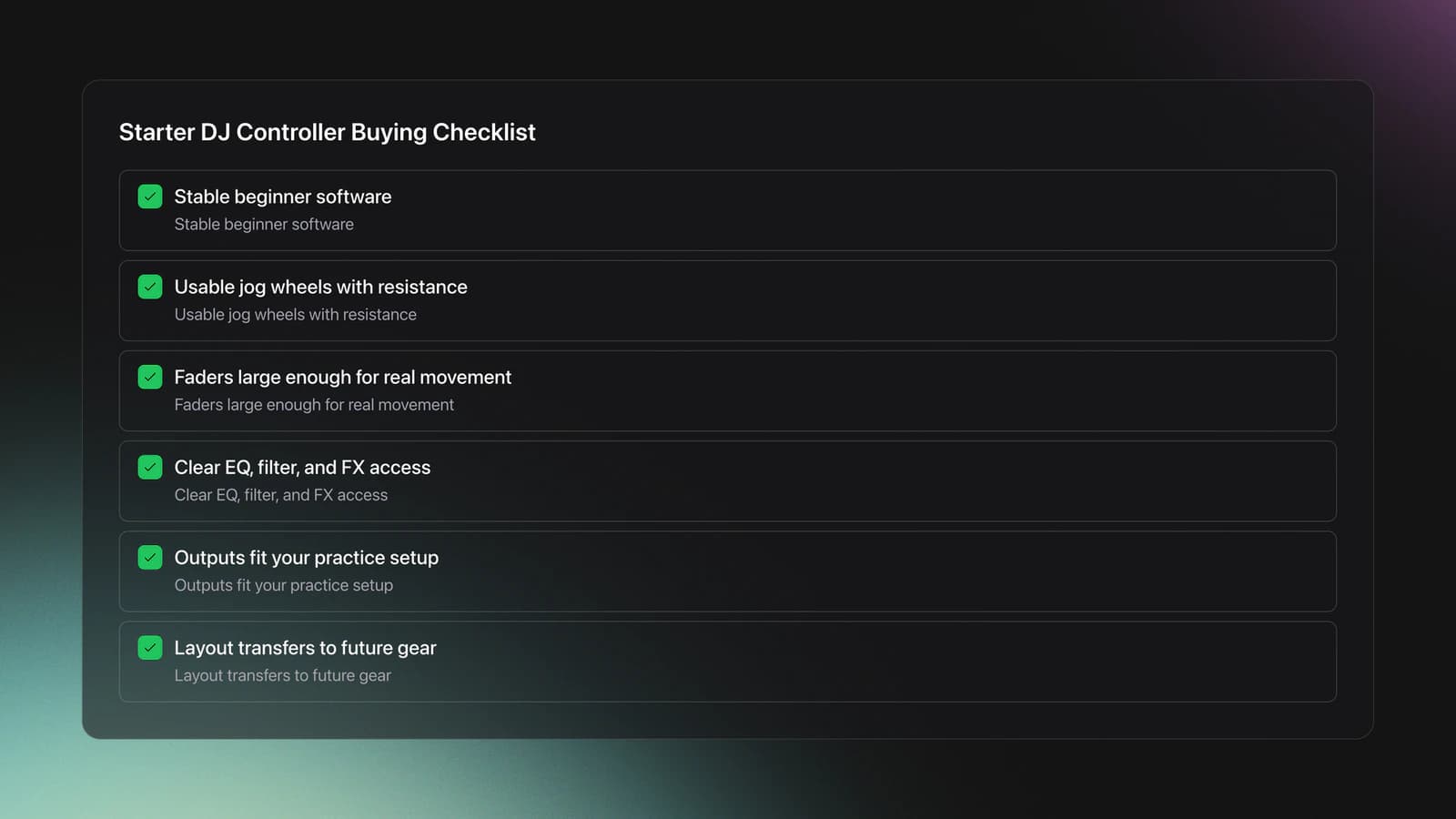
A starter dj controller should cover six basics well:
- Stable beginner software
- Usable jog wheels with enough physical resistance
- Faders large enough to train real hand movement
- Clear EQ, filter, and effects access
- Outputs that match your practice setup
- A layout that will not punish you later
According to Serato's hardware documentation, the Numark Mixtrack Pro FX and Pioneer DDJ-SB3 both unlock Serato DJ Lite when connected, and Hercules positions the Inpulse 500 for use with both Serato DJ Lite and DJUCED. That matters because software lock-in shapes your upgrade path as much as the hardware does.
Controller Feel: Why Size Beats Gimmicks
Why does this matter for a starter dj controller? Because your hands learn scale before they learn style.
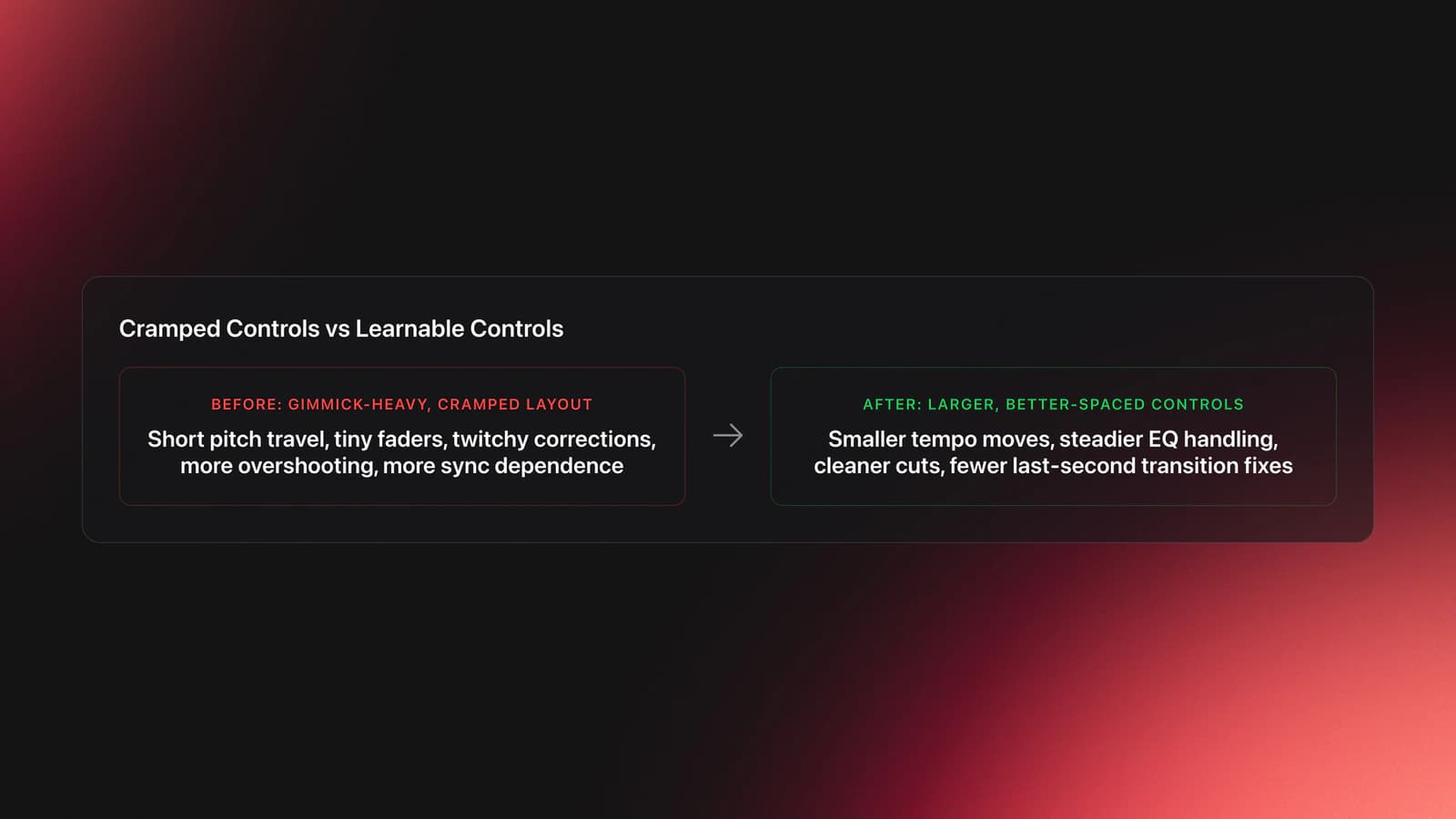
A beginner can adapt to missing features. A beginner struggles more with cramped controls. Short pitch faders, tiny channel faders, and toy-like crossfaders make it harder to learn smooth correction, fine tempo adjustment, and basic cuts.
That was the clearest pattern in the transcript. The strongest praise went to controllers that felt closer to full-size gear. The harshest criticism went to hardware that spent its budget on attention-grabbing extras instead of core control surfaces.
This is where many buyers get tricked. Colored pads, light guides, and novelty training tools look helpful in a product demo. They do not always improve the physical learning loop. If the faders are cramped or the pitch travel is too short, you are practicing on a distorted version of the task.
Here is a practical example. Suppose you are matching two house tracks at 124 BPM and 124.4 BPM. On a longer pitch slider, that correction is easy to make in tiny increments. On a short slider, the same correction becomes twitchy. You overshoot, pull back, overshoot again, and start relying on sync instead of your ears.
Take scratching as another example. A slightly heavier jog wheel can feel more planted. That makes baby scratches and simple drags easier to control. A light platter is not automatically bad, but it demands more precision from a beginner who has not built that touch yet.
Validation Check
If you mostly care about underground gigs, portability still matters. Booth space can be limited, and large all-in-one units are not always practical. One EEA-T pattern from the source material is useful here: standalone versus laptop-dependent matters less than whether the controller fits your real use case, screen visibility in dim rooms, and how much setup friction you can tolerate.
That tradeoff appears in a lot of real gear journeys. A setup can be powerful and still feel wrong for your life. Compact gear often wins because it gets used more.
Try this now: put your hands on the controller and make ten small tempo moves, ten EQ cuts, and ten crossfader motions without looking down for each one. If that feels cramped, jumpy, or awkward, the layout is fighting you.
Best Starter DJ Controller Under $300
If you want a direct answer, the best starter dj controller from the transcript's three-way comparison is the Pioneer DDJ-SB3. The runner-up is the Numark Mixtrack Pro FX. The Hercules DJControl Inpulse 500 finishes third.
That ranking was not based on brand prestige. It came from how well each controller supports actual beginner development. The top two both make core mixing and effects work feel more practical. The bottom option adds interesting ideas, but too many of them pull attention away from transferable fundamentals.
Official hardware pages back up some of the important distinctions. Serato lists the Mixtrack Pro FX with 6-inch capacitive jog wheels and dedicated FX controls, while Hercules highlights dual software support, light guides, and broader connectivity on the Inpulse 500. Those are real differences. The harder question is whether they help you learn the right things first.
| Controller | Best For | Main Strength | Main Weakness | Verdict |
|---|---|---|---|---|
| Pioneer DDJ-SB3 | Absolute beginners | Beginner-friendly training features | Light, toy-like build | Best overall starter pick |
| Numark Mixtrack Pro FX | Beginners who want more room to grow | Fuller-size feel and strong FX layout | Weak fader-cut gimmick | Best value pick |
| Hercules DJControl Inpulse 500 | Buyers who need more outputs and onboard mic control | Connectivity and teaching aids | Too many gimmicks and short faders | Useful in spots, but weakest learning platform here |
Starter DJ controller comparison based on the transcript's hands-on ranking and official hardware documentation.
If you are building a first setup, the next bottleneck is usually not the controller. It is track access. Once your library grows, finding the right opener, backup track, or energy shift becomes the real problem. Many DJs handle that with folders and notes. Others use a library tool like Vibes to sort local files into custom categories, track progress, and export structured playlists into their DJ software. The method matters more than the app, but some kind of category system quickly becomes necessary.
Pioneer DDJ-SB3: Why It Wins for Beginners
The DDJ-SB3 wins because it teaches without getting in your way.
Its strongest advantage is not sound quality or construction. It is guided usefulness. The Fade FX and Pad Scratch features give a beginner examples that can be copied, studied, and then practiced manually.
That is a different kind of beginner aid. Some learning features hide the process. These features expose it. The user hears a usable result, sees what happened, and can try to reproduce the move.
The transcript's piano analogy explains this well. Learning from illuminated keys works because it lowers intimidation without removing cause and effect. The same logic applies here. A scratch pattern that appears on screen is not just a trick. It is a visible model.
That makes the SB3 especially strong for the true beginner DJ controller use case. If you are still learning phrasing, timing, and basic transitions, a feature that gives you a clean reference can shorten the ugly early phase.
There is another practical advantage. The layout feels familiar to anyone who expects to touch club-oriented Pioneer-style hardware later. That does not make it identical to higher-end gear. It just reduces the adjustment cost.
Here is a worked example. Say you are mixing an outgoing track and want a clean exit without panicking on the phrase change. Fade FX can show you a controlled filter or echo-style fade. You hear the timing. You hear the shape. Then you repeat the move yourself with filter, volume, and phrasing awareness.
Second example. Load a drum break or vocal phrase and use Pad Scratch to hear a simple pattern. Watch the movement in software. Then recreate just the first motion manually. Do not chase the full trick. Chase one accurate sound.
The failure mode is clear too. If you only trigger the learning features and never imitate them manually, your progress stalls. You become dependent on demonstrations instead of building touch.
You will know the SB3 is helping when you stop asking, "What effect should I use?" and start recognizing when a filter fade, short echo, or basic scratch phrase fits the bar structure.
Its downsides are real. Serato confirms the unit unlocks DJ Lite, and the SB3 remains supported in guides and help materials, but it is still older hardware. The build also feels light, and the mic level control placement on the rear is awkward for live adjustment.
Still, for pure learning value, it is the strongest first dj controller in this comparison.
Numark Mixtrack Pro FX: Best Value Starter DJ Controller
The Numark Mixtrack Pro FX is the best starter dj controller if you want the most useful hardware feel for the money.
It finished second in the transcript, but it is close. In some workflows, it is the better buy. Official Numark and Serato documentation list large 6-inch jog wheels, six dedicated FX controls, 16 performance pads, and unlocked Serato DJ Lite support.
What matters more is how those specs translate into practice. The controller gives you a more mature sense of spacing. Bigger faders and heavier jogs make it easier to build confidence with hand placement and small corrections.
This is important if you plan to progress beyond bedroom mixing fast. You do not need pro gear on day one. You do need a layout that does not teach cramped movement.
Its FX section is another real strength. The paddle-style effect triggers and dedicated controls support a more deliberate style of transitions. The transcript also highlights post-fader behavior as a meaningful plus, because effects remain audible after you drop the channel volume.
Example one. You are exiting a melodic track and want the tail of the reverb or echo to continue naturally after the fader move. A post-fader style workflow makes that intuitive. The effect finishes the sentence instead of getting cut off midway.
Example two. You combine filter and effect on the way out of a phrase. Because the controls are independent, you can shape the tone while also setting the effect timing. That teaches better musical phrasing than one-button magic.
The main failure mode is getting distracted by its weakest extra. The transcript strongly criticizes the fader-cut feature because it imitates cuts poorly and does not teach useful mechanics. That is a fair warning. Not every beginner feature deserves your time.
You will know this entry level dj controller is a fit when you care more about how the hardware responds than about automated lesson tools. It suits the beginner who wants to practice real movement, not just trigger pre-baked ideas.
For many DJs, that is enough to make it the best entry level dj controller in this price band.
As your library expands, this becomes a workflow problem as much as a gear problem. A basic dj controller can only help if the right tracks are easy to pull up under pressure. Some DJs stay with crates and naming conventions. Others build structured folders, mood tags, and prep playlists in tools like Vibes, which can organize local files into hierarchical categories and export that structure to Rekordbox or other DJ software. Either way, planning your library early saves more sets than another effect button.
Hercules Inpulse 500: Useful Ideas, Wrong Priorities
The Hercules DJControl Inpulse 500 is the most complicated case.
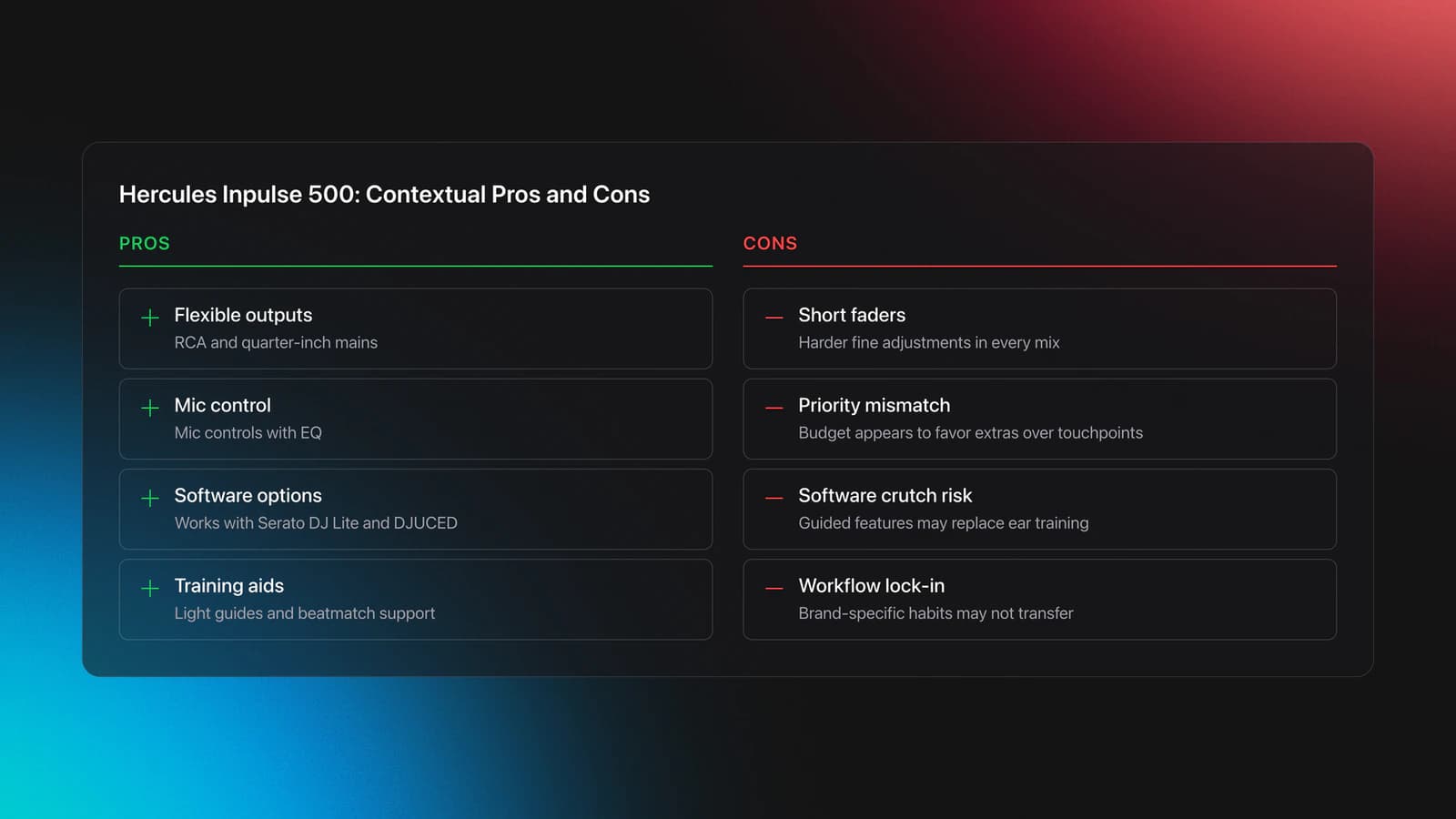
On paper, it has some very practical wins. Hercules documents broad connectivity, including RCA and quarter-inch main outputs, dual headphone options, mic controls with EQ, and support for both Serato DJ Lite and DJUCED. It also includes light-guide teaching tools.
That means the Inpulse 500 is not useless. It may even be the right pick for a specific beginner who needs onboard mic shaping, extra input flexibility, or visual beatmatching support.
But the transcript's criticism gets at a deeper issue: priority order. A first controller should spend its budget on the parts you touch constantly. On this unit, too much attention seems to go toward visual extras and software-specific hooks.
Short faders are the biggest concern. That affects every mix. If the throw is limited, fine adjustments become harder. That is not a side complaint. It changes the difficulty of the core skill.
The software split is the second concern. Hercules officially promotes both Serato DJ Lite and DJUCED with this controller. That flexibility can be a benefit. It becomes a problem only if the buyer starts depending on features that live mainly in the brand's own software and then mistakes that for universal DJ workflow.
Worked example one. A beginner uses the beatmatch guide to align tracks. That is fine as training support. But if they never learn to hear drift and make manual correction, the visual guide becomes a crutch.
Worked example two. A buyer needs a quarter-inch main out and accessible mic EQ for small event use. In that case, the Inpulse 500's connection set may outweigh the learning drawbacks. This is where context changes the answer.
The failure mode is buying it for the wrong reason. If you choose it because the lights, feet, and guided features seem more advanced, you may end up with a controller that looks helpful but trains your hands less effectively.
You will know it is the wrong fit when you keep praising the features you watch and keep fighting the controls you touch.
How Do You Choose a Starter DJ Controller?
Choose a starter dj controller by matching it to your learning bottleneck, not just your budget. If you need guided practice, pick the controller with the clearest training features. If you need room to grow, prioritize larger controls and a more transferable layout.
Use this quick decision guide:
| Scenario | Best Choice | Why | Next Action |
|---|---|---|---|
| You are a total beginner and want built-in learning help | Pioneer DDJ-SB3 | Its beginner aids model useful transitions and scratch ideas | Practice one Fade FX move and one manual copy of it |
| You want the best hardware feel for the price | Numark Mixtrack Pro FX | Larger controls and stronger FX workflow feel more transferable | Test tempo nudges and post-fader effect exits for 20 minutes |
| You need better output flexibility or mic control | Hercules Inpulse 500 | It offers broader connection options and onboard mic shaping | Confirm you actually need those ports before buying |
| You expect fast progression onto larger gear | Numark Mixtrack Pro FX | Its scale and spacing better prepare you for bigger systems | Compare pitch-fader travel against other options in person |
| You learn best from guided examples | Pioneer DDJ-SB3 | Its training-style features reduce intimidation early on | Use the aids, then recreate the move manually |
Quick decision framework for choosing a first dj controller.
There is also a softer factor that matters: joy. One EEA-T module in the brief points to a long self-taught path that started informally, with a borrowed setup, downloaded tracks, and a lot of exploration. That is worth preserving. Your first controller should make you want to practice. If a simpler setup gets used four nights a week, it beats the more impressive one gathering dust.
That same pattern shows up in real gear progression. Borrowed Traktor gear can lead to a DDJ-400, then a large standalone unit, then back to a compact setup because practicality wins. The lesson is not that small is best. The lesson is that usable gear beats aspirational gear.
Starter DJ Controller Mistakes to Avoid
| Mistake | Why It Happens | How to Avoid |
|---|---|---|
| Buying by lights and novelty features | Demo-friendly extras look more impressive than core controls | Check fader size, jog feel, and software support first |
| Ignoring software path | Beginners assume all DJ software works the same | Pick a controller that fits the ecosystem you want to stay in |
| Overvaluing port count | Extra inputs feel professional even if you never use them | Buy for your current setup unless a real use case exists |
| Choosing the cheapest toy-like build | Low price feels safe for a first purchase | Make sure the layout still teaches transferable habits |
| Using automated aids without manual follow-up | Training features make early wins easy | Copy every assisted move manually right after hearing it |
Common beginner buying mistakes with a starter dj controller.
The pattern behind all five mistakes is the same. Buyers confuse stimulation with usefulness.
A good dj controller for beginners should reduce friction while preserving the real task. If a feature teaches the wrong hand movement, hides the musical decision, or locks your habits into one odd workflow, it is not beginner-friendly. It is just beginner-marketed.
Build a Better Beginner Setup Around the Controller
A first dj controller does not work alone. Your setup quality depends on three connected systems: hardware, music library, and practice loop.
Start with the controller. Then make the rest of the setup support fast repetition.
- Use headphones you can wear for long sessions
- Practice with tracks you know inside and out
- Record short mixes, not just isolated tricks
- Keep one folder for reliable practice tracks
- Review timing errors before buying more gear
If you want a next step after buying, work on beatmatching by ear, phrasing and transitions, and Rekordbox playlist organization. Those skills will outlast any entry level dj controller.
Conclusion
The best starter dj controller is the one that teaches real movement, real timing, and real decision-making. In this comparison, the Pioneer DDJ-SB3 wins for guided beginner progress, while the Numark Mixtrack Pro FX offers the strongest value for DJs who want a more transferable feel.
Keep these takeaways in mind:
- Buy for control feel before novelty
- Choose software path and hardware together
- Use guided features only if they lead to manual practice
From there, build a repeatable setup, organize your tracks, and record short sessions often. The controller starts the process. Your habits determine how far it takes you.
The visual way to organize your DJ library
Tag tracks by vibe. See everything at once. Export to rekordbox, Serato, Traktor or Engine DJ.
14-day free trial. Full access, no strings attached.
or see how it works
Techniques Covered

Mic Control

Jog Wheel

Cueing Tracks

Track Selection

Types of DJ Transitions

Cue Button Usage

DJ Rig Setup
Track Analysis
Sync Button Technique

DJ System Configuration
EQ Adjustments
Equipment & Software
Featured Gear
Continue Your Learning Journey
Start Here First




Related Content
DJ Decks: 2 vs 4 Channel Buying Guide
intermediateDJ Transitions: The Three-Layer Handoff for Beginners
intermediateTransition DJ Online: Browser Mixer Workflow
intermediate
How to DJ With Just a Laptop (No Controller Needed)
intermediate
DJ Playlist Spotify: Mixing With Streaming Inside Rekordbox
intermediate
DJ Key Wheel Decision Framework: Four Safe Moves and Advanced Jumps
intermediateHow To Mix In Key Live: Worked Transitions And Failure Fixes
intermediate
DJ Record Pool Guide for Working DJs
intermediate
DJ Library Organization System: Tags, Crates, Keys
intermediateFrequently Asked Questions

Hey, it's Ben Modigell 👋
I DJ and produce as so I so: downtempo, minimal, dub house, tech house, and techno (releases on Spotify and SoundCloud, links above). Everything I write here comes from my own gigs, studio sessions, and library cleanups: the rules I follow, the failure modes I have actually hit, and the workflow I use when nobody is watching. If a technique did not earn its place in my own sets, it does not make it into a tutorial.


