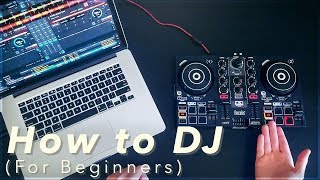
Transition Technique
A core DJ transition workflow combining phrase counting, EQ swaps, and fader choice to move between tracks while preserving musical structure.
Transition Technique Tutorials



Transition Technique is the craft of moving from one track to the next without breaking flow. You align phrases, balance frequencies, and control dynamics so the dance floor never loses energy.
Learn Transition Technique to eliminate muddy overlaps, avoid clashes, and land drops exactly on the one. It pairs naturally with beat matching and phrase alignment to create mixes that feel effortless.
This guide gives you a step‑by‑step approach, practice drills, and checkpoints you can hit within two to four weeks of consistent work.
What Is Transition Technique?
Transition Technique combines timing, EQ control, and fader moves to move between songs while preserving musical structure. Phrases often span 16 bars in 4/4, so aligning phrase boundaries keeps structure intact. See the overview of phrasing for context in the Wikipedia overview of phrasing in DJing.
In practice, you beat match tempos, align the first downbeat of a new phrase, then blend with EQ and filters so only one bassline dominates at a time. Native Instruments’ guides cover these fundamentals for EQ and filters during transitions in the Traktor guide to transitions, EQ, and filters.
Why Master This Technique
- Keep energy consistent across a set without dead air.
- Prevent bass clashes and muddiness during overlaps.
- Time builds and drops for maximum impact.
- Blend across subgenres while staying musical.
Core Technique Breakdown
Start by matching tempo and phase. If you prefer a foundation first, master beat matching fundamentals before attempting long blends.
Count bars and cue the incoming track so a new phrase starts as the current phrase ends. This 16 or 32‑beat alignment avoids structural collisions.
Use EQ to create space. Cut lows on the incoming track, bring it up with highs and some mids, then perform a quick, clean bass swap so only one full bassline plays at any time. This is standard practice covered in the MusicRadar EQ and filter tricks for DJs.
Choose your fader approach. Channel faders offer precise long blends. Crossfader suits quick cuts or turntablist chops. Either way, avoid big master level swings.
Filters add motion. A gentle high‑pass on the outgoing track or low‑pass on the incoming track can smooth overlaps. Native Instruments’ quickstart covers EQ and Mixer FX application in the Traktor quickstart on adjusting your sound.
| Step | Action | Key Point |
|---|---|---|
| 1 | Select compatible tracks | Match energy, consider key, and plan phrase entry. |
| 2 | Set tempo and phase | Sync or manual match; confirm kicks line up. |
| 3 | Phrase align | Cue the new track so the next phrase begins on the one. |
| 4 | Stage EQ | Incoming: lows cut, highs present. Outgoing: full spectrum. |
| 5 | Enter with highs | Raise channel fader; keep low end clean. |
| 6 | Swap bass | Bring in new lows while cutting old lows quickly on the phrase. |
| 7 | Shape with filters | Use subtle HP/LP sweeps to glue textures. |
| 8 | Exit cleanly | Lower outgoing track or cut on the one; reset EQ to neutral. |
Practice Drills
Aim for short, consistent sessions. Through daily 15–30 minute practice over years, I found slow‑tempo drills and strict phrase starts build timing and confidence much faster than marathon attempts.
Common Mistakes
| Mistake | Why It Happens | Solution |
|---|---|---|
| Two basslines playing together | Low‑end masking and headroom loss during overlap | Perform a fast bass swap. Cut lows on one track while raising lows on the other. See the MusicRadar guide. |
| Ignoring phrasing | Drops or breakdowns collide off‑grid | Count 16 or 32 beats and start transitions on phrase boundaries per phrasing norms. |
| Boosting EQ aggressively | Trying to add excitement during blends | Favor cutting over boosting to protect headroom and ears. Keep meters out of red. |
| Crossfader curve mismatch | Sharp curve causes sudden volume shifts in blends | Use channel faders for long blends or a smoother crossfader curve for gradual transitions. |
| Clashing melodies | Non‑compatible keys overlap in the mids | Use adjacent keys with learn harmonic mixing for safer overlaps. |
Equipment Setup
Use a mixer or controller with 3‑band EQ and filters. Many DJ mixers offer either standard cut EQs or full‑kill isolators; EQ type affects how cleanly you can carve space.
In Traktor, different EQ models and Mixer FX change how transitions feel. See Native Instruments’ documentation on EQ types and Mixer FX behavior as referenced in the Traktor guide to transitions, EQ, and filters and the Traktor quickstart on adjusting your sound.
Set a comfortable crossfader curve. Use a smoother curve for long blends and a sharper curve for cuts. Always reset EQ to neutral after transitions.
Organize Transition Practice
Create small crates of example pairs by BPM, key, and energy so you can loop the same transitions and build muscle memory. Vibes lets you tag tracks by mood and energy, assemble practice sets, and export to your DJ software once the blends feel solid.
Advanced Techniques
Harmonic transitions: Mix within the same Camelot code or adjacent codes for midrange clarity. See the basics in the Mixed In Key: Harmonic Mixing 101.
Energy boosts: Intentionally jump one or two semitones to lift energy, but keep overlaps short to reduce clashes. Reserve for peak moments.
FX exits: Echo‑out or filter‑out moves can hide busy passages and reset the spectrum before a drop. Use sparingly to avoid repetitive artifacts.
Controller specifics: Mixer FX and filters can be applied per channel for smooth entry and exit, as outlined in the Traktor quickstart on adjusting your sound.
Troubleshooting
Bass sounds thin after the swap. Check that only one bassline is full‑range. Add 1–2 dB on lows only if headroom allows and meters stay safe.
Blend feels flat. Introduce subtle filter motion or reduce overlap length. Sometimes a confident cut on the one is the right call.
Crowd fatigues. Reduce high‑shelf buildup and manage volume; long sessions at high SPLs increase fatigue. Follow hearing safety guidance from NIOSH.
The visual way to organize your DJ library
Tag tracks by vibe. See everything at once. Export to any DJ software.
14-day free trial. Full access, no strings attached.
or see how it works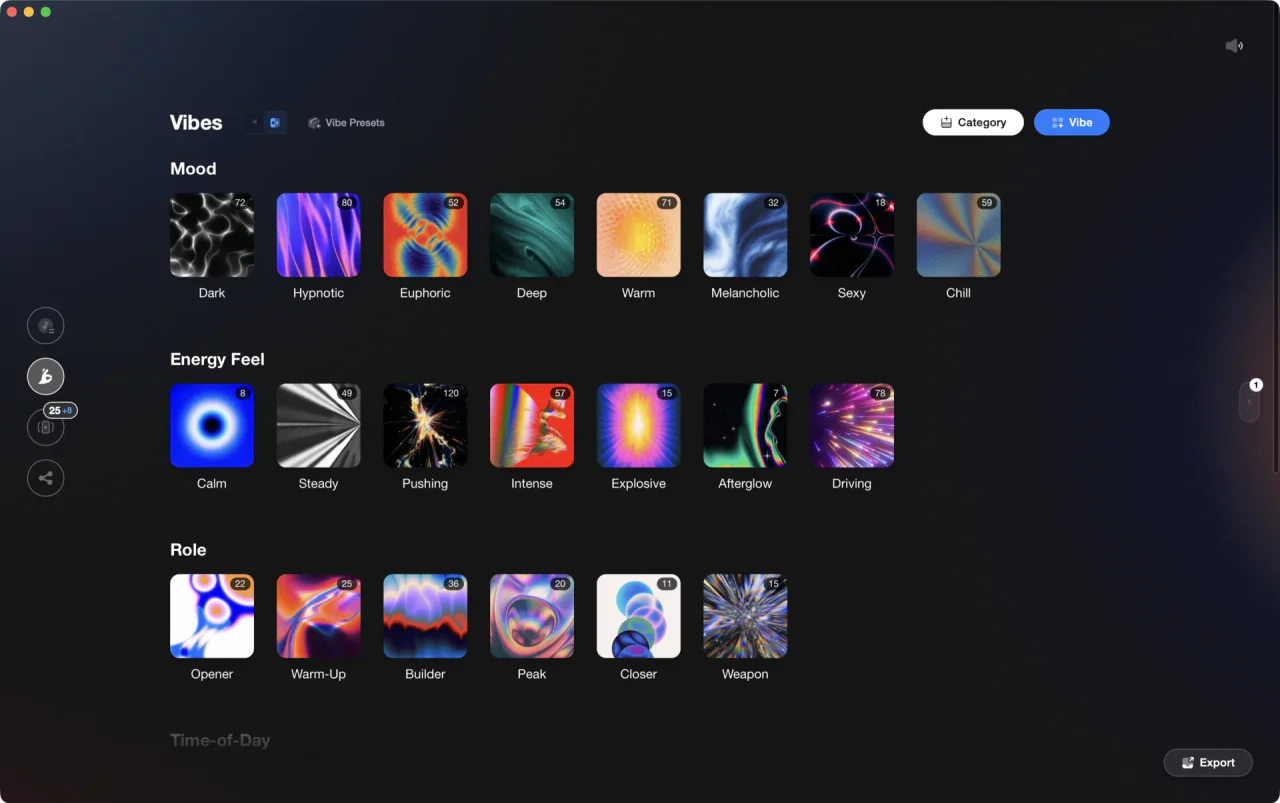
More Tutorials

DJ Playlist Spotify: Mixing With Streaming Inside Rekordbox
DJ Setup Guide: Wire a Reliable Rig From Bedroom to Club

How to DJ With Just a Laptop (No Controller Needed)
Deep House: Sound, Structure, and Flow

How to Set Up Your First DJ Controller and Mix Two Tracks

Transition DJ Online: Browser Mixer Workflow

Professional DJ Controller: Battle vs Club Layout, Jogs, and I/O

House Trance: Sound, Structure, Mixing
DJing in Key for Better Transitions

DJ Transitions: The Three-Layer Handoff for Beginners

Beginner DJ Equipment: What You Need

How To Mix In Key Live: Worked Transitions And Failure Fixes
Starter DJ Controller Buying Guide

How to DJ: First Mix, Step by Step
Progressive House Music: How It Works

How Can I Be a DJ and Start Strong
Mix and Key: Practical Guide to Melodic DJ Mixing

DJ Starter Equipment: What to Buy First (and What to Skip)

Virtual DJ Tutorial: Beatmatching Basics
How to Mix and Edit Songs Together
Camelot Wheel DJ: Layered Deck Mixing With EQ and Phrase

Harmonic Mixing Rekordbox Guide

House DJs: What Sets the Best Apart
When Mix and Key Actually Matters: A DJ's Guide to Harmonic Decisions

DJ Key Wheel Decision Framework: Four Safe Moves and Advanced Jumps

DJ Library Organization System: Tags, Crates, Keys

Top Techno Songs That Still Work
Equipment You'll Need
Native Instruments FM8
optionalNative Instruments FM8 is a powerhouse FM synthesizer for hybrid DJ sets and live performance. Its low CPU usage and bright, cutting tones make it ideal for layering over tracks in a live mix. Bounce FM8 basslines as audio loops for Traktor Remix Decks or Ableton clips.
Yamaha REV5
optionalThe Yamaha REV5 is a 2U rackmount digital **reverberator** built for studios and live rigs. If you want hardware ambience with surgical control, the Yamaha REV5 still delivers. Its balanced I/O, per‑program parametric EQ, and MIDI backup make it a reliable problem solver as well as a creative reverb. This page covers Yamaha REV5 features, specifications, pricing context, and the best alternatives.
Cockos REAPER
optionalA lightweight, deeply customizable digital audio workstation for recording, editing, mixing, MIDI production, and post work on Windows, macOS, and Linux.
Beatport
optionalBeatport is a DJ-focused electronic music store and streaming platform for discovering, buying, and streaming tracks into supported DJ software and hardware.
iTunes
optionalApple iTunes is a Windows media library, playback, device sync, and store application for managing music, video, podcasts, and Apple purchases.
Native Instruments Traktor Pro 4
optionalA professional 4-deck DJ software platform with stem separation, flexible beatgrids, effects, DVS support, and broad controller integration.
Project Studio
optionalA custom Windows desktop workstation built for music production, recording, mixing, and sample-heavy project studio use.
Traxsource
optionalTraxsource is a digital music download store focused on house and underground dance music for DJs.
FL Studio
optionalA pattern-based digital audio workstation for beatmaking, recording, arrangement, mixing, and music production on Windows and macOS.
iZotope RX 8
optionalAudio repair and restoration software for cleaning dialogue, music, and field recordings in a standalone editor and plug-in workflow.
Ableton Live
optionalAbleton Live is the go-to DAW for hybrid DJ sets and live electronic performance. Session View enables non-linear clip launching perfect for DJs transitioning from decks. Use it alongside CDJs, with controllers like Push and Launchpad, or as your complete performance rig.
Numark Mixtrack Pro FX
optionalA 2-deck USB DJ controller with a built-in audio interface, capacitive jog wheels, performance pads, and Serato DJ Lite support.
Pioneer DJ DDJ-FLX4
optionalA compact 2-channel DJ controller with built-in audio interface, USB-C connectivity, and beginner-friendly smart mixing features.
DJControl Inpulse 200 MK2
optionalCompact 2‑deck USB DJ controller with built‑in audio, Beatmatch Guide LEDs, and Serato DJ Lite/DJUCED integration.
Pioneer CDJ-1000
optionalA discontinued professional CD-based DJ player that helped define the modern club-standard jog-wheel workflow.
Hercules DJControl Inpulse 500
optionalA 2-channel USB DJ controller with built-in audio interface, performance pads, and guided mixing features for home practice and small public sets.
Serato DJ Pro
optionalProfessional DJ software for mixing, performance, library management, recording, and hardware-integrated club workflows.
Pioneer DJ CDJ-3000
optionalProfessional flagship DJ media player with a 9-inch touchscreen, advanced MPU processing, and club-standard Pro DJ Link workflow.
VirtualDJ
optionalDJ software for Windows and macOS that handles audio mixing, video mixing, karaoke, stems, and broad hardware support.
Pioneer CDJ-400
optionalA discontinued digital DJ media player that plays CDs and MP3 files from USB storage, and can also work as a MIDI controller and USB audio interface.
Traktor MX2
optionalA 2-channel DJ controller with integrated audio interface and tight Traktor Pro 4 integration for mixing, stems, effects, and performance pads.
VirtualDJ 7
optionalA legacy DJ software platform for audio and video mixing, controller mapping, and DVS playback on Windows and Mac.
Image-Line Soundgoodizer
optionalA simple stereo maximizer-enhancer plugin for FL Studio that applies one-knob processing based on the Maximus engine.
Serato DJ Lite
optionalFree two-deck DJ software for Mac and Windows that introduces Serato’s workflow, controller support, and basic mixing tools.
Pioneer DJ DDJ-1000
optionalA 4-channel rekordbox DJ controller with full-size jog wheels, onboard displays, and club-style mixer controls.
Mixed In Key Camelot Wheel
optionalA numeric key notation system for DJs that labels musical keys 1A–12A (minor) and 1B–12B (major) to simplify harmonic mixing.
Mixed In Key 11
optionalStandalone harmonic-mixing and library-prep software that detects keys, energy levels, cue points, and tags for DJ sets.
Mixed In Key
optionalDJ library preparation software that analyzes key, BPM, energy level, and cue points to speed up harmonic mixing and set planning.
Platinum Notes 10
optionalPlatinum Notes 10 evens loudness, repairs clipped peaks, and prepares DJ files for more consistent playback in Serato, rekordbox, and Traktor.
rekordbox DJ
optionalCloud-connected DJ software for music management, performance, export prep, and club-standard hardware integration.
AlphaTheta rekordbox
optionalProfessional DJ software for library management, USB export, cloud sync, and live performance tightly integrated with Pioneer DJ/AlphaTheta hardware.
Pioneer DJ DDJ-400
optionalA compact 2-channel USB DJ controller built for rekordbox with a club-style layout aimed at new and progressing DJs.
Camelot Wheel
optionalA harmonic mixing notation system that maps musical keys into simple 1A to 12B codes for DJs.
Frequently Asked Questions

Hey, it's Ben Modigell 👋
I DJ and produce as so I so — downtempo, minimal, dub house, tech house, and techno (releases on Spotify and SoundCloud, links above). Everything I write here comes from my own gigs, studio sessions, and library cleanups: the rules I follow, the failure modes I've actually hit, and the workflow I use when nobody's watching. If a technique didn't earn its place in my own sets, it doesn't make it into a tutorial.