
Harmonic Mixing Rekordbox Guide
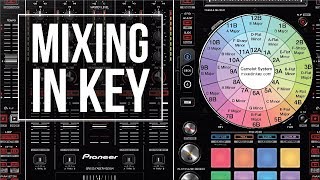
Watch pointblank music school’s tutorial above (64K views on YouTube).
This guide is for DJs who want harmonic mixing Rekordbox workflows to feel reliable instead of guessy. If you keep getting key clashes, confusing key labels, or mismatched analysis between apps, this will fix the setup and the decision process. By the end, you will know how to analyze tracks, preserve key data, test compatibility, and use harmonic information without becoming trapped by it.
The short version is simple. Harmonic mixing in Rekordbox means using track key data to combine songs, vocals, and loops that are more likely to sound musically compatible. The key word is likely. Good key matches improve your odds, but they do not replace phrasing, groove, arrangement, or taste.
If you are still building your core DJ workflow, pair this with DJ library organization, how to prepare a DJ set, and BPM matching for DJs. Harmonic mixing works best when your analysis, tags, and playlists already make sense.
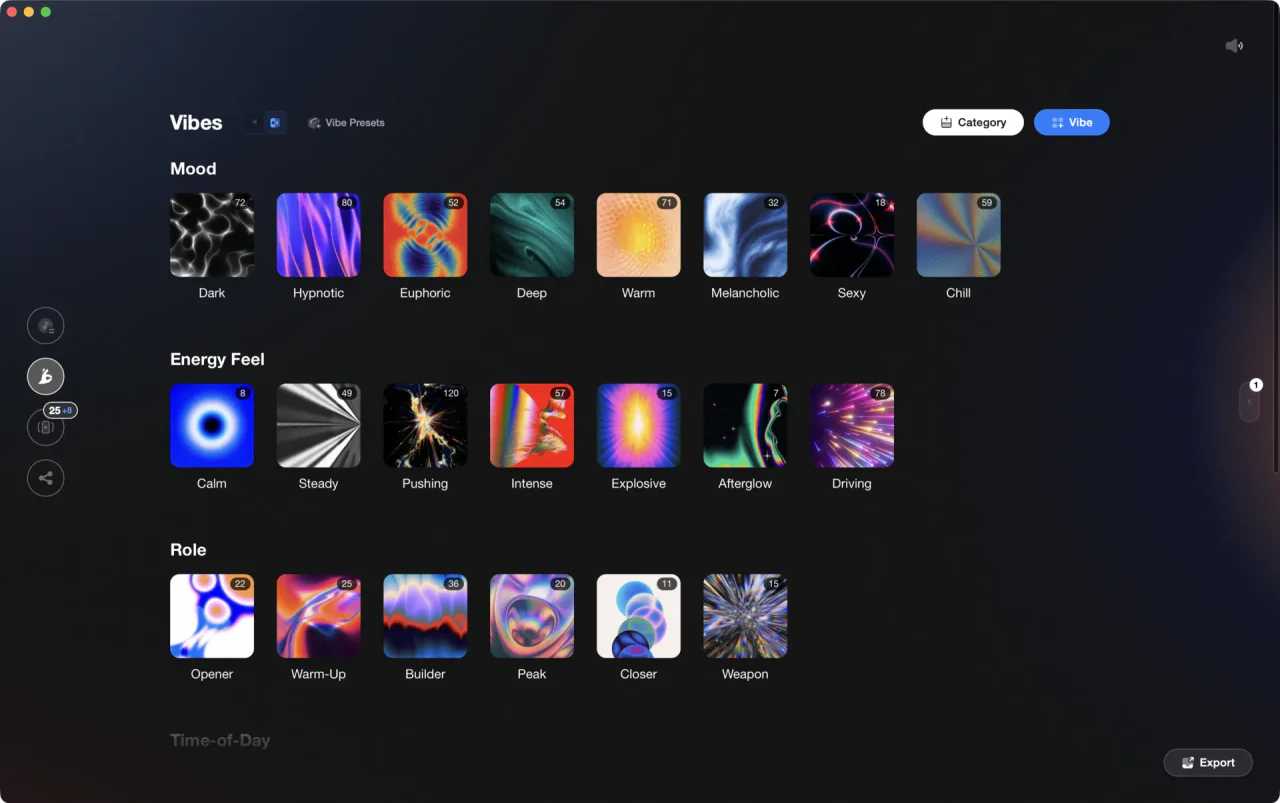
The visual way to organize your DJ library. Tag by vibe, export to any DJ app.
Harmonic Mixing Rekordbox: Core Idea
Harmonic mixing Rekordbox is the practice of choosing tracks whose keys relate in a musically stable way. In practice, most DJs use either standard musical key labels or Camelot-style codes to spot combinations quickly.
The transcript uses Mixed In Key as the analysis layer, then Rekordbox as the performance and library layer. That split matters. One tool detects key and writes tags. The other tool stores, sorts, and plays the results.
I find it useful to think in three layers. First, there is detected key. Second, there is practical compatibility. Third, there is mix outcome. DJs often confuse the first with the third.
Detected key is just the software's best guess. Practical compatibility is whether two parts share enough musical material to coexist. Mix outcome is what you hear after phrasing, EQ, timing, and arrangement all interact.
This is why some same-key mixes still sound wrong. One track may emphasize notes that the other barely uses. A vocal may hit unstable notes over a bassline. A breakdown may expose clashes that were hidden in a drum-heavy section.
The transcript handles this correctly. It treats key results as a guideline, not a guarantee. That is the right mental model for rekordbox harmonic mixing.
- Use key data to narrow choices, not make final decisions for you.
- Test mixes in musical sections, not just intros with no harmony.
- Trust your ears over the screen when they disagree.
Key Systems: Camelot Codes and Rekordbox Labels
Before you can use harmonic mixing Rekordbox well, you need to understand how the labels map. Rekordbox can display standard musical keys. Mixed In Key commonly writes Camelot-style codes such as 8A or 12B.
Mixed In Key's Camelot Wheel is designed to simplify the circle-of-fifths logic for DJs. Neighboring numbers and matching number pairs make fast decisions easier during prep and live play. Mixed In Key's own Camelot Wheel page explains this code system and its compatibility logic.
The simplest relationships are these.
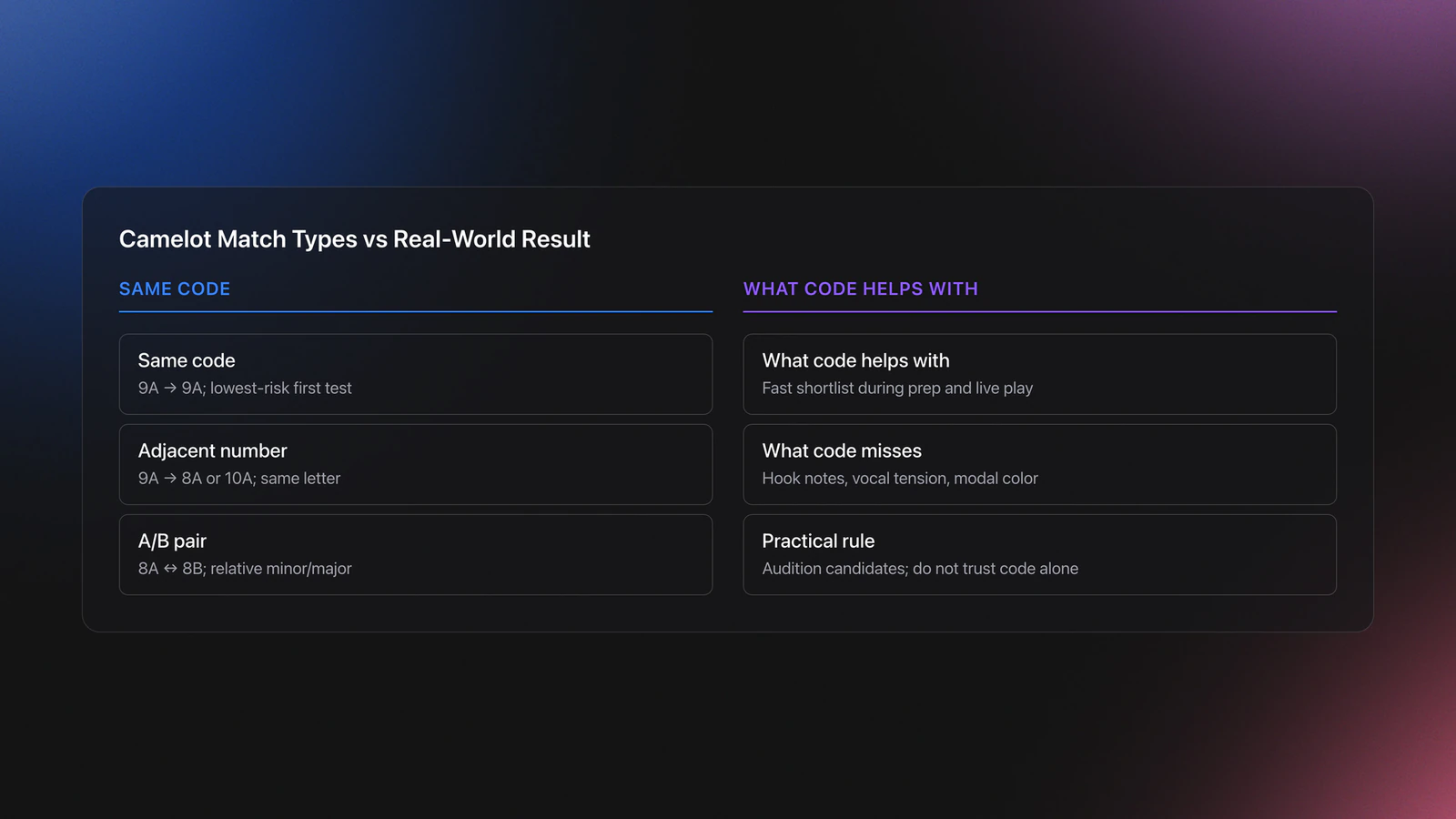
- Same code, such as 9A to 9A. Lowest risk.
- Adjacent number, same letter, such as 9A to 8A or 10A.
- Same number, A/B pair, such as 8A to 8B. Relative minor and major.
That framework is useful because it is fast. It is also incomplete. The Camelot map does not tell you which notes are emphasized in the hook, whether the vocal lands on tension notes, or whether one track uses modal color outside the expected scale.
A concrete example helps. Say your beat is 9A and your acapella is also 9A. That is a strong first candidate. If the beat's main melodic loop is sparse and the vocal is narrow in range, the blend may work immediately. If the beat has a busy synth riff and the vocal leans hard into non-chord tones, the same key code may still sound crowded.
Now take 8B and 8A. On paper, that relative major-minor relationship is close because both scales share the same notes. In practice, the emotional center changes. A vocal that sounds bright over the major track may feel unstable when the minor-root gravity takes over.
Validation Check
Analyze Tracks Without Breaking Rekordbox
This is the part most DJs get wrong. The transcript is clear that the biggest risk is not harmonic theory. It is library damage.
When you analyze files with external software, you are writing data back to the files or their tags. If you let the wrong setting rename audio files, older playlists in Rekordbox, Serato, or Traktor can lose track references. That creates needless cleanup.
Mixed In Key's Rekordbox integration guide exists for exactly this reason. Its release notes also show that the product is still actively maintained, with Mixed In Key Pro release notes listing version 11 updates through late 2025, so it is reasonable to treat this workflow as current rather than abandoned.
Your first job is preservation. Do not start by chasing better key analysis. Start by protecting filenames, existing tags, and your Rekordbox library references.
A sensible setup looks like this.
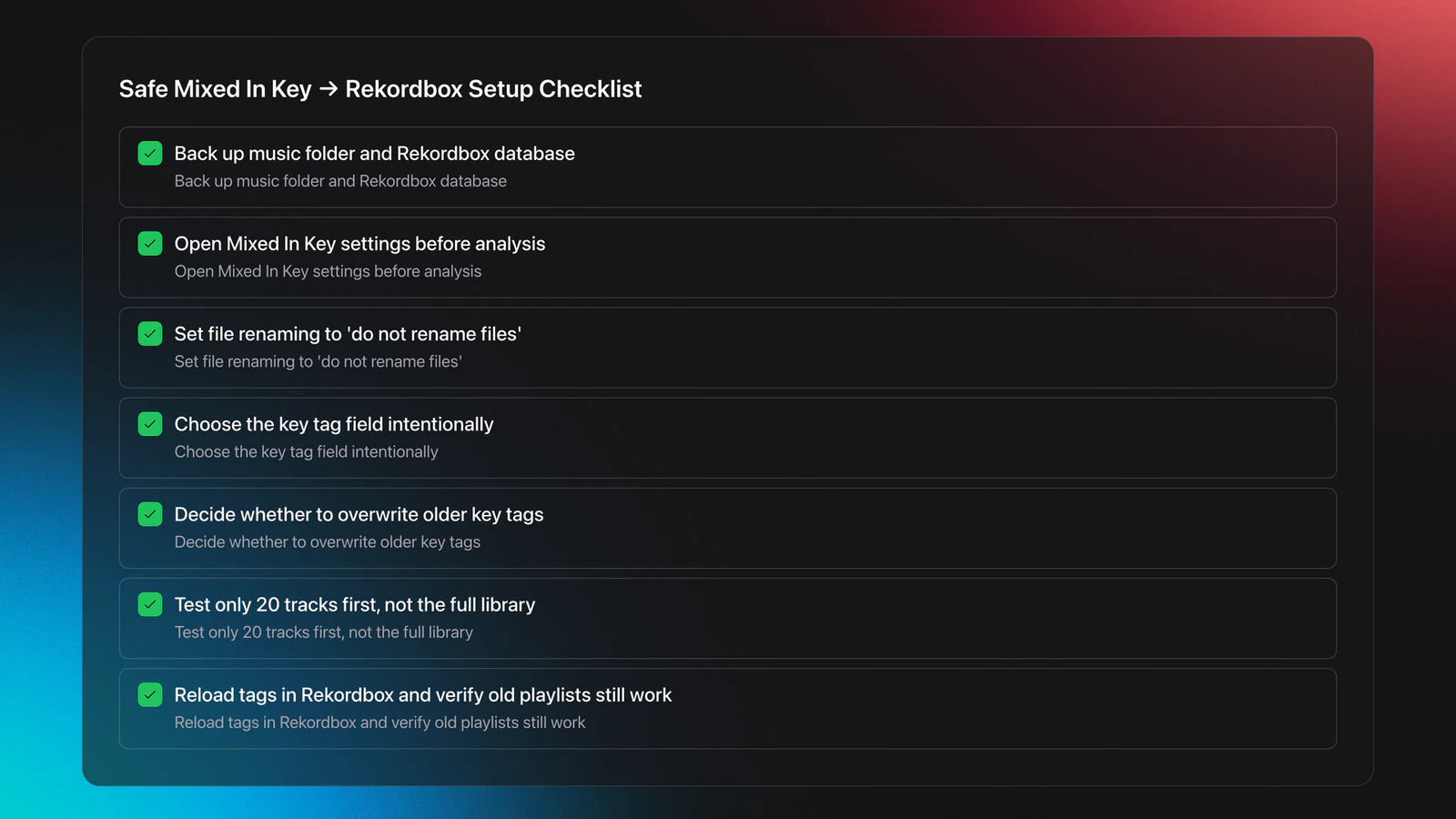
- Back up your music folder and Rekordbox database.
- Open Mixed In Key settings before analyzing anything.
- Set file renaming to do not rename files.
- Choose where key data should be written in the tags.
- Decide whether to overwrite older key tags from other DJ apps.
- Analyze a small test batch first, not your whole library.
Example one. You already have 2,000 tracks organized in Rekordbox playlists. If Mixed In Key renames the files after processing, Rekordbox may not match those renamed files to your existing references. The symptom is missing files or broken playlist items. The fix is simple. Disable auto-renaming before the first scan.
Example two. You imported tracks years ago and Rekordbox already wrote standard key names. You now want Camelot codes for faster harmonic mixing in Rekordbox. Let Mixed In Key update the relevant key field, then reload tags inside Rekordbox on those selected tracks. That updates the display without rebuilding playlists from scratch.
The failure mode here is easy to spot. After analysis, your key column looks different, but some playlists show broken references, duplicate entries, or unexpected comments. That almost always points to a tag-writing or renaming mistake, not a music theory issue.
You will know this section is done correctly when three things are true. Rekordbox still points to the same files. Your chosen key format appears consistently. Reloading tags changes metadata without forcing you to rebuild the library.
Rekordbox Settings for Harmonic Mixing
Once external key data exists, Rekordbox should not overwrite it by accident. In the transcript, the fix is to change track analysis settings so Rekordbox analyzes BPM but not key.
That matters because Rekordbox uses its own key naming and analysis path. If you want harmonic mixing Rekordbox workflows based on Mixed In Key codes, you need a single source of truth.
Pioneer DJ's Rekordbox manual documents both Key Shift and Key Sync in current versions, including the Rekordbox 7 manual published in April 2026. That confirms the relevant harmonic tools are available in the current platform.
Use this checklist.
- Disable key analysis if another app already wrote the key data you trust.
- Keep BPM analysis enabled if you still want Rekordbox beat prep.
- Show the key column in your browser layout.
- If needed, show comments or other mapped fields where codes were written.
- Use reload tags on selected tracks after external analysis.
Example one. A track enters Rekordbox showing 9A from Mixed In Key. If you let Rekordbox reanalyze key, that display may change to a standard key name or a different result entirely. You now have data conflict, not clarity.
Example two. You drag tracks from an existing Rekordbox playlist into Mixed In Key, analyze them, then return to Rekordbox and use reload tags. This is a clean way to add Camelot codes to old playlists without rebuilding crates.
A common symptom of bad setup is this. You swear the files were analyzed, but the browser still shows old key names or blank fields. Usually the tags were written to one field, while Rekordbox is displaying another.
In practice, this is less about software knowledge and more about column discipline. Decide where key information lives, then keep that decision consistent across imports.
Harmonic Mixing Rekordbox in Practice
Now the useful part. Harmonic mixing Rekordbox only becomes valuable when you can turn key labels into faster choices under pressure.
The transcript demonstrates the most practical test: sort by key, find tracks sharing the same code, then audition the blend in a section where actual musical notes are present. That last part matters. Drum intros hide clashes.
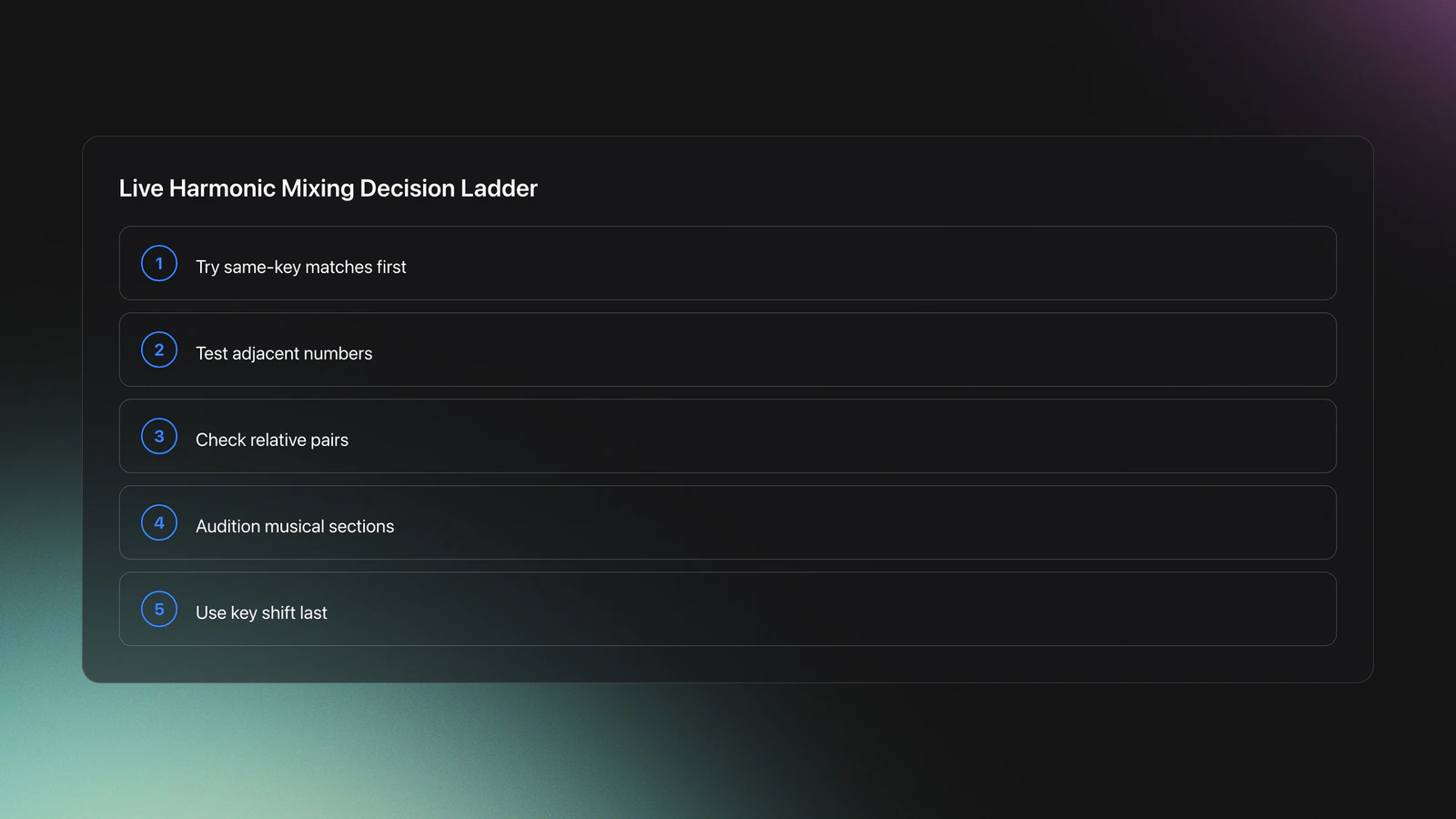
Here is a working decision ladder.
- Start with same-key options.
- Then try adjacent Camelot numbers with the same letter.
- Then test relative major-minor pairs.
- Only after that, use pitch shifting or key sync.
- Always audition the musical section, not just the intro.
Example one. You have a 124 BPM melodic house track in 9A and an acapella also tagged 9A. Set phrase timing first. Then find a section of the instrumental with stable harmony, not a fill or transition bar. Bring the vocal in over that section and listen for root-note tension, not just obvious dissonance.
If the vocal sits naturally and the emotional center feels aligned, you have a good pairing. If the vocal sounds technically in key but emotionally wrong, the issue may be arrangement or density rather than key code.
Example two. Your outgoing track is 8B and the incoming one is 8A. On paper, that relative pair is promising. In practice, you may need to swap which track leads harmonically. Let the stronger chord progression dominate, and introduce the other track during a simpler phrase.
The failure mode here is predictable. DJs trust the code, skip the audition, and discover the clash only when a synth hook and vocal stack together. The symptom is not subtle. The blend feels cloudy, tense, or emotionally split even if it is not wildly off-pitch.
You will know your process is improving when you can predict which pairings deserve a fast test, reject weak matches sooner, and find stronger transitions with less scrolling.
This is where production awareness helps. The transcript's broader perspective on track selection fits real DJ prep well. Producers learn quickly that tension is not only about the scale. It is about note emphasis, chord rhythm, bass movement, and where the arrangement exposes harmonic information. That is why two technically compatible tracks can still compete.
If you play with USBs on CDJs, add key as both an active category and a sort category in your export setup. Then you can sort a playlist by key on the hardware and find likely matches live, instead of memorizing everything in advance.
That setup supports spontaneity. It does not remove judgment.
Key Sync and Key Shift: When to Use Them
Rekordbox includes pitch-based harmonic tools, commonly exposed as Key Sync and Key Shift in the manual. These are useful, but they solve a narrower problem than many DJs assume.
Use them after you have confirmed that the mix is musically close. Do not use them to force random tracks into compatibility.
Key Sync can align keys automatically. Key Shift lets you move a track by semitone steps. Both can rescue a near miss. Neither can fix conflicting arrangement, vocal range, or harmonic density.
A practical rule is to treat pitch shifting as correction, not strategy.
- Good use: a strong blend that needs a small pitch move.
- Bad use: two tracks with unrelated hooks and crowded harmony.
- Good use: acapella layering where the beat is harmonically simple.
- Bad use: trying to fix a clash you have not actually auditioned.
Example one. Your vocal sits well rhythmically but feels a semitone off against the instrumental pad. A one-step key shift may lock it in. Example two. Two melodic techno tracks both have strong chord hooks. Even if Rekordbox can match the key center, one may still mask the other and create harmonic overload.
The honest limitation is that harmonic tools work differently across contexts. In sparse underground sets, tiny pitch adjustments can disappear into the groove. In vocal-heavy open-format sets, the same move may be much more obvious.
You will know you are using these tools well when the audience notices a cleaner blend, not a changed pitch character.
Common Mistakes in Harmonic Mixing Rekordbox
| Mistake | Why It Happens | How to Avoid |
|---|---|---|
| Letting analysis software rename files | Default settings are easy to miss during first setup | Disable file renaming before any batch scan and test on a small folder first |
| Allowing Rekordbox to overwrite external key tags | Both apps are set to analyze key | Choose one source of truth for key data and disable the other key analysis path |
| Trusting same-key labels without auditioning | Camelot matches feel definitive on screen | Test blends in musical sections with active harmony, not only percussion |
| Mixing by key but ignoring phrasing | DJs focus on theory and forget structure | Align phrase changes first, then judge the harmonic result |
| Using Key Shift to force bad pairings | Pitch tools feel like a shortcut | Use pitch adjustment only for near matches that already sound promising |
The most common setup and decision errors in harmonic mixing Rekordbox workflows
Workflow for Acapellas, Beats, and Full Tracks
Acapella layering is where harmonic mixing becomes immediately useful. It is also where software limits show up fastest.
The transcript points out an important issue. Rekordbox may not analyze acapella BPM correctly. That does not make the key workflow useless. It just means you may need to mix by ear while still using key data as the shortlist.
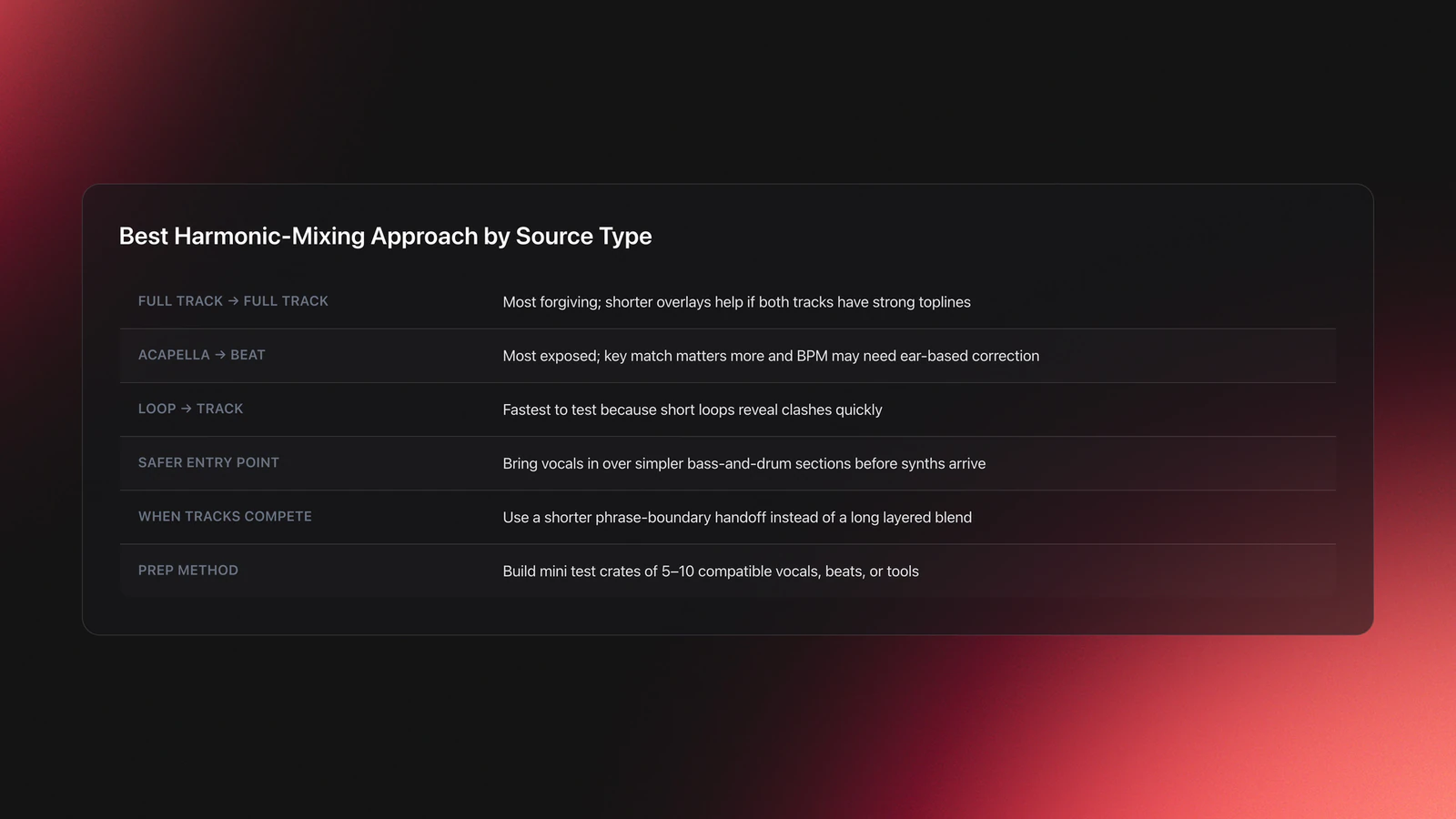
Use different expectations for each source type.
- Full track to full track. Most forgiving if one side is rhythmically simple.
- Acapella to beat. Harmonic fit matters a lot because the vocal is exposed.
- Loop to track. Often easier because shorter loops reveal clashes faster.
Example one. You have a vocal in 9A and a beat in 9A, but the beat's synth part enters only every eight bars. Start the vocal over a simpler section with bass and drums, then let the synth arrive later. This reduces the number of competing notes at the entry point.
Example two. Two full tracks share compatible codes, but both have signature toplines. Instead of long overlay, use a shorter handoff during a phrase boundary. Harmonic compatibility is still helping you. You are just applying it in a tighter transition window.
A practical learning note from self-taught DJing fits here. Many people start by just loading tracks, trying things, and hearing what works. That is still the right instinct. Harmonic systems should sharpen that experimentation, not replace it with rigid rule-following.
If you want a repeatable prep method, build mini test crates. Group 5 to 10 vocals, beats, or transition tools by compatible key area, then audition them in short sessions. Save the pairs that work and delete the ones that only looked good on paper.
Build a Library That Supports Harmonic Mixing
Harmonic information is only useful if you can reach it quickly. A chaotic browser turns good metadata into dead weight.
The simplest library model is layered sorting. First by use case. Then by energy. Then by key. That order matches how most DJs actually choose music.
If you sort only by key, you will get technically compatible tracks that may be wrong for the moment. If you sort only by energy, you may land on harmonically messy transitions. The value comes from combining both.
A strong prep structure usually includes these elements.
- Context buckets such as opener, builder, peak, or reset
- Energy ratings or rough intensity groups
- Visible key data in one consistent format
- Saved transition pairs or mini-playlists
- A process for exporting that preserves the structure
Validation Check
Quick Practice Routine for Harmonic Mixing Rekordbox
Run this for 20 minutes.
- Minutes 1 to 5. Pick one playlist and sort by key. Mark three same-key pairs and three relative-key pairs.
- Minutes 6 to 12. Audition each pair only in musical sections. Write one note on why it worked or failed.
- Minutes 13 to 20. Try one rescued pairing with Key Shift, then compare it to a naturally compatible pairing.
Repeat this twice a week for two weeks. You are training two skills at once. Faster shortlist building and faster rejection of false-positive key matches.
What to Do Next
Treat harmonic mixing as a filter, not a rulebook. First protect your library. Then choose one key-analysis source, keep the display format consistent, and audition mixes in sections where harmony is actually exposed. That gets you the real benefit of harmonic mixing Rekordbox without the usual metadata chaos.
The practical takeaway is simple.
- Protect filenames and tags before any batch analysis.
- Use key data to shortlist options, then trust your ears.
- Combine key with energy, function, and phrasing for stronger decisions.
From there, keep refining your prep system with DJ tagging strategies, Rekordbox playlist organization, and how to prepare transition crates. Better harmonic mixing usually starts long before the mix itself.
The visual way to organize your DJ library
Tag tracks by vibe. See everything at once. Export to any DJ software.
A visual system for organizing your DJ library.
Techniques Covered

Arrangement Optimization

Energy Analysis

Harmonic Mixing for DJs: A Complete Guide

Key Analysis
Mixing in Key (Camelot Reference)

Track Matching by Key and BPM

Camelot Key Display Setup in Rekordbox, Serato and Traktor

EQ Mixing

Spotify BPM and Key Analysis

Diagonal Direction Mixing
Camelot Wheel Method (Harmonic Mixing Explained)

EQ Adjustments
Transition Technique
Phrase Mixing
Camelot Wheel Guide for DJs

Track Analysis

Track Transition Techniques: How to Pick the Right Move
Beat Matching
Database Migration for Rekordbox
Sync Button Technique
Equipment & Software
Featured Gear
Official Manuals
Continue Your Learning Journey
Start Here First
Related Content
Harmonic Mixing Guide for DJs: Energy & Workflow
intermediateDJing in Key for Better Transitions
intermediate
Mix and Key: Practical Guide to Melodic DJ Mixing
intermediateHow To Mix In Key Live: Worked Transitions And Failure Fixes
intermediateCamelot Wheel DJ: Layered Deck Mixing With EQ and Phrase
intermediateMixed In Key Manual for DJs
intermediate
DJ Playlist Spotify: Mixing With Streaming Inside Rekordbox
intermediate
DJ Key Wheel Decision Framework: Four Safe Moves and Advanced Jumps
intermediate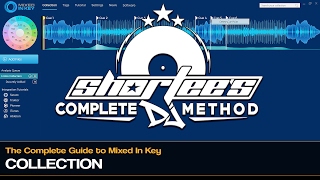
Mixed In Key Database Guide
intermediateRekordbox Library Setup and Backup
intermediate
How to Mix and Edit Songs Together
intermediate
House Trance: Sound, Structure, Mixing
intermediate
DJ Transitions: The Three-Layer Handoff for Beginners
intermediateTransition DJ Online: Browser Mixer Workflow
intermediate
DJ Record Pool Guide for Working DJs
intermediate
DJ Setup Guide: Wire a Reliable Rig From Bedroom to Club
intermediateBest House Music Songs for DJ Sets: Tracks That Work
intermediate
DJ Library Organization System: Tags, Crates, Keys
intermediateFrequently Asked Questions

Hey, it's Ben Modigell 👋
I DJ and produce as so I so — downtempo, minimal, dub house, tech house, and techno (releases on Spotify and SoundCloud, links above). Everything I write here comes from my own gigs, studio sessions, and library cleanups: the rules I follow, the failure modes I've actually hit, and the workflow I use when nobody's watching. If a technique didn't earn its place in my own sets, it doesn't make it into a tutorial.


