
Platinum Notes 10
·Mixed In KeyPlatinum Notes 10 evens loudness, repairs clipped peaks, and prepares DJ files for more consistent playback in Serato, rekordbox, and Traktor.

Platinum Notes 10 is a $98 one-time DJ app that standardizes loudness and repairs clipped peaks so tracks play back at consistent levels in Serato, rekordbox, and Traktor. It is library-prep software, not a mastering suite or DAW.
Product Overview
Platinum Notes 10 is a DJ audio-processing app that standardizes loudness, repairs clipped peaks, and exports cleaner playback files for your library. If your sets pull from Beatport, promo pools, old rips, and label downloads, this is the kind of tool that can smooth out rough transitions before you even load a deck.
According to the Mixed In Key official Platinum Notes page, the software works on MP3, WAV, AIFF, Apple Lossless, OGG, and FLAC files, and it is available for both Windows and macOS.
Mixed In Key positions Platinum Notes 10 as an audio enhancer for DJs, not as a traditional mastering suite. That matters. You are not getting endless parameter pages or forensic control. You are getting a one-click workflow built around level consistency, clipped-peak repair, and smoother set preparation.
That makes Platinum Notes 10 easier to place in a setup. It sits before your DJ software, not inside it. You process the tracks once, then use the cleaned files inside rekordbox, Serato, Traktor, VirtualDJ, Ableton Live, or Denon workflows.
In search terms, the key question is not whether Platinum Notes 10 can replace mastering software. It cannot. The better question is whether Platinum Notes 10 is worth it for DJs who want fast batch prep, fewer volume surprises, and more consistent perceived loudness across a working library.
Platinum Notes 10 Features
Platinum Notes 10 stands out because it solves a narrow problem well: inconsistent DJ files. The main features center on loudness normalization, clipped-peak repair, tonal shaping, and faster library management rather than creative production.
The core feature is loudness matching. Mixed In Key says Platinum Notes first decodes a file to uncompressed WAV, analyzes volume with an algorithm that pays attention to drums, then adjusts output level for more consistent beatmatching and playback. That drum-focused analysis is a DJ-specific angle, not a general mastering claim.
Another major feature is clipped-peak repair. On the Platinum Notes FAQ, Mixed In Key defines clipped peaks as spikes that pass the -0.1 dB threshold and says Platinum Notes 10 repairs them while preserving dynamic range elsewhere.
Version 10 also brought Kilohearts plug-in technology into the processing chain. Mixed In Key and launch coverage from DJ Life both highlight that change as one of the main upgrades in the current generation.
Workflow features matter just as much. Platinum Notes 10 can create new processed copies with a _PN suffix by default, or overwrite existing songs while automatically backing up the originals. That overwrite option is practical if you want a cleaner crate and do not want duplicate versions cluttering your export folders.
There are also three processing templates: Official, Festival, and Big Boost. The Official template is Mixed In Key's general-purpose setting. Festival adds a more club-oriented voicing. Big Boost is aimed at louder modern material, especially the kind of heavily pushed files DJs often buy from current download stores.
- Batch loudness standardization across mixed-source tracks
- Clipped-peak repair for harsh, over-pushed files
- Warmth options including No Warmth, Gentle Warmth, and Hot Vacuum Tube
- Overwrite mode with automatic backup
- Mixed In Key 10 integration through the Fix with Platinum Notes workflow
Technical Specs
The published specifications for Platinum Notes 10 are limited, but the basics are clear. This is a Windows and macOS desktop app built for file-based audio processing, with support for common DJ formats and direct handoff from Mixed In Key 10.
| Specification | Details |
|---|---|
| Developer | Mixed In Key |
| Current major version | Platinum Notes 10 |
| Release context | Announced January 16, 2024 |
| Platforms | Windows 10 or higher; macOS 10.13 or higher |
| Apple Silicon | Supported |
| Supported formats | MP3, WAV, AIFF, Apple Lossless, OGG, FLAC |
| Templates | Official, Festival, Big Boost |
| Integration | Works with Mixed In Key 10 |
| File handling | Creates _PN copies by default or can overwrite originals with backup |
| Published dimensions/weight | Not applicable or not publicly listed |
If you want deep engineering data such as processing depth, internal sample-rate behavior, or exact latency, the official site does not publish that clearly as of April 21, 2026. For this product, workflow specs matter more than hardware-style measurements.
Who Is This For
Platinum Notes 10 is best for DJs with growing libraries, mixed source quality, and limited time for manual prep. It makes the most sense when your collection includes tracks from different labels, eras, mastering styles, and file formats.
Intermediate DJs are the clearest target. Beginners can use it, but they may be better served first by learning gain staging, trim control, and library management. Professionals may still like it, especially for bulk cleanup, but they are more likely to judge its value against manual prep habits and trusted metering tools.
It is especially useful if you play open-format sets, wedding sets, bar sets, sports events, or long-format club nights where loudness jumps are more noticeable than micro-level mastering differences.
It is less compelling if your library is already tightly curated, lossless, and manually leveled. In that case, Mixed In Key 11 may offer more day-to-day value, because key detection and cue prep affect every set, while batch enhancement is more situational.
If your bigger issue is building finished transitions and exports rather than fixing library dynamics, a DJ.Studio workflow guide is probably closer to your actual need.
In Practice
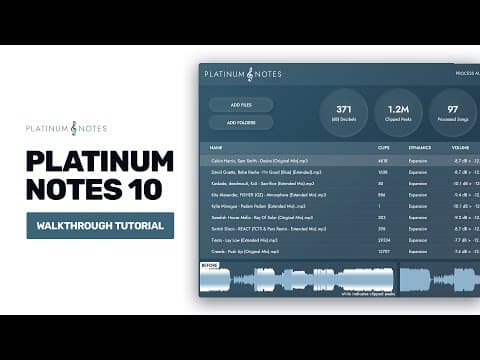
In practice, Platinum Notes 10 is about speed and consistency. You drop in a folder, choose a template, decide whether to keep copies or overwrite originals, and let it process. That is the whole appeal.
Under real club conditions, workflow speed and low-light clarity tend to matter more than headline features. Software like this earns its place when it reduces prep friction, keeps a library tidy, and helps you trust what happens when the next track lands on a big system.
That is where Platinum Notes 10 makes its case. It is not glamorous. It is not performance software. But it can take a messy collection and make it feel more controlled.
The overwrite option is a bigger deal than it sounds. Earlier generations often led DJs to duplicate-file clutter. Version 10 directly addresses that, and launch coverage repeatedly pointed to easier overwriting and better file management as meaningful upgrades.
The other practical strength is format support. If your crates contain MP3 purchases, WAV promos, FLAC archives, and older AIFF exports, Platinum Notes 10 can process them in one environment instead of forcing a manual round trip through a DAW.
There is still a limit to what any automated enhancer can do. A bad source file stays a bad source file. Low-bitrate artifacts, poor original mastering, and extreme tonal imbalance do not disappear just because a batch processor touches them.
So the real benefit is consistency, not miracles. If that is the problem you need solved, Platinum Notes 10 is targeted and believable.
Pros and Cons
Platinum Notes 10 has a clear strength profile. It saves time, reduces loudness swings, and gives DJs a cleaner pre-performance workflow. Its weaknesses are just as clear: limited published technical detail, a narrow use case, and value that depends on your existing prep habits.
Pros
- Fast batch workflow for uneven libraries.
- Useful clipped-peak repair.
- Broad file-format support.
- Overwrite mode with backup.
- One-time $98 license instead of recurring subscription pricing.
Cons
- -Not a full mastering suite.
- -EUR and GBP pricing were not clearly verified from current official pages.
- -Limited public detail on deeper processing specs.
- -Some DJs may prefer manual gain staging and selective mastering tools.
Price and Value
Platinum Notes 10 is priced as a one-time $98 purchase, with a $49 upgrade path mentioned for Platinum Notes 4 users. That puts it in the mid-range software bracket: affordable for working DJs, but not an impulse buy if you are unsure you need dedicated library processing.
The Platinum Notes download page explicitly states that the license is a one-time payment of $98 for Windows and Mac. Digital DJ Tips also reported the same launch pricing.
EUR and GBP storefront pricing was not clearly published in the sources reviewed on April 21, 2026, so those fields are left null rather than guessed. That is the right call for accuracy.
Value comes down to scale. If you process large folders, rotate between many genres, or inherit inconsistent files from pools and promos, Platinum Notes 10 can earn back its price in saved prep time. If you only play a tightly managed small collection, the value drops fast.
For many DJs, the smarter software stack may be Platinum Notes 10 plus a DJ library analysis tool rather than spending more on broad mastering software they will only use occasionally.
Alternatives
For a side-by-side look at what actually replaces each half of the job (loudness evening vs library prep), see our Platinum Notes alternatives guide. It is honest about which tools cover audio-file repair and which only cover organization.
The best alternative depends on what problem you are really trying to solve. Platinum Notes 10 is strong for batch loudness and cleanup, but other tools may fit better if your priority is key analysis, mix creation, or traditional mastering.
| Product | Price | Key Difference |
|---|---|---|
| Mixed In Key 11 | $58 | Library analysis and cue prep instead of audio enhancement |
| DJ.Studio Pro | $99 | Automated mix building and transitions rather than file repair |
| iZotope Ozone Elements | $49 | Traditional mastering workflow for individual tracks |
If you want to compare prep tools more broadly, a DJ software buying guide gives you a wider context than a single-product page can.
Choose it if
- You play from mixed-source files (promos, old rips, many labels) and want fast batch loudness evening and clipped-peak repair.
Skip it if
- -Your library is already lossless and manually leveled, or your real need is key and cue prep.
- -In that case Mixed In Key gives more day-to-day value.
Watch
Bottom Line
Platinum Notes 10 is a niche tool, but it is a real one. It does not try to be a DAW, a mastering suite, or a flashy performance app. It tries to make DJ libraries sound more even and more usable. For the right buyer, that is enough.
The strongest reasons to buy are simple: you play from inconsistent source files, you want fewer loudness surprises, and you prefer a one-time purchase over more complex audio software. The strongest reason to skip it is just as simple: you already solve those problems manually.
If that first description sounds like your setup, Platinum Notes 10 is easy to justify. If not, spend the money on broader workflow tools or better source files.
Continue readingNext: Platinum Notes alternativesWhat actually replaces each half of the job, honestly.The visual way to organize your DJ library
Tag tracks by vibe. See everything at once. Export to rekordbox, Serato, Traktor or Engine DJ.
14-day free trial. Full access, no strings attached.
or see how it works
Tutorials Using Platinum Notes 10

DJ Techniques Using This Gear
See how DJs and live performers incorporate Platinum Notes 10 into their workflow.




Frequently Asked Questions

Hey, it's Ben Modigell 👋
I DJ and produce as so I so: downtempo, minimal, dub house, tech house, and techno (releases on Spotify and SoundCloud, links above). Everything I write here comes from my own gigs, studio sessions, and library cleanups: the rules I follow, the failure modes I have actually hit, and the workflow I use when nobody is watching. If a technique did not earn its place in my own sets, it does not make it into a tutorial.