
Beat Matching
Beat Matching aligns the tempo and placement of two tracks so their beats and bars lock for a seamless transition.
Beat Matching Tutorials



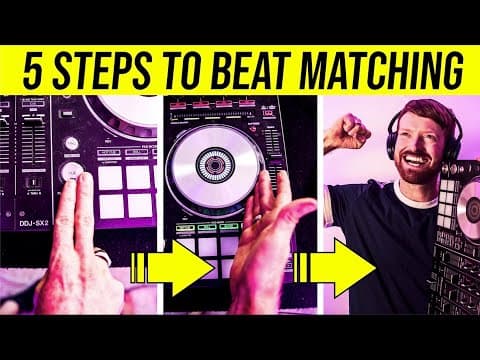
Beat Matching is the foundational DJ skill of aligning two tracks so their beats and bars play in time. Mastering beat matching unlocks smooth transitions, confident timing, and the ability to mix without visual crutches. Learn it by ear first; visual aids become tools, not dependencies.
Why learn Beat Matching now? It lets you handle ungridded music, back-to-back sets, and booth monitors that lie. Once you can beatmatch, you can focus on phrasing, energy, and track storytelling. This guide teaches the ear-based method and explains when beatgrids and phase meters help.
See the concise definition in the Wikipedia overview of beatmatching, and use official software docs like the Serato Support on Beat Sync and beatgrids and Serato Sync preferences and modes to understand how sync features relate to manual technique.
What Is Beat Matching?
Beat Matching means adjusting the incoming track’s tempo with the pitch fader and starting it so the kicks and snares land with the playing track. The goal is tempo match plus phase alignment at the bar level for a seamless mix. For a full walkthrough, see our mix in key with the Camelot Wheel.
In practice you set a cue on the first clean downbeat, match tempos by ear, and nudge the jog or platter to correct tiny offsets. This aligns beats and bars so you can blend musically. Educational summaries reflect this process, including the Wikipedia overview of beatmatching.
Modern software can auto-sync using beatgrids. Understanding sync modes and their limits helps you troubleshoot drift and choose when to disengage. See the Serato Support on Beat Sync and beatgrids and Serato Sync preferences and modes.
Why Master This Technique
- Mix any playable track, even without beatgrids or stable BPM.
- Hold phrasing and energy across transitions.
- Reduce reliance on displays and handle poor booth monitoring.
- Build timing that transfers to EQ and harmonic mixing.
Core Technique Breakdown
1) Prepare the outgoing track. Find a phrase boundary and count 1–2–3–4 for at least 8 bars. Keep the master level steady.
2) Set a precise cue on the incoming track’s first clean kick. Use headphones to match loudness so you can compare transients accurately.
3) Match tempos by ear. Nudge the pitch fader until the two metronomes in your head stop drifting. If the cued kick arrives early, the incoming track is fast; if late, it is slow.
4) Align the drop. Launch the incoming track on the “1” of a new phrase on the master track. For structure, see the Native Instruments article on phrase mixing.
5) Ride the pitch and nudge. Micro-corrections keep the beats locked for 16–64 bars. Use platter nudges or temporary pitch bend, then return the fader to its set point.
6) Blend. Bring the new track in at unity gain and shape the overlap with EQ to avoid low-end masking. You can also blend with EQ to avoid low-end clashes.
| Step | Action | Key Point |
|---|---|---|
| 1 | Find phrase start on Track A | Count out loud to feel bar lines |
| 2 | Set cue on Track B first kick | Choose a clean transient |
| 3 | Tempo match by ear | Early = fast. Late = slow. |
| 4 | Launch on the 1 | Start on phrase boundary for clarity |
| 5 | Ride pitch and nudge | Tiny moves, then return |
| 6 | Blend and exit A | Shape with EQ; mind bass overlap |
Visual aids can help diagnose timing. A phase meter shows ahead/behind relative to the master; it depends on accurate beatgrids in most systems. See the DJ TechTools guide on using a phase meter to check your beatmatch.
Practice Drills
Through daily 15–30 minute sessions over several years, I found short, repeatable drills build ear accuracy faster than marathon sessions. Use fixed tempos first, then introduce drift and sparse intros.
Organize a 20–30 track practice crate by BPM bands and energy. Use Vibes to tag tracks by Mood or Energy, then export to your DJ software so a focused set is always at hand.
Add structure: day 1–7 practice at 120–126 BPM, day 8–14 at 128–134 BPM, day 15–28 mixed tempos and sparser intros. Track the longest drift-free hold per session and aim to extend it by 8 bars each week.
Equipment You Need
Any two-deck setup works: turntables with a mixer, standalone players with a mixer, or a controller with software. Closed-back headphones let you hear cue plus master or split-cue if available.
If you use sync features, know how they behave so you can disable them when needed. See Serato Support on Beat Sync and beatgrids and Serato Sync preferences and modes.
Common Mistakes
| Mistake | Why It Happens | Solution |
|---|---|---|
| Launching off the bar | Start is not on the phrase 1 | Count 8–32 bars and launch on the 1; use phrase mixing to line up 8–32 bar sections |
| Over-correcting pitch | Large fader moves cause yo-yo drift | Use tiny bends then return to set point |
| Low-end mud in the overlap | Two kicks compete | Cut bass on one deck; blend with EQ to avoid low-end clashes |
| Trusting visuals over ears | Beatgrids are wrong or meters lag | Prioritize headphones; use visuals only to verify timing |
| Headphone level too loud | Fatigue reduces timing accuracy | Set comfortable level; take short breaks |
Troubleshooting Beat Drift
Does the incoming kick arrive earlier each bar? The incoming deck is fast. Lower its tempo slightly or nudge back. If it arrives later, increase tempo or nudge forward. Check again after 8 bars.
If visuals say locked but it sounds off, your beatgrid may be wrong. Re-grid the track or switch visuals off and trust your cue mix. Official docs explain grid dependencies and modes. See Serato Support on Beat Sync and beatgrids.
Sparse intros are tricky. Skip to a denser section to lock the tempo, then back-cue to your intended intro once BPMs match.
Safety and Monitoring
Long sessions can cause fatigue and hearing risk. The NIOSH guidance on safe listening levels recommends limiting exposures around 85 dBA over an eight-hour day. Keep headphones at moderate levels and take breaks.
Advanced Techniques
Beat Matching by ear pairs well with combine beat and key for smoother blends. Once you can hold 64 bars without drift, add key lock and test blends in compatible keys to keep vocals stable while you change tempo.
Watch
The visual way to organize your DJ library
Tag tracks by vibe. See everything at once. Export to rekordbox, Serato, Traktor or Engine DJ.
14-day free trial. Full access, no strings attached.
or see how it works
More Tutorials

Transition DJ Online: Browser Mixer Workflow

DJ Transitions: The Three-Layer Handoff for Beginners

How To Mix In Key Live: Worked Transitions And Failure Fixes

How Can I Be a DJ and Start Strong

Virtual DJ Tutorial: Beatmatching Basics

DJ Library Organization System: Tags, Crates, Keys
Equipment You'll Need
Pioneer DJ DDJ-FLX4
optionalA compact 2-channel DJ controller with built-in audio interface, USB-C connectivity, and beginner-friendly smart mixing features.
Beatport
optionalBeatport is a DJ-focused electronic music store and streaming platform for discovering, buying, and streaming tracks into supported DJ software and hardware.
VirtualDJ
optionalDJ software for Windows and macOS that handles audio mixing, video mixing, karaoke, stems, and broad hardware support.
Pioneer DJ DDJ-1000
optionalA 4-channel rekordbox DJ controller with full-size jog wheels, onboard displays, and club-style mixer controls.
Serato DJ Pro
optionalProfessional DJ software for mixing, performance, library management, recording, and hardware-integrated club workflows.
Pioneer CDJ-400
optionalA discontinued digital DJ media player that plays CDs and MP3 files from USB storage, and can also work as a MIDI controller and USB audio interface.
Mixed In Key 11
optionalStandalone harmonic-mixing and library-prep software that detects keys, energy levels, cue points, and tags for DJ sets.
Pioneer DJ CDJ-3000
optionalProfessional flagship DJ media player with a 9-inch touchscreen, advanced MPU processing, and club-standard Pro DJ Link workflow.
Platinum Notes 10
optionalPlatinum Notes 10 evens loudness, repairs clipped peaks, and prepares DJ files for more consistent playback in Serato, rekordbox, and Traktor.
DJControl Inpulse 200 MK2
optionalCompact 2‑deck USB DJ controller with built‑in audio, Beatmatch Guide LEDs, and Serato DJ Lite/DJUCED integration.
rekordbox
optionalCloud-connected DJ software for music management, performance, export prep, and club-standard hardware integration.
Traktor MX2
optionalA 2-channel DJ controller with integrated audio interface and tight Traktor Pro 4 integration for mixing, stems, effects, and performance pads.
VirtualDJ 7
optionalA legacy DJ software platform for audio and video mixing, controller mapping, and DVS playback on Windows and Mac.
Numark Mixtrack Pro FX
optionalA 2-deck USB DJ controller with a built-in audio interface, capacitive jog wheels, performance pads, and Serato DJ Lite support.
Native Instruments FM8
optionalNative Instruments FM8 is a powerhouse FM synthesizer for hybrid DJ sets and live performance. Its low CPU usage and bright, cutting tones make it ideal for layering over tracks in a live mix. Bounce FM8 basslines as audio loops for Traktor Remix Decks or Ableton clips.
Native Instruments Traktor Pro 4
optionalA professional 4-deck DJ software platform with stem separation, flexible beatgrids, effects, DVS support, and broad controller integration.
Pioneer DJ DDJ-400
optionalA compact 2-channel USB DJ controller built for rekordbox with a club-style layout aimed at new and progressing DJs.
Frequently Asked Questions

Hey, it's Ben Modigell 👋
I DJ and produce as so I so: downtempo, minimal, dub house, tech house, and techno (releases on Spotify and SoundCloud, links above). Everything I write here comes from my own gigs, studio sessions, and library cleanups: the rules I follow, the failure modes I have actually hit, and the workflow I use when nobody is watching. If a technique did not earn its place in my own sets, it does not make it into a tutorial.