
Watch Alison Wonderland’s tutorial above (1.8M views on YouTube).
Quick Answer
Once you have your gear and music sorted, the next step is your first mix: follow the step-by-step how to DJ tutorial to beatmatch and run a clean bass-swap transition.
If you are asking how can i be a dj, you do not need a perfect setup or formal training to start. You need a clear path: decide whether DJing is actually for you, buy the right first piece of gear, learn the core skills in the right order, and play your first low-stakes gigs. This is the roadmap. It tells you what to do, in what order, and what to expect at each step.
- Decide whether DJing fits how you want to spend your time and money.
- Pick one beginner setup you can practice on consistently.
- Learn signal flow, then beatmatching, then transitions.
- Get reps in private before you get reps in public.
- Play small first gigs and build a body of recorded sets.
- Price your first paid work honestly, once you can deliver a stable set.
That is the shortest honest answer. The rest of this page walks each step. When you reach the part where you actually mix two tracks, the full hands-on walkthrough lives in how to DJ: your first clean mix. This page keeps the roadmap; that page keeps the drills.
If you also want a broader performance roadmap, pair this with DJ set preparation workflow, music library organization for DJs, phrase mixing basics, and how to organize playlists for DJing.
Is DJing For You
Before you spend money, be honest about what DJing actually is. Most of it is not the gig. It is the hours at home, alone, repeating the same two-track transition until your hands do it without thinking. It is hunting for music, organizing files, and listening back to recordings that sound worse than they felt.
You will probably enjoy DJing if you already lose time to music: building playlists, noticing how songs are arranged, caring about the moment one track becomes another. The performance is the small visible tip. The practice is the iceberg.
You do not need to be a trained musician. You do not need to read music. You do need patience for repetition and a real interest in the music itself, not just the idea of standing behind the decks.
A simple gut check. If the thought of practicing one transition for an hour sounds tedious rather than satisfying, that is useful information. Plenty of people love listening to DJ sets without wanting to do the work behind them, and that is fine.
How Do You Start Being a DJ
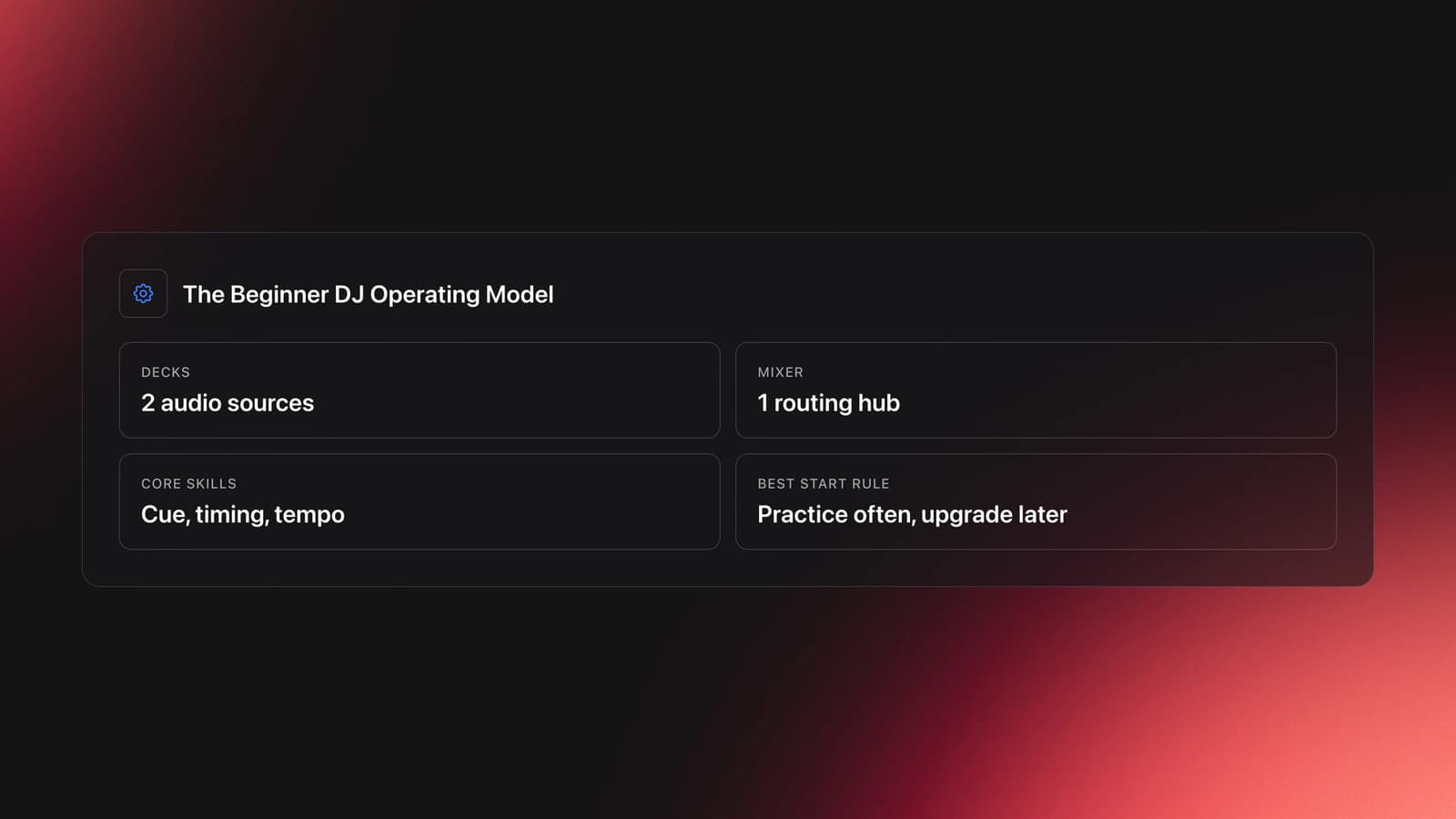
You start being a DJ by learning to control two audio sources and one mixer. In practice, that means starting one track, preparing the next in headphones, matching timing, and bringing the second track in without breaking the flow.
Most beginners think the hard part is buying the right gear. It is not. The hard part is learning signal flow, timing, and track control well enough that your hands do the right thing under pressure.
A good beginner path is narrow. Learn one setup. Learn one mixing method. Repeat with the same tracks until you can hear what changed when a mix works or drifts.
Strip DJing back to two decks and one mixer. The decks play tracks. The mixer routes those tracks to the speakers and lets you control channels, cueing, and volume. That sounds basic, but the mental model matters. If you do not understand where the audio is coming from, where it is going, and what each channel does, every later technique feels random.
A lot of self-taught DJs start in much messier conditions than club tutorials suggest. I have been self-taught since 2018. A friend bought a controller, we set it up on top of an old fridge, downloaded a pile of music, and just played. No lessons, no plan, no club booth. We started a SoundCloud as Persomnia and put out melodic techno mixes, and the only rule we ever followed was the one that still holds up: just do it, and only ever play music you genuinely want to hear. That is what kept it going. Years later I play with bTbT, a collective in Cologne, on the local scene and our own nights. None of that was waiting for the perfect room. It was getting reps on a fridge with a borrowed sense of what we were doing, and that is genuinely how most of us start.
So if you are wondering how to get into DJing, use this rule. Start with whatever setup lets you practice often. Upgrade later, after your ears and timing improve.
You also do not need to begin with vinyl, and you do not need to learn on club CDJs. The broader lesson is simpler than the format. Start on a system that teaches timing, cueing, tempo control, and transitions.
What to Buy First: Controller vs CDJ vs Standalone
This is the decision most beginners overthink. There are three realistic ways in, and one of them is right for almost everyone starting out.
Controller plus laptop. A two-channel controller connects to your computer over USB, and your DJ software does the heavy lifting. This is the cheapest and most forgiving entry point. You get a big screen, your whole library, and the lowest barrier to practicing daily. For almost every beginner, this is the right first purchase.
Standalone units. These have a built-in screen and run without a laptop, reading music from a USB stick or drive. They cost more and remove your computer from the chain, which some people prefer for reliability and simplicity. Worth it later, rarely necessary on day one.
Club CDJs plus a mixer. This is the setup you will find in most clubs and festivals: separate players and a standalone mixer. Pioneer DJ's CDJ-2000NXS2 player documentation and DJM-900NXS2 mixer documentation show the standard layout. You do not need this rig at home to learn. You do eventually need to be comfortable on it if you want to play out, because it is what will be waiting in the booth.
The recommendation: start on a two-channel controller. Skills transfer. Every setup gives you the same core functions, and that is what you are really learning.
Whatever you buy, look for the same functions, not the brand badge: play and pause, cueing, tempo adjustment, jog wheel or platter control, channel volume, headphone cue, and a master output. For underground gigs and home practice, the specs that actually matter are screen visibility in dim rooms, clear cue access, dependable tempo control, and portability you will actually carry.
This is also where beginners waste money. They buy for status instead of function. A cheaper setup you use four times a week will teach you more than a premium setup you are afraid to touch. Buy the thing that lowers friction so you practice more.
Where to Get Music to DJ With
A setup with nothing to play on it stalls fast, so sorting out where your music comes from is part of getting started, not an afterthought. The honest first thing to know: the streaming subscription you already pay for is not built for this. Spotify and Apple Music are great for discovery, but their licensing does not cover public performance, and most DJ software cannot load them for proper mixing anyway. You need files you actually own.
For electronic music, the standard place to buy is a track store. Beatport is the most common for DJs, and stores like it sell tracks in high-quality formats you download and keep. Buying gives you the cleanest files, full extended mixes, and tracks you own outright for any room.
If you play a wide range of genres or want clean radio edits and remixes, a DJ record pool is the other main route. Pools are subscription services that give you ongoing access to a large, DJ-ready catalog, which suits open-format and event work where you cannot predict every request.
There are also legitimate free sources. Sites like the Free Music Archive and Jamendo offer tracks cleared for certain uses, which is useful for practice and for building a starter library without spending on every track while you are still learning.
Use discovery and buying together:
- Discover broadly on streaming, then buy the tracks you actually want to play.
- Buy in the highest quality the store offers, since you cannot improve a low-quality file later.
- Build steadily rather than hoarding, adding a small batch of tracks you genuinely like each week.
- Keep gig-ready music as owned files, not as streaming playlists you might lose access to.
The deeper point is taste, not volume. A focused collection of tracks you know inside out will serve you better at a gig than thousands of files you have never really listened to. Once that collection starts to grow, organizing it becomes its own skill, and getting your library into a workspace like Vibes early, with tracks grouped by energy and mood, keeps that growth from turning into a folder you can no longer navigate. For more, music library organization for DJs is worth reading early rather than late.
The Skills, In Order (Quick Map)
Here is the skill ladder, kept short on purpose. Each rung is covered in full in the hands-on tutorial; this is the orientation so you know what is coming.
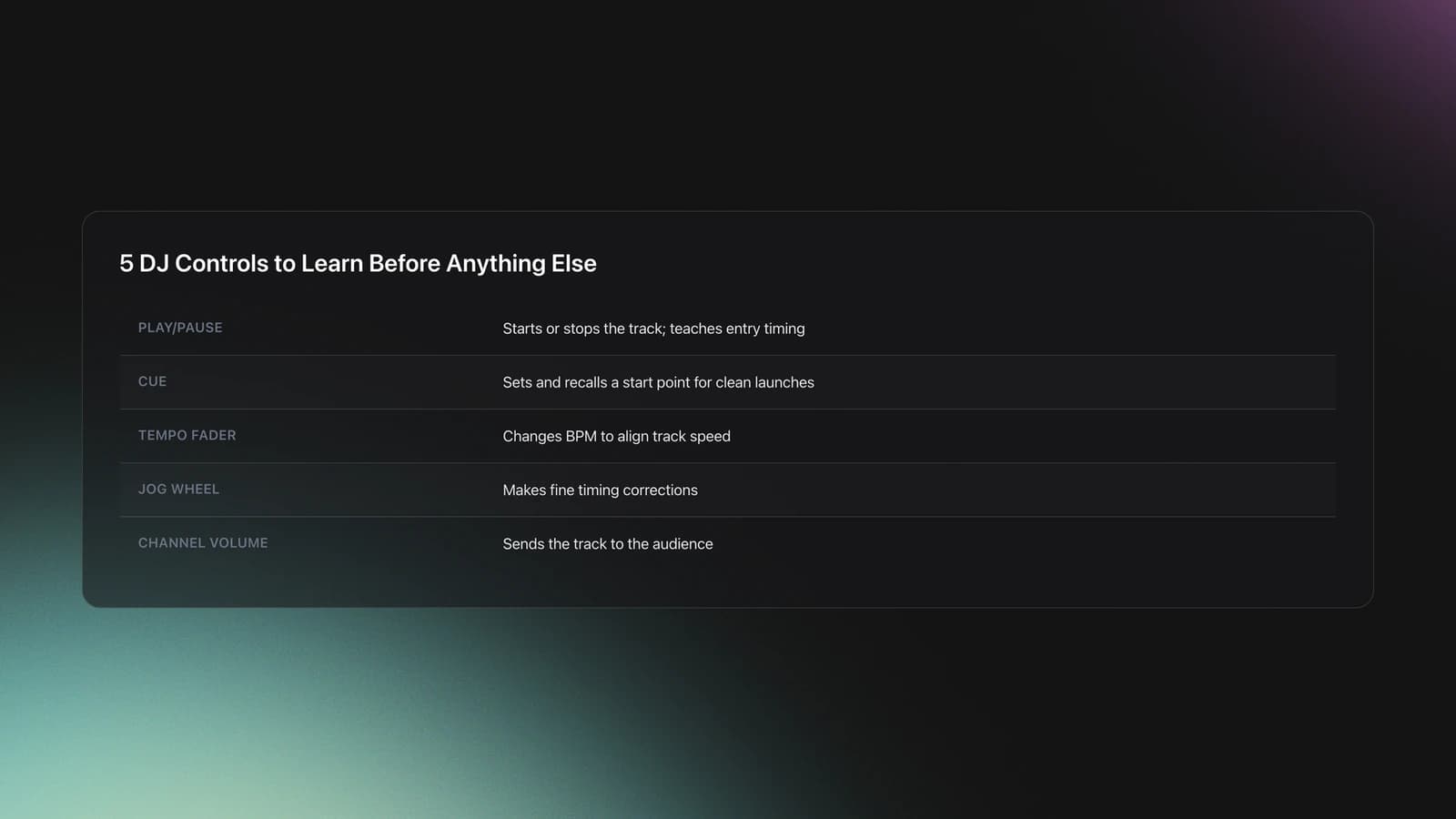
Core controls. Learn five deeply before anything else: play, cue, tempo, jog wheel, and channel volume. Effects, loops, sync, and pad modes can wait, because they hide weak fundamentals. See how to DJ for what each control does and the order to learn them in.
| Control | What It Does | Why It Matters First |
|---|---|---|
| Play/Pause | Starts or stops the track | Teaches entry timing and confidence |
| Cue | Sets and recalls a start point | Lets you launch from useful parts of the track |
| Tempo Fader | Changes BPM | Creates tempo alignment between tracks |
| Jog Wheel | Makes fine timing adjustments | Fixes small cue and beatmatching errors |
| Channel Volume | Sends audio to the audience | Controls when the mix becomes audible |
Core controls worth mastering before advanced features
Beatmatching. This is the first skill that turns separate playback into an actual mix: getting two tracks running at the same speed and locked in the same rhythmic position. Matching BPM is not enough on its own; the beats also have to land together. For the counting method, the worked BPM examples, and how to correct drift, see the full walkthrough in how to DJ.
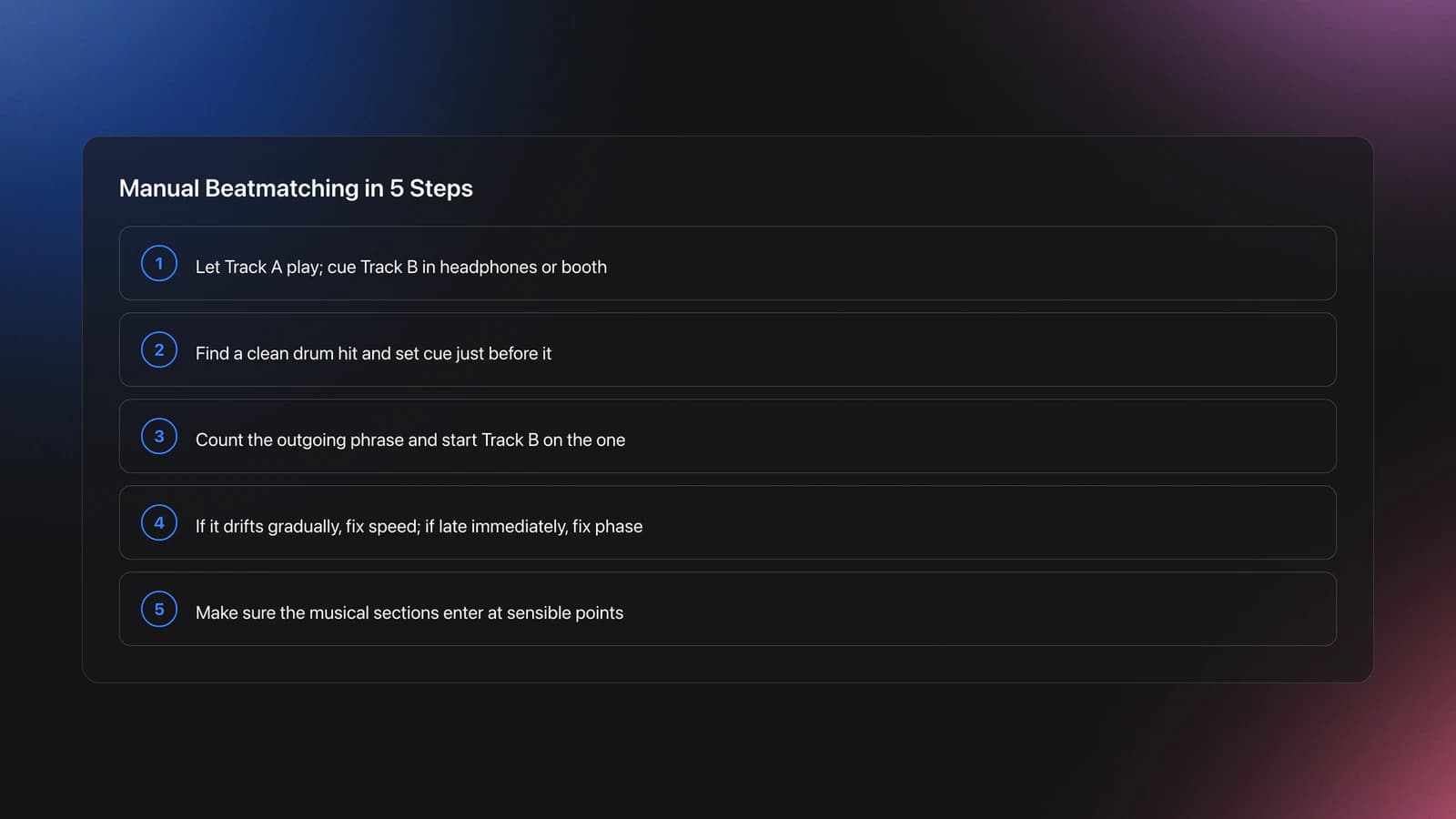
Cueing and jog wheel timing. A cue point is a bookmark, usually set just before the first kick of a phrase, so the track starts exactly where the drums hit. The jog wheel fixes the tiny early-or-late fraction. Full detail and examples are in how to DJ.
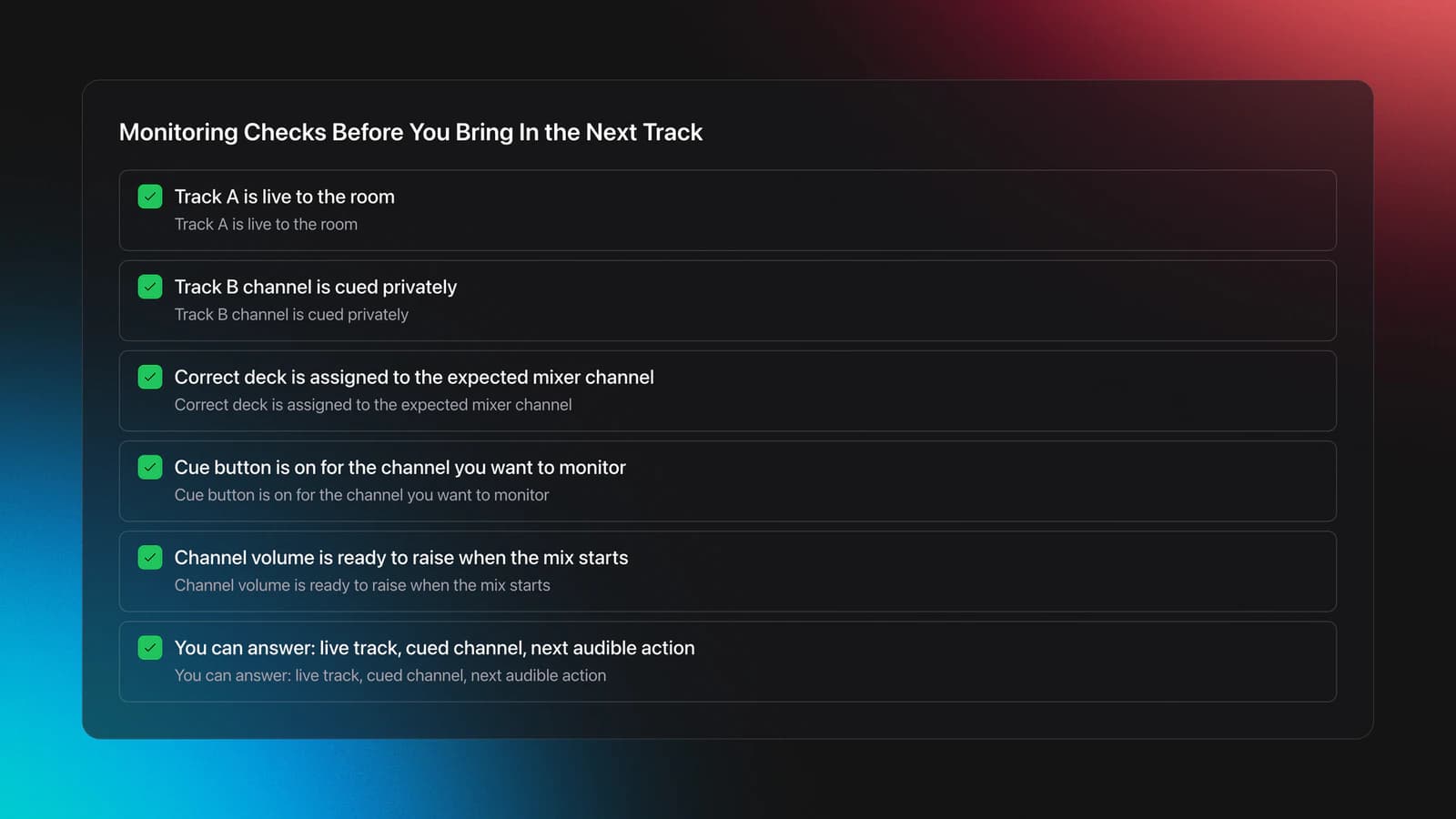
Monitoring. What the audience hears is not always what you hear at the mixer, so you prepare the incoming track on a private cue path while the current track plays to the room. The headphone and booth workflow is covered in how to DJ.
The rule across all four: learn one rung until it is solid before climbing to the next.
Do You Need Qualifications to Be a DJ
No. There is no universal license, certificate, or qualification required to be a DJ. You can be self-taught, you can learn entirely from free material, and you can start with no experience at all. Nobody books a DJ because of a diploma.
What you actually need is competence people can trust. Can you manage your setup, prepare your music, keep levels under control, and play for the room without trainwrecking transitions? That is what gets you invited back. The "qualification" that matters is a recording of a clean set you can point to.
So if you are wondering how to become a DJ with no experience, the honest answer is that everyone starts there. Experience is just reps in public, and you build it one small gig at a time.
How Long Does It Take to Learn
Long enough to respect, short enough to start soon. With focused daily practice, most people can hold a basic two-track mix together within a few weeks, and can record a rough but listenable set within a couple of months.
The variable is not talent. It is consistency. Twenty focused minutes most days beats a three-hour session once a week, because beatmatching is ear training and ear training rewards frequency. The honest milestones look like this:
- Weeks: you can match BPM and keep two tracks together for a stretch with small corrections.
- A couple of months: you can record a 15 to 20 minute mix you are not embarrassed by.
- Several months and beyond: you can read a setup you have never touched and adapt on the fly.
Becoming a "professional DJ" is a longer game built on top of that, and it is more about preparation, reliability, and taste than about any single technique.
Your First 30 Days as a DJ
Treat the first month as one roadmap milestone, not a race to master everything. Build one repeatable loop and protect it.
- Week 1. Learn your setup. Identify every core control and channel path.
- Week 2. Practice cue placement and starting tracks on the one.
- Week 3. Beatmatch pairs of tracks within a narrow BPM range.
- Week 4. Record 15 to 20 minute practice mixes and review mistakes.
For the actual drills behind weeks 2 through 4, including the exact transition to practice, follow how to DJ: your first clean mix. Come back here for the path; go there for the hands.
Recording matters because memory lies. What felt smooth during a session can sound rushed, late, or awkward on playback. Do not judge yourself by perfection. Judge yourself by fewer repeated errors and faster recovery when something slips.
How to Get Your First DJ Gigs
Your first gigs do not need to be glamorous, and they should not be paid. The goal early on is exposure to real conditions, not money.
Start with the lowest-stakes rooms available to you. House parties. Friends' events. Community spaces, bars on a quiet night, a friend's birthday, a charity event. These are useful precisely because they expose the weak points in your workflow without much on the line.
A practical sequence for landing those first slots:
- Build a 30 to 60 minute recorded set you can send to anyone in one link.
- Offer to play the early, empty slot at a night you already attend. Nobody competes for it, so promoters say yes.
- Tell every friend who throws events that you DJ now and want the reps.
- Show up early, easy to work with, and prepared. Being reliable gets you re-booked faster than being flashy.
Before you accept any gig, make sure you can do the basics on demand. Build a one-hour set. Prepare backup tracks. Test your headphone workflow. Confirm your library is organized enough to find alternatives fast if the room asks for something you did not plan.
If you want help on the preparation side, set list planning for DJs and BPM and key sorting are the next useful reads.
Build a Brand and Share Your Sets
The fastest way to grow as a beginner is to make your practice public. Not because you need an audience yet, but because shipping work forces you to finish it.
Record sets regularly and upload them. A simple, consistent presence does more than a polished one that updates twice a year. Pick a name, use the same one everywhere, and post mixes on a regular rhythm. Each upload is a checkpoint you can compare against the last.
This is also where self-taught DJs tend to do well. Sharing music with friends, uploading sets during an early project phase, and inviting honest feedback builds taste and resilience faster than practicing in private forever. Public reps also create the body of work that gets you booked, since a promoter wants to hear what you sound like before they hand you a room.
Keep it sustainable. One finished mix you actually publish beats five half-finished ones sitting on your drive.
Common Beginner Mistakes
Most beginner problems are not mysterious. They come from trying to do too much too soon, or from skipping the boring setup checks that make playing reliable.
| Mistake | Why It Happens | How to Avoid |
|---|---|---|
| Using too many features early | Effects and extra modes hide weak timing | Practice with play, cue, tempo, jog wheel, and channel volume first |
| Cueing at the wrong point | The start point is placed after the transient or in a weak intro | Set cue just before a strong kick or phrase entry |
| Fixing phase with the tempo fader | The DJ hears misalignment and changes the wrong control | Decide whether the issue is speed or launch timing before adjusting |
| Ignoring channel routing | The deck is playing but not on the expected mixer channel | Test each deck, cue it, and identify the active channel before mixing |
| Practicing with random tracks | Large BPM and phrase differences make learning harder | Use a small set of familiar tracks with clear structures first |
Common beginner errors that slow progress
Notice the pattern. Every mistake above is a systems problem before it becomes a creativity problem. Clean process gives you room for style later.
How Much Do Beginner DJs Charge
For your first gigs, often nothing. Early bookings are worth more to you as experience than as income, and "I will play your party for free" opens doors that a rate card closes.
Once you can deliver a stable set consistently, you can start charging, but rates vary widely by market, event type, and experience. There is no universal number. Price based on three things:
- Preparation time. The set you play is a fraction of the hours behind it.
- Gear responsibility. Bringing and risking your own equipment is worth more than plugging into a club rig.
- Local norms. Ask other DJs in your scene what bar slots, parties, and events actually pay. Charge into that range, not above it, until you have a track record.
A reasonable progression: free for the first handful of gigs, a small flat fee once you reliably hold a room, then market rate as you build demand and repeat bookings. Do not let pricing become a reason to delay. The money follows competence, not the other way around.
Conclusion: Build Control Before Style
The shortest serious answer to how can i be a dj is that you become one by learning control before performance identity. First decide it is for you. Then understand the system. Then make clean timing decisions. Then build taste, a brand, and gigs on top.
Keep these takeaways in mind:
- Start with one simple setup you can practice on often, and a controller is almost always the right first buy.
- You need no formal qualifications, just reliable technique and reps.
- Get your first gigs small and free, then price honestly once you can deliver.
When you are ready to actually mix your first two tracks, follow the hands-on walkthrough in how to DJ: your first clean mix. From there, the path opens up. Expand your library, refine your transitions, and start shaping sets around the music you actually care about.
Start on a controller if
- You are learning at home and want the lowest barrier to practicing daily.
- You want your whole library and a big screen while you learn.
- You are on a tight budget and want the most forgiving way in.
- You are fine with a laptop staying in the signal path.
Go standalone or club CDJs instead if
- -You already play out and need a setup that runs without a laptop.
- -You are preparing specifically for club booths built around separate players and a mixer.
- -You have both the budget and a concrete reason, rather than the pull of the badge.
- -Otherwise this is exactly where beginners spend for status instead of function, and the core skills transfer either way.
The visual way to organize your DJ library
Tag tracks by vibe. See everything at once. Export to rekordbox, Serato, Traktor or Engine DJ.
14-day free trial. Full access, no strings attached.
or see how it works
Techniques Covered






Equipment & Software
Continue Your Learning Journey
Start Here First



Frequently Asked Questions

Hey, it's Ben Modigell 👋
I DJ and produce as so I so: downtempo, minimal, dub house, tech house, and techno (releases on Spotify and SoundCloud, links above). Everything I write here comes from my own gigs, studio sessions, and library cleanups: the rules I follow, the failure modes I have actually hit, and the workflow I use when nobody is watching. If a technique did not earn its place in my own sets, it does not make it into a tutorial.




