
DJ Rig Setup
DJ Rig Setup is the process of connecting, calibrating, and gain staging a DJ rig so it delivers clean, reliable sound for practice or performance.
DJ Rig Setup Tutorials



A solid Setup turns a pile of gear into a reliable instrument. It covers how you connect devices, calibrate phono gear, set gains, and place monitors so what you hear is clean and consistent.
Learn Setup to avoid hum, distortion, and last‑minute panic. With repeatable steps, you can assemble a rig quickly, soundcheck with confidence, and focus on the mix rather than the meters.
What Is Setup?
Setup is the end‑to‑end process of connecting sources to a mixer or controller, choosing the correct input type, routing to booth and mains, and establishing proper headroom. It also includes turntable calibration and monitor placement.
In practice, that means choosing phono or line correctly, balancing outputs with XLR or TRS where available, grounding turntables, and checking gains so peaks sit just below the red. Done well, Setup prevents issues before they start.
Why Master Setup
- Cleaner sound: avoid clipping and hum with correct signal flow.
- Faster soundchecks: repeatable steps reduce pre‑set stress.
- Consistent monitoring: better timing, tighter mixes, and fewer surprises.
- Venue flexibility: adapt to house mixers, booth layouts, and cables.
- Less wear: correct tracking force protects vinyl and styli.
Core Setup Steps
Follow this sequence from sources to speakers. It keeps levels predictable and problems visible.
| Step | Action | Key Point |
|---|---|---|
| 1 | Place the booth and mixer where you can reach faders, EQ, and transport comfortably. | Minimize cable strain and leave space for ventilation. |
| 2 | Connect decks or players to the correct inputs. | Turntables to PHONO with ground wire to SIGNAL GND. Media players to LINE. |
| 3 | If using turntables, set tracking force and anti‑skate per cartridge spec. | Use manufacturer guidance for force and set anti‑skate to 0 for heavy backcueing. See Ortofon DJ FAQ ([ortofon.com](https://ortofon.com/pages/dj-faq)). |
| 4 | Use balanced outputs for the master when possible. | Prefer XLR or TRS to the amp or PA. See DJM‑900NXS2 manual for output options ([manualsnet.com](https://manualsnet.com/pioneer/djm-900nxs2)). |
| 5 | Route booth monitors from the booth output. | Start low. Aim monitors at ear height and toward you to reduce spill. |
| 6 | Set software track gains or enable auto‑gain if applicable. | Aim peaks just under 0 dB on software meters. |
| 7 | Trim channel input gains with fader at unity. | Target strong green with occasional amber. Avoid steady red. See DJ TechTools on gain staging ([djtechtools.com](https://djtechtools.com/amp/2015/10/11/gain-staging-for-djs-staying-out-of-the-red/)). |
| 8 | Set master level for the room, leaving headroom. | House engineers expect conservative meters. Keep dynamics intact. |
| 9 | Soundcheck with 2–3 reference tracks at show volume. | Confirm low end, vocals, and timing in the booth before doors. |
| 10 | Label and secure cables, then save settings where possible. | Document anything unusual for the next gig. |
Create a short soundcheck crate with a bass‑heavy tune, a vocal‑forward track, and a dynamic cut. Build it as playlists in your DJ app or as categorical collections in tools like Vibes that support hierarchical organization and BPM or key‑aware suggestions. The goal is quick access to representative material, not another folder hunt.
Equipment and Connections
Phono vs line. Phono is a very low‑level, equalized signal from a turntable that needs a phono preamp and a ground wire. Line is higher level, like a media player or audio interface. Never plug a line device into a phono input or vice versa. Use the rear switches carefully on mixers and controllers.
Balanced vs unbalanced. Use balanced XLR or TRS for master and booth to reject noise over long runs. Use short, good‑condition RCA for phono and line sources. The DJM‑900NXS2 manual outlines balanced master outputs and separate booth sends you can rely on for clean routing ([manualsnet.com](https://manualsnet.com/pioneer/djm-900nxs2)).
Turntables. Set tracking force within the recommended range and confirm alignment. Ortofon’s DJ FAQ explains counterweight setup and why anti‑skate often sits at 0 for cueing and scratching ([ortofon.com](https://ortofon.com/pages/dj-faq)). Alignment tools help avoid inner groove distortion.
Gain Staging and Levels
Gain staging keeps each device in its optimal zone. Set track gains first, then channel trims with faders at unity, then master level. Leave headroom so transients breathe.
Aim for average levels near 0 dB on channel meters with peaks into amber. Avoid steady red on channels, master, or booth. The DJ TechTools guide explains why clipping at any stage degrades the entire chain, even if later meters look safe ([djtechtools.com](https://djtechtools.com/amp/2015/10/11/gain-staging-for-djs-staying-out-of-the-red/)).
If you insert external effects, match levels at the send and return so you do not add noise or drop gain unexpectedly. Allen & Heath’s Xone:96 help center notes typical insert and return level expectations for stable results ([support.allen-heath.com](https://support.allen-heath.com/hc/en-gb/articles/25826873884049-Xone-96-connecting-RMX1000-to-master-insert)).
Practice Drills
Through daily 15‑minute sessions over years, I found short, repeatable setup drills build confidence faster than occasional marathon tests. Track times and errors, then iterate each week.
Keep reference materials organized. Some DJs log notes in a spreadsheet. Others maintain preparation libraries that link tracks, keys, and tempos. Vibes can serve here as a structured home for practice playlists and setup checklists so pre‑gig reviews stay quick and consistent.
Common Mistakes
| Mistake | Why It Happens | Solution |
|---|---|---|
| Wrong PHONO/LINE selection | Confusing input types or hidden switches | Match source to input. Turntables to PHONO with ground. Players and interfaces to LINE. |
| Redlining mixer or master | Chasing loudness, not headroom | Set gains for peaks near amber. Leave master headroom. See DJ TechTools on gain structure. |
| Hum or buzz on turntables | Missing ground or long unbalanced runs | Attach ground wires to SIGNAL GND. Use short RCA cables and avoid running parallel to power. |
| Booth monitors hard to hear | Poor placement or phasey reflections | Raise to ear height, aim at your head, reduce PA spill toward the booth, and check polarity. |
Troubleshooting
Distorted vinyl on a phono input often means a line‑level signal is being amplified again. Verify the turntable output switch and the mixer input type.
If one channel is low or noisy, reseat RCA cables and the headshell. Clean contacts. Confirm tracking force within spec and that anti‑skate is not excessive.
If booth is boomy, lower the monitor stands or move them away from corners. Use the booth EQ if available to trim low end slightly rather than cranking volume.
For external effects loops that alter level, check send level, pedal or processor input sensitivity, and return gain. Aim for unity through the loop.
Safety and Sound Levels
Hearing is non‑renewable. NIOSH recommends about 85 dBA over 8 hours, halving exposure time for every 3 dB increase. In loud venues, use earplugs and keep booth monitors reasonable. See NIOSH overview ([www.cdc.gov](https://www.cdc.gov/niosh/noise/about/noise.html)) and OSHA’s summary ([www.osha.gov](https://www.osha.gov/noise)).
Once Setup is second nature, you can focus on timing and selection. Keep practicing transitions and master beat matching fundamentals, and dial in nuance with dial in proper gain staging.
The visual way to organize your DJ library
Tag tracks by vibe. See everything at once. Export to rekordbox, Serato, Traktor or Engine DJ.
14-day free trial. Full access, no strings attached.
or see how it works
More Tutorials

How to DJ With Just a Laptop (No Controller Needed)

DJ Setup Types

Professional DJ Controller: Battle vs Club Layout, Jogs, and I/O

House Trance: Sound, Structure, Mixing

Beginner DJ Equipment: What You Need

How To Mix In Key Live: Worked Transitions And Failure Fixes
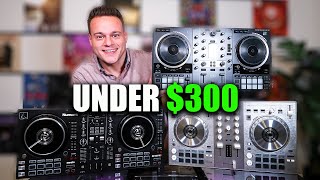
Starter DJ Controller Buying Guide

How to DJ: First Mix, Step by Step

How Can I Be a DJ and Start Strong

DJ Starter Equipment: What to Buy First (and What to Skip)

What Is a House DJ?

DJ Library Organization System: Tags, Crates, Keys
Equipment You'll Need
Novation Launchpad X
optionalThe Novation Launchpad X is a 64-pad MIDI grid controller built for live clip launching and DJ performance. Trigger stems, loops, and one-shots in Ableton Session View or map to Traktor Remix Decks. RGB feedback keeps you oriented during high-energy sets.
MIDI Controller
optionalA MIDI Controller is an input device that sends performance data to software instruments, hardware synths, drum machines, and DAWs. If you need hands-on control for playing notes, triggering clips, or automating parameters, a MIDI Controller is the tool that ties your setup together. It does not generate audio on its own.
Chauvet DJ Hurricane 1600
optionalThe Chauvet DJ Hurricane 1600 is a compact, **DMX-ready** fog machine built for working rigs. If you need reliable 25,000 cfm output, a 4‑minute warmup, and a simple one‑channel DMX footprint, the Hurricane 1600 hits the brief. According to the [Chauvet DJ official specs](https://www.chauvetdj.com/products/hurricane-1600/), it pairs a 0.63‑gallon tank with an advanced fluid sensor to protect the pump.
Ableton Live
optionalAbleton Live is the go-to DAW for hybrid DJ sets and live electronic performance. Session View enables non-linear clip launching perfect for DJs transitioning from decks. Use it alongside CDJs, with controllers like Push and Launchpad, or as your complete performance rig.
Mixed In Key 11
optionalStandalone harmonic-mixing and library-prep software that detects keys, energy levels, cue points, and tags for DJ sets.
rekordbox
optionalCloud-connected DJ software for music management, performance, export prep, and club-standard hardware integration.
Beatport
optionalBeatport is a DJ-focused electronic music store and streaming platform for discovering, buying, and streaming tracks into supported DJ software and hardware.
Native Instruments Traktor Pro 4
optionalA professional 4-deck DJ software platform with stem separation, flexible beatgrids, effects, DVS support, and broad controller integration.
Numark Mixtrack Pro FX
optionalA 2-deck USB DJ controller with a built-in audio interface, capacitive jog wheels, performance pads, and Serato DJ Lite support.
Pioneer DJ DDJ-400
optionalA compact 2-channel USB DJ controller built for rekordbox with a club-style layout aimed at new and progressing DJs.
Pioneer DJ DDJ-1000
optionalA 4-channel rekordbox DJ controller with full-size jog wheels, onboard displays, and club-style mixer controls.
Pioneer DJ DDJ-FLX4
optionalA compact 2-channel DJ controller with built-in audio interface, USB-C connectivity, and beginner-friendly smart mixing features.
DJControl Inpulse 200 MK2
optionalCompact 2‑deck USB DJ controller with built‑in audio, Beatmatch Guide LEDs, and Serato DJ Lite/DJUCED integration.
Pioneer CDJ-1000
optionalA discontinued professional CD-based DJ player that helped define the modern club-standard jog-wheel workflow.
Hercules DJControl Inpulse 500
optionalA 2-channel USB DJ controller with built-in audio interface, performance pads, and guided mixing features for home practice and small public sets.
Serato DJ Pro
optionalProfessional DJ software for mixing, performance, library management, recording, and hardware-integrated club workflows.
Pioneer DJ CDJ-3000
optionalProfessional flagship DJ media player with a 9-inch touchscreen, advanced MPU processing, and club-standard Pro DJ Link workflow.
VirtualDJ
optionalDJ software for Windows and macOS that handles audio mixing, video mixing, karaoke, stems, and broad hardware support.
Pioneer CDJ-400
optionalA discontinued digital DJ media player that plays CDs and MP3 files from USB storage, and can also work as a MIDI controller and USB audio interface.
Traktor MX2
optionalA 2-channel DJ controller with integrated audio interface and tight Traktor Pro 4 integration for mixing, stems, effects, and performance pads.
VirtualDJ 7
optionalA legacy DJ software platform for audio and video mixing, controller mapping, and DVS playback on Windows and Mac.
Traxsource
optionalTraxsource is a digital music download store focused on house and underground dance music for DJs.
Serato DJ Lite
optionalFree two-deck DJ software for Mac and Windows that introduces Serato’s workflow, controller support, and basic mixing tools.
Yamaha REV5
optionalThe Yamaha REV5 is a 2U rackmount digital **reverberator** built for studios and live rigs. If you want hardware ambience with surgical control, the Yamaha REV5 still delivers. Its balanced I/O, per‑program parametric EQ, and MIDI backup make it a reliable problem solver as well as a creative reverb. This page covers Yamaha REV5 features, specifications, pricing context, and the best alternatives.
Native Instruments FM8
optionalNative Instruments FM8 is a powerhouse FM synthesizer for hybrid DJ sets and live performance. Its low CPU usage and bright, cutting tones make it ideal for layering over tracks in a live mix. Bounce FM8 basslines as audio loops for Traktor Remix Decks or Ableton clips.
Cockos REAPER
optionalA lightweight, deeply customizable digital audio workstation for recording, editing, mixing, MIDI production, and post work on Windows, macOS, and Linux.
Frequently Asked Questions

Hey, it's Ben Modigell 👋
I DJ and produce as so I so: downtempo, minimal, dub house, tech house, and techno (releases on Spotify and SoundCloud, links above). Everything I write here comes from my own gigs, studio sessions, and library cleanups: the rules I follow, the failure modes I have actually hit, and the workflow I use when nobody is watching. If a technique did not earn its place in my own sets, it does not make it into a tutorial.