
Professional DJ Controller: Battle vs Club Layout, Jogs, and I/O
Watch AlphaTheta / Pioneer DJ USA’s tutorial above (81K views on YouTube).
This is for working and aspiring DJs choosing a professional dj controller for real gigs. You are stuck between layouts, channel counts, jog types, and software ecosystems.
After this, you will match controller design to your venues, library, and set style. You will leave with a short decision table and a practical next step.
Core Decision: Scratch-Style vs Club-Style
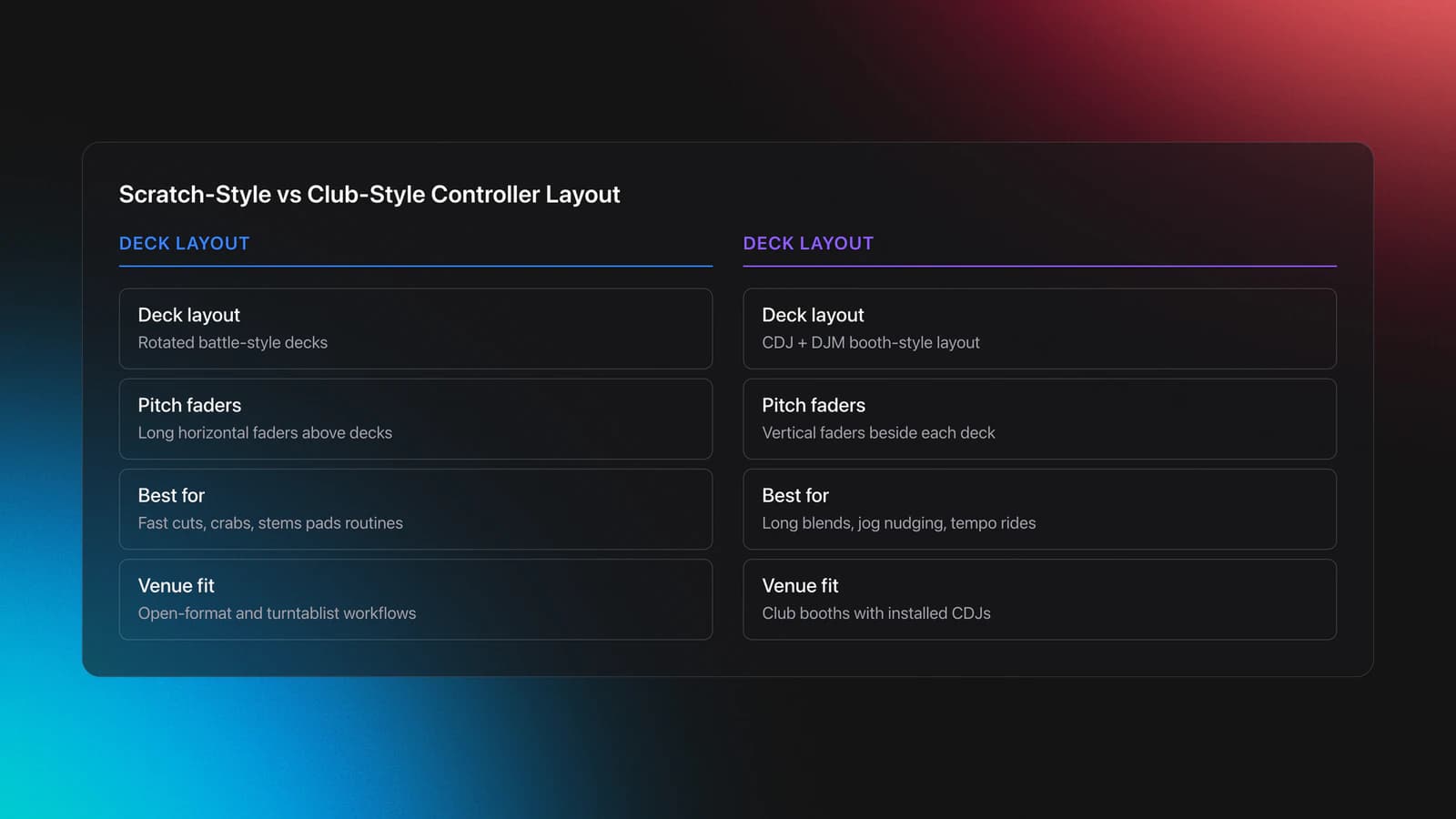
Scratch-style controllers mirror a battle mixer between two rotated decks. Long horizontal pitch faders sit above the decks. Pads and lever effects live close to the crossfader.
Club-style controllers mirror the CDJ + DJM layout found in most booths. Pitch faders run vertically. Transport sits below the jog. Pads live near each deck.
Why it matters. Your muscle memory under pressure decides how fast you cue, cut, and recover from mistakes. Your venue's booth also biases one layout.
Scratch-style favors rapid fader work, crabs, and stems-on-pads routines. Club-style favors long blends, jog nudging, and CDJ muscle memory.
Example 1. Open-format bar set. You flip from 100 BPM edits to 70 BPM rap. A scratch-style unit with stems pads and horizontal faders keeps hands centered. Auto tempo tools reduce scrambling.
Example 2. Techno room with house residents. A club-style controller aligns with installed CDJs. You keep phrasing, jog adjust, and tempo rides consistent all night.
Feature check. Some scratch-style units add stems, Auto BPM transitions, and piano-style pad modes. See the DDJ-REV5 feature list in Pioneer DJ's official page for examples of these behaviors.
According to Pioneer DJ's product page, the DDJ-REV5 offers large jogs, MAGVEL crossfader, dedicated Stems controls, Auto BPM Transition, and Piano Play, with plug-and-play for Serato DJ Pro and rekordbox.
Validation criteria. If you can hit cues, trigger pads, and ride pitch without looking after 15 minutes, the layout matches you. If you keep hesitating or reaching across the mixer, switch styles.
Failure mode. Moving from battle to club layout on gig day slows you down. Symptoms: missed hot cues, wrong fader grabs, and late drops in first two tracks.
Controller Brains: Standalone vs Laptop-Dependent
Standalone units carry their own brains and media. You play from USB drives without a computer. Laptop-dependent controllers require Serato or rekordbox running on your machine.
Standalone strengths. Faster setup in mobile contexts. Fewer crash points. Lower table footprint for tight booths.
Standalone tradeoffs. Less flexible stems workflows and fewer performance modes. Fewer third-party integrations. Heavier cases for travel.
Laptop-dependent strengths. Full stems, advanced pad modes, flexible routing, and fast library search. Quick recording to disk if your software plan supports it.
Laptop-dependent tradeoffs. You must manage OS updates, drivers, and latency. Cable discipline and power redundancy matter.
Verification. Serato documents Stems with per-part isolation for Vocals, Melody, Bass, and Drums in Serato DJ Pro.
rekordbox confirms Hardware Unlock devices can control Performance mode without a paid plan. Their FAQ lists DDJ-REV5 as Hardware Unlock for ver. 7.
Example 1. Wedding DJ. A standalone all-in-one removes laptop risk during ceremonies. You carry a slim backup USB and a compact power strip.
Example 2. Underground set. A laptop-dependent controller with stems and combo pad modes enables on-the-fly acapellas and drum swaps.
Validation criteria. You should maintain stable audio at target buffer, search the library quickly, and swap DJs cleanly. If swapping stalls or audio crackles, adjust approach.
Failure mode. Power sag or a loose USB-C cable restarts drivers mid-set. Symptom: decks freeze, meters drop, and booth goes silent.
Tactile Control: Motorized vs Static Jog Wheels
Motorized platters spin and simulate vinyl. Static jogs stay fixed and sense touch for nudging and scratching.
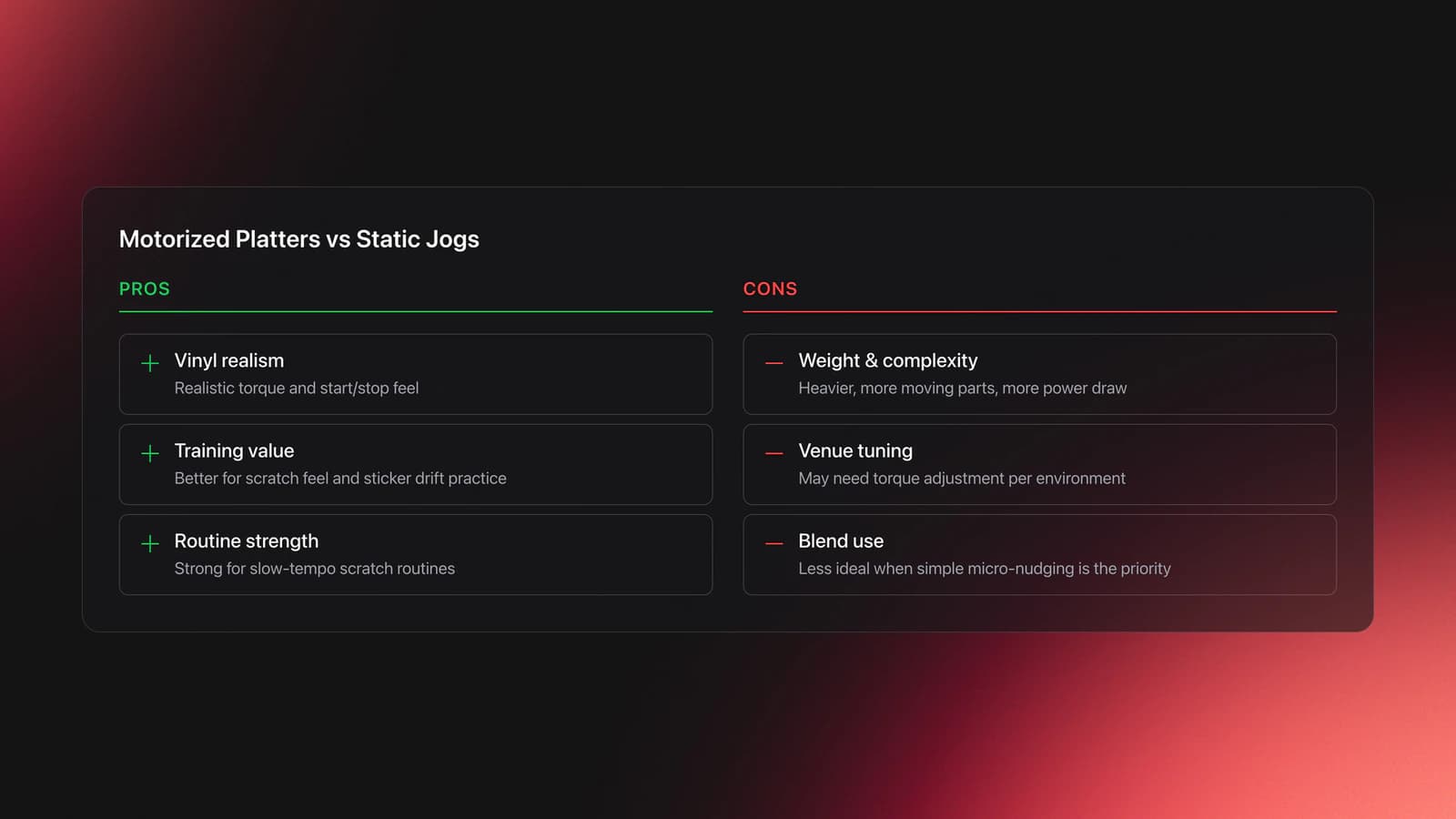
Motorized pros. Realistic start/stop physics and torque. Better for scratch feel and sticker drift training. Strong for slow-tempo routines.
Motorized cons. More weight, more moving parts, and extra power draw. Some platters need torque tuning per venue temperature.
Static pros. Lighter, simpler, and consistent. Great for house, techno, and long blends where micro nudges matter more than vinyl realism.
Static cons. Less convincing vinyl feel. Heavier hand technique to simulate baby scratches and fast cuts.
Example 1. Scratch practice in a small studio. Motorized decks help map fader hand to record feel fast.
Example 2. Four-hour club set with long blends. Static jogs reduce fatigue and preserve precise pitch nudging.
Validation criteria. Run the two-minute muscle-memory check. Blindfold cue, baby scratch, and 8-count blend on each type. Which one is smoother without thinking?
Failure mode. Over-tight jog tension forces over-nudging. Symptom: tracks drift past beatgrid despite tiny touches.
Channel Count: 2-Channel Professional DJ Controllers
Two channels cover most club and bar sets. You can still control four software decks with deck switches if supported.
Choose 2-channel if your sets are A/B with occasional loops and acapellas. Choose 4-channel if you layer drums, synths, and extra loops often.
A four-channel unit with a built-in standalone club mixer, like the DDJ-1000, lets you keep CDJ-style muscle memory and run external sources into the same mixer, which is why it sits closer to a permanent booth rig than a battle deck. The trade is footprint, weight, and price.
Model Landscape: Where Pro Controllers Differ
The pro tier splits along the same two axes as the layout decision, scratch versus club and standalone versus laptop. A few current units anchor the range.
Battle and scratch, laptop-dependent. The DDJ-REV5 carries large jogs, a MAGVEL crossfader, dedicated Stems controls, Auto BPM Transition, Piano Play, and an XLR master out, and runs on Serato DJ Pro or rekordbox. It is static-jog. The DDJ-REV7 steps up to motorized jog wheels with on-jog displays for a true vinyl feel, aimed at scratch and battle DJs.
Club layout, four-channel. The DDJ-1000 mirrors the CDJ plus DJM booth with full-size mechanical jogs, on-jog displays, Sound Color FX per channel, and a standalone club mixer in the center.
Standalone club, no laptop. The OPUS-QUAD pairs CDJ-2000-style jogs with internal processing and a screen, so it plays from USB without a computer. Match the model to the booth you actually play, not the longest feature list.
Connectivity: Professional DJ Controller I/O
Carry balanced XLR master outs for venues. Add balanced TRS booth for monitors. Dual USB for back-to-back sets. Two mic inputs with EQ for mobile work.
Pioneer DJ's DDJ-REV5 specification page shows XLR master, TRS booth, dual USB-C for hosts, and a third USB-C for power. Treat this as a baseline for pro use.
Software: Serato, Rekordbox, and Your Library
Serato DJ Pro gives robust Stems and deep pad modes. rekordbox integrates tightly with Pioneer club hardware and Hardware Unlock devices for Performance mode control.
Library consistency matters more than features. Keep uniform BPM, key, and cue standards so switching booths stays painless.
Some DJs track everything in folders or spreadsheets. Others use a dedicated organizer to build stable category systems and export clean playlists to DJ software.
You can organize local files into custom hierarchical categories and export the resulting structure to Rekordbox with a library tool. Choose an organizer that supports Mood, Function, and Energy systems and clean Rekordbox export so your prep survives the move to club gear.
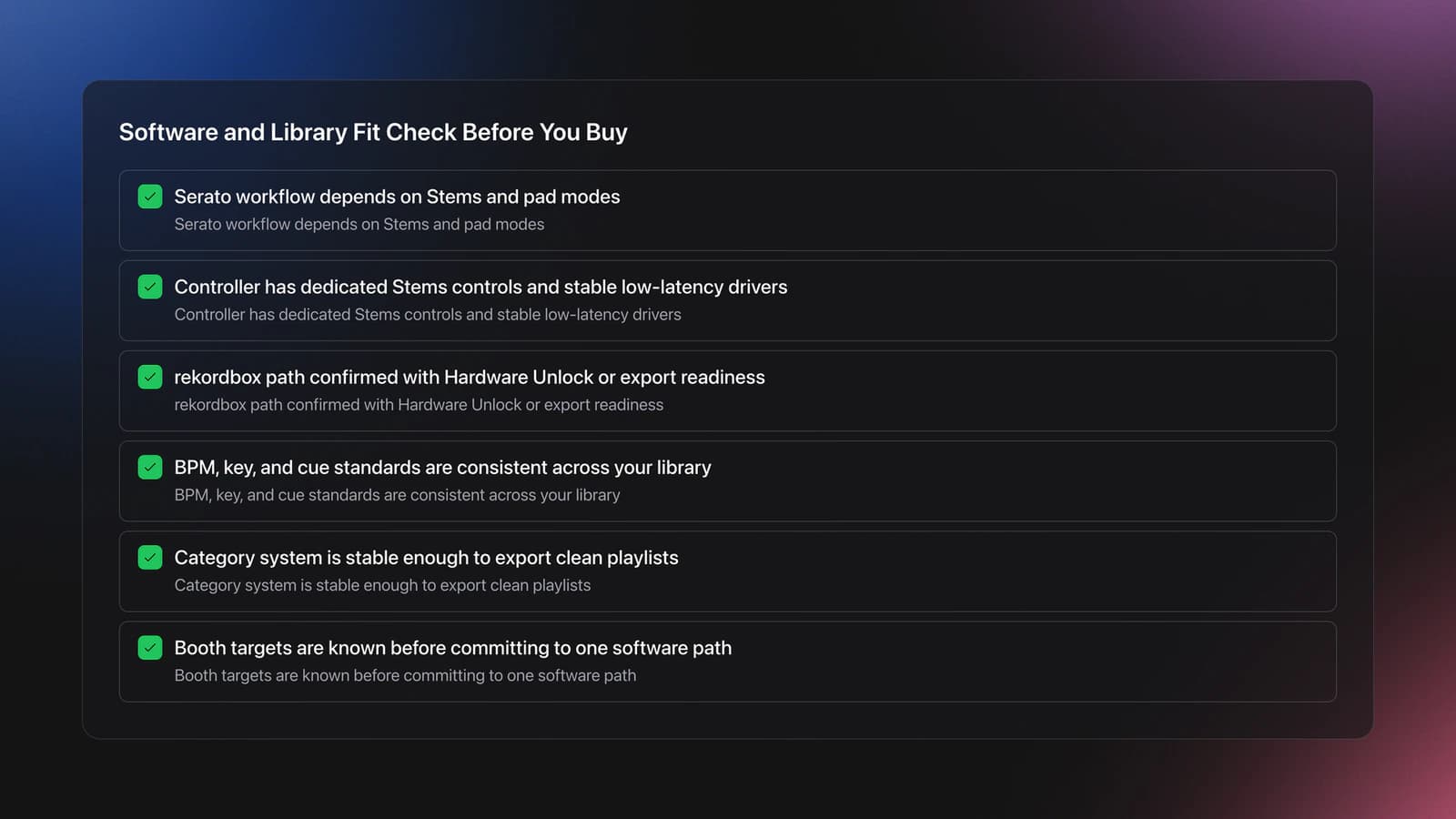
Note your booth targets before you buy. If Serato Stems is central to your sets, pick hardware with dedicated Stems controls and stable low-latency drivers. If rekordbox export is your path, validate Hardware Unlock status and export readiness.
According to the rekordbox ver. 7 Hardware Unlock FAQ, DDJ-REV5 is a Hardware Unlock device. That enables Performance mode control without a paid plan on supported versions.
Preparation: Building Sets, Stems, and Transitions
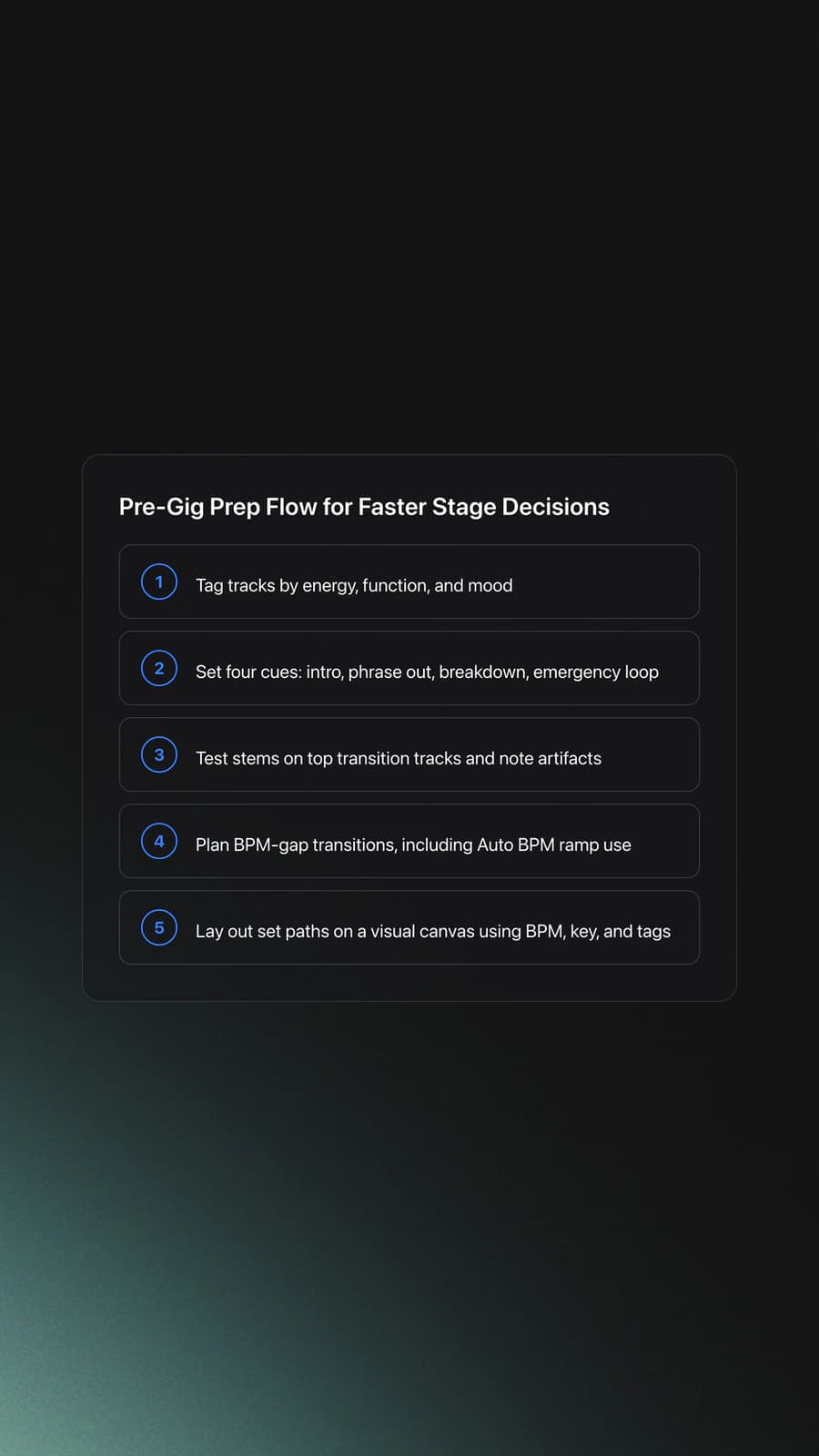
Preparation shortens decision time on stage. Pre-tag by energy, function, and mood. Set at least four cues per track: intro in, phrase out, breakdown, and emergency loop.
Stems workflows need clean source material. Test isolation at home for your top 30 go-to transitions. Save notes on what collapses or artifacts.
Automated tempo transitions help when bpm gaps are huge. Some controllers implement Auto BPM ramping so you can focus on other tasks mid-blend.
For pre-set building and scenario planning, a visual canvas helps you lay out sequences and recommended follow-ups based on BPM, key, and your assigned categories.
A dedicated set-prep tool can provide that canvas and offer recommendations by BPM and musical key using your tags; Vibes is one such tool that keeps your planned sets tied to the same mood, function, and energy categories you organize your library with, so your prep survives the export to club hardware.
Scratch vs Club Controllers: Comparison Table
| Criterion | Scratch-Style Controllers | Club-Style Controllers |
|---|---|---|
| Layout | Battle mixer center with horizontal pitch faders | CDJ/DJM layout with vertical pitch faders |
| Muscle Memory | Optimized for cuts, fader tricks, fast pad work | Optimized for jog nudging and long blends |
| Pads and Stems | Pads centered; stems and lever FX near crossfader | Pads per deck; stems depend on model |
| Jog Feel | Often larger, adjustable tension; some motorized siblings | Static jogs common; CDJ‑like feel |
| Booth Fit | Great for open‑format and bar gigs | Matches most club booths |
| Learning Curve | Short for turntablists; longer for CDJ‑only users | Short for CDJ users; neutral for others |
| Back‑to‑Back | Dual USB often included | Dual USB common on pro units |
| Portability | Moderate weight; protective cases recommended | Varies from compact to flagship sized |
Choose based on muscle memory and venue bias.
Common Buying Mistakes
| Mistake | Why It Happens | How to Avoid |
|---|---|---|
| Ignoring booth outputs | You test on headphones only | Require balanced XLR master and TRS booth |
| Overvaluing RGB pads | Flash sells more than function | Prioritize fader feel, latency, and I/O |
| Skipping dual USB | You do not plan back‑to‑backs | Make dual host ports a must for shared nights |
| Wrong layout for venue | You chase features, not workflow | Match layout to your primary booth type |
| No library plan | Hardware focus only | Define categories and export structure first |
Avoid issues that surface only on stage.
Decision Framework: Choose Your Professional DJ Controller
| Scenario | Best Choice | Why | Next Action |
|---|---|---|---|
| Open‑format bar with quick cuts | Scratch‑style, 2‑channel, laptop‑dependent | Pads near fader, fast stems access | Test stems latency and pad ergonomics at target BPM |
| House/techno club with CDJs installed | Club‑style, 4‑channel or dual‑deck | Matches booth feel and phrasing | Check jog size and pitch fader resolution |
| Mobile weddings and speeches | Standalone with dual mics and EQ | Less crash risk and easy speech control | Confirm XLR master, TRS booth, two mic inputs |
| B2B nights or showcases | Dual‑USB model on your software | Seamless swaps between laptops | Rehearse hand‑offs at set change tempos |
| Heavy stems routines | Laptop‑dependent with dedicated stems controls | Creative isolation and mashups | Validate CPU headroom at 64–128 buffer |
| Tight booths or travel | Compact 2‑channel with robust case | Smaller footprint and faster setup | Measure booth width and case dimensions |
Pick by venue and workflow, not spec sheets.
The right controller is the one matched to your venues, library, and set style, not the longest spec sheet. I owned a Denon Prime 4 and the Pioneer XDJ-RX2 and RX3 before this, but in a real club booth nothing beats CDJs into a Xone mixer with four-band EQs, so I weight my own buying toward whatever holds up there. Decide where you actually play, then pick the layout and I/O that hold up under those conditions.
The visual way to organize your DJ library
Tag tracks by vibe. See everything at once. Export to rekordbox, Serato, Traktor or Engine DJ.
14-day free trial. Full access, no strings attached.
or see how it works
Techniques Covered

Auto BPM Transitions Across Genres

Stem Separation

Piano for Producers
Piano Play

Track Selection

DJ System Configuration

DJ Rig Setup

Camelot Key Display Setup in Rekordbox, Serato and Traktor

Crossfader Use
Camelot Wheel Guide for DJs
Equipment & Software
Featured Gear
Official Manuals
Continue Your Learning Journey
Start Here First

Frequently Asked Questions

Hey, it's Ben Modigell 👋
I DJ and produce as so I so: downtempo, minimal, dub house, tech house, and techno (releases on Spotify and SoundCloud, links above). Everything I write here comes from my own gigs, studio sessions, and library cleanups: the rules I follow, the failure modes I have actually hit, and the workflow I use when nobody is watching. If a technique did not earn its place in my own sets, it does not make it into a tutorial.




