
How To Mix In Key Live: Worked Transitions And Failure Fixes
Watch DJ Deep Bhamra’s tutorial above (33K views on YouTube).
This is for working DJs who hate melodic clashes and messy transitions. If your sets feel disjointed, you’ll learn mixing in key fast, pick compatible tracks under pressure, and plan harmonic arcs that hold the room.
You’ll get concrete rules, failure checks, and a repeatable workflow. Start applying it on your next set prep cycle.
Mixing In Key: What It Solves
Mixing in key blends melodies and chords instead of fighting them. You reduce dissonance, extend blends, and make acapellas sit cleanly.
It also lets you steer energy deliberately. You can cool down, lift the room, or pivot mood without jarring the crowd.
Do you always need it? No. Track choice and timing still win in open-format rooms. But when you can align key, phrase, and beat, your transitions feel inevitable. For the broader harmonic mixing pillar covering theory, energy, and multi-deck constraints, start there.
Key Systems: Camelot vs Classic
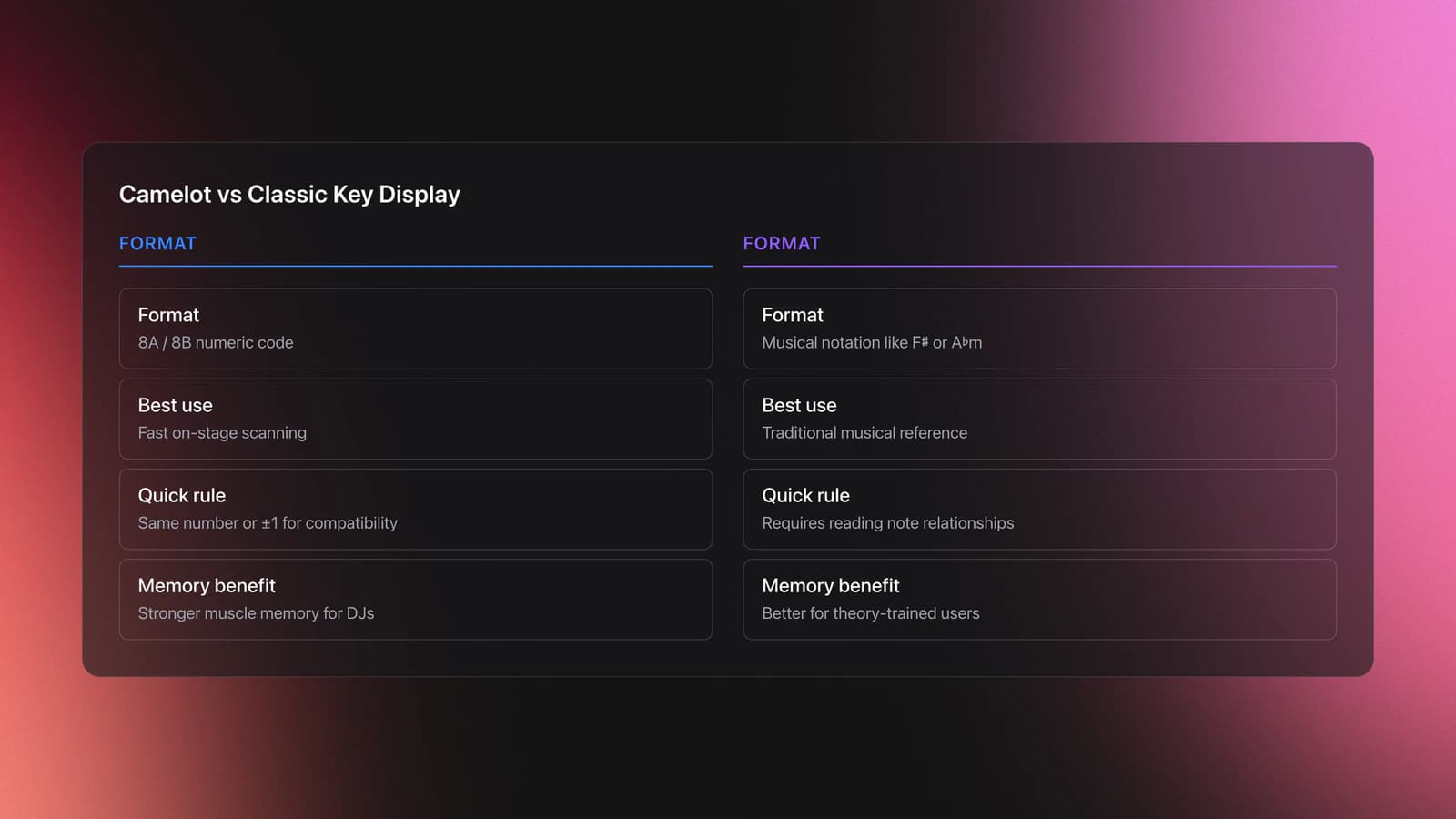
DJ software displays keys in two common systems. Classic uses musical notation like 8A♭m or F♯. Camelot uses numbers for quick scanning, like 8A or 8B.
Camelot is faster on stage. Same number means compatible major/minor relatives. ±1 number means adjacent compatibility. That’s enough to work quickly.
Most platforms let you switch display modes. Rekordbox supports Classic and Alphanumeric. Serato supports Camelot colors and notations when key analysis is enabled. For the Camelot Wheel reference covering each number, A/B labels, and how to read them at a glance, see the dedicated guide. See the official docs linked below for exact menu paths.
Mixing In Key Rules: Compatible Moves
These are practical, low-cognitive-load moves you can memorize. Use them as defaults.
- Same key. Example: 8A to 8A. Safest long blend. Melodic layers lock.
- Relative major/minor. Example: 8A to 8B. Mood brightens, notes stay shared.
- Adjacent on wheel. Example: 8A to 7A or 9A. Gentle energy shift.
- Parallel flip with care. Example: 8B to 8A. Strong mood switch, short blend.
- Energy boost jumps. Example: +2 or +7 Camelot steps. Use for quick swaps, not long overlays.
Two fully worked examples so you can see the inputs and outputs clearly.
Example 1: You’re on 7A at 124 BPM with a pads-forward break. You need lift without changing tempo. Input: 7A → 7B relative major. Process: mix drums, bring 7B stab on the last 8 bars of the break, fade 7A midrange. Output: brighter feel, shared notes, no rub.
Example 2: You’re on 10B at 128 BPM, crowd wants harder energy. Input: 10B → 11B (+1 adjacent, clockwise). Process: quick 16-bar swap during a drum-focused segment. Output: slightly brighter harmony and tension, works even with short overlays.
Failure mode to watch: same-number parallel flip that overlaps sustained vocals. Symptom: minor third rub or sudden gloomy tone fighting a major chorus. Fix: shorten the overlap or transition at a drum-only phrase.
Validation check: if the vocal and lead synth sit without a beating effect in the overlap, you’re good. If you hear shimmer that doesn’t resolve within two bars, bail or EQ isolate.
Mixing Songs In Different Keys: When And How
You won’t always have a compatible key ready. Here’s how to handle it without derailing the set.
Path 1. Short, percussive transitions. Cut during drum phrases where harmony is minimal. This drops the need for key match entirely.
Path 2. Key shift features. Many platforms can shift pitch while locking tempo. Keep shifts within ±2 semitones for transparent results. Larger moves work for drops, not for long overlays.
Path 3. Arrangement-aware mixing. Enter on a bass-only intro or post-drop drums. Let the new track’s harmony arrive after the old one fades.
Worked example A: On 3B but next banger is 5A. Input: 3B → 5A (parallel minor two numbers away). Process: ride 8 bars of drums from 5A while 3B vocal holds. Kill 3B’s mids, swap leads during a one-bar fill. Output: tight momentum, no harmonic clash.
Worked example B: On 6A, want a dramatic lift to 8B. Input: key shift +2 on the incoming track while key lock active. Process: align phrases, introduce ride and clap first, then melody at the drop. Output: clear energy boost without sour intervals.
Failure mode: shifting a full vocal hook by +3 or more. Symptom: robotic or tinny timbre, noticeable artifacts in sibilants. Mitigation: keep the shift small, or shift only instrumental layers.
Validation check: solo the shifted layer in cue. If cymbals smear or the vocal ‘lisps’, abandon the shift and use a drum swap instead.
Library Setup For Reliable Key Data
Key mixing falls apart if your library is messy. Fix the inputs, then the technique becomes automatic.
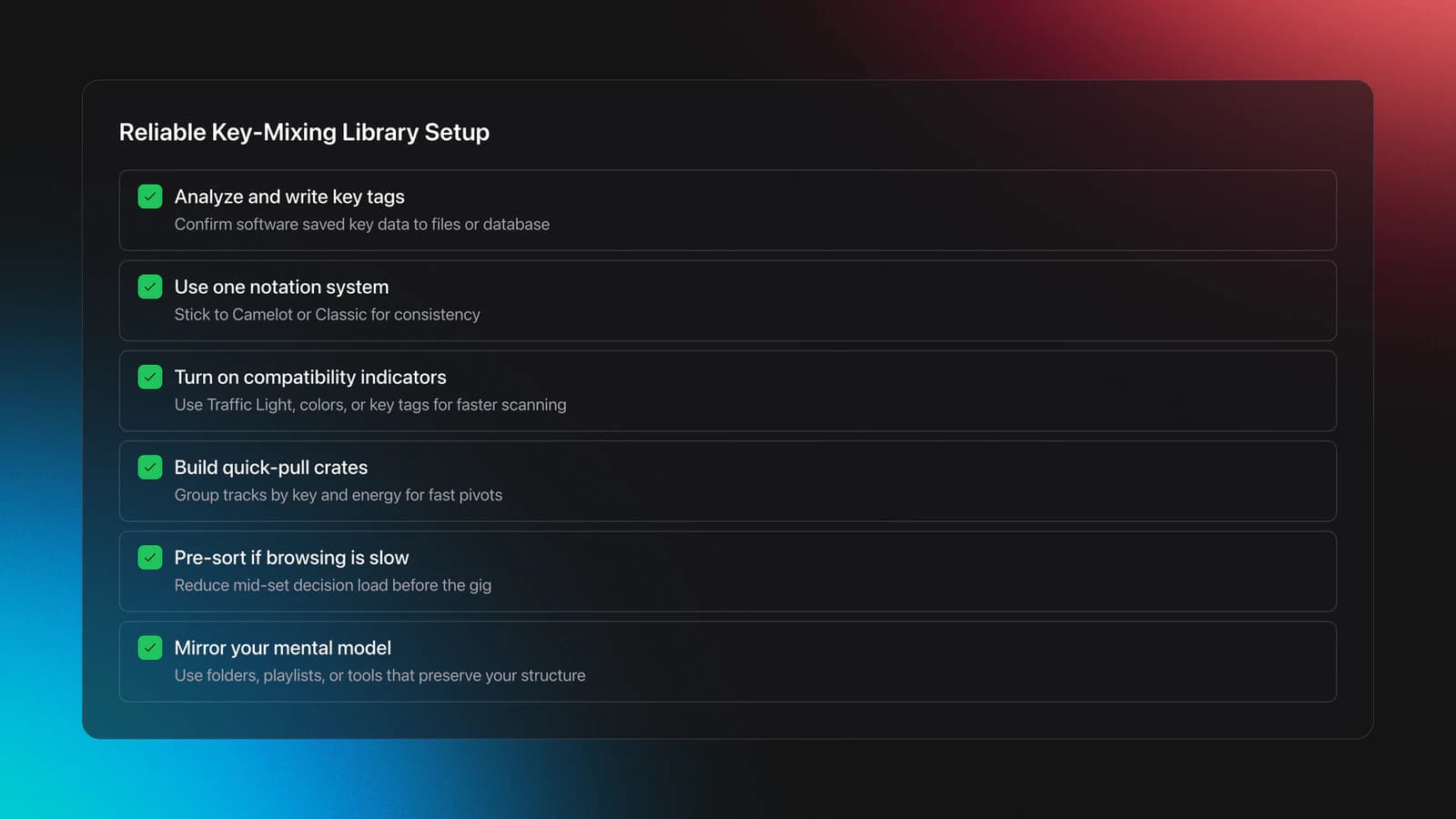
- Analyze keys. Make sure your software actually wrote the key tag to files or database.
- Pick one notation. Choose Camelot or Classic and stick to it for muscle memory.
- Enable compatibility indicators. In Rekordbox, the Traffic Light highlights compatible keys. In Serato, color key display and key tags make scanning faster.
- Create quick-pull crates. Group by Camelot number and by energy so you can pivot mid-set.
If scrolling for compatible tracks mid-set still slows you down, pre-sort by key and energy. Some DJs keep spreadsheets. Others prefer a dedicated library tool that mirrors their mental model.
From Key To Flow: Phrase And Energy
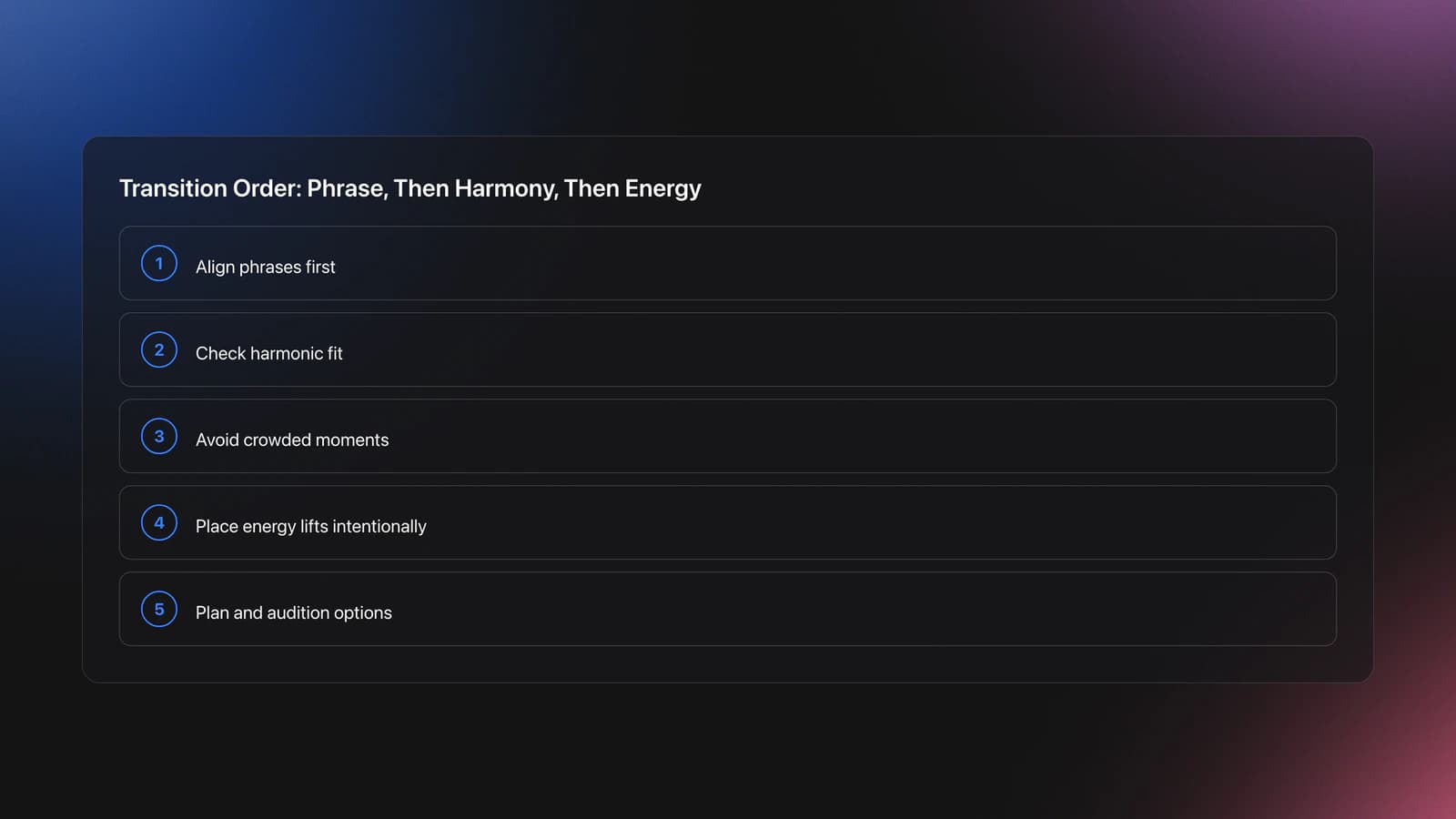
Key compatibility is necessary, not sufficient. Phrasing decides whether a transition feels intentional.
Align phrases first. Then bring in harmonics. If both tracks hit a chorus together, even perfect key matches can feel crowded.
Planning helps. You can lay out a set on a visual canvas and mark where your energy lifts occur. Some tools also surface track suggestions by BPM, key, and your categories so you can audition options quickly without tunnel vision.
Device Behaviors: What To Expect
Platform behaviors differ. Two checks save time.
- Key display mode. Confirm Camelot vs Classic in preferences so crate filters match your labels.
- Compatibility highlight range. Some systems let you widen or narrow which keys highlight as compatible.
- Key sync availability. Key shift/sync may require an expansion feature. Do not assume it is on by default.
If highlights or colors disappear, re-check the master deck flag and whether you’re browsing internal collection versus an external device or stream. Those contexts sometimes change what the UI can highlight.
Common Mistakes In Harmonic Mixing
| Mistake | Why It Happens | How To Avoid |
|---|---|---|
| Parallel flip over vocals | Major↔minor shift overlaps a sustained melody and clashes. | Do the flip during drum phrases or shorten the overlap. |
| Key shift too large | Shifts beyond ±2 semitones add artifacts and timbre changes. | Keep shifts small. Use short swaps for big jumps. |
| Ignoring phrase alignment | Correct key, wrong section. Leads fight each other. | Line up breaks and drops before adding harmony. |
| Unverified key tags | Library shows mixed notations or missing tags. | Standardize notation and re-analyze missing keys. |
| Relying only on highlights | Traffic lights guide, they don’t guarantee chord fit. | Audition in headphones. Bail if beating persists. |
Observable mistakes you can fix in prep within minutes.
Quick Practice: Make Key Mixing Automatic
The visual way to organize your DJ library
Tag tracks by vibe. See everything at once. Export to rekordbox, Serato, Traktor or Engine DJ.
14-day free trial. Full access, no strings attached.
or see how it works
Techniques Covered

Beat Matching

Phrase Mixing
Camelot Wheel Guide for DJs

Camelot Key Display Setup in Rekordbox, Serato and Traktor

Track Selection

Auto BPM Transitions Across Genres

Bass Shift Transition
DJ Rig Setup
Crossfader Use

Stem Separation

DJ System Configuration
Equipment & Software
Continue Your Learning Journey


Frequently Asked Questions

Hey, it's Ben Modigell 👋
I DJ and produce as so I so: downtempo, minimal, dub house, tech house, and techno (releases on Spotify and SoundCloud, links above). Everything I write here comes from my own gigs, studio sessions, and library cleanups: the rules I follow, the failure modes I have actually hit, and the workflow I use when nobody is watching. If a technique did not earn its place in my own sets, it does not make it into a tutorial.




