
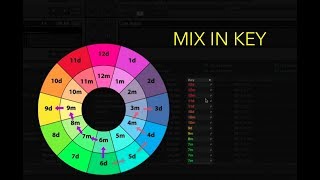
Watch Jon Sine’s tutorial above (66K views on YouTube).
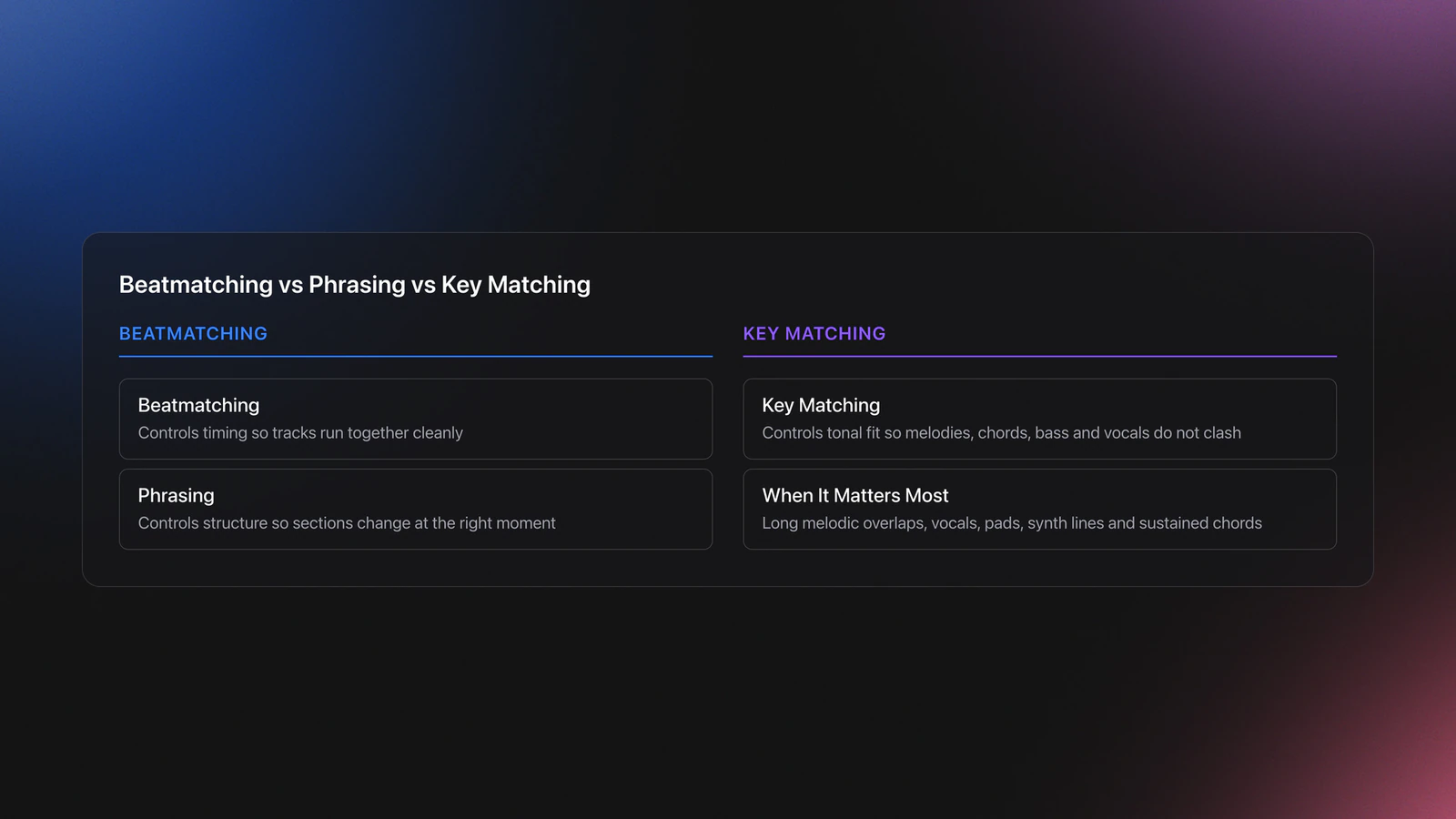
This is for working DJs who want reliable, musical blends without gambling. You can beatmatch, but melodic sections still clash. After this guide, you will mix melodies in key, plan key flow for sets, and know when not to force harmonic rules. None of this depends on a specific app. The same decisions hold in Rekordbox, Engine DJ, Serato, Traktor, or any analyzer.
Quick win: if two tracks both carry strong melodies, only layer them when their keys are compatible and at least one part is rhythm-light. When in doubt, solo drums against melody, then swap.
Mix and Key Basics: What It Means And When It Works
Every track centers around a tonal home called the key. When you overlay two tonal centers that disagree, obvious dissonance pops out. Crowds hear it even if they cannot name it.
Melodic mixing means selecting tracks whose keys are the same or closely related. It matters when vocals, basslines, chords, or riffs overlap. It matters less during pure drum intros or sparse breakdowns.
Use melodic mixing to layer vocals over chords, to run extended blends between breakdowns, and to build coherent, rising energy without harshness.
In the melodic techno sets I play as so I so, and earlier as Persomnia, key is doing most of the heavy lifting. The pads and leads sit out front for bars at a time, so a clash is not subtle. Choosing the next track by key is what keeps a long blend feeling intentional instead of accidental.
Avoid it as a crutch. If both tracks are dense and busy, even perfect key matches sound crowded. In that case, strip to percussion, swap, then reintroduce melody.
Why And When To Mix In Key: A Decision Framework
Harmonic mixing is a tool, not a rule. Reach for it when the payoff is real, and skip it when it adds nothing.
Mix in key when:
- Both tracks expose melodic content at the same time (overlapping vocals, pads, or lead lines).
- You want a long, blended transition where two musical layers coexist for 16 bars or more.
- You are building rising or resolving energy and want the harmony to support that arc.
Do not force key when:
- The transition is a percussion-only handoff. Drums have no key, so any tracks work.
- One track is in a sparse breakdown while the other carries the melody. There is nothing to clash with.
- The arrangements are both dense. Key compatibility does not fix a crowded mix.
The decision is about overlap, not labels. Ask what is actually playing at the same time. If two tonal layers meet, key matters. If they do not, key is a non-issue and you have full freedom.
Key Systems: Circle vs Camelot (And How To Read Them)
DJs rely on two equivalent maps. The traditional circle of fifths uses musical keys. The Camelot Wheel maps those keys to numbers and A/B labels. Both express proximity between keys.
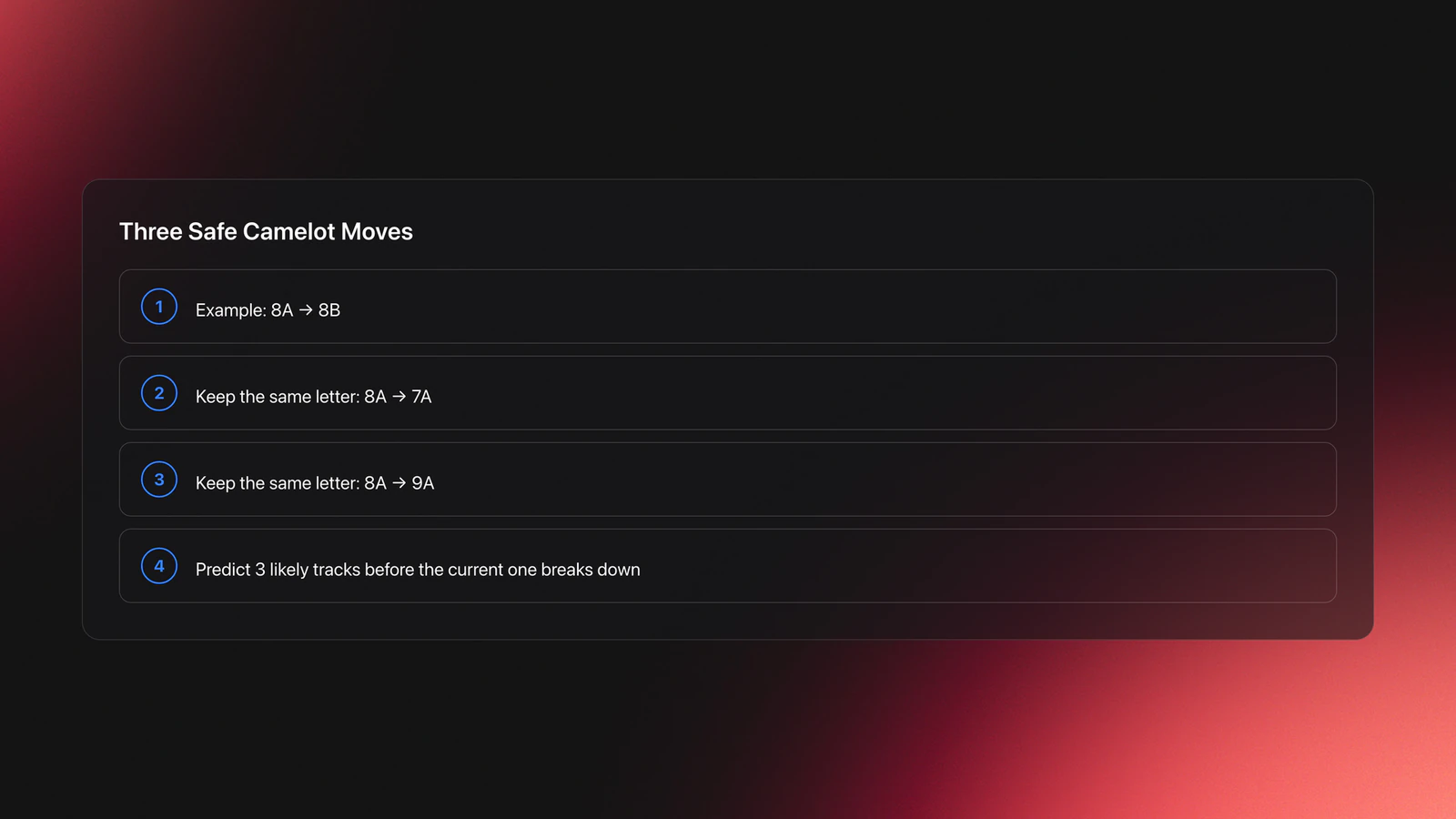
In practice you have four high-percentage moves from any key: same key, its relative major/minor, and the two neighbors on the wheel. That gives smooth blends without audible clashes.
- Same key: 8A to 8A (A minor to A minor). Cleanest overlays.
- Relative: 8A to 8B (A minor to C major). Shares notes.
- Clockwise: 8A to 9A (up a fifth). Adds lift.
- Counter-clockwise: 8A to 7A (down a fifth). Feels resolved.
Worked example 1: Start at 9A (E minor). Blend 16 to 24 bars over drums. Move to 9B (G major) for a brighter chorus. Then step to 10B (D major) to keep rise without jumping vocals out of tune.
Worked example 2: Start at 2B (F major) in warm-up. Shift to 2A (D minor) as the room leans toward groove. Then 3A (G minor) for tension before a percussion-only swap.
Failure mode: major/minor confusion. Some analyzers mark C major instead of A minor. Use your ears. If the vocal sits low and melancholic, treat it as minor in your flow.
You will know you got it right when vocal sustain notes glide over the new chords without beating. If you hear a pulsing wobble, you are off by a semitone or the arrangement is too dense.
Energy Moves: Using Key To Lift Or Settle The Room
The four safe moves keep a blend clean, but key is also a deliberate energy lever. Two moves on the wheel reliably raise intensity without sounding wrong, because they shift the tonal center up by a small, musical interval.
- Plus two (energy boost): jump two numbers up on the same letter, for example 5A to 7A. This lifts the key by a whole tone and gives the floor a quick burst of brightness. Use it on a drop or a fresh phrase, not under a held vocal.
- Plus seven (or minus five): for example 5A to 12A. This raises the key by a single semitone, a subtler push that still reads as a lift. Because the wheel wraps at 12, plus seven and minus five land on the same place.
Both moves trade a little harmonic smoothness for forward motion. The crowd hears a step up, not a clash, as long as you time it to a section change and keep the outgoing melodic layer thin. Reserve them for moments where you actually want the energy to climb. Stack too many in a row and the set loses anywhere left to go.
The settling moves are the mirror image. Dropping down the wheel, or moving counter-clockwise toward the relative, pulls tension out and lets a room breathe. A warm-up or a comedown is the place for those, not the peak.
The decision is intent. Ask whether the next transition should hold the energy, lift it, or release it, then pick the move that matches. Same key and relative hold. Plus two and plus seven lift. Down the wheel releases.
Mood And Tension: Major, Minor, And The Emotional Flip
Key is not only about avoiding dissonance. It is the main lever you have for mood. Minor keys read as darker, more driving, and more serious. Major keys read as brighter and more uplifting. That contrast is a tool, not a side effect.
The cleanest mood change is the relative major-minor flip. A minor key and its relative major share the same seven notes, so moving between them, for example 8A to 8B, changes the emotional color without any harmonic clash. This is the move that turns a moody groove euphoric, or pulls a bright section back toward something more introspective, while staying perfectly in key.
That gives you a way to shape an emotional arc across a set, not just a clean blend. Build tension by staying in minor keys through a long stretch, then release it by flipping to a major key when you want the payoff. Hold a single mode too long and even compatible tracks start to feel flat. The flip is how you reset the room's emotional weather without breaking harmony.
Worked example: run three or four minor-key tracks to build pressure, sitting in the same Camelot number family. When the floor is leaning in, flip to the relative major on a drop for a lift that feels earned. Then step back into minor to rebuild. The harmony never clashes, but the mood swings on purpose.
Failure mode: changing mode every other track. Constant major-minor flipping flattens the contrast, because the room never settles into either feeling long enough to register the change. Save the flip for moments that deserve a turn.
When Key Matters Most: Genre And Arrangement Density
Harmonic mixing pays off in proportion to how much melody is actually in play. The more chords, pads, vocals, and lead lines two tracks carry at once, the more a key clash hurts. The less melodic content there is, the less key matters.
That makes harmonic mixing close to essential in melodic techno, melodic house, trance, and any vocal-driven style where long blends overlap sustained tonal layers. In those genres a clash is obvious and kills momentum instantly.
It matters far less in stripped-back, percussive styles. Minimal and tool-style techno often run long drum-only intros and outros with almost no harmony to clash, so you have wide freedom regardless of key. A loud, energetic room also masks small clashes that would be glaring on headphones, which is why a move that sounds risky in prep can pass live.
The takeaway is to weight your effort. Spend your harmonic discipline where melody overlaps, and give yourself permission to ignore key when the arrangement is mostly rhythm.
Library Prep: Analyze, Notate, And Filter By Key
Key data needs two things: detection and a notation you can act on. Most DJ software analyzes keys for you. Rekordbox can display Camelot numbers or classic notation in Preferences, View, Key display format. See AlphaTheta's note on switching between Classic and Alphanumeric to align displays across devices AlphaTheta help article.
If Key Sync is unavailable, the track likely was not analyzed for key. Analyze again with KEY checked in the analysis dialog. This is confirmed in the vendor's guidance for Rekordbox key analysis and Key Sync prerequisites AlphaTheta key sync guidance.
Denon Engine DJ also supports key analysis and has shipped accuracy updates. When algorithms change, re-analyze to refresh results, as Denon's support directs Denon DJ support note on key analysis improvements.
You need a way to group by related keys and keep BPM visible. Some DJs rely on Rekordbox's Traffic Light to highlight compatible keys, configurable for same or related ranges Traffic Light ranges in Rekordbox. Others maintain small, focused playlists per key region.
If your library spans genres, build a thin layer of shortlists: mixable tracks per key region and tempo band. Keep each list 15 to 25 tracks. Cull weekly.
Structuring by related keys is the actual unlock. You can do it with manual folders in your DJ software, spreadsheets, or a dedicated library tool; Vibes was built to group a DJ collection into key-aware, set-ready crates so the compatible options surface together instead of being scattered across the library. Keep the principle in mind: fast access to compatible options, not more tags.
Set Flow: Build A Key-Safe Progression
Pick a starting key that matches the room's initial mood. Warm-up often sits in relative majors. Peak slots lean minor for drive.
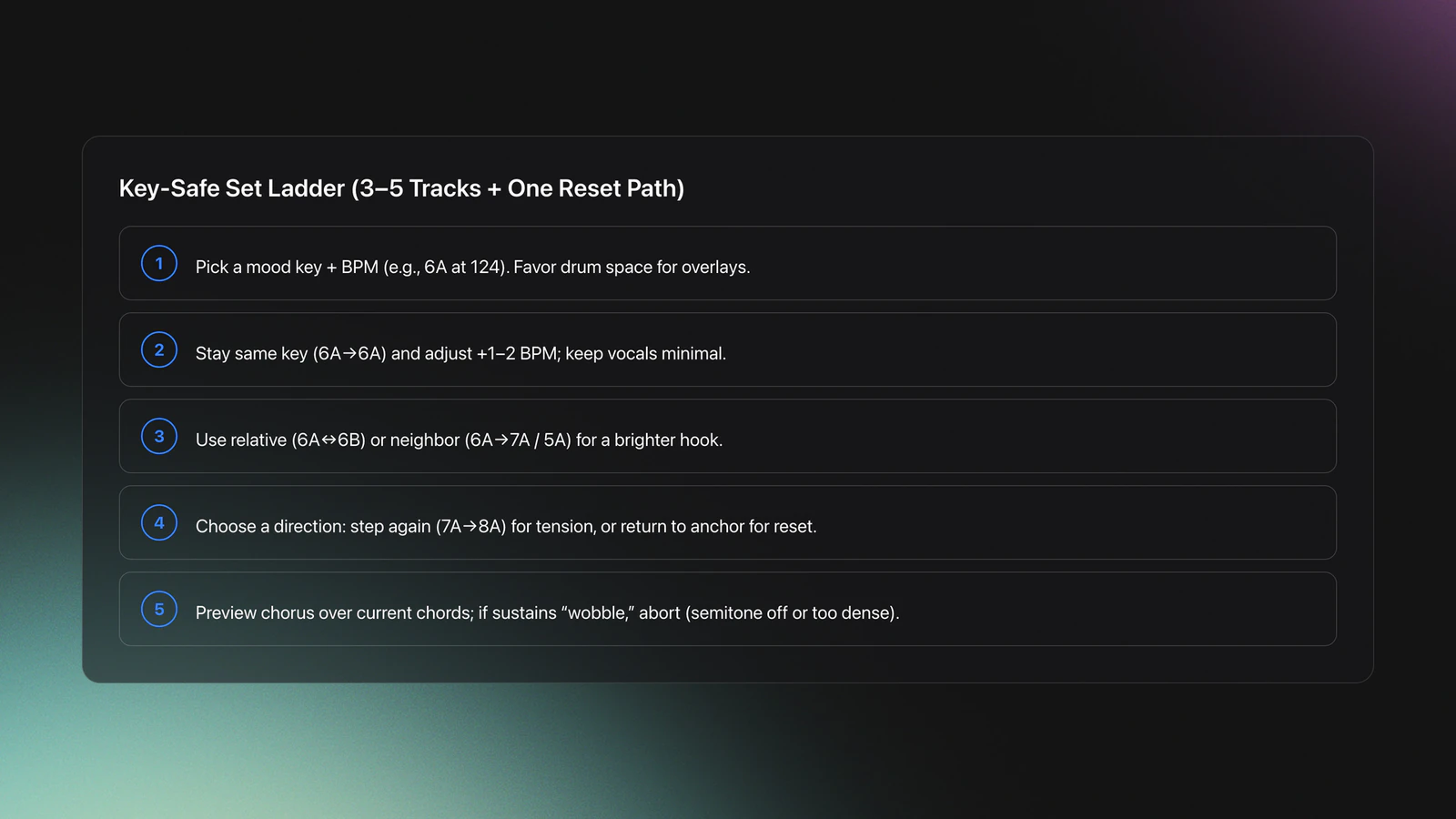
Design a ladder. From any key, you have four reliable moves. Sequence 3 to 5 tracks that climb or resolve predictably. Bake one reset path if the crowd energy shifts.
- Anchor your opener. For example, 6A (G minor) at 124 BPM with roomy drums.
- Second track reinforces tone. 6A at +2 BPM, fewer vocals, longer intro.
- Third track changes color. 7A or 6B with a brighter hook.
- Fourth track resolves. 8A for tension or back to 6A with heavier percussion.
Worked example A: 120 to 123 BPM dubby house. Start 3A to 4A to 4B to 5B. Spread transitions over 32 bars. Keep vocals on one deck at a time.
Worked example B: 126 to 128 BPM techno. Use percussion-only handoffs for most swaps. Save a single melodic overlay: 9A pad over 8A drone for 16 bars before the drop.
Validation: you should be able to preview the incoming chorus over the current chords with no wobble. If a long sustain shakes against the pad, stop. You are a semitone off or too much is playing.
Live Execution: Key-Locked Mixing Without Clashes
Enable pitch-independent playback. On Pioneer players this is called Master Tempo. The function keeps pitch constant while you adjust tempo, which prevents accidental semitone shifts. Most DJ software and hardware has an equivalent key-lock function.
Use structure, not just key. Layer melody over drums. Swap basslines in drum sections. Reserve melody-on-melody for brief hooks where phrases match.
- Cue on the first clear chord hit or vocal sustain. Avoid sliding in during dense harmony.
- Check 8-bar phrases. Misaligned phrases create rhythmic conflict even when keys match.
- If a clash appears, kill the incoming melodic channel EQ mids first. Then reassess key.
Key change by tempo is possible. Turning pitch lock off and nudging tempo shifts the key. This can work with underground instrumentals. Do not do it on sing-along tracks where pitch shifts are obvious.
Failure mode: trusting labels over ears. Analyzers disagree about major vs minor or land a fifth off. Always pre-cue a sustained note over the current chord. If it beats, abandon or switch to a percussion bridge.
When Not To Mix Melodies
Two full drops over each other rarely work, even in key. Arrangement density is the limiter. Drums, bass, chords, riffs, and vocals stacked together mask articulation.
- If both tracks have vocals, only overlap ad-libs or one-line hooks.
- If both have heavy bass movement, keep the outgoing bass muted during the blend.
- If both have fast chords, use a 16-bar drum loop from one track as a bridge.
Techno and stripped house often give you long drum-only intros and outros. Use them. You will keep groove intact and avoid harmonic crowding.
Tools And Notation: What To Use And How To Label
Any analyzer works (Rekordbox, Engine DJ, Mixed In Key); see our Mixed In Key manual for that tool and our Mixed In Key database guide for managing the analyzed collection.
Whatever you analyze with, the concept is the same: detect the key, display it as Camelot or classic notation, and act on the four safe moves.
Notation choice is workflow. Camelot is fast under pressure. Classic notation is better if you read music. Pick one and stick to it across software, file tags, and USB export settings to avoid mixed displays.
Common Mistakes And How To Avoid Them
| Mistake | Why It Happens | How to Avoid |
|---|---|---|
| Layering two full drops even in key | Arrangement density overwhelms; competing riffs and vocals | Bridge with drums. Reintroduce one melody at a time. Keep overlaps <16 bars. |
| Relying on mislabeled major/minor | Analyzers confuse relative keys | Preview a sustained vocal over the incoming chord. Trust ears over labels. |
| Forgetting pitch lock | Tempo nudges shift pitch by semitones | Enable Master Tempo/Key Lock before tempo moves. |
| Traffic Light set too broad | Highlights distant keys you cannot blend cleanly | Limit to same key and first related range. Expand only when comfortable. |
| Switching notation mid‑workflow | USB devices and software disagree on formats | Standardize to Camelot or Classic across apps and exports. |
Typical failure patterns in melodic mixing
Action: Try This Now
The visual way to organize your DJ library
Tag tracks by vibe. See everything at once. Export to any DJ software.
14-day free trial. Full access, no strings attached.
or see how it works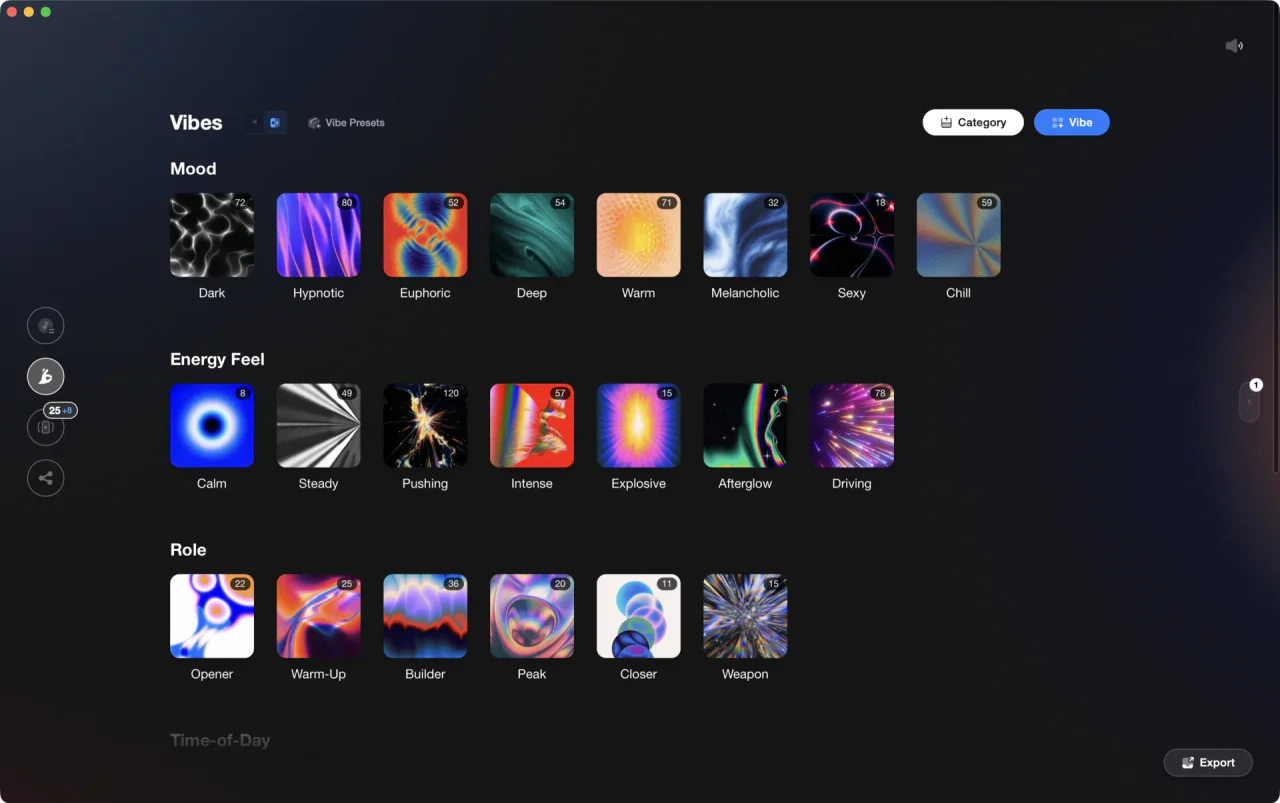
Techniques Covered

DJ System Configuration

Track Selection

DJ Rig Setup
Transition Technique

Precision Blend Technique
Phrase Mixing
Camelot Wheel Guide for DJs
Camelot Key Display Setup in Rekordbox, Serato and Traktor
Beat Matching

Library Optimization

Crossfading
Auto BPM Transitions Across Genres
Stem Separation
Crossfader Use
Equipment & Software
Featured Gear
Continue Your Learning Journey
Start Here First

Frequently Asked Questions

Hey, it's Ben Modigell 👋
I DJ and produce as so I so — downtempo, minimal, dub house, tech house, and techno (releases on Spotify and SoundCloud, links above). Everything I write here comes from my own gigs, studio sessions, and library cleanups: the rules I follow, the failure modes I've actually hit, and the workflow I use when nobody's watching. If a technique didn't earn its place in my own sets, it doesn't make it into a tutorial.



