Mashup
Mashup combines elements from two or more tracks into one coherent DJ edit or live performance moment.
Mashup Tutorials

How to DJ With Just a Laptop (No Controller Needed)
A [mashup](/glossary/mashup-bootleg) combines parts of two or more existing tracks into one playable idea. In DJ practice, a mashup usually means placing an acapella over a different instrumental, or using stems to swap drums, bass, or hooks. Learn mashup well and you unlock tighter edits, more personal transitions, and sets that sound less like track selection alone.
For most DJs, mashup sits between mixing and editing. It is more deliberate than a quick blend, but less complex than full remix production. The goal is not novelty for its own sake. The goal is to make two records feel like they belong together.
That is why mashup matters. It sharpens timing, phrasing, key judgment, arrangement awareness, and crowd reading at the same time. When it works, the audience hears one convincing moment instead of two competing songs.
What Is Mashup?
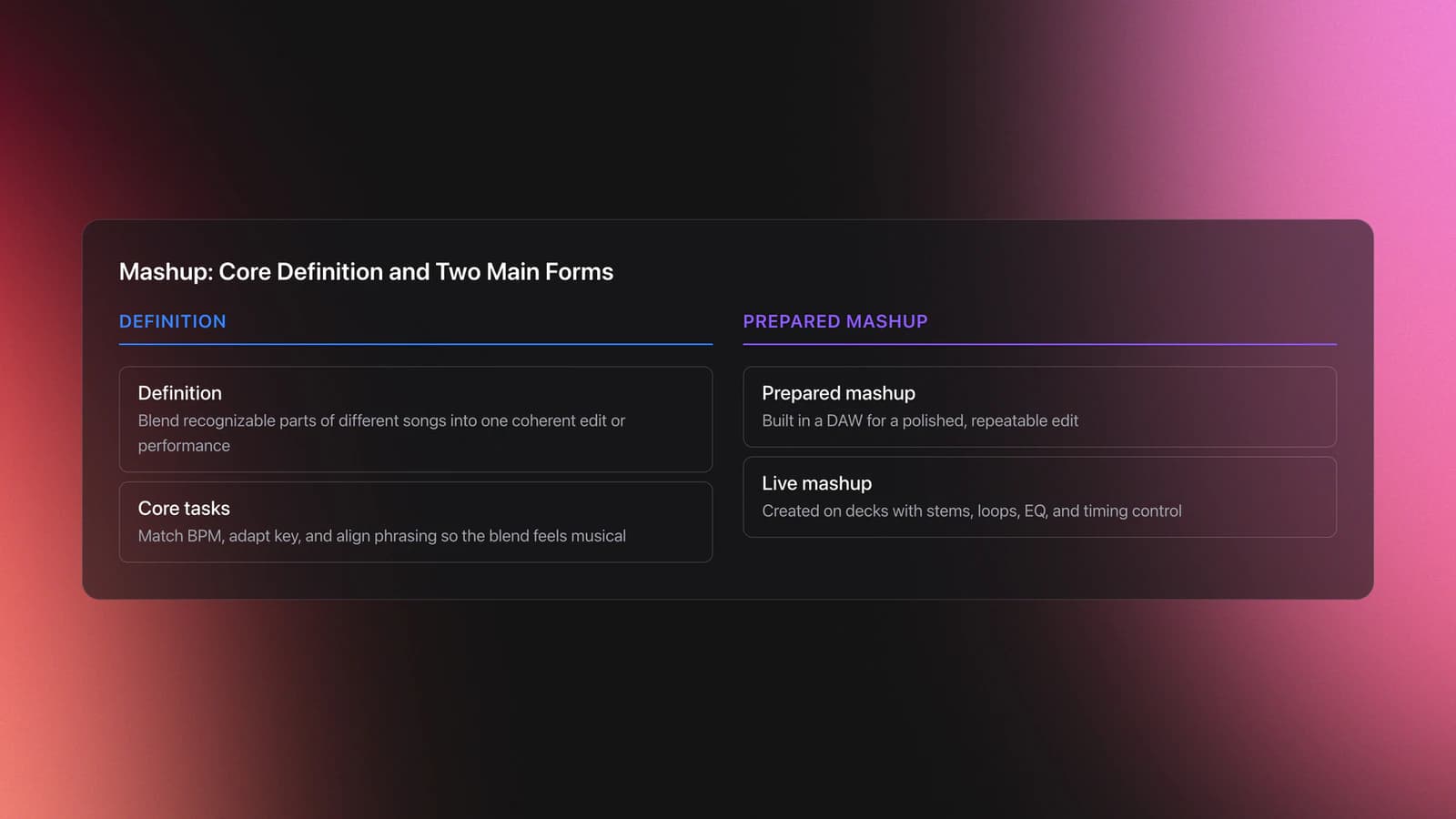
Mashup is the technique of blending recognizable parts from different songs into one coherent performance or edit, most often by layering a vocal over another track's instrumental and adjusting tempo, key, and phrase placement to make the result sound intentional.
Educational guides define mashup in almost exactly these terms. The common thread across sources is simple: choose compatible source material, match BPM, match or adapt key, then align the phrasing so the blend lands musically rather than mechanically. See the MasterClass mashup guide and Wikipedia mashup music overview for baseline definitions.
In practice, there are two main forms. One is a prepared edit made in a DAW. The other is a live mashup created with decks, stems, loops, EQ, and timing control. Both rely on the same musical judgment.
Why Learn Mashup
Mashup helps you create signature moments without needing to produce full original tracks. It gives familiar music a new function inside your set.
- It makes transitions more memorable.
- It teaches tighter control of BPM, key, and phrasing.
- It lets you bridge genres with less energy loss.
- It turns passive track selection into active interpretation.
- It gives you custom material for gigs and promo mixes.
Creative DJ culture has treated mashup as a way to build something new from known records for years. Pioneer DJ's discussion of classic experimental mixes points to mashup-driven sets as proof that DJs can create a distinct narrative from existing material, not just sequence songs. See the Pioneer DJ creative mixes article.
Mashup Setup Essentials
A workable mashup setup starts with accurate track information. Your software needs trustworthy BPM, beatgrid, waveform, and ideally key data before you begin.
Serato's documentation is clear on this point: analysis calculates waveform overviews, BPM, beat grid, auto-gain, and key when enabled. If those basics are wrong, every mashup decision becomes harder. Review the Serato file analysis documentation before building practice material.
You also need source material that gives the technique room to work. Clean intros, steady grooves, sparse breakdowns, and obvious vocal phrases are easier than dense arrangements. If you are still refining timing, first build reliable beat matching control and learn phrase mixing structure.
Modern stem tools can speed up the workflow. Ableton Live 12.3 includes Stem Separation that splits audio into vocals, bass, drums, and other parts, and Ableton explicitly lists custom DJ edits, transitions, and mashups as practical uses. See the Ableton Stem Separation overview.
| Need | Essential | Why It Matters |
|---|---|---|
| Tempo data | Yes | Lets you match tracks without drift |
| Phrase awareness | Yes | Keeps drops, hooks, and verse entries aligned |
| Key awareness | Usually | Reduces melodic and vocal clashes |
| Stem control | Optional | Makes live mashup work faster and cleaner |
| DAW editing | Optional | Best for polished export-ready mashups |
How to Build a Mashup
To build a mashup, choose compatible tracks, match BPM, check key, align phrases, reduce arrangement conflicts, and test the blend across a full section before you call it finished.
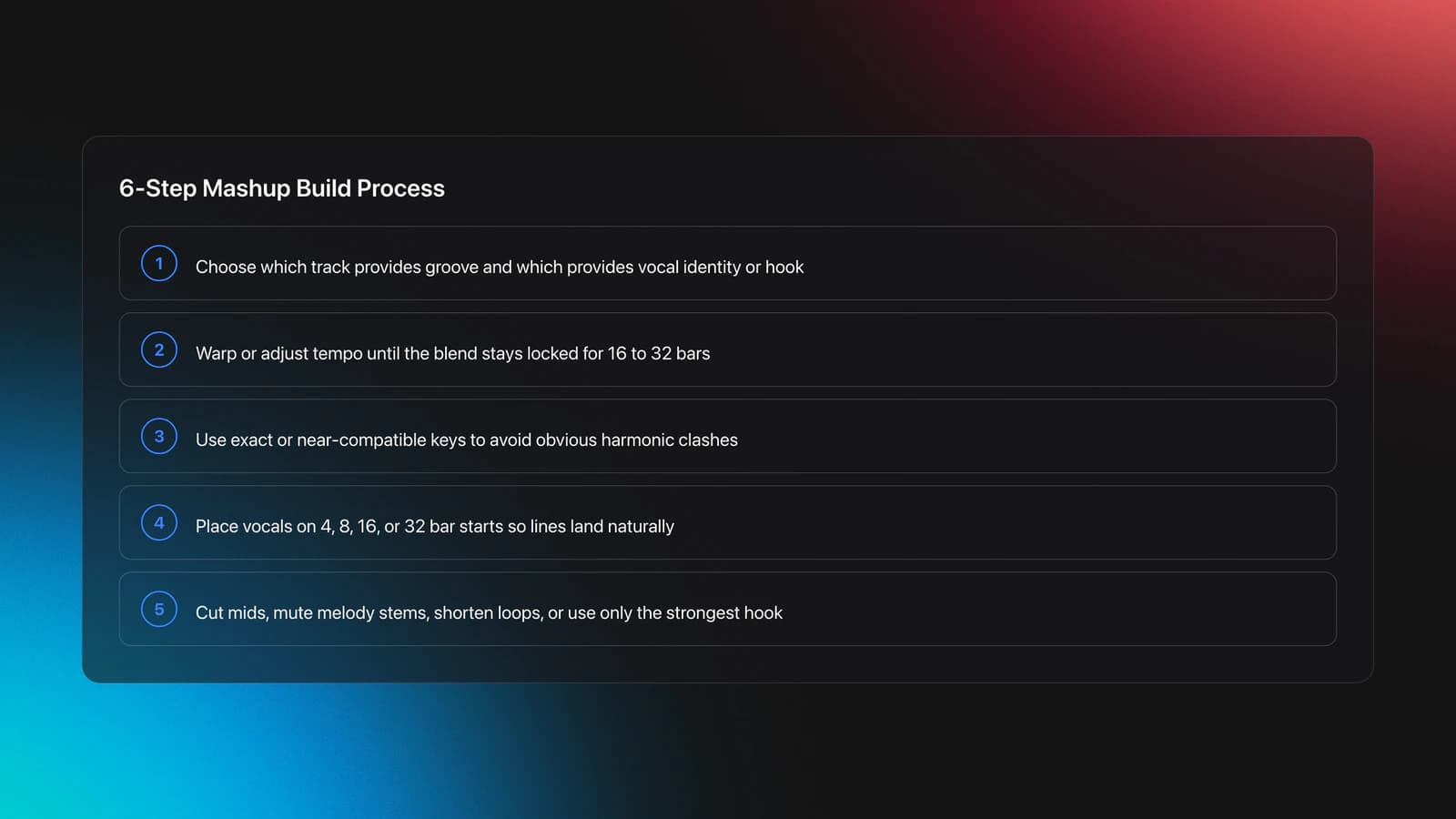
Start with function, not with novelty. Ask what role each source plays. One track usually supplies groove and low-end. The other supplies vocal identity, hook, or contrast.
Then match tempo. Most beginner failures happen because the BPM match is close but not exact. Use warping, pitch adjustment, or deck tempo control until the beats hold for at least 16 to 32 bars.
Next, check key. Exact key match is ideal, but near relationships can still work depending on the vocal range, harmonic density, and how much melodic content stays exposed. This is where it helps to use harmonic mixing to avoid clashes.
After that, align phrases. A strong vocal line usually lands best at the start of a 4, 8, 16, or 32 bar phrase. If the words feel early, late, or rushed, the issue is often phrase placement rather than BPM.
Now remove competition. If the instrumental has a busy topline and the acapella is dense, something has to give. Cut mids, mute melody stems, shorten loops, or use only a single hook instead of the full verse.
Finally, test the idea in context. A mashup that sounds fun for eight bars can collapse after a minute. Listen for vocal fatigue, bass masking, awkward chord changes, and transitions into and out of the section.
Live Mashup vs Edited Mashup
Live mashup uses real-time deck control, loops, and stems. Edited mashup is assembled in a DAW and exported as one finished file.
Live work is more flexible. You can respond to the room and change direction fast. It also demands stronger timing and cleaner gain discipline because errors happen in public.
Edited work is more precise. You can warp vocals, automate EQ, trim syllables, and polish transitions offline. If a live idea keeps proving itself, turn it into a finished edit.
Current hardware and software workflows support both approaches. Pioneer DJ highlights live mashup possibilities with stems on compatible gear, including demonstrations of genre-crossing mashup performance on the DDJ-FLX10. See the Pioneer DJ DDJ-FLX10 stems demo page.
Practice Drills for Mashup
Practice mashup in short, repeatable drills. In practice, one controlled pairing beats ten random experiments. You improve faster when each drill isolates one variable.
Start with a single acapella and three instrumentals in similar tempo ranges. Test the same vocal over each track. This teaches you to hear what changes when groove, harmony, and arrangement shift.
Next, run a phrase-only drill. Ignore key for a moment and line up the first word of the chorus on the downbeat of a fresh 16-bar section. Repeat until you can land it cleanly without staring at the screen.
Then do a conflict-reduction drill. Keep the mashup playing and remove one competing element every eight bars. Lower melody, mute drums, cut low mids, or swap loops. The point is to hear space being created.
A structured library helps here because you can keep acapellas, instrumentals, and test pairs ready to reload. In Vibes, a DJ could group practice material by energy, vocal density, and compatible BPM zones, which makes 2 to 4 week drill cycles easier to repeat without wasting time searching.
Consistent short sessions beat marathon sessions. Most DJs can hear real improvement after two weeks if they repeat the same material enough to recognize why one pairing works and another fails.
Common Mistakes in Mashup
Most mashup problems come from misjudging compatibility, not from lacking software features. If the source pair is wrong, no amount of processing fully saves it.
| Mistake | Why It Happens | Fix |
|---|---|---|
| Close BPM but constant drift | Beatgrid or tempo is slightly off | Re-analyze, reset grid, and test for 32 bars |
| Vocal sounds awkward on top | Phrase entry is wrong | Move the vocal start to the next 4 or 8 bar point |
| Everything feels crowded | Too many melodic elements fight for space | Mute melody stems or use a sparser instrumental section |
| Blend sounds sour | Keys clash or vocal notes hit chord tension | Transpose, choose a different section, or swap the pairing |
| Drop loses energy | Low-end and hook are both weakened | Keep one clear bass source and one clear focal hook |
Why do most beginners struggle with mashup? Because they judge it too early. A blend can sound wrong in the cue but work perfectly once it enters on the correct phrase with cleaner EQ decisions.
Examples and Best Use Cases
Mashup works best when you want instant recognition without sacrificing flow. Open-format DJs use it to bridge audiences. House and techno DJs use it to add vocal identity over functional grooves. Hip-hop DJs use it to combine familiar toplines with tougher rhythm sections.
Historically, mashup culture ranges from bootleg edits to full mix concepts built around unlikely pairings. Sources commonly point to artists and projects such as 2manydjs and DJ Earworm as visible examples of how far the format can go once compatibility and storytelling are both handled well. See the Wikipedia mashup music overview and the Pioneer DJ creative mixes article.
In other words, mashup is not one genre. It is a method. The same logic can support a subtle chorus layover in a warm-up set or a high-impact live stem routine in peak time.
When to Progress Further
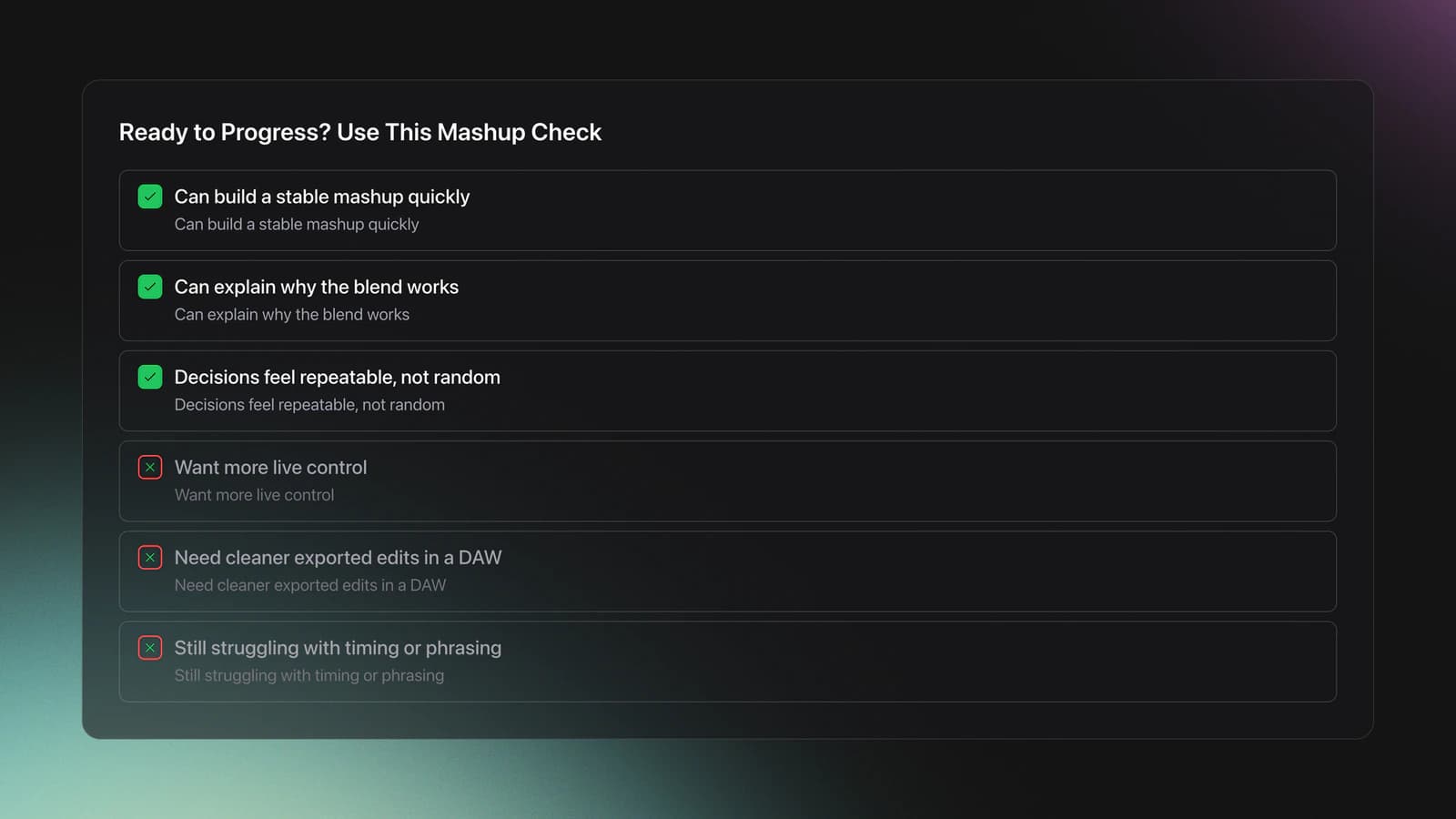
Progress when you can build a stable mashup quickly and explain why it works. That means you are no longer guessing. You are making repeatable musical decisions.
Your next step depends on your goal. If you want more live control, expand into live stems mixing. If you want cleaner exported tools, move toward DJ editing and arrangement work in a DAW. If your blends still feel shaky, return to beat matching and phrase control.
Wrap-Up
Mashup gives you a practical way to reshape familiar music into something that feels personal and performance-ready. It is a technique built on timing, phrasing, key judgment, and restraint. When those basics are solid, even a simple vocal-over-instrumental pairing can feel original.
Key takeaways:
- Choose source material for function, not novelty alone.
- Check BPM, phrase, and key before reaching for effects.
- Reduce arrangement conflict so one idea stays in focus.
Start with one acapella and three instrumentals this week. Test them in short sessions, keep notes, and turn the best result into a repeatable routine. From there, the progression becomes clear.
The visual way to organize your DJ library
Tag tracks by vibe. See everything at once. Export to rekordbox, Serato, Traktor or Engine DJ.
14-day free trial. Full access, no strings attached.
or see how it works
Equipment You'll Need
Pioneer DJ DDJ-FLX4
optionalA compact 2-channel DJ controller with built-in audio interface, USB-C connectivity, and beginner-friendly smart mixing features.
Beatport
optionalBeatport is a DJ-focused electronic music store and streaming platform for discovering, buying, and streaming tracks into supported DJ software and hardware.
VirtualDJ
optionalDJ software for Windows and macOS that handles audio mixing, video mixing, karaoke, stems, and broad hardware support.
Serato DJ Pro
optionalProfessional DJ software for mixing, performance, library management, recording, and hardware-integrated club workflows.
Pioneer DJ DDJ-1000
optionalA 4-channel rekordbox DJ controller with full-size jog wheels, onboard displays, and club-style mixer controls.
Pioneer DJ CDJ-3000
optionalProfessional flagship DJ media player with a 9-inch touchscreen, advanced MPU processing, and club-standard Pro DJ Link workflow.
DJControl Inpulse 200 MK2
optionalCompact 2‑deck USB DJ controller with built‑in audio, Beatmatch Guide LEDs, and Serato DJ Lite/DJUCED integration.
Traktor MX2
optionalA 2-channel DJ controller with integrated audio interface and tight Traktor Pro 4 integration for mixing, stems, effects, and performance pads.
Mixed In Key 11
optionalStandalone harmonic-mixing and library-prep software that detects keys, energy levels, cue points, and tags for DJ sets.
rekordbox
optionalCloud-connected DJ software for music management, performance, export prep, and club-standard hardware integration.
Pioneer DJ DDJ-400
optionalA compact 2-channel USB DJ controller built for rekordbox with a club-style layout aimed at new and progressing DJs.
Numark Mixtrack Pro FX
optionalA 2-deck USB DJ controller with a built-in audio interface, capacitive jog wheels, performance pads, and Serato DJ Lite support.
VirtualDJ 7
optionalA legacy DJ software platform for audio and video mixing, controller mapping, and DVS playback on Windows and Mac.
Frequently Asked Questions

Hey, it's Ben Modigell 👋
I DJ and produce as so I so: downtempo, minimal, dub house, tech house, and techno (releases on Spotify and SoundCloud, links above). Everything I write here comes from my own gigs, studio sessions, and library cleanups: the rules I follow, the failure modes I have actually hit, and the workflow I use when nobody is watching. If a technique did not earn its place in my own sets, it does not make it into a tutorial.