Watch Native Instruments’s tutorial above (20K views on YouTube).
This guide is for DJs choosing a dj controller for practice, livestreams, and first club sets. Most people get stuck between cheap starter gear and controllers that look powerful but solve the wrong problem. After reading, you will know what specs matter, what features are mostly noise, and which controller style fits your workflow.
The short version is simple. A good dj controller should match your venue path, software choice, and library habits before it matches your ambition. If those three things do not line up, the hardware will feel limiting even when the spec sheet looks strong.
If you are still building fundamentals, start with a two-channel unit that has a clear mixer section, solid browsing controls, and a usable audio interface. If you already know you need four decks, standalone playback, or DVS, skip entry gear and buy for that target now.
DJ Controller Basics: What Actually Matters
A dj controller is not just a surface with knobs. It is a control layer, audio interface, and workflow map for your DJ software or standalone system.
That distinction matters because beginners often compare by brand or price alone. The better comparison is input speed, monitoring quality, and how quickly you can recover from mistakes.
I use a simple framework here. Call it the control path. That means how many physical actions it takes to hear, load, shape, and transition a track.
Shorter control paths usually make better learning tools. They also make better gig tools in dark rooms, because less menu-diving means fewer avoidable errors.
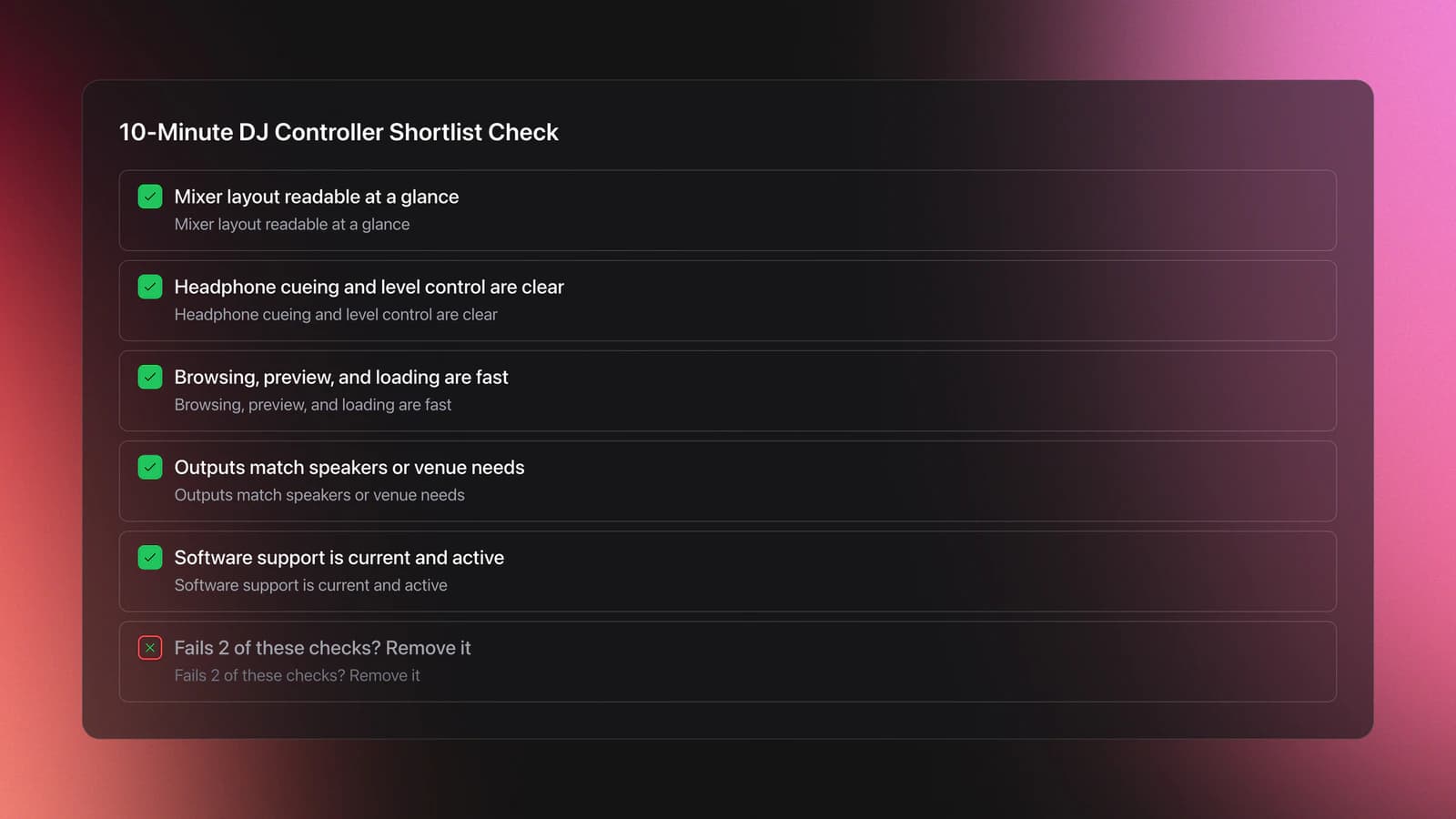
- Mixer layout you can read in one glance
- Reliable headphone cueing and level control
- Fast browsing, preview, and track loading
- Pitch faders and jogs that feel predictable
- Outputs that match your speakers or venue
- Software support that is current, not abandoned
This is also why a flashy dj effects controller section does not automatically make a better purchase. Effects are useful only after you can beatmatch, phrase, and structure transitions cleanly.
For software-backed setups, support status matters more than many buyers think. Native Instruments’ current release notes show Traktor Pro 4 is actively updated, with version 4.4.2 listed on April 21, 2026, and MX2 support added in Traktor Pro 4.3.0. That is the kind of update trail you want to see before buying into a platform.
A concrete example helps. Imagine two controllers at similar prices. Controller A has bigger jogs and bright pads, but weak browsing and one awkward headphone output. Controller B has smaller jogs, but cleaner cue controls, faster loading, and clearer meters.
For home practice, both may work. For a rushed warm-up set in a dark booth, Controller B usually wins because the control path is shorter and errors are easier to fix.
Another example is laptop dependence. A controller paired with mature software can be more capable than a mediocre standalone unit. But if your real need is reducing setup points and screen reliance at gigs, laptop-only hardware may still be the wrong fit.
The failure mode here is obvious. You buy based on feature count, then discover that basic tasks feel slow. Loading the next track takes too many steps. Cueing is cramped. Gain staging is hard to read.
You will know you chose well when three things happen. You can load and preview tracks without looking for controls, you can make a clean transition without reaching for the mouse, and you can recover from a drift or wrong cue in seconds.
DJ Controller Types: All-in-One vs Modular vs Standalone
This is the first real buying split. Most dj controller decisions are not about brand. They are about format.
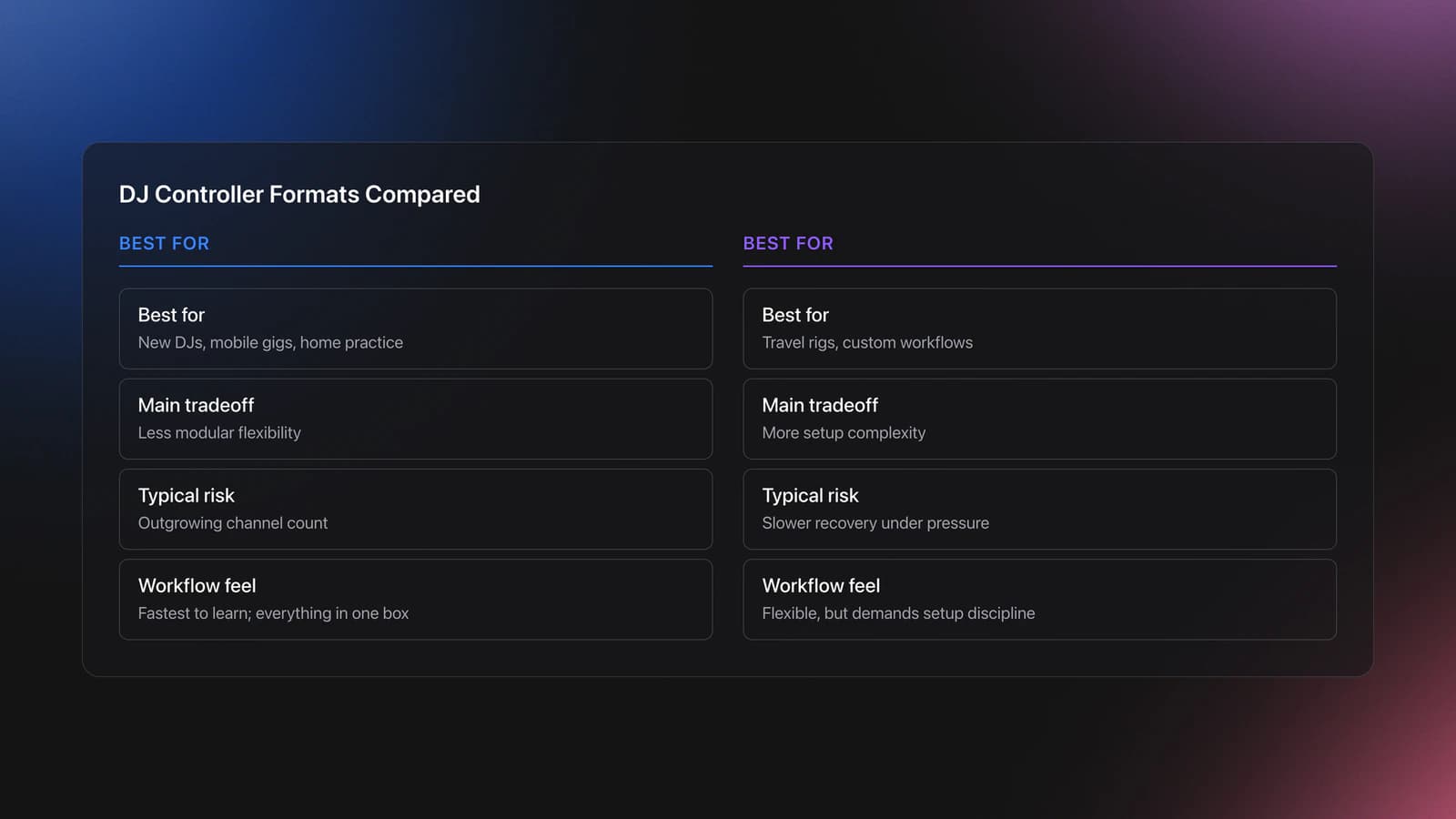
An all-in-one controller gives you decks, mixer, browsing, and interface in one box. A modular setup splits those jobs across smaller units. A standalone system removes the laptop from the core workflow.
Each format creates different tradeoffs. All-in-one units are usually the fastest way to learn because every core control is in one place. Modular systems are more flexible, but they ask more from your setup discipline.
Standalone gear reduces laptop dependence, but it often costs more and can limit software-specific workflows. That matters if your performance style depends on stems, custom mappings, or deep prep features inside one software ecosystem.
| Format | Best For | Main Tradeoff | Typical Risk |
|---|---|---|---|
| All-in-one dj controller | New DJs, mobile gigs, home practice | Less modular flexibility | Outgrowing channel count |
| Modular mixer controller setup | Travel rigs, custom workflows | More setup complexity | Slower recovery under pressure |
| Standalone system | Laptop-free gigs, minimal booth footprint | Higher price | Software feature limits or ecosystem lock-in |
Core controller formats and tradeoffs
A Traktor-based example is useful here. Native Instruments positions the MX2 as a two-channel all-in-one controller with Traktor Pro 4 included, touch-sensitive jog wheels, mixer FX, deck FX, pads, and a built-in 24-bit/96 kHz interface. That makes it a classic growth-oriented all-in-one rather than a modular or standalone choice.
Specs do matter, but only in context. Screen size, portability, and control spacing matter more in dim venues than in a bedroom. That is why experienced DJs often care less about headline features and more about whether the controls stay readable and repeatable when the room is loud and the setup window is short.
If your gigs are underground or improvised, portability changes the equation. A lighter unit with a simple I/O layout may be better than a larger dj console with more channels you rarely use.
The failure mode here is buying for imagined future complexity. Four channels sound ambitious. In practice, many DJs use two well for years and would have improved faster with better library prep, stronger phrasing, and cleaner transitions.
You will know the format fits when setup feels boring. That is the goal. You arrive, connect power and audio, load fast, and spend your attention on selection and timing instead of routing and troubleshooting.
DJ Controller Features That Change Performance
Not every feature changes what happens in a set. Some features look impressive in demos but barely affect real mixing. Others quietly save your performance.
The most useful features usually improve one of four jobs. Track access, timing control, transition shaping, or mistake recovery.
- Dedicated browsing and preview controls
- Clear cue buttons and headphone mix controls
- Good jog response for nudging and correction
- Usable pitch faders with enough travel
- Performance pads that support cues, loops, or stems
- Effects that are quick to apply without menu hunting
The transcript highlights several features that fall into this useful category. The MX2 has separate browsing controls, prep-list access, preview playback, turntable and jog modes, nine mixer effects, over 40 deck effects, stems control, flux loops, and a pattern player. None of that matters equally.
Browsing and preview matter early. If you can pre-listen, jump into favorites, and build a prep list quickly, your mixes improve because selection improves. Better selection often beats more effects.
Jog modes matter next. A controller with touch-sensitive platters and clear nudging behavior helps you correct phase drift without panic. Native Instruments’ MX2 specs list two touch-sensitive high-resolution jog wheels with Turntable and Jog modes, which supports both scratch-style contact and standard nudge control.
Then come performance features. Stems, loops, and pattern tools expand what is possible, but they also raise the cognitive load. If your phrasing is shaky, more layers can hide the problem for a minute and then expose it harder at the drop.
A practical example. Suppose you are mixing a vocal-heavy track into a dense percussion record. Using stems to remove drums from one deck can create space. But if your phrase timing is off by eight bars, the cleaner frequency balance will not save the transition.
Another example is flux looping. It is powerful because the underlying track keeps moving while the loop is active. That lets you create tension and release without permanently losing the song position. Traktor’s own feature page describes Flux Mode as a way to scratch, loop, or juggle and then jump back into the groove on-beat.
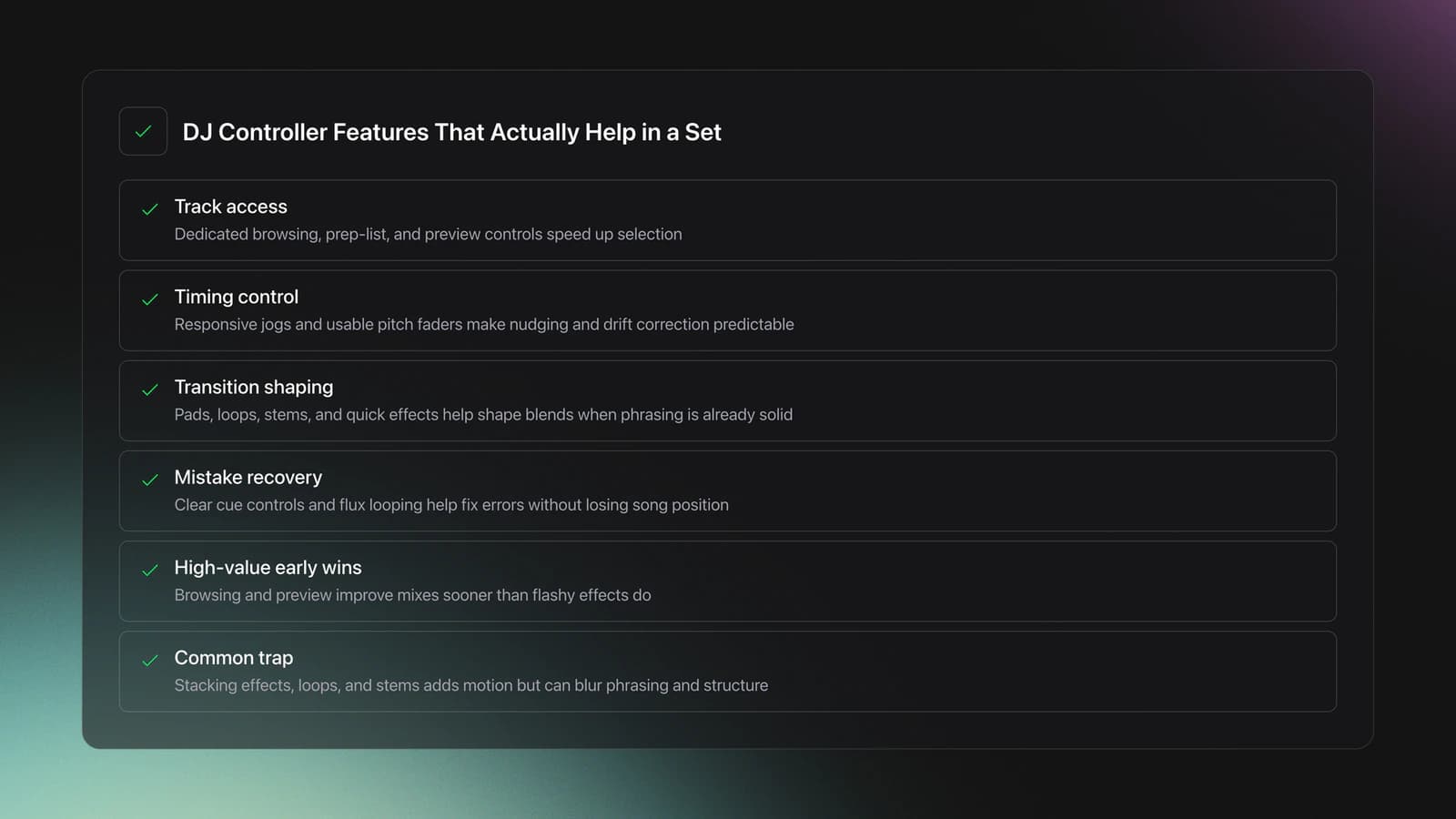
The failure mode is feature stacking without intent. New DJs trigger white noise, reverb, loops, and stems at once because the controller allows it. The result is not bigger energy. It is weaker phrasing and blurred structure.
You will know a feature is helping when it improves one measurable outcome. Faster loading. Cleaner phrasing. Better recovery. More stable transitions. If it only adds movement, it may not add value.
DJ Controller Audio, I/O, and Venue Fit
This section gets ignored too often. A dj controller is only as useful as its output options and monitoring path.
If you practice at home, almost anything with headphone cueing can work. If you play venues, output types, gain, and cable compatibility start to matter immediately.
The MX2 is a good example of what to check. Native Instruments lists a built-in 24-bit/96 kHz audio interface, RCA and 1/8-inch main outputs, 1/8-inch and 1/4-inch headphone outputs, a 1/4-inch mic input, and USB-C connectivity.
That tells you two practical things. First, it is portable and flexible enough for small speakers, practice rigs, and many compact setups. Second, it is still not the same as having balanced XLR booth-ready outputs on larger hardware.
So venue fit is not just about sound quality. It is about how many adapters, converters, and failure points you introduce before the set starts.
| Need | What to Check | Why It Matters | Red Flag |
|---|---|---|---|
| Home practice | Headphone cue, master out | Basic monitoring and speakers | No dedicated cue control |
| Livestreams | Stable interface and mic input | Cleaner routing | Driver issues or awkward I/O |
| Club backup set | Fast connections and readable meters | Quick booth changeover | Too many adapters needed |
| Mobile gigs | Portability and output flexibility | Different speaker systems | Fragile cabling or weak strain relief |
Match controller I/O to the rooms you actually play
A common buying mistake is overvaluing sample rate numbers without understanding the whole chain. Yes, 24-bit/96 kHz looks strong on paper. In practice, routing stability, output headroom, and clean monitoring usually matter more than an abstract spec advantage in a typical small-venue setup.
Library prep matters here too. When your crates are chaotic, you stay on headphones longer, search more, and rush your output decisions. Organizing by mood, function, or energy with a clear local-file system, whether manually or in Vibes, reduces that booth pressure because the right next track is easier to reach before the current one ends.
You will know your controller fits real venues when you can set up with minimal adaptation. One or two standard cables. Clear headphone monitoring. No guesswork about levels. No frantic search for the right adapter in a dark booth.
DJ Controller Comparison Table
If you are shopping in the broad dj controller category, compare by job rather than hype. The table below shows the decision points that actually change ownership satisfaction.
| Comparison Point | Entry All-in-One | Growth All-in-One | Standalone System |
|---|---|---|---|
| Deck count | Usually 2 | Usually 2 to 4 | Usually 2 to 4 |
| Laptop required | Yes | Usually yes | No |
| Learning speed | Fast | Fast to medium | Medium |
| Creative depth | Basic to moderate | Moderate to high | Moderate |
| Portability | High | Medium | Lower |
| Club transition | Good with prep | Often strongest value | Good if ecosystem matches venue |
| Cost efficiency | High | Best long-term for many DJs | Usually lowest value per dollar |
| Failure risk | Outgrown features | Best balance | Costly mismatch |
Side-by-side controller buying framework
For many DJs, the growth all-in-one category is the sweet spot. It gives enough room to develop without forcing you into a large-format system too early.
That is where the MX2 lands. It is still a two-channel controller, but the included Traktor Pro 4 software, stem controls, deck FX, pattern player, mixer FX, dual jog modes, and onboard interface push it beyond basic starter gear.
The tradeoff is clear too. It is not standalone. So if your core buying goal is laptop-free performance, you should compare it against standalone systems, not against other software-first controllers.
DJ Controller Buying Decisions: Which Type Fits You?
Why does this matter for your workflow? Because the best dj controller is the one that removes your current bottleneck, not the one that promises the biggest future.
Use this decision table when you are down to two or three options.
| Scenario | Best Choice | Why | Next Action |
|---|---|---|---|
| You are learning at home and playing occasional parties | 2-channel all-in-one | Fastest path to fundamentals | Prioritize cueing, browsing, and audio outputs |
| You already mix cleanly and want more performance tools | Growth all-in-one | Adds stems, effects, and pads without major complexity | Compare software ecosystems before hardware |
| You travel often and value a compact rig | Modular or compact all-in-one | Lower carry burden | Check I/O before buying smaller gear |
| You hate using a laptop in performance | Standalone system | Removes computer dependency | Test library workflow and export process first |
| Your sets fail because you cannot find tracks fast enough | Any controller plus stronger library structure | Selection is the bottleneck, not hardware | Fix crate logic before upgrading gear |
Quick decision guide for controller buyers
The last row is the one many DJs skip. Hardware cannot solve a broken selection system. If your folders are random and your playlists mean different things every week, even a strong dj mixer controller will feel slow.
That is where a structured prep workflow pays off. Some DJs use spreadsheets. Others use dedicated local-library tools. Vibes, for example, lets you build custom hierarchical categories, sort tracks with keyboard shortcuts, and prepare sets on a visual canvas before exporting structure to DJ software. The point is not the app itself. The point is arriving at the controller with decisions already made.
You will know your decision is correct when the hardware supports your next six to twelve months of gigs and practice without forcing a second purchase for reasons you could have predicted today.
Common DJ Controller Buying Mistakes
| Mistake | Why It Happens | How to Avoid |
|---|---|---|
| Buying by feature count | Marketing makes advanced functions look essential | Judge by workflow speed first |
| Ignoring outputs and adapters | Buyers focus on jogs and pads | Match I/O to your real speakers and venues |
| Choosing future needs over current use | Ambition feels smarter than fit | Buy for your next year, not your fantasy setup |
| Overlooking software support | Hardware specs feel more tangible | Check current release notes and compatibility |
| Upgrading hardware before crates | Gear is easier to buy than organize | Fix library structure before replacing the controller |
Most common controller buying errors
Conclusion: Choose a DJ Controller by Workflow
A dj controller is a workflow decision before it is a gear decision. Start with the control path. Then check format, I/O, software support, and how fast you can find the next record.
Keep these takeaways in mind:
- Buy for your next year of gigs, not a distant ideal.
- Track access and monitoring matter more than flashy extras.
- A better library often improves sets faster than a new controller.
If you are narrowing options now, compare your shortlist against real venues, software support, and prep habits. That is how you end up with gear you can trust instead of gear you have to work around.
The visual way to organize your DJ library
Tag tracks by vibe. See everything at once. Export to rekordbox, Serato, Traktor or Engine DJ.
14-day free trial. Full access, no strings attached.
or see how it works
Techniques Covered

Turntablism
Beat Juggling

Track Selection

DJ System Configuration
Cueing Tracks

Types of DJ Transitions
Track Analysis

EQ Adjustments
Cue Button Usage

DJ Rig Setup

Cross-Platform Playlist Integration

Curation

Camelot Key Display Setup in Rekordbox, Serato and Traktor
Equipment & Software
Featured Gear
Continue Your Learning Journey
Start Here First



Related Content

DJ Playlist Spotify: Mixing With Streaming Inside Rekordbox
intermediateTransition DJ Online: Browser Mixer Workflow
intermediateDJ Transitions: The Three-Layer Handoff for Beginners
intermediate
DJ Library Organization System: Tags, Crates, Keys
intermediate
DJ Record Pool Guide for Working DJs
intermediateHow To Mix In Key Live: Worked Transitions And Failure Fixes
intermediateDJ Key Wheel Decision Framework: Four Safe Moves and Advanced Jumps
intermediate
House Trance: Sound, Structure, Mixing
intermediateDJ City Song: What You Actually Get
intermediateFrequently Asked Questions

Hey, it's Ben Modigell 👋
I DJ and produce as so I so: downtempo, minimal, dub house, tech house, and techno (releases on Spotify and SoundCloud, links above). Everything I write here comes from my own gigs, studio sessions, and library cleanups: the rules I follow, the failure modes I have actually hit, and the workflow I use when nobody is watching. If a technique did not earn its place in my own sets, it does not make it into a tutorial.