
Beatport
·BeatportBeatport is a DJ-focused electronic music store and streaming platform for discovering, buying, and streaming tracks into supported DJ software and hardware.
Beatport pricing runs from $9.99/month for Essential (listening only) to $15.99 for Advanced (adds DJ software integration) and $29.99 for Professional (highest audio quality plus offline downloads). It is worth it for DJs who actively dig electronic music; casual listeners can skip the paid tiers.
Beatport is one of the main places DJs go to find electronic music, buy downloads, and stream tracks into supported DJ software. If your workflow revolves around house, techno, drum and bass, trance, or adjacent club styles, Beatport stays relevant because it combines store-style digging with modern streaming tools.
Beatport Overview
Beatport is best for DJs who want a specialist electronic music platform rather than a general consumer streaming app. It works as both a download store and a subscription service, which makes it useful if you want to preview, test, stream, and then purchase the tracks that stay in your sets.
According to Beatport company overview, the platform launched in 2004 as a download store for DJs. That history still shapes the experience now. Beatport is not trying to be Spotify for everyone. It is trying to help DJs dig efficiently by genre, label, chart, BPM, and release type.
That focus is the main reason Beatport still matters. The catalog, editorial framing, DJ charts, and software integrations all point toward club use. In practice, that means faster shortlisting for electronic sets and less time filtering out music that does not fit your lane.
Beatport also sits in a useful middle ground. You can stream tracks through supported DJ platforms, but you can also buy files outright when you want permanent ownership. If you are comparing music ecosystems, that puts Beatport somewhere between a record pool and a pure store like Bandcamp alternatives for DJ crates or digital download stores like Traxsource.
Beatport Features
Beatport stands out because it combines discovery, streaming, and downloads in one DJ-centered system. The practical benefit is simple: you can audition music inside your workflow, pressure-test it in playlists, then buy only what earns a permanent place in your library.
The biggest feature is Beatport Streaming. The Beatport Streaming official page lists integrations with rekordbox, Serato, Traktor, VirtualDJ, djay Pro, Engine DJ OS, and several hardware platforms including CDJ-3000/X, OMNIS-DUO, OPUS-QUAD, and XDJ-AZ. That is broad enough to matter whether you practice at home, prep on a laptop, or play on modern club gear.
The second strength is discovery. Beatport's genre pages, charts, curated playlists, label browsing, and Top 100 structures are still among the fastest ways to map a niche electronic sound. If you already know what scene you play in, the platform helps you move from one strong track to five more without relying on general-purpose recommendation logic.
The mobile side has improved too. The Beatport mobile app listing shows ongoing updates through 2025, including playback and UI refinements. That does not guarantee a perfect app experience, but it does suggest active maintenance rather than a neglected companion app.
There is also a clear split between casual listening and DJ use. Essential gives playback in Beatport's own environment. Higher tiers unlock DJ software integration, and the top tier adds an offline locker. This tiering matters because the platform feels very different once it becomes part of rekordbox, Serato, or Traktor.
- Specialist electronic music catalog with DJ charts and label-driven discovery
- Streaming integration with major DJ software and selected hardware
- A la carte purchases for DJs who want file ownership
- Offline locker access on qualifying subscription plans
- Mobile and web playback for digging away from the booth
Technical Specs
Beatport is a software service rather than a physical product, so the useful specs are plan limits, audio quality, and platform support. The headline numbers are straightforward: Essential is for listening, Advanced adds DJ integrations, and Professional adds higher quality options plus offline locker access.
| Specification | Details |
|---|---|
| Launch year | 2004 |
| Core function | DJ music store and streaming platform |
| Monthly USD pricing | Essential $9.99, Advanced $15.99 or $14.99 depending on official support page, Professional $29.99 |
| Monthly EUR pricing | Essential verified at €9.99; higher tiers not clearly verified from surfaced official pages |
| Monthly GBP pricing | Essential verified at £7.99; higher tiers not clearly verified from surfaced official pages |
| Streaming quality | 128 kbps AAC on Essential and Advanced; Professional can switch between 128/256 AAC and FLAC on supported environments |
| Offline locker | Up to 1,000 tracks on Professional plan |
| Supported software | rekordbox, Serato, Traktor, VirtualDJ, djay Pro, DJ.Studio, DJUCED, Engine DJ OS and more |
| Supported hardware examples | CDJ-3000/X, OMNIS-DUO, OPUS-QUAD, XDJ-AZ |
The pricing needs a small caution note. Official Beatport support pages surfaced conflicting US prices for Advanced, with one page showing $15.99 and another showing $14.99. The manufacturer documents should take priority, but the mismatch is worth flagging because subscriptions and regional pricing can change.
Who Is This For
Beatport is best for DJs who play electronic music regularly and want faster, more focused digging than a mainstream streaming app can provide. It makes the most sense for club-oriented users who care about genre filtering, DJ charts, and reliable integration with established performance software.
Beginners can still benefit from Beatport, especially if they are learning structure, phrasing, and genre conventions through curated charts. The downside is cost stacking. If you need a controller, headphones, software, and music access all at once, the higher Beatport tiers can push your budget fast.
Intermediate and working DJs get more value. At that level, Beatport becomes a workflow tool rather than just a listening app. You can test transitions, prep crates, and keep your buying decisions tighter because you are not purchasing every track blind.
It is less ideal for open-format DJs who depend on broad mainstream coverage, or for DJs who want permanent ownership without ongoing fees. In those cases, a mix of record pool options, Bandcamp buying strategies, and selective store purchases may fit better.
In Practice
In real use, Beatport works best when you treat it as a digging and testing layer first, not your entire music strategy. Search, shortlist, build playlists, check transitions in your DJ software, then decide what you actually want to own. That workflow keeps the subscription useful without making you overdependent on streaming.
The strongest part of the experience is still navigation by scene logic. Labels, charts, genres, and related releases often get you to usable tracks faster than mood-based consumer discovery systems. If you play tightly defined club music, that matters.
The weak point is that streaming convenience is never the same as full file control. Software compatibility can shift, subscription terms can change, and offline behavior depends on plan level and platform support. For home prep, this is manageable. For mission-critical gigs, many DJs still prefer purchased files as the final layer of security.
For real club use, reliability and low-light workflow matter more than headline features. Beatport fits that when it speeds up crate building and prep, but no streaming platform should be your only source for peak-time music.
That is really the right way to read Beatport. It is excellent as an accelerator. It is less convincing as a total replacement for owned music.
Pros and Cons
Beatport is strong when your needs line up with its niche. The same focus can also be its limitation if your sets move outside electronic dance music or if you want complete long-term control over your catalog.
Pros
- Excellent electronic music discovery.
- Strong DJ software integration.
- Lets you buy tracks as well as stream them.
- Useful offline option on Professional.
- Genre and label browsing still beat most general streaming apps for club-focused digging.
Cons
- -Advanced features require pricier plans.
- -Official pricing pages show some inconsistencies.
- -Streaming never replaces owned files for risk-sensitive gigs.
- -Catalog strength is narrower outside electronic and club-focused use.
Price and Value
Beatport offers good value if you actively DJ electronic music and use the platform to reduce bad purchases. The value drops if you subscribe casually, rarely prep in DJ software, or expect one flat fee to replace buying tracks outright.
Official support pages verified Essential at $9.99, €9.99, and £7.99 per month. Beatport's published terms also show Advanced at either $15.99 or $14.99 depending on the page surfaced, while Professional remains $29.99. That puts the service in mid-range territory at entry level and close to professional pricing once you need offline and deeper DJ integration.
For beginners, Essential is mostly a research tool. For active DJs, Advanced is the first plan that feels operational because it unlocks software and hardware integration. Professional is the serious-use tier, especially if offline prep matters to your workflow.
The best way to justify the spend is to combine streaming with selective ownership. Use Beatport to discover and test. Buy your core tracks. Then keep streaming for exploration, edge-case requests, and prep. If you want a broader buying framework, a DJ music library guide is often more helpful than comparing subscription tiers in isolation.
Alternatives
The right Beatport alternative depends on what you value most. If you want artist-first downloads, Bandcamp makes more sense. If you want a different dance-music store angle, Traxsource is the closer direct rival. If you want broader streaming culture, SoundCloud Go+ is usually the comparison point.
| Product | Price | Key Difference |
|---|---|---|
| Traxsource | Not verified | Closer store competitor for DJs, especially in house-adjacent styles |
| Bandcamp | Not verified | Best for ownership and direct artist support, not DJ streaming integration |
| SoundCloud Go+ | Not verified | Wider creator ecosystem and streaming culture, less DJ-store structure |
Choose it if
- You actively dig electronic music and want genre, label, and chart discovery plus streaming into your DJ software.
Skip it if
- -You want cheap permanent file ownership or broad mainstream catalog coverage.
- -A store like Bandcamp or a record pool may fit better.
Watch
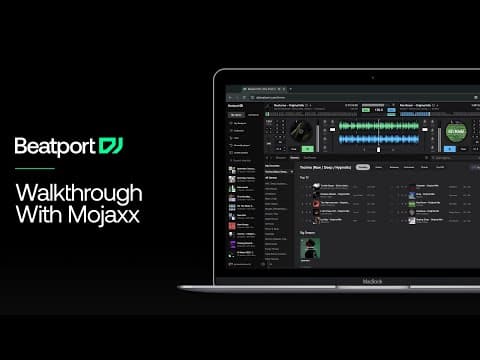
Bottom Line
Beatport remains one of the most useful music platforms for electronic DJs because it understands how DJs actually search, compare, test, and organize tracks. That focus is more important than flashy marketing. It saves time, and in a busy prep workflow, saved time is real value.
Its strongest use case is not replacing your whole collection. It is helping you build a better one. If you treat Beatport as a hybrid tool for discovery, streaming, and selective purchasing, it is easy to recommend.
If you want universal listening, look elsewhere. If you want a serious DJ music workflow for electronic sets, Beatport is still one of the first platforms to consider.
Continue readingNext: TraxsourceThe closest direct rival for dance-music downloads.The visual way to organize your DJ library
Tag tracks by vibe. See everything at once. Export to rekordbox, Serato, Traktor or Engine DJ.
14-day free trial. Full access, no strings attached.
or see how it works
Tutorials Using Beatport



DJ Techniques Using This Gear
See how DJs and live performers incorporate Beatport into their workflow.




Frequently Asked Questions

Hey, it's Ben Modigell 👋
I DJ and produce as so I so: downtempo, minimal, dub house, tech house, and techno (releases on Spotify and SoundCloud, links above). Everything I write here comes from my own gigs, studio sessions, and library cleanups: the rules I follow, the failure modes I have actually hit, and the workflow I use when nobody is watching. If a technique did not earn its place in my own sets, it does not make it into a tutorial.