
Jog Wheel
A jog wheel lets DJs nudge tempo, cue tracks precisely, search within songs, and, in vinyl mode, perform scratch-style platter control.
Jog Wheel Tutorials

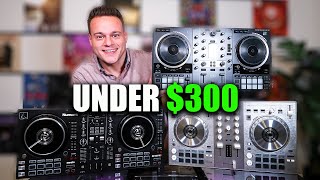
The jog wheel is one of the main control surfaces on DJ controllers and media players. It helps you cue more accurately, keep two tracks locked, and add expressive movement during a set. If your transitions feel rushed, your nudges feel messy, or your scratch attempts stop the track at the wrong moment, better jog wheel control usually fixes the problem.
For most DJs, the jog wheel is not a flashy feature. It is a precision tool. You use it to search within a track, place a cue point on the exact beat, apply [pitch bend](/glossary/pitch-bend) without changing the stored tempo, and in vinyl mode, mimic platter-style control for scratching and backspins.
Once you understand what each part of the jog wheel does, your hands get calmer. Cueing becomes faster. Beatmatching becomes more deliberate. And you stop fighting the deck every time you touch it.
What Is Jog Wheel Control?
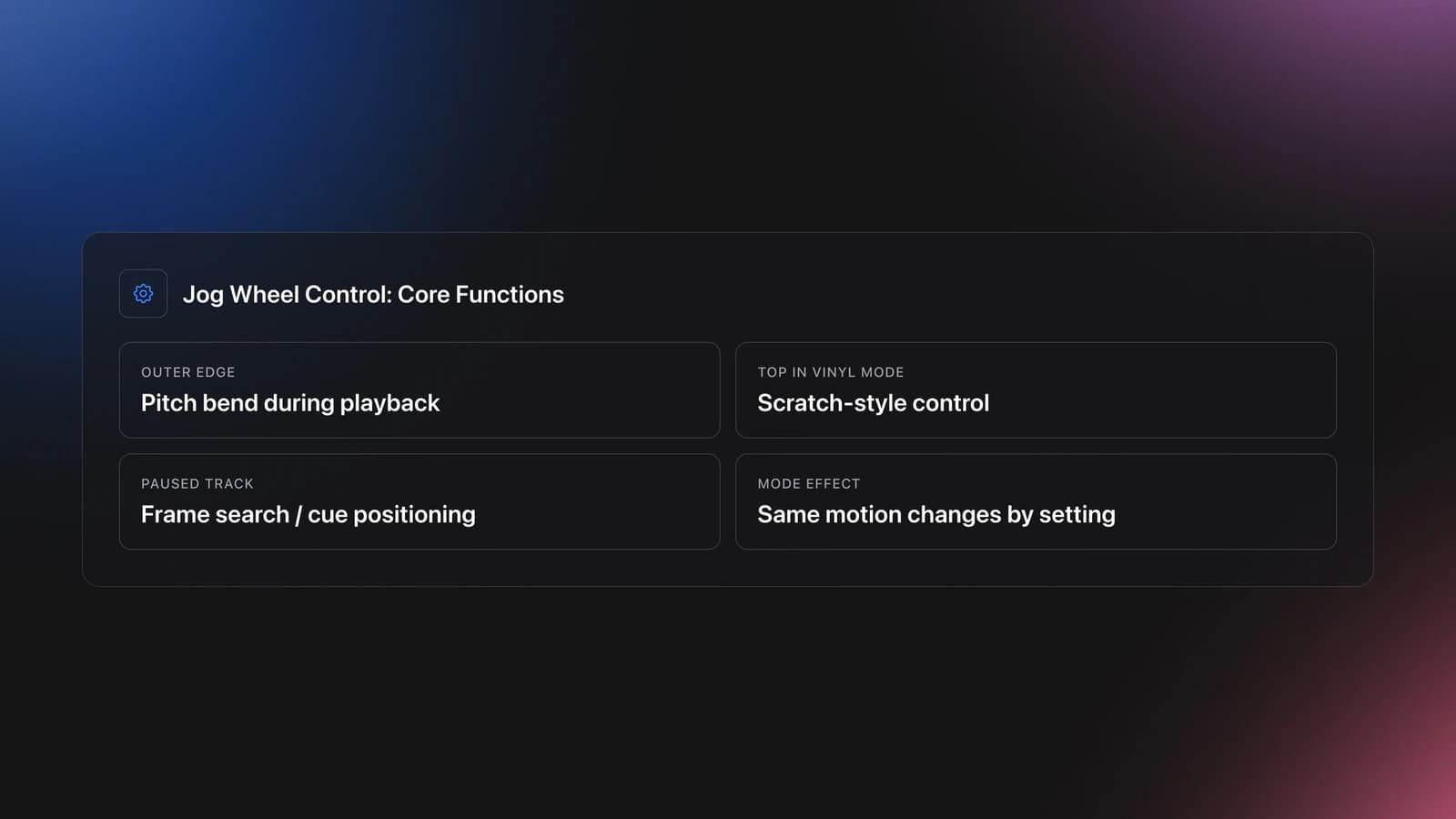
Jog wheel control is the skill of using a DJ deck’s platter or dial to adjust playback position, nudge timing, and perform vinyl-style manipulation. On many modern decks, the outer edge handles pitch bend during playback, while the top surface controls scratch behavior in vinyl mode or pitch bend in CDJ mode, depending on the device and setting.
Official AlphaTheta documentation for the CDJ-3000 describes three core jobs clearly: pitch bend during playback, scratch in vinyl mode, and frame search while paused. It also notes that vinyl mode changes how the top of the jog wheel behaves, which is why the same hand motion can either scratch or simply nudge timing depending on mode. Educational and hardware references also show that many controllers split top-plate and outer-ring functions in a similar way.
In other words, the jog wheel is not one technique. It is a control hub for several techniques. That is why beginners often feel inconsistent at first.
Jog Wheel Functions That Matter Most
The jog wheel matters because it connects preparation to performance. You use it before the mix to place the cue point, during the mix to tighten alignment, and after the transition to add expression or recover from drift.
Most setups use the jog wheel for four practical tasks. First, cue placement. Second, pitch bend nudges during playback. Third, frame or track search while paused. Fourth, scratch-style movement when vinyl mode is active.
- Cue placement: move the paused playhead onto the exact kick or transient.
- Pitch bend: temporarily speed up or slow down playback to fix drift.
- Search: move quickly or frame-by-frame through the track.
- Scratch control: stop and move the audio manually in vinyl mode.
- Creative performance: backspins, release timing, and cue juggling support on some setups.
This is also why jog wheel skill supports master beat matching fundamentals and helps you line up phrases with confidence. The wheel gives you the last small correction when your ears hear that two records are almost, but not fully, together.
How to Use a Jog Wheel
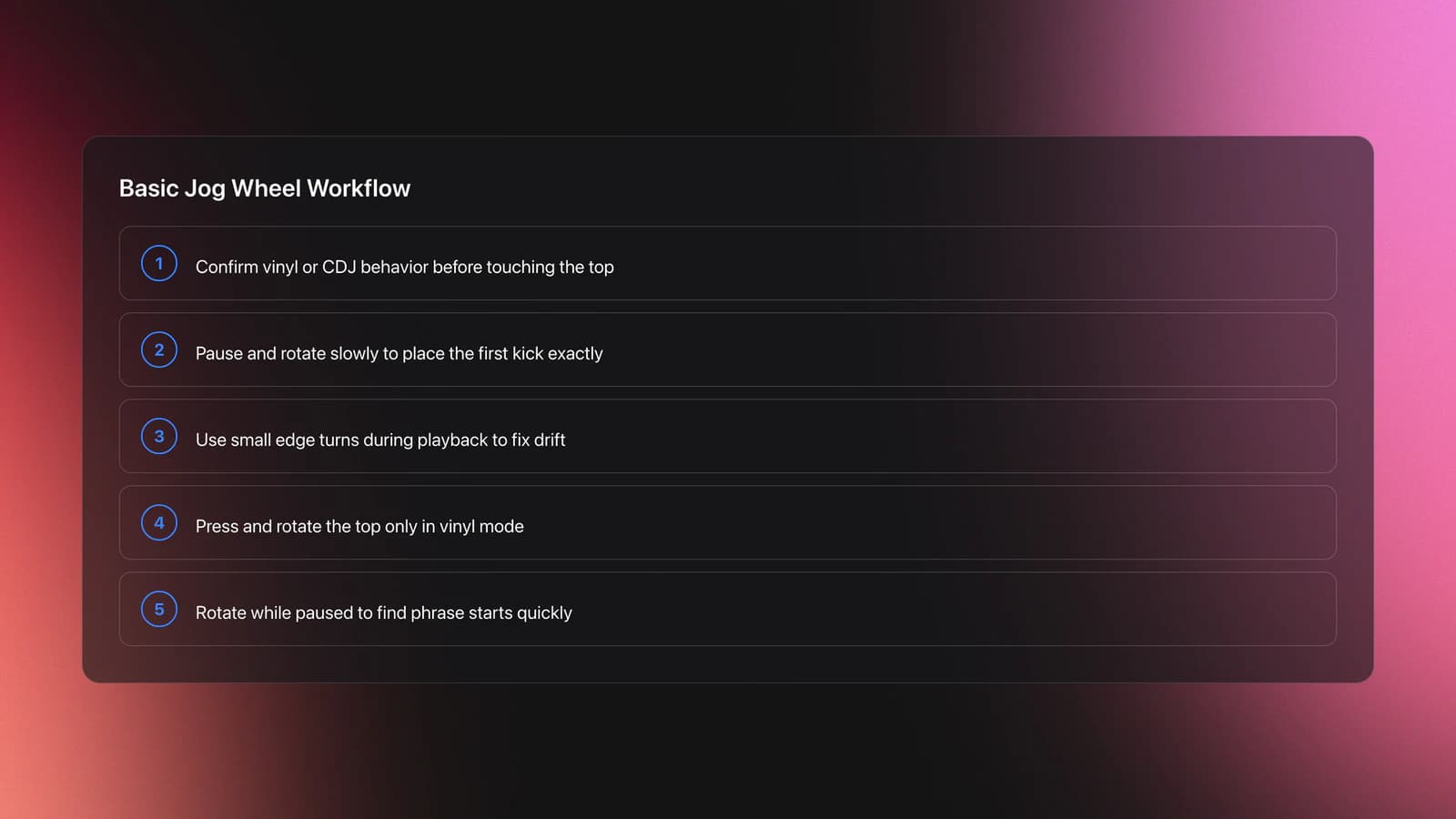
To use a jog wheel well, start by identifying its active mode, then match your hand movement to the task. Pause to set a cue. Nudge lightly during playback to fix timing. Press and rotate the top only when vinyl mode and scratch-style control are intended.
| Task | What You Do | Key Point |
|---|---|---|
| Set cue | Pause track and rotate slowly | Use tiny movements near the first kick |
| Nudge forward | Turn edge clockwise during playback | Short touch, then release |
| Nudge backward | Turn edge counterclockwise | Correct drift without overcompensating |
| Scratch | Press top and rotate in vinyl mode | Release cleanly to resume playback |
| Search track | Rotate while paused or with search modifiers | Use for finding phrase starts fast |
Start with cueing. Load a drum-led track, pause just before the first downbeat, and rotate the jog wheel slowly until the transient sits exactly where you want it. This develops touch sensitivity before you add timing pressure.
Next, practice pitch bend. If an incoming track drifts late, nudge it forward briefly. If it runs ahead, ease it back. The motion should be small and temporary. A jog wheel nudge is not the same as moving the pitch fader.
Then learn mode awareness. On many AlphaTheta and Pioneer DJ players, vinyl mode lets pressing the top stop playback and enables scratching. In CDJ mode, the top behaves differently and does not stop playback the same way. That difference explains many beginner errors.
If your deck feels unpredictable, check vinyl mode before changing technique. Many support articles exist because users try to scratch while the deck is still in normal or CDJ mode.
Equipment and Mode Differences
Jog wheel behavior varies by hardware, but the core logic stays similar. Touch-sensitive platters detect pressure on the top surface, while many units reserve the outer ring for pitch bend. Some motorized platters add more resistance and a turntable-like feel.
The CDJ-3000 manual states that vinyl mode stops playback when you press the top and allows scratching by turning while pressed. The same manual describes pitch bend as a temporary speed change from the outer section during playback. Hardware diagrams for other AlphaTheta controllers show similar top-versus-edge splits, though exact labels and secondary shift functions vary by model.
Serato’s REV7 overview highlights why platter feel matters at higher skill levels. Motorized platters, low latency, and vinyl-like surfaces give more tactile feedback, which helps with scratch phrasing and release timing. That does not mean beginners need premium gear. It means feel affects precision.
Essentially, any jog wheel can teach the movement pattern. Better platters simply reveal your mistakes more clearly.
Practice Drills for Jog Wheel Control
The best jog wheel practice is short, repetitive, and measurable. In practice, isolated nudging drills improved timing faster than jumping straight into full transitions. Small corrections teach hand control. Full mixes test whether that control survives pressure.
Start with one skill at a time. Practice cue placement first, then pitch bend, then vinyl mode release timing. Most DJs improve more in 2 weeks of focused repetition than in one long unfocused session.
A small, organized practice crate helps here. If you use Vibes to group tracks by BPM range, intro length, or drum clarity, you can build repeatable drills instead of wasting time hunting for examples. That is especially useful when you want one crate for cue accuracy and another for jog wheel pitch-bend practice.
For beginners, choose tracks with steady drums and simple intros. Avoid songs with loose live timing at first. You are training your hands, not testing your patience.
Once the basics feel stable, use the jog wheel inside longer blends. This is where master beat matching fundamentals starts to feel musical instead of mechanical.
Common Mistakes With Jog Wheel Technique
Most jog wheel mistakes come from using the right motion in the wrong mode, or using too much force for a tiny correction. The fix is usually simpler than DJs expect.
| Mistake | Why It Happens | Solution |
|---|---|---|
| Track stops unexpectedly | Top plate touched in vinyl mode | Use the outer edge for nudging during playback |
| Nudges sound too dramatic | Movement is too large or too long | Use shorter, lighter pitch-bend touches |
| Cannot scratch | Vinyl mode is off | Enable vinyl mode before pressing and rotating the top |
| Cue point lands late | Jog rotation is too coarse near the transient | Zoom in mentally and use micro-movements |
| Track drifts more after correction | Overcompensation | Apply one small nudge, then wait and listen |
Why do most beginners struggle with jog wheel control? Because they react too often. They hear drift, panic, and keep touching the wheel. One correction becomes three. Then the mix sounds unstable.
In practice, your hands should be quieter than your ears. Listen first. Touch second.
If scratching does not work at all, official AlphaTheta support specifically advises checking whether vinyl mode is active. If it is off, rotating the top affects playback speed through pitch bend instead of engaging scratch behavior.
Troubleshooting Jog Wheel Problems
Troubleshooting starts with separating technique problems from hardware or settings problems. If the jog wheel behaves differently from one session to the next, do not assume your hands forgot the skill overnight.
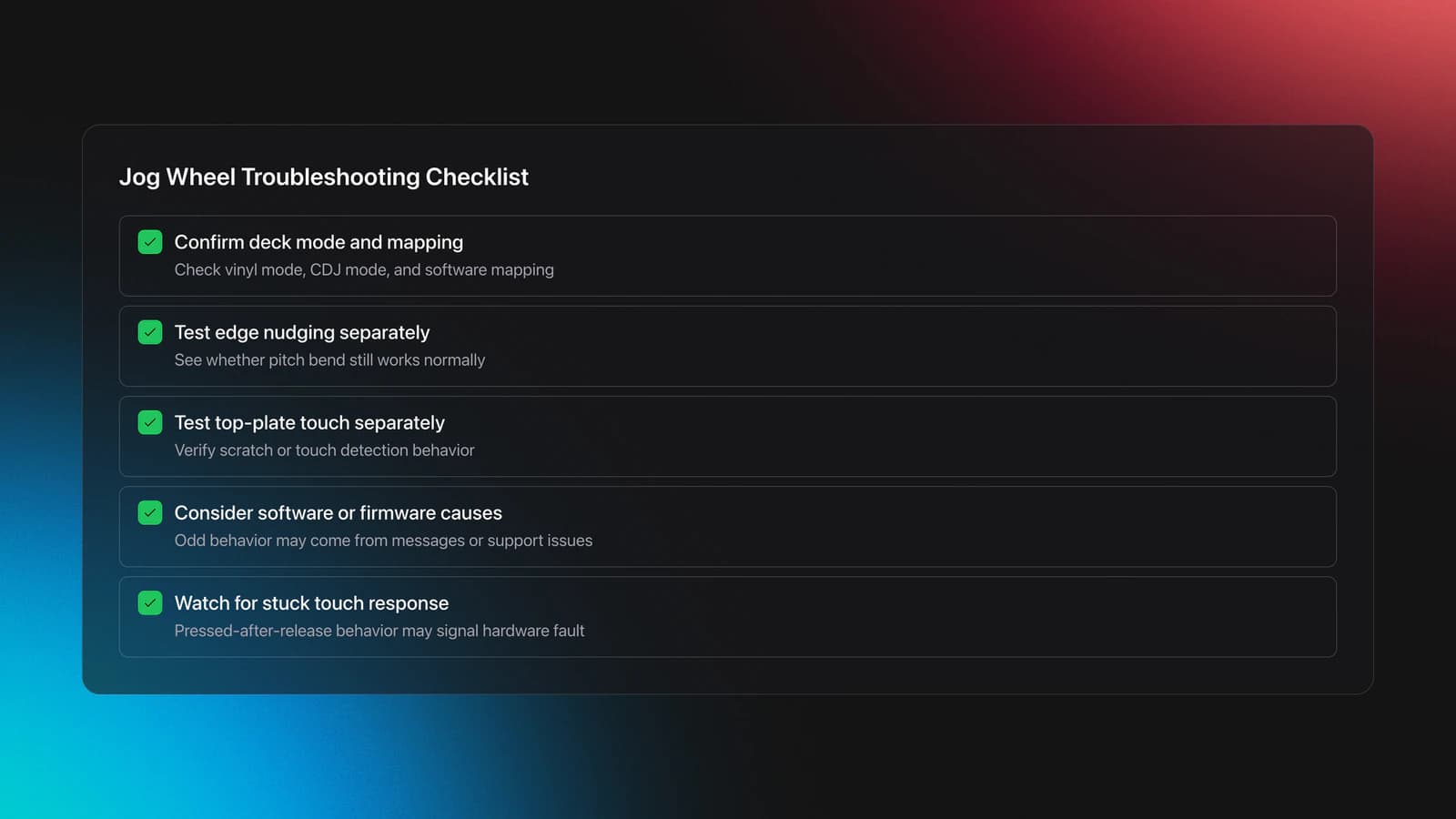
First, confirm the deck mode. Vinyl mode, CDJ mode, and software-specific mappings can all change top-plate behavior. Next, test edge nudging and top-plate touch separately. If one works and the other does not, the issue is often mode configuration or touch detection.
DJ TechTools’ mapping breakdown is useful here because it explains how software often treats jog touch, jog scratch, and jog pitch bend as separate messages. That means odd behavior can come from mapping, firmware, or software support, not only from technique.
If a touch-sensitive platter keeps reading as pressed after you release it, that may indicate a hardware fault rather than user error. Community troubleshooting from Pioneer DJ support forums has pointed users toward service when pressure switches continue to register after release.
How Jog Wheel Skill Progresses
Jog wheel skill usually develops in three stages. First, you learn not to make things worse. Second, you make small timing corrections confidently. Third, you use the platter creatively for release timing, texture, and scratch gestures.
That progression matters because the jog wheel serves different roles across your DJ development. Early on, it is a rescue tool. Later, it becomes a performance tool.
If you want to go further, the next step is to build into basic scratching techniques. If your mixes are already tight, combine that with line up phrases with confidence so jog corrections happen at musical moments, not random ones.
Key Takeaways
The jog wheel is a core DJ control because it handles cue precision, timing correction, track search, and scratch-style movement. Learning it well makes the rest of your workflow smoother.
- Use the outer edge for small timing nudges during playback.
- Use the top surface for scratch-style control only when vinyl mode supports it.
- Practice isolated cue and nudge drills before full transitions.
Start with one steady pair of tracks and one measurable goal. For example, hold alignment for 32 bars using only small jog wheel corrections. Once that feels stable, move to phrase-aware transitions and scratch release timing. The skill compounds quickly when the practice stays focused.
The visual way to organize your DJ library
Tag tracks by vibe. See everything at once. Export to rekordbox, Serato, Traktor or Engine DJ.
14-day free trial. Full access, no strings attached.
or see how it works
More Tutorials

Equipment You'll Need
Pioneer DJ DDJ-FLX4
optionalA compact 2-channel DJ controller with built-in audio interface, USB-C connectivity, and beginner-friendly smart mixing features.
Hercules DJControl Inpulse 500
optionalA 2-channel USB DJ controller with built-in audio interface, performance pads, and guided mixing features for home practice and small public sets.
Beatport
optionalBeatport is a DJ-focused electronic music store and streaming platform for discovering, buying, and streaming tracks into supported DJ software and hardware.
VirtualDJ
optionalDJ software for Windows and macOS that handles audio mixing, video mixing, karaoke, stems, and broad hardware support.
Serato DJ Pro
optionalProfessional DJ software for mixing, performance, library management, recording, and hardware-integrated club workflows.
Pioneer DJ DDJ-SB
optionalA compact 2-channel USB DJ controller designed for Serato DJ Intro and later supported with Serato DJ Lite and Serato DJ Pro.
Pioneer DJ DDJ-1000
optionalA 4-channel rekordbox DJ controller with full-size jog wheels, onboard displays, and club-style mixer controls.
Pioneer DJ CDJ-3000
optionalProfessional flagship DJ media player with a 9-inch touchscreen, advanced MPU processing, and club-standard Pro DJ Link workflow.
DJControl Inpulse 200 MK2
optionalCompact 2‑deck USB DJ controller with built‑in audio, Beatmatch Guide LEDs, and Serato DJ Lite/DJUCED integration.
Pioneer CDJ-400
optionalA discontinued digital DJ media player that plays CDs and MP3 files from USB storage, and can also work as a MIDI controller and USB audio interface.
Numark Mixtrack Pro FX
optionalA 2-deck USB DJ controller with a built-in audio interface, capacitive jog wheels, performance pads, and Serato DJ Lite support.
Pioneer CDJ-1000
optionalA discontinued professional CD-based DJ player that helped define the modern club-standard jog-wheel workflow.
Traktor MX2
optionalA 2-channel DJ controller with integrated audio interface and tight Traktor Pro 4 integration for mixing, stems, effects, and performance pads.
VirtualDJ 7
optionalA legacy DJ software platform for audio and video mixing, controller mapping, and DVS playback on Windows and Mac.
Pioneer DJ DDJ-400
optionalA compact 2-channel USB DJ controller built for rekordbox with a club-style layout aimed at new and progressing DJs.
Numark Mixtrack Pro II
optionalA two-channel USB DJ controller with a built-in audio interface, touch-activated jog wheels, and performance pads for Serato-compatible mixing.
Serato DJ Lite
optionalFree two-deck DJ software for Mac and Windows that introduces Serato’s workflow, controller support, and basic mixing tools.
Frequently Asked Questions

Hey, it's Ben Modigell 👋
I DJ and produce as so I so: downtempo, minimal, dub house, tech house, and techno (releases on Spotify and SoundCloud, links above). Everything I write here comes from my own gigs, studio sessions, and library cleanups: the rules I follow, the failure modes I have actually hit, and the workflow I use when nobody is watching. If a technique did not earn its place in my own sets, it does not make it into a tutorial.





