
Watch DJ TLM TV’s tutorial above (309K views on YouTube).
This guide is for DJs trying to pick the best dj controller without wasting money on the wrong setup. Most people get stuck because they compare specs before they know their workflow. After reading, you will know which controller class fits your budget, software, and first real gigs.
The short version is simple. The best dj controller is the one that matches how you already play, what you can carry, and how much risk you should take on your first purchase.
If you are still learning transitions, library prep matters as much as hardware. A clean crate structure makes any controller easier to use, which is why many DJs pair hardware practice with a library system like DJ music library organization.
Best DJ Controller: What Actually Decides It
People ask for the best dj controller as if there is one correct answer. There is not. A bedroom beginner, a mobile DJ, and a club regular need different things.
A better question is this. What setup gives you enough control to improve, without paying for features you will not use yet?
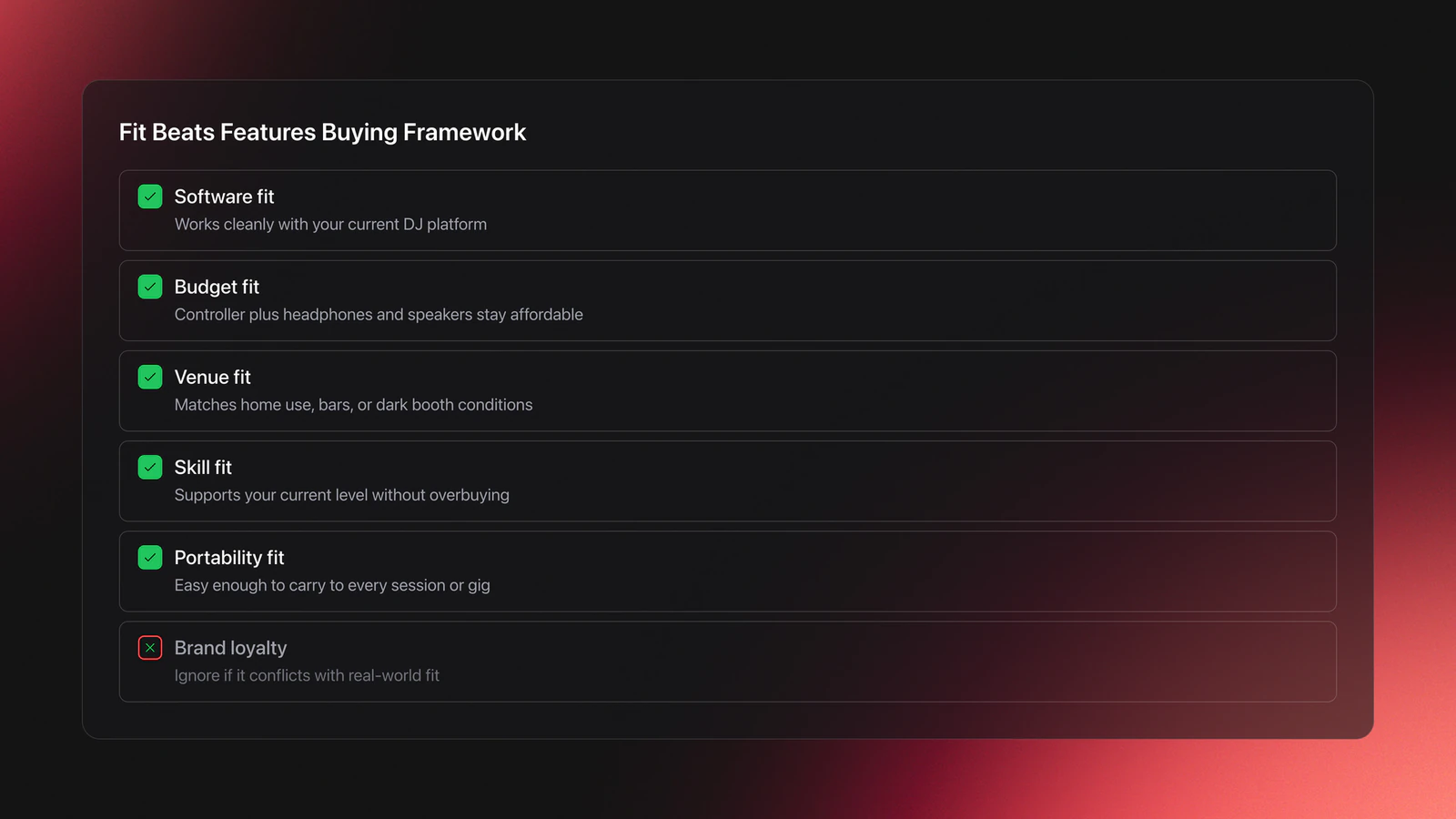
I use a simple framework here. Fit beats features. That means your buying decision should start with fit to software, fit to venue, fit to budget, and fit to skill level.
- Software fit. Does it work cleanly with the platform you already use?
- Budget fit. Can you afford the controller, headphones, and speakers together?
- Venue fit. Will you use it at home, at bars, or in dark underground booths?
- Skill fit. Are you practicing basics or performing full sets already?
- Portability fit. Can you carry it without hating every gig?
This matters more than brand loyalty. A controller with huge jogs and four decks can still be the wrong buy if you only play two-channel sets from a laptop.
The transcript points in the same direction. If you already use DJ software and have not touched hardware much, an entry-level controller is usually the safest first move.
Beginner DJ Controller Choices
For most new DJs, the best dj controller is an entry-level two-channel unit. It gets your hands on real jog wheels, faders, EQ, cue buttons, and load workflow without forcing a big cash commitment.
That recommendation is not about low ambition. It is about buying enough hardware to learn proper habits first.
A beginner usually needs three things. Stable software support, clear layout, and low replacement pain if they outgrow it in a year.
Current beginner-friendly options still follow that logic. The AlphaTheta DDJ-FLX4 product page positions it as a 2-channel controller for rekordbox and Serato, while the Numark Mixtrack Platinum FX specifications focus on larger jog wheels, four-deck layering, and built-in displays. Both approaches can work. The better pick depends on whether you value a simple learning curve or more room to grow.
Worked example one. You already practice in software, mix house and techno, and mostly need clean two-deck transitions. A compact two-channel controller makes sense because your bottleneck is timing and track choice, not advanced deck routing.
Worked example two. You want hot cues, quick effects, and occasional four-deck layering for edits or mashups. A larger entry model with bigger jogs and more visible deck feedback will feel better, even if you still play basic sets most of the time.
A common failure mode is overbuying. The symptom is obvious. You spend most sessions trying to understand modes, pages, and shift functions instead of improving phrasing, EQ, and transitions.
Validation Check
The setup around the controller matters too. Once your collection passes a few hundred tracks, finding the right next tune becomes harder than beatmatching. Many DJs handle that by keeping mood or function-based collections in Vibes, where you can sort local files into hierarchical categories and export that structure to DJ software later.
Software Match and Upgrade Path
Software compatibility is where many controller recommendations fall apart. The best dj controller on paper is useless if it pushes you into software you do not want to use.
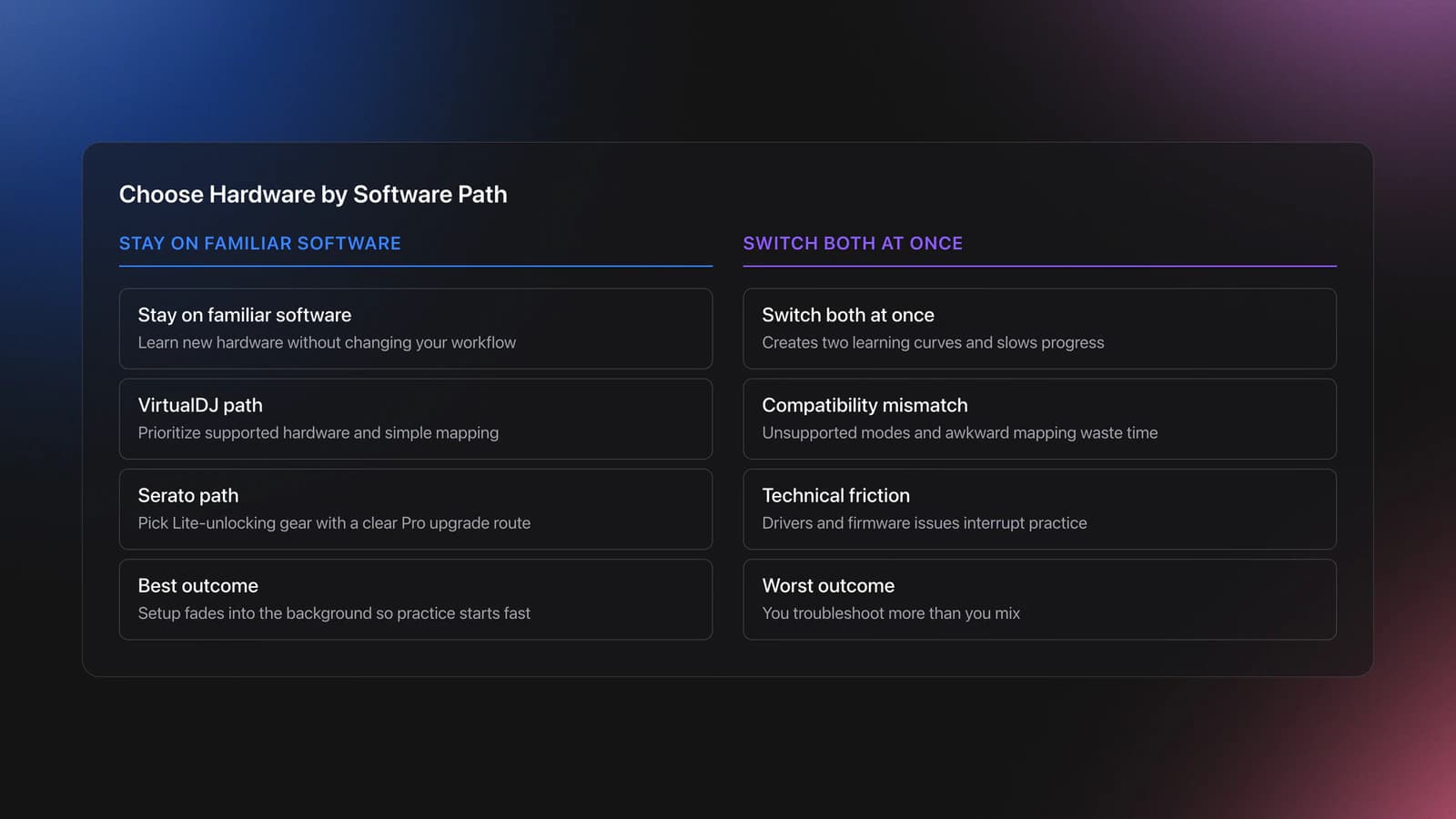
If you already use VirtualDJ, do not treat that as fake practice. VirtualDJ supports controller-based learning and home use, though its Home license has limits for professional use according to VirtualDJ Home documentation.
The same logic applies to Serato. Some entry controllers unlock Serato DJ Lite, and Serato states that Lite hardware can be upgraded to Pro later through its Serato DJ Pro upgrade documentation.
In practice, your software path shapes your controller path.
- Already on VirtualDJ and happy there. Prioritize supported hardware and simple mapping.
- Planning to move into Serato. Buy hardware that unlocks Lite cleanly and can grow into Pro.
- Planning for club-style ecosystems. Favor layouts that resemble larger rekordbox-based hardware.
Why does this matter for buying? Because switching software at the same time as switching hardware creates two learning curves at once. That slows progress.
A practical rule helps here. Change one major variable at a time. Either learn new hardware on familiar software, or learn new software on familiar hardware. Do not do both unless you have a strong reason.
A second failure mode shows up here. The symptom is constant troubleshooting. Drivers, firmware, unsupported modes, and mismatched expectations eat your practice time before you even start mixing.
You will know your software match is correct when setup fades into the background. The controller should connect, map properly, and let you practice without technical friction.
Portable vs Professional Controller Tradeoffs
This is where the best dj controller question gets more specific. Are you buying for home practice, for carrying to friends' places, or for paid gigs where speed and visibility matter?
Experienced DJs usually weigh four equipment factors first. Standalone versus laptop-dependent workflow, screen readability in dim venues, portability, and whether those features actually matter in the rooms they play.
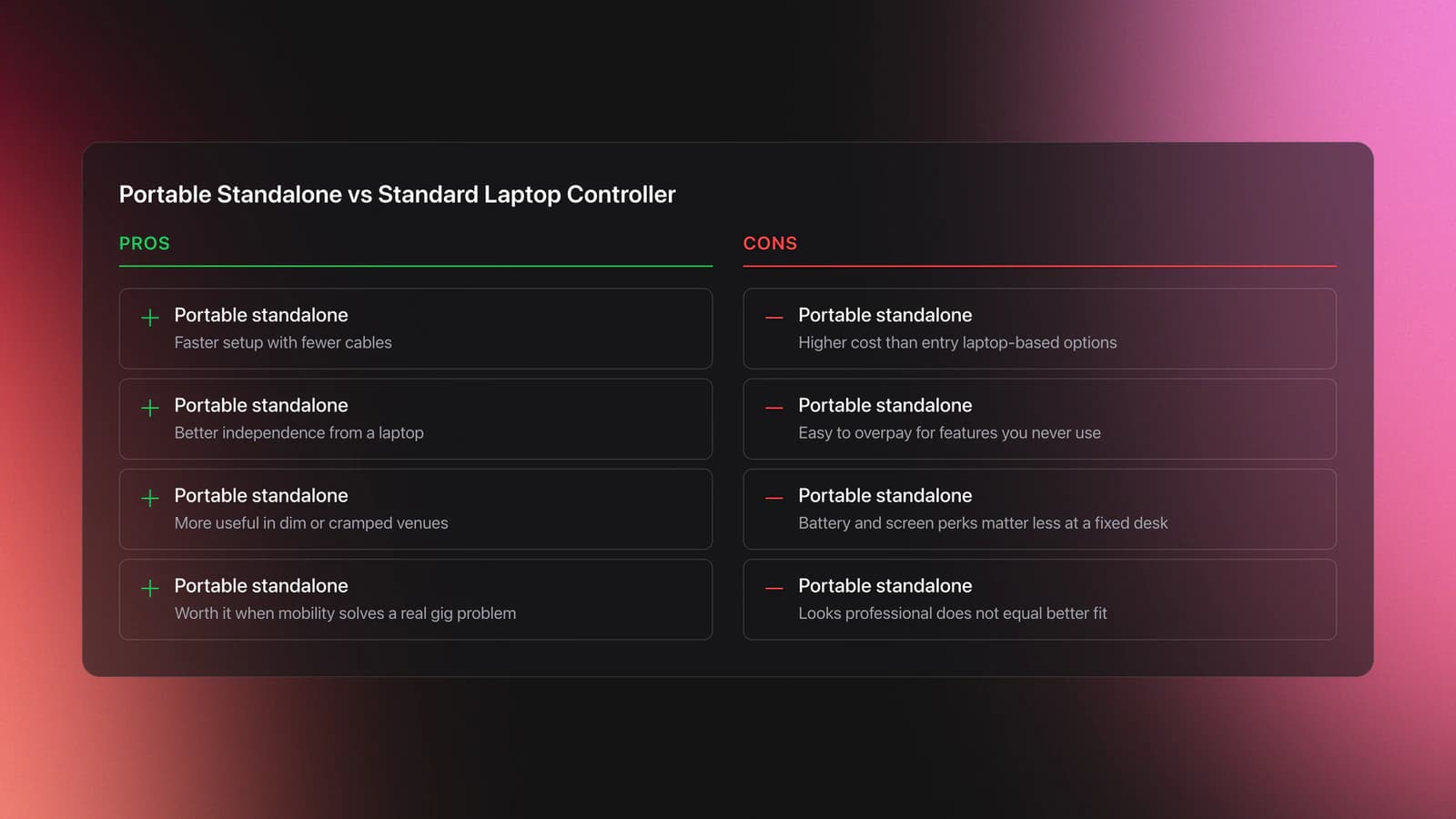
Worked example one. You play small underground events, carry your own gear, and set up fast in poor lighting. A compact system with a readable screen and minimal cable mess may beat a larger laptop-dependent controller, even if the bigger unit offers more controls.
Worked example two. You only play at home and at house parties where a laptop stand is no problem. In that case, a standard controller plus laptop often gives better value than paying extra for standalone hardware.
The current market reflects that split. AlphaTheta describes the OMNIS-DUO as a portable all-in-one DJ system on its official OMNIS-DUO product page, while Denon DJ describes the Prime GO+ as a battery-powered standalone unit on its Prime GO+ FAQ page. Those products solve mobility and independence problems, but they also cost more than laptop-based entry controllers.
That does not make them better for everyone. It means they are better for a narrower job.
A common failure mode at this level is buying portability you never use. The symptom is paying premium money for battery or standalone features, then practicing in the same fixed desk setup every week.
You will know a pro-oriented controller is worth it when it removes a real constraint. Faster setup, better booth visibility, fewer cables, or more confidence in live conditions are valid reasons. Owning something that looks serious is not.
If you play across different venues, preparation becomes part of the hardware decision. Some DJs keep separate set plans by date, energy, or venue type in Vibes, then export those organized playlists to performance software. That does not replace hardware skill. It reduces last-minute digging when your controller choice gives you less screen space or less time to think.
Best 2 Channel DJ Controller Cases
A lot of searches for best dj controller really mean best 2 channel dj controller. That is still the sweet spot for many DJs.
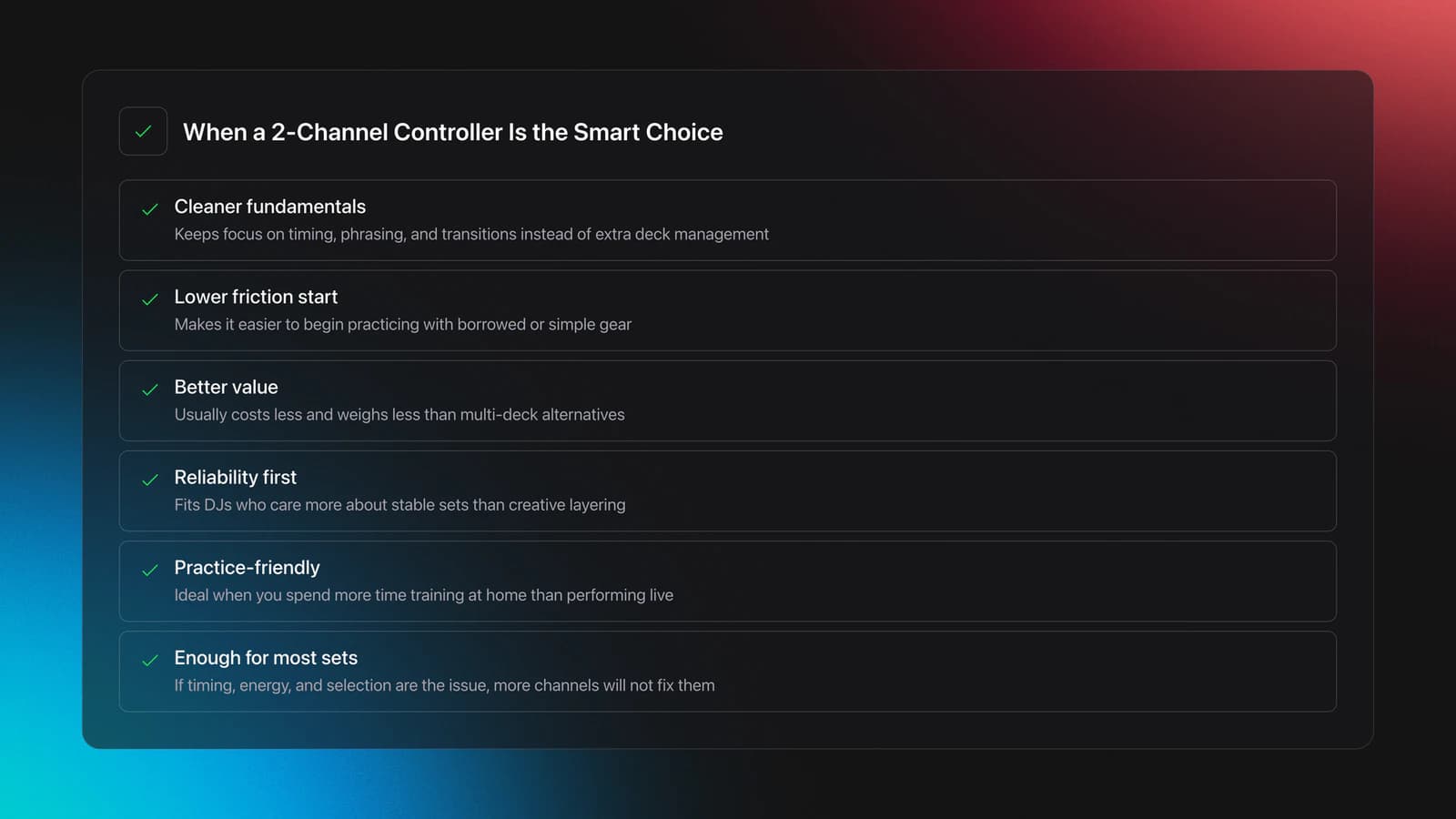
Two channels force cleaner fundamentals. You spend less attention on extra decks and more on timing, energy control, and selection.
This is also why many self-taught DJs progress faster than expected when they keep the setup simple. One common path starts with a friend, a borrowed controller, some downloaded tracks, and a makeshift setup on whatever furniture is available. That kind of low-friction start works because it keeps the focus on sharing music and finding flow, not on building a perfect rig first.
Choose a two-channel controller when:
- You mix genres that rely on long blends and controlled transitions.
- You are still building consistency with phrase matching.
- You want lower cost and lighter weight.
- You practice more than you perform.
- You care more about reliability than creative layering.
Do not confuse fewer channels with lower ceiling. Plenty of DJs can play excellent sets on two channels because the hard part is not the deck count. It is track choice under pressure.
One useful companion habit is crate discipline. Keep separate collections for openers, peak-time tracks, resets, and closers. If you manage a growing local library, tools like Vibes can help you sort by mood or function and keep that structure visible before export, but the main point is the method, not the app.
You will know two channels are enough when you rarely feel blocked by deck count. If your sets fail because of timing, energy, or selection, more channels will not solve the real problem.
DJ Controller Buying Mistakes
Most bad controller purchases come from the same pattern. The buyer tries to solve an unclear workflow with more hardware.
| Mistake | Why It Happens | How to Avoid |
|---|---|---|
| Buying four decks too early | More features look like faster progress | Start with the smallest setup that supports your actual practice |
| Ignoring software support | Brand marketing hides compatibility details | Check official hardware and software support before buying |
| Paying for standalone without need | Pro gear feels safer than beginner gear | List your real venues and setup conditions first |
| Choosing by influencer rank alone | Lists flatten different use cases into one winner | Match the controller to budget, venue, and workflow |
| Forgetting library workflow | Hardware feels more urgent than organization | Prepare crates, tags, and set folders before the first gig |
Common buying errors when choosing the best dj controller
DJ Controller Decision Checklist
Use this when you need a quick buying decision instead of more browsing.
| Scenario | Best Choice | Why | Next Action |
|---|---|---|---|
| You use laptop software and want first hardware | Entry-level 2-channel controller | Lowest cost and fastest learning path | Test two supported models in your budget |
| You play small gigs and carry your own gear | Portable controller or compact all-in-one | Reduces setup friction and transport pain | Measure your bag space and power needs |
| You want club-style workflow later | Controller with familiar pro layout | Shortens future transition to larger setups | Compare jog, mixer, and browser layout |
| You mostly practice at home | Laptop-dependent controller | Best value per feature dollar | Spend the savings on headphones and music |
| You already know you prefer turntables or media players | Skip controllers entirely | Your tactile preference matters more than price logic | Demo direct-drive or player-based setups before buying |
Quick decision guide for the best dj controller
Choose for Fit, Not Hype
The best dj controller is rarely the most expensive one. It is the one that lets you practice often, move confidently, and grow without fighting your setup.
Keep the decision simple:
- Start with your software, not the brand.
- Buy for your real venues, not imagined future gigs.
- Fix library structure before adding more hardware complexity.
If you want a next step, tighten your workflow around Rekordbox playlist organization, DJ set preparation, and how to organize DJ music by energy. Better decisions get easier when your practice and your library point in the same direction.
The visual way to organize your DJ library
Tag tracks by vibe. See everything at once. Export to rekordbox, Serato, Traktor or Engine DJ.
14-day free trial. Full access, no strings attached.
or see how it works
Techniques Covered


Equipment & Software
Featured Gear
Continue Your Learning Journey
Start Here First





Related Content

How to DJ With Just a Laptop (No Controller Needed)
intermediate
DJ Playlist Spotify: Mixing With Streaming Inside Rekordbox
intermediate
DJ Decks: 2 vs 4 Channel Buying Guide
intermediate
DJ Key Wheel Decision Framework: Four Safe Moves and Advanced Jumps
intermediate
Transition DJ Online: Browser Mixer Workflow
intermediate
DJ Transitions: The Three-Layer Handoff for Beginners
intermediate
DJ Record Pool Guide for Working DJs
intermediate
How To Mix In Key Live: Worked Transitions And Failure Fixes
intermediate
DJ Library Organization System: Tags, Crates, Keys
intermediateFrequently Asked Questions

Hey, it's Ben Modigell 👋
I DJ and produce as so I so: downtempo, minimal, dub house, tech house, and techno (releases on Spotify and SoundCloud, links above). Everything I write here comes from my own gigs, studio sessions, and library cleanups: the rules I follow, the failure modes I have actually hit, and the workflow I use when nobody is watching. If a technique did not earn its place in my own sets, it does not make it into a tutorial.


