Watch Direct Disco Services by DJ Andy’s tutorial above (24K views on YouTube).
This virtual dj tutorial is for new DJs who can load tracks but still struggle to match tempo, line up phrases, and make a clean transition. After reading, you will be able to use VirtualDJ on a laptop, read the waveform and beat grid, use sync without relying on luck, and practice beatmatching with a repeatable method.
The core idea is simple. Beatmatching has two jobs. First, match tempo. Second, line up the beat position so both tracks land together.
That distinction matters because beginners often think sync solves everything. It usually fixes tempo fast, but your transition still falls apart if you start the incoming track at the wrong phrase or drop point.
If you are also building your first digital workflow, this pairs well with a guide to DJ library organization, beatmatching by ear, phrase mixing basics, and setting cue points.
Virtual DJ Tutorial Setup on Laptop
Start with the simplest setup possible. Use your laptop, two compatible tracks, and VirtualDJ's default two-deck layout. Do not add a controller until you can explain what each screen element is telling you.
That matters even more now because the transcript centers on VirtualDJ 7, while the current official release is VirtualDJ 2026. VirtualDJ 7 is a legacy version, and VirtualDJ's official legacy page says older versions were deprecated and replaced under the unified current product line.
For this tutorial, the workflow still translates well. The names, panel layout, and extra features changed over time, but the core jobs did not. You still load two tracks, check BPM, watch the beat structure, set a start point, and align deck B to deck A.
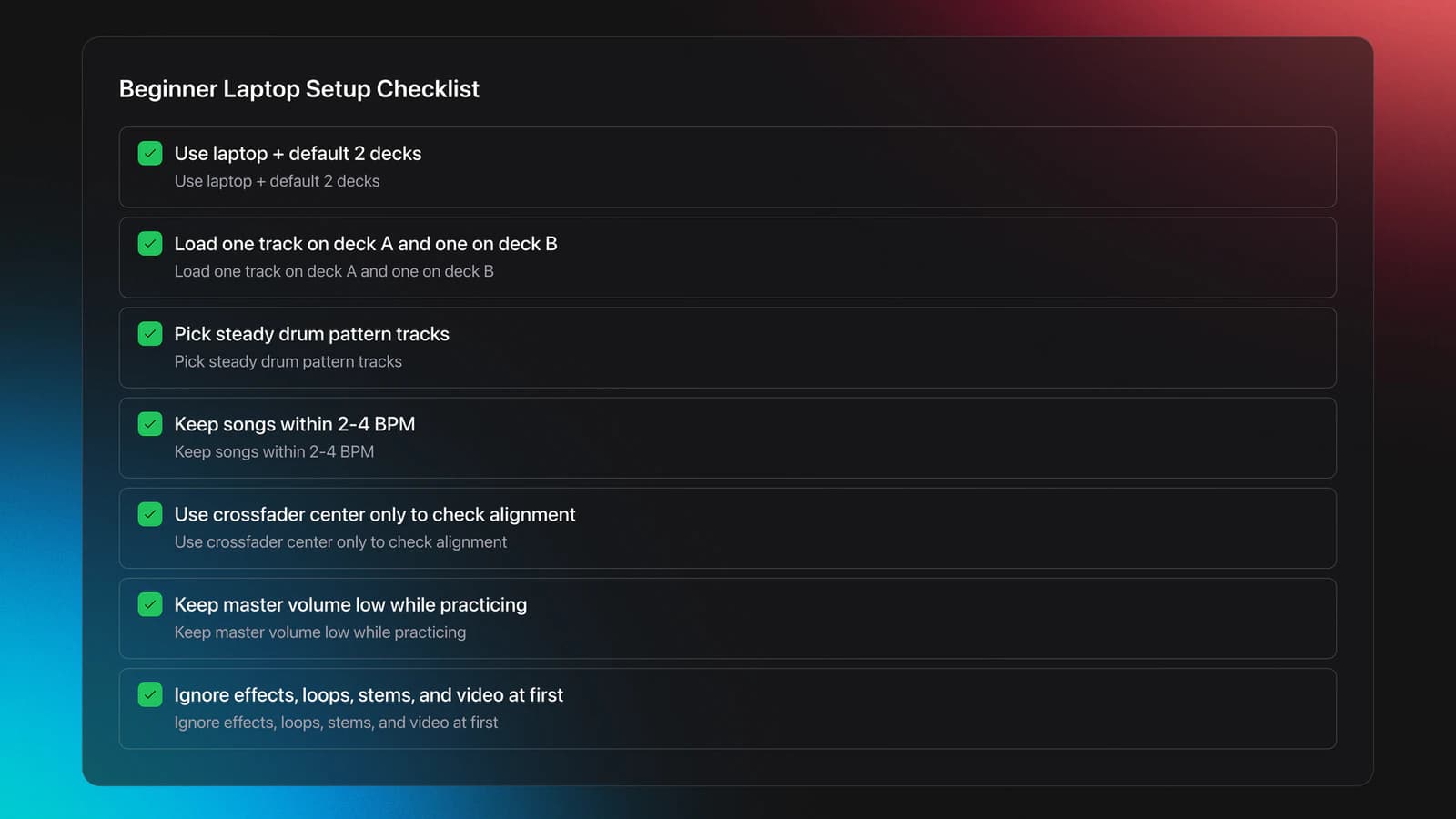
- Load one track on deck A and one on deck B.
- Choose tracks with a steady drum pattern.
- Prefer songs within 2 to 4 BPM of each other.
- Set the crossfader in the middle only for checking alignment.
- Keep master volume low while practicing.
A clean beginner pairing might be 126 BPM and 128 BPM. That is close enough to show what sync does, but different enough that you can hear drift if you skip the tempo match.
VirtualDJ's official download page confirms the software still supports laptop-only mixing, and its license page says the software is free for non-professional beginners who are not using professional gear. That makes laptop practice the easiest starting point before you spend money on hardware.
I would keep the goal narrow at first. Do not try to learn effects, loops, stems, and video mixing on day one. Learn how the decks move. Learn how bars repeat. Learn where a transition should start.
Read BPM, Bars, and Waveforms
This is the section most beginners skip. They want the button. What they actually need is the visual grammar of the software.
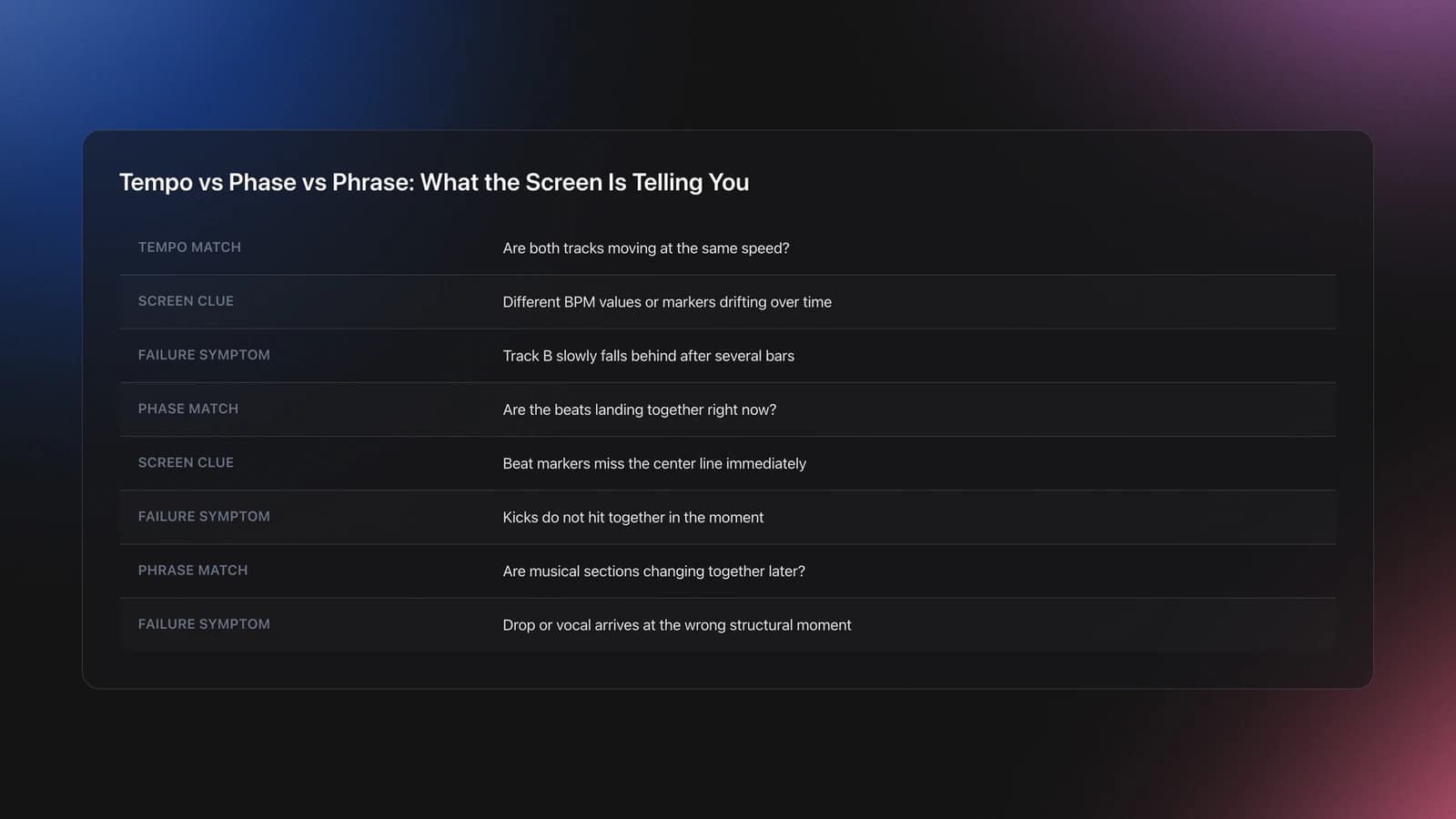
Start with BPM. BPM means beats per minute. If deck A is 128 BPM and deck B is 126 BPM, deck B will slowly lag behind if you play them together without adjustment.
Now look at the repeating beat pattern. Most dance music is counted in groups of four beats. You count it like this: 1, 2, 3, 4. Then the cycle repeats.
On many VirtualDJ layouts, one beat marker in the group is visually emphasized. That stronger marker helps you identify the start of each four-beat unit. In practice, it tells you where the bar resets.
A bar is not the same as a phrase. A phrase is usually a larger musical unit made of several bars. Many dance tracks change every 8, 16, or 32 beats. That is why phrase errors sound wrong even when the BPM is correct.
This is also where the transcript gives useful beginner advice. Watching the dots or beat markers crossing the center line is a simple way to train your eye before your ear catches up.
Here is a worked example.
- Deck A plays at 128 BPM.
- Deck B is loaded at 126 BPM.
- You start both tracks together.
- At first they seem close.
- After several bars, deck B falls behind.
That symptom tells you the tempo is mismatched. The beats are not just starting wrong. They are moving at different speeds.
Here is the second worked example.
- Both decks show 128 BPM.
- You launch deck B halfway through a phrase.
- The kicks hit together for a moment.
- The vocal or drop arrives at the wrong time.
That symptom tells you tempo is matched but phrase alignment is wrong. The software did one job. You still need to do the second job.
You will know you are reading the screen correctly when you can answer three questions without guessing: which track is faster, where the next downbeat lands, and whether the issue is tempo drift or bad phrasing.
A useful mental model is this: tempo match, phase match, phrase match. Tempo is speed. Phase is whether the beats land together right now. Phrase is whether the musical sections change together later.
If you are managing a bigger local collection, this is usually where preparation starts to matter more than technique. Some DJs use folders and notes. Others use a library tool like Vibes to organize tracks into custom categories, sort them with shortcuts, and keep related selections easy to find before they ever open their DJ software.
Use Sync the Right Way
A good virtual dj tutorial should explain sync clearly, not argue about whether it is cheating. Sync is a tool. The real question is whether you understand what it fixed and what it did not.
In the transcript, the instructor uses sync to line up the two decks by matching their beat structure. That is still a valid beginner exercise because it isolates one variable at a time.
VirtualDJ's user manual and hardware guidance describe sync as a function that matches tempo and phase against the opposite or master deck. In other words, sync can align speed and current beat position, but it depends on an accurate beat grid and does not automatically choose the best musical entry point.
So use sync like this.
- Play deck A and let it establish the outgoing groove.
- Cue deck B near the section where you want the mix to begin.
- Check both BPM readings.
- Press sync on deck B.
- Watch the beat markers or waveform alignment.
- Listen for clean kick alignment before touching the crossfader.
Notice what is missing from that list. There is no instruction to crossfade immediately. You verify first. Then you mix.
Worked example one. Deck A is 128 BPM. Deck B is 126 BPM. You press sync on deck B. Deck B shifts to 128 BPM and its beat markers line up with deck A. You now have tempo and phase alignment.
Worked example two. Both decks are around 124 BPM, but deck B was analyzed badly because the intro has weak drums. You press sync and the markers still look slightly off. The kicks flam, or you hear a soft double-hit. That is not a sync failure by itself. It is usually a grid or start-point problem.
The main failure mode here is blind trust. Beginners see the numbers match and assume the mix is safe. Then the bars drift, or the drop lands eight beats late, or the snare sounds doubled.
The fix is simple. Use sync, then validate with eyes and ears. If the waveform, beat markers, and kick pattern disagree, trust the evidence, not the button.
You will know your sync workflow is solid when you can press the button, explain the result, spot a bad grid within a few bars, and recover without stopping the mix.
That point matters in real practice. After years of shifting between intense daily sessions and more schedule-dependent sessions, experienced DJs usually improve fastest when they shorten the feedback loop. The more quickly you can identify why a mix failed, the faster your timing gets consistent.
Set Cue Points and Drop Points
This is where beatmatching becomes mixing. You can have perfect BPM alignment and still create a weak transition if you start the incoming track at the wrong place.
The transcript calls this the drop point. That is a practical beginner term. It means the exact moment you want the next track to enter so the structure feels intentional.
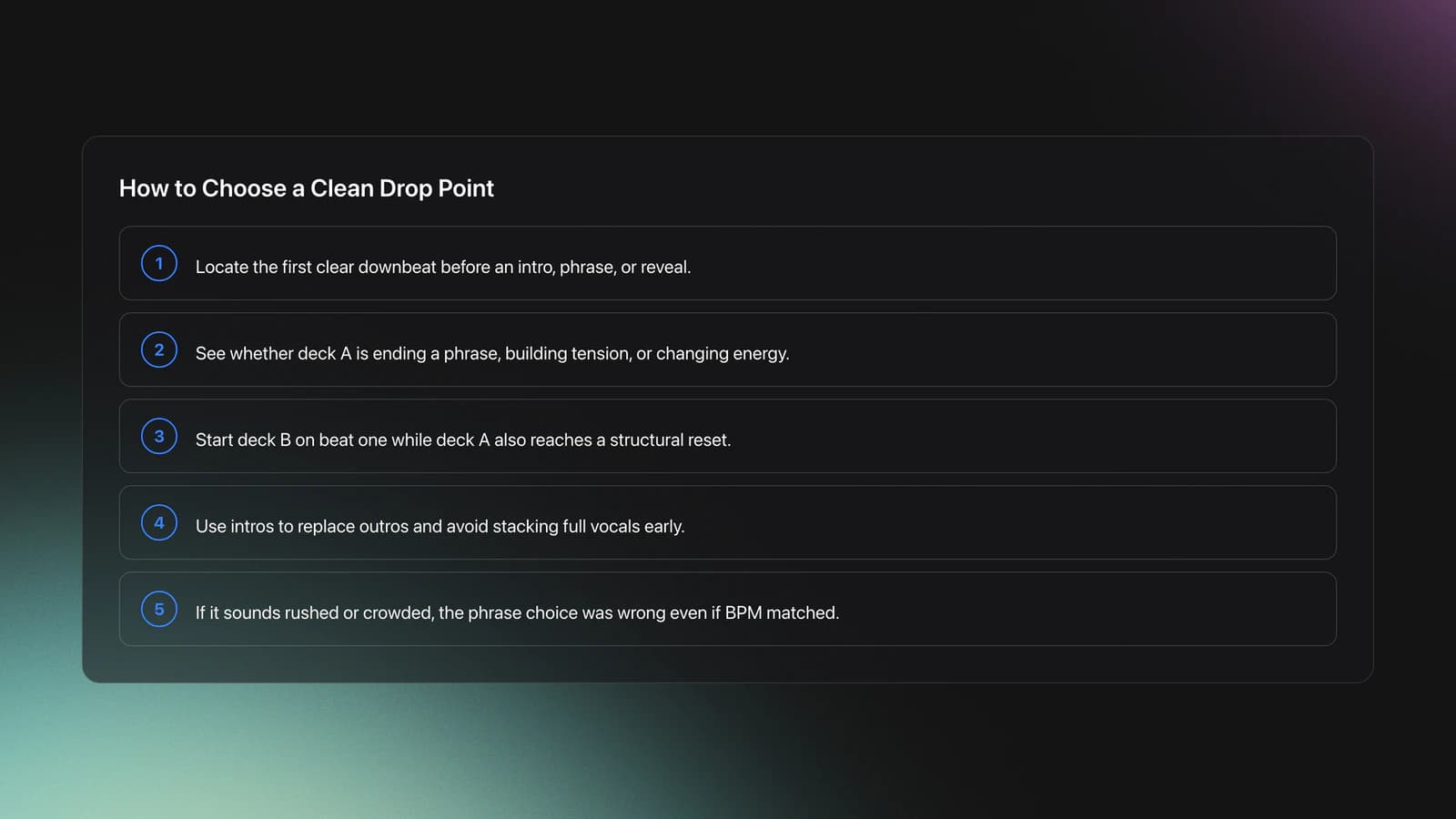
Start by finding the first clear downbeat before a useful musical section. That might be the start of the intro, the first kick after a breakdown, or the beginning of a vocal phrase you want to reveal.
Then ask a second question. What is deck A doing at that moment? Is it finishing a phrase, building tension, or about to drop energy? Your entry point should answer that context.
A simple beginner method is to mix phrase-to-phrase.
- Start deck B on the first beat of a new phrase.
- Begin while deck A is also at a phrase boundary.
- Let intros replace outros instead of stacking full sections.
- Avoid dropping a vocal over another lead vocal at first.
This connects directly to one common PAA question: What is the rule of 32 in DJing? In practice, many DJs count 32 beats, or eight bars of four, because major arrangement changes often happen there. It is not a law. It is a structural checkpoint.
Worked example one. Deck A is nearing the end of a 32-beat chorus. Deck B has a clean 16-beat drum intro. You launch deck B on beat one of deck A's final eight-bar phrase. The intro fills the space, and the next section lands cleanly.
Worked example two. Deck A is in a sparse breakdown with no kick. Deck B starts with a full kick and bassline. If you drop deck B too early, the energy jump feels abrupt. If you wait until deck A's rebuild ends, the transition sounds planned.
The failure mode is easy to hear. The transition feels rushed, crowded, or early even though the BPMs match. Beginners often call that a bad beatmatch. It is usually a bad phrase decision.
Validation Check
If you prepare sets ahead of time, the friction here is usually not knowing what to load next under pressure. Some DJs solve that with handwritten notes. Others use tools like Vibes to build hierarchical categories, prepare sets on a visual canvas, and keep BPM, key, and vibe-based options close at hand before the gig starts.
How to Operate a VirtualDJ?
You operate VirtualDJ by treating each deck like a job station. One deck is playing. One deck is preparing. The mixer section controls the handoff.
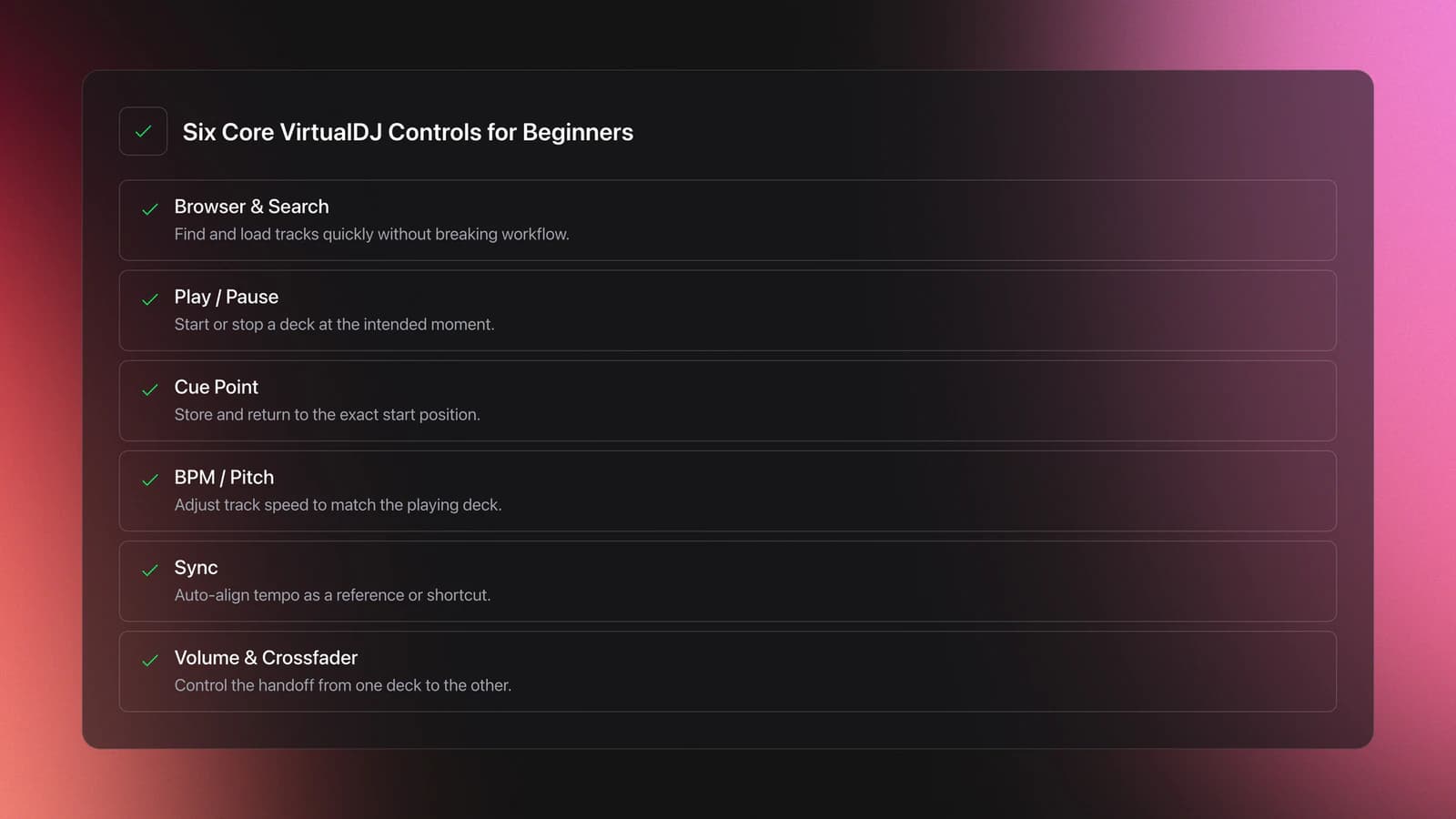
At minimum, focus on these controls first.
- Browser and search to find tracks fast.
- Deck play and pause.
- Cue or start position.
- BPM or pitch control.
- Sync.
- Channel volume and crossfader.
If you learn those six controls well, you can already build a basic set. Everything else is a layer on top.
For laptop-only practice, keyboard discipline matters. Search, load, cue, start, verify, and fade in the same order every time. A repeatable order reduces panic and makes mistakes easier to diagnose.
This also answers another PAA question indirectly. Yes, VirtualDJ is good for beginners because you can practice with just a computer, and the current official license structure keeps laptop-only home use free for non-professional learning.
If you later move to a controller, keep the same mental model. The hardware changes the feel, not the logic. You still prepare one track while the other plays.
That is also why controller choice matters less than most beginners think. From practical testing across laptop-dependent and standalone units, the useful differences are usually screen visibility, portability, and whether the layout helps you read timing in a dim room. The mixing logic stays the same.
Practice Routine for Virtual DJ Beginners
A strong virtual dj beginners tutorial should end with practice, not just explanation. Skill comes from short loops of action and feedback.
Use this four-week routine.
- Week 1. Spend 15 minutes a day reading BPM, counting bars, and identifying phrase starts.
- Week 2. Spend 20 minutes a day syncing two tracks, then checking if the kicks and markers really align.
- Week 3. Spend 20 minutes a day practicing cue points and phrase-matched entries.
- Week 4. Spend 25 minutes a day making full transitions without stopping after small errors.
Keep your practice library narrow at first. Use 10 to 15 tracks you know well. Familiar music reduces cognitive load, so you can hear timing errors faster.
The common self-taught path usually looks like this. You start informally, play with a friend, try things by feel, and slowly build structure later. That is normal. A lot of early progress comes from intuitive repetition, not formal drills.
Measure progress with observable signals.
- You can identify the downbeat in under five seconds.
- You can hear whether the kick is doubled or clean.
- You can launch the next track on a phrase boundary three times in a row.
- You need fewer restarts per practice session.
You are improving when your corrections get smaller. At first, you stop the mix. Later, you nudge and recover. Eventually, the audience would not notice.
Common Beatmatching Mistakes
| Mistake | Why It Happens | How to Avoid |
|---|---|---|
| Matching BPM only | You assume equal tempo means a finished transition | Check phrase position and listen for where sections change |
| Trusting sync blindly | A bad grid or bad start point still sounds wrong | Use sync, then verify with waveforms and kick alignment |
| Starting deck B too late | You wait for the perfect moment and miss the phrase boundary | Count bars in advance and prepare the entry early |
| Using tracks with unstable rhythm first | Weak intros make beat analysis harder | Practice with tracks that have clear drums and strong downbeats |
| Crossfading before checking | You rush the handoff once both decks are moving | Monitor alignment for a few bars before bringing the new track in |
The most common beginner errors in a virtual dj tutorial workflow are usually timing and structure errors, not missing features.
VirtualDJ Versions, Free Use, and Pro
The transcript refers to VirtualDJ 7 and compares it loosely with version 8. That matters because many searches still use old version language, including "virtual dj 7 tutorial basics."
As of April 21, 2026, the active current release on VirtualDJ's official download page is VirtualDJ 2026 build 8978. VirtualDJ's legacy page also states that older product lines, including VirtualDJ 7-era releases, were deprecated under the current umbrella product.
So if you are searching how to use virtual dj pro or how to use VirtualDJ for beginners, use current documentation unless you specifically need an old skin or old hardware workflow.
The official price and license pages also clarify the beginner path.
- Laptop-only home use is free for non-professional beginners.
- A Home license supports certain entry-level controllers at home.
- A Pro license removes those limits and is allowed for professional use.
That distinction matters because many beginners think "free" means fully unrestricted controller use at gigs. It does not.
Key Takeaways for This Virtual DJ Tutorial
The main lesson is straightforward. Beatmatching is not one skill. It is three linked checks: tempo, phase, and phrase.
Keep these takeaways in mind.
- Use sync as a starting tool, not a substitute for judgment.
- Read BPM and beat markers so you can diagnose errors fast.
- Choose cue points at phrase boundaries, not at random.
Once that feels stable, move beyond isolated transitions. Practice short sets, organize your tracks better, and build a repeatable prep workflow so your timing decisions get easier under pressure.
The visual way to organize your DJ library
Tag tracks by vibe. See everything at once. Export to rekordbox, Serato, Traktor or Engine DJ.
14-day free trial. Full access, no strings attached.
or see how it works
Techniques Covered

Sync Button Technique

Beat Matching
Track Analysis

Auto BPM Transitions Across Genres

Beat Juggling

Types of DJ Transitions
Master Tempo Adjustment
Cueing Tracks

Track Selection
Stem Separation

EQ Adjustments

Phrase Mixing
Spotify BPM and Key Analysis
Turntablism
Equipment & Software
Featured Gear
Official Manuals
Continue Your Learning Journey
Start Here First



Related Content
Transition DJ Online: Browser Mixer Workflow
intermediate
DJ Transitions: The Three-Layer Handoff for Beginners
intermediateHarmonic Mixing Guide for DJs: Energy & Workflow
intermediateHow To Mix In Key Live: Worked Transitions And Failure Fixes
intermediate
DJ Playlist Spotify: Mixing With Streaming Inside Rekordbox
intermediate
DJ Library Organization System: Tags, Crates, Keys
intermediate
DJ Key Wheel Decision Framework: Four Safe Moves and Advanced Jumps
intermediate
House Trance: Sound, Structure, Mixing
intermediateFrequently Asked Questions

Hey, it's Ben Modigell 👋
I DJ and produce as so I so: downtempo, minimal, dub house, tech house, and techno (releases on Spotify and SoundCloud, links above). Everything I write here comes from my own gigs, studio sessions, and library cleanups: the rules I follow, the failure modes I have actually hit, and the workflow I use when nobody is watching. If a technique did not earn its place in my own sets, it does not make it into a tutorial.