
Spotify BPM and Key Analysis
Spotify BPM and key analysis helps DJs and playlist builders judge tempo and harmonic compatibility before moving tracks into performance-ready software.
Spotify BPM and Key Analysis Tutorials



Spotify BPM and Key Analysis is the process of using Spotify's displayed tempo and song key data to sort, compare, and pre-screen tracks for smoother listening or future DJ preparation. For DJs, Spotify BPM and Key Analysis is useful because it speeds up discovery. It helps you spot likely tempo clashes, key conflicts, and compatible transitions before you move into full performance software.
This technique matters most during discovery and prep. If you regularly save tracks from playlists, radio, or recommendations, BPM and key data can turn random browsing into a focused workflow. In practical terms, Spotify BPM and Key Analysis helps you decide what deserves deeper testing, what belongs in a warm-up crate, and which tracks may work together in a future set.
What Is Spotify BPM and Key Analysis?
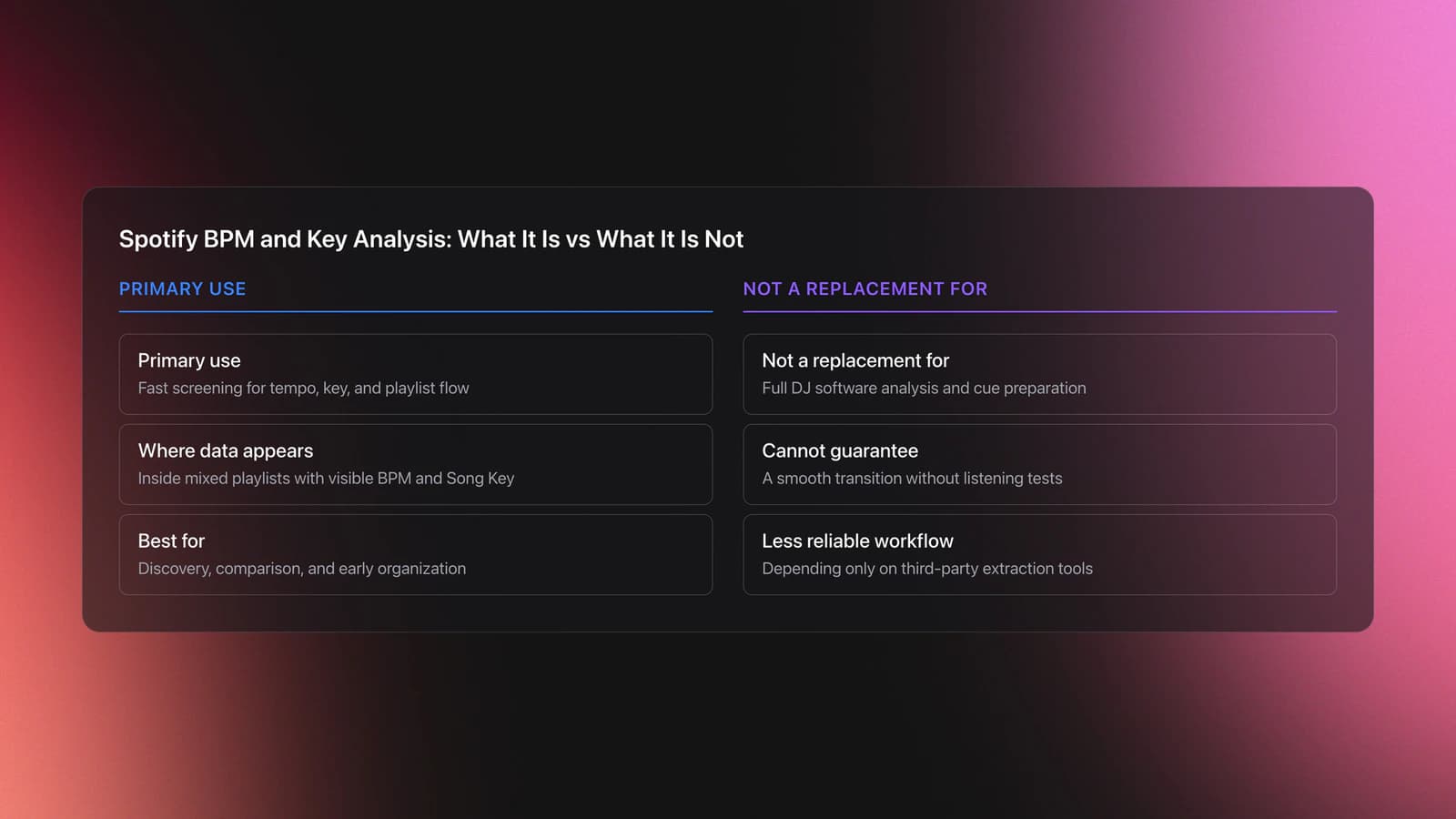
Spotify BPM and Key Analysis means reading Spotify's tempo and key information to estimate how easily tracks may blend. It is not the same as full DJ analysis. It is a fast screening method that helps you judge pace, harmonic fit, and playlist flow before deeper cueing and transition work.
Spotify now exposes BPM and Song Key inside mixed playlists, and its Smart Reorder feature can rearrange mixed playlists using BPM and key for smoother transitions. Spotify's support page also notes that each song in a mixed playlist displays BPM and Song Key, which confirms this is now an in-app user feature rather than only a developer-level data source.
Historically, many DJs relied on Spotify's developer ecosystem for track metadata. The Spotify Web API has long documented track metadata access patterns, and Spotify has also tightened developer access in 2025 and 2026. That means a workflow built only around third-party extraction tools is less stable than it used to be. The native app view is now more relevant for everyday preparation.
The key point is simple. Spotify BPM and Key Analysis helps with discovery, comparison, and early organization. It does not replace the final analysis inside DJ software, nor does it replace your ears. To turn this into set-ready skill, you still need to learn harmonic mixing basics and test actual transitions.
Why DJs Use It
DJs use Spotify BPM and Key Analysis because it cuts prep time. Instead of saving every interesting track and sorting later, you can make faster decisions while listening. That improves crate quality and keeps your library from filling with tracks that never fit your sets.
- Screen tracks by tempo range before export or purchase.
- Check likely harmonic compatibility between candidate tracks.
- Build better warm-up, peak-time, or after-hours playlists.
- Spot abrupt BPM jumps before they break playlist flow.
- Create smaller, cleaner practice groups for transition drills.
It is especially useful for house, techno, and other genres where narrow tempo bands make preparation easier. It also helps open-format DJs when they want to separate tracks by function rather than by broad genre alone.
How to Use Spotify BPM and Key Analysis
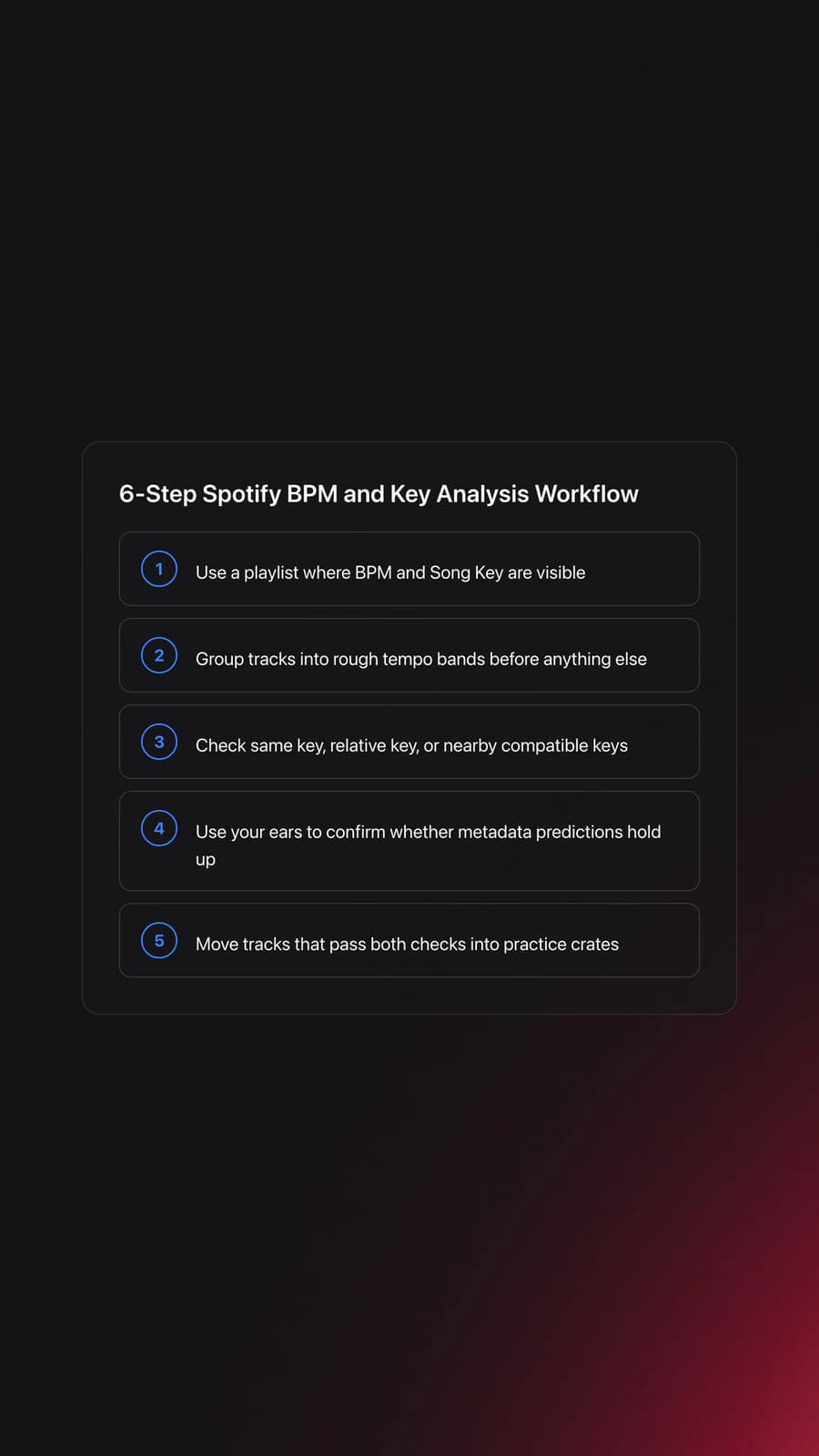
Use Spotify BPM and Key Analysis by checking tempo first, key second, and listening third. That order keeps your decisions efficient. BPM tells you whether a transition is plausible. Key tells you whether it may sound smooth. Your ears confirm whether it actually works.
| Step | Action | Key Point |
|---|---|---|
| 1 | Open a mixed playlist or build one for testing | You need visible BPM and Song Key data |
| 2 | Scan the BPM column or display | Group tracks into rough tempo bands first |
| 3 | Compare Song Key values | Look for same key, relative key, or near neighbors |
| 4 | Listen to 2-track transitions | Metadata suggests. Your ears decide |
| 5 | Move keepers into practice crates | Save only tracks that pass both checks |
| 6 | Re-analyze in DJ software later | Final grids and key results may differ |
Start with narrow filters. For dance music, a gap of a few BPM is easier to manage than a gap of fifteen. Then compare key. If two tracks share the same key, relative major or minor, or a nearby compatible key, they are stronger candidates for testing.
Then listen for the real issues metadata cannot fully predict. Groove feel, phrase length, intro density, vocal conflict, and low-end overlap still matter. This is why Spotify BPM and Key Analysis is a screening method, not an automatic mixing guarantee.
If you want the skill to transfer to the booth, pair this workflow with practice beat matching by ear. BPM numbers make selection faster, but transition control still depends on timing and touch.
What Spotify Data Can and Cannot Tell You
Spotify's BPM and key data can tell you whether tracks are likely to live in the same mixing neighborhood. It can also improve playlist ordering. Spotify's recent Smart Reorder feature uses BPM and key to rearrange mixed playlists, which shows the platform itself treats these values as useful transition signals.
What it cannot tell you is whether a mix will feel good in context. It does not solve phrase alignment, structural timing, EQ balance, or crowd energy. Two tracks may match on paper and still feel wrong because one drops too early, one has a busy vocal, or one has a kick pattern that fights the other.
There is also a format issue. Spotify's visible key labels are useful for comparison, but many DJs think in Camelot notation. If that is your language, translate the value before making harmonic decisions. That small extra step prevents false confidence.
Developer workflows add another limit. Spotify's platform rules and access changes in 2025 and 2026 make some external metadata tools less dependable for personal workflows than before. In other words, if a third-party analyzer breaks, the cause may be platform access, not your process.
Organize Findings for Practice
The fastest way to improve with Spotify BPM and Key Analysis is to save outcomes, not just tracks. Build small folders or playlists by function, such as 122-124 BPM warm-up, vocal transitions, or same-key rollers. That turns casual discovery into repeatable practice.
If you keep a large local collection, this is one place where Vibes can help without changing the technique itself. You can move approved discoveries into labeled categories for mood, energy, or function, then export those structures into your DJ software when you are ready to test full transitions.
A simple system works best. One folder for likely harmonic pairs. One for tempo bridges. One for tracks that looked right in Spotify but failed in real mixing. That last group matters because it teaches you where metadata stops being enough.
DJ educators have long emphasized coding and tagging systems for faster recall. A library workflow like the one described in the DJ TechTools library coding guide supports the same idea. Clear labels beat vague memory.
Practice Routine
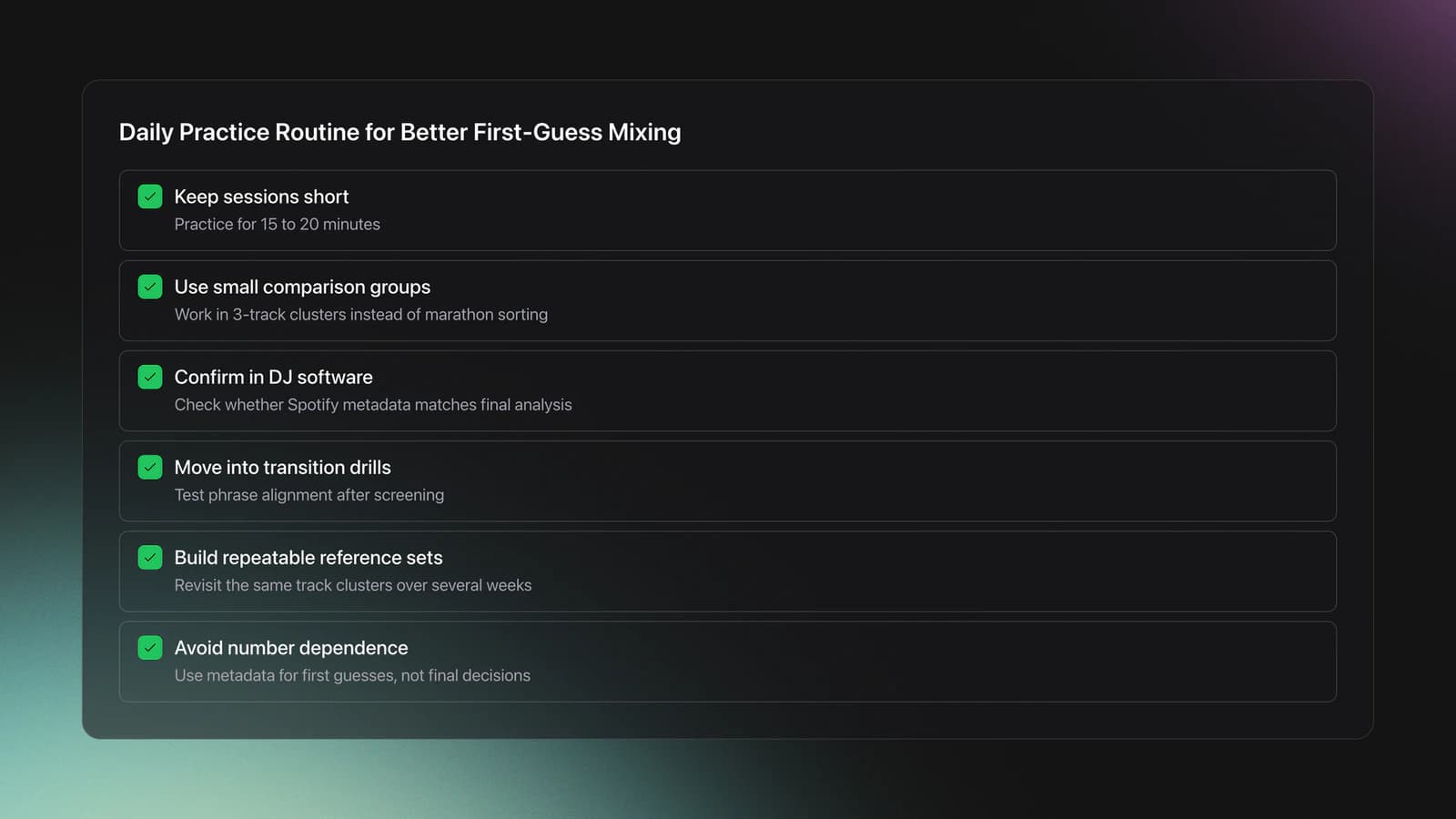
The best practice routine for Spotify BPM and Key Analysis is short, focused, and repetitive. Spend 15 to 20 minutes comparing small groups of tracks, then confirm your picks in DJ software. This creates a tight feedback loop between metadata and listening.
In practice, comparing three-track clusters worked better than marathon sorting sessions. You notice patterns faster. You also remember why a track passed or failed.
Your goal is not to become dependent on numbers. Your goal is to make better first guesses. Over time, you will spot tempo neighborhoods, harmonic comfort zones, and structural red flags much faster.
After the screening stage, move straight into transition drills. That is where improve phrase alignment in transitions starts to matter. A clean key match still fails if the swap lands on the wrong phrase.
If you keep recurring practice material, a structured reference library inside Vibes can help you revisit the same track clusters across several weeks. That makes progress visible and keeps your tests consistent.
Common Mistakes
Most problems with Spotify BPM and Key Analysis come from overtrusting metadata. The numbers are helpful, but they do not remove the need for listening. Good prep uses metadata as a filter, not a verdict.
| Mistake | Why It Happens | Solution |
|---|---|---|
| Treating BPM as exact mixing truth | Displayed tempo is only one part of mixability | Test groove and phrasing by ear before tagging a pair |
| Assuming same key always means smooth | Arrangement and timbre can still clash | Check vocals, bass overlap, and mood |
| Skipping final DJ software analysis | Spotify is a discovery tool, not final prep software | Re-analyze local files before performance use |
| Sorting too many tracks at once | Decision fatigue lowers judgment | Work in groups of 8 to 15 tracks |
Another common mistake is chasing perfect data. Track prep is rarely perfect on the first pass. It is better to build a shortlist, test it, and revise than to spend hours trying to predict every transition from metadata alone.
Troubleshooting
If Spotify BPM and Key Analysis feels unreliable, the problem is usually context, not the feature. Ask a simpler question first. Are the tracks from the same genre family, energy range, and structural style? If not, even accurate metadata may not help much.
If BPM jumps feel too large, narrow the pool. If key matches still sound awkward, check for vocal or bass conflicts. If third-party tools stop returning Spotify metadata, remember that Spotify has changed developer access rules, quotas, and eligibility requirements over the last two years. Some old workflows simply no longer scale the way they once did.
When This Technique Works Best
Spotify BPM and Key Analysis works best at the discovery and preparation stages. It is ideal when you are scanning large playlists, checking recommendations, or narrowing candidates before buying or importing local files.
It is less useful when you need exact beat grids, cue points, phrase markers, or club-ready confidence. At that stage, native DJ analysis tools are still the right place to finish the job.
Next Step Summary
Spotify BPM and Key Analysis is a practical filtering skill. It helps you move from random browsing to informed track selection, and it gives you a faster path into harmonic and tempo-aware preparation. Used well, it saves time and improves your hit rate when building transition candidates.
Key takeaways:
- Use BPM first, key second, and listening third.
- Treat Spotify data as a shortlist tool, not final proof.
- Re-test strong candidates in DJ software before performance.
Start with one genre, one playlist, and ten tracks. Build pairs, test them, and log what happens. From there, the progression becomes clear.
The visual way to organize your DJ library
Tag tracks by vibe. See everything at once. Export to rekordbox, Serato, Traktor or Engine DJ.
14-day free trial. Full access, no strings attached.
or see how it works
More Tutorials

Equipment You'll Need
VirtualDJ
optionalDJ software for Windows and macOS that handles audio mixing, video mixing, karaoke, stems, and broad hardware support.
Serato DJ Pro
optionalProfessional DJ software for mixing, performance, library management, recording, and hardware-integrated club workflows.
Pioneer DJ DDJ-FLX4
optionalA compact 2-channel DJ controller with built-in audio interface, USB-C connectivity, and beginner-friendly smart mixing features.
Pioneer CDJ-400
optionalA discontinued digital DJ media player that plays CDs and MP3 files from USB storage, and can also work as a MIDI controller and USB audio interface.
Pioneer DJ CDJ-3000
optionalProfessional flagship DJ media player with a 9-inch touchscreen, advanced MPU processing, and club-standard Pro DJ Link workflow.
Mixed In Key 11
optionalStandalone harmonic-mixing and library-prep software that detects keys, energy levels, cue points, and tags for DJ sets.
Platinum Notes 10
optionalPlatinum Notes 10 evens loudness, repairs clipped peaks, and prepares DJ files for more consistent playback in Serato, rekordbox, and Traktor.
Beatport
optionalBeatport is a DJ-focused electronic music store and streaming platform for discovering, buying, and streaming tracks into supported DJ software and hardware.
Pioneer DJ DDJ-1000
optionalA 4-channel rekordbox DJ controller with full-size jog wheels, onboard displays, and club-style mixer controls.
rekordbox
optionalCloud-connected DJ software for music management, performance, export prep, and club-standard hardware integration.
Pioneer DJ DDJ-400
optionalA compact 2-channel USB DJ controller built for rekordbox with a club-style layout aimed at new and progressing DJs.
VirtualDJ 7
optionalA legacy DJ software platform for audio and video mixing, controller mapping, and DVS playback on Windows and Mac.
DJControl Inpulse 200 MK2
optionalCompact 2‑deck USB DJ controller with built‑in audio, Beatmatch Guide LEDs, and Serato DJ Lite/DJUCED integration.
Numark Mixtrack Pro II
optionalA two-channel USB DJ controller with a built-in audio interface, touch-activated jog wheels, and performance pads for Serato-compatible mixing.
Traktor MX2
optionalA 2-channel DJ controller with integrated audio interface and tight Traktor Pro 4 integration for mixing, stems, effects, and performance pads.
Numark Mixtrack Pro FX
optionalA 2-deck USB DJ controller with a built-in audio interface, capacitive jog wheels, performance pads, and Serato DJ Lite support.
Frequently Asked Questions

Hey, it's Ben Modigell 👋
I DJ and produce as so I so: downtempo, minimal, dub house, tech house, and techno (releases on Spotify and SoundCloud, links above). Everything I write here comes from my own gigs, studio sessions, and library cleanups: the rules I follow, the failure modes I have actually hit, and the workflow I use when nobody is watching. If a technique did not earn its place in my own sets, it does not make it into a tutorial.