
Watch Mixed In Key & Captain Plugins SOFTWARE’s tutorial above (26K views on YouTube).
This mixed in key manual is for DJs who want a clear operating workflow inside the Mixed In Key app. If you are stuck on installing it, running analysis, reading Camelot codes like 5A, or fitting Platinum Notes into an existing collection, this gives you a practical click-path you can actually use.
By the end, you will know how to install and analyze, read 5A and related codes on screen, run batch analysis, choose key settings, and set up Platinum Notes without breaking file links. For the underlying theory of why harmonic moves work, see harmonic mixing basics. For managing the analyzed collection afterward, see the Mixed In Key database guide.
Which Version And How To Get It
If you searched for mixed in key download or which mixed in key version, start here before you analyze anything.
- The current desktop product is Mixed In Key Pro, sold from the official Mixed In Key site for Windows and macOS. It adds key and BPM detection, energy, cue points, mashup testing, and stem separation.
- There is a free trial. A limited demo lets you analyze a small batch so you can confirm detection on your own files before buying.
- Older numbered releases (for example "Mixed In Key 7" or 10-era builds) still appear in tutorials. The screens differ, but the analyze-then-read-codes workflow below is the same.
- Studio Edition (SE) is a separate in-DAW plugin for producers. It identifies sample and acapella keys in real time inside Ableton, Logic, or FL Studio. It is not the DJ desktop app, so reach for it only if you build edits.
Install the desktop app, open it once, and confirm it sees an audio output and a folder you can point it at. Then analyze.
Mixed In Key Manual: Core Workflow
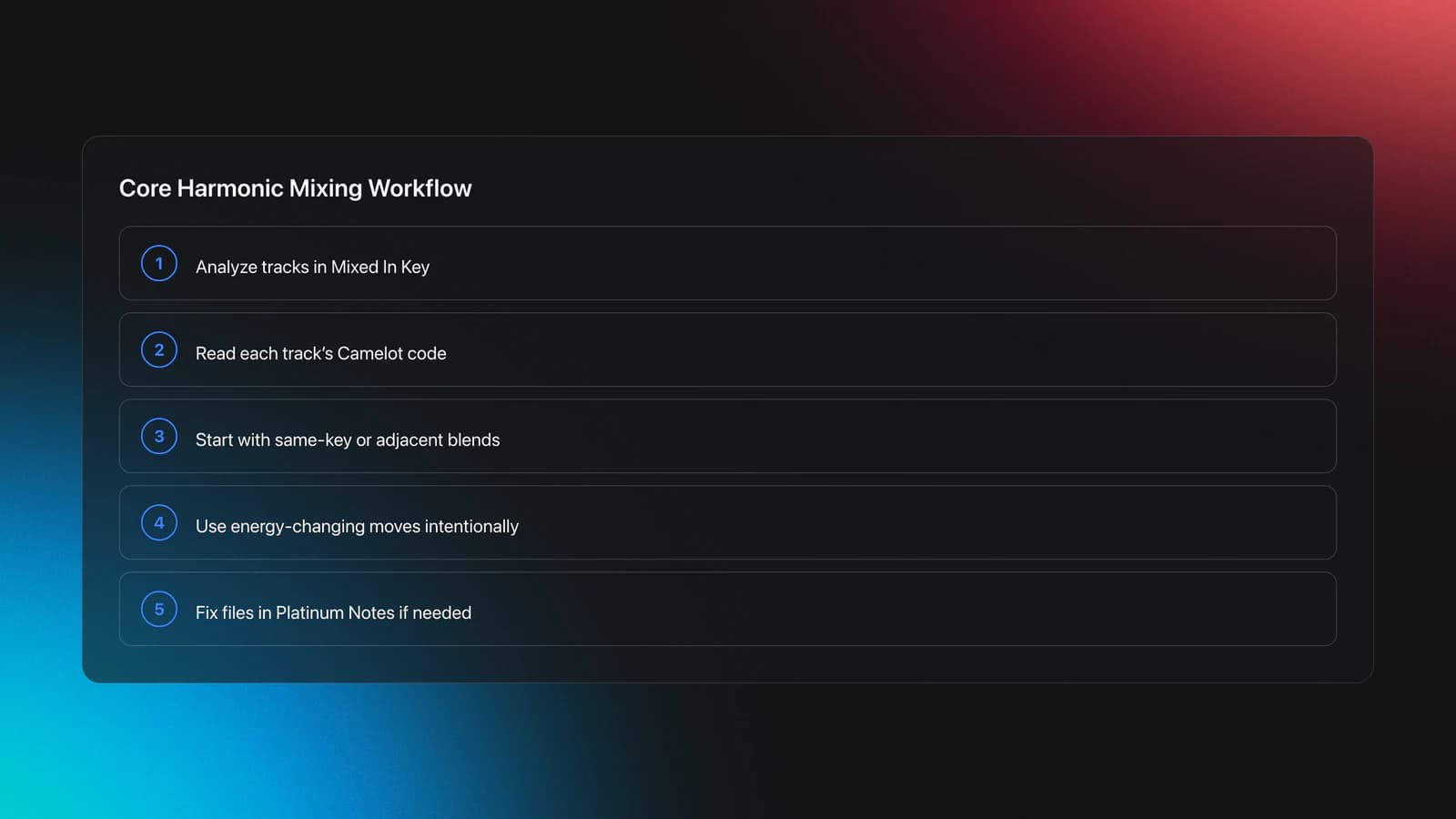
The shortest useful version of a mixed in key manual is this: analyze your tracks, read the Camelot code on screen, make conservative key moves first, and only then add advanced transitions.
- Analyze tracks in Mixed In Key.
- Read the Camelot code for each track in the collection screen.
- Start with same-key or adjacent-key blends.
- Use energy-changing moves only on purpose.
- If needed, repair files in Platinum Notes after analysis.
That order matters. Description comes before prescription. First understand what the key code is telling you. Then decide what kind of transition you want.
A useful mental model is the stability ladder. Same key is most stable. Adjacent number changes are still stable. Same number with a letter change adds color. Larger jumps create tension and should serve a clear crowd-control purpose. The full theory behind these moves lives in harmonic mixing basics; this manual focuses on doing it inside the app.
How To Analyze: The Analyze Button And Batch Flow
This is the practical heart of the app. The click-path is short once you know it.
- Add files. Drag a folder or use the Add Files / Add Folder control. Mixed In Key reads the files in place.
- Press Analyze. The Analyze button starts detection for everything in the list that is not already done. A progress indicator shows per-track status.
- Let the batch run. You can queue hundreds of tracks at once. Each finished track fills in key, BPM, energy, and auto cue points in its row.
- Watch analysis status. A track that stays blank or errors did not complete. Re-run Analyze on just that track.
Running this over my own collection, the batch is the easy part. The work that actually pays off is checking the few tracks that come back uncertain before trusting the codes.
Settings worth checking before a large batch:
- Key notation. Set the display to Camelot so codes read as 5A rather than a classical name. Keep this consistent with your DJ software.
- File handling. Decide whether Mixed In Key writes tags into the files or keeps results in its own collection. Match this to how your DJ app reads metadata.
- Cloud-synced files. Move iCloud, Google Drive, or Dropbox tracks to a local unsynced folder before analyzing, so links and tags stay stable.
Reading Camelot Codes In The App
If the phrase mixed in key manual really means "tell me what 5A means on my screen," start here. Mixed In Key shows each track's key as a Camelot code: the number marks position on the wheel and the letter marks mode. A means minor. B means major.
So mixed in key 5A means the track sits at Camelot 5A, a minor key position. In a set you do not translate it back into classical names. You only need to know what other positions mix cleanly with it.
The basic safe moves from 5A are 5A, 4A, 6A, and 5B.
- 5A to 5A: maximum stability
- 5A to 4A: one step down, still smooth
- 5A to 6A: one step up, still smooth
- 5A to 5B: same number, mode change, more lift
The code is not a command. It is a constraint map. It tells you which moves are likely to feel natural, not which move is always best.
Example one. You are playing a deep opening set and your current track reads 5A with a subdued low-end groove. Moving to another 5A track keeps the emotional color almost unchanged. That works when you want the room to settle rather than spike.
Example two. You are in 5A but want a slight brightening without changing the whole mood. Moving to 5B can add lift while keeping a logical harmonic relationship.
Failure mode: treating the code as the only filter. Two tracks can be harmonically compatible and still clash because phrasing, bass density, vocal register, or arrangement is wrong. The symptom is a technically correct mix that still sounds crowded.
Mixed In Key Harmonic Mixing Rules
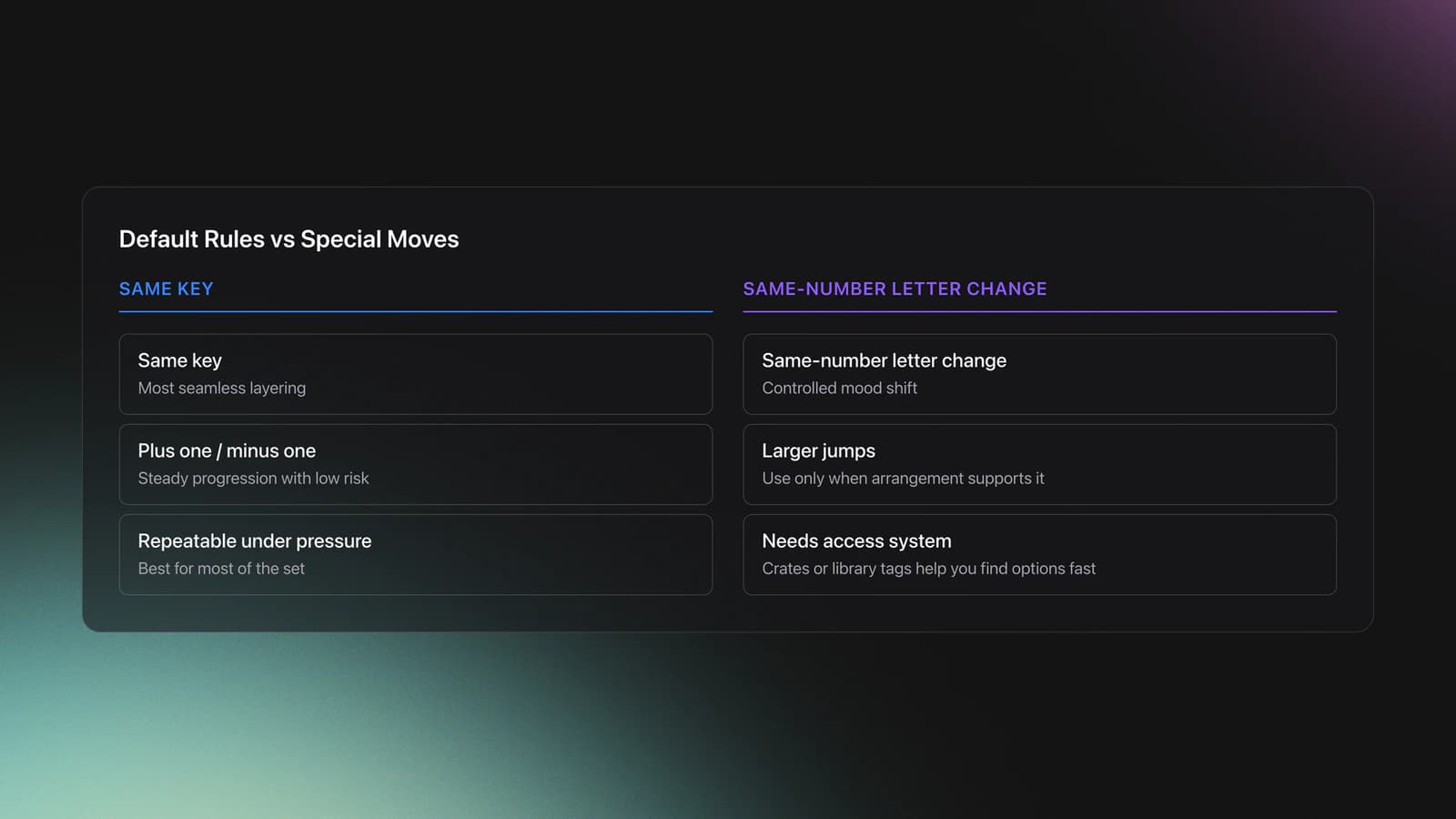
A good mixed in key tutorial separates default rules from special moves. Most of your set should rely on the default rules because they are repeatable under pressure. The advanced moves create contrast, not replacement for the basics.
- Use same-key moves for seamless layering.
- Use adjacent-number moves for steady progression.
- Use same-number letter changes for controlled mood shifts.
- Use larger jumps only when the arrangement can carry them.
Harmonic compatibility helps, but it does not solve every workflow problem. Underground sets, long blends, and mood-based programming often reward restraint more than flashy jumps. A club peak-time slot may tolerate harder directional changes.
How To Use Mixed In Key In Practice
If you searched for mixed in key how to or mixed in key how to use, the practical workflow is straightforward. Analyze first. Sort second. Audition third. Only then commit tracks to playlists or a set order.
Do not skip the audition step. Key detection is useful, but the final judge is still the transition in context.
A field-tested click-path looks like this.
- Run Analyze on a batch of tracks.
- Sort the collection by Key to group Camelot neighborhoods together.
- Within each group, sort by Energy, then scan arrangement and vocal density in the viewer.
- Test 2 to 3 candidate transitions per anchor track.
- Save only the combinations you would actually play.
Once the codes are analyzed, the codes themselves are only as useful as where you keep them; pulling the analyzed tracks into a set-prep tool like Vibes lets you turn those Camelot groupings into reusable crates you can browse by key on the night.
Example one. You have six tracks around 5A, 6A, and 5B. Instead of one long chain, choose one anchor at 5A, two conservative exits, and one brighter option at 5B. That gives flexibility without decision overload.
Example two. You are building a warm-up folder for a small room. Group 4A, 5A, and 6A tracks, then exclude anything with an overbearing lead or harsh top end. The result is a playable lane, not just a theoretical key cluster.
Failure mode: overfitting the set to the wheel. The symptom is that every mix is harmonically safe but emotionally flat.
Validation Check
Platinum Notes Setup In A Mixed In Key Manual
Platinum Notes is the companion repair tool. According to the Platinum Notes 10 FAQ, it integrates with Mixed In Key and can receive tracks directly with the "Fix with Platinum Notes" workflow. The official product page confirms support for Windows and macOS plus common audio formats.
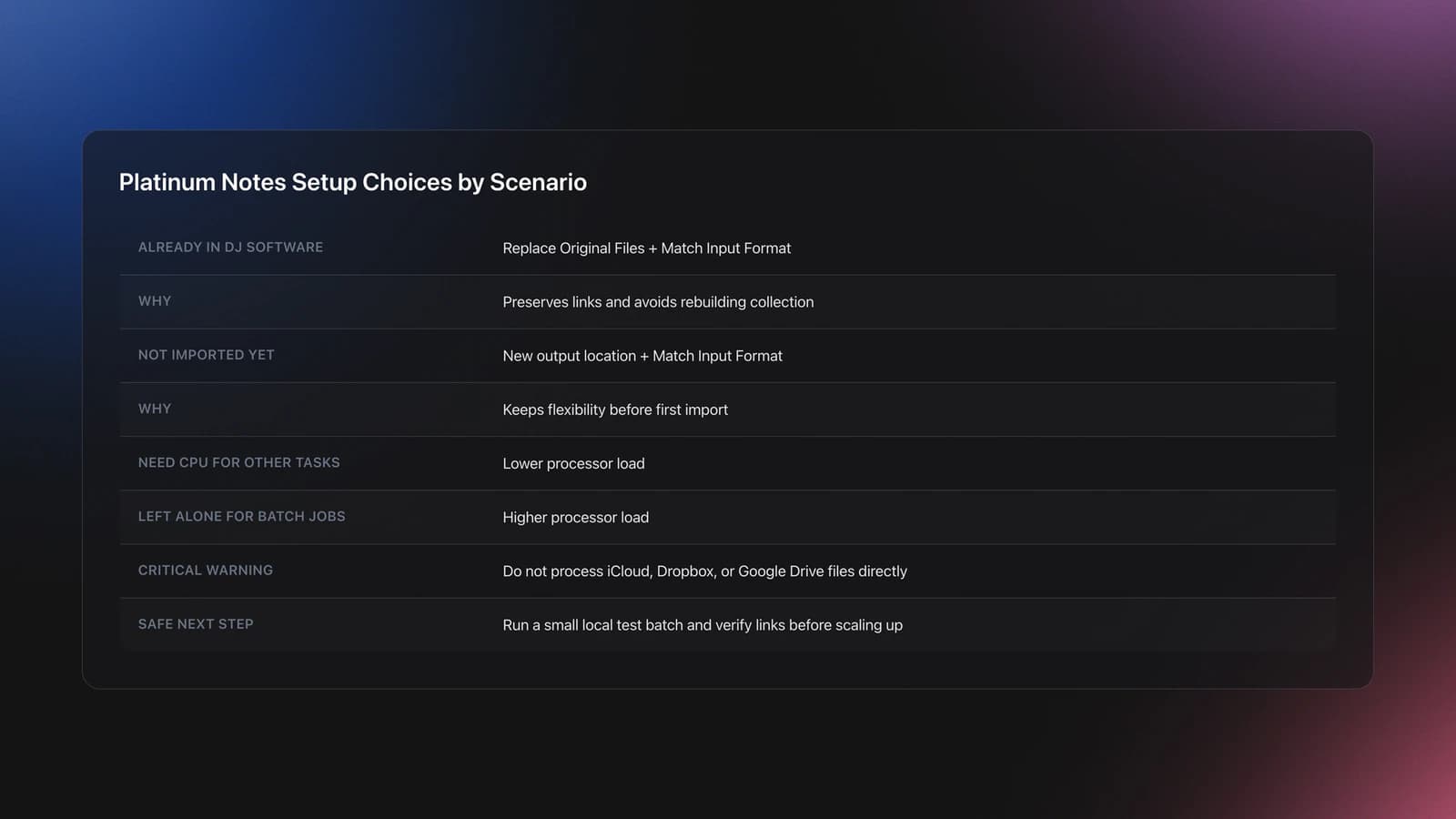
The safe setup choice depends on whether your tracks are already linked inside DJ software.
| Workflow Scenario | Best Setting | Why | Next Action |
|---|---|---|---|
| Tracks already in DJ software | Replace Original Files + Match Input Format | Preserves links and avoids rebuilding collection | Test on a small batch first |
| Tracks not yet imported anywhere | New output location + Match Input Format | Gives flexibility without breaking links | Process, then import the new files |
| CPU needed for other tasks | Lower processor load | Reduces interference with active apps | Run smaller batches while working |
| Computer left alone for batch jobs | Higher processor load | Finishes processing faster | Run overnight and verify outputs next day |
Quick decision guide for Platinum Notes setup
The strongest operational point is the replace-original option. Older workflows created duplicate files and forced painful relinking. Platinum Notes allows replacement while backing up originals, but restoration is not automated across third-party apps after you close the program.
So your risk is not the processing itself. The risk is closing the app before you confirm your DJ software still points to the files you expect.
Example one. You already have 2,000 tracks in Serato. Use Replace Original Files and Match Input Format on a 20-track test folder first. Check that cue points, tags, and file references remain intact. If they do, expand the batch.
Example two. You have just bought 50 new downloads and have not imported them anywhere. Output to a separate local folder, keep Match Input Format enabled for cleaner metadata carryover, then import only the processed files into your DJ software.
Failure mode: processing synced-cloud files directly. Tracks stored in iCloud, Google Drive, or Dropbox should be moved to an unsynced local folder first. The symptom is broken links, file permission issues, or unexpected sync conflicts after replacement.
You will know the setup is safe when the processed file opens normally in your DJ software, existing performance metadata stays visible, and the original backup remains recoverable inside the active Platinum Notes session.
One honest limitation. Platinum Notes can standardize loudness, repair clipped peaks, and improve consistency, but it does not replace track selection, arrangement judgment, or venue gain structure.
Mixed In Key Graph And Scale Questions
Users often search for mixed in key graph or mixed in key scale when they want a visual explanation. In practice, the useful "graph" is the Camelot Wheel itself. It is a circular relationship map, not a timeline or waveform. Its job is to show compatibility neighborhoods quickly.
The scale question is simpler than it sounds. Mixed In Key is not asking you to become fluent in formal scale theory during a set. It compresses that theory into a performance code you can read under pressure.
- Use the wheel view to find neighbors.
- Use auditioning to confirm emotional fit.
- Use arrangement and energy to decide final order.
The wheel is a live-decision shortcut, not a substitute for listening. That framing prevents most beginner misuse.
Common Mistakes With The Mixed In Key Manual
| Mistake | Why It Happens | How to Avoid |
|---|---|---|
| Treating key match as the only criterion | Camelot codes feel objective, so DJs ignore phrasing and bass conflict | Audition every transition and check arrangement overlap |
| Using advanced jumps too early | Energy tricks feel exciting in isolation | Build around same-key and adjacent moves first |
| Processing full libraries before testing | Replace-original workflow sounds convenient | Run a 10-20 track pilot batch and verify links |
| Working from synced cloud folders | Tracks appear local but are still managed by sync software | Move files to an unsynced local folder first |
| Assuming louder always means better | Processed files can sound more uniform, which feels instantly impressive | Judge on club translation, not just headphone impact |
Observable mistakes that cause most avoidable problems
Practice Routine For The Mixed In Key Manual
Use a short weekly routine instead of random browsing. The goal is to make three or four decisions feel automatic.
- Week 1: Spend 20 minutes building same-key and plus-or-minus-one chains from one genre folder.
- Week 2: Spend 20 minutes testing same-number letter changes and noting where mood lift feels natural.
- Week 3: Spend 20 minutes adding one advanced jump per mini-set, then remove any that sound forced.
If you perform regularly, keep notes on what actually worked in a room. That is more valuable than a perfect theoretical map.
Measuring Progress With Mixed In Key
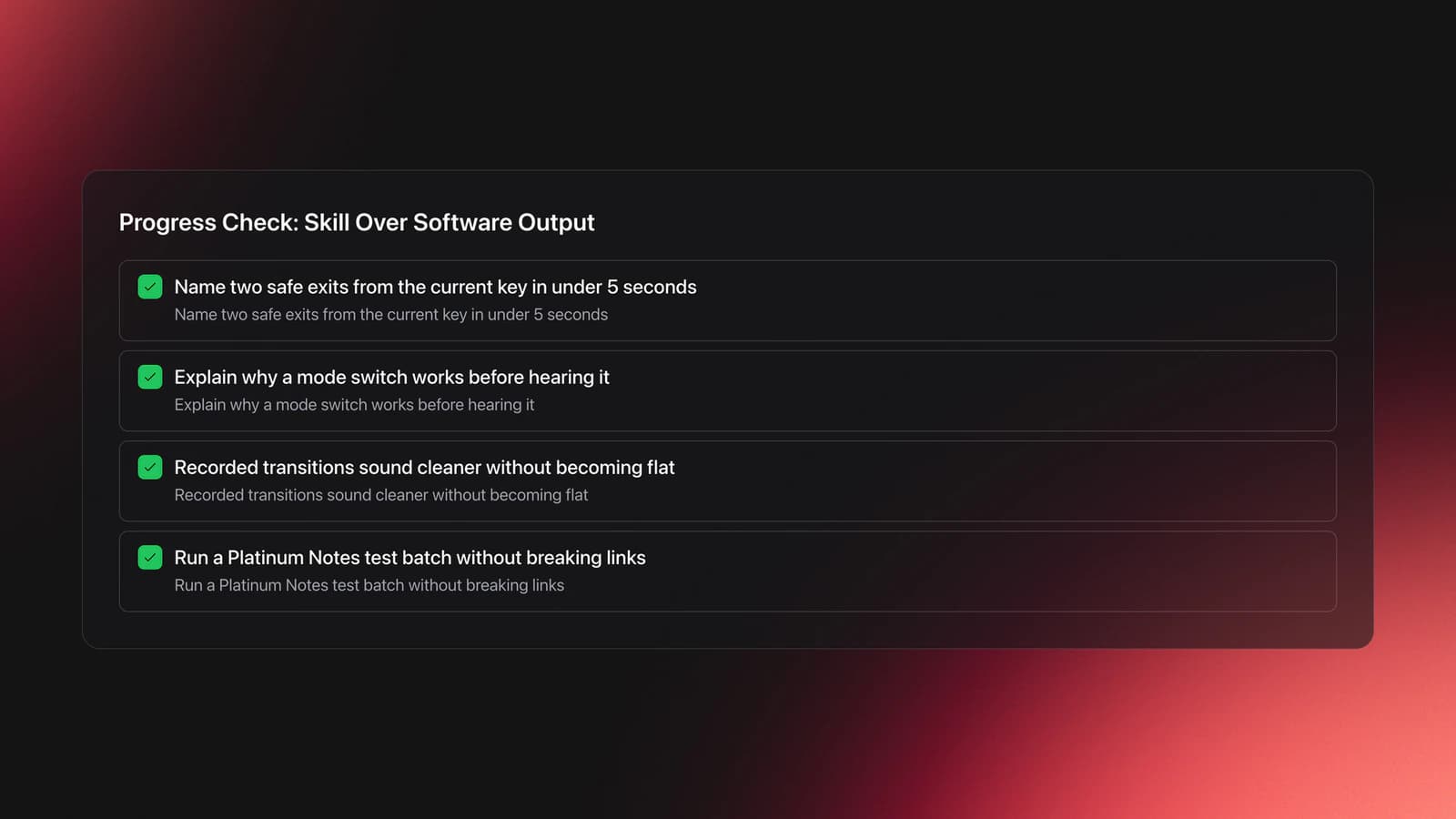
Measure decisions, not analysis count.
- Can you name two safe exits from your current key in under five seconds?
- Can you explain why a mode switch works before you hear it?
- Do your recorded transitions sound cleaner without becoming flatter?
- Can you run a Platinum Notes test batch without breaking links?
For adjacent prep systems, see DJ set preparation, playlist organization for DJs, and Rekordbox library workflow.
The visual way to organize your DJ library
Tag tracks by vibe. See everything at once. Export to rekordbox, Serato, Traktor or Engine DJ.
14-day free trial. Full access, no strings attached.
or see how it works
Techniques Covered

Multiband Dynamics Adjustment

Platinum Notes 10 Processing Templates

Camelot Key Display Setup in Rekordbox, Serato and Traktor

Camelot Wheel Guide for DJs

Spotify BPM and Key Analysis

Smart Playlists for DJs

Track Analysis

Cross-Platform Playlist Integration
Diagonal Direction Mixing

EQ Adjustments
Mic Control
Equipment & Software
Featured Gear
Continue Your Learning Journey
Start Here First


Related Content

How To Mix In Key Live: Worked Transitions And Failure Fixes
intermediateDJ Key Wheel Decision Framework: Four Safe Moves and Advanced Jumps
intermediateHarmonic Mixing Guide for DJs: Energy & Workflow
intermediate
DJ Playlist Spotify: Mixing With Streaming Inside Rekordbox
intermediate
DJ Record Pool Guide for Working DJs
intermediateDJ Library Organization System: Tags, Crates, Keys
intermediate
DJ Transitions: The Three-Layer Handoff for Beginners
intermediate
Transition DJ Online: Browser Mixer Workflow
intermediate
House Trance: Sound, Structure, Mixing
intermediate
How to DJ With Just a Laptop (No Controller Needed)
intermediateFrequently Asked Questions

Hey, it's Ben Modigell 👋
I DJ and produce as so I so: downtempo, minimal, dub house, tech house, and techno (releases on Spotify and SoundCloud, links above). Everything I write here comes from my own gigs, studio sessions, and library cleanups: the rules I follow, the failure modes I have actually hit, and the workflow I use when nobody is watching. If a technique did not earn its place in my own sets, it does not make it into a tutorial.

