
Mic Control
Mic control is the skill of using a DJ microphone with clear timing, level control, and crowd awareness without hurting the flow of the set.
Mic Control Tutorials

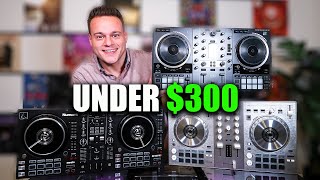
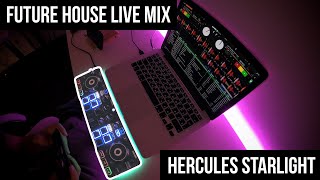
Mic Control is the DJ skill of speaking with purpose, timing, and clean level management while the music keeps moving. Good mic control helps you make announcements, raise energy, and guide a room without sounding rushed, buried, or intrusive. If you learn mic control well, you can sound calm over a club intro, confident at a wedding, and precise during a crowded transition.
For most DJs, mic control is less about talking more and more about talking better. The goal is simple. Be heard, be brief, and protect the flow of the set. Resources like the Digital DJ Tips microphone technique guide and the Digital DJ Tips DJ microphone guide both frame microphone use as a practical performance skill, not a separate talent.
What Is Mic Control?
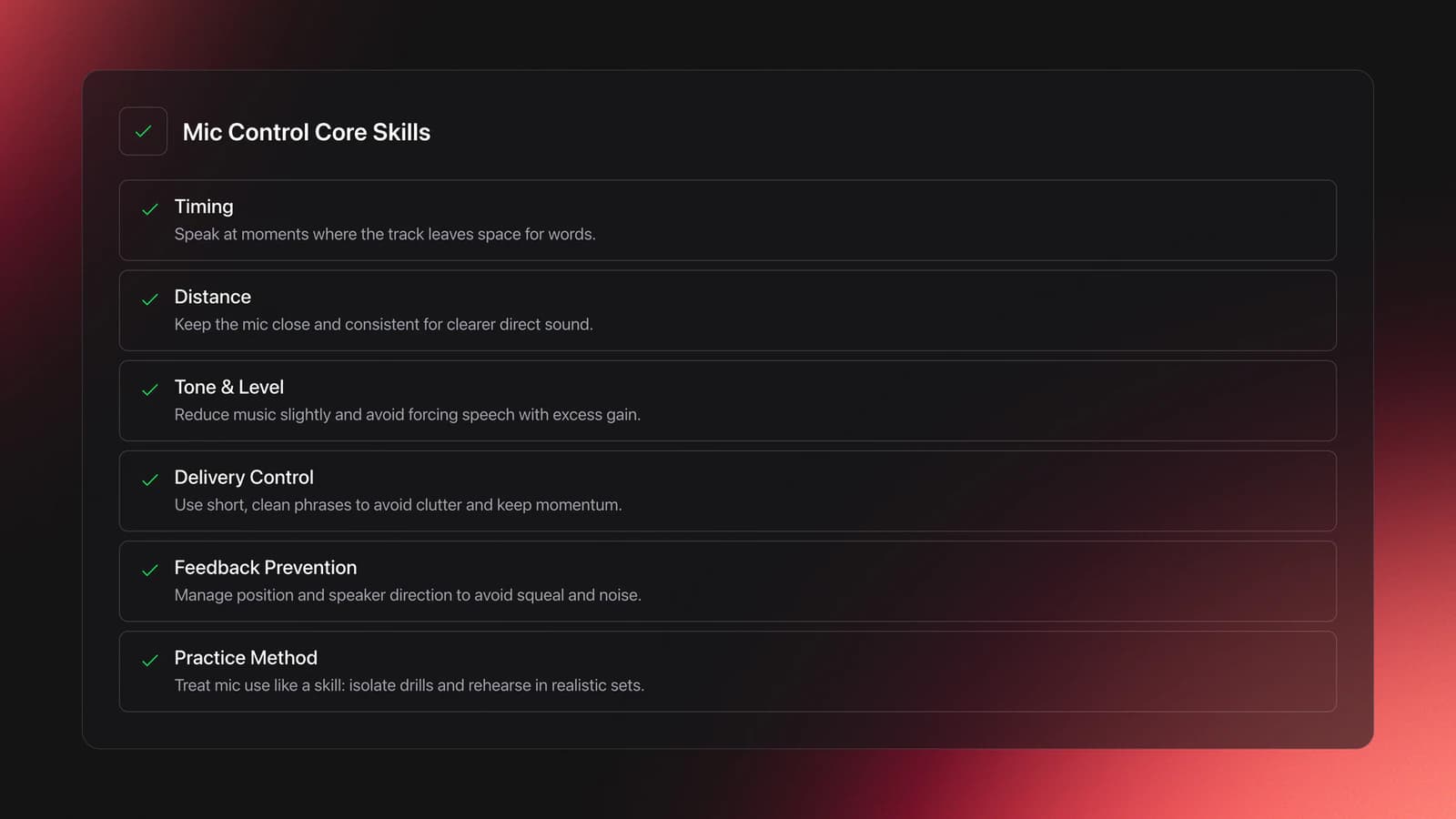
Mic control is the ability to manage timing, distance, tone, and level when using a microphone during a DJ set. In practice, that means choosing the right moment to speak, reducing music enough for intelligibility, holding the mic correctly, and avoiding feedback or messy delivery.
This matters because speech competes with music for the same attention. If the track stays too loud, your words disappear. If you over-talk, the room loses momentum. If your mic technique is weak, you invite pops, handling noise, or feedback.
Most DJs who improve fast treat mic use like any other technique. They isolate the skill, repeat short drills, and test it in realistic conditions. That is also why build solid beat matching fundamentals and learn phrase alignment for cleaner announcements make mic control easier. Timing is part of speaking well in a set, not just mixing.
Why Mic Control Matters
Mic control gives you a way to direct attention without breaking musical momentum. A good mic moment can introduce the next section of the night, reset the crowd before a drop, or deliver a clear instruction in seconds.
It is especially valuable in event work. Wedding DJs, open-format DJs, and mobile DJs often need clean announcements for toasts, schedule changes, or guest direction. Digital DJ Tips notes that many DJs who think they do not use microphones still need one when a venue or event suddenly demands it.
Even in club settings, selective MC use can add energy when done sparingly. The key is restraint. The best mic control sounds intentional, not constant.
- Create clear announcements without killing dancefloor energy
- Handle weddings, hosts, and guest moments with less stress
- Prevent feedback, clipping, and muddy speech
- Sound more confident in booths with loud monitors
Gear Basics for Mic Control
The best starting point for mic control is a handheld dynamic cardioid microphone and a mixer with mic gain control. The Shure SM48 product overview highlights why this style is common in live use: cardioid pickup helps reject off-axis sound, supports more gain before feedback, and reduces handling problems compared with less suitable mic types.
A mixer with mic EQ, low cut, or talkover gives you more control. The AlphaTheta DJM-V5 instruction manual documents microphone low-cut settings and talkover modes, both of which are useful for speech in loud DJ environments.
If guests will use the microphone, keep a simple backup plan. The Digital DJ Tips DJ microphone guide recommends considering lavalier options for non-professional speakers because many people drift too far from a handheld mic, forcing you to raise gain and risk feedback.
How to Use Mic Control
Good mic control starts before you say a word. Set the mic gain conservatively, test your speaking level, and identify where your booth monitors and main speakers sit. If the mic starts ringing, lower the level first and change position before touching EQ.
Then choose your moment. Speak during an intro, breakdown, outro, or low-density section where the arrangement leaves room for speech. This is also where use EQ mixing to create space for your voice becomes practical. Pulling some musical density away often works better than trying to overpower the room with more mic gain.
Hold the mic close and consistently. Shure guidance on live vocal technique stresses close placement for stronger direct sound and better rejection of surrounding noise, while also noting that live handheld mics need good shock protection to reduce handling noise. In other words, drifting the mic away usually makes clarity worse, not better.
Keep your message short. One line usually lands better than three. Say the key words early, use a steady pace, and stop speaking before the room gets tired of hearing you.
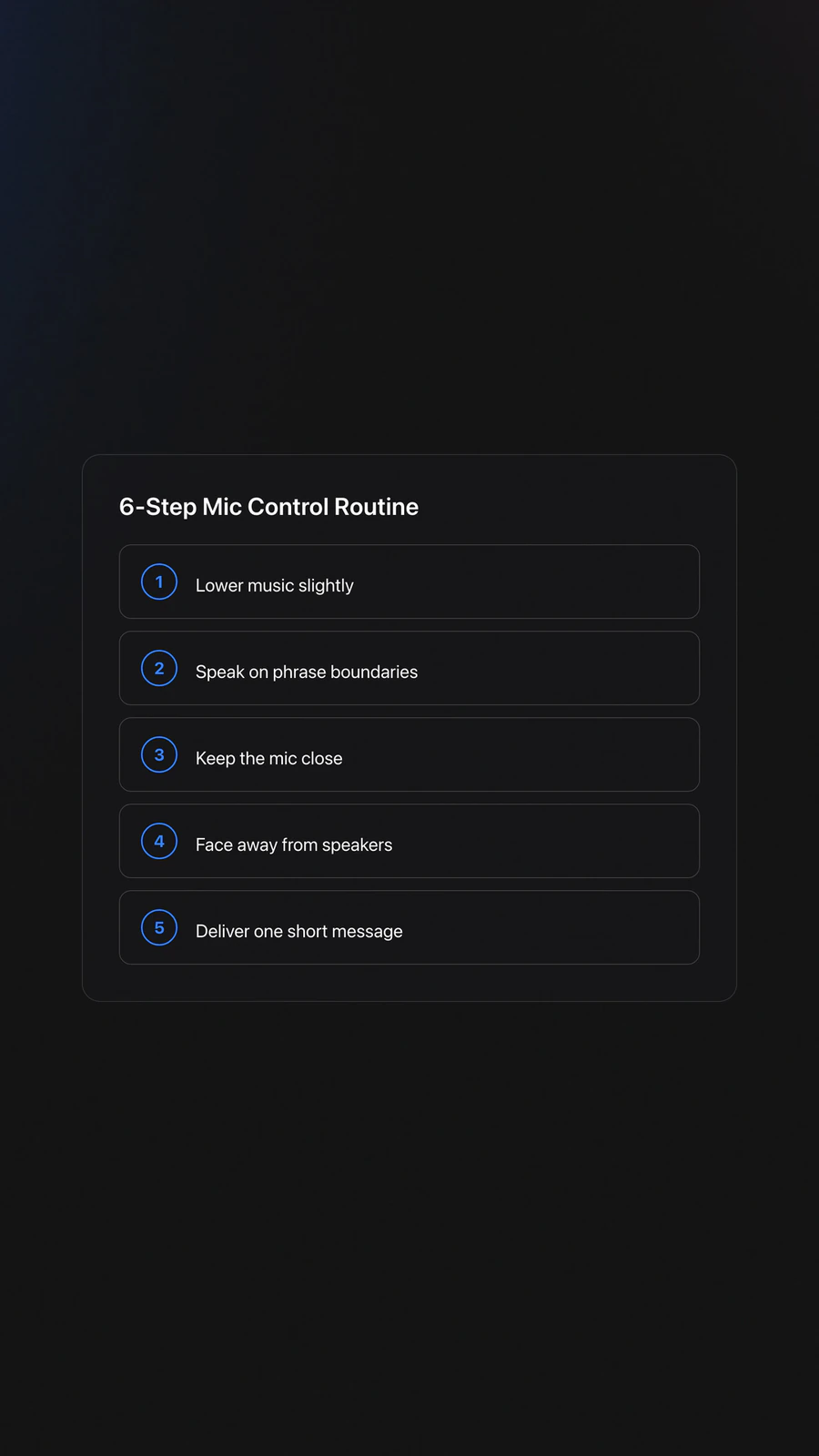
| Step | Action | Key Point |
|---|---|---|
| 1 | Lower music slightly | Aim for clarity, not a volume war |
| 2 | Speak on phrase boundaries | Use intros, breakdowns, or outros |
| 3 | Keep mic close to your mouth | Consistent distance improves intelligibility |
| 4 | Face away from speakers | Position matters more than extra EQ |
| 5 | Deliver one short message | Brevity keeps energy intact |
| 6 | Release and return to mixing | Get out before the moment drags |
Timing the Message Inside the Set
The best mic control answers one question first. Does this moment need words? If the music already carries the tension, adding speech can weaken the impact.
Use the mic when it changes outcomes. Examples include directing attention to a toast, cueing a countdown, welcoming a crowd after a reset, or lifting a chorus call-and-response. Avoid talking over dense vocals, busy synth leads, or major transitions that already demand focus.
Phrase timing matters here. Count 8, 16, or 32 bars and place your message so it ends before the next musical event. That keeps the audience from choosing between your voice and the record.
Most beginners wait too long and then speak in the busiest part of the arrangement. A better rule is simple. Speak just before the moment peaks, not during it.
Practice Drills for Mic Control
Mic control improves fastest with short, repeatable sessions. In practice, brief drills with clear constraints built confidence faster than occasional marathon rehearsals. The goal is not to sound hype at home. The goal is to make speech automatic under pressure.
Start with instrumental sections only. Load five tracks with clean intros and outros, then practice one-sentence announcements at matched volume. Record yourself and check for three things: timing, clarity, and whether the music still feels alive underneath the speech.
Next, practice reduction moves. Lower the master or channel level slightly, trim mids if needed, speak, then restore the mix smoothly. This drill teaches that mic control is half speech and half level choreography.
A structured library helps here. In Vibes, you can build small practice crates for intro tools, low-vocal tracks, and announcement-friendly transitions, then repeat the same drills over 2 to 4 week cycles without wasting time hunting for material.
Practice three message types. First, functional announcements such as set times or guest direction. Second, energy calls such as countdowns. Third, emergency instructions. Each requires a different tone, but all depend on the same mic control basics.
Common Mistakes in Mic Control
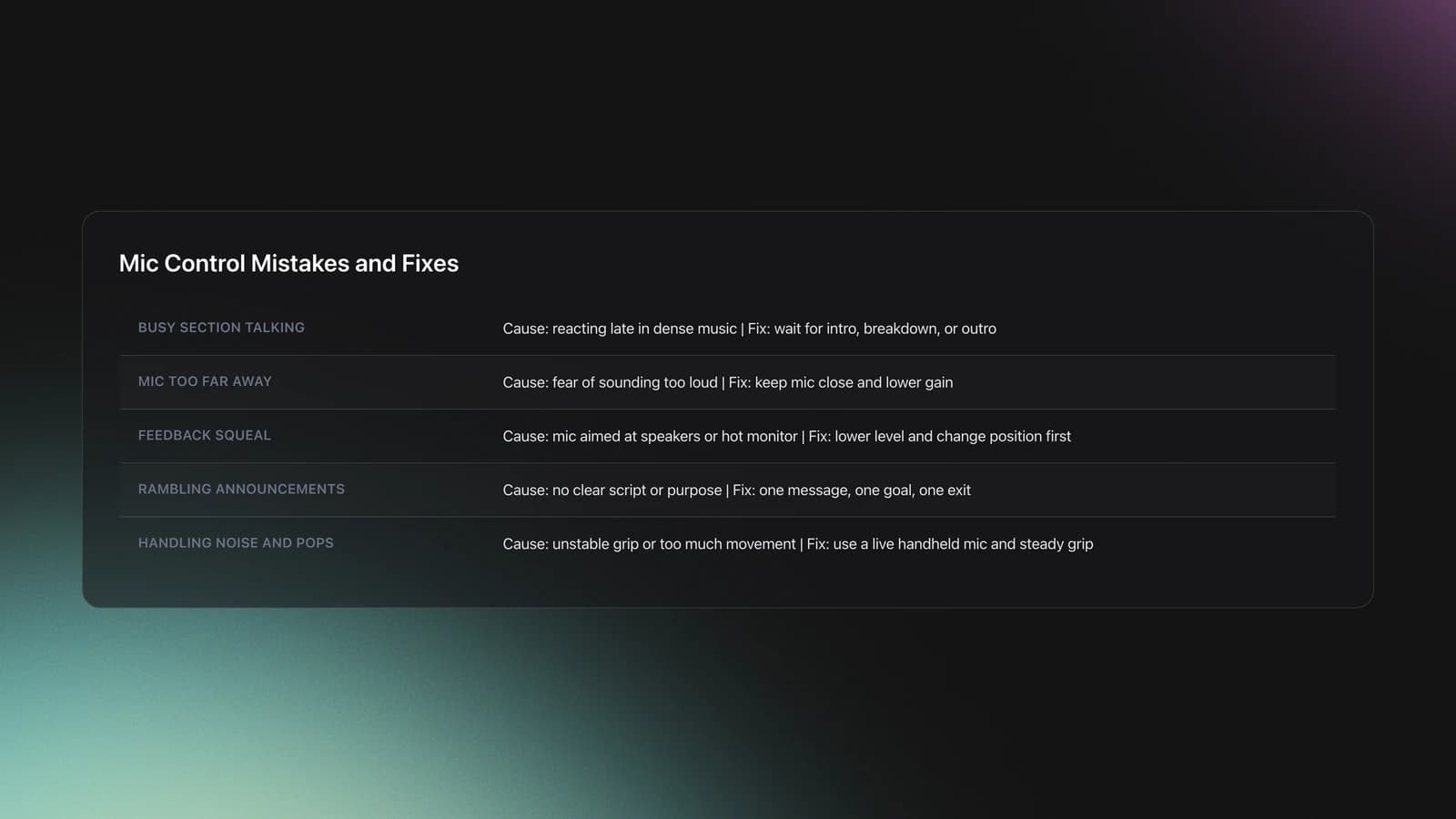
Most mic problems come from timing, distance, or gain. The fix is usually small. Choose a better phrase point, keep the mic position stable, or speak with less musical competition underneath.
| Mistake | Why It Happens | Solution |
|---|---|---|
| Talking over the busiest part of the track | The DJ reacts late and forces speech into a dense section | Wait for an intro, breakdown, or outro |
| Holding the mic too far away | Beginners fear sounding too loud | Keep the mic close and use lower gain |
| Feedback squeal | Mic points toward speakers or monitor is too hot | Turn down level and change position first |
| Long rambling announcements | No clear script or purpose | Use one message, one goal, one exit |
| Handling noise and pops | Grip is unstable or the mic is moved too much | Use a live handheld mic and keep your grip steady |
Troubleshooting Feedback and Clarity
If feedback starts, act fast and keep it simple. Lower the mic level, stop speaking, and move so the microphone is not facing a speaker. The Sweetwater microphone feedback guide emphasizes prevention over aggressive correction and notes that mic distance and placement strongly affect feedback risk.
If your voice sounds muddy, reduce low buildup and speak more directly into the mic. Shure and AlphaTheta sources both point to useful tools here: vocal mics often include bass roll-off behavior to control proximity effect, and some DJ mixers offer mic low-cut settings for speech use.
If your words still disappear, the music is probably too full in the same frequency range. Lower the track more, trim mids carefully, or wait for a cleaner section. Clear speech usually comes from better arrangement choices, not brute-force gain.
How Long Does Mic Control Take to Learn?
Most DJs can build functional mic control in 2 to 4 weeks of focused practice. That usually means short daily sessions, repeated message types, and honest playback review. Comfortable live use takes longer because room acoustics, crowd noise, and nerves change the challenge.
Consistent short sessions work best. Most instructors recommend repetition in context, and that matches real-world results. A DJ who practices five minutes of speaking inside every home session often improves faster than one who does a single long MC rehearsal each month.
A practical checkpoint is this. Can you deliver a clear 5 to 8 second message over a 16-bar intro, at performance volume, without clipping, drifting off phrase, or triggering feedback? If yes, your mic control is becoming usable.
Building Real-World Confidence
Confidence with a mic rarely comes from motivation alone. It comes from repetition under predictable conditions, then gradual exposure to less predictable ones. Start alone, then rehearse with speakers, then practice in front of one or two trusted people.
Keep a small script bank. Write versions of welcome lines, last-call reminders, birthday intros, and emergency instructions. That removes decision fatigue when the room is loud and your attention is split.
When you can deliver those cleanly, move on to more expressive moments. Add a short countdown. Add a room reset. Add a simple call-and-response. Build in layers.
Key Takeaways for Mic Control
Mic control is a DJ performance skill, not just a hardware setting. When you time speech well, lower the music with intent, and hold the mic correctly, your voice supports the set instead of interrupting it.
Start with short functional messages. Practice over intros and breakdowns. Keep the mic close, keep the message brief, and solve feedback with positioning before over-correcting EQ.
- Speak only when the moment needs words
- Create space for speech before adding mic level
- Practice short messages until delivery feels automatic
Your next step is simple. Rehearse one welcome line, one guest announcement, and one countdown over five tracks this week. Once that feels stable, expand into crowd interaction and longer event hosting moments.
The visual way to organize your DJ library
Tag tracks by vibe. See everything at once. Export to rekordbox, Serato, Traktor or Engine DJ.
14-day free trial. Full access, no strings attached.
or see how it works
Equipment You'll Need
Pioneer DJ DDJ-FLX4
optionalA compact 2-channel DJ controller with built-in audio interface, USB-C connectivity, and beginner-friendly smart mixing features.
Mixed In Key 11
optionalStandalone harmonic-mixing and library-prep software that detects keys, energy levels, cue points, and tags for DJ sets.
Platinum Notes 10
optionalPlatinum Notes 10 evens loudness, repairs clipped peaks, and prepares DJ files for more consistent playback in Serato, rekordbox, and Traktor.
rekordbox
optionalCloud-connected DJ software for music management, performance, export prep, and club-standard hardware integration.
Hercules DJControl Inpulse 500
optionalA 2-channel USB DJ controller with built-in audio interface, performance pads, and guided mixing features for home practice and small public sets.
Beatport
optionalBeatport is a DJ-focused electronic music store and streaming platform for discovering, buying, and streaming tracks into supported DJ software and hardware.
VirtualDJ
optionalDJ software for Windows and macOS that handles audio mixing, video mixing, karaoke, stems, and broad hardware support.
Serato DJ Pro
optionalProfessional DJ software for mixing, performance, library management, recording, and hardware-integrated club workflows.
Pioneer DJ DDJ-SB
optionalA compact 2-channel USB DJ controller designed for Serato DJ Intro and later supported with Serato DJ Lite and Serato DJ Pro.
Pioneer DJ DDJ-1000
optionalA 4-channel rekordbox DJ controller with full-size jog wheels, onboard displays, and club-style mixer controls.
Pioneer DJ CDJ-3000
optionalProfessional flagship DJ media player with a 9-inch touchscreen, advanced MPU processing, and club-standard Pro DJ Link workflow.
DJControl Inpulse 200 MK2
optionalCompact 2‑deck USB DJ controller with built‑in audio, Beatmatch Guide LEDs, and Serato DJ Lite/DJUCED integration.
Pioneer CDJ-400
optionalA discontinued digital DJ media player that plays CDs and MP3 files from USB storage, and can also work as a MIDI controller and USB audio interface.
Numark Mixtrack Pro II
optionalA two-channel USB DJ controller with a built-in audio interface, touch-activated jog wheels, and performance pads for Serato-compatible mixing.
Traktor MX2
optionalA 2-channel DJ controller with integrated audio interface and tight Traktor Pro 4 integration for mixing, stems, effects, and performance pads.
Serato DJ Lite
optionalFree two-deck DJ software for Mac and Windows that introduces Serato’s workflow, controller support, and basic mixing tools.
Pioneer DJ DDJ-400
optionalA compact 2-channel USB DJ controller built for rekordbox with a club-style layout aimed at new and progressing DJs.
Numark Mixtrack Pro FX
optionalA 2-deck USB DJ controller with a built-in audio interface, capacitive jog wheels, performance pads, and Serato DJ Lite support.
Pioneer CDJ-1000
optionalA discontinued professional CD-based DJ player that helped define the modern club-standard jog-wheel workflow.
VirtualDJ 7
optionalA legacy DJ software platform for audio and video mixing, controller mapping, and DVS playback on Windows and Mac.
Frequently Asked Questions

Hey, it's Ben Modigell 👋
I DJ and produce as so I so: downtempo, minimal, dub house, tech house, and techno (releases on Spotify and SoundCloud, links above). Everything I write here comes from my own gigs, studio sessions, and library cleanups: the rules I follow, the failure modes I have actually hit, and the workflow I use when nobody is watching. If a technique did not earn its place in my own sets, it does not make it into a tutorial.