Curation
Curation is the DJ technique of selecting, grouping, and sequencing tracks so a set has direction, contrast, and the right energy at the right time.
Curation Tutorials



Curation is the skill that turns a pile of good tracks into a set people remember. For DJs, curation means choosing the right records, grouping them by purpose, and placing them in an order that creates movement, tension, and release. If you can already master beat matching fundamentals, curation is the next layer that makes your mixes feel intentional.
Learning curation matters because technical mixing alone does not create a journey. Strong curation helps you open with confidence, control energy, avoid repetitive choices, and reach for the right tune faster when the room shifts. In practice, good music curation also reduces panic, because your next options are already filtered by mood, function, and compatibility.
In DJ workflow terms, curation sits between digging and performance. You collect music, then refine it into playable groups by genre, vibe, energy, event type, and function. Crossfader's library organization guide stresses that DJs organize to find the right track at the right moment, often using playlists, tags, energy labels, and event-based folders. The same guide also recommends trimming weak or low-quality files so your library stays playable rather than bloated.
What Is Curation?
Curation is the process of selecting, organizing, and sequencing tracks for a clear performance purpose. In a DJ context, that purpose might be a warm-up set, a peak-time club hour, a genre-specific mix, or a flexible crate for reading the room.
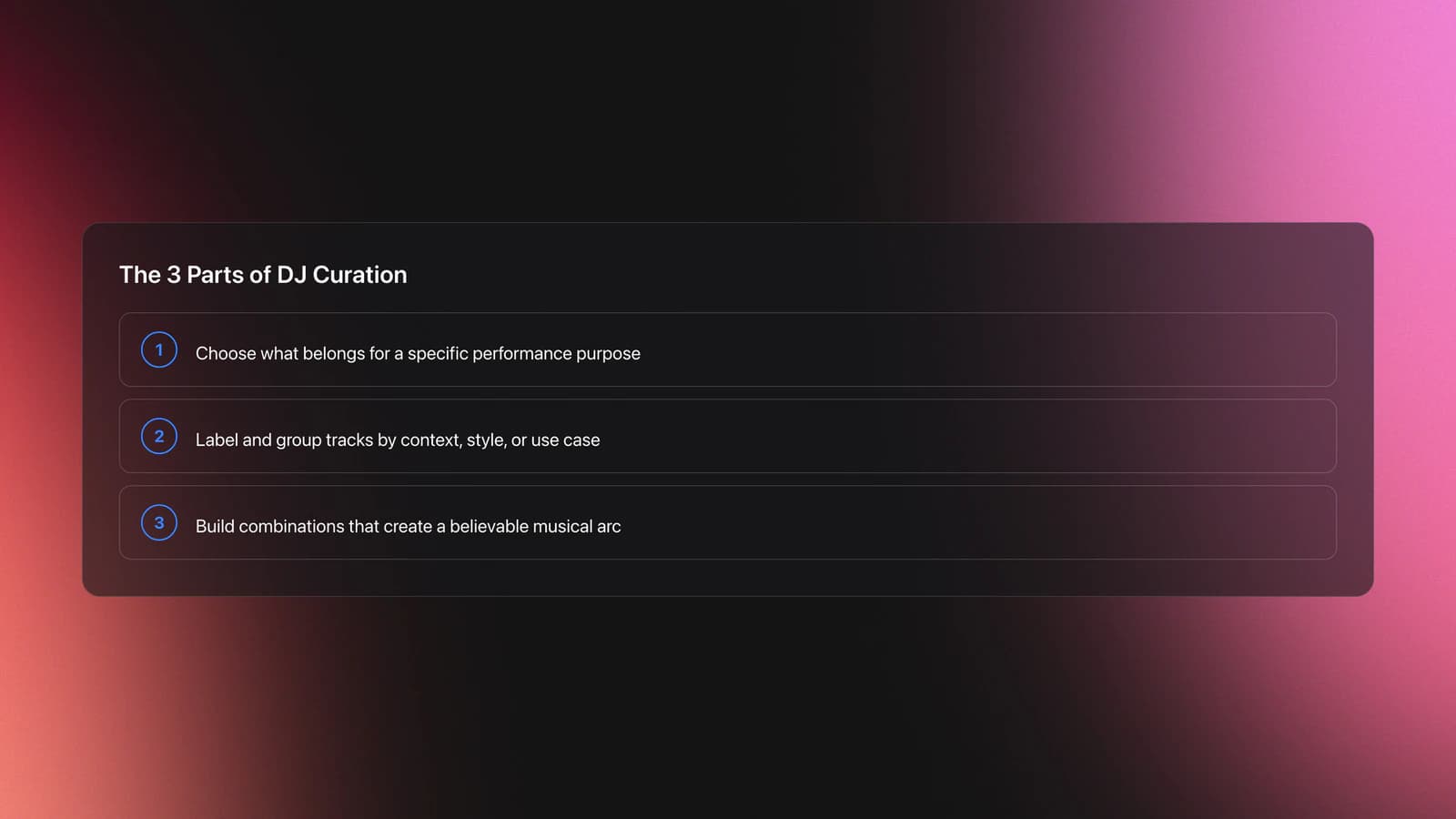
That definition sounds simple, but the technique has three parts. First, you decide what belongs. Second, you decide how tracks are labeled and grouped. Third, you decide which combinations create a convincing arc.
Several current DJ workflow guides support this view. Crossfader breaks library prep into curation, structure, and tagging. Djoid's library-structure guide separates broad collections from gig-ready playlists and smaller set sections, showing that curation narrows a large archive into a performance-ready pool. Serato's crate system also reflects the same practice by letting one track live in multiple crates, which is essential when a tune fits several contexts.
Why Curation Matters
Curation matters because selection speed and selection quality shape your set more than most DJs expect. A messy library slows decisions. A well-curated one makes good decisions easier.
The first benefit is faster retrieval. Crossfader recommends sorting by genre, vibe, energy, event, and function, then using smart tools and tags to shrink search time. Serato supports this with regular crates, subcrates, and Smart Crates that update from keywords and tags.
The second benefit is better energy control. Crossfader notes that energy sorting helps DJs react to the crowd and avoid flat sets, while Djoid frames smaller playlist sections as chapters with a unified mood or intensity. In other words, curation is how you build contrast without losing direction.
The third benefit is confidence under pressure. When your tracks are already grouped by function, you stop searching the whole library and start choosing from a smaller, relevant pool. That is why experienced DJs often talk about track selection and preparation as core skills, not optional admin.
Curation Fundamentals
Curation starts by filtering your collection. Ask three blunt questions: Do I like this track, do I know it well enough to play it, and is the file quality strong enough for a proper system?
That first filter removes dead weight. Crossfader explicitly recommends cutting tracks you keep scrolling past and keeping a smaller library you know well. This is standard practice because recognition speed matters in the booth.
Next comes classification. Most DJs organize with a mix of genre, mood, energy, event, and functional labels such as acapella, tool, warm-up, or closer. Serato crates allow the same track to appear in multiple collections, and rekordbox's current manual includes playlist tools and My Tag features that support this layered approach.
The last piece is sequencing. A curated set should make emotional and technical sense from one track to the next. That does not mean every set is fully preplanned. It means your likely routes are already prepared, and you can learn phrase mixing for smoother sequencing when you need to move cleanly between sections.
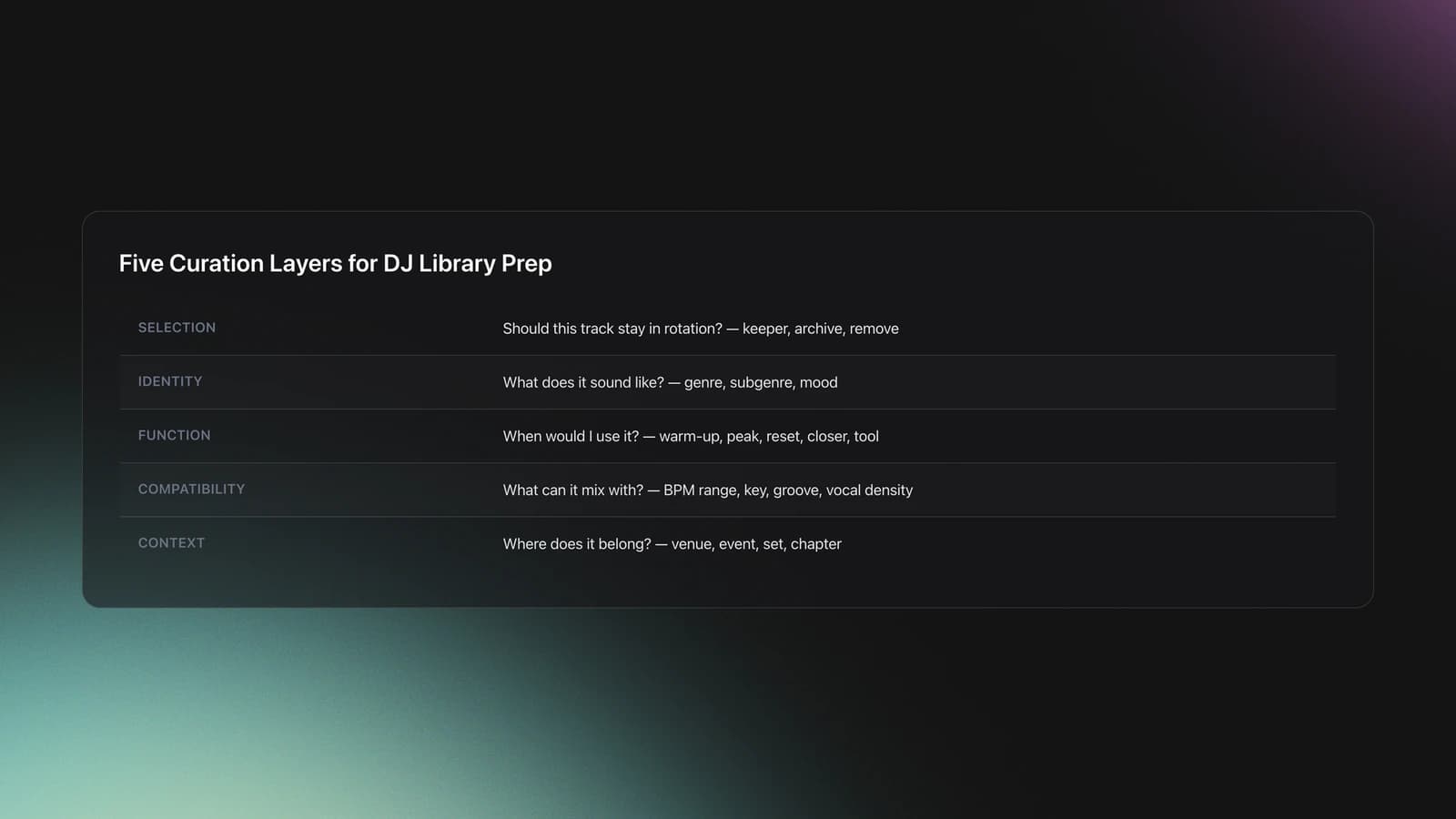
| Layer | Question | Typical labels |
|---|---|---|
| Selection | Should this track stay in rotation? | keeper, archive, remove |
| Identity | What does this track sound like? | genre, subgenre, mood |
| Function | When would I use it? | warm-up, peak, reset, closer, tool |
| Compatibility | What can it mix with? | BPM range, key, groove, vocal density |
| Context | Where does it belong? | venue, event, set, chapter |
How to Practice Curation
The fastest way to practice curation is to work in small, repeatable cycles. Build a pool, reduce it, test it, then revise it after listening back.
Start with a narrow crate of 20 to 30 tracks for one purpose. A warm-up hour, a 128 BPM closing run, or a deep-house opening section all work. If the crate is too broad, the exercise stops teaching selection.
Then tag each track with one mood label, one energy label, and one function label. Crossfader suggests using tags, comments, ratings, and color coding to make the right tune easier to spot. Serato and rekordbox both support this kind of metadata-driven browsing through crates, playlists, and tags.
After tagging, sequence a draft order. Keep the first three tracks especially strong, because openings set the expectation for everything after. Then map alternate choices around any risky transition, such as tempo jumps, dense vocals, or sudden energy spikes.
Now test the pool live in practice. Mix the crate without adding outside tracks. Notice where you hesitate, where energy stalls, and which tunes look good on paper but never feel right in context.
In practice, short curation drills outperform marathon sorting sessions. A 20-track crate, revised over 2 to 4 weeks, reveals patterns far faster than endlessly scrolling a giant library.
Finally, archive what worked. Djoid's library model separates broad collections from gig-ready playlists and smaller chapters, which mirrors a practical teaching method: keep your source pool large, but your performance pool focused. This is also where use harmonic mixing to narrow your next-track options becomes useful, because key compatibility can quickly remove bad options.
- Choose one set goal and pull 20 to 30 tracks.
- Remove weak or duplicate-feeling options.
- Tag each track by mood, energy, and function.
- Build a draft order with two backup routes.
- Mix the pool and note hesitation points.
- Revise labels and sequencing after playback review.
Practice Library Setup
A structured library makes curation drills much easier to repeat. If you keep local files organized in a central system, you can build small practice pools by mood, function, and energy instead of starting from scratch every time. That is one practical use for Vibes: creating hierarchical categories for practice tracks, then pulling focused sets for warm-up, peak-time, or genre-specific selection work before exporting to DJ software.
Keep the structure simple. One broad folder for source material, a smaller performance-ready playlist, then short set sections or chapters. Djoid describes almost the same progression from collection to playlist to chapter, which is a useful model even if you use different software.
Common Mistakes in Curation
Most curation problems come from scale, not taste. Beginners often keep too many tracks in active rotation, use inconsistent tags, or confuse a personal favorite with a useful set record.
| Mistake | Why it happens | Fix |
|---|---|---|
| Keeping everything | Fear of deleting options | Archive weak tracks and keep active crates smaller |
| Tagging without a system | Mood labels drift over time | Limit yourself to fixed categories and short label lists |
| Overplanning the order | You want certainty before a gig | Prepare chapters and backup routes instead of one rigid sequence |
| Ignoring file quality | Home listening hides problems | Review bitrates, loudness jumps, and damaged files before gig prep |
| Choosing only similar tracks | Safe choices feel easier | Deliberately add one reset, one lift, and one bridge track per crate |
Another common issue is using only genre as your organizing logic. Genre helps, but it does not explain emotional role, dance-floor effect, or transition function. A track can be house and still act as a warm-up builder, a heads-down roller, or a peak-time release.
Why do most beginners struggle with this? Because they hear tracks as isolated songs instead of set tools. Curation improves when you describe what a record does, not just what style it is.
Troubleshooting Your Selections
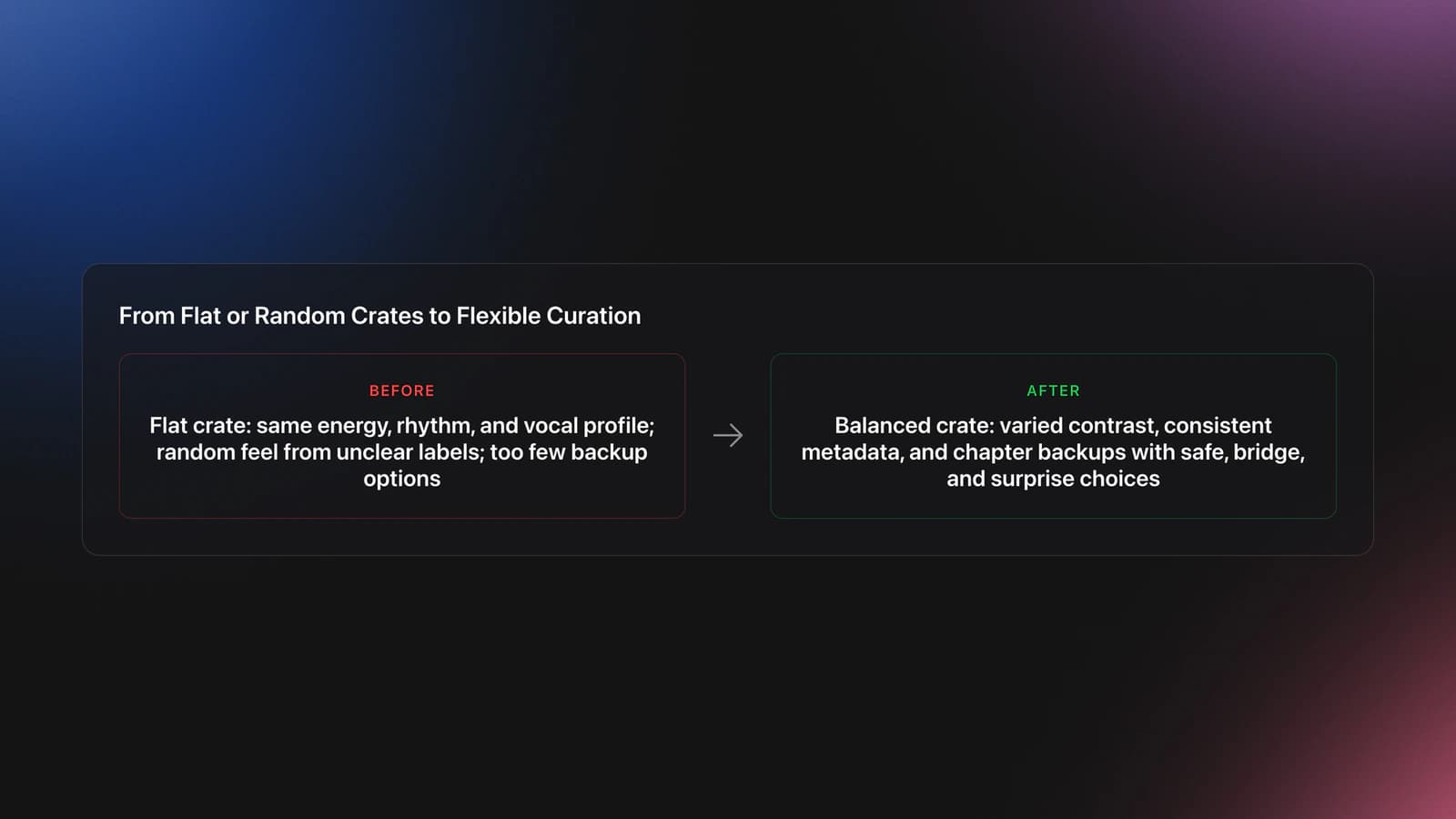
If your curated crate feels flat, the problem is usually contrast. You may have chosen thirty good tracks that all sit in the same emotional band.
Fix that by checking three variables. First, energy range. Second, rhythmic density. Third, vocal presence. If all three stay constant, the set feels static even when the tracks are individually strong.
If your choices feel random, the problem is usually labeling. Crossfader recommends personal systems built around vibe, energy, event, and function, and Serato's Smart Crates depend on consistent keywords and tags. In other words, unclear metadata creates unclear curation.
If you always run out of options, your crate is too small or too rigid. Add backups for each chapter: one safer choice, one bridge choice, and one surprise choice. That keeps direction without trapping you.
Equipment and Software
Curation does not require expensive gear, but it does require a system that makes labeling and retrieval fast. Essential tools are local music files, DJ software with playlists or crates, and a reliable way to preview tracks and transitions.
Serato supports regular crates, subcrates, and Smart Crates driven by track keywords and tags. Its preparation tools also allow batch analysis and checking files before use. rekordbox's current instruction manual, published on April 9, 2026 for version 7.2.1.4, includes My Tag and playlist workflows that support fast sorting and browsing.
Optional tools include color coding, rating systems, comments fields, and export-ready USB workflows. None of these replace taste, but they reduce friction. The less time you spend searching, the more attention you can give to timing, phrasing, and crowd response.
Practice Routine for Curation
A good curation routine should be short enough to repeat and strict enough to expose weak habits. Aim for daily or near-daily contact with your library rather than one huge weekly reset.
Use a four-part session. Spend five minutes pulling candidates. Spend five minutes tagging and cutting. Spend five to ten minutes testing short sequences. Spend two minutes writing what worked and what failed.
Over a two-week cycle, repeat this with the same crate until your choices become faster and more consistent. This is where structured practice pays off. Through years of short daily sessions, I found that curation improves most when every revision has one measurable target, such as stronger openers, cleaner bridges, or fewer energy cliffs.
Real-World Use Cases
For a warm-up set, curation focuses on restraint. You want tracks that establish tone without spending all your peak material too early.
For a peak-hour slot, curation becomes about pressure and release. Your library needs harder contrast, more backup choices, and clearer function labels so you can pivot quickly.
For open-format work, curation becomes even more metadata-heavy. Event type, clean edits, era, tempo windows, and audience familiarity often matter as much as genre. Serato's crates and Crossfader's examples of event-based folders both support this approach.
Build Better Habits
Curation is not about making your library look tidy. It is about making better musical decisions under real conditions. The technique helps you hear tracks in relation to each other, prepare for changing energy, and keep your options playable instead of overwhelming.
Key takeaways:
- Curate by function, not just genre.
- Practice with small crates and clear revision cycles.
- Archive what works so each set improves the next one.
Start by building one 20-track crate for a single set purpose, then test and revise it for two weeks. After that, the natural next step is to build stronger set programming habits so your curation choices scale into full-length performances.
The visual way to organize your DJ library
Tag tracks by vibe. See everything at once. Export to rekordbox, Serato, Traktor or Engine DJ.
14-day free trial. Full access, no strings attached.
or see how it works
Equipment You'll Need
Mixed In Key 11
optionalStandalone harmonic-mixing and library-prep software that detects keys, energy levels, cue points, and tags for DJ sets.
Pioneer DJ DDJ-1000
optionalA 4-channel rekordbox DJ controller with full-size jog wheels, onboard displays, and club-style mixer controls.
Pioneer DJ DDJ-400
optionalA compact 2-channel USB DJ controller built for rekordbox with a club-style layout aimed at new and progressing DJs.
DJControl Inpulse 200 MK2
optionalCompact 2‑deck USB DJ controller with built‑in audio, Beatmatch Guide LEDs, and Serato DJ Lite/DJUCED integration.
Serato DJ Pro
optionalProfessional DJ software for mixing, performance, library management, recording, and hardware-integrated club workflows.
Pioneer DJ DDJ-FLX4
optionalA compact 2-channel DJ controller with built-in audio interface, USB-C connectivity, and beginner-friendly smart mixing features.
VirtualDJ
optionalDJ software for Windows and macOS that handles audio mixing, video mixing, karaoke, stems, and broad hardware support.
Pioneer DJ CDJ-3000
optionalProfessional flagship DJ media player with a 9-inch touchscreen, advanced MPU processing, and club-standard Pro DJ Link workflow.
Pioneer CDJ-400
optionalA discontinued digital DJ media player that plays CDs and MP3 files from USB storage, and can also work as a MIDI controller and USB audio interface.
rekordbox
optionalCloud-connected DJ software for music management, performance, export prep, and club-standard hardware integration.
Beatport
optionalBeatport is a DJ-focused electronic music store and streaming platform for discovering, buying, and streaming tracks into supported DJ software and hardware.
Traktor MX2
optionalA 2-channel DJ controller with integrated audio interface and tight Traktor Pro 4 integration for mixing, stems, effects, and performance pads.
Native Instruments Traktor Pro 4
optionalA professional 4-deck DJ software platform with stem separation, flexible beatgrids, effects, DVS support, and broad controller integration.
Traxsource
optionalTraxsource is a digital music download store focused on house and underground dance music for DJs.
Serato DJ Lite
optionalFree two-deck DJ software for Mac and Windows that introduces Serato’s workflow, controller support, and basic mixing tools.
Frequently Asked Questions

Hey, it's Ben Modigell 👋
I DJ and produce as so I so: downtempo, minimal, dub house, tech house, and techno (releases on Spotify and SoundCloud, links above). Everything I write here comes from my own gigs, studio sessions, and library cleanups: the rules I follow, the failure modes I have actually hit, and the workflow I use when nobody is watching. If a technique did not earn its place in my own sets, it does not make it into a tutorial.