
DJing in Key for Better Transitions
Watch Pro DJ Academy’s tutorial above (527K views on YouTube).
This guide is for DJs who can beatmatch but still get transitions that feel tense, muddy, or emotionally wrong. If you are stuck guessing which track should follow the current one, djing in key gives you a repeatable way to choose safer blends and more musical handoffs. By the end, you will know how harmonic mixing works, how phrasing changes the result, and how to practice djing in key without sounding robotic.
The short version is simple. DJing in key means mixing tracks with compatible musical keys so the notes support each other instead of fighting. That matters most when both tracks overlap for several bars, which is why key choice and phrase timing need to work together.
If your library is still hard to search under pressure, start by tightening your DJ library organization system, review your beatmatching fundamentals, and build a simple set preparation workflow. Those three habits make harmonic mixing much easier to apply live.
The visual way to organize your DJ library. Tag by vibe, export to any DJ app.
DJing in Key: What It Actually Means
DJing in key is the practice of choosing tracks whose tonal centers work together during a transition. In plain terms, the melodies, basslines, chords, and vocal notes from one track should not clash with the next.
This is not a separate skill from phrasing or beatmatching. It sits on top of them. You still need tempo alignment and proper phrase entry, but key compatibility improves what the overlap feels like.
A lot of beginner advice frames harmonic mixing as a magic rule. It is not. It is a probability tool. Compatible keys increase your odds of a smooth blend, but they do not fix bad timing, bad EQ choices, or a poor arrangement match.
That distinction matters. Two tracks can be perfectly beatmatched and still sound wrong if the tonal content collides. Two tracks can also be harmonically compatible and still fail if you start the incoming record in the wrong phrase.
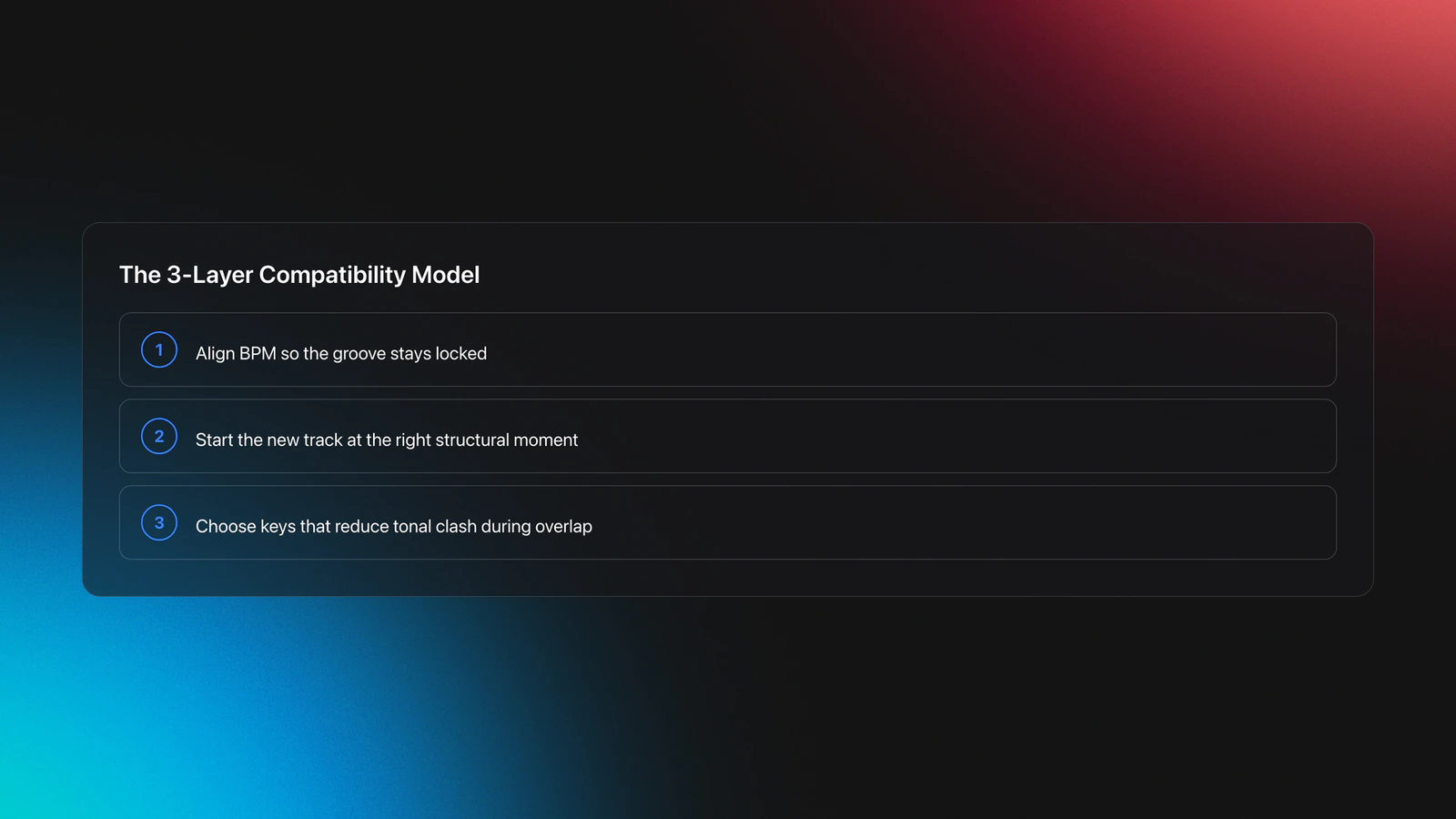
The mental model to use here is three-layer compatibility. First, tempo. Second, phrase structure. Third, harmonic content. When all three line up, the transition feels obvious rather than forced.
This also explains why some blends sound good with almost no work. The tracks are not just on time. They are structurally and tonally aligned.
Why DJing in Key Works Best With Phrasing
Why does this matter for real transitions? Because harmonic compatibility only matters while the tracks overlap. If your phrase timing is off, the wrong section of one song can crash into the right section of another.
The transcript makes this point clearly. Phrasing is the rule that tells you when to start the next track. In most club music, changes happen every 8, 16, or 32 bars. Starting the incoming track at the top of a phrase keeps structural events lined up.
Think of phrasing as the timing grid and key as the tonal filter. The grid decides where the handoff should happen. The filter decides whether that overlap feels stable, bright, tense, dark, or messy.
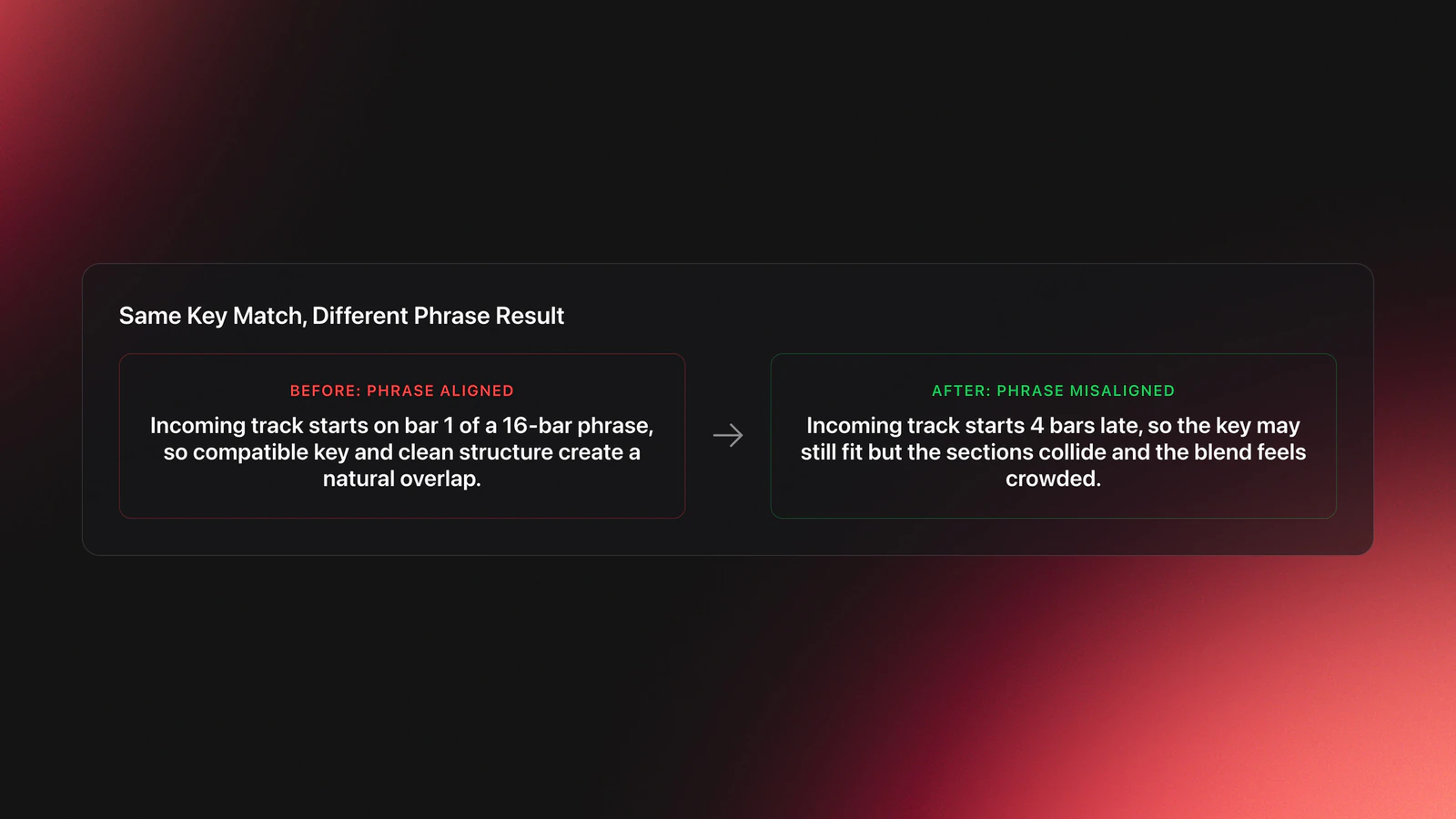
Here is a concrete example. Track A is finishing a 16-bar intro and moving into a vocal section. Track B starts with a clean 16-bar intro in a compatible key. If you launch Track B at the top of Track A's phrase, you get controlled overlap and a natural exit point.
Now change one variable. Track B is still in a compatible key, but you start it four bars late. The harmonic content may still fit, yet the buildup from Track A can spill into the wrong moment of Track B. The result feels crowded.
That is the first failure mode of dj key mixing. DJs blame the key, but the real issue is phrase misalignment.
A second example shows the opposite mistake. Track A and Track B are phrased correctly, both 16 bars, both neatly aligned. But Track B contains a lead line that rubs against Track A's chords. The structure is clean, but the overlap feels sour and unstable.
That is the second failure mode. DJs blame timing, but the actual problem is tonal conflict.
You will know both layers are working when the handoff does not call attention to itself. The energy changes, but the mix does not feel interrupted. The dance floor hears movement, not collision.
Camelot Wheel Basics for DJ Key Mixing
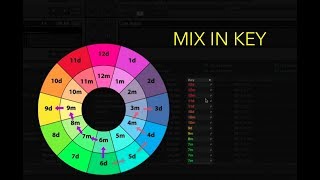
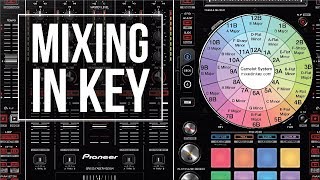
Most DJs learn djing in key through the Camelot Wheel. It converts standard musical keys into an easier DJ format. Instead of memorizing theory-heavy labels, you work with numbers and letters such as 8A or 9B.
The letters represent mode. A stands for minor. B stands for major. Adjacent numbers and letter switches mark the common compatibility moves.
The basic rule is simple. Stay in the same key, move one step clockwise, move one step counterclockwise, or switch between relative major and minor with the same number. Those are the safest options for key mixing dj transitions.
For example, if your current track is 8A, your safest next choices are 8A, 7A, 9A, and 8B. That gives you four immediate pathways without needing deeper harmonic theory.
Example one. You are playing a hypnotic techno track in 8A. Another groove tool in 9A will often preserve tension while nudging the set forward. The energy changes, but the tonal center remains stable enough for a long blend.
Example two. You are leaving a moody house record in 8A and want a lift without a jarring mood break. Moving to 8B can brighten the emotional color while keeping the relationship close.
This is why the wheel is useful. It does not replace your ears. It reduces the search space.
A common misconception is that any track outside those moves is unusable. That is false. Some tracks with sparse intros, atonal percussion, or limited melodic overlap can mix well even when the displayed keys look distant.
Another misconception is that a key tag is objective truth. DJ software key detection is good, but not perfect. Mixed-mode tracks, modal ambiguity, weak tonal centers, and heavily percussive intros can all confuse analysis. Mixed In Key explains that analysis is a starting point rather than a substitute for listening, and Pioneer DJ's Rekordbox documentation also treats detected key as metadata to support browsing rather than as a guarantee of compatibility.
That leads to the practical rule. Use the wheel to shortlist candidates, then verify with cueing. If the bass note, chord stab, vocal, or synth lead feels unstable, trust the sound over the label.
You will know your wheel reading is helping when you stop scrolling through dozens of tracks and can narrow a live choice to three or four realistic options. That speed is the real benefit.
| Current Key | Safe Moves | Typical Effect |
|---|---|---|
| 8A | 8A, 7A, 9A, 8B | Maintain mood or add controlled lift |
| 11A | 11A, 10A, 12A, 11B | Keep tension steady in deeper sets |
| 6B | 6B, 5B, 7B, 6A | Preserve brightness or shift to relative minor |
| 3A | 3A, 2A, 4A, 3B | Useful for gradual emotional movement |
Basic Camelot-style compatibility moves for harmonic mixing
For the underlying note names and key signatures, Mixed In Key's Camelot wheel guide is the common industry reference, and AlphaTheta's Rekordbox key display documentation shows how modern DJ software exposes key metadata during prep and performance.
How to DJ in Key Without Killing Energy
Many DJs learn harmonic mixing and then overcorrect. Every transition becomes a technical puzzle. The set gets cleaner, but flatter.
The better approach is to treat key as a constraint, not a goal. Your job is still to manage energy, tension, release, familiarity, surprise, and room response.
I think of this as energy-first harmonic selection. Start with the next emotional job the track must do. Then filter candidates by phrase and key.
Example one. You need to raise pressure in the next ten minutes. A compatible track with a weak groove is still the wrong choice. Pick the track that advances the set, then test whether its overlap can be shortened, EQed, or delayed to make the tonal handoff cleaner.
Example two. You are in a deep daytime slot and want continuity more than shock. In that case, djing in key becomes more important because long blends and gradual layering are part of the aesthetic.
This is where production awareness helps. Producing tracks teaches you to hear tension-building devices such as filter rises, harmonic holds, bass dropouts, and release points. When you know how arrangements create emotional motion, you stop choosing tracks only by BPM and key. You start choosing them by what section arrives next and how that section behaves in the room.
That matters in practice. A track with the right key but a vocal hook in the wrong place can hijack the moment. A track with a less obvious key match but a sparse percussion intro can be much easier to land.
Another useful filter is overlap density. Dense overlap means more harmonic risk. If both tracks have strong chords, vocal phrases, and lead synths, demand tighter compatibility. If one side is mostly drums and FX, you have more room to bend the rule.
This is why a key mixer mindset can fail when taken too literally. Software can show a compatible match, but it cannot decide whether the transition should be long, short, dramatic, or invisible.
A real-world scenario makes the point. In smaller underground settings and daytime festival slots, the room often rewards flow more than flashy resets. In those contexts, long harmonic blends can feel great because the audience has time to absorb a gradual shift. The same move in a harder, more impatient room may feel too polite.
You will know you are using key well when it supports the set's direction instead of taking it over. Transitions get smoother, but the set still breathes.
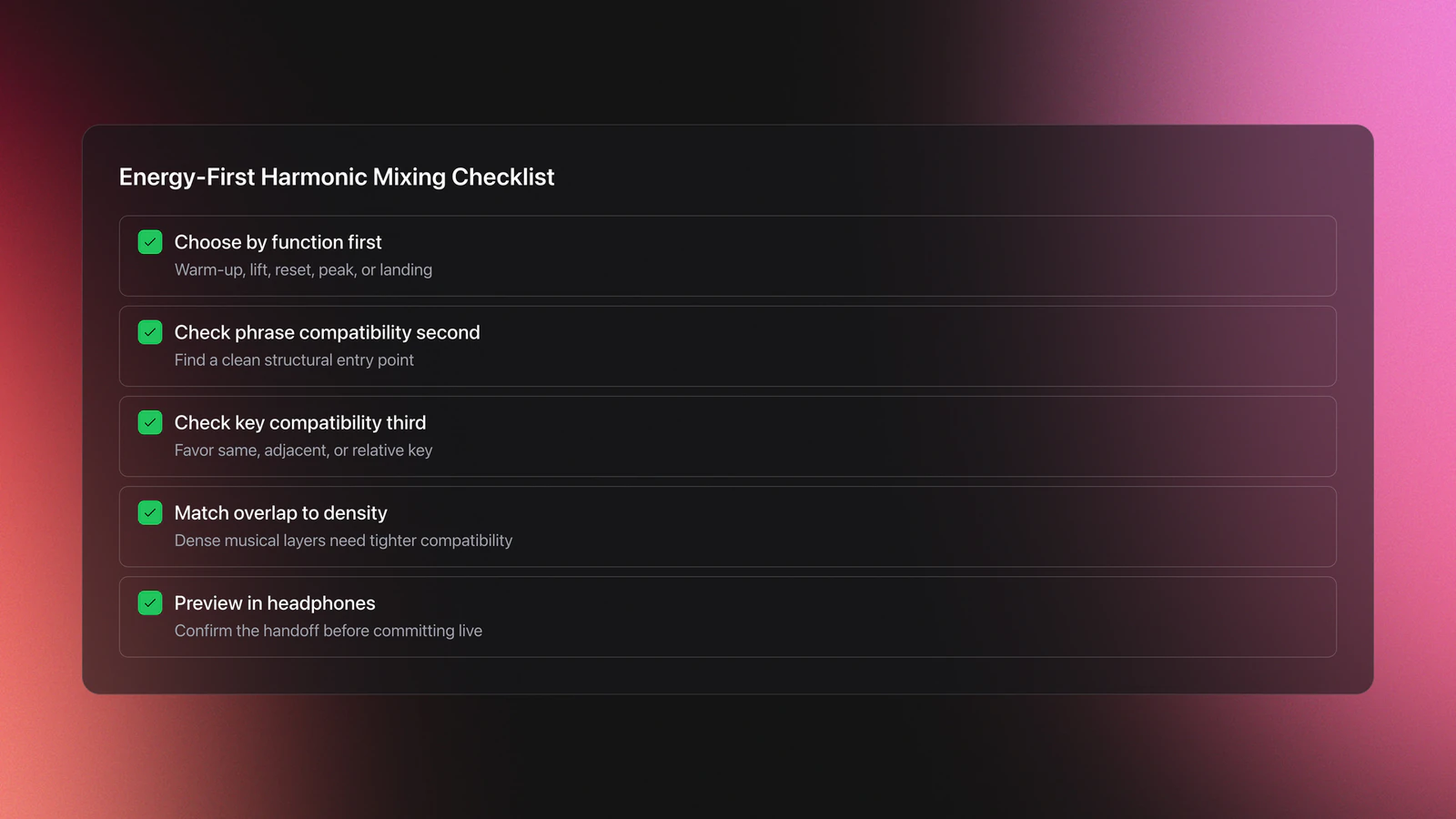
- Choose the next track by function first. Warm-up, lift, reset, peak, or landing.
- Check phrase compatibility second. Find a clean entry point.
- Check key compatibility third. Favor same key, adjacent key, or relative mode.
- Adjust overlap length based on tonal density.
- Verify in headphones before committing live.
If you prepare by category, not just by artist or genre, this gets faster. Some DJs use folders and comments. Others build custom category systems in Vibes, then use BPM, key, and vibe tags together while planning set paths on a visual canvas. The important part is not the software choice. It is having enough structure that your next three harmonic options are obvious before the current phrase ends.
How to Practice DJing in Key Step by Step
The fastest way to learn how to dj in key is to isolate variables. Do not practice harmonic mixing inside a full freestyle session at first. Build controlled drills.
Start with tracks that have clear 16-bar intros and outros. House, techno, and many groove-based electronic styles make this easier because the phrase points are easier to hear.
Step one is to sort ten tracks by BPM range and key. Keep the tempo spread tight. Wide tempo changes hide the lesson.
Step two is to mark the first downbeat of a clean 16-bar phrase on each track. You are training entry accuracy before taste.
Step three is to build three pairs. One pair should be the same key. One should be an adjacent Camelot move. One should be intentionally incompatible.
Now run each pair three times. First with a long overlap. Second with a short overlap. Third with EQ reduction on the outgoing mids or lows. Listen to how the same key relationship behaves under different overlap conditions.
Example one. Pair 8A to 8A at 124 BPM. Run a 16-bar blend with both basslines active for eight bars, then cut the outgoing low end. You will hear whether the key match survives low-frequency crowding.
Example two. Pair 8A to 9A at 124 BPM. Use the same phrase entry, but keep the overlap to eight bars and swap more quickly. You can compare whether the directional key move adds motion or feels neutral.
Then run the incompatible pair. This is important. You need contrast training. Once you hear an obvious clash, the safer relationships become much easier to identify.
A common failure mode appears here. DJs only practice with perfectly analyzed intro sections. Then they go live, blend into a vocal phrase, and the mix collapses. The symptom is false confidence created by easy material.
To avoid that, add one harder drill. Practice with tracks that introduce tonal material late. You need to hear when the blend is safe at bar 1 but risky at bar 9.
Validation Check
Track Selection for DJing in Key
Good harmonic mixing starts before you load the deck. It starts in track selection.
The transcript stresses familiarity with your music, and that is exactly right. You need to know where intros open up, where basslines disappear, where vocals enter, and where tonal density gets dangerous.
A practical sorting model uses four labels for each track. Key, phrase shape, energy job, and melodic density. Key tells you compatibility. Phrase shape tells you when it can enter. Energy job tells you why it belongs next. Melodic density tells you how much overlap risk it carries.
Example one. A percussion-heavy tool in 10A with a long drum intro has low melodic density. Even if the key analysis is slightly wrong, it may still mix safely because there is not much tonal material to clash.
Example two. A vocal-driven record in 10A may be technically compatible, but if the vocal arrives eight bars into the intro, the safe overlap window is much narrower.
This is where your prep system earns its keep. If you only organize by genre, you still need to remember too much under pressure. If you also sort by energy and function, you can make better harmonic decisions faster.
For DJs with large local collections, one workable method is hierarchical prep. Keep top-level groups for genre or context, then sub-group by energy or function, then use key and BPM as final filters. Tools like Vibes are built around that kind of structure, with custom category systems, progress tracking, and exports back into DJ software. The point is simple: reduce search time so harmonic choices stay musical instead of panicked.
A useful companion habit is to maintain a few pretested chains. Build three-track or four-track routes that you know work harmonically and structurally. That gives you reliable bridges when the room gets messy.
If you want to extend this workflow, a focused playlist structure for DJs, stronger energy flow planning, and cleaner track tagging methods all help you apply harmonic ideas at speed.
Common Mistakes in DJing in Key
| Mistake | Why It Happens | How to Avoid |
|---|---|---|
| Trusting the key tag blindly | Software analysis is useful but imperfect | Cue the overlap and verify with your ears before committing |
| Ignoring phrasing | The DJ focuses on key and forgets structural alignment | Start at the top of an 8, 16, or 32 bar phrase |
| Using long blends on dense tracks | Both records contain vocals, chords, and leads | Shorten the overlap or swap at a cleaner section |
| Choosing compatible keys but wrong energy | The DJ optimizes the transition instead of the set arc | Pick by function first, then filter by key |
| Practicing only easy intro-to-intro mixes | Training never includes harder entry points | Add drills with late vocals and changing harmonic density |
The most common reasons harmonic mixes still fail
DJing in Key vs Phrasing vs Beatmatching
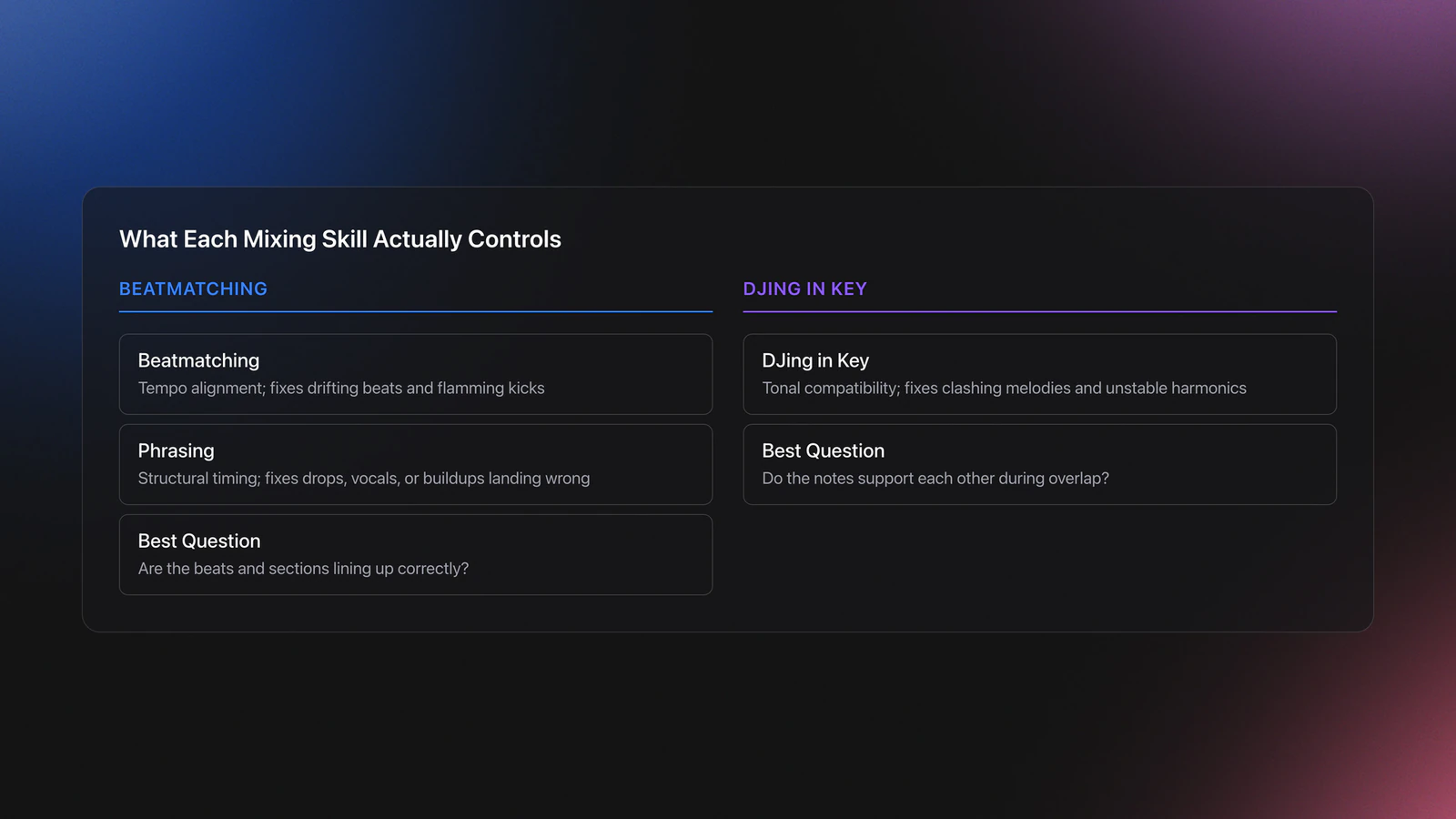
These skills overlap, but they solve different problems.
| Skill | What It Controls | Main Question | What Failure Sounds Like |
|---|---|---|---|
| Beatmatching | Tempo alignment | Are the beats drifting? | Flamming kicks or drifting percussion |
| Phrasing | Structural alignment | Did the new section start at the right time? | Buildups, drops, or vocals arrive in the wrong place |
| DJing in key | Tonal compatibility | Do the notes support each other? | Clashing melodies, unstable chords, muddy harmonics |
Three separate layers of transition quality
This distinction matters because each problem needs a different fix. If the beats drift, adjust tempo or jog timing. If the section lands wrong, fix the phrase entry. If the notes fight, change the candidate track, shorten the overlap, or use a cleaner handoff.
In other words, harmonic mixing is not a replacement for core technique. It is one layer in a larger transition system.
DJing in Key: What to Remember
DJing in key works best when you treat it as one layer of transition control. Beatmatching keeps time stable. Phrasing keeps structure clean. Harmonic mixing keeps the overlap musical.
The main takeaway is practical. Choose the next track by energy job first. Align the phrase. Then test tonal compatibility. That order keeps your mixes cleaner without turning the set into a spreadsheet.
- Use key as a filter, not as the whole decision.
- Long blends demand stronger phrase and key discipline.
- Trust your ears over the label when they disagree.
If you want faster results, build a small crate of ten tracks and practice the same transitions until you can predict the outcome before you press play. That is when djing in key stops being a theory topic and becomes a usable performance skill.
The visual way to organize your DJ library
Tag tracks by vibe. See everything at once. Export to any DJ software.
A visual system for organizing your DJ library.
Techniques Covered
Phrasing

Beat Matching
Mixing in Key (Camelot Reference)
Harmonic Mixing for DJs: A Complete Guide

Track Matching by Key and BPM

Key Analysis

Track Transition Techniques: How to Pick the Right Move
Transition Technique

Track Transitions: Catalog of Types

Sync Button Technique
EQ Mixing
Auto BPM Transitions Across Genres
Phrase Mixing

EQ Adjustments
Precision Blend Technique

Track Analysis
Master Tempo Adjustment

Diagonal Direction Mixing
Seamless Blend
Camelot Wheel Method (Harmonic Mixing Explained)
Equipment & Software
Featured Gear
Continue Your Learning Journey
Start Here First
When Mix and Key Actually Matters: A DJ's Guide to Harmonic Decisions
beginner
How to DJ: First Mix, Step by Step
beginnerBeginner DJ Setup: Wire Your Controller, Then Play Your First Mix
beginner
How Can I Be a DJ and Start Strong
beginnerVirtual DJ Tutorial: Beatmatching Basics
beginner
How to Choose a DJ Controller for Your Workflow
beginner
House DJs: What Sets the Best Apart
beginnerRelated Content
How To Mix In Key Live: Worked Transitions And Failure Fixes
intermediate
Mix and Key: Practical Guide to Melodic DJ Mixing
intermediateHarmonic Mixing Guide for DJs: Energy & Workflow
intermediate
DJ Transitions: The Three-Layer Handoff for Beginners
intermediate
DJ Key Wheel Decision Framework: Four Safe Moves and Advanced Jumps
intermediateCamelot Wheel DJ: Layered Deck Mixing With EQ and Phrase
intermediateTransition DJ Online: Browser Mixer Workflow
intermediate
How to Mix and Edit Songs Together
intermediateMixed In Key Manual for DJs
intermediate
House Trance: Sound, Structure, Mixing
intermediate
How to DJ With Just a Laptop (No Controller Needed)
intermediate
DJ Library Organization System: Tags, Crates, Keys
intermediate
DJ Playlist Spotify: Mixing With Streaming Inside Rekordbox
intermediateFrequently Asked Questions

Hey, it's Ben Modigell 👋
I DJ and produce as so I so — downtempo, minimal, dub house, tech house, and techno (releases on Spotify and SoundCloud, links above). Everything I write here comes from my own gigs, studio sessions, and library cleanups: the rules I follow, the failure modes I've actually hit, and the workflow I use when nobody's watching. If a technique didn't earn its place in my own sets, it doesn't make it into a tutorial.