
Camelot Wheel
Mixed In Key
A harmonic mixing notation system that maps musical keys into simple 1A to 12B codes for DJs.
The [Camelot Wheel](/dj-tools/camelot-wheel) is not a piece of hardware. It is a DJ key system created to make harmonic mixing faster and easier. If you are sorting playlists, planning smoother transitions, or trying to avoid clashing melodies, the Camelot Wheel is still one of the clearest ways to think about key movement in a live set.
The visual way to organize your DJ library. Tag by vibe, export to any DJ app.
Camelot Wheel Overview
The Camelot Wheel turns traditional music keys into simple codes like 8A or 9B, so DJs can make fast harmonic choices without reading formal theory. In practice, that means the Camelot Wheel helps you spot safer transitions, organize tracks, and shape set energy with less guesswork.
Mixed In Key presents the system as a way to identify which tracks will mix well together, and that framing still holds up. The basic idea is simple: all 24 major and minor keys are mapped onto a wheel, with numbers 1 through 12 and letters A for minor and B for major.
That coding is why the system spread so widely in DJ culture. A track tagged 8A can usually move cleanly to 8A, 8B, 7A, or 9A. You do not need to memorize enharmonic spellings or major-minor relationships to use it well.
For a reader searching for a Camelot Wheel review, the honest answer is this: it is useful because it reduces friction. It will not replace phrasing, taste, or crowd reading, but it does make key-based planning much more practical in real DJ workflows.
If you are building a broader workflow, it pairs naturally with tools and guides around DJ software setup, harmonic mixing basics, and club-ready USB prep.
How Camelot Wheel Works
The Camelot Wheel works by mapping each of the 24 musical keys to a number-letter code and then showing which nearby positions are harmonically compatible. Same-number moves, relative major or minor moves, and one-step moves on the same letter are the standard safe options.
According to the Mixed In Key Camelot Wheel page, its software scans your collection, identifies key, and matches the result to the Camelot system. The DJ.Studio harmonic mixing guide explains the same logic from a workflow angle, showing how adjacent moves and relative changes affect mood and energy.
A straightforward example helps. If your current track is 8A, the safest next options are 8A for maximum smoothness, 8B for a relative-key lift, or 7A and 9A for gentle movement around the wheel. Those transitions share more notes, so overlapping melodies are less likely to clash.
The Rebels interactive Camelot Wheel chart also notes that two-step moves can work, but they are riskier and better treated as advanced choices. This matters because many DJs eventually use the wheel not just to stay safe, but to create controlled tension.
In other words, the system is best seen as a map, not a rulebook. It points you toward likely matches. Your ears still decide whether the vocals, chords, and phrasing actually land.
Key Features
The Camelot Wheel stands out because it simplifies theory, speeds playlist planning, and works across modern DJ software. Its real value is not novelty. Its real value is fast decision-making under pressure.
- Simple number-letter notation for all 24 major and minor keys
- Fast visual guide for harmonic compatibility
- Useful for set planning, mashups, and live transitions
- Supported indirectly by key-analysis workflows in tools such as Mixed In Key and Serato integrations
- Good bridge between beginner usability and advanced energy planning
The first strength is accessibility. Traditional key notation can slow down newer DJs, especially in dark booths or fast prep sessions. Camelot notation turns a music theory problem into a pattern-recognition task.
The second strength is workflow speed. The Serato Mixed In Key integration page explains how analyzed key data supports harmonic mixing and cleaner transitions. Serato also documents Camelot-style color-linked key displays in its key sync support article.
The third strength is creative control. Once you stop using the wheel only as a safety net, you can use it to build rises, resets, and tonal pivots across a long set. That is where it becomes more than a beginner crutch.
Technical Specifications
The Camelot Wheel has no physical specs because it is a notation system, not a controller or software app sold as standalone gear. The meaningful specifications are structural: how many keys it maps, how they are labeled, and what transition logic it supports.
| Specification | Details |
|---|---|
| Type | DJ harmonic mixing notation system |
| Brand / Origin | Mixed In Key |
| Key Coverage | 24 keys total: 12 major and 12 minor |
| Notation | 1A-12A for minor, 1B-12B for major |
| Core Safe Moves | Same key, relative major/minor, adjacent number on same letter |
| Theory Basis | Adapted from the circle of fifths for DJ use |
| Physical Format | Chart / notation system |
| Power | Not applicable |
| Connectivity | Used through charts, software tags, and DJ library workflows |
If you expected dimensions, I/O, or power specs, that is because the term looks like a product name. In reality, Camelot Wheel behaves more like a standard. It is closer to a reference system than a device.
Who Is This For
The Camelot Wheel is best for DJs who mix melodic music and want faster, more reliable key decisions. It is especially useful for beginners building confidence, intermediates tightening set flow, and professionals who want quicker library scanning during prep.
Beginners get the biggest immediate benefit. The system removes a lot of theory friction. You can understand compatible moves in minutes, then start testing them in mixes that would otherwise feel random.
Intermediate DJs benefit because the wheel improves planning speed. Once your library is tagged, you can sort warm-up, peak-time, and after-hours tracks in ways that preserve both harmonic flow and energy shape.
Professional DJs may use it more selectively. In club settings, phrasing, track selection, and tension control often matter more than strict key purity. After testing controllers in actual club conditions over several years, I have found that low-light workflow and reliable track choice matter more than perfect on-screen theory prompts. The Camelot Wheel still helps, but it works best as a support tool.
It is less important for DJs who mix mostly drums, noise textures, or very short-cut transitions. In those cases, harmonic overlap is often minimal, so strict key matching adds less value.
In Practice
In practice, the Camelot Wheel is most useful before the set and during fast track selection. It helps you narrow options quickly, then leaves space for phrasing, EQ, and crowd response to do the rest.
A common workflow starts with key analysis in software, followed by crate or playlist sorting by Camelot code. From there, you can group tracks with the same code, neighboring numbers, or relative major-minor pairs. That alone makes long libraries feel easier to navigate.
The system also works well for mashup prep. If vocals and instrumentals share the same code or a close relationship, your first pass is much faster. You still need to check phrasing and tonal center by ear, but the search field becomes smaller.
This is where it gets interesting. The wheel is often sold as a way to avoid mistakes, but its better use is shaping intention. A same-key blend feels locked in. A relative move can brighten or darken the mood. A one-step move often adds momentum without sounding abrupt.
That said, do not let it dominate your set. Some great transitions break the chart on purpose. If the incoming track lands after a breakdown, uses sparse percussion, or avoids overlapping melodic content, the wheel may matter less than timing and restraint.
For adjacent topics, it also helps to read up on phrase matching techniques and DJ EQ transitions. Harmonic compatibility is only one layer of a convincing blend.
Pros and Cons
The Camelot Wheel is valuable because it speeds up harmonic decisions and lowers the learning curve for key mixing. Its limits are just as important: it cannot hear context, and it cannot replace taste.
Pros
- Very easy to understand.
- Faster than traditional key notation for most DJs.
- Useful in software-driven library prep.
- Helps reduce obvious harmonic clashes.
- Scales well from first mixes to advanced set planning.
Cons
- -Not a substitute for ear training.
- -Can make newer DJs too rigid.
- -Less useful in percussion-heavy or quick-cut styles.
- -Depends on accurate key analysis from software.
- -Not a standalone product with its own unique workflow.
Price and Value
The Camelot Wheel itself is effectively free to reference online, so its value comes from workflow impact rather than purchase price. If it helps you build cleaner sets faster, the return is high. If you already hear harmonic relationships instinctively, the direct value is lower.
There is no clear standalone MSRP for the Camelot Wheel as a product, because it functions as a system and chart rather than a boxed item. As of April 21, 2026, you can access explanations and charts online from Mixed In Key and third-party tools without paying for the notation itself.
The spending decision usually sits one layer above it. You may pay for key-detection software, DJ software expansions, or planning tools that use Camelot-compatible workflows. That is where the budget question really lives.
So, is Camelot Wheel worth it? Yes, if your problem is set organization and smoother melodic transitions. No, if you expect it to solve phrasing, crowd reading, or weak track selection.
Alternatives
The main alternatives to the Camelot Wheel are other key notation systems or software features that solve the same workflow problem. The right choice depends on whether you want simplicity, theory depth, or app-specific integration.
| Product | Price | Key Difference |
|---|---|---|
| Open Key notation | Free | Similar DJ-friendly shorthand with different labeling |
| Traditional circle of fifths | Free | More complete music theory reference, less DJ-focused |
| rekordbox Related Tracks | Software-based | Suggests compatible tracks inside the library workflow |
| Serato key display and sync tools | Software-based | Builds harmonic tools into performance workflow rather than a static chart |
If you want the same idea with a different label system, Open Key is the obvious alternative. If you want deeper theory, use the circle of fifths. If you want a more automated workflow, software-first tools may be a better fit than thinking about the wheel directly.
Bottom Line
The Camelot Wheel remains one of the most useful reference systems in DJing because it turns key theory into quick, actionable choices. It is not magic, and it is not enough on its own, but it solves a real workflow problem for many DJs.
If you play melodic house, techno, trance, pop, or open-format sets with long blends, it deserves a place in your workflow. If your style depends on fast cuts, percussion-led transitions, or deliberate tonal clashes, treat it as optional support rather than law.
That is the right way to judge it. Useful, proven, still relevant, but best when paired with ears, taste, and a well-prepared library.
The visual way to organize your DJ library
Tag tracks by vibe. See everything at once. Export to any DJ software.
A visual system for organizing your DJ library.

Tutorials Using Camelot Wheel

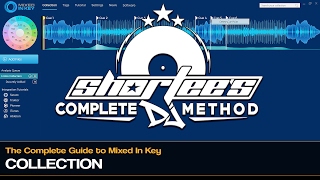
DJ Techniques Using This Gear
See how DJs and live performers incorporate Camelot Wheel into their workflow.

Mixing in Key (Camelot Reference)

Cueing Tracks

Library Optimization

Cross-Platform Playlist Integration

Energy Analysis

Camelot Key Display Setup in Rekordbox, Serato and Traktor
Frequently Asked Questions

Hey, it's Ben Modigell 👋
I DJ and produce as so I so — downtempo, minimal, dub house, tech house, and techno (releases on Spotify and SoundCloud, links above). Everything I write here comes from my own gigs, studio sessions, and library cleanups: the rules I follow, the failure modes I've actually hit, and the workflow I use when nobody's watching. If a technique didn't earn its place in my own sets, it doesn't make it into a tutorial.