
Mixed In Key 11
·Mixed In KeyStandalone harmonic-mixing and library-prep software that detects keys, energy levels, cue points, and tags for DJ sets.
Professional DJ Software
DJ software is the foundation of digital DJing. Modern platforms offer stems separation, live remixing, and deep integration with controllers and external gear for hybrid performance setups.
Mixed In Key 11 is library‑prep software that helps you mix harmonically with confidence. It detects musical keys, maps energy over time, sets cue points, and cleans tags so your playlists translate cleanly into Rekordbox, Serato, and Traktor. If you care about smooth transitions and fast prep, Mixed In Key 11 is worth a look. According to the official pages, version 11 refines filtering, nested playlists, and cue workflows, while Mixed In Key 11 Pro layers on stems and mashup tools. mixedinkey.com
Product Overview
Mixed In Key 11 analyzes your files, writes results into tags, and exports cue points so your DJ software reflects the prep you did. The core app handles key detection using the Camelot system, energy levels, and tag editing; Pro adds stems, pitch shifting, and a two‑deck idea tester. mixedinkey.com
If you’re weighing Mixed In Key 11 against built‑in analyzers, the value is consistency and workflow. You get one tagging standard, refined playlists, and energy data across your whole library, not just inside one DJ ecosystem. Pro’s Mashup and DJ Mix modes preview transitions and generate suggestions before you touch the decks. mixedinkey.com
Key Features
- Key detection with Camelot, flats, sharps, or standard notation. mixedinkey.com
- [Energy analysis](/learn/techniques/energy-analysis) per segment to spot low and high‑intensity sections. mixedinkey.com
- Automatic cue points and export to Rekordbox, Serato, and Traktor. mixedinkey.com
- Tag editor and nested playlists with advanced filtering for fast crate building. mixed in key gets dialed to 11
- Pro‑only: stem separation and export, pitch shift with refreshed suggestions, Mashup and DJ Mix modes. mixedinkey.com
Technical Specifications
| Specification | Details |
|---|---|
| OS support | macOS 11+ (standard); macOS 12.7.6+ for Pro stems; Windows 10+. mixed in key |
| File formats | AIFF, WAV, FLAC, MP3, M4A/AAC (ALAC on macOS), MP4; WMA on Windows. mixed in key pro |
| Integrations | Exports tags and cue points to Rekordbox, Serato, Traktor; DAW workflows supported. mixedinkey.com |
| License & activations | One‑time purchase; install on up to 3 personal computers; Mac and Windows included. mixedinkey.com |
| Pro stem requirements | Mac: Apple Silicon M1+; Windows: GPU with 6 GB VRAM recommended. mixedinkey.com |
Core requirements and capabilities for Mixed In Key 11.
Who Is This For
Perfect for DJs who want clean, consistent metadata and harmonic matches across multiple platforms. If you switch between Rekordbox and Serato DJ Pro, a neutral analyzer helps keep keys, energy and cues aligned.
Not ideal if you only DJ inside one platform and rely on its built‑in key detection. If you rarely prep sets, or you dislike auto‑generated cues, you may see less benefit.
In Practice
The typical flow is simple. Drag tracks into Mixed In Key 11, analyze, confirm key notation, and export cue points. Then reload tags inside your DJ app and you’re ready to audition blends.
Energy graphs help place transitions where a track naturally rises or dips. Pro users can load Deck A and Deck B, pitch‑shift to test harmony, split stems to hear acapellas or instrumentals, and save transition ideas to revisit later. mixedinkey.com
The Energy Level score itself runs from 1 to 10 and works like a danceability rating. Grouping anthems, warm-up tracks, and lower-intensity cuts by that score is often faster than sorting by key alone when you are shaping the arc of a night.
Cue points follow the same prep-first logic. Mixed In Key 11 can suggest up to eight editable cue points per track, placed on structural moments like the first beat, verse, and chorus. That gives you a working map before you fine-tune markers inside rekordbox, Serato DJ Pro, or Traktor.
Be aware that any bulk tag changes deserve a backup first. Community threads highlight cases where poor settings led to unwanted metadata overrides, which means caution pays off before big batch writes. 194fkbp
Treat Mixed In Key 11 as a librarian, not a performance tool. It handles the prep pass and hands cleaner data to your main platform, which is the right division of labor for a large library. Automatic analysis is still a starting point, though. No software reads every track correctly, so keep your ears in charge and override the results when a transition tells you otherwise.
Pros and Cons
Pros
- Consistent key labels across ecosystems.
- Energy mapping and nested playlists speed prep.
- Cue export reduces duplicate work.
- One‑time pricing is affordable.
- 30‑day refund window eases trials.
- ([futuremusic.com](https://futuremusic.com/2024/10/mixed-in-key-gets-dialed-to-11/?utm_source=openai)).
Cons
- -Built‑in key detection in DJ apps narrows the gap.
- -Auto cue placement can feel generic and needs tweaking.
- -Stems and mashup tools require the Pro upgrade and modern hardware.
- -([rekordbox.com](https://rekordbox.com/pl/plan//plan/?utm_source=openai)).
Price and Value
Street pricing for Mixed In Key 11 is about $58 in the US, €60 in the EU, and roughly £58 in the UK. Pro sits higher at around 99 EUR when not discounted. Seasonal sales can drop Pro well below list. futuremusic.com
Value is strong if you want one library standard across multiple apps and you’ll actually use energy data and cue export. If your DJ world lives in a single platform, the built‑in analyzer may be enough and free. new subscriptions and partial plan ch...
Alternatives
| Product | Price | Key Difference |
|---|---|---|
| Rekordbox (Free plan) | $0 | Built‑in key analysis inside Pioneer workflows; free tier exists with plan changes noted in 2025. |
| Serato DJ Pro | $249 or $9.99/mo | Full DJ platform with stems and updated library tools; Mixed In Key can still provide neutral analysis. |
| beaTunes 5 | $34.95 | Desktop collection analyzer with key/BPM and playlist features. |
Popular alternatives and how they compare on scope and price.
If your focus is library housekeeping and conversions, consider Lexicon DJ for cross‑app syncing, then keep Mixed In Key 11 for harmonic prep.
Bottom Line
Mixed In Key 11 is a focused prep tool for harmonic mixing. It gives you consistent keys, usable energy maps, and exported cues that travel with your tracks. DJs who maintain large libraries or switch ecosystems gain the most. Pro’s stems and mashup tools push it toward creative sketching, but the standard version already solves the core prep problem. If built‑in analysis covers your needs, stick with it; if you want a clean, cross‑platform baseline for every file you play, Mixed In Key 11 delivers. mixedinkey.com
Where to Buy
Authorized retailer and manufacturer direct: purchase and download from the Mixed In Key site. The company frequently runs seasonal discounts; standard list pricing is about $58/€60 for Mixed In Key 11 and 99 EUR for Pro outside promotions. mixedinkey.com
Organize for Live Performance
Tag tracks by set position, energy level, and key. When you're performing live, every second counts, find what you need instantly.
14-day free trial. Full access, no strings attached.
or see how it works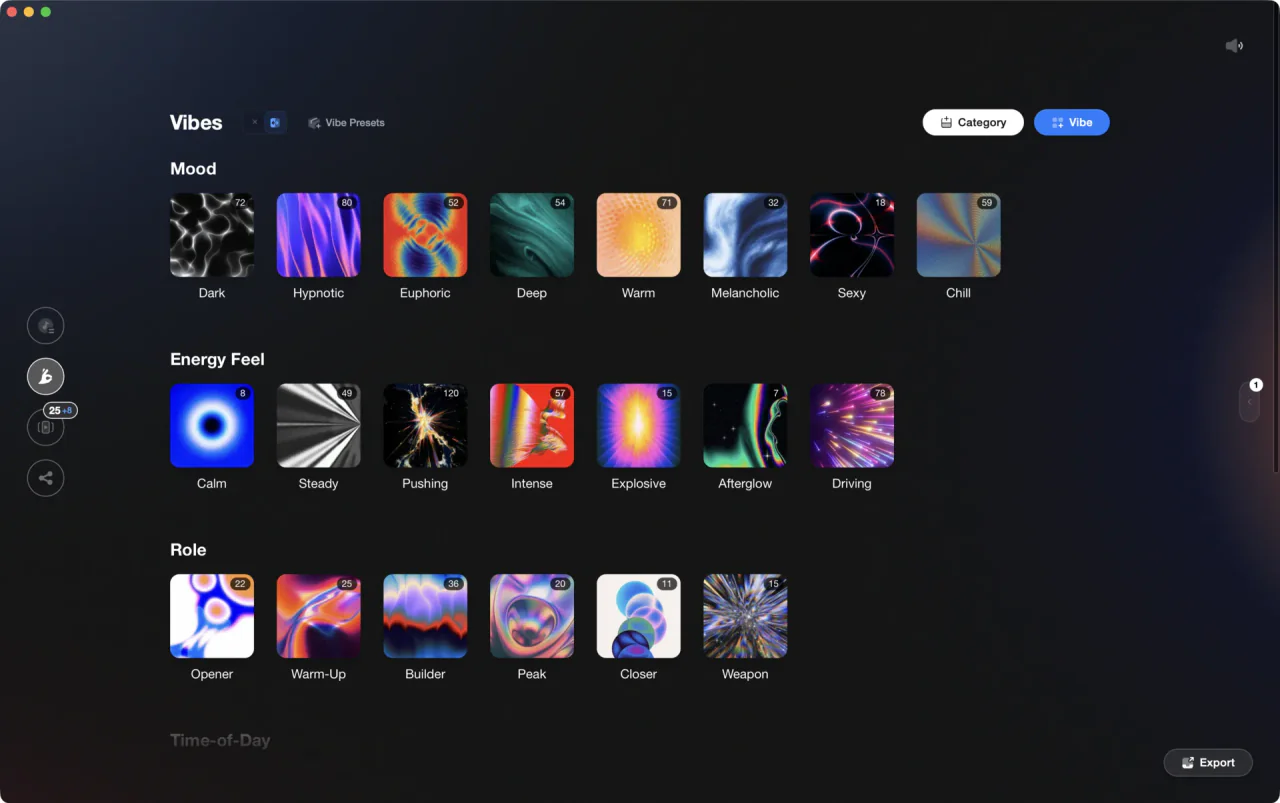
Tutorials Using Mixed In Key 11






DJ Techniques Using This Gear
See how DJs and live performers incorporate Mixed In Key 11 into their workflow.




Frequently Asked Questions

Hey, it's Ben Modigell 👋
I DJ and produce as so I so: downtempo, minimal, dub house, tech house, and techno (releases on Spotify and SoundCloud, links above). Everything I write here comes from my own gigs, studio sessions, and library cleanups: the rules I follow, the failure modes I have actually hit, and the workflow I use when nobody is watching. If a technique did not earn its place in my own sets, it does not make it into a tutorial.