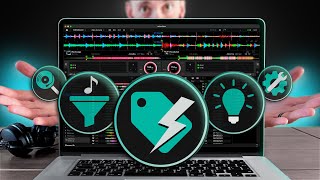
Watch Chris M’s tutorial above (182K views on YouTube).
This guide is for DJs whose virtual dj library has become slow, messy, or impossible to trust. If you waste time digging through folders, second-guessing tracks, or carrying low-value files, this will give you a working system. By the end, you will know how to source, curate, tag, search, and maintain a virtual dj library that stays usable.
A strong virtual dj library is a small, searchable collection of tracks you trust, with consistent metadata, clear energy markers, and maintenance rules. The goal is not owning more music. The goal is finding the right track fast and using it with confidence.
If you also use other DJ software, the same principles carry over to tools like Rekordbox playlist organization, DJ music library management, energy flow in DJ sets, and how to prepare DJ sets.
Virtual DJ Library: Start With Fewer Sources
Most library problems start before a track ever reaches your software. DJs pull from too many places, download too much, and keep tracks they never truly vetted.
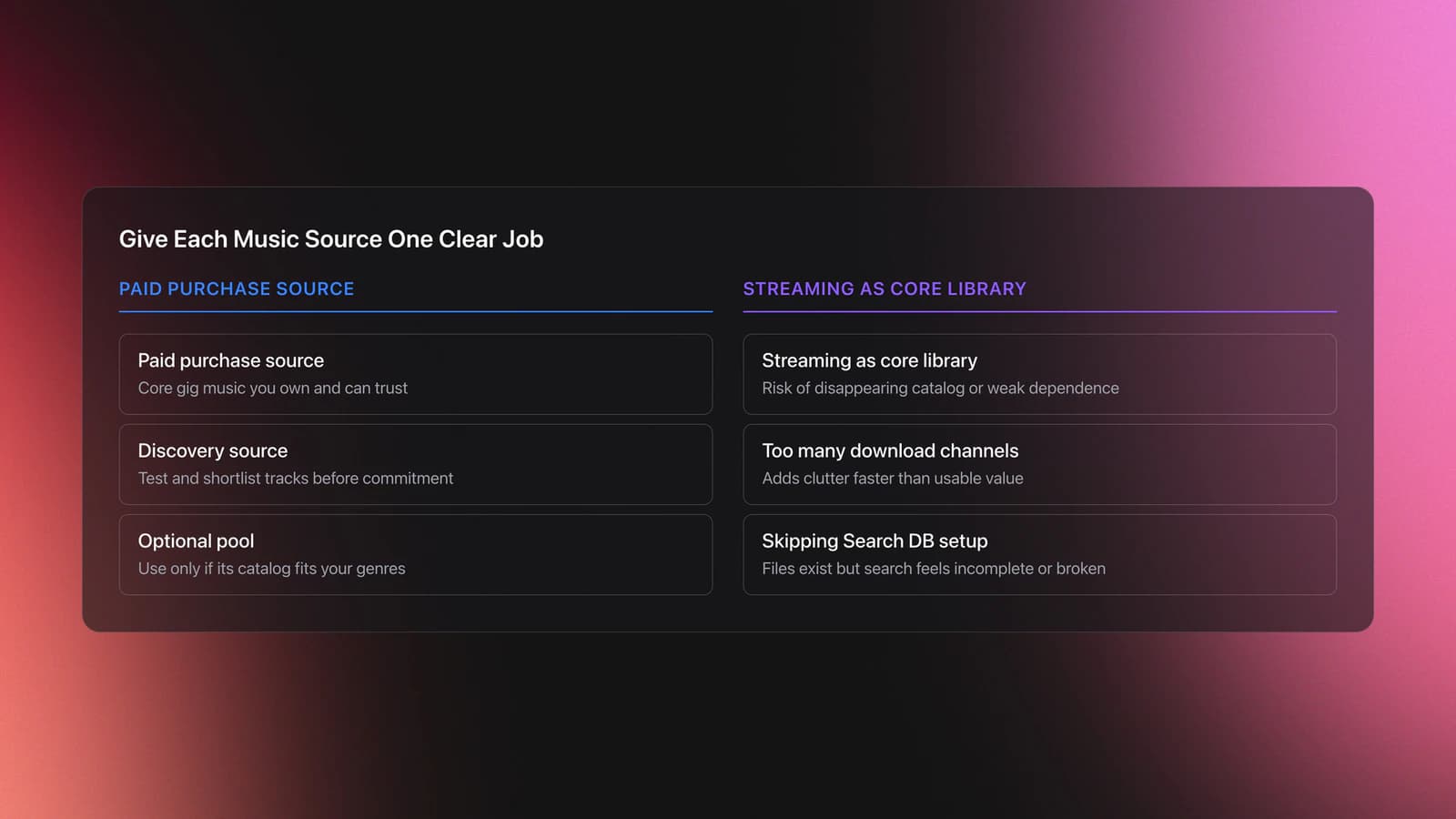
A better approach is source discipline. Pick two or three reliable channels, then assign each one a job.
For many DJs, that means one paid purchase source, one discovery source, and one optional subscription source. Stores like Bandcamp or download shops give you files you keep. Streaming helps with discovery. Record pools can work if your style matches their catalog depth.
This matters because your virtual dj music library should hold tracks you can actually depend on at a gig. A track that disappears from a streaming catalog, arrives in weak quality, or never matched your style in the first place is not an asset. It is drag.
VirtualDJ itself supports local folders and browser-based searching, and its search database is built by adding your drives or folders into the Search DB rather than by copying files into the app. The official browser and search documentation also confirms that search quality improves when you batch-add media folders to the database. VirtualDJ's browser manual and Search Database documentation explain how that works.
- Use owned files for core gig music.
- Use streaming for testing and shortlisting, not long-term dependence.
- Use pools only if they serve your genres well.
- Drop any source that adds clutter faster than value.
A common practice among experienced DJs is valuing musical storytelling over sheer volume. That usually leads to a smaller library, tighter curation, and better recall during real sets.
If your library spans multiple folders or drives, take five minutes and batch-add those folders to the VirtualDJ search database. Without that step, your virtual dj library management will feel broken even when your files are technically present.
Track Curation: Build A 24-Hour Filter
This is the highest-leverage part of the system. If bad tracks get in, no tagging structure will save you.
Use a two-pass curation model. First pass is attraction. Second pass is decision.
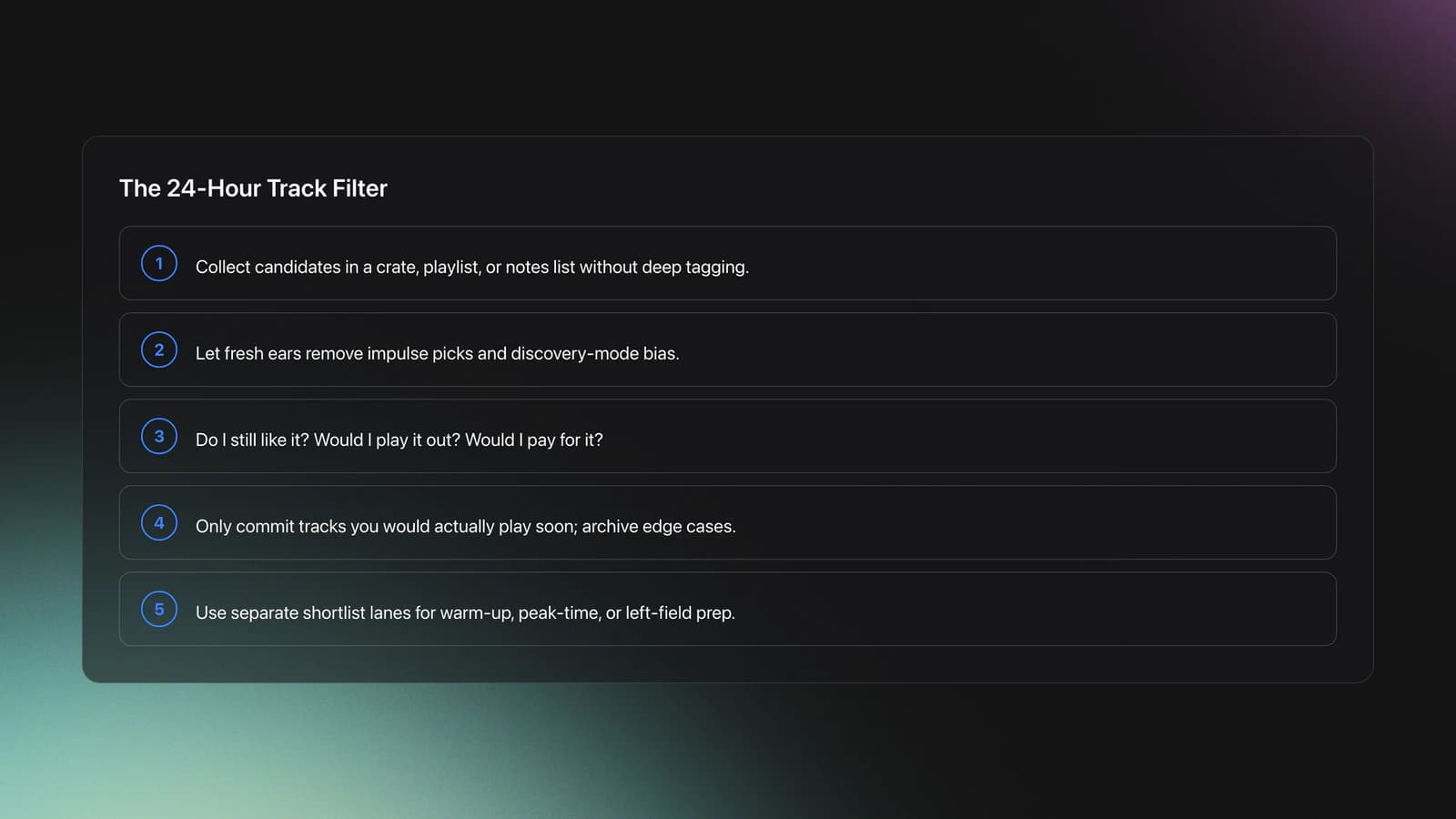
On the first pass, collect candidates into a shortlist. That can be a crate, favorites folder, notes list, or temporary playlist. Do not tag deeply yet.
Then wait at least 24 hours. Fresh ears cut through impulse decisions. Tracks that felt exciting in the moment often collapse the next day.
On the second pass, ask three questions: Do I still like it? Would I play it out? Would I pay for it? If one answer is weak, the track probably does not belong in your library.
Example one: you shortlist 20 deep-house tracks after a late-night dig. The next day, 7 still feel strong, 5 are too generic, 4 are poorly mastered, and 4 only worked because you were in discovery mode. You buy or keep the 7. Your hit rate rises immediately.
Example two: you save 12 edits from social platforms. The next day, 3 still sound special on monitors, 2 work only in headphones, and 7 feel disposable. You keep 3, maybe archive 2 for testing, and reject the rest.
The mental model here is simple. Your library is not a warehouse. It is a performance inventory.
That distinction changes behavior. Warehouses tolerate excess. Performance inventories punish it.
A failure mode shows up when you confuse discovery with commitment. The symptom is hundreds of promising tracks, very few trusted tracks, and repeated hesitation while planning sets.
Validation Check
If you prepare for different contexts, keep separate shortlist lanes. A warm-up shortlist, a peak-time shortlist, and a left-field shortlist prevent context confusion before tracks even enter your core virtual dj library.
Be honest about the tradeoff. Tight curation reduces options in the short term. It increases usable options in the moment that matters, which is when you need to choose fast.
Virtual DJ Library Tagging: Genre, Energy, Vibe
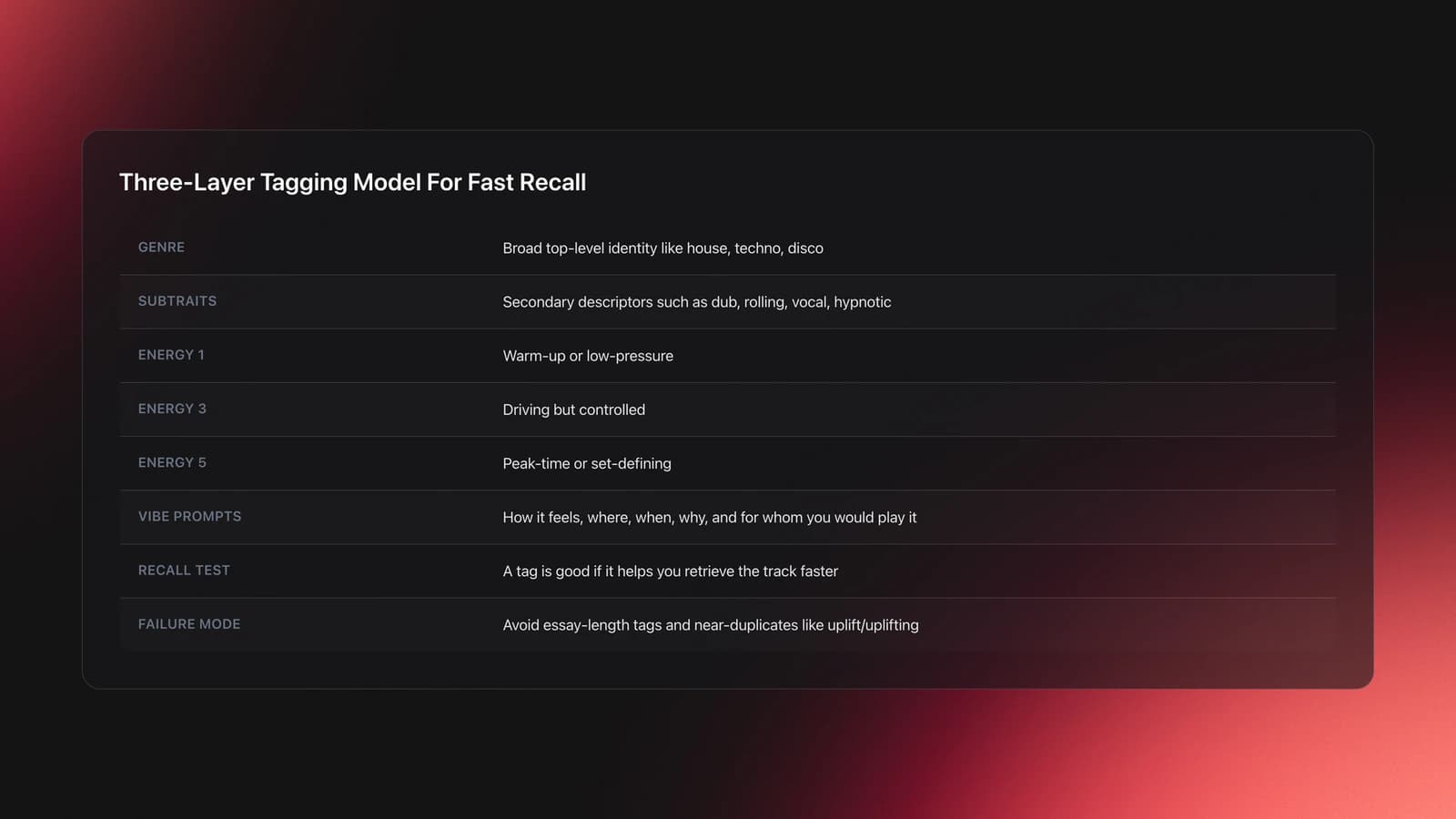
A virtual dj library becomes usable when tags answer three questions. What is this track? How hard does it hit? What situation does it fit?
That gives you a three-layer model: genre, energy, and vibe. Use each layer for a different job.
First, keep genre broad. Do not force hyper-specific subgenres into one rigid field if the track crosses lanes. Broad genre gives you a stable top-level filter.
Second, use a separate field or convention for subgenre traits. In VirtualDJ, this can be comments, custom fields, folders, or naming rules depending on your setup. The exact field matters less than consistency.
Third, assign energy on a fixed scale. A five-level model works well because it is fast to judge and easy to recall.
- 1 = warm-up or low-pressure
- 2 = steady and restrained
- 3 = driving but controlled
- 4 = high impact
- 5 = peak-time or set-defining
Example one: a dub techno track might be tagged as genre: techno, subtraits: dub, hypnotic, deep, energy: 2, vibe: late-night, heads-down, intimate. That tells you far more than a single genre field ever could.
Example two: a chunky tech house track might be genre: house, subtraits: tech house, rolling, vocal, energy: 4, vibe: terrace, hands-up, transition-ready. Again, fast recall beats perfect taxonomy.
The vibe layer is where the library becomes personal. Ask six prompts: how does it feel, what does it remind you of, where would you play it, when would you play it, why would you play it, and for whom.
This is where many DJs freeze because they want universal labels. There are none. A useful vibe tag is not objectively correct. It is operationally useful.
I call this the recall test. If a tag helps you remember or retrieve the track faster, it is a good tag.
A failure mode appears when tags become essays. The symptom is too much reading, inconsistent wording, and multiple near-duplicate tags like "uplift," "uplifting," and "uplifter."
Standardize your vocabulary early. Pick one label and stick to it.
You will know your virtual dj library management is improving when you can filter for a mood or context and pull five credible options in under ten seconds.
VirtualDJ's search tools are built around file and database searching, with browser options and filter features available in the software's library system. The official manual notes that search can target multiple fields and that quick filters and filter folders are part of the broader browser workflow. See the VirtualDJ Search Database guide and folder list documentation.
If you want a second organizational layer outside your performance software, this is another place where category structure can help. Some DJs keep their performance library lean and maintain deeper preparation structure elsewhere. Vibes, for example, is built around custom hierarchical categories, keyboard sorting, and progress tracking, which suits DJs who want to organize by mood, function, or energy before they export their structure.
Use that idea even if you stay fully inside VirtualDJ. The point is to separate broad identity, playable intensity, and personal context. Once those are distinct, searching becomes much faster.
Set Planning: Use Constraints To Find Better Tracks
An organized library is not the end goal. Better decisions are.
This is where structure starts paying you back. When you know genre, energy, and vibe, you can plan from outcomes instead of scrolling at random.
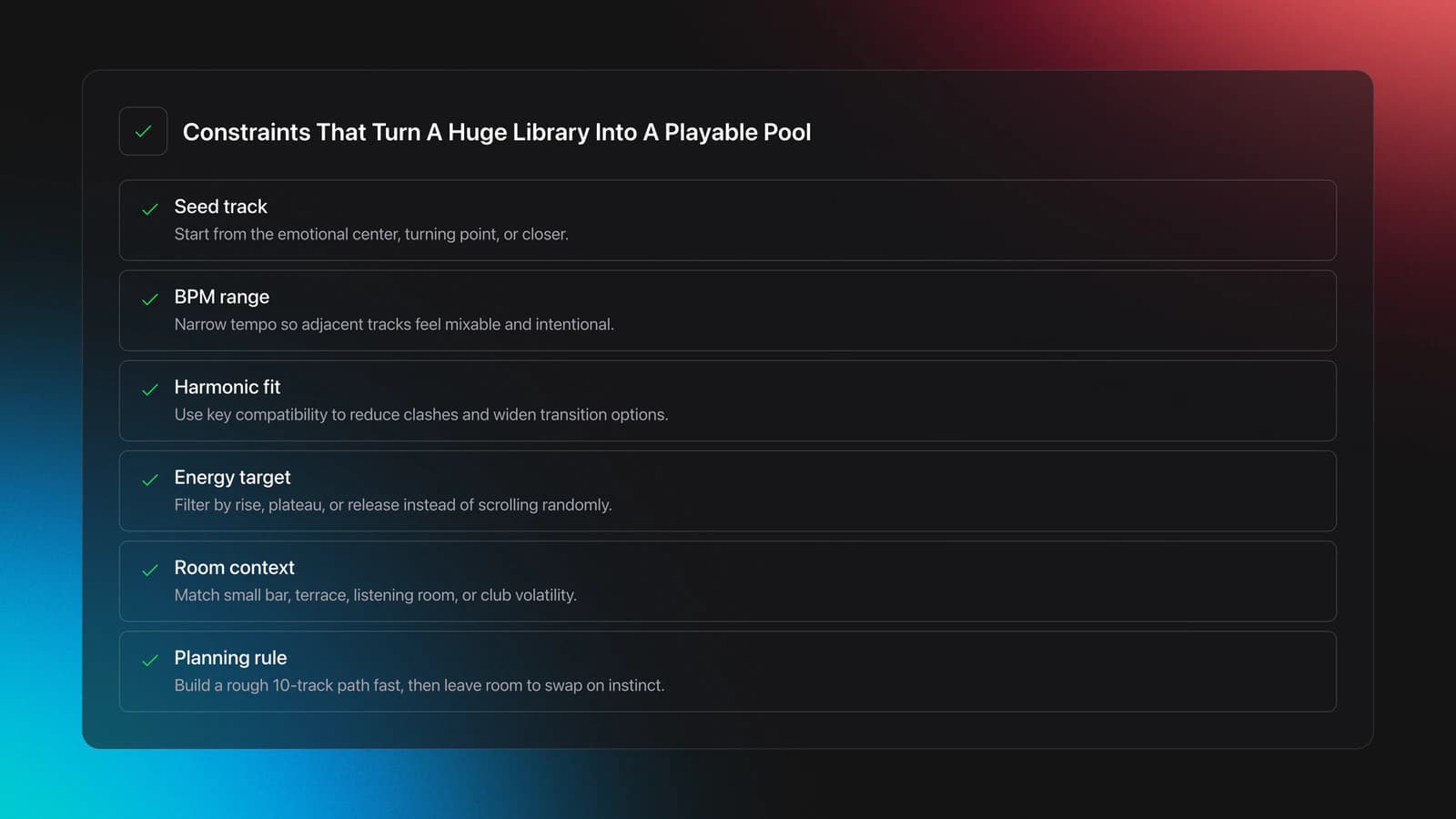
Start with a seed track. This is the track that defines either the end point, emotional center, or turning point of your set.
Then work backward or outward from that seed using constraints. Typical constraints are BPM range, harmonic compatibility, energy level, room type, and set time.
Example one: your seed track is a 128 BPM house closer with big vocal payoff. You need the three tracks before it. Filter for 124-128 BPM, energy 4-5, vocal-friendly, terrace or peak-time vibe. You now have a manageable pool instead of your full library.
Example two: your seed track is a 115 BPM downtempo opener for a small bar. Filter for 108-116 BPM, energy 1-2, organic or warm tags, and intimate vibe markers. The library starts suggesting a tone, not just a tempo.
This is the paradox-of-choice fix. Less option overload produces more creative decisions.
Experienced practitioners often find that spontaneity improves after organization, not before it. The reason is simple. Structured recall gives you more headroom for intuition.
The limitation is context. A tightly planned chain may work beautifully in a listening bar and fail in a volatile club room. Underground and club settings reward different levels of preparation. Use planning as a starting frame, not a script.
VirtualDJ 2026 remains current as of April 22, 2026, and the official download page describes it as free for home use, with support for audio, video, karaoke, and real-time stem separation. The same page lists minimum support down to Windows 7 and recommends newer operating systems for best results. See the official VirtualDJ download page and VirtualDJ stems overview.
If you want to build prepared sets outside your live crate, use a visual or staged planning method. That can be as simple as temporary playlists. It can also live in a prep tool. In a DJ workflow, Vibes is relevant here because it lets you prepare named sets on a visual canvas and uses BPM, key, and assigned categories to suggest compatible tracks. The useful principle is planning with constraints while leaving room for instinct.
Validation Check
How Do You Keep A Virtual DJ Library Clean?
You keep a virtual dj library clean by reviewing failed tracks, weak-quality files, duplicates, and untouched additions on a schedule. The core rule is simple: if a file no longer earns its place, mark it, review it, and remove it deliberately.
Maintenance is where most systems collapse. DJs build a good library once, then stop enforcing standards.
You need four maintenance lanes. Dead tracks. Bad-quality files. Duplicates. Unplayed additions.
Dead tracks are songs that passed curation but failed in practice. Maybe they clear the room. Maybe they clash with your current sound. Maybe your taste simply moved on.
Bad-quality files are any tracks below your performance standard. In many modern DJ workflows, 320 kbps MP3 or better is the baseline for lossy files, though lossless can be preferable when available.
Duplicates are easy to ignore and expensive in aggregate. The symptom is two or three versions of the same track with unclear naming, wrong edits, or mismatched metadata.
Unplayed additions are the hidden tax. If you added the track months ago and still never reach for it, that is useful evidence.
| Mistake | Why It Happens | How to Avoid |
|---|---|---|
| Keeping every download | Discovery feels productive | Use a 24-hour filter and hard review rules |
| Using vague tags | No controlled vocabulary | Standardize genre, energy, and vibe labels |
| Ignoring weak audio files | Quality checks feel tedious | Sort by bitrate and flag replacements monthly |
| Never deleting failed tracks | Past effort creates attachment | Mark poor performers and review them weekly |
| Overbuilding playlists | Planning becomes hoarding | Keep active crates lean and purpose-specific |
Common virtual dj library mistakes and how to prevent them
Example one: you review a monthly crate of 80 tracks. Eight are duplicates, six are weak masters, twelve never got played, and five felt wrong in real rooms. Removing 31 tracks from active use makes the next month easier immediately.
Example two: you tag low-quality legacy files with a replacement marker. Over two weekends, you replace 20 of them with better versions. Your library gets smaller, cleaner, and safer at the same time.
A failure mode here is soft deletion. You mark tracks mentally but never act. The symptom is a library full of known problems that still appear in search results.
Validation Check
Where Can I Find Music For A VirtualDJ?
You can find music for a VirtualDJ setup from download stores, Bandcamp-style direct purchases, record pools, promo channels, and supported streaming services. The best source depends on whether you need ownership, discovery speed, underground depth, or request coverage.
For a long-term virtual dj library, owned files are still the safest base. Streaming is useful for testing and breadth, but it carries licensing and availability risk.
VirtualDJ's browser documentation lists integrated streaming and cloud-related folders such as TIDAL, SoundCloud, Beatport, and Beatsource when supported in the software environment. That confirms the platform can sit across both owned and connected-source workflows, but it does not remove the need for a local fallback. See the VirtualDJ folder list manual.
Maintenance Routine: Keep The Library Useful
A good virtual dj library management routine is light, regular, and boring. That is why it works.
Run a weekly review for active crates and a monthly review for the full collection. Do not wait for a crisis.
- Weekly: remove bad performers, duplicates, and obvious mistakes.
- Monthly: sort by date added, bitrate, and play count.
- Quarterly: merge or retire stale tags and crates.
If you learned in a self-taught, intuitive way, this matters even more. Many DJs started by simply loading tracks and playing with friends until a flow emerged. That spirit is useful. But once your collection grows, intuition needs support from structure.
The result is simple. You keep the freedom of intuitive playing without carrying the chaos of an ungoverned library.
Conclusion: Make The Virtual DJ Library Earn Its Place
A useful virtual dj library is built on five moves: limit sources, curate with delay, tag on three layers, plan with constraints, and maintain on schedule. Each step removes friction. Together they change how fast and how confidently you can play.
- Keep fewer tracks, but trust them more.
- Tag for recall, not theory.
- Treat maintenance as part of performance prep.
If your current system is bloated, do not redesign everything at once. Fix one crate, one tagging rule, and one maintenance habit this week. Then scale the method across the rest of your library.
The visual way to organize your DJ library
Tag tracks by vibe. See everything at once. Export to rekordbox, Serato, Traktor or Engine DJ.
14-day free trial. Full access, no strings attached.
or see how it works
Techniques Covered

Track Selection
Energy-Based Mixing

Cross-Platform Playlist Integration

Smart Playlists for DJs

Camelot Key Display Setup in Rekordbox, Serato and Traktor
Move Rekordbox to a New Computer: Keep Cues and Playlists
Platinum Notes 10 Processing Templates
Energy Analysis
Equipment & Software
Featured Gear
Continue Your Learning Journey
Start Here First

Virtual DJ Tutorial: Beatmatching Basics
beginner
Music Library Management for DJs: Tags, Folders & Backups
beginner
DJ Setup Types
beginnerHow to Choose a DJ Controller for Your Workflow
beginner
How to DJ: First Mix, Step by Step
beginner
DJ Starter Equipment: What to Buy First (and What to Skip)
beginner
How Can I Be a DJ and Start Strong
beginnerRelated Content
DJ Library Organization System: Tags, Crates, Keys
intermediateRekordbox Library Setup and Backup
intermediate
DJ Record Pool Guide for Working DJs
intermediate
DJ Playlist Spotify: Mixing With Streaming Inside Rekordbox
intermediate
How to DJ With Just a Laptop (No Controller Needed)
intermediate
Mixed In Key Manual for DJs
intermediate
Transition DJ Online: Browser Mixer Workflow
intermediateHow To Mix In Key Live: Worked Transitions And Failure Fixes
intermediate
Mixed In Key Database Guide
intermediate
DJ Transitions: The Three-Layer Handoff for Beginners
intermediateFrequently Asked Questions

Hey, it's Ben Modigell 👋
I DJ and produce as so I so: downtempo, minimal, dub house, tech house, and techno (releases on Spotify and SoundCloud, links above). Everything I write here comes from my own gigs, studio sessions, and library cleanups: the rules I follow, the failure modes I have actually hit, and the workflow I use when nobody is watching. If a technique did not earn its place in my own sets, it does not make it into a tutorial.