

The best DJ software for bass music.
Bass genres live at two tempos at once, so the software that matters is the one whose beatgrids and sync hold up when a 174 BPM roller is also an 87 BPM half-time groove. Traktor Pro 4 has flexible beatgrids that follow tempo changes automatically, Serato DJ Pro gives you the most hands-on grid editing, rekordbox is the safe pick when your sets end up on club CDJs, and Mixxx covers the basics for free.
$49$79USD one-time purchase. First 250 licenses at this price. 14-day free trial.
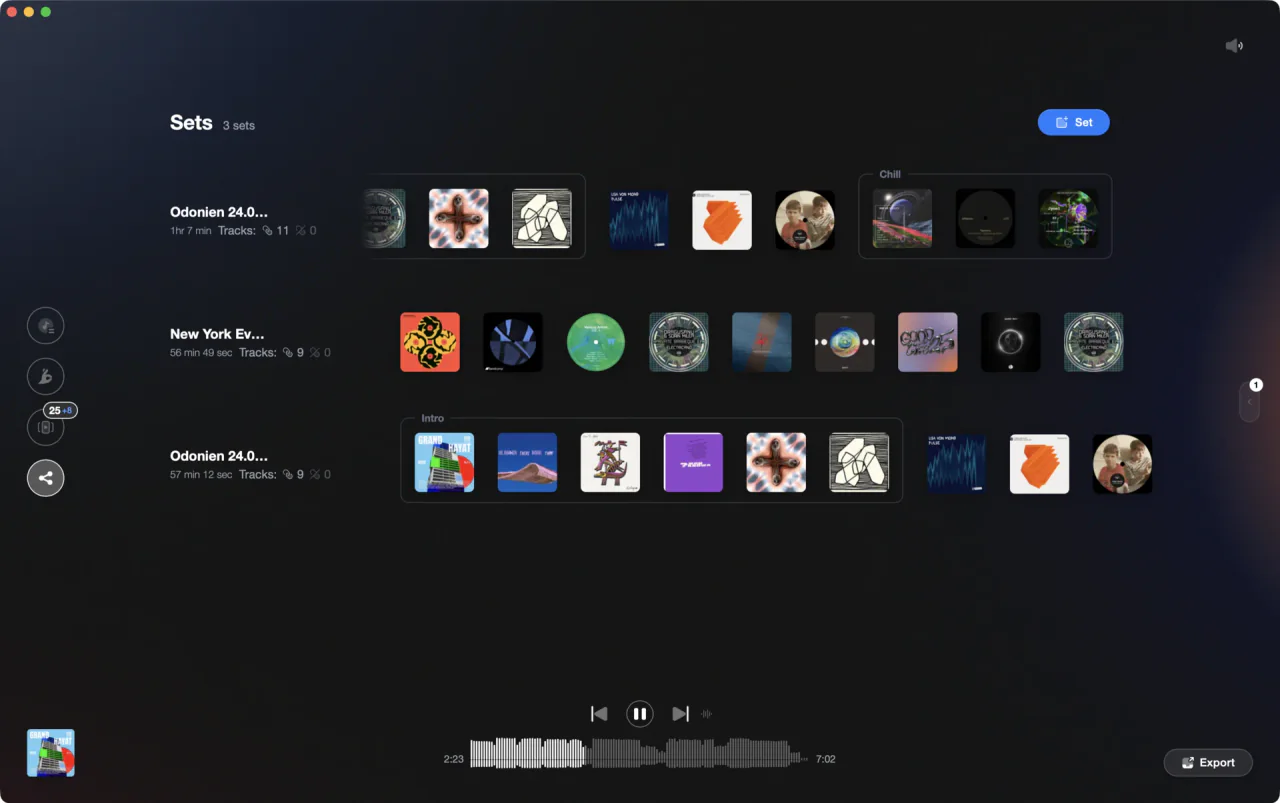
Bass sets live at two tempos at once. Prep for both.
For bass music, Traktor Pro 4 handles tracks whose tempo drifts, Serato DJ Pro gives the most hands-on grid editing, rekordbox is safest for club CDJs, and Mixxx is free. Vibes preps the crate before whichever you run.
Five apps, judged on bass.
Bass music is not one tempo. A drum and bass roller at 174 BPM is also an 87 BPM half-time groove, dubstep sits near 140 with a half-time drop, and bass house borrows from both. That is what stresses a DJ app: grids that hold through tempo drift, tempo handling that does not fight you across half and double time, and stems clean enough to swap a drop. These five are judged on that.
| Option | Strengths | Trade-offs |
|---|---|---|
| Traktor Pro 4Best for Bass sets built from tracks that drift in tempo |
|
|
Our verdict The pick if your crate is full of live-recorded rollers, vinyl rips, and bootlegs whose tempo wanders. Flexible beatgrids are the one feature on this page aimed squarely at that problem, and the stem split names bass as its own layer. | ||
| Serato DJ ProBest for Hands-on grid editing and a free way in |
|
|
Our verdict The most patient option when a grid is wrong. If you would rather fix a drum and bass intro by hand than trust an algorithm, this is the app that lets you, and Lite costs nothing while you decide. | ||
| rekordboxBest for Bass DJs whose sets end up on club CDJs |
|
|
| VirtualDJ 2025Best for Cheap bedroom mixing with AI stems on top |
|
|
| MixxxBest for Free practice on Windows, macOS, or Linux |
|
|
Our verdict The honest starting point. Saved beat loops in hotcue slots are exactly how you rebuild a dubstep drop on the fly, and it costs nothing to find out whether bass mixing is your thing. | ||
| At a glance | Pricing | Model |
|---|---|---|
| Traktor Pro 4 | $149 one-time | One-time purchase |
| Serato DJ Pro | $11.99 a month or $299 one-time; DJ Lite free | Subscription or one-time |
| rekordbox | Free plan; Core 10, Creative 15, Professional 30 euros a month | Freemium subscription |
| VirtualDJ 2025 | Home 4 euros a month, Pro 19 euros a month | Subscription |
| Mixxx | Free | Free and open source |
How we compared.
Every price and feature on this page was read off the vendor's own pricing or product page while writing, not copied from another roundup. Where a vendor lists its prices in euros, we quote euros, because that is what its page shows.
We did not score the apps on total feature count. Bass music asks specific things of DJ software: beatgrids that survive tracks recorded live or ripped from vinyl, tempo handling that copes with two tempos at once, and stem separation that holds up when a bassline is the loudest thing in the mix. Features that do not touch those questions were left out.
We make a library and prep tool, not DJ software, so none of the five is a competitor of ours. That is also why no single winner is declared here: the right pick depends on where you play, not on which app we happen to like.

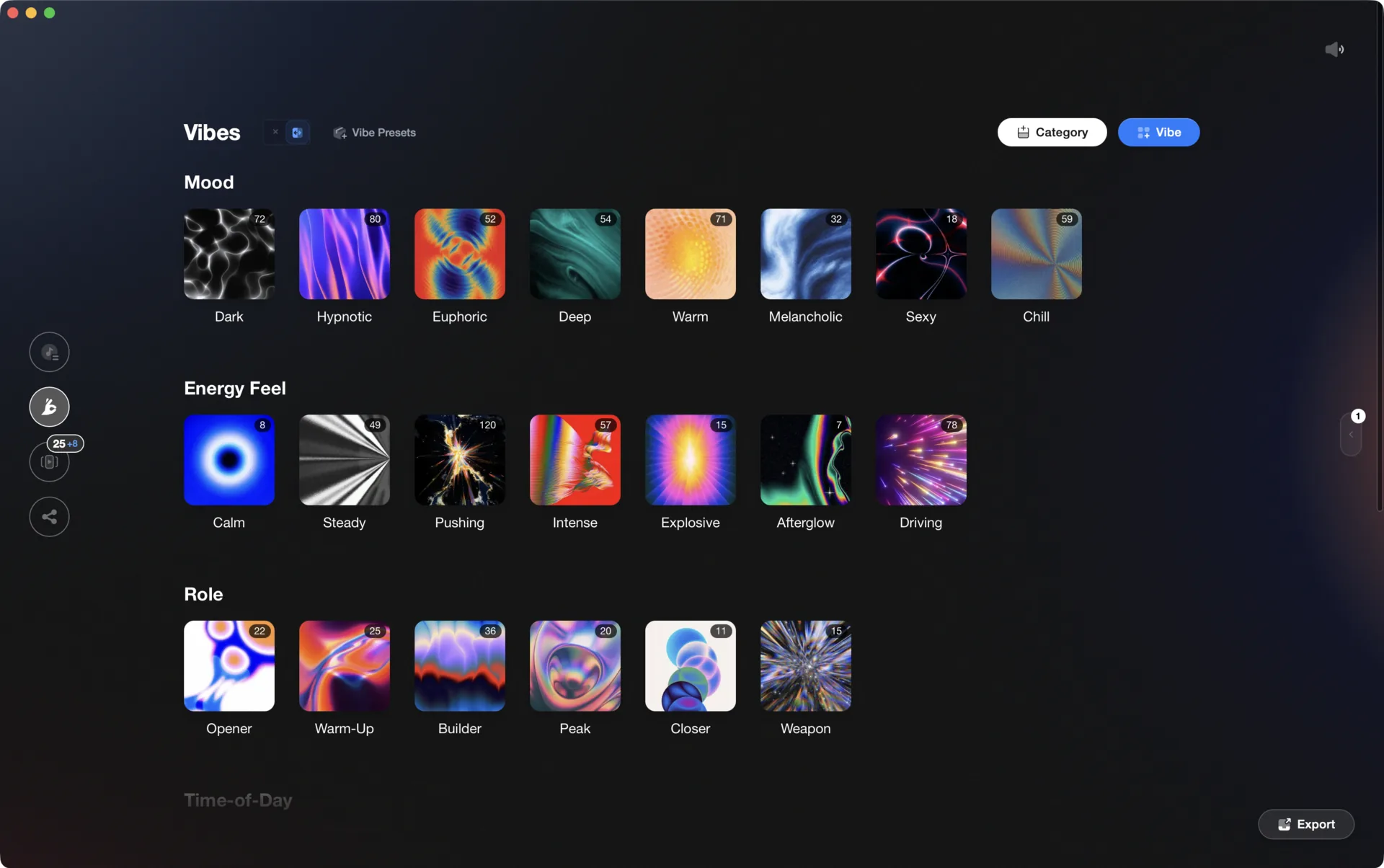
What actually matters for bass music.
Grids that survive drift
Rollers recorded live, vinyl rips, and bootlegs rarely hold one tempo. You want either grids that follow the drift on their own or markers you can drag by hand. Everything else in a bass mix rests on that.
Half and double time
A 174 BPM drum and bass track sits happily against an 87 BPM half-time groove, and dubstep at 140 is already doing both. Check how each app displays and syncs a halved or doubled tempo before you commit.
Stems for drop swaps
Most modern bass mashups are a stem swap: keep one drum bed, drop another bassline over it. Traktor and VirtualDJ name stems explicitly, and rekordbox lists STEMS support even on its free plan.
Where you will actually play
This decides more than the feature list. Club CDJs point at rekordbox, your own controller points at whatever it was bundled with, and practice at home points at whichever is free. Match the app to the room.
One organized library, every app.
Vibes imports from and exports to Rekordbox, Serato, Traktor, and Engine DJ, so the software you pick is never a lock-in.

Track 001
Artist A
Afterhours Mysterious
 Introspective
Track 002
Artist B
 Cozy FloorPeaceful
 Home
Home
Track 003
Artist C
Rave Aggressive
 Festival
 Build & Release
Frequently asked questions
The honest answers, including the trade-offs.
From a Vibes customer
The import worked perfectly. Have created several sets now and my life is so much easier
One-time purchase
Get Vibes with a single payment. No subscription.
Vibes is the step before you open your DJ software, not a replacement for it.
First 250 licenses at this price, then $79.
14 days • Full access
No strings attached
Secure checkout with Stripe
Already have Companion Pro? Upgrade instead


Methodology
How we keep this honest.

Verified against the source
Every claim about each app is checked against its official site and current pricing.
We own our bias
We make Vibes, a library tool, not DJ mixing software. The picks above are independent, and we recommend the app that fits you, not the one paired with us.
Live pricing
The Vibes price shown comes straight from our checkout, never a hardcoded marketing number.
Kept current
Last reviewed September 2026.
Keep exploring
DJ apps head to head
Works with your software
Vibes for DJs
Vibes features
How-to guides
Best DJ software
Move between apps
Learn to DJ