

The best DJ USB, and how to pick one.
A USB 3.2 flash drive from a name brand, 128GB to 512GB, formatted FAT32 with an MBR partition, is what club players read without argument. The part most roundups leave out: that speed rating only shows up while you copy tracks from your laptop, so a second drive carrying the same set protects the night far better than another few hundred megabytes per second.
$49$79USD one-time purchase. First 250 licenses at this price. 14-day free trial.
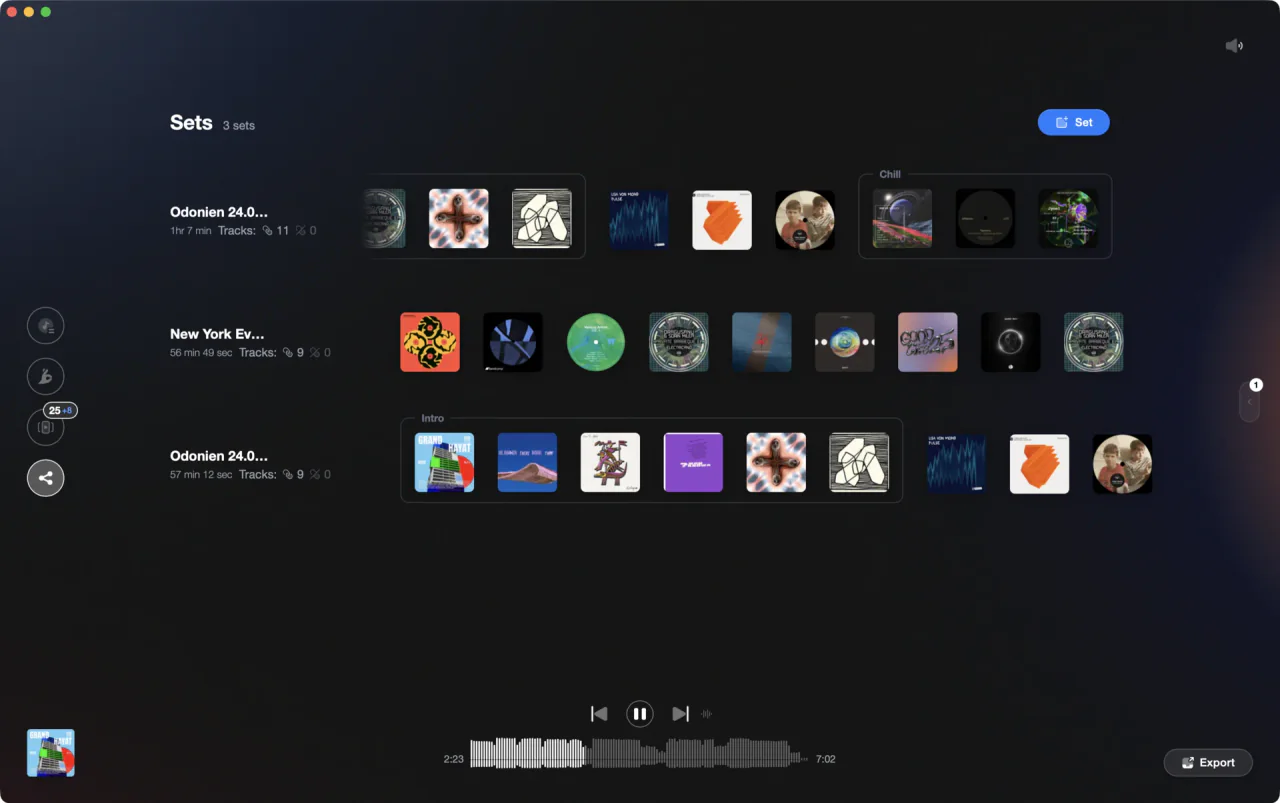
The drive is the last step. The library is the step before it.
The best DJ USB is a name-brand USB 3.2 drive, 128GB to 512GB, formatted FAT32 with an MBR partition: the SanDisk DJ Flash Drive, Chroma Drive, or a Samsung BAR Plus as the spare. Vibes preps what you export.
The drives, compared.
Three drives, judged on what a club player asks of them: a format it accepts without argument, a plug that survives a gig bag, and enough space for the sets you actually play. The fastest USB for DJs is rarely the one that saves your night, so speed sits below reliability here. The best USB for DJs is boring, branded, and bought in pairs.
| Option | Strengths | Trade-offs |
|---|---|---|
| SanDisk DJ Flash DriveBest for Exports onto Pioneer DJ and AlphaTheta players |
|
|
Our verdict If you have been searching for a Pioneer DJ flash drive, this is the drive built with that gear in mind, and SanDisk publishes the compatibility table to back it. The AlphaTheta SanDisk DJ Flash Drive 1TB is the version people mean when they want one drive for everything, though most sets never need that much. | ||
| Chroma DriveBest for Gig bags, and never losing a cap again |
|
|
Our verdict DJ TechTools sells it as the Chroma USB Drive, redesigned in 2026 with no cap to lose. Buy it for the hardware around the memory: locking metal covers, a solid body, and a format that works out of the box on old and new players alike. | ||
| Samsung BAR PlusBest for The cheap second drive that carries the same set |
|
|
| At a glance | Pricing | Model |
|---|---|---|
| SanDisk DJ Flash Drive | Not stated on SanDisk's product page | Flash drive, 512GB or 1TB |
| Chroma Drive | $79.99 at every capacity | Flash drive, 128GB to 1TB |
| Samsung BAR Plus | $39.99 for 128GB on Samsung's US store | Flash drive, 64GB to 256GB |
How we picked.
We picked from what the gear accepts, then checked every number against the maker's own page: SanDisk's data sheet and its Pioneer DJ compatibility table, the DJ TechTools store listing, and Samsung's US product page. Where a spec was not published, it is not in the table above.
Two searches deserve a straight answer. A Pioneer USB stick, in the sense of a drive sold by the company behind the players, is not what those searches find; they find ordinary drives with published testing against that gear, which is why the SanDisk one leads here. A custom DJ USB with your logo on it is a printing job, so choose the drive on its specs and brand it afterwards.
We also left out every DJ USB stick with music already loaded on it. You get someone else's rips at unknown quality and unclear licensing, and you cannot check keys, tags or beat grids until it is already in the player. The best USB for DJing is one you filled yourself.

What actually matters in a DJ drive.
Format before speed
On the rekordbox USB format question, FAT32 with an MBR partition is the answer that works everywhere. SanDisk's compatibility table lists that combination as the default and shows it accepted by every Pioneer DJ and AlphaTheta model on the list, while GPT is limited to newer players such as the CDJ-3000 and OPUS-QUAD. rekordbox itself added exFAT support in version 6.6.2.
Capacity you will actually fill
The best USB stick for DJing is usually smaller than the one you were about to buy. 128GB carries thousands of tracks, browses faster on a player, and re-exports in less time when a playlist changes. Fill a drive two thirds at most and leave the rest of the library at home.
The body and the plug
Caps get lost and plugs get snapped off in booths. A DJ Tech Tools USB is the only drive here designed by a DJ store rather than a memory brand, and it shows: both ends sit under rotating metal covers that lock shut, in a zinc alloy body with a keyring loop. Metal beats plastic in a gig bag.
Two drives, one set
Redundancy costs less than a ruined night. Export the same playlists to two drives, label them, and carry them in different pockets. Serato's own guide describes copying crates and music onto a USB drive to make a library portable, so a second drive earns its place even when you play from a laptop.
One organized library, every app.
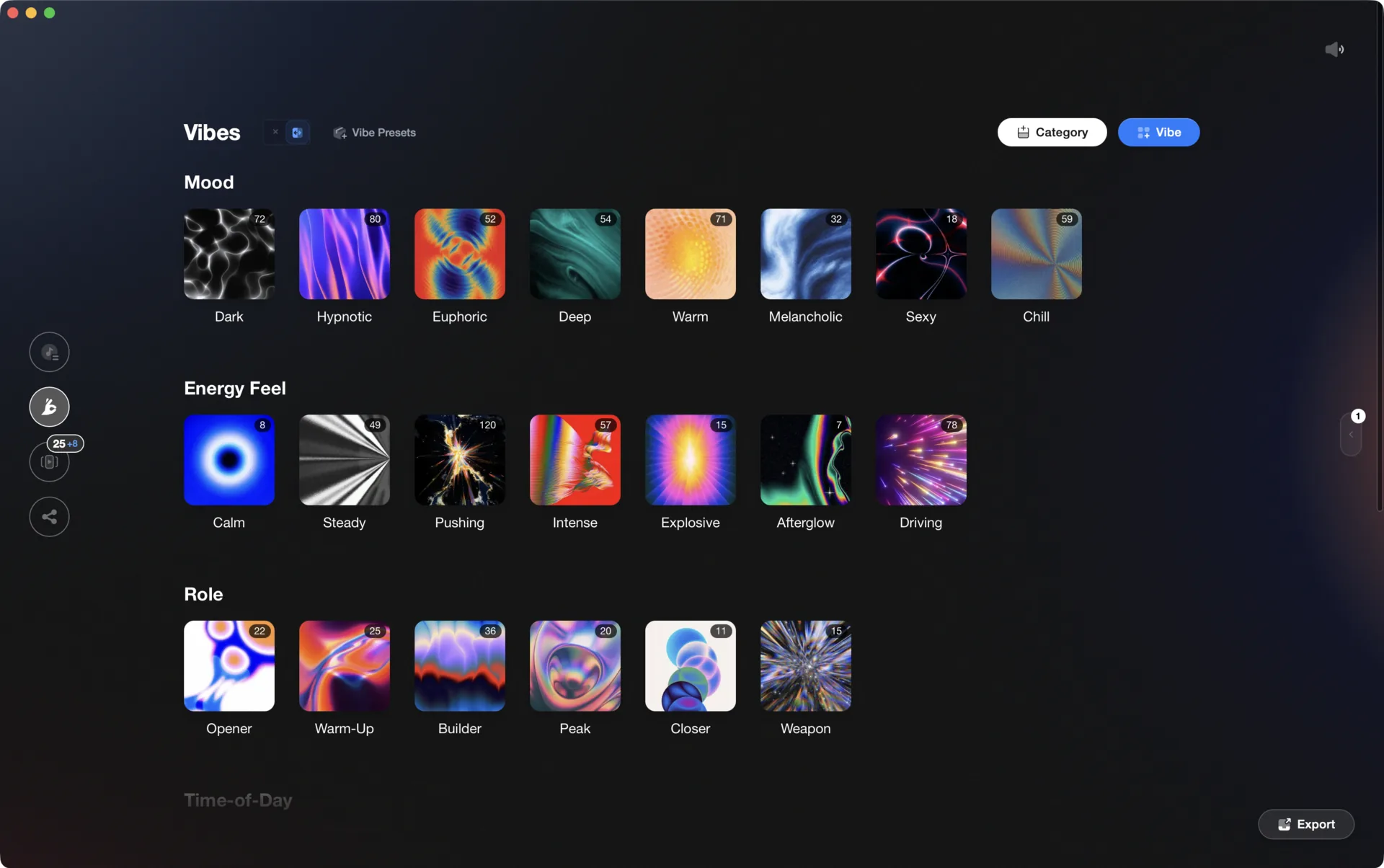
Vibes imports from and exports to Rekordbox, Serato, Traktor, and Engine DJ, so the software you pick is never a lock-in.

Track 001
Artist A
Afterhours Mysterious
 Introspective
Track 002
Artist B
 Cozy FloorPeaceful
 Home
Home
Track 003
Artist C
Rave Aggressive
 Festival
 Build & Release
Frequently asked questions
The honest answers, including the trade-offs.
From a Vibes customer
The import worked perfectly. Have created several sets now and my life is so much easier
One-time purchase
Get Vibes with a single payment. No subscription.
Vibes is the step before you open your DJ software, not a replacement for it.
First 250 licenses at this price, then $79.
14 days • Full access
No strings attached
Secure checkout with Stripe
Already have Companion Pro? Upgrade instead


Methodology
How we keep this honest.

Verified against the source
Every claim about each app is checked against its official site and current pricing.
We own our bias
We make Vibes, a library tool, not DJ mixing software. The picks above are independent, and we recommend the app that fits you, not the one paired with us.
Live pricing
The Vibes price shown comes straight from our checkout, never a hardcoded marketing number.
Kept current
Last reviewed September 2026.
Keep exploring
Compare Vibes
DJ apps head to head
Works with your software
Vibes for DJs
Vibes features
How-to guides
Best DJ software
Move between apps
Learn to DJ