
Your playlists, back in your DJ software.
rekordbox, Serato and Traktor each keep playlists in their own library, and the rekordbox manual names no third-party DJ app it can import one from, so a playlist crosses over as a file both apps accept or through a tool that writes the second app's library directly. rekordbox imports M3U, M3U8 and PLS, Traktor imports NML playlist files, and Serato DJ Pro documents no crate export at all, only a History session export to txt, csv or m3u. Below: the route inside each app, what survives the trip, and the faster way when the whole library has to move.
$49$79USD one-time purchase. First 250 licenses at this price. 14-day free trial.
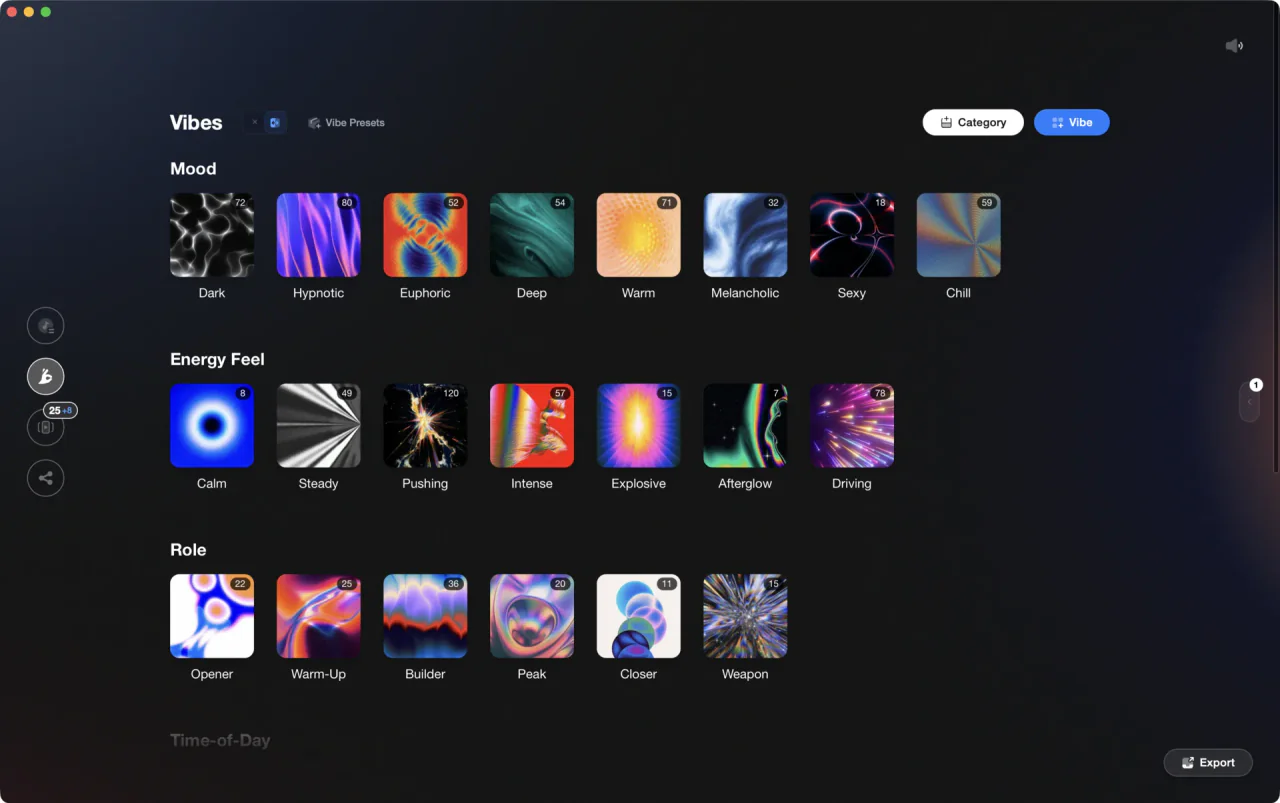
Your categories become the folder tree your DJ software sees.
Export in Vibes writes your vibes, sets, and combinations into rekordbox, Serato, Traktor, and Engine DJ as playlists or crates in one pass, carrying ratings, cue points, and vibe comments everywhere except Serato crates.
How it works.
In rekordbox, right-click a playlist and pick Export a playlist to a file, as .txt or .m3u8. In Traktor, right-click the playlist and pick Export Playlist, which writes a folder with the tracks and an .nml. Serato documents no crate export, only a History session export.
In rekordbox, use File > Import > Import Playlist, which accepts M3U, M3U8 and PLS. In Traktor, right-click the Playlists folder and pick Import Playlist, or drop an .nml file onto it.
A playlist file lists file locations, with a title and a length at most. Analyze the tracks again in the receiving app, then redo cue points, loops and ratings by hand.
In rekordbox, right-click a playlist and pick Export a playlist to a file, as .txt or .m3u8. In Traktor, right-click the playlist and pick Export Playlist, which writes a folder with the tracks and an .nml. Serato documents no crate export, only a History session export.
In rekordbox, use File > Import > Import Playlist, which accepts M3U, M3U8 and PLS. In Traktor, right-click the Playlists folder and pick Import Playlist, or drop an .nml file onto it.
A playlist file lists file locations, with a title and a length at most. Analyze the tracks again in the receiving app, then redo cue points, loops and ratings by hand.
Send the whole library, not one playlist at a time.
Export playlists to rekordbox, Serato, Traktor and Engine DJ in one pass, with the categories you already built kept as folders.

Track 001
Artist A
Afterhours Mysterious
 Introspective
Track 001
Artist A
AfterhoursMysteriousIntrospective
Track 002
Artist B
 Cozy FloorPeaceful
 Home
HomeTrack 002
Artist B
Cozy FloorPeacefulHome
Track 003
Artist C
Rave Aggressive
 Festival
 Build & Release
Track 003
Artist C
RaveAggressiveFestivalBuild & ReleaseWhat travels
A playlist file carries paths, not your work.
M3U, M3U8 and PLS say where the files sit on disk. BPM, key, cue points, loops and ratings live inside each app's own database, so the receiving app has to analyze the tracks again. rekordbox XML is the one exception on that side: switch on Export BeatGrid information under Preferences > Advanced > Database and the beatgrid is written into the file.
See Track Analysis Euphoric
 MelancholicMysteriousAggressivePeacefulRaveAfterhours
 ClubHome
Four targets, one pass
Write into all four libraries at once.
Vibes finds an installed rekordbox, Serato, Traktor or Engine DJ library and writes the same tree into each: a Vibes Library folder holding your vibe categories, your sets, your combinations, and an optional Unsorted playlist for everything still untagged. A preview shows the exact folder tree, playlist by playlist, before anything is written.
See Vibe OrganizationWhat you send
Ratings, cue points and vibes as comments.
Per app, you choose what rides along. Star ratings go across as 1 to 5. Auto-generated cue points are added without overwriting cues you set yourself. Vibes can be written into the comment field as [tags] so smart playlists can filter on them, and in Traktor you pick Comment, Comment 2, or both. Serato crate files hold none of the three.
See Auto-TaggingAlways a way out
M3U8 and rekordbox XML for everything else.
Export to file writes a Vibes Export folder with M3U8 playlists nested by category plus a rekordbox.xml, readable anywhere and available even when no DJ library is detected on the machine. Either route can subdivide each playlist into BPM or Camelot key subfolders, so a 400-track category arrives already split.
Frequently asked questions
The honest answers, including the trade-offs.
From a Vibes customer
The import worked perfectly. Have created several sets now and my life is so much easier
One-time purchase
Get Vibes with a single payment. No subscription.
Vibes is the step before you open your DJ software, not a replacement for it.
First 250 licenses at this price, then $79.
14 days • Full access
No strings attached
Secure checkout with Stripe
Already have Companion Pro? Upgrade instead


Methodology
How we keep this honest.

Verified against the app
Export is described from the shipping version of Vibes, not a roadmap.
We own our bias
Vibes is our product. We call out where a feature has limits or where another tool does something differently.
Live pricing
The Vibes price shown comes straight from our checkout, never a hardcoded marketing number.
Kept current
Last reviewed September 2026.