DJ Starter Equipment: What You Actually Need
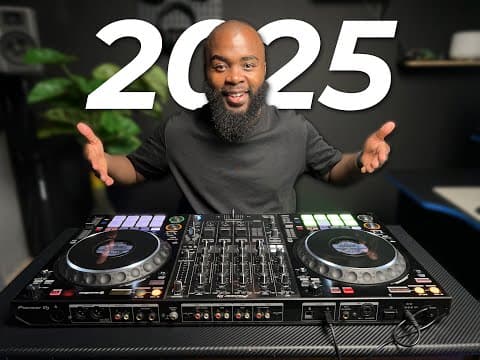
Watch Crossfader’s tutorial above (913,178 views).
This guide is for new DJs who need dj starter equipment without wasting money on gear they will outgrow in a month. If you are stuck between controllers, speakers, headphones, and software, this will show you what matters first and what can wait.
By the end, you will be able to build a beginner dj setup for home practice, recording mixes, and small parties. You will also know which parts of a starter dj setup affect performance most, and which ones mostly affect comfort.
Start with one rule. Buy the smallest complete system that lets you practice real DJ actions: load tracks, beatmatch by ear and display, cue in headphones, manage your library, and record a mix.
If you are still building your collection, pair your hardware choices with a solid music workflow. A messy library slows down every session, which is why topics like DJ music library organization matter as early as your first controller.
DJ Starter Equipment: Core Pieces First
The best dj starter equipment has five parts. Controller, laptop or standalone unit, headphones, speakers, and music library workflow.
Everything else is secondary at the start. Stands, cases, booth monitors, and external effects can help later, but they do not teach core control.
This is the mental model that keeps purchases clean. Split your setup into control, monitoring, output, and organization.
- Control: the controller or standalone unit you mix on.
- Monitoring: headphones for cueing and timing.
- Output: speakers for hearing the room result.
- Organization: software and library structure for finding the right track fast.
- Support: cables, stands, and storage that keep the system usable.
Most beginners overspend on output and underspend on control. That is backwards.
A weak pair of practice speakers can still teach phrasing, EQ, and transitions. A cramped or confusing controller can slow every single session.
The transcript behind this article focused heavily on Rekordbox performance mode, playlist structure, importing tracks, analysis, and search. That points to a simple truth. Your first basic dj setup is not just hardware. It is hardware plus a usable library.
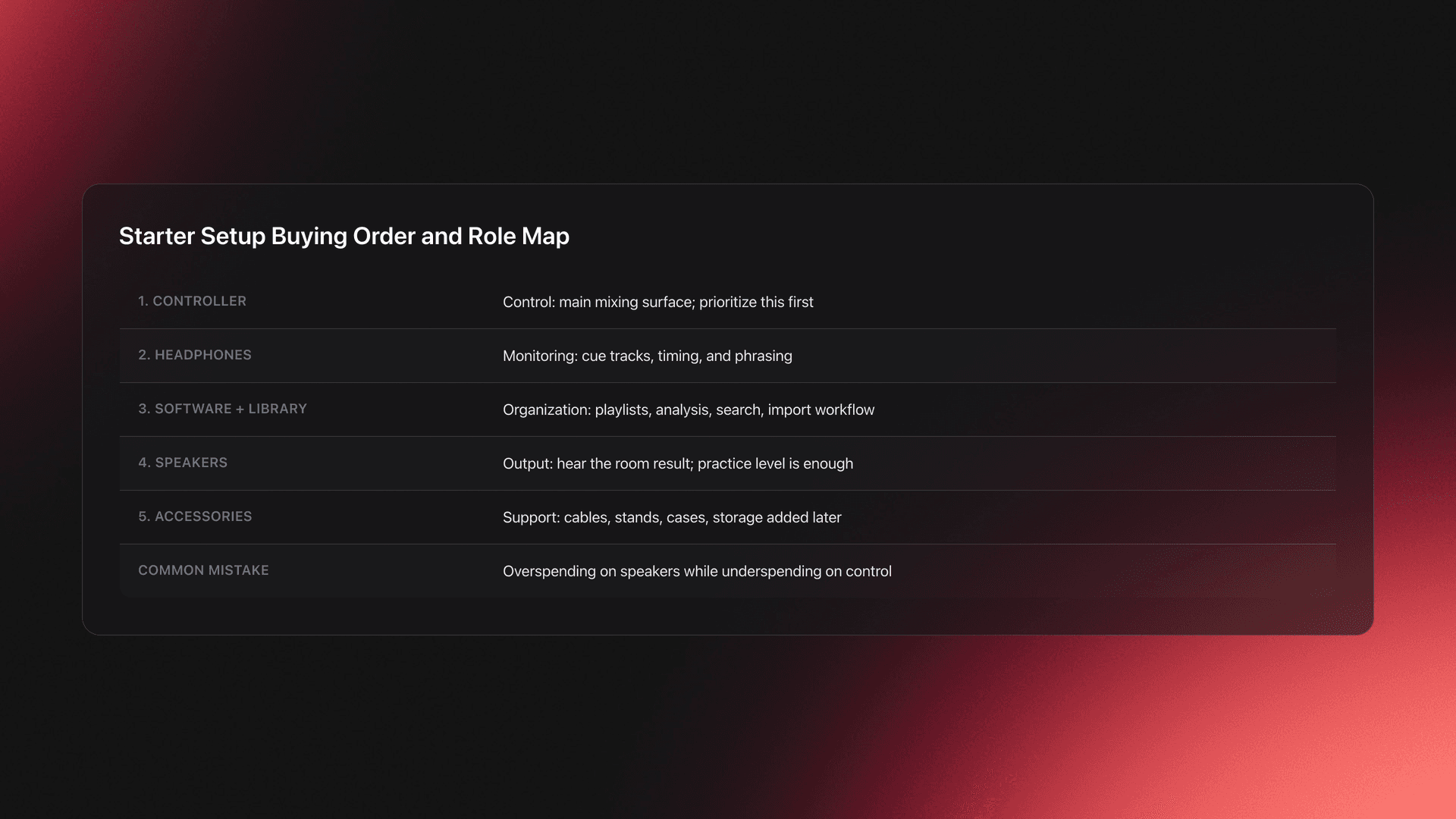
Use this order when buying: controller first, headphones second, software workflow third, speakers fourth, accessories last. That order gives the fastest path from unopened box to actual practice.
Choose a Beginner DJ Setup by Workflow
Do not choose dj starter equipment by brand hype alone. Choose it by where you will actually use it in the next six months.
A home practice setup has different needs than a portable party rig. A laptop-based setup also behaves differently from a standalone one.
In practice, there are three common paths.
- Home practice only. You need a compact controller, laptop, headphones, and modest speakers.
- Home plus recording mixes. Add better monitoring and clean file organization.
- Home plus small gigs. Prioritize sturdier build, clear screen workflow, and faster setup time.
Screen usability matters more than many beginners expect. In dim venues, tiny displays and cramped browsing can slow track selection, especially when your library is not well tagged.
That tradeoff is one reason some DJs prefer standalone units while others stay with a laptop-dependent controller. Standalone gear can reduce laptop friction, but laptop-based systems usually lower the entry cost and keep software browsing flexible.
For most people building an entry level dj setup, a two-channel controller plus laptop is still the cleanest starting point. It is cheaper, lighter, and easier to replace piece by piece.
This is also where music organization starts affecting hardware choice. If your workflow involves folders, playlists, BPM sorting, key matching, and fast search, you need a setup that makes browsing easy rather than painful.
Some DJs manage this with plain folders and software playlists. Others use dedicated library tools. In DJ workflows, a system like Vibes can help structure local files into custom categories before export, which reduces last-minute digging when preparing for a set. The important part is not the app itself. It is having a repeatable structure before you start performing.
Validation Check
Controller Options for DJ Starter Equipment
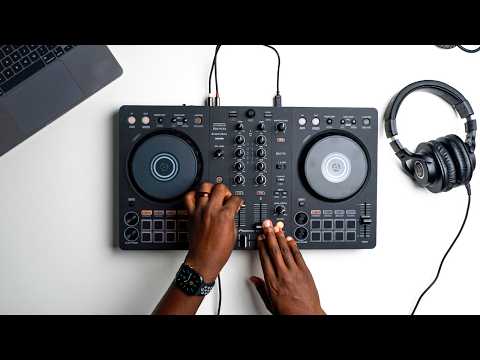
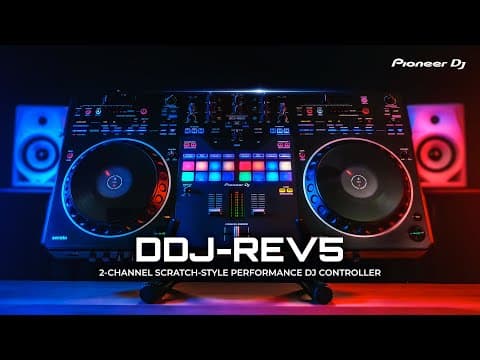
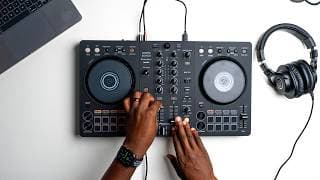
Your controller is the center of your beginner dj equipment setup. It decides how quickly you can learn transport controls, cueing, looping, EQ, and track browsing.
For most new DJs, the right move is a two-channel controller. Four channels sound exciting, but they add cost and visual clutter before you have built timing and phrasing habits.
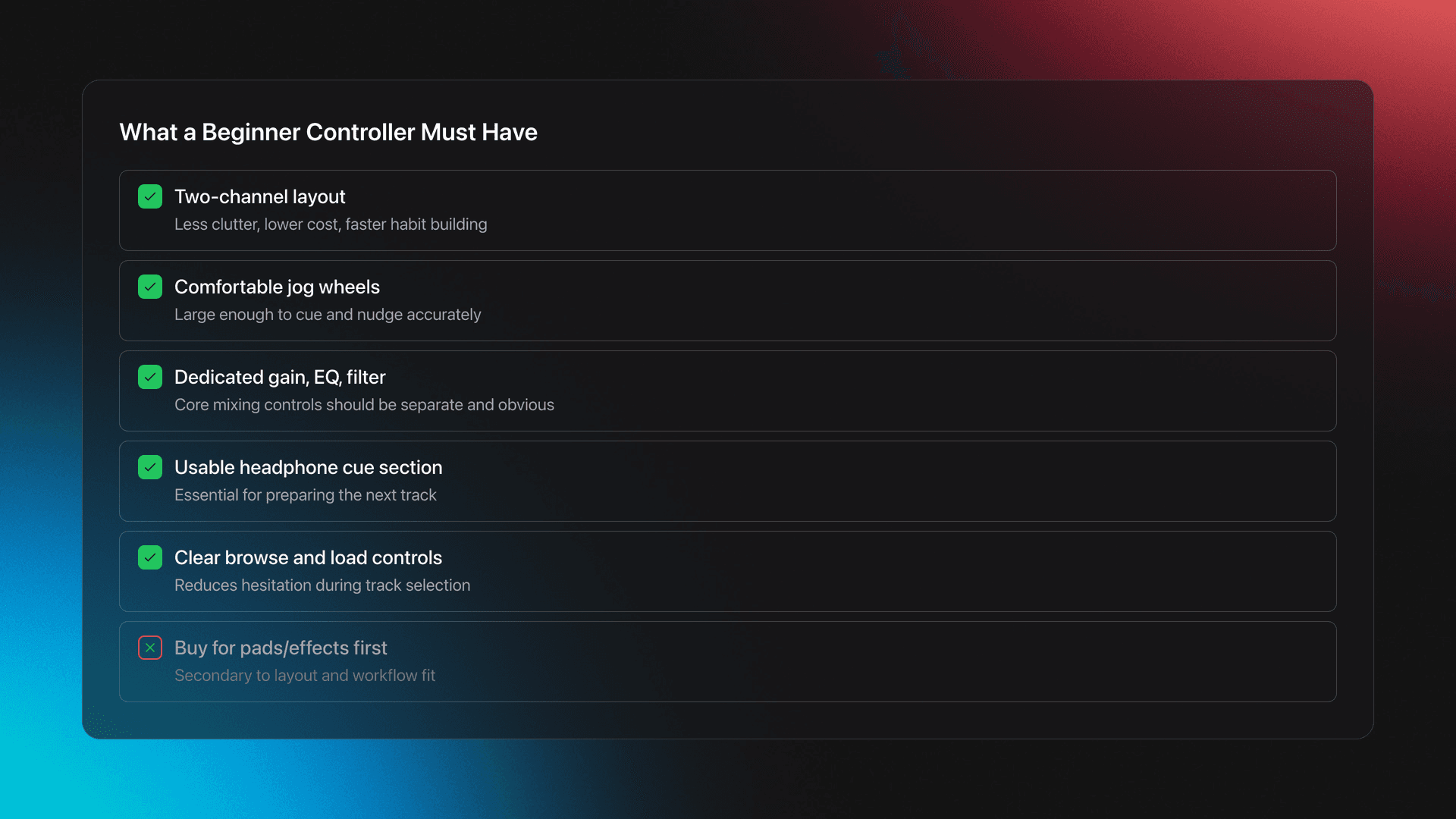
Look for these features first.
- Full-size enough jog wheels to cue and nudge comfortably.
- Dedicated gain, EQ, and filter controls.
- A usable headphone cue section.
- Clearly separated browse and load controls.
- Reliable audio interface built in.
- Software support that matches your intended workflow.
A common beginner mistake is buying based on pad count or effect count. Those are secondary.
Your first hours are spent doing boring but essential work. Loading tracks, setting cues, correcting timing, and understanding phrase changes. A clean layout helps more than a long feature list.
Example one. A home DJ buys a very small controller because it is cheap and portable. The jog wheels are cramped, the browse encoder is fiddly, and the headphone mix section is awkward. They practice less because every action feels cramped.
Example two. Another beginner buys a mid-range two-channel controller with proper spacing. They still make rough transitions, but they build accurate hand placement and spend more time mixing because the layout invites repetition.
The failure mode here is easy to spot. You hesitate before simple actions like loading the next track or adjusting EQ because the surface does not feel obvious.
You will know your controller is good enough when basic operations stop taking conscious effort. You should be able to cue a track, trim gain, and start a blend without hunting for controls.
If you want context on how library prep affects controller use, read Rekordbox playlist workflow. The hardware only feels fast when the collection behind it is also structured.
Tip
Laptop, Software, and Basic DJ Setup Logic
A basic dj setup for beginners usually means controller plus laptop. That is not a compromise. It is often the most practical starting system.
The software layer does three jobs. It imports your music, analyzes it, and helps you find the next track under pressure.
The transcript emphasized several Rekordbox basics that matter even outside one brand: collection view, playlists, folders, search, analysis, sort order, and missing file management. Those are not advanced features. They are your daily operating system.
This is where beginners often lose time. They think they need more songs, when the real problem is weak retrieval.
A library with 300 tracks and strong playlists is easier to play than a library with 3,000 unsorted files. That is why a simple dj setup should include a simple naming and categorization system from day one.
Use these starting categories if you do not have a system yet.
- Genre or lane.
- Energy level.
- Set time use, such as warm-up or peak.
- Personal confidence rating.
- Recently tested or untested.
Worked example one. You have 120 house tracks for home practice. Split them into warm-up, mid-energy, and peak folders, then make playlists for vocal, rolling, and percussive cuts inside each. You can now narrow by both function and flavor.
Worked example two. You are preparing a 90-minute set for a small bar. Build one playlist for likely openers, one for stable groove builders, one for reset tracks, and one for closers. That structure is more useful than one huge event playlist.
The failure mode is classic. You remember a track exists, but you cannot find it quickly because you never decided where it belongs.
This problem gets worse when files move on your drive. As the tutorial transcript noted, DJ software usually references file locations rather than duplicating everything. Rename folders carelessly and you create missing file headaches.
If you want a dedicated prep layer for local files, some DJs use Vibes to build hierarchical categories, sort tracks with keyboard shortcuts, and export that structure into their DJ software. That is useful when your collection is growing faster than your recall. But the broader rule still stands. Pick one consistent structure and keep file locations stable.
You will know your software workflow works when search feels like confirmation rather than rescue. You should already know the likely folder, playlist, or category before you type.
For deeper prep habits, build a DJ set preparation routine before your library becomes too large to fix in one weekend.
Headphones and Speakers in a Starter DJ Setup
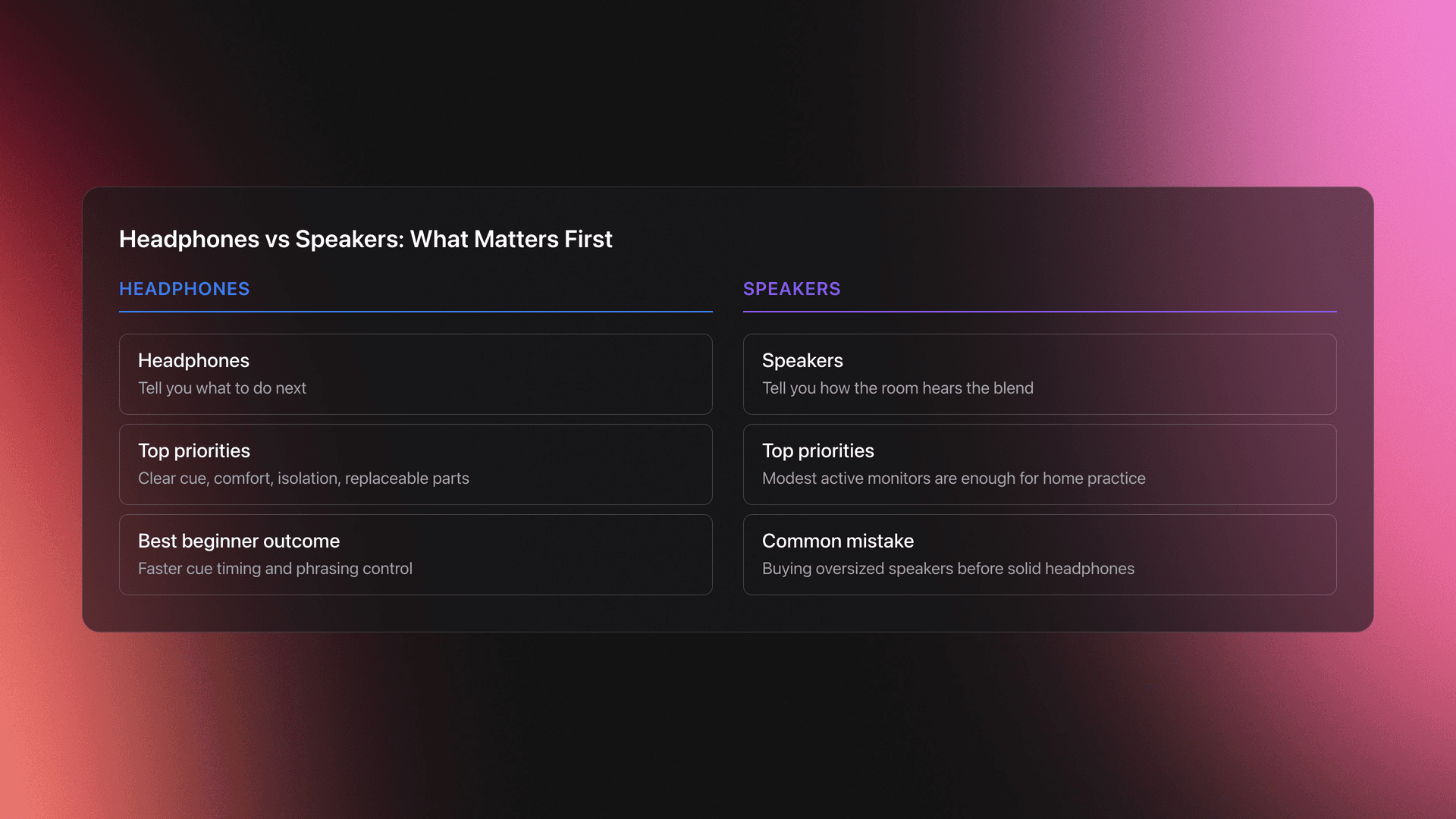
Headphones matter more than beginner speakers. That sounds backwards until you remember what they do.
Speakers tell you how the room hears the blend. Headphones tell you what to do next.
Your first headphone priorities are simple. Clear cue signal, comfortable fit, decent isolation, and replaceable parts if possible.
Do not chase a flattering hi-fi sound. You need timing clarity and practical durability.
For speakers, a pair of modest active monitors is enough for home practice. If you mainly practice in a bedroom, oversized speakers often create more room problems than value.
Example one. A beginner buys strong speakers but flimsy headphones. Their room sounds loud and exciting, but cueing is vague, so transitions stay sloppy.
Example two. Another beginner buys solid DJ headphones and average speakers. Their practice sessions are less impressive at first, but they lock phrasing and cue timing faster because they can hear detail where it matters.
The failure mode is clear. You constantly touch the jog wheel after the blend starts because you did not hear the drift early enough in headphones.
You will know your monitoring is good enough when you can prepare the next track confidently before the audience-facing output changes. That is the whole job of cueing.
Home DJ Setup for Beginners vs First Gigs
A home dj setup for beginners should optimize repetition. A first-gig setup should optimize reliability and speed.
At home, you can tolerate extra steps. At a venue, every extra step becomes stress.
This is where portability, cable management, and browsing speed matter. If your setup takes too long to assemble or your track search depends on memory alone, you will feel it immediately in a dark booth.
Many self-taught DJs start in improvised spaces and learn fast by doing. That path works. The useful lesson is not the romance of rough gear. It is that repetition on a stable setup builds intuition faster than endlessly changing equipment.
A home system can therefore stay simple. Laptop, controller, headphones, speakers, and a small library you actually know.
A first-gig system needs a few extra checks.
- Carry the exact cables you need.
- Test outputs before leaving home.
- Prepare playlists for opening, peak, and recovery moments.
- Keep file locations unchanged after final prep.
- Pack headphones and one backup USB if your workflow allows it.
This is also why an organized prep layer matters. The creator context behind Vibes comes from years of frontend UX work and long-term DJ library frustration, with testing feedback from dozens of DJs shaping details like fast importing and preserved sorting. Whether you use that tool or another method, the principle is solid. Under performance pressure, retrieval beats collection size.
If you are moving from home to club practice, prepare playlists for different room energy before buying more gear. Better sequencing often solves what beginners think is a hardware problem.
Common Mistakes With DJ Starter Equipment
| Mistake | Why It Happens | How to Avoid |
|---|---|---|
| Buying too many features early | Beginners confuse more controls with faster progress | Choose a clean two-channel workflow first and add complexity later |
| Ignoring library structure | Gear feels more exciting than file management | Create playlists and categories before your collection gets large |
| Overspending on speakers | Output feels more visible than cueing | Prioritize controller usability and headphones before louder speakers |
| Moving music files after import | Folders get renamed during cleanup | Lock your file structure early and relocate files carefully if needed |
| Using one huge playlist | It feels simpler at first | Split by genre, energy, and set role so retrieval stays fast |
Common beginner errors in a starter dj setup
Notice the pattern. Most mistakes are not about sound quality. They are about friction.
When friction piles up, you practice less. That is the hidden cost of a bad beginner dj setup.
DJ Starter Equipment Buying Paths
If you are unsure what to buy first, use a simple decision framework based on where you will play and how often you will practice.
| Scenario | Best Choice | Why | Next Action |
|---|---|---|---|
| Bedroom practice only | Two-channel controller plus laptop | Lowest cost and fastest route to core skills | Choose software first, then buy matching controller |
| Practice plus mix recording | Controller, laptop, solid headphones, entry monitors | Recording exposes timing and EQ issues clearly | Record one 20-minute mix each week |
| Frequent travel to friends' houses | Compact controller and durable headphones | Portability matters more than larger controls | Test full pack-in and pack-out before buying extras |
| Preparing for first small gigs | Sturdier controller and disciplined library structure | Reliability and fast browsing matter under pressure | Build event playlists and test all outputs at home |
| Unsure if DJing will stick | Used entry controller and basic monitoring | Keeps cost low while preserving real workflow | Commit to 30 days of practice before upgrading |
Quick decision guide for entry level dj setup choices
The result is usually less dramatic than people expect. The right basic dj set is often the one that removes excuses and gets used four nights a week.
Build Your Basic DJ Setup in Stages
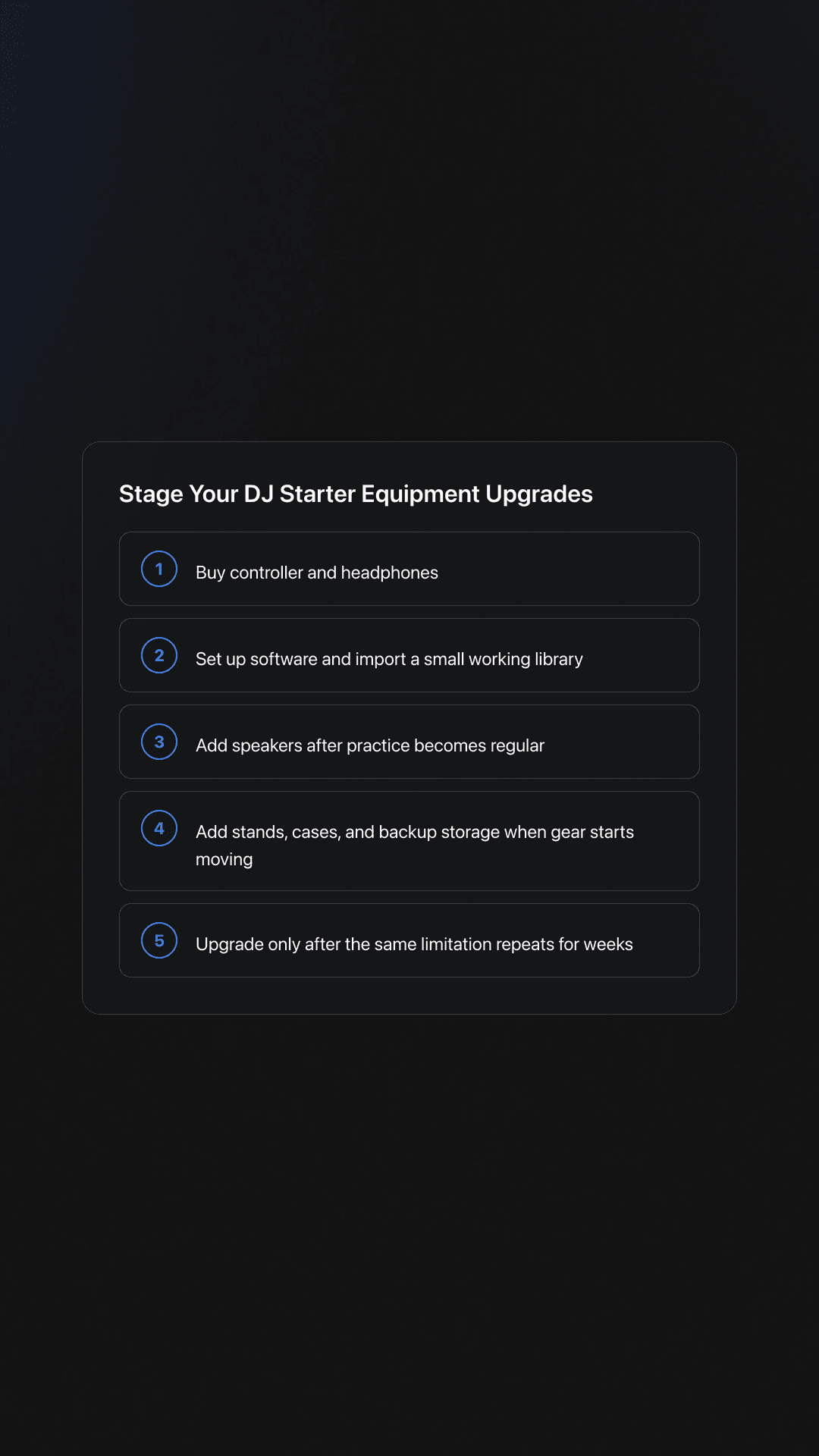
You do not need to buy everything at once. Staged buying usually leads to a better starter dj setup because each upgrade solves a real problem you have already felt.
Use this sequence.
- Buy controller and headphones.
- Set up software and import a small working library.
- Add speakers once regular practice is established.
- Add stands, cases, and backup storage when you start moving gear.
- Upgrade only after a specific limitation repeats for several weeks.
That last point matters. Upgrade from evidence, not restlessness.
If you keep noticing that you cannot browse comfortably in low light, that is a real issue. If you keep losing tracks because your playlists are weak, that is not a controller problem yet.
For progression beyond the first setup, learn how to organize DJ playlists fast so your next upgrade supports a stronger workflow rather than compensating for chaos.
Practice Routine for a Beginner DJ Setup
Good dj starter equipment only helps if you use it consistently. Build a short routine that trains control, retrieval, and transition judgment together.
- Week 1 to 2. Practice loading, cueing, and matching intros for 20 minutes, four times per week.
- Week 3 to 4. Record 15-minute mixes using only 15 to 20 tracks you know well.
- Week 5 to 6. Build mini playlists by energy and practice switching between them without stopping.
Keep the library small during this phase. Familiarity beats variety.
Validation Check
What Matters Most in DJ Starter Equipment
The best dj starter equipment is not the cheapest gear or the most advanced gear. It is the setup that gives you repeatable control, clear cueing, fast browsing, and enough structure to keep practicing.
If you remember only three things, remember these.
- Prioritize controller usability over feature count.
- Prioritize headphones before expensive speakers.
- Treat library organization as part of the setup, not an optional extra.
Build the smallest complete system that lets you practice real DJ behavior. Then upgrade from repeated friction, not from fear of missing out.
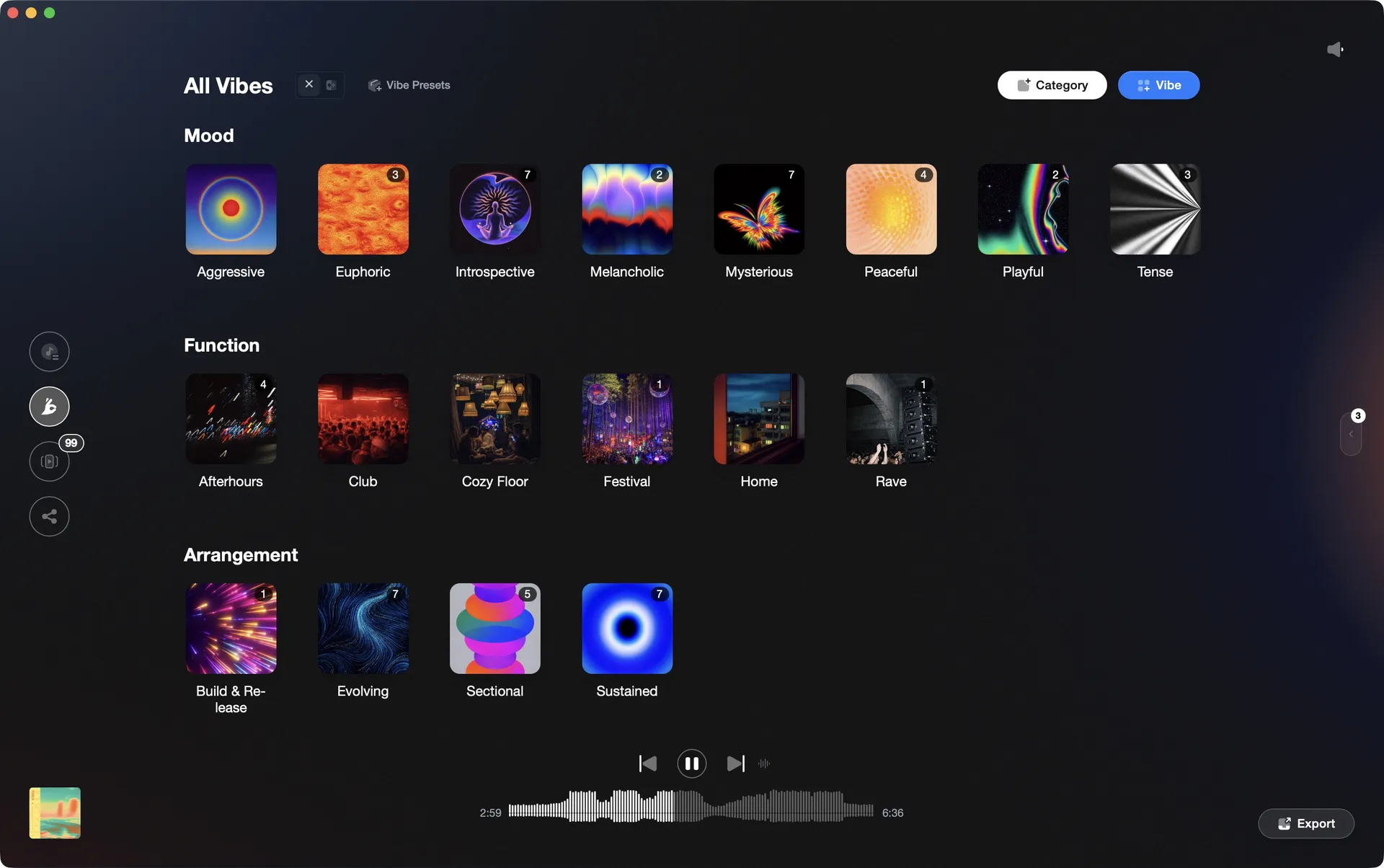
Organize your DJ library visually.
Tag tracks by vibe. See everything at once. Export to any DJ software.
A visual system for organizing your DJ library.
Techniques Covered
Track Analysis
Track Matching by Key and BPM
DJ Rig Setup
DJ System Configuration
EQ Adjustment
Track Transition Techniques
Optimization
Library Optimization
EQ Adjustments
Cue Button Usage
Transition Technique
Track Selection
Equipment & Software
Continue Your Learning Journey
Start Here First
Alternative Approaches
Related Content
DJ Setup: Reliable Rigs From Bedroom to Club
intermediate
DJ Transitions That Actually Work
intermediate
Transition DJ Online: Mix Cleanly
intermediate
DJ Playlist Spotify: How to Mix It Right
intermediate
DJ Record Pool Guide for Working DJs
intermediate
Mixing In Key: Practical Guide For DJs
intermediate
Organize Your Music for Faster DJ Sets
intermediate
How to Mix and Edit Songs Together
intermediate
Mix and Key: Practical Guide to Melodic DJ Mixing
intermediate
Harmonic Mixing: Rules, Energy Control, and Workflow
intermediateFrequently Asked Questions

I've been DJing and producing music as "so I so," focusing on downtempo, minimal, dub house, tech house, and techno. My background in digital marketing, web development, and UX design over the past 6 years helps me create DJ tutorials that are clear, practical, and easy to follow.