Mixed In Key for DJs: Software Guide and When to Use It
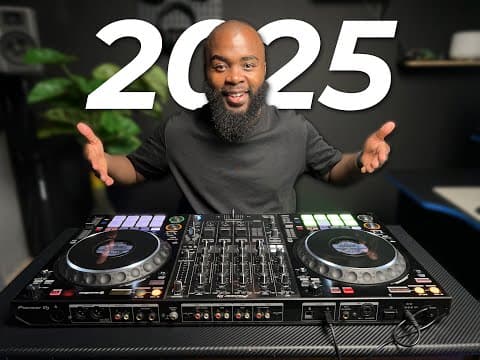
Watch DJ Phil Harris’s tutorial above (524,318 views).
This guide is for DJs who keep hearing about mix and key, but are not sure whether it is essential or just another technical rabbit hole. You will learn what mix and key means, how the Camelot system works, when harmonic mixing helps, and when track selection matters more.
If you want cleaner blends, mix and key is worth learning. If you want better sets, you also need to know its limits. That tension matters more than the theory.
A useful rule of thumb: use key compatibility to improve transitions, but never let it override crowd response, timing, and song choice. That is the practical frame for everything below.
If you are still building your foundations, pair this with beatmatching basics, phrasing in DJ mixes, DJ EQ transitions, and how to read a dancefloor.
Mix and Key: Definition and Context
Mix and key usually means choosing tracks whose musical keys work together during an overlap. In DJ terms, this is harmonic mixing. You are trying to avoid clashing melodies, basslines, chords, and vocals when two tracks play at once.
This matters most when your transition exposes a lot of tonal material. Think long blends, melodic house, progressive, trance, vocal sections, and tracks with obvious synth lines.
It matters less when the overlap is short, heavily percussive, or masked by EQ cuts. A hard swap between drum-led intros often survives key mismatch just fine.
That is why mix and key is not a universal law. It is a decision tool. Use it when the musical content makes key audible.
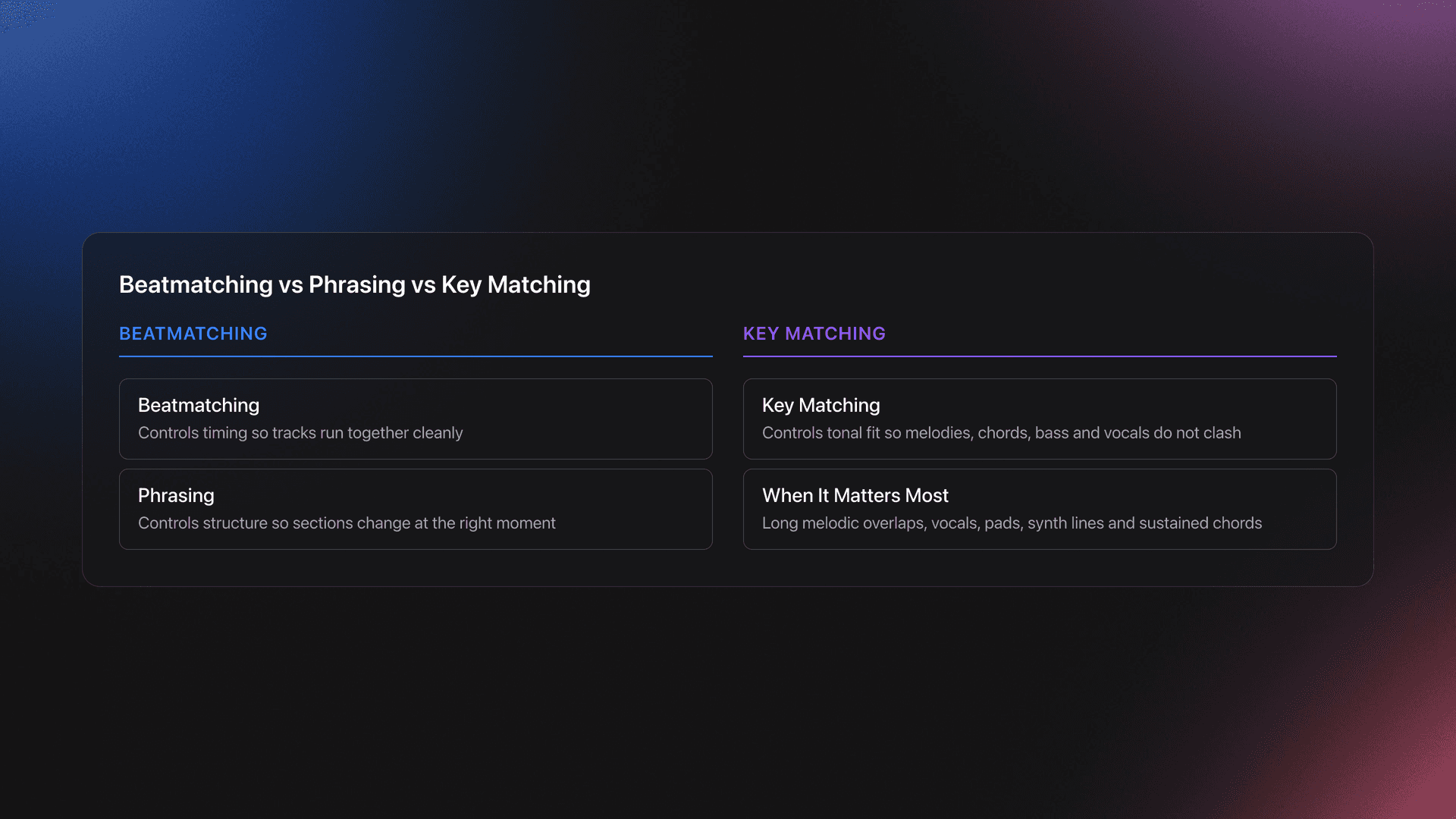
The easiest mental model is this: beatmatching controls timing, phrasing controls structure, and key matching controls tonal fit. If one of those is wrong, the transition can still feel off.
Description comes before prescription here. First, two tracks can be rhythmically aligned and still sound wrong together because their harmonic content clashes. Second, key-aware selection reduces that risk before you touch the mixer.
Experienced DJs usually hear this fastest in vocals and sustained chords. Those are the parts that expose bad combinations immediately.
In practice, mix and key is not about making every transition pretty. It is about knowing when harmonic compatibility gives you a real advantage.
Camelot Wheel Rules for Mix and Key
Most DJs do not work with concert-pitch key names like A major or C minor inside performance software. They work with the Camelot system. It converts musical keys into labels like 8A or 9B so you can spot compatible moves fast.
Mixed In Key popularized this notation, and its official harmonic mixing guide uses the same core rule most DJs learn first: stay on the same number and switch letter, or move one number left or right on the wheel. For example, 5A can move to 4A, 6A, or 5B. Serato also supports key analysis in offline Analyze Files mode, which is why many DJs can see BPM and key data before playing live. According to Serato support, analysis can calculate auto-gain, key, and BPM when those options are enabled, and the Analyze Files button appears in offline mode when hardware is disconnected. According to Mixed In Key's harmonic mixing guide, neighboring numbers and letter changes on the same number are the core compatibility moves on the Camelot Wheel. support.serato.com [202538540 Preparing and Analyzing You...]
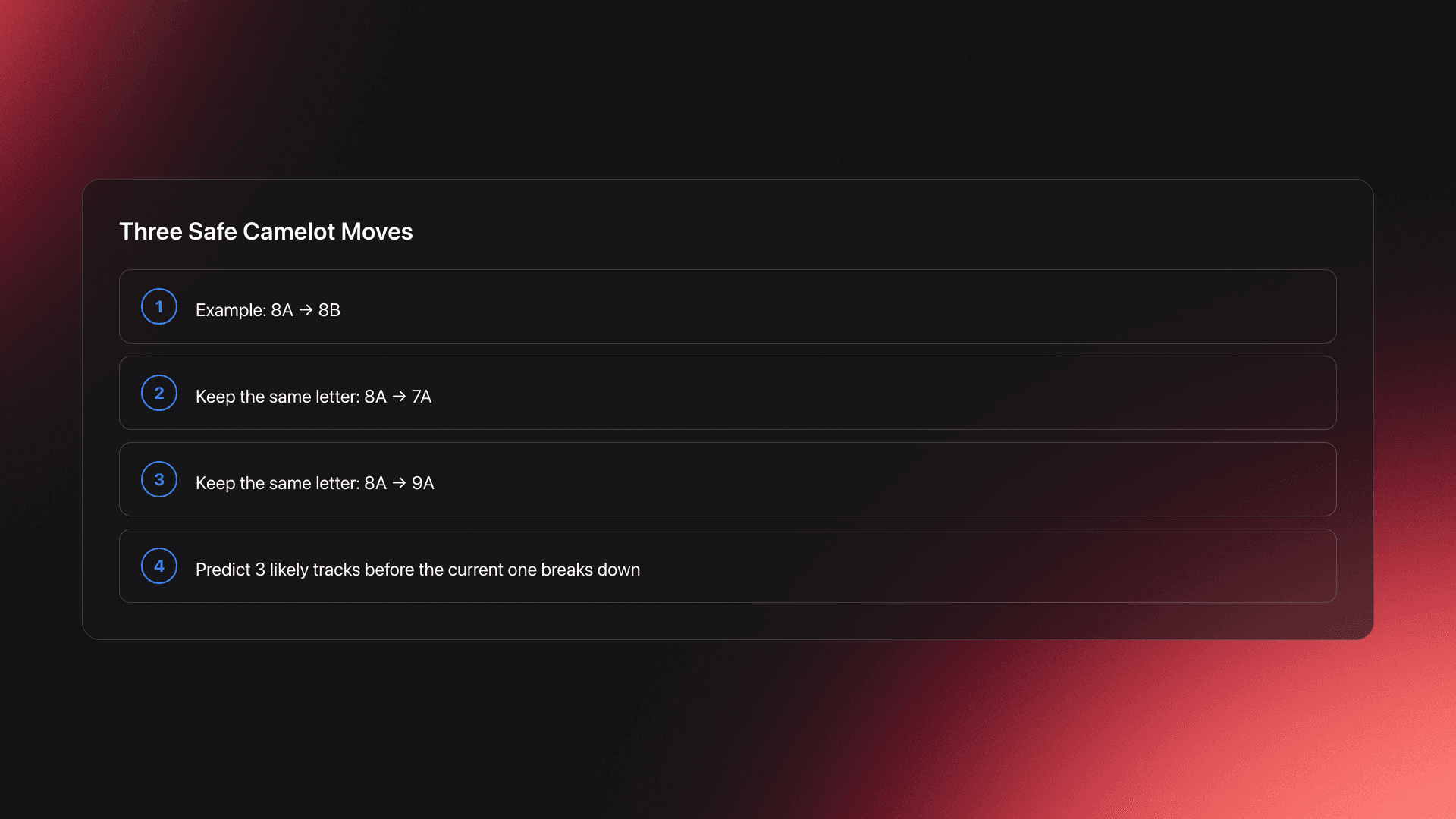
For beginners, that gives you three safe moves from most tracks:
- Same number, other letter. Example: 8A to 8B.
- One number down, same letter. Example: 8A to 7A.
- One number up, same letter. Example: 8A to 9A.
That is enough to start. You do not need full music theory to use it well.
Here is the conceptual layer that helps. I call these your safe adjacency moves. They do one job. They keep your next track close enough harmonically that the overlap usually feels intentional.
Worked example one: you are on 1B. Your safe adjacency moves are 12B, 2B, and 1A. If the outgoing track has a bright vocal hook, choosing from those three gives you a much better chance of preserving that smooth feel.
Worked example two: you are on 5A. Your safe adjacency moves are 4A, 6A, and 5B. If your incoming track starts with a melodic pad and full bassline, one of those choices is usually safer than jumping randomly to 10B.
Failure mode: DJs memorize the wheel, then assume every adjacent move will sound perfect. The symptom is a transition that is technically compatible on paper but still muddy in the mids or tense in the vocals.
Why does that happen? Key is only one layer. Arrangement density, EQ overlap, vocal phrasing, and register all affect the result.
Validation Check
This is also where library structure starts to matter. Once you know which keys are compatible, you still need a fast way to surface tracks by mood, energy, and function. Some DJs do that with comments and smart crates. Others use a dedicated prep tool like Vibes to sort local files into hierarchical categories and playlists before exporting to DJ software. The method matters less than the outcome. You need your harmonic options visible before the transition window closes.
Advanced DJs sometimes use more aggressive moves too. Mixed In Key's current official guides also describe techniques like '+2 energy boost' moves and more dramatic wheel jumps as deliberate effects rather than default transitions. That matters because it frames the wheel as a creative tool, not a strict safety rail. As of April 2026, Mixed In Key's official guides still teach the neighboring-number and same-number letter-change moves as the foundation, while labeling bigger jumps as advanced techniques. mixedinkey.com [energy boost dj mixing tutorial]
Tip
Analyze Tracks and Find the Key
You cannot use mix and key if your library has no reliable key data. The first operational step is simple: analyze your files before you need them.
If you use Serato, offline analysis is the starting point. Serato's support documentation says Analyze Files becomes available when hardware is disconnected, and analysis can calculate BPM, auto-gain, and key values for tracks in your library. support.serato.com
That means you should not wait until soundcheck. Do this during prep.
- Open your DJ software in offline mode.
- Run analysis on new tracks.
- Confirm key data appears in the library column.
- Spot-check a few melodic tracks by ear.
- Reanalyze or use a specialist tool if data looks wrong.
The transcript recommends using Mixed In Key when built-in analysis does not return useful key information. That is still a common workflow. Serato's integration page says Mixed In Key 8.0+ works with Serato DJ Pro and can add key, energy, cue point, and tag data. Mixed In Key's current product pages describe Mixed In Key 11 Pro and release notes for the Pro line, which means older terms like mixed in key 7, mixed in key 5, mixed in key 4, and mixed in key 2 refer to legacy versions rather than the current release family. As of April 2026, official Mixed In Key pages present version 11 Pro as the active product line, while historical version-number searches point to older releases. serato.com [mixedinkey]
That is an important accuracy point. If you are searching for mixed in key software, do not assume YouTube videos about mixed in key 7 or older versions reflect the current interface or feature set.
Worked example one: you import a new melodic techno EP. Serato gives you BPM data, but one track has no key value. You send those tracks through a dedicated analyzer, then refresh your library metadata and retest the most exposed break sections by ear.
Worked example two: you have two deep house tracks both labeled 8A by software, but one mix still feels sour during the vocal overlap. That tells you the numerical result is not enough. You need to shorten the overlap, cut more mids, or choose a different pairing.
Failure mode: DJs trust software labels more than their ears. The symptom is insisting that a transition must work because the codes match, even when the clash is obvious.
Validation criteria are straightforward. Your process works when analysis gives you consistent metadata, and your ear check confirms the transition in the exact section you plan to use live.
If you want a cleaner prep system, keep key data next to energy and set context. After seven years of changing practice rhythms and testing different controller setups, the biggest workflow improvement was not theory. It was speed. Once the library is structured, you respond faster because you know where things are. That same principle applies here. Key data is only useful when it is easy to retrieve under pressure.
That is another place where a prep layer can help. A tool like Vibes can sit before performance software by letting you organize local tracks into custom categories, track sorting progress, and build set-ready collections before export. Harmonic compatibility becomes much more useful when it lives alongside mood, function, and energy instead of as a lonely number in one column.
You do not need every feature. You need a repeatable system.
When Mix and Key Actually Matters
This is the real debate. Does mix and key always matter? No. Does it sometimes make a major difference? Absolutely.
The cleanest way to think about it is by exposure. The more tonal information the audience hears during the overlap, the more harmonic compatibility matters.
Use this scale:
- High exposure: vocals, chords, leads, pads, long blends.
- Medium exposure: bassline plus one melodic element.
- Low exposure: drum intro, percussion loop, quick cut.
High exposure transitions are where bad key choices become obvious. Low exposure transitions often survive because the ear has less harmonic information to compare.
Worked example one: you are mixing two melodic house tracks for 32 bars. Both tracks keep pads and vocal chops active across the overlap. Here, mix and key matters a lot because the audience hears sustained tonal content from both tracks at once.
Worked example two: you are exiting a techno track on a drum loop and slamming into a new kick and hat groove after eight bars. In that case, phrasing and impact matter more than strict key compatibility because the tonal overlap is tiny.
This is where newer DJs often get misled. They hear 'harmonic mixing' and assume every transition must follow Camelot logic. That creates timid sets.
In practice, strong DJs switch between two modes. One mode is blend protection. You use key-aware transitions to keep melodic sections smooth. The other mode is [energy control](/learn/techniques/energy-control). You ignore perfect harmonic alignment because the room needs a sharper reset, a vocal surprise, or a more aggressive switch.
That second mode matters more than many tutorials admit. If the room wants lift, familiarity, or tension release, the right record beats the perfect key chart.
A common approach among experienced practitioners is to rank decisions in this order: crowd fit first, phrasing second, sonic cleanliness third. Key sits inside sonic cleanliness. It is important, but it is not the top of the stack.
The result is a more useful standard. Do not ask, 'Is this transition in key?' Ask, 'Will this overlap expose harmonic clash enough to hurt the moment?'
You will know your judgment is improving when you can break harmonic rules on purpose and still explain why the move worked. Maybe the overlap was short. Maybe the incoming vocal reset attention. Maybe the crowd needed contrast, not polish.
That is also why DJs who focus on musical storytelling often sound better than DJs who chase technical perfection alone. Continuous discovery, better curation, and stronger energy progression usually produce more memorable sets than obsessing over flawless harmonic compliance on every transition.
Song Selection vs Harmonic Mixing
If you remember one thing, remember this: good song selection beats perfect mix and key decisions almost every time.
The transcript makes that point clearly, and it holds up in practice. Crowds respond first to records, not to your metadata.
This does not mean technique is irrelevant. It means technique serves selection. Harmonic mixing should help the right record land better. It should not force the wrong record into the set because the Camelot number looks neat.
A useful decision stack looks like this:
- Pick a track the room is ready for.
- Check whether the phrase structure supports the handoff.
- Use key compatibility to improve the overlap.
- Adjust EQ and transition length to reduce conflict.
Worked example one: track A is a perfect harmonic match, but the groove drops the room's momentum. Track B is only an acceptable key fit, but its energy profile is right for the next 20 minutes. Track B is the better choice.
Worked example two: your current track is 8A and the obvious harmonic move is another 8A melodic cut. But the room is drifting. A tougher, more percussive 11A record with a short intro cut may reset the floor better, even if the overlap itself is less elegant.
Failure mode: DJs build mini key ladders and follow them blindly. The symptom is a set that is smooth but emotionally flat.
The fix is simple. Build selection pools, not just key pools. Group tracks by role: opener, builder, pressure release, peak, reset, late-night groove.
From there, key becomes a filter inside each pool. That gives you both structure and freedom.
Validation Check
At Odonien or at a smaller friend-led event, that distinction becomes obvious fast. Atmosphere, system quality, and timing shape the crowd's reaction more than venue prestige. A technically tidy blend never rescues the wrong track. The right track, played at the right moment, often survives an imperfect blend.
Build a Mix and Key Workflow
A useful mix and key workflow starts before you open your decks. You are building decisions in advance so the live moment stays simple.
Use this prep sequence:
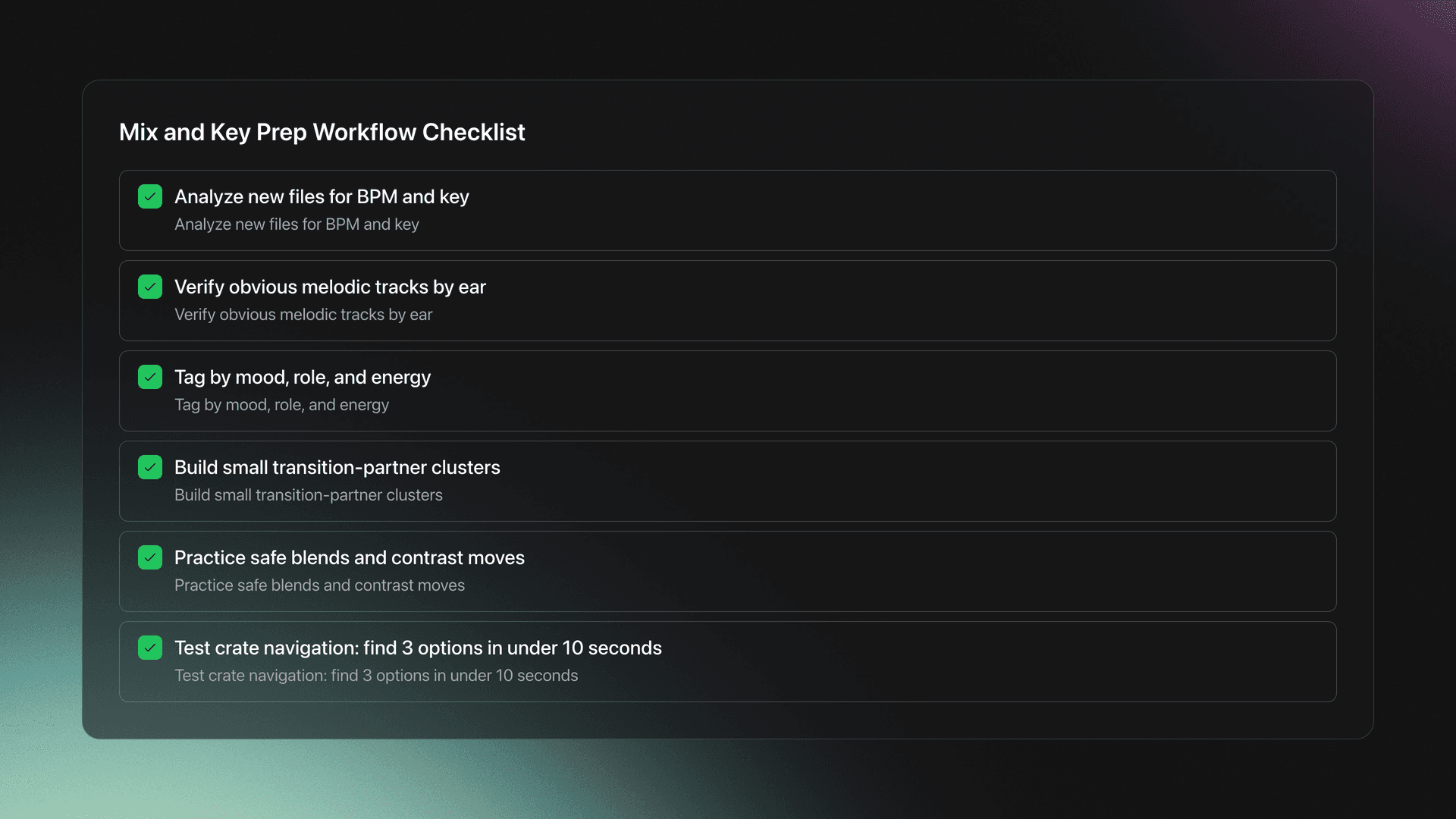
- Analyze every new file for BPM and key.
- Check obvious melodic tracks by ear.
- Tag or group tracks by mood, role, and energy.
- Create small clusters of likely transition partners.
- Practice both safe blends and deliberate contrast moves.
That fourth step matters more than most DJs realize. You do not need one perfect next track. You need a small menu of plausible next tracks.
For example, take one 6A deep house track. Build three buckets around it:
- Safe blend bucket: 5A, 6B, 7A options.
- Energy lift bucket: tougher or brighter records with shorter overlap plans.
- Reset bucket: drum-led or vocal-led cuts that change direction fast.
Now you are not trapped by the wheel. You are using it inside a broader set-planning system.
This is where prep software can reduce friction without automating taste. Vibes fits the same DJ performance workflow because it helps you organize local files into custom category structures, sort tracks with keyboard shortcuts, and prepare named sets on a visual canvas before exporting to your DJ platform. None of that replaces your ear. It just makes harmonic, energy, and context decisions easier to retrieve in real time.
The key point is manual curation. Whether you use folders, crates, comments, spreadsheets, or a library manager, your system should reflect how you actually play.
Failure mode: overbuilding metadata until prep becomes avoidance. The symptom is a beautifully tagged library that you still cannot navigate under pressure.
Validation is practical. Open one crate or category and find three transition options in under 10 seconds. If you cannot, the system is too abstract.
Tip
Common Mix and Key Mistakes
| Mistake | Why It Happens | How to Avoid |
|---|---|---|
| Following Camelot codes blindly | The wheel feels objective, so DJs overtrust it | Use key as one filter after crowd fit and phrasing |
| Ignoring tonal exposure | Beginners treat all transitions the same | Check whether vocals, chords, or leads overlap for long |
| Trusting software without ear checks | Metadata feels faster than listening | Spot-check melodic sections before relying on analysis |
| Picking the wrong song because it matches harmonically | Technical neatness overrides room reading | Choose the better record first, then improve the handoff |
| Overlapping two full-frequency tracks for too long | Long blends feel more professional | Trim the overlap and use EQ to reduce harmonic conflict |
Most mix and key problems are decision problems, not theory problems.
Should You Use Mixed In Key Software?
If your question is whether mixed in key software is necessary, the honest answer is no. If your question is whether it can speed up prep and make key-based selection easier, the answer is yes.
Official Serato integration pages say Mixed In Key can write key, energy, cue point, and ID3 tag data for use with Serato DJ Pro. Mixed In Key's own current pages describe features such as key detection, energy analysis, cue point assistance, playlist support, and, in the Pro line, newer tools like mashup workflows and stem-related features. As of April 2026, the active product language on official Mixed In Key pages is centered on Mixed In Key 11 Pro rather than older legacy versions. serato.com
So the practical choice is not 'software or no software.' It is 'how much prep support do you need?'
Use dedicated analysis software if:
- You play melodic genres with long blends.
- Your library is large enough that manual ear checks are slow.
- You want consistent key and energy metadata before gigs.
- Your DJ software's built-in analysis feels inconsistent for your use case.
Skip it for now if:
- You mostly do short, percussive transitions.
- You are still learning phrasing and basic beatmatching.
- A small library makes manual checking manageable.
If you searched for mixed in key demo or mixed in key online, be careful with assumptions. The official sources surfaced here clearly present download-based software and integration documentation, not a browser-first online version. And if you are researching mixed in key se or very old numbered editions, treat those as version-history queries unless an official product page confirms current support. serato.com
Mix and Key: What to Keep
Mix and key is worth learning because it gives you a reliable way to reduce clashing transitions. But it is not the highest-level DJ skill. It sits below selection, timing, and crowd reading.
Keep these takeaways:
- Use Camelot safe moves as your default starting point.
- Prioritize key matching when tonal overlap is exposed.
- Let the room decide the record. Let key decide the handoff.
That balance is what makes harmonic mixing useful. Learn the system, test it by ear, and then use it in service of better sets rather than cleaner spreadsheets.
When you are ready to go deeper, build this skill alongside advanced harmonic mixing and DJ library organization.
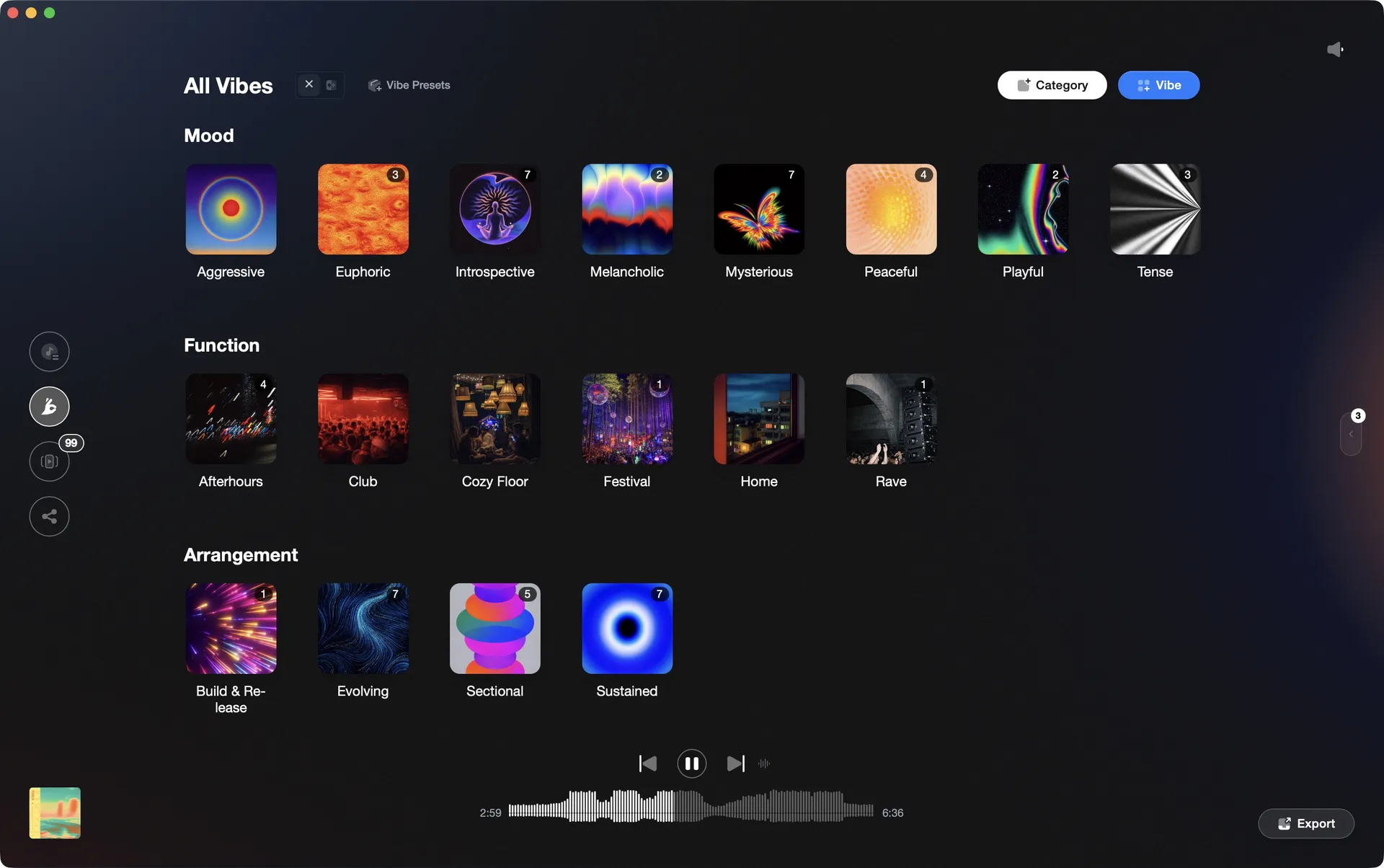
Organize your DJ library visually.
Tag tracks by vibe. See everything at once. Export to any DJ software.
A visual system for organizing your DJ library.
Techniques Covered
Beat Matching
Track Selection
Mixing in Key
Key Analysis
Harmonic Mixing
Camelot Wheel Usage
Camelot Setup
Transition Technique
Precision Blend Technique
Optimization
Library Optimization
Phrase Mixing
Crossfading
DJ System Configuration
Bass Shift Transition
Crossfader Use
Auto BPM Transition
Equipment & Software
Continue Your Learning Journey
Start Here First


Related Content

Mix and Key: Practical Guide to Melodic DJ Mixing
intermediate
Mixing In Key: Practical Guide For DJs
intermediate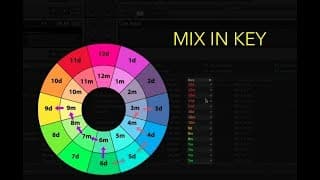
Camelot Wheel DJ: Harmonic Mixing Without Clashes
intermediate
Harmonic Mixing: Rules, Energy Control, and Workflow
intermediate
DJ Transitions That Actually Work
intermediate
DJ Setup: Reliable Rigs From Bedroom to Club
intermediateFrequently Asked Questions

I've been DJing and producing music as "so I so," focusing on downtempo, minimal, dub house, tech house, and techno. My background in digital marketing, web development, and UX design over the past 6 years helps me create DJ tutorials that are clear, practical, and easy to follow.