
Set up Intelligent Playlists in Rekordbox.
Intelligent Playlists update themselves from rules, so a crate stays current as your library grows. Here is how to build them, and how to give them better data to work with.
$49$79USD one-time purchase. First 250 licenses at this price. 14-day free trial.
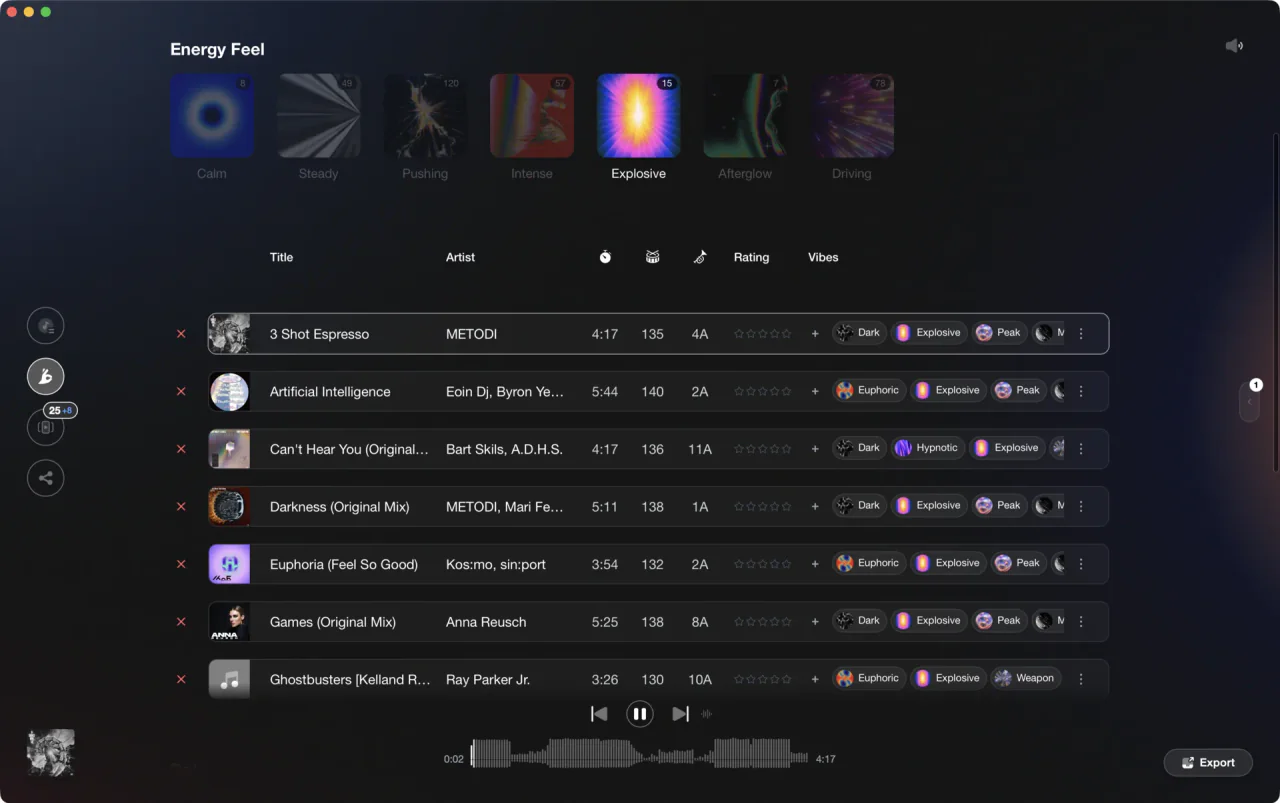
Crates that maintain themselves from your own rules.
Building an Intelligent Playlist.
An Intelligent Playlist is a rule-based crate. You define conditions and Rekordbox keeps it populated automatically.
Create the playlist
Right-click anywhere in the Playlists section and choose Create New Intelligent Playlist to open the rule builder dialog, where you can enter a name for the playlist.
Add your rules
Set conditions on the fields Rekordbox exposes, which go well beyond the obvious ones: BPM (greater than, less than, or in range), Key, Genre, Rating, Color, My Tag, Comments, Label, Date Added, DJ Play Count, Year, and more. Choose whether a track must match all of the conditions or any of them; nesting groups of rules is not supported.
Combine for precision
Stack rules to express a real idea, for example BPM between 122 and 126, Key equals 9A, and My Tag contains Peak. Note that the Key condition filters by a specific key value - there is no native 'compatible keys' or harmonic filter in the rule builder.
Let it maintain itself, and edit as you learn
As you add and tag new tracks, they flow into the playlist automatically. When a rule turns out too tight or too loose, right-click the playlist and choose Edit the Intelligent Playlist to reopen the rule builder rather than rebuilding from scratch.
The catch
An Intelligent Playlist is only as smart as the metadata behind it. If your tracks are not tagged for energy, mood, or role, the rules have little to work with.
 Euphoric
 Melancholic
 Mysterious
 Aggressive
 Peaceful
 Rave
Rave Afterhours
 Club
Club Home
HomeThe faster way
Feed the rules better data.
Vibes auto-tags energy, mood, and role and detects tag overlaps as Combinations, so the rule-based crates you build in Rekordbox finally have rich data to filter on.
See how it worksOrganize in Vibes, export to Rekordbox.
Your playlists, tags, ratings, and cue points travel back to the gear you play on, so nothing you do in Vibes is locked away.
Track 001
Artist A
AfterhoursMysterious Introspective
Track 002
Artist B
 Cozy FloorPeacefulHome
Track 003
Artist C
RaveAggressive Festival
 Build & Release
Frequently asked questions
The honest answers, including the trade-offs.
From a Vibes customer
The import worked perfectly. Have created several sets now and my life is so much easier
One-time purchase
Get Vibes with a single payment. No subscription.
Vibes is the step before you open your DJ software, not a replacement for it.
First 250 licenses at this price, then $79.
14 days • Full access
No strings attached
Secure checkout with Stripe
Already have Companion Pro? Upgrade instead


Methodology
How we keep this honest.

Verified against the app
Every step is checked against the current version of Rekordbox.
We own our bias
We make Vibes. We show the native way first and honestly, then where Vibes genuinely helps, and we say when it does not.
Live pricing
The Vibes price shown comes straight from our checkout, never a hardcoded marketing number.
Kept current
Last reviewed September 2026.
Keep exploring
Compare Vibes
DJ apps head to head
Works with your software
Vibes for DJs
Vibes features
How-to guides
Best DJ software
Move between apps
Learn to DJ