

Set quantize (beat snap) in Serato DJ.
Quantize in Serato DJ Pro snaps new cue points and manual loop in and out points to the track's beatgrid, and makes cue triggers and reloops fire in time with it. Turn it on with the Q button in the top toolbar, then choose how wide the snap is under Setup, DJ Preferences, Quantize Value. It only works on tracks that already have a beatgrid, so analysis comes first.
$49$79USD one-time purchase. First 250 licenses at this price. 14-day free trial.
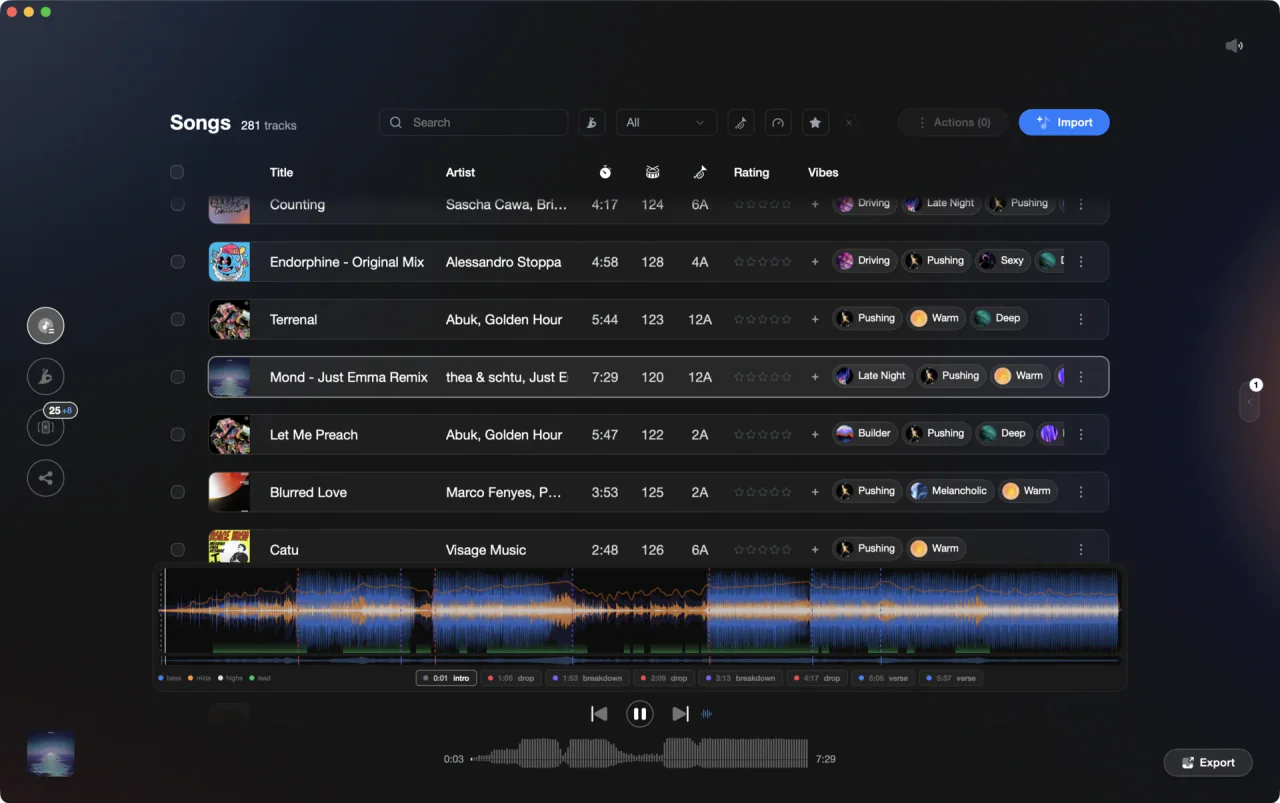
Vibes analyzes the track at home. The snapping itself happens on the deck.
Set quantize (beat snap) in Serato DJ, step by step.
This guide covers how to turn on quantize, Serato DJ Pro's Quantize Value setting, and the beatgrid work that decides whether snapping helps or hurts. Button names follow the Serato DJ Pro 4.0 main screen.
Analyze your tracks first
Snapping needs beatgrids: Serato's note on the feature is that it requires beatgrids to be enabled and set, so an unanalyzed file has nothing to snap to. Click Analyze Files in the top left of the library, or drag a crate onto that button, with Analyze BPM / Beatgrid ticked in the analysis settings. Serato DJ 4.0 also analyzes new imports automatically, on by default.
Click the Q button in the top toolbar
The Serato quantize button is the small Q in the strip along the top of the main screen, to the right of the Display Mode buttons, Link and MIDI. Click it once to switch snapping on. Cue points and manual loop in and out points then snap to the beatgrid as you set them, and triggering a cue point or a reloop lands in time with the grid.
Set the Quantize Value in Setup
Open Setup from the top right of the screen and select the DJ Preferences tab. Under Control Preferences you will find Quantize Value, which sets the beat interval that cue points, manual loops and reloop snap to. A wide interval is forgiving and keeps everything on the downbeat. A narrow one lets you land closer to where you actually pressed. Pick it before the gig, not during one.
Check the downbeat before you trust the snap
Snapping is only as good as the grid under it. Load the track, click Edit Grid next to the elapsed and remaining time, and look at the red Downbeat Marker: Serato places it on the first transient, then calculates every bar marker after it from the BPM. If that first marker sits in the wrong place, the whole grid is wrong and every snapped cue inherits the error.
Set cues and loops with it switched on
Now place your cue points from the Cue Point tab, or with control plus 1 to 5 on the left deck and control plus 6 to 0 on the right. Manual loops use the Loop In and Loop Out buttons, or the keys O and L for the left deck and P and semicolon for the right. They all land on the grid now, not where your finger did.
The catch
It snaps to the grid, not to the music. On a track whose downbeat is misplaced, or whose tempo drifts because it was played live, it will confidently put every cue in the wrong spot. The fix is the beatgrid, not the setting.
Where Vibes fits
Know which tracks have a shaky tempo before you rely on the snap.
Vibes does not set quantize, write beatgrids or place cue points in Serato: all of that stays in the app. What it does is analyze every track you own for BPM, key, energy and sections, so tempo outliers are visible during prep instead of mid-set. Tag and order the tracks in Vibes, export them back to Serato DJ, and the grid checking left to do is a short list rather than the whole library.
See how it worksOrganize in Vibes, export to Serato DJ.
Your playlists, tags, ratings, and cue points travel back to the gear you play on, so nothing you do in Vibes is locked away.

Track 001
Artist A
Afterhours Mysterious
 Introspective
Track 002
Artist B
 Cozy FloorPeaceful
 Home
Home
Track 003
Artist C
Rave Aggressive
 Festival
 Build & Release
Frequently asked questions
The honest answers, including the trade-offs.
From a Vibes customer
The import worked perfectly. Have created several sets now and my life is so much easier
One-time purchase
Get Vibes with a single payment. No subscription.
Vibes is the step before you open your DJ software, not a replacement for it.
First 250 licenses at this price, then $79.
14 days • Full access
No strings attached
Secure checkout with Stripe
Already have Companion Pro? Upgrade instead


Methodology
How we keep this honest.

Verified against the app
Every step is checked against the current version of Serato DJ.
We own our bias
We make Vibes. We show the native way first and honestly, then where Vibes genuinely helps, and we say when it does not.
Live pricing
The Vibes price shown comes straight from our checkout, never a hardcoded marketing number.
Kept current
Last reviewed September 2026.
Keep exploring
DJ apps head to head
Works with your software
Vibes for DJs
Vibes features
How-to guides
Best DJ software
Move between apps
DJ tools
Learn to DJ