
Manage crates and subcrates in Serato DJ Pro.
To create crates in Serato DJ Pro, click the Add Crate button in the crate panel on the left, name the crate, and drag tracks in. Subcrates nest inside by dropping one crate onto another crate's name. Here is the full workflow by hand, and a faster way to get there.
$49$79USD one-time purchase. First 250 licenses at this price. 14-day free trial.
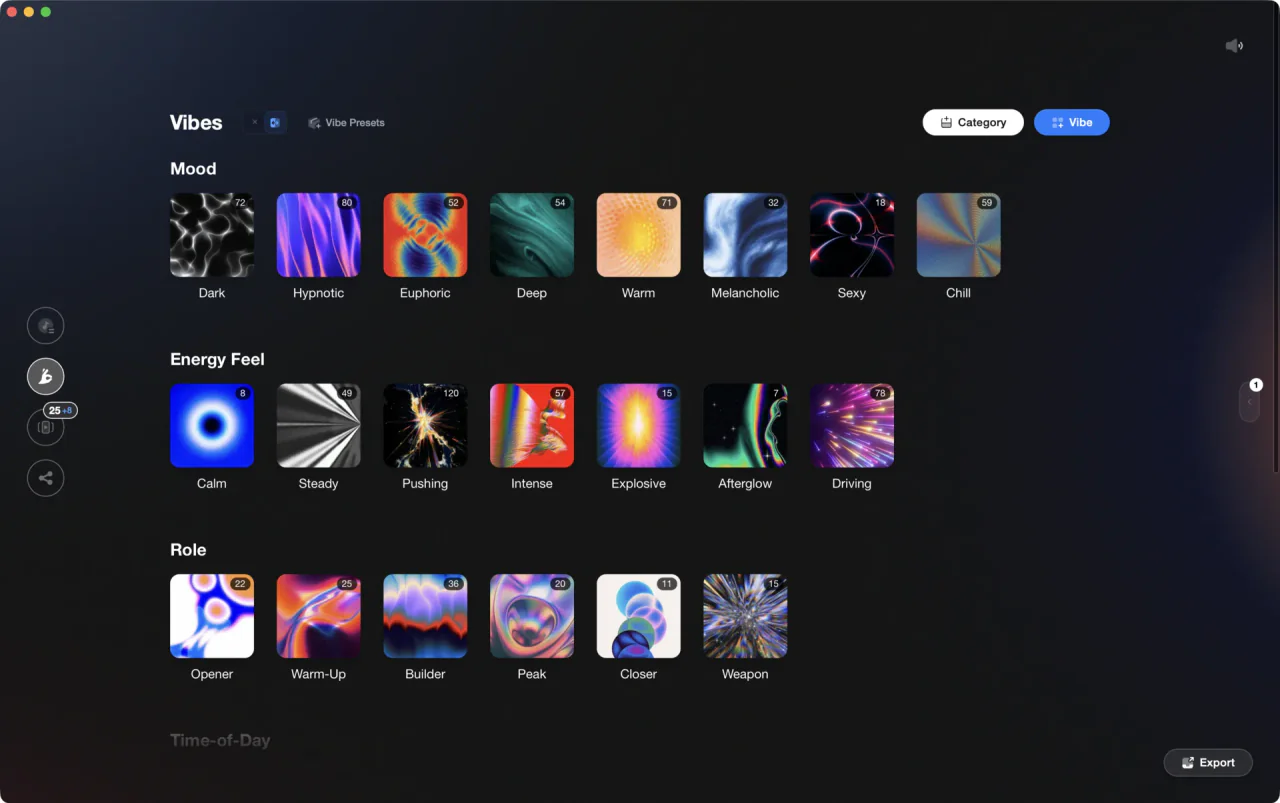
Vibes converts your vibe tags, Sets, and Combinations into Serato .crate files on export.
Manage crates and subcrates in Serato DJ Pro, step by step.
Serato DJ Pro stores your library in crates, which live in the left panel. You can nest crates inside other crates as subcrates for genres, moods, or any grouping you like, and one track can sit in as many crates as you want. The steps below cover building the structure, ordering the tracks inside it, and taking tracks back out. They match Serato DJ Pro 4.0; where an older version differs, the step says so.
Create a new crate
Click the Add Crate button in the crate panel on the left, type a name for the crate, and press Enter. The crate appears in your crate list and is ready to receive tracks. Serato writes the crate to disk on its own; there is nothing to save. If the Protect library option is on in the Setup screen, crates cannot be renamed or removed until you turn it off.
Add tracks to a crate
Drag tracks from the main library view or from another crate and drop them onto your target crate in the left panel. You can also select multiple tracks and drag them in one move. A track can be placed in as many crates as you like: crates hold references, not copies, so no files are duplicated.
Create a subcrate
Drag one crate onto another crate's name in the left panel, a little to the right of the panel edge. The crate you drag becomes a subcrate of the crate you dropped it on. Subcrates can be opened and collapsed, so a long crate list stays easy to browse, and smart crates can be subcrates too. If you want the parent crate to show every track from its subcrates, turn on Include subcrate tracks in the Setup screen.
Reorder and rename crates
To reorder crates, drag a crate to the very left of the crate panel: dropping it at the edge keeps it at the top level and moves it in the list instead of nesting it under the crate beneath the cursor. The same move promotes a subcrate back to the top level. In Serato DJ Pro 4.0, drag reordering only works while the Crate Sort type is Custom; under Alphabetical or Date Added you can move a subcrate to a different parent but not reorder within the same parent. Double-click a crate name to rename it.
Change the order of songs in a crate
There are two ways to change order of songs in Serato. Click any column header (BPM, Key, Artist, Added) to sort the crate by that column; click it again to flip between ascending and descending. For a custom running order, drag tracks up or down inside the crate. If dragging has no effect, a column sort is still active: click the # column header at the far left so the crate falls back to its own order, then drag. Hold Ctrl (Cmd on Mac) and click a second header to add a secondary sort, for example BPM then Key.
Remove a song from a crate
To remove a song from a crate in Serato, open the crate, select the track, and press Ctrl + Delete on Windows or Cmd + Delete on Mac. The track leaves that crate only. It stays in All and in every other crate that holds it, and the file is untouched. Two related shortcuts are easy to mix up: Alt + Delete (Option + Delete on Mac) removes the track from the whole library, All and every crate, while the file stays on disk. Ctrl + Shift + Delete removes it from the library and sends the file to the trash, so avoid that one unless you mean it. Pressing Ctrl + Delete while in the All crate also removes the track from the library.
The catch
Building a complete crate structure by hand is repetitive work: every gig prep cycle means dragging tracks into new crates one by one, and any change to your tagging system means rebuilding crates from scratch.
 Euphoric
 Melancholic
 Mysterious
 Aggressive
 Peaceful
 Rave
Rave Afterhours
 Club
Club Home
HomeThe faster way
Tag once in Vibes. Export your entire crate structure in one click.
Vibes writes .crate files directly into Serato's library folder on export. Every vibe tag, every Set, and every Combination becomes a crate automatically, with no manual dragging required.
See how it worksOrganize in Vibes, export to Serato DJ Pro.
Your playlists, tags, ratings, and cue points travel back to the gear you play on, so nothing you do in Vibes is locked away.
Track 001
Artist A
AfterhoursMysterious Introspective
Track 002
Artist B
 Cozy FloorPeacefulHome
Track 003
Artist C
RaveAggressive Festival
 Build & Release
Frequently asked questions
The honest answers, including the trade-offs.
From a Vibes customer
The import worked perfectly. Have created several sets now and my life is so much easier
One-time purchase
Get Vibes with a single payment. No subscription.
Vibes is the step before you open your DJ software, not a replacement for it.
First 250 licenses at this price, then $79.
14 days • Full access
No strings attached
Secure checkout with Stripe
Already have Companion Pro? Upgrade instead


Methodology
How we keep this honest.

Verified against the app
Every step is checked against the current version of Serato DJ Pro.
We own our bias
We make Vibes. We show the native way first and honestly, then where Vibes genuinely helps, and we say when it does not.
Live pricing
The Vibes price shown comes straight from our checkout, never a hardcoded marketing number.
Kept current
Last reviewed September 2026.
Keep exploring
Compare Vibes
DJ apps head to head
Works with your software
Vibes for DJs
How-to guides
Best DJ software
Move between apps
DJ tools
Learn to DJ