

Auto-tag your tracks in Serato DJ.
Serato DJ has no built-in auto-tagging for energy or mood. Vibes fills that gap: its on-device AI learns your taste and suggests vibe tags for every track in your library, then writes the results back into Serato as ready-made crates.
$49$79USD one-time purchase. First 250 licenses at this price. 14-day free trial.
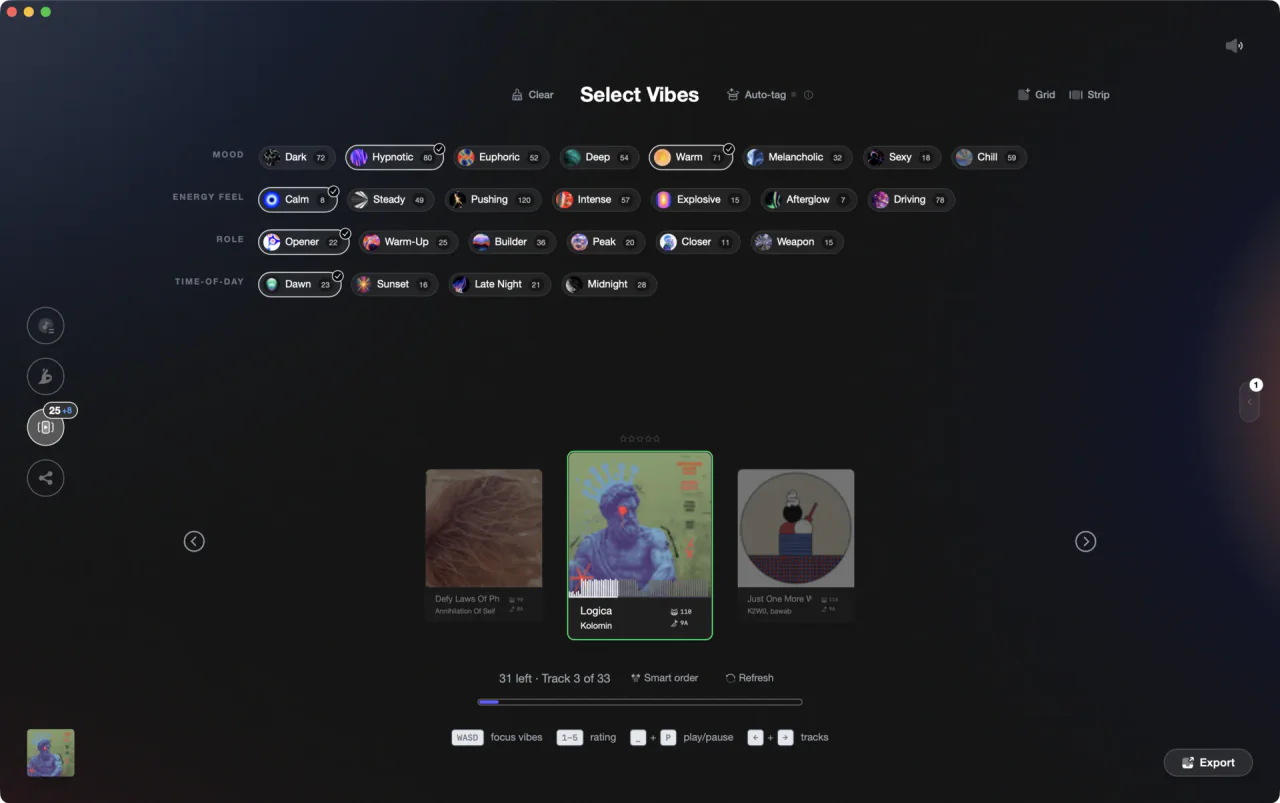
Vibes Vibe Sort: tag your library fast, then let AI carry the rest.
Auto-tag your tracks in Serato DJ, step by step.
Serato DJ Pro does not have an AI auto-tagging feature for energy or mood. The closest native options are color labels, the Comments or Genre fields, and crates to categorize tracks manually.
Enable and use the color label column
The colour column may not be visible by default. To enable it, right-click any column header in the library and check 'Label' (or 'Colour') from the list, or click the column selector button at the top right of the library panel. Once visible, click the colored cell in that column on any track row to open the color palette and choose a color. In Serato DJ Pro 4.x the label color column is the third column by default. Pick a consistent system before you start - for example: red for peak time, blue for warm-up.
Edit the Comments or Genre field for text tags
Double-click any editable text field in the library row (Comments, Genre, etc.) to edit it inline. You can also press Ctrl+E (Windows) or Cmd+E (Mac) to rename the track's song name field directly. Type any label you like into Comments, Genre, or other text fields. This is the closest Serato offers to freeform mood or energy tagging. Note: filename, length, size, bit rate, and sampling rate cannot be edited from within Serato.
Build crates to group tagged tracks
Click the Add Crate button (located in the upper-left area of the Crates panel, next to the Smart Crate button) to create a new crate, then drag tracks into it. To nest crates, drag one crate slightly to the right onto the name of another crate: the parent crate highlights, and the dragged crate becomes a subcrate inside it. Drag a crate to the far left of the panel to keep it at the top level. You can nest multiple levels deep to build a category structure, for example: an Energy crate with a Peak Time subcrate inside it.
Repeat for every track you want to organize
Serato has no bulk AI suggestion tool, so every color label, comment edit, and crate assignment is manual. For large libraries this is the main bottleneck. Sort your library by date added and work through new additions regularly to keep pace.
The catch
Serato DJ Pro has no auto-tagging engine: every color label, comment, and crate assignment is manual, which becomes a real time cost as your library grows. The colour column may also need to be enabled before it appears in the library view.
 Afterhours
 Mysterious
 Introspective
 Evolving
The faster way
On-device AI that learns your taste and tags for you.
Vibes imports your Serato library, runs audio analysis on every track, and uses a CLAP-based model trained on your own tagging decisions to suggest vibes (energy, mood, role tags) for tracks you have not labeled yet. No cloud upload required. When you are done, Vibes exports the results directly into your Serato library as .crate files.
See how it worksOrganize in Vibes, export to Serato DJ.
Your playlists, tags, ratings, and cue points travel back to the gear you play on, so nothing you do in Vibes is locked away.
Track 001
Artist A
AfterhoursMysteriousIntrospective
Track 002
Artist B
 Cozy FloorPeaceful
 Home
Home
Track 003
Artist C
Rave Aggressive
 Festival
 Build & Release
Frequently asked questions
The honest answers, including the trade-offs.
From a Vibes customer
The import worked perfectly. Have created several sets now and my life is so much easier
One-time purchase
Get Vibes with a single payment. No subscription.
Vibes is the step before you open your DJ software, not a replacement for it.
First 250 licenses at this price, then $79.
14 days • Full access
No strings attached
Secure checkout with Stripe
Already have Companion Pro? Upgrade instead


Methodology
How we keep this honest.

Verified against the app
Every step is checked against the current version of Serato DJ.
We own our bias
We make Vibes. We show the native way first and honestly, then where Vibes genuinely helps, and we say when it does not.
Live pricing
The Vibes price shown comes straight from our checkout, never a hardcoded marketing number.
Kept current
Last reviewed September 2026.
Keep exploring
DJ apps head to head
Works with your software
Vibes for DJs
Vibes features
How-to guides
Best DJ software
Move between apps
Learn to DJ