

Find harmonic tracks in Serato.
To mix in key, Serato needs to show each track's key and let you sort by it. Harmonic mixing keeps transitions smooth by pairing tracks in compatible keys. Here is how to set it up in Serato, and how to find compatible tracks across your whole library in seconds.
$49$79USD one-time purchase. First 250 licenses at this price. 14-day free trial.
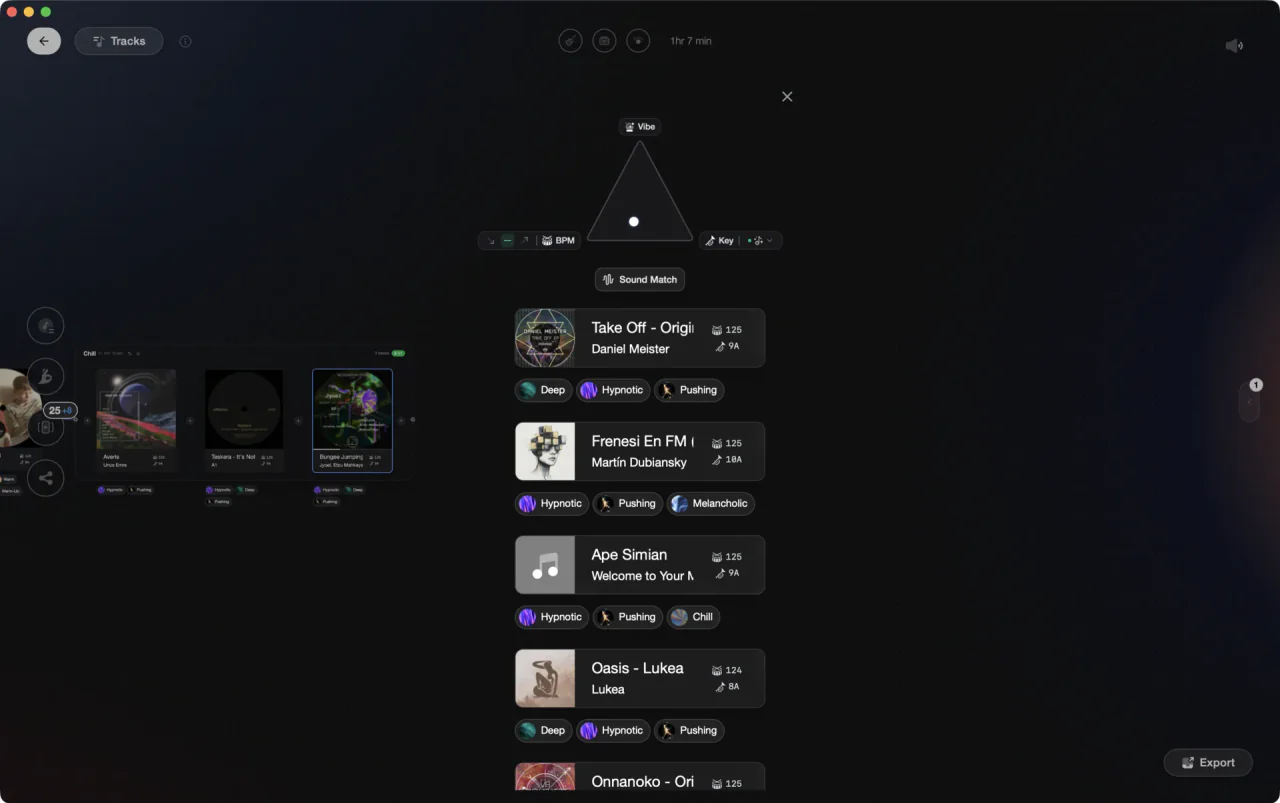
From the track that is playing to everything that mixes.
Harmonic mixing in Serato.
Serato shows each track's key and lets you sort harmonically, so you can find related keys, though it stops short of suggesting compatible tracks for you.
Display the key column
Show the Key column in the library, then open Setup, go to the Library + Display tab, and set the key display to Camelot notation. The same tab can color keys by their position on the circle of fifths, so related keys share a hue while you browse.
Sort by key, then within tempo
Click the Key column header to sort the library or a crate by key. Better: hold Ctrl (Cmd on Mac) and click a second column for a secondary sort, so you can group by BPM first and key inside it, which is how compatible options at a workable tempo surface together.
Learn the wheel
Compatible keys are adjacent on the Camelot wheel, so a track in 8A mixes smoothly with 8A, 9A, 7A, and 8B. Keep the wheel handy while you browse.
Build harmonic smart crates
Click Add Smart Crate and add a Key rule per compatible key, like key is 8A, key is 9A, key is 7A, with Match all of the following Rules switched off so any rule qualifies a track. Add a BPM rule for your tempo range, tick Live Update, and the crate maintains itself as new tracks are analyzed.
The catch
Serato shows and sorts keys, but it will not tell you which tracks are compatible with the one playing. You read the wheel and find matches yourself, and a harmonic smart crate only works if the keys underneath it are right, which is where Serato's native detection is weakest.



The faster way
Keep the pairs you discover.
Vibes finds compatible tracks for you, then goes a step further: mark two tracks that blend beautifully as a pair once, and they resurface in recommendations and set building, so a great harmonic combo is never a one-night find.
See how it worksOrganize in Vibes, export to Serato DJ.
Your playlists, tags, ratings, and cue points travel back to the gear you play on, so nothing you do in Vibes is locked away.
Track 001
Artist A
AfterhoursMysterious Introspective
Track 002
Artist B
 Cozy FloorPeaceful
 Home
Home
Track 003
Artist C
Rave Aggressive
 Festival
 Build & Release
Frequently asked questions
The honest answers, including the trade-offs.
From a Vibes customer
The import worked perfectly. Have created several sets now and my life is so much easier
One-time purchase
Get Vibes with a single payment. No subscription.
Vibes is the step before you open your DJ software, not a replacement for it.
First 250 licenses at this price, then $79.
14 days • Full access
No strings attached
Secure checkout with Stripe
Already have Companion Pro? Upgrade instead


Methodology
How we keep this honest.

Verified against the app
Every step is checked against the current version of Serato DJ.
We own our bias
We make Vibes. We show the native way first and honestly, then where Vibes genuinely helps, and we say when it does not.
Live pricing
The Vibes price shown comes straight from our checkout, never a hardcoded marketing number.
Kept current
Last reviewed September 2026.
Keep exploring
Compare Vibes
DJ apps head to head
Works with your software
Vibes for DJs
Vibes features
How-to guides
Best DJ software
Move between apps
Learn to DJ