

Fix wrong key detection in Serato.
Serato detects key on analysis, but the read is not always right, which matters for harmonic mixing. Here is how to improve and correct it, and how to re-key accurately.
$49$79USD one-time purchase. First 250 licenses at this price. 14-day free trial.
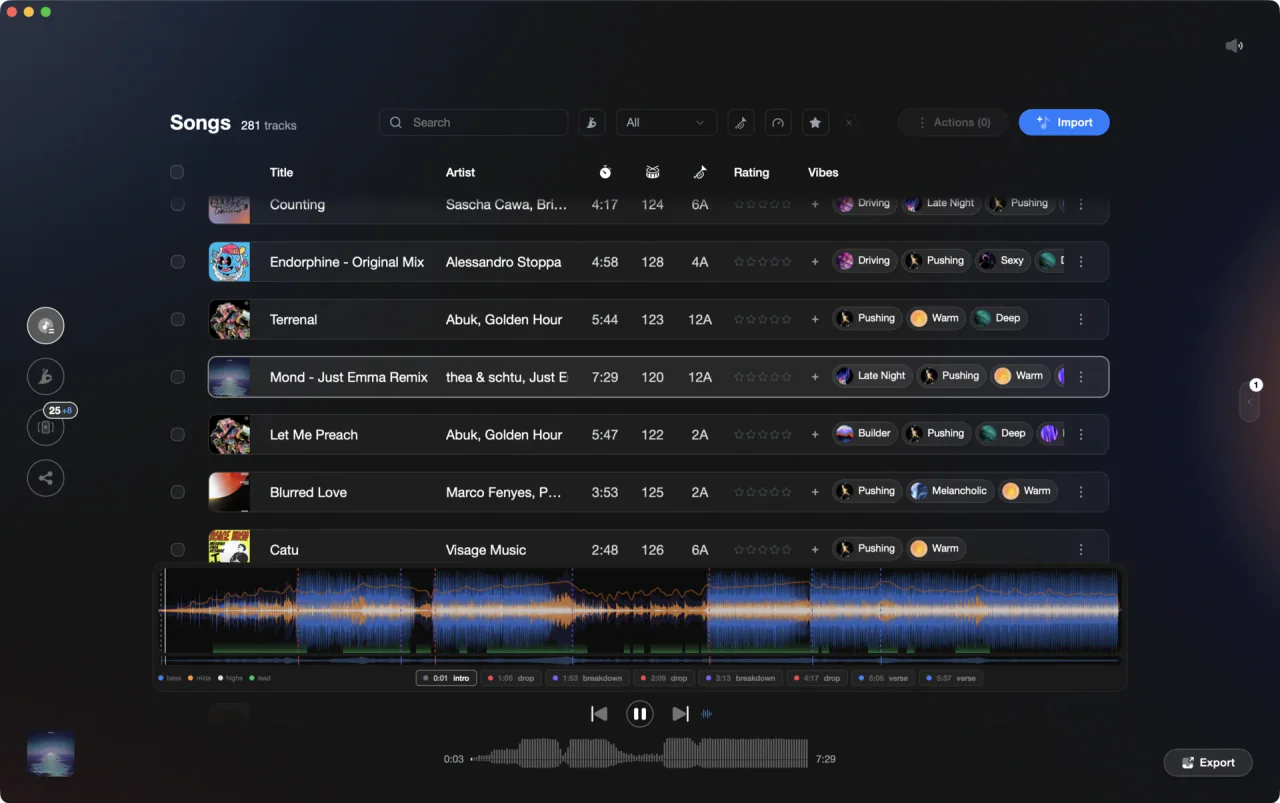
Get keys you can actually trust for harmonic mixing.
Improving key detection in Serato.
Serato analyzes key automatically, but the accuracy is the part DJs most often want to improve. A few habits help.
Analyze your files
Disconnect your hardware so Serato opens in the offline player, tick the Set Key checkbox next to the Analyze Files button, then click Analyze Files to process everything un-analyzed in the library. A track with an empty key column has simply never been analyzed.
Show keys in Camelot
In the Setup screen, open the Library + Display tab and set the key display to Camelot (Serato also offers Classical and Open-Key). You can color keys by their position on the circle of fifths on the same tab, which makes a wrong-looking key stand out while you browse.
Spot-check against your ear
For important tracks, sanity-check the detected key against what you hear, since automatic detection can miss on modulating or layered tracks.
Correct the key field
Key is an editable tag in Serato: open the track's tags for editing and type the correct value, and harmonic sorting and your smart crates will use it. Only technical fields like filename, length, and bit rate are locked.
Re-analyze deliberately
To force a fresh read, drag a track, a selection, or a whole crate onto the Analyze Files button. Careful in the other direction too: if Set Key is ticked, re-analysis overwrites the key tag, so untick it when you want to protect keys you corrected or imported from another tool.
The catch
Correcting keys in Serato is largely one track at a time, and the native detection is widely regarded as less accurate than dedicated key-detection tools, which is why so many DJs bolt one on.

Track 001
Artist A
Afterhours Mysterious
 Introspective
Track 001
Artist A
AfterhoursMysteriousIntrospective
Track 002
Artist B
 Cozy FloorPeaceful
 Home
HomeTrack 002
Artist B
Cozy FloorPeacefulHome
Track 003
Artist C
Rave Aggressive
 Festival
 Build & Release
Track 003
Artist C
RaveAggressiveFestivalBuild & ReleaseThe faster way
A second opinion on every key.
Vibes runs its own neural key detection and places every track on the Camelot wheel, giving you a trustworthy reference for the whole library in one pass. One honest limit: Serato's crate format does not carry key metadata, so Vibes cannot write keys into Serato. Where the two disagree, correct Serato's editable key field by hand with Vibes as the reference.
See how it worksOrganize in Vibes, export to Serato DJ.
Your playlists, tags, ratings, and cue points travel back to the gear you play on, so nothing you do in Vibes is locked away.
Track 001
Artist A
AfterhoursMysteriousIntrospectiveTrack 002
Artist B
Cozy FloorPeacefulHomeTrack 003
Artist C
RaveAggressiveFestivalBuild & Release
Frequently asked questions
The honest answers, including the trade-offs.
From a Vibes customer
The import worked perfectly. Have created several sets now and my life is so much easier
One-time purchase
Get Vibes with a single payment. No subscription.
Vibes is the step before you open your DJ software, not a replacement for it.
First 250 licenses at this price, then $79.
14 days • Full access
No strings attached
Secure checkout with Stripe
Already have Companion Pro? Upgrade instead


Methodology
How we keep this honest.

Verified against the app
Every step is checked against the current version of Serato DJ.
We own our bias
We make Vibes. We show the native way first and honestly, then where Vibes genuinely helps, and we say when it does not.
Live pricing
The Vibes price shown comes straight from our checkout, never a hardcoded marketing number.
Kept current
Last reviewed September 2026.
Keep exploring
DJ apps head to head
Works with your software
Vibes for DJs
Vibes features
How-to guides
Best DJ software
Move between apps
DJ tools
Learn to DJ