

The best DJ app for iPad.
An iPad runs the same class of DJ app a laptop does: two to four decks, beat sync, hot cues, loops, real-time stem separation and plug-and-play USB MIDI controllers. The detail the roundups skip is where the music comes from: streamed tracks stay locked inside the app, so anything you want to tag, cue up in advance or take offline has to be a file you own. Below: four apps that cover almost every iPad setup, what each one costs, and where each one stops.
$49$79USD one-time purchase. First 250 licenses at this price. 14-day free trial.
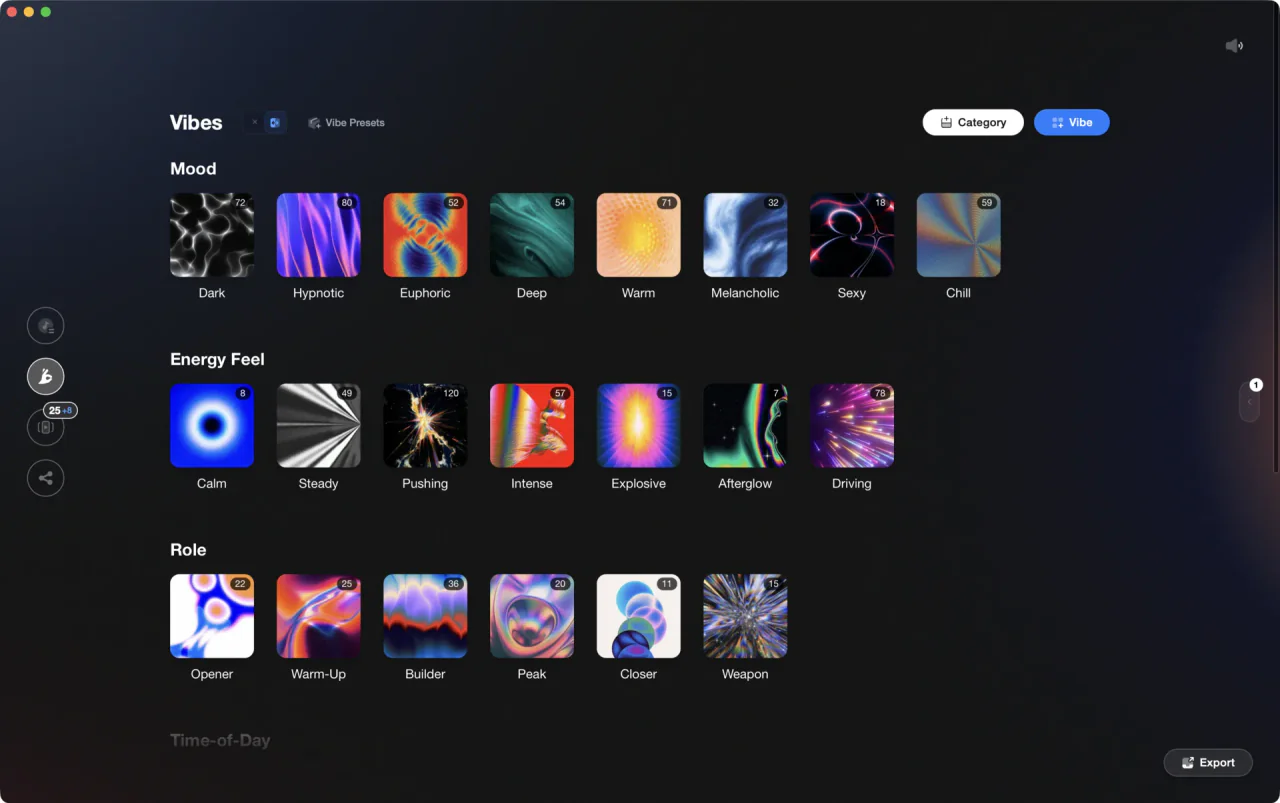
Prep on the desktop, play on the iPad.
For iPad DJs, djay by Algoriddim is the default with four decks and stems, rekordbox for iOS suits a rekordbox library, WeDJ is the gentle start, edjing is streaming-first. Vibes preps the files you own before they reach the iPad.
The iPad DJ apps worth installing.
Four apps cover almost every iPad DJ setup, and they mostly split by where your music comes from. Each entry below was checked against the maker's own product pages, not against App Store screenshots. The fifth entry, Vibes, is our own product, and it is not a DJ app: it prepares the library the other four play.
| Option | Strengths | Trade-offs |
|---|---|---|
| djay by AlgoriddimBest for The closest thing to a laptop rig on a tablet |
|
|
Our verdict The default answer, and it earns it: no other iOS app puts four decks, real-time stem separation, five streaming sources and broad controller support in the same window. Start free with your own files, then decide whether the subscription is worth it. | ||
| rekordbox for iOSBest for iPad DJs whose library already lives in rekordbox |
|
|
Our verdict If you play on CDJs or a Pioneer controller, this is the one that keeps a single library across desktop, tablet and booth. | ||
| WeDJ for iPadBest for A first mix, with the training wheels still on |
|
|
| edjing MixBest for Streaming-first mixing on a phone or tablet |
|
|
 VibesBest for Prepping the files you own before they reach the iPad VibesBest for Prepping the files you own before they reach the iPad |
|
|
Our verdict The prep layer, not a fifth mixing app. It matters here because the work an iPad is worst at, tagging and sorting hundreds of tracks on a small screen, is the work it does. | ||
| At a glance | Pricing | Model | Platforms |
|---|---|---|---|
| djay by Algoriddim | Free download, paid subscription tier | Freemium plus subscription | iPad, iPhone, Mac, Windows, Android |
| rekordbox for iOS | Free plan, paid plans above it | Freemium plus subscription | iPad, iPhone, Android, Mac, Windows |
| WeDJ for iPad | Not stated | App Store download | iPad |
| edjing Mix | Not stated | App Store download | iPad, iPhone, Android |
 Vibes Vibes | $49 one-time | One-time | Mac and Windows |
How we compared, and what these searches actually mean.
A DJ program for iPad has to clear three bars before any feature list matters: it has to play the music you own, it has to send cue audio somewhere other than the main output, and it has to talk to a USB controller. All four apps here clear them. What separates them is the source list and the price of the second half of the app.
Searches for best DJ software iPad and best iPad DJ app usually land on desktop roundups by mistake, because most DJ software never shipped a tablet version. The real list is short. The free DJ app for iPad question comes down to which free tier annoys you least: if your filter is best DJ app for iPad free of charge, rekordbox and djay both qualify without a demo timer.
The iPhone version of the question is the same question on a smaller screen. Everything here except WeDJ runs on both, so a good DJ app for iPhone is simply the tablet pick installed on a phone, with one deck filling the view and your fingers competing for space. DJ software for iPhone that gets called the best iPhone DJ app, the best DJ app on iPhone, or the best DJ app for iPhone free of charge is, in every case, this same shortlist.
One warning about old lists. Roundups from the 2010s still send people after names like Pacemaker DJ, and iOS DJ apps get pulled from the store more often than desktop ones, so check the App Store listing before you plan a set around a ten-year-old recommendation. And if you also mix on a laptop, note that djay runs on Mac too, which is why people hunting a free DJ app for Mac keep landing on the same name.

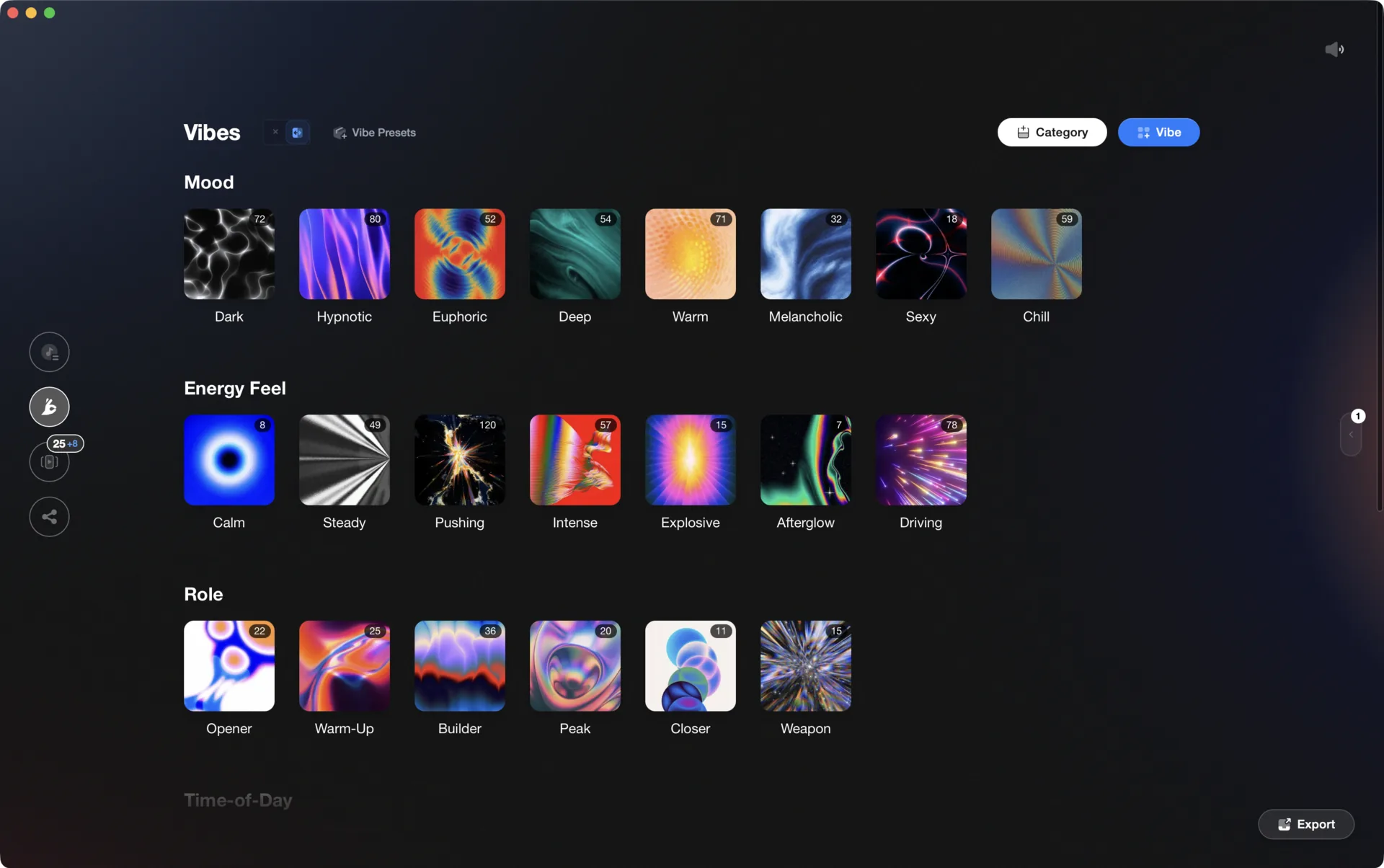
What actually decides it.
Plays what you own
Streaming is convenient and locked. A streamed track cannot be exported, cannot be prepped offline and vanishes the day a licensing deal lapses. Check how well the app reads your local files before you fall for the catalogue size.
Cue audio and controllers
Two decks are useless without a way to hear the next one. On a tablet that means a split-output cable or a USB audio interface, and a powered connection if a controller is drawing from the same port. Confirm the app names your gear.
Where the free tier stops
A DJ app free at download usually charges later: for the sampler, the effect packs, cloud sync or the streaming link. Find that wall in a bedroom rehearsal, not twenty minutes before a set.
Where your prep lives
Tags, cues and playlists built on a small screen are painful to move. Apps that read a desktop library, the way rekordbox does through Mobile Library Sync, keep that work portable when you switch machines.
One organized library, every app.
Vibes imports from and exports to Rekordbox, Serato, Traktor, and Engine DJ, so the software you pick is never a lock-in.

Track 001
Artist A
Afterhours Mysterious
 Introspective
Track 002
Artist B
 Cozy FloorPeaceful
 Home
Home
Track 003
Artist C
Rave Aggressive
 Festival
 Build & Release
Frequently asked questions
The honest answers, including the trade-offs.
From a Vibes customer
The import worked perfectly. Have created several sets now and my life is so much easier
One-time purchase
Get Vibes with a single payment. No subscription.
Vibes is the step before you open your DJ software, not a replacement for it.
First 250 licenses at this price, then $79.
14 days • Full access
No strings attached
Secure checkout with Stripe
Already have Companion Pro? Upgrade instead


Methodology
How we keep this honest.

Verified against the source
Every claim about each app is checked against its official site and current pricing.
We own our bias
We make Vibes, a library tool, not DJ mixing software. The picks above are independent, and we recommend the app that fits you, not the one paired with us.
Live pricing
The Vibes price shown comes straight from our checkout, never a hardcoded marketing number.
Kept current
Last reviewed September 2026.
Keep exploring
Compare Vibes
DJ apps head to head
Works with your software
Vibes for DJs
Vibes features
How-to guides
Best DJ software
Move between apps
Learn to DJ