

Get Mixed In Key results into Serato DJ.
Mixed In Key and Serato DJ Pro pass data through the track's own tags: analyze in Mixed In Key, keep Serato's Set Key option unticked so it cannot overwrite the result, then click Rescan ID3 Tags in Serato's Files panel. Rescanning tags beats re-analyzing, because Serato's own note warns that re-analysis overwrites any manual changes made. The detail most guides skip: Mixed In Key analyzes .wav files but does not tag them, so those tracks come back empty.
$49$79USD one-time purchase. First 250 licenses at this price. 14-day free trial.
Key and energy live in the file's tags, which is the only place Serato reads them from.
Use Mixed In Key results in Serato DJ, step by step.
Serato does not import from Mixed In Key directly. The two apps meet in the file: Mixed In Key writes key, energy, and cue points into the tags, and Serato reads them back.
Turn off Set Key in Serato's analysis settings
Open Serato DJ Pro and go to the analysis settings that sit with the Analyze Files button in the top left corner of the library. Untick Set Key so Serato stops calculating a key value of its own, and leave Analyze BPM / Beatgrid ticked. Serato's own note is blunt: re-analyzing with these options checked overwrites any manual changes made.
Analyze the files in Serato first
Drag individual folders, crates, or files onto the Analyze Files button, or in Serato DJ 4.0 right-click a selection and choose Analyze Files. This builds the beatgrid that the imported cue points later snap to. On Serato DJ Pro 3.3.5 or earlier you have to disconnect your DJ hardware before analyzing; newer versions do not ask for it.
Run the same tracks through Mixed In Key
Add the files to Mixed In Key and let it analyze key, energy, and cue points. Check the format list first: the vendor marks .wav as analyzed but not tagged, and notes that Serato does not support the key field in .mp4. Files in those formats stay empty in Serato no matter how often you rescan.
Set the tag options before you retag
In Mixed In Key, open Settings and find Update Tags. Switch on Key + Energy, save it Before Comments, and tick the Initial Key checkbox, which is the setting that fills Serato's Key column. If the files were analyzed before you changed any of this, click Retag existing files so the old results get rewritten.
Export the cue points to Serato
Still in Settings, open Export Cue Points, confirm that Serato is checked, and pick the option that lets Mixed In Key overwrite existing cue points. Then select your tracks, right-click, and click Export Cue Points. Mixed In Key can set up to eight cue points per track and snaps them to Serato's beatgrid.
Rescan ID3 tags and read the Key column
Back in Serato, open the Files panel and click Rescan ID3 Tags, which re-reads file tags across the library after they were edited elsewhere. The Comments column then carries the Camelot code and the energy level. A Mixed In Key code such as 8A means position 8 on the wheel, with A for minor and B for major. Pick the notation you prefer under Setup, Library + Display.
The catch
Mixed In Key only ever writes into the file, so any format it cannot tag stays empty in Serato, and a later re-analysis can wipe what it did write. To pin a track down, control + click the empty Status column for the blue lock icon: Serato states that locked files will not have a new Key calculated.

Track 001
Artist A
Afterhours Mysterious
 Introspective
Track 001
Artist A
AfterhoursMysteriousIntrospective
Track 002
Artist B
 Cozy FloorPeaceful
 Home
HomeTrack 002
Artist B
Cozy FloorPeacefulHome
Track 003
Artist C
Rave Aggressive
 Festival
 Build & Release
Track 003
Artist C
RaveAggressiveFestivalBuild & ReleaseWhere Vibes fits
The library work that key detection leaves undone.
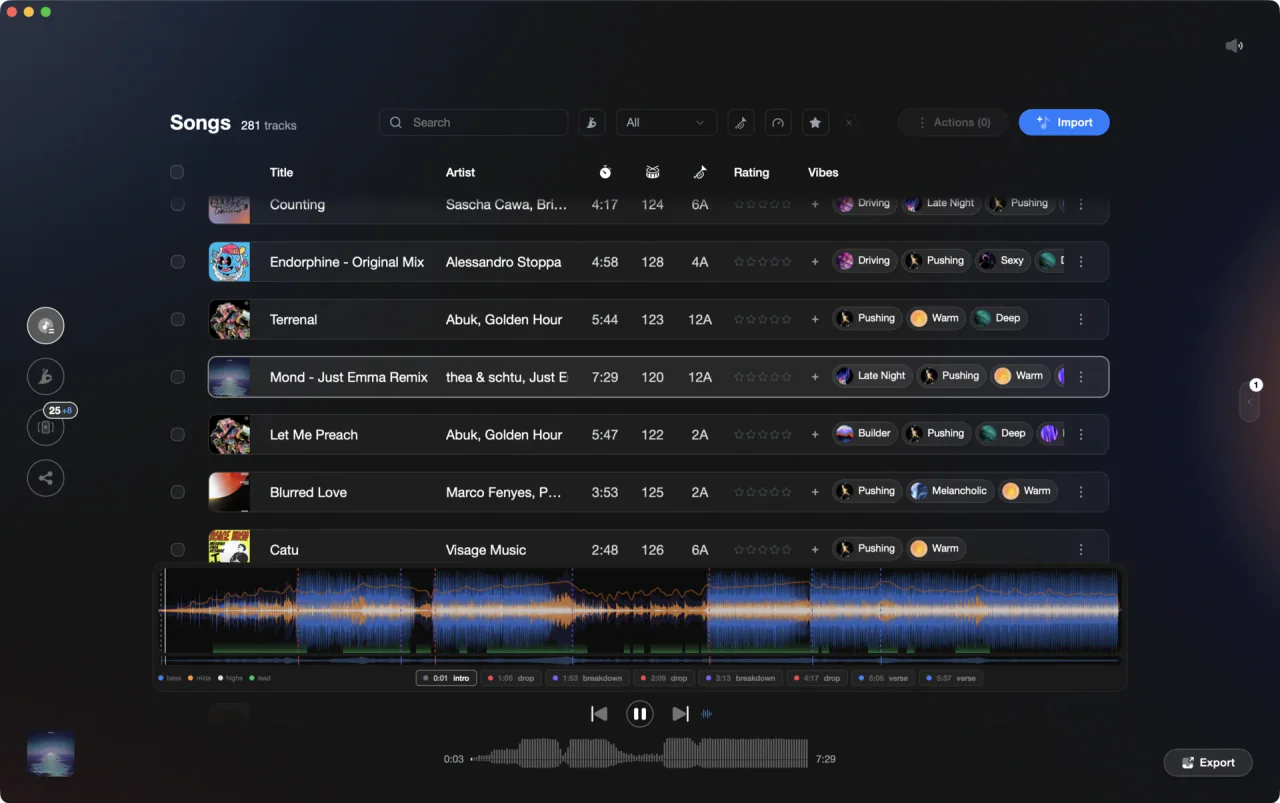
Vibes does not run key detection for another app and it does not move anyone else's cue points, so nothing here replaces the steps above. What it does is the rest of the prep: its own BPM, key, energy, and section analysis, vibe tags you can actually search, and an export back into Serato. If your tracks are tagged but the crate is still hard to pull from, that is the gap it fills.
See how it worksOrganize in Vibes, export to Serato DJ.
Your playlists, tags, ratings, and cue points travel back to the gear you play on, so nothing you do in Vibes is locked away.
Track 001
Artist A
AfterhoursMysteriousIntrospectiveTrack 002
Artist B
Cozy FloorPeacefulHomeTrack 003
Artist C
RaveAggressiveFestivalBuild & Release
Frequently asked questions
The honest answers, including the trade-offs.
From a Vibes customer
The import worked perfectly. Have created several sets now and my life is so much easier
One-time purchase
Get Vibes with a single payment. No subscription.
Vibes is the step before you open your DJ software, not a replacement for it.
First 250 licenses at this price, then $79.
14 days • Full access
No strings attached
Secure checkout with Stripe
Already have Companion Pro? Upgrade instead


Methodology
How we keep this honest.

Verified against the app
Every step is checked against the current version of Serato DJ.
We own our bias
We make Vibes. We show the native way first and honestly, then where Vibes genuinely helps, and we say when it does not.
Live pricing
The Vibes price shown comes straight from our checkout, never a hardcoded marketing number.
Kept current
Last reviewed September 2026.
Keep exploring
Compare Vibes
DJ apps head to head
Works with your software
Vibes for DJs
Vibes features
How-to guides
Best DJ software
Move between apps
DJ tools
Learn to DJ