

Clean up your library in Serato.
A messy library slows you down mid-set. Here is how to relocate missing files and tidy metadata in Serato, and how to keep one clean, organized library going forward.
$49$79USD one-time purchase. First 250 licenses at this price. 14-day free trial.
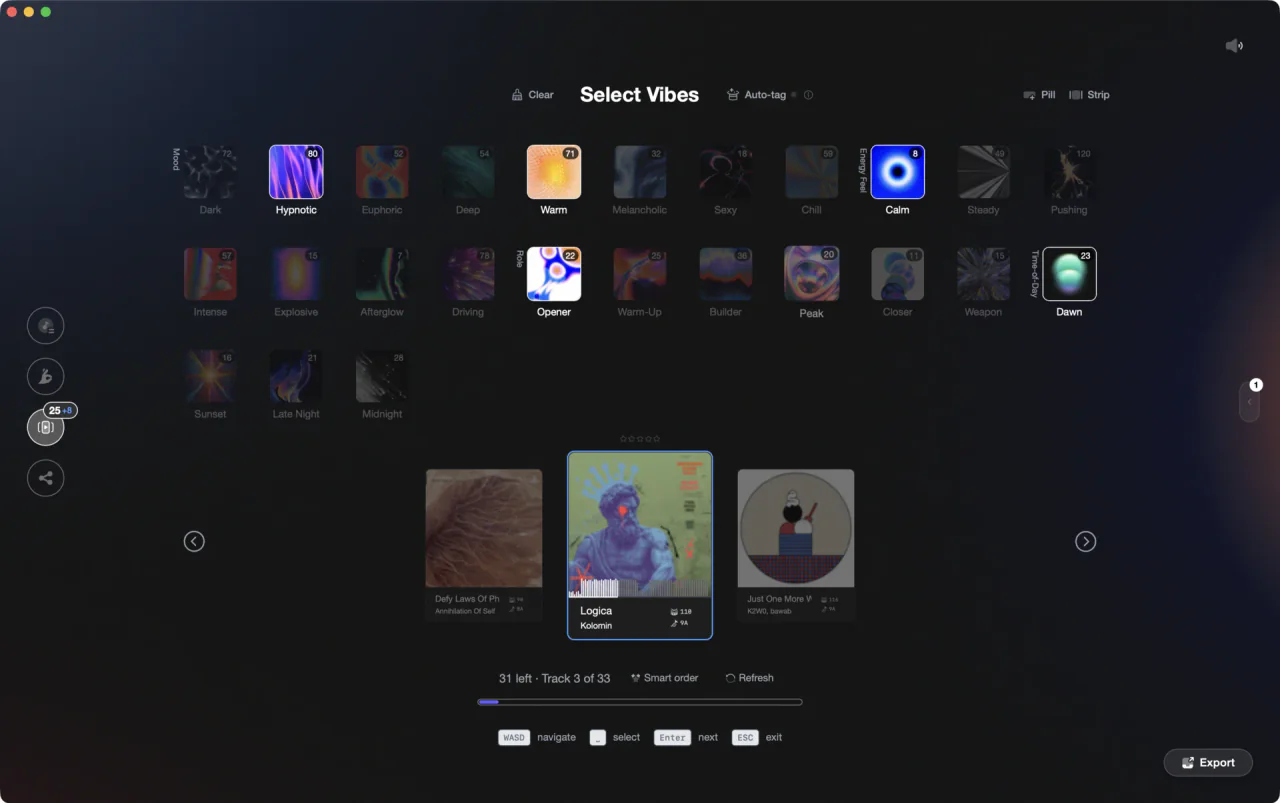
Turn a messy collection into a library you trust.
Tidying a Serato library.
Serato gives you the basics to fix broken track links and edit metadata, though tag writing is a known weak spot.
Turn off iTunes before you start
Before relocating anything, go to Setup > Library + Display and uncheck Show iTunes Library. Leaving it on while relocating files can create duplicate library entries that are tedious to clean up.
Relocate missing files
Tracks that cannot be found appear orange in your library. Open the Files panel and use the Relocate Lost Files button: either click it to search all connected drives, or drag the folder that contains the missing files directly onto the button so Serato re-links only that location.
Tidy genres and metadata
Double-click any field in the main library to edit it inline. Select multiple tracks first to apply the same change across all of them at once. Work in small batches so genre names and other fields stay consistent.
Rescan and verify
After editing tags in external software, click Rescan ID3 Tags in the Files panel to re-read the updated information. To surface any remaining broken links, click the arrow on the status column (the first column) to group all missing-file indicators together at the top or bottom of your library.
The catch
Relocation and metadata edits are housekeeping you repeat every time files move, and Serato's tag writing is openly criticized, so a clean library is hard to keep clean.
Keep it clean
One organized library, going forward.
Vibes imports your library, organizes it by vibe with AI help, and re-exports clean crates to Serato, so the time you spend tidying turns into a system that stays organized.
See how it worksOrganize in Vibes, export to Serato DJ.
Your playlists, tags, ratings, and cue points travel back to the gear you play on, so nothing you do in Vibes is locked away.

Track 001
Artist A
Afterhours Mysterious
 Introspective
Track 002
Artist B
 Cozy FloorPeaceful
 Home
Home
Track 003
Artist C
Rave Aggressive
 Festival
 Build & Release
Frequently asked questions
The honest answers, including the trade-offs.
From a Vibes customer
The import worked perfectly. Have created several sets now and my life is so much easier
One-time purchase
Get Vibes with a single payment. No subscription.
Vibes is the step before you open your DJ software, not a replacement for it.
First 250 licenses at this price, then $79.
14 days • Full access
No strings attached
Secure checkout with Stripe
Already have Companion Pro? Upgrade instead


Methodology
How we keep this honest.

Verified against the app
Every step is checked against the current version of Serato DJ.
We own our bias
We make Vibes. We show the native way first and honestly, then where Vibes genuinely helps, and we say when it does not.
Live pricing
The Vibes price shown comes straight from our checkout, never a hardcoded marketing number.
Kept current
Last reviewed September 2026.
Keep exploring
Compare Vibes
DJ apps head to head
Works with your software
Vibes for DJs
Vibes features
How-to guides
Best DJ software
Move between apps
DJ tools
Learn to DJ