

Music library organizer software.
Organizer software fixes the four things that break a large collection: wrong or missing tags, artwork that was never embedded, files dumped into one flat folder, and duplicates you keep re-buying. The detail most roundups skip is that you should pick by where the music has to end up, because a tagger writes clean fields into the files themselves, a player keeps its edits inside its own database, and only a DJ tool carries cue points and playlists into a DJ app.
$49$79USD one-time purchase. First 250 licenses at this price. 14-day free trial.

Tag it once, and every app you use reads the same thing.
For music library organizer software, MusicBee is the free Windows manager, MediaMonkey handles very large mixed collections, MusicBrainz Picard repairs broken tags, and Vibes is worth it only when the collection has to end up in a DJ app.
The four, compared.
Four options, from a free Windows manager to a DJ prep app. Between them they cover the range of music library manager software: fix the metadata, fix the folders, then decide whether the collection also has to reach a DJ app. One of them, Vibes, is ours, so weigh that pick accordingly.
| Option | Strengths | Trade-offs |
|---|---|---|
| MusicBeeBest for A free manager and player on Windows |
|
|
Our verdict The default free answer on Windows, and light enough to stay fast on a big collection. If you are on a Mac, this one is simply not an option. | ||
| MediaMonkeyBest for Very large collections that mix audio and video |
|
|
| MusicBrainz PicardBest for Files whose tags are wrong, empty, or unreadable |
|
|
Our verdict The one to run first when a batch of files came from somewhere careless. Fix the tags here, then let any of the others organize on top of them. | ||
 VibesBest for Collections that have to end up in a DJ app VibesBest for Collections that have to end up in a DJ app |
|
|
Our verdict Worth it only if the library feeds a DJ set. For a listening collection, one of the three above will do the same tidying for less. | ||
| At a glance | Pricing | Model | Platforms |
|---|---|---|---|
| MusicBee | Free, voluntary donation | Free | Windows |
| MediaMonkey | Free standard; Gold $39.95, lifetime $99.95 | Freemium | Windows, Android |
| MusicBrainz Picard | Free, open source | Free | Windows, macOS, Linux |
 Vibes Vibes | $49 one-time | One-time | macOS, Windows |
How we compared them.
The music library tools here were taken from what people actually recommend for large local collections, then checked against each vendor's own site for platform, price, and features on August 26, 2026. Most music library management software falls into three families: taggers that repair metadata, managers that also play, and DJ tools that prepare tracks for a set.
Two of the four are also players, which is why they turn up in every best music player for Windows thread, and MediaMonkey additionally ships an Android music player app. That overlap is exactly why the table above separates what a tool fixes from what it plays.
Prices are the vendor's own, in US dollars, on the date above. Free means free to use, not a trial that expires. Where a vendor does not publish a number, we say so rather than guess.

What to look for.
Edits that live in the files
Music library organization software should write changes into the files themselves. A player's software music library is only a database pointing at paths on a disk, so anything that stays in that database is lost the day you switch apps.
Where the music has to end up
Choose software to manage music library files by the destination. A tagger serves any player you will ever use, a DJ tool carries cue points and playlists into a DJ app, and streaming music apps organize a catalog you rent rather than files you own.
Duplicates and dead paths
Every big collection has the same two problems: the same track sitting there three times, and entries pointing at files that moved. Good software for music library work finds both, and shows you what it will change before it changes anything.
Behavior at scale
A tool that feels quick at 2,000 tracks can crawl at 80,000. Check the size the vendor itself claims to support, and run the first import on a copy of your folders, not on the originals.
One organized library, every app.
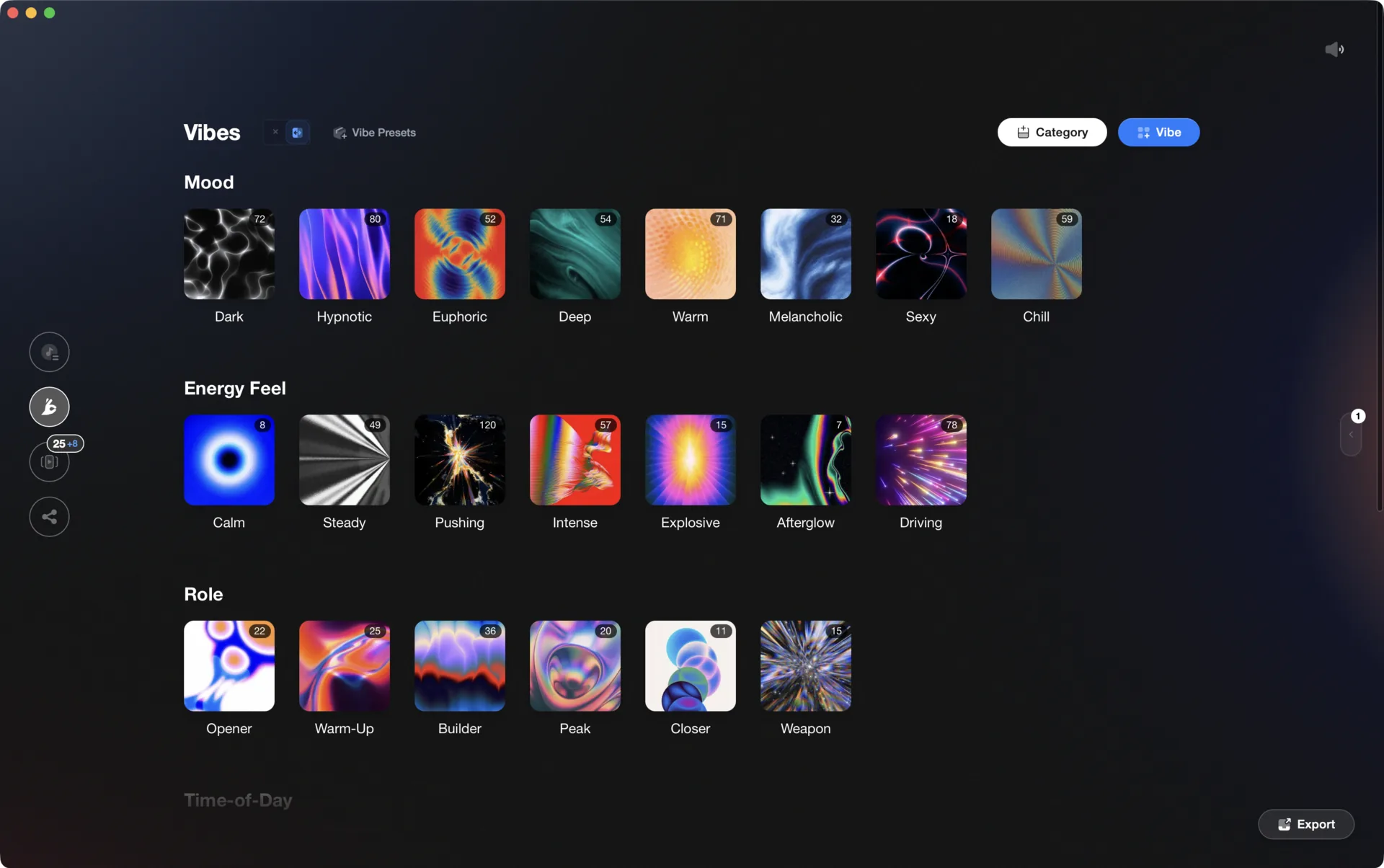
Vibes imports from and exports to Rekordbox, Serato, Traktor, and Engine DJ, so the software you pick is never a lock-in.

Track 001
Artist A
Afterhours Mysterious
 Introspective
Track 002
Artist B
 Cozy FloorPeaceful
 Home
Home
Track 003
Artist C
Rave Aggressive
 Festival
 Build & Release
Frequently asked questions
The honest answers, including the trade-offs.
From a Vibes customer
The import worked perfectly. Have created several sets now and my life is so much easier
One-time purchase
Get Vibes with a single payment. No subscription.
Vibes is the step before you open your DJ software, not a replacement for it.
First 250 licenses at this price, then $79.
14 days • Full access
No strings attached
Secure checkout with Stripe
Already have Companion Pro? Upgrade instead


Methodology
How we keep this honest.

Verified against the source
Every claim about each app is checked against its official site and current pricing.
We own our bias
We make Vibes, a library tool, not DJ mixing software. The picks above are independent, and we recommend the app that fits you, not the one paired with us.
Live pricing
The Vibes price shown comes straight from our checkout, never a hardcoded marketing number.
Kept current
Last reviewed September 2026.
Keep exploring
Compare Vibes
DJ apps head to head
Works with your software
Vibes for DJs
How-to guides
Best DJ software
Move between apps
Learn to DJ