

Record your set in Rekordbox.
To record on Rekordbox, switch to PERFORMANCE mode, open the REC panel, select Master Out as the source and press the record button: the app captures your master output to a WAV file. The steps are the same whether you record in Rekordbox 7 or Rekordbox 6, and whether it is a short mix or a full club set. Plan the tracklist first so you are not hunting for the next track while the recorder runs.
$49$79USD one-time purchase. First 250 licenses at this price. 14-day free trial.
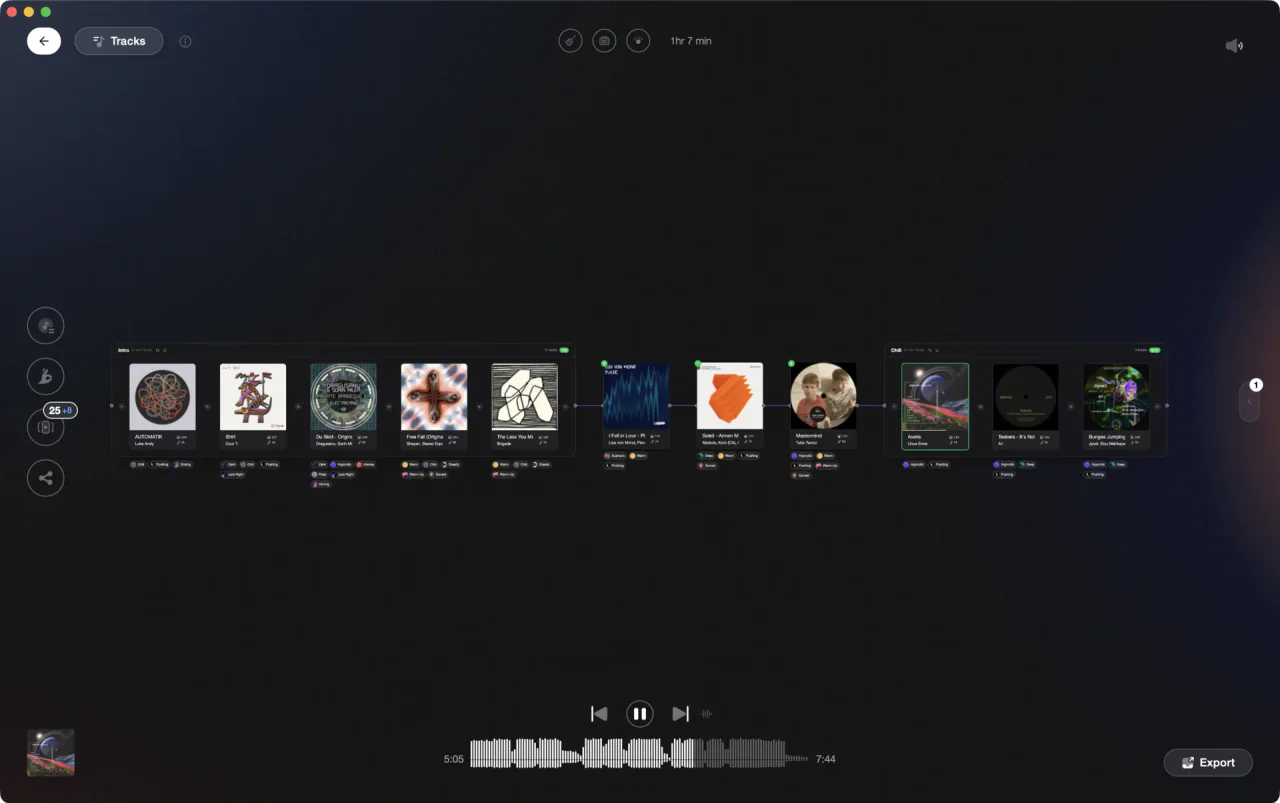
Build and sequence your set in Vibes Set Designer before recording in Rekordbox.
How to record a set on Rekordbox, step by step.
Rekordbox records its own master output in PERFORMANCE mode only; the recorder in EXPORT mode captures external hardware inputs, not the software mixer. Whether you want to record a mix on Rekordbox for an upload or archive a full set, these steps set it up and capture the output to a file you can share.
Switch to PERFORMANCE mode
Master Out recording lives in PERFORMANCE mode. Click the mode selector in the upper-left of the window to switch from EXPORT to PERFORMANCE. PERFORMANCE mode runs on the computer alone; controlling it from DJ equipment needs a paid plan or a connected Hardware Unlock device. The manual adds that recording may be unavailable depending on your plan and the equipment connected.
Open the REC panel
Click the REC button in the global section, the strip at the top of the PERFORMANCE screen that also holds the mode selector. The recording panel opens with a recording source menu, the recording level knob and its level indicator, the record button, and the elapsed and remaining time. Select Master Out as the source when you mix inside Rekordbox. The panel is the same in Rekordbox 7 and Rekordbox 6.
Set the save folder and the start trigger
Open the Preferences window, choose the Controller category and the Recordings tab. Location of Files sets the folder where recordings are saved. There is no format choice: Rekordbox records WAV at 44.1 kHz, 16 bit. In the same tab, set Recording starts when and Recording ends when to Pressing the REC button, otherwise the recorder waits in standby for audio and stops by itself after 20 seconds of silence. Make sure the destination drive has room: an uncompressed two-hour set is well over a gigabyte.
Check the recording level
With Master Out selected, the recorder captures the software mixer output. Play a loud track, watch the recording level indicator in the REC panel and turn the recording level knob so the loudest parts stay just below the red. The manual is explicit: too high and the file clips and distorts, too low and it is quiet and noisy. Clipping cannot be fixed afterward, while a clean recording that is a little quiet can be raised in an editor.
Press record and play your set
Click the record button in the REC panel. With the start trigger set to the REC button, Rekordbox writes the master output from that moment; on the default setting the button flashes in standby and recording starts when audio arrives. Play your set as normal, mix track to track, and keep the recorder running between tracks. Each file holds up to three hours; past that Rekordbox saves the file and continues recording in a new one.
Stop and review the file
When the set ends, click the record button again to stop. Rekordbox asks for information about the recorded file; enter a title and click OK. The file lands in the Location of Files folder and appears under Recordings in the tree view. Open it in any audio player and listen back before you upload or share it: check the start, the end, and a few transitions.
The catch
Rekordbox recording captures audio only, and Master Out recording is PERFORMANCE mode only. To see which tracks you played and in what order, open Histories in the tree view: Rekordbox logs tracks played for a minute or more in PERFORMANCE mode as a HISTORY entry per date. What neither the file nor the history tells you is where each transition happened or how it landed, so listening back to the recording is still the only real way to judge your mixing.
Opening

Track 002
Artist B

Track 004
Artist D

Track 001
Artist A
Track 003
Artist C
Where Vibes fits
Plan every transition before you press record.
Vibes does not record audio, but it handles the prep work that makes a recorded set worth listening to. Use Set Designer to sequence your tracklist, check key compatibility, and save transition notes before you open Rekordbox.
See how it worksOrganize in Vibes, export to Rekordbox.
Your playlists, tags, ratings, and cue points travel back to the gear you play on, so nothing you do in Vibes is locked away.

Track 001
Artist A
Afterhours Mysterious
 Introspective
Track 002
Artist B
 Cozy FloorPeaceful
 Home
Home
Track 003
Artist C
Rave Aggressive
 Festival
 Build & Release
Frequently asked questions
The honest answers, including the trade-offs.
From a Vibes customer
The import worked perfectly. Have created several sets now and my life is so much easier
One-time purchase
Get Vibes with a single payment. No subscription.
Vibes is the step before you open your DJ software, not a replacement for it.
First 250 licenses at this price, then $79.
14 days • Full access
No strings attached
Secure checkout with Stripe
Already have Companion Pro? Upgrade instead


Methodology
How we keep this honest.

Verified against the app
Every step is checked against the current version of Rekordbox.
We own our bias
We make Vibes. We show the native way first and honestly, then where Vibes genuinely helps, and we say when it does not.
Live pricing
The Vibes price shown comes straight from our checkout, never a hardcoded marketing number.
Kept current
Last reviewed September 2026.
Keep exploring
DJ apps head to head
Works with your software
Vibes for DJs
Vibes features
How-to guides
Best DJ software
Move between apps
Learn to DJ