
Watch Heavy Hits’s tutorial above (11K views on YouTube).
This guide is for DJs comparing record pools and trying to understand how franchise record pool fits a real working workflow. If you are stuck choosing between speed, catalog depth, and practical digging tools, this will show you what franchise record pool does, where it helps, and how to evaluate it without wasting a month.
By the end, you will know how to use franchise record pool as a digging system, what to check before paying, and whether it matches your style of prep. If you are still building your overall library process, start with a solid DJ music library organization system before any pool becomes your main source.
Franchise Record Pool: What It Is
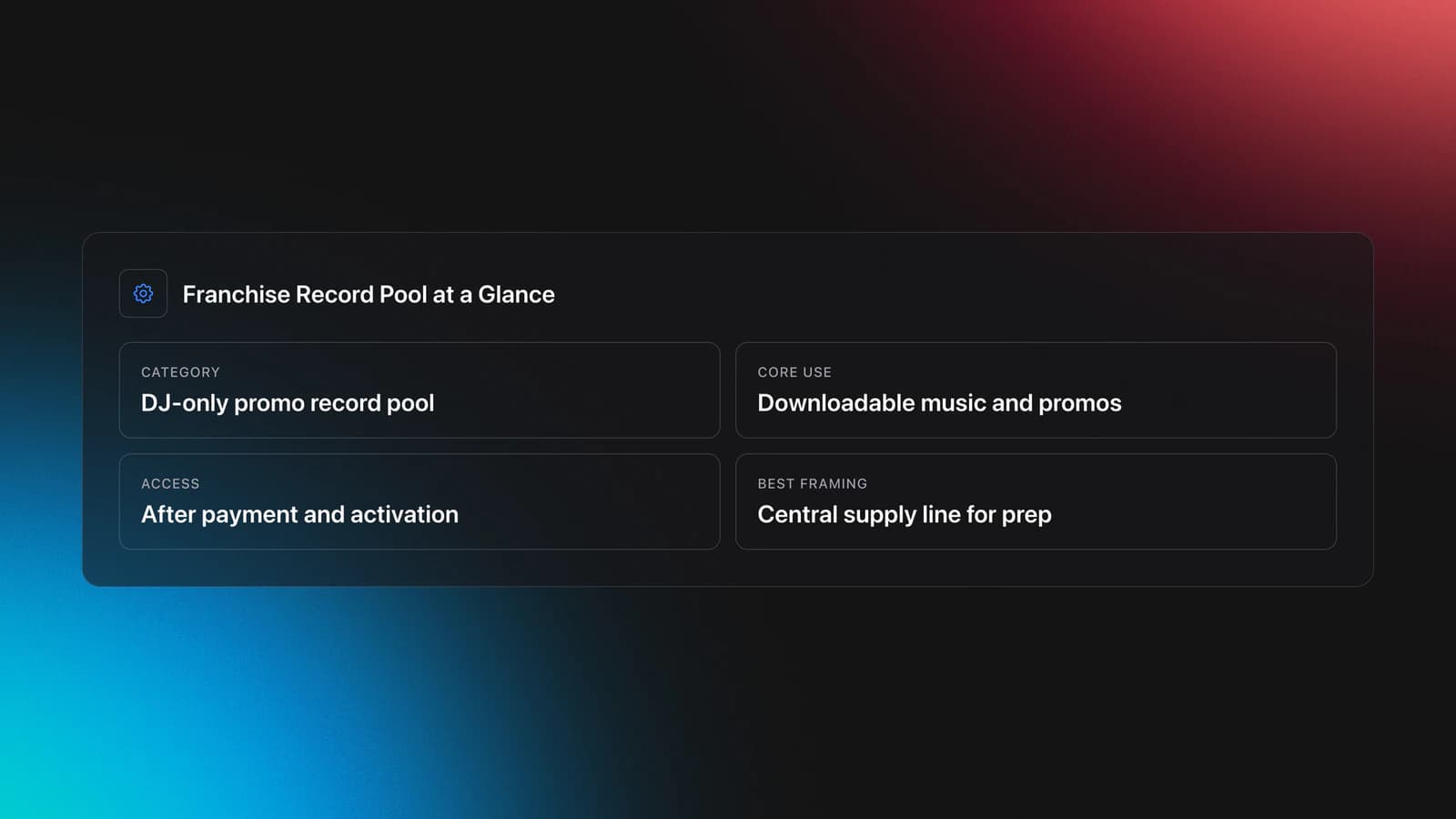
Franchise record pool is a DJ-only subscription music pool built around promo access, downloadable music, and member tools for finding current and pre-release tracks. The service says it was founded in 1996 by Funkmaster Flex and Mike "Mr. Excitement" Jacob, and its public pages position it as a source for new music, label promotion, and DJ feedback. According to Franchise Record Pool's pool overview and sign-up pages, access is limited to DJs and music becomes available immediately after successful payment and account activation.
In plain terms, a record pool is a working shortcut. Instead of chasing edits, promo tracks, and radio versions from scattered sources, you use one platform as a central supply line.
That matters more than most DJs admit. The real cost is not only money. It is decision fatigue, duplicate downloads, and last-minute scrambling before a set.
Franchise record pool sits in the classic promo-pool category. It is less about streaming-style discovery and more about giving DJs downloadable music, chart context, and a members-only environment.
The transcript supplied for this article is actually a walkthrough of Heavy Hits, not franchise record pool. That creates an important accuracy issue. You can still use the workflow lessons from that tutorial to evaluate franchise record pool, but you should not assume both platforms share the same exact feature set.
That distinction saves you from a common mistake. DJs often hear "record pool" and assume every pool has the same search depth, metadata, playlists, and version handling. It does not.
Franchise Record Pool Pricing and Access
As of April 2026, franchise record pool publicly lists membership at $19.99 per month, with immediate activation after successful payment. Its sign-up and pricing pages also state that billing continues monthly until you cancel, and that the service does not issue refunds.
That gives you the first decision point. You are not only testing music quality. You are testing whether the pool earns a recurring place in your prep routine.
A monthly record pool only pays off if you use it with intent. If you log in once, bulk-download randomly, and never revisit the catalog, even a modest fee turns into dead spend.
Use this quick filter before subscribing:
- You play enough gigs to need fresh music every month.
- You want downloadable files, not streaming-only access.
- You value promo access or DJ-focused edits.
- You are willing to cancel manually if it stops serving you.
One more current detail matters. Franchise Record Pool's public pages say its old website is being phased out and members are being routed to FRP Live, so any interface screenshots, tutorials, or old reviews may describe an older experience. If you read user comments from years ago, treat them as historical context, not the current product.
You should also separate price from value. A cheap pool with poor search or weak genre fit wastes more time than a slightly pricier pool that helps you find what you need fast.
Use Franchise Record Pool Step by Step
If your goal is speed, treat franchise record pool like a workflow, not a warehouse. The goal is not to download everything. The goal is to leave with the right files for a specific job.
This is where many DJs lose hours. They browse without a target, over-collect, then dump everything into one folder and promise themselves they will organize it later.
Do it in this order instead.
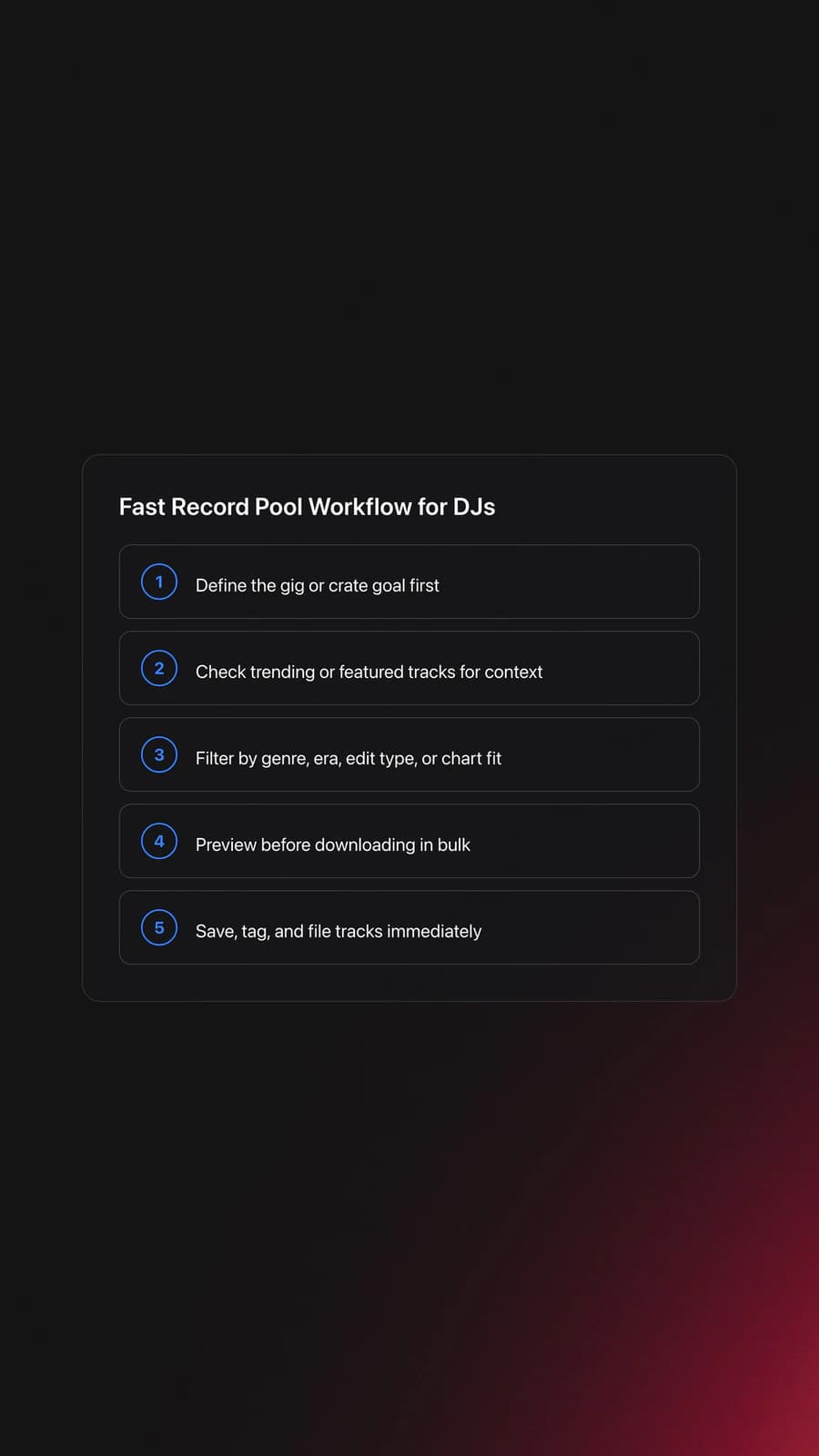
- Define the gig or use case before you search.
- Check trending or featured material for fast context.
- Filter by genre, era, edit type, or chart relevance.
- Preview tracks before bulk downloading.
- Save only tracks that fit a clear crate or set purpose.
- Rename, tag, and file them immediately after download.
The transcript shows why this sequence works. In a strong pool interface, the winning move is narrowing before downloading. You move from broad discovery to tight selection, then from selection to immediate organization.
Example one. Say you are playing a 90-minute open-format club set. You probably need current rap, pop crossovers, and a few high-confidence throwbacks. In that case, use the pool first for current chart awareness, then switch to targeted searches for intros, clean versions, and proven transition tracks.
Example two. Say you are playing a wedding afterparty. Your success depends less on novelty and more on clean edits, stable crowd anchors, and tracks that hit quickly. A record pool becomes valuable when it helps you find dependable versions fast, not when it floods you with options.
The failure mode is obvious once you see it. You download fifty tracks because they look useful, but none are sorted by event, energy, or audience fit. On gig day, the pool felt productive, but your library still feels blind.
Validation Check
From there, keep one rule. Never let your download folder become your library. A pool is the intake point. Your library is the performance system.
Experienced DJs who care about storytelling usually work this way anyway. They are not chasing technical perfection alone. They are building energy and vibe progression on purpose, so every download has to earn a place in that arc.
Search and Filtering: What Matters Most
Why does this matter for franchise record pool? Because the value of any DJ pool rises or falls on retrieval. Catalog size sounds impressive. Retrieval speed determines whether you can use that catalog under pressure.
The Heavy Hits tutorial in the transcript spends most of its time on search, filters, charts, playlists, and related-track views. That tells you what serious DJs actually care about when they evaluate a pool. Not marketing copy. Retrieval.
Use this mental model. A good record pool search system does four jobs:
- Broad search finds candidates quickly.
- Filters remove the obvious wrong fits.
- Metadata helps you compare similar options.
- Related suggestions extend the dig without starting over.
When one of those breaks, your prep slows down. If search is broad but filters are weak, you waste time scanning. If metadata is thin, you have to preview more files. If related tracks are poor, every next decision restarts from zero.
Here is a practical test. Search for one obvious crowd record, one niche genre track, and one older staple. Then ask:
- Can you find multiple useful versions fast?
- Can you narrow by genre or context without losing relevance?
- Does the platform surface adjacent tracks that make sense?
- Can you tell which file to grab without downloading all of them?
Example one. If you search for a current rap track and only get one generic file, that may be enough for casual use. It is not enough for a mobile DJ who needs clean, intro, or edit variations.
Example two. If you search for a genre pocket like afro house, baile funk, or wedding re-drums and get no useful narrowing, the pool may still be large. It is just not large in a way that serves your workflow.
A visible symptom of weak search is over-downloading. DJs compensate for poor discovery by grabbing extra files "just in case." The result is clutter, duplicate moods, and slower decision-making in the booth.
You will know a pool's search is good when you can answer a narrow need in under five minutes. That is the benchmark. Not whether the homepage looks busy. Not whether the charts look cool.
This is also where workflow software design matters. Building complex digital products teaches a simple lesson: users under pressure need fast imports, clear structure, and systems that respect the way they already sort information. Apply that same standard when you evaluate a record pool. If it makes your next action obvious, it is helping. If it makes you think about the interface more than the music, it is getting in the way.
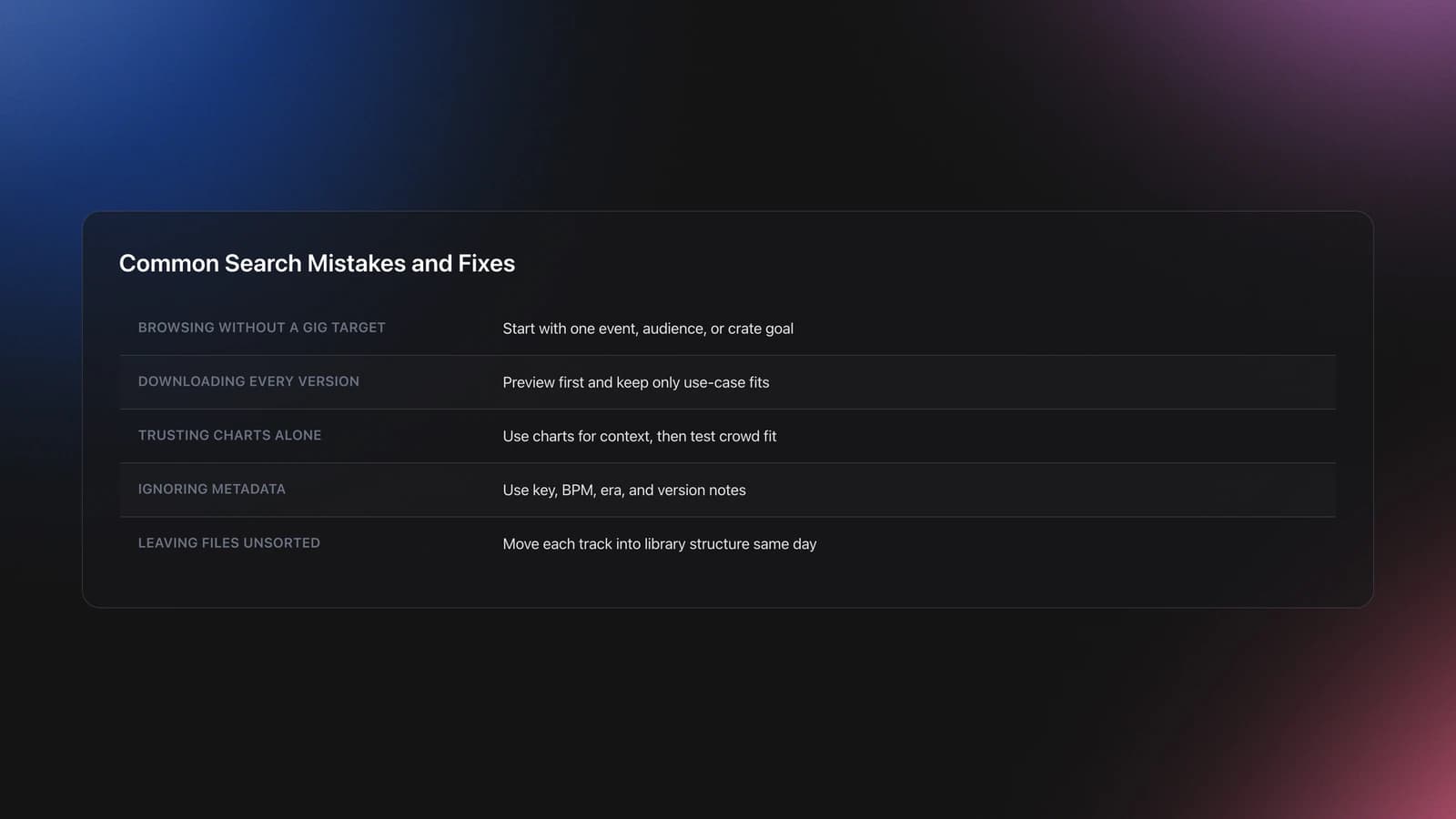
| Mistake | Why It Happens | How to Avoid |
|---|---|---|
| Browsing without a gig target | The catalog feels exciting, so search stays vague | Start every session with one event, audience, or crate goal |
| Downloading every version | You do not know which edit will fit later | Preview first and keep only versions tied to a use case |
| Trusting charts alone | Trending tracks feel safe | Use charts for context, then validate against your crowd |
| Ignoring metadata | You assume listening alone is enough | Use key, BPM, era, and version notes to narrow before previewing |
| Leaving files unsorted after download | Prep stops once the download is finished | Move each track into your library structure the same day |
Common record pool mistakes DJs make during search and download
Are DJ Record Pools Worth It?
Yes, record pools are worth it when they reduce prep time, improve version quality, and help you find playable music faster than your alternatives. They are not worth it when they become another monthly login you barely use.
That answer sounds obvious. The hard part is knowing what to measure.
Judge value against four outputs:
- How many playable tracks you keep each month.
- How quickly you can build a crate for a real gig.
- How often the pool gives you better versions than you already have.
- How much library cleanup the pool creates afterward.
If a $19.99 subscription gives you fifteen usable files a month and cuts an hour off weekly prep, that is good value. If it gives you two random downloads and forty minutes of cleanup, it is not.
A lot of DJs ask the wrong question here. They ask, "What is the best DJ record pool?" The better question is, "Which pool best matches my gig pattern, genre focus, and prep style?"
For example, a high-volume open-format DJ and a niche house DJ often need different strengths. One cares about current edits, clean versions, and broad utility. The other may care more about curation depth, harmonic usefulness, and subgenre range.
That is why a pool should connect cleanly to your library system. Once you bring files down locally, you need a way to separate raw intake from performance-ready crates. Some DJs do that with folders and spreadsheets. Others use dedicated tools. Vibes, for example, lets you tag local files with custom categories, track sorting progress, and prepare named sets on a visual canvas before exporting structure to DJ software. Either approach works if it prevents your monthly downloads from turning into one giant unsorted pile.
In other words, the pool is only half the system. The other half is what you do after the download.
What to Check Before You Subscribe
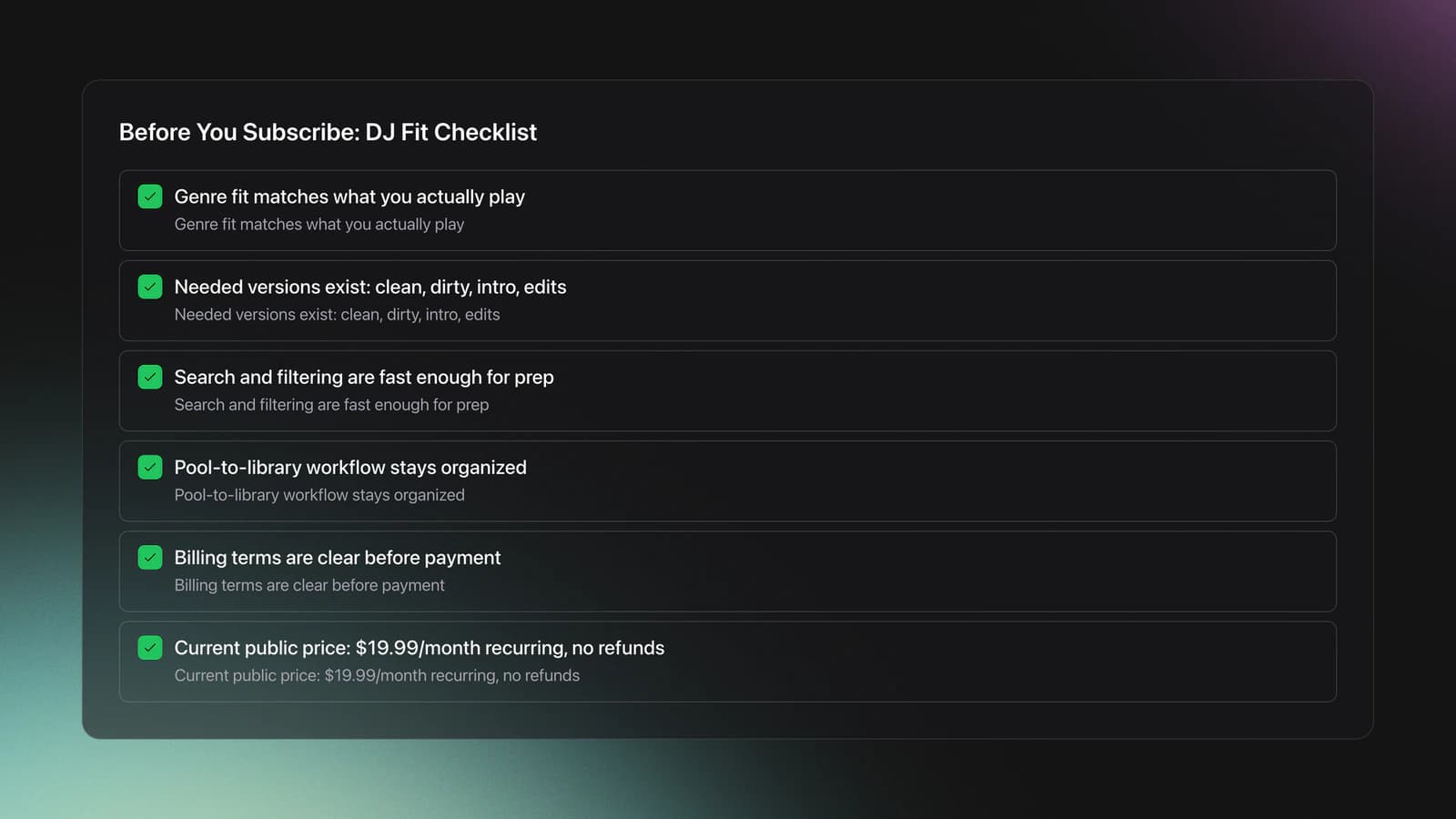
Before you pay for franchise record pool, check fit in this order.
- Genre fit. Does it cover the scenes you actually play?
- Version fit. Are clean, dirty, intro, or edit variants available where you need them?
- Search fit. Can you narrow fast enough for real prep?
- Workflow fit. Can you move from pool to crate without a mess?
- Billing fit. Do you understand renewal, cancellation, and refund policy?
How much is a franchise record pool? Public pricing currently shows $19.99 per month, with recurring billing until cancellation and no refunds.
What are record pools? They are subscription services that distribute music and promo files to working DJs, usually with download access, chart context, and version options.
If you are comparing options, pair this guide with a broader DJ record pool comparison, then review your crate building workflow and how to prepare a DJ set so your subscription decision stays tied to actual use.
Franchise Record Pool: Final Take
Franchise record pool can make sense if you want a DJ-only source for current music and promo access, and if you will actually use it with a defined workflow. The real test is not the homepage. It is whether one session gives you a useful crate with less friction than your current process.
Keep these takeaways in mind:
- Judge a record pool by retrieval speed, not catalog claims.
- Measure value by playable tracks kept, not downloads collected.
- Pair any pool with a real organization system after download.
If you do that, franchise record pool becomes easier to evaluate. It is not just another subscription. It is either a useful intake channel for your sets, or it is not.
The visual way to organize your DJ library
Tag tracks by vibe. See everything at once. Export to rekordbox, Serato, Traktor or Engine DJ.
14-day free trial. Full access, no strings attached.
or see how it works
Techniques Covered


Equipment & Software
Continue Your Learning Journey
Start Here First



Related Content
DJ Record Pool Guide for Working DJs
intermediate
DJ City Song: What You Actually Get
intermediate
Mixed In Key Database Guide
intermediate
DJ Playlist Spotify: Mixing With Streaming Inside Rekordbox
intermediate
Mixed In Key Manual for DJs
intermediate
DJ Library Organization System: Tags, Crates, Keys
intermediate
How To Mix In Key Live: Worked Transitions And Failure Fixes
intermediate
DJ Decks: 2 vs 4 Channel Buying Guide
intermediate
Virtual DJ Library Setup That Sticks
intermediate
Transition DJ Online: Browser Mixer Workflow
intermediateFrequently Asked Questions

Hey, it's Ben Modigell 👋
I DJ and produce as so I so: downtempo, minimal, dub house, tech house, and techno (releases on Spotify and SoundCloud, links above). Everything I write here comes from my own gigs, studio sessions, and library cleanups: the rules I follow, the failure modes I have actually hit, and the workflow I use when nobody is watching. If a technique did not earn its place in my own sets, it does not make it into a tutorial.



