

Find harmonic tracks in Engine DJ.
Harmonic mixing keeps transitions smooth by mixing in compatible keys. Here is how Engine DJ helps, and how to plan compatible runs across your library before the gig.
$49$79USD one-time purchase. First 250 licenses at this price. 14-day free trial.
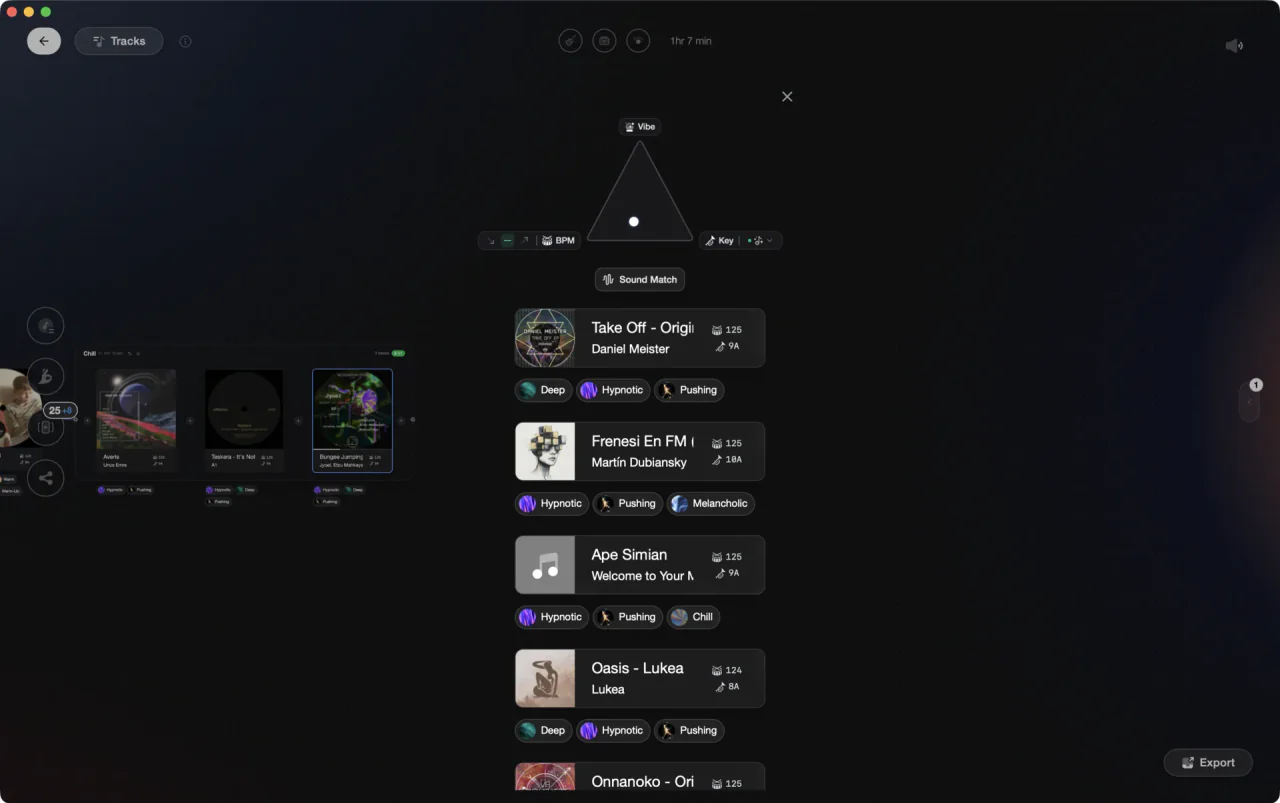
From the track that is playing to everything that mixes.
Harmonic mixing in Engine DJ.
Engine DJ shows each track's key and supports multiple notations (Camelot, Open Key, or musical). Finding harmonically compatible tracks on the desktop requires manual sorting by the key column; the automated Match filter for compatible keys is an Engine OS hardware feature, not a desktop library button.
Set key notation in Preferences
Open Preferences and choose your preferred key notation: Camelot (e.g. 8A), Open Key, or musical. Camelot is the easiest for quick harmonic comparisons while browsing.
Sort your library or playlist by key
Click the Key column header in the library or playlist view to sort tracks by key. Tracks in compatible Camelot positions (same number different letter, or adjacent numbers) will cluster nearby, letting you scan for harmonic candidates manually. There is no per-track 'compatible lookup' button in the desktop software; that Match filter is available on Engine OS hardware only.
Re-analyze tracks to confirm keys
Because the workflow depends on detected keys, right-click tracks you care about and choose Re-analyze Tracks to apply Engine's improved key algorithm (introduced around v3.2). Wrong detections will produce bad harmonic matches, so spot-check tracks you plan to play next to each other.
Build harmonic run playlists manually
Drag sequences of harmonically compatible tracks into a dedicated playlist so the run is ready on your drive. Since Engine DJ desktop does not offer automated key-based filtering within playlists, this manual curation step is the primary way to preserve a harmonic sequence for a set.
The catch
The desktop relies on manual sorting by key column rather than an automated compatible-key filter; the Match filter (compatible, fuzzy, or exact key) is available on Engine OS hardware but not in the desktop library view. Key detection accuracy improved significantly in v3.2 and later, so re-analyzing your library with the current version gives meaningfully better results than older analyses.



The faster way
Good combos, saved for good.
Vibes keys your library accurately, filters it to compatible tracks in one click, and lets you save the pairings that work. Mark two tracks as a pair and Vibes resurfaces them in suggestions, so the blend you found at home shows up at the gig.
See how it worksOrganize in Vibes, export to Engine DJ.
Your playlists, tags, ratings, and cue points travel back to the gear you play on, so nothing you do in Vibes is locked away.
Track 001
Artist A
AfterhoursMysterious Introspective
Track 002
Artist B
 Cozy FloorPeaceful
 Home
Home
Track 003
Artist C
Rave Aggressive
 Festival
 Build & Release
Frequently asked questions
The honest answers, including the trade-offs.
From a Vibes customer
The import worked perfectly. Have created several sets now and my life is so much easier
One-time purchase
Get Vibes with a single payment. No subscription.
Vibes is the step before you open your DJ software, not a replacement for it.
First 250 licenses at this price, then $79.
14 days • Full access
No strings attached
Secure checkout with Stripe
Already have Companion Pro? Upgrade instead


Methodology
How we keep this honest.

Verified against the app
Every step is checked against the current version of Engine DJ.
We own our bias
We make Vibes. We show the native way first and honestly, then where Vibes genuinely helps, and we say when it does not.
Live pricing
The Vibes price shown comes straight from our checkout, never a hardcoded marketing number.
Kept current
Last reviewed September 2026.
Keep exploring
DJ apps head to head
Works with your software
Vibes for DJs
How-to guides
Best DJ software
Move between apps
Learn to DJ