

Plan a DJ set in Serato.
A good set has an arc: a warm-up, a build, a peak, and a landing. Here is how to plan one in Serato, and how to design that arc visually before you play it.
$49$79USD one-time purchase. First 250 licenses at this price. 14-day free trial.
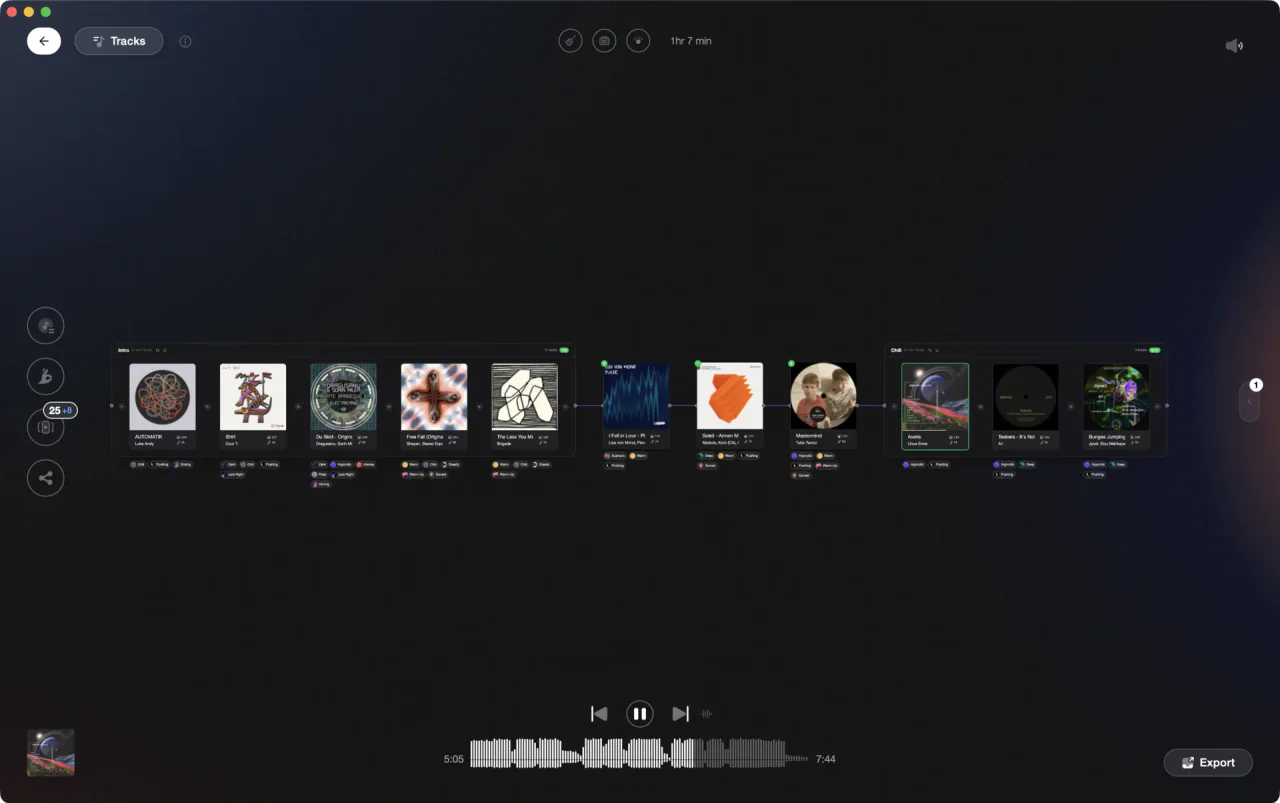
Design the journey from warm-up to peak before the booth.
Planning a set in Serato.
Serato has no dedicated set planner, so you build the set as a gig crate and shape its flow by hand.
Shortlist in the Prepare panel
Open the Prepare panel and drag candidates in as you browse, or hit Ctrl + P on a highlighted track. Serato describes it as pulling records half out of the bag, and that is the right mental model: a scratch list for this gig, separate from your crates. It empties when you close Serato, so it is for shortlisting, not storage.
Turn the shortlist into a gig crate
Select everything in the Prepare panel and drag it onto the new-crate button. Now the shortlist is a real crate you can name for the gig, add subcrates to for each phase of the night, and keep after the session ends.
Order for flow and check transitions
Arrange the crate into a running order using BPM, key, and energy so the set builds rather than lurches. Sort by BPM with a secondary key sort to sanity-check that neighboring tracks sit in compatible keys at workable tempos, then fine-tune the order by hand.
Rehearse without hardware
Practice Mode runs two decks with mouse and keyboard, so you can audition the transitions that worry you before the night. Afterward, the History panel logs what you actually played per session, and exports it as a csv or m3u file, which is exactly the feedback loop for refining the next plan.
The catch
It works, but the shape of the set lives in your head. A crate is a single ordered list: no visual canvas, no energy-flow view, no way to hear the whole arc as one journey before the gig.
Opening

Track 002
Artist B

Track 004
Artist D

Track 001
Artist A
Track 003
Artist C
The faster way
Design the set on a canvas.
Vibes' Set Designer lays your set on a visual canvas with chapters and connections, ranks the next track by BPM, key, and vibe, and lets you audition the whole arc before you export it to Serato.
See how it worksOrganize in Vibes, export to Serato DJ.
Your playlists, tags, ratings, and cue points travel back to the gear you play on, so nothing you do in Vibes is locked away.

Track 001
Artist A
Afterhours Mysterious
 Introspective
Track 002
Artist B
 Cozy FloorPeaceful
 Home
Home
Track 003
Artist C
Rave Aggressive
 Festival
 Build & Release
Frequently asked questions
The honest answers, including the trade-offs.
From a Vibes customer
The import worked perfectly. Have created several sets now and my life is so much easier
One-time purchase
Get Vibes with a single payment. No subscription.
Vibes is the step before you open your DJ software, not a replacement for it.
First 250 licenses at this price, then $79.
14 days • Full access
No strings attached
Secure checkout with Stripe
Already have Companion Pro? Upgrade instead


Methodology
How we keep this honest.

Verified against the app
Every step is checked against the current version of Serato DJ.
We own our bias
We make Vibes. We show the native way first and honestly, then where Vibes genuinely helps, and we say when it does not.
Live pricing
The Vibes price shown comes straight from our checkout, never a hardcoded marketing number.
Kept current
Last reviewed September 2026.
Keep exploring
Compare Vibes
DJ apps head to head
Works with your software
Vibes for DJs
Vibes features
How-to guides
Best DJ software
Move between apps
Learn to DJ