

Build a standalone set in Engine DJ.
On standalone gear there is no laptop to lean on, so the set has to be planned at home. Here is how to do it in Engine DJ, and how to design the whole arc visually first.
$49$79USD one-time purchase. First 250 licenses at this price. 14-day free trial.
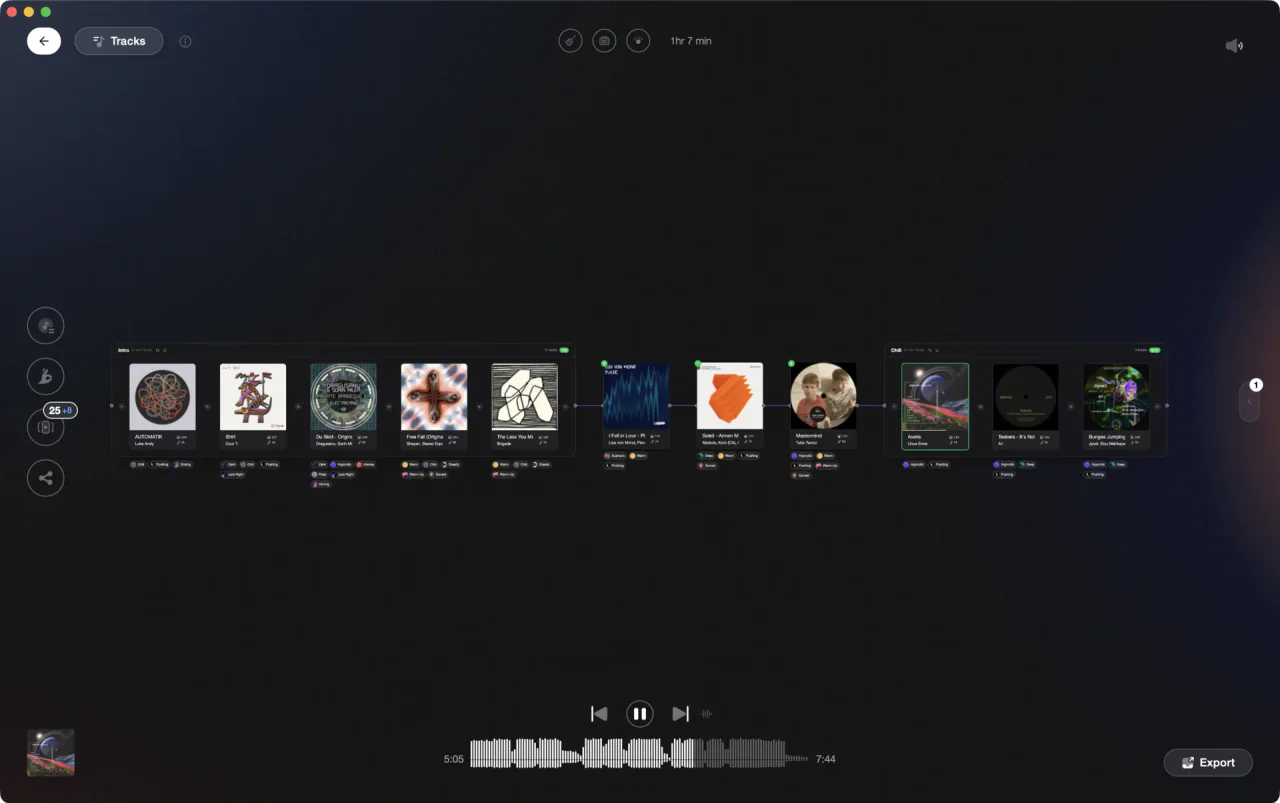
Design the journey at home, walk in with just a drive.
Planning a standalone set in Engine DJ.
Engine DJ has no set planner, so you build the set as an ordered playlist before the gig and rely on that order in the booth.
Build a gig playlist
Create a playlist for the gig and pull in candidate tracks from your collection or other playlists. Engine DJ v2.0 and later uses a single unified playlist system with no separate crates concept. A Smartlist can do the shortlisting for you: rules like BPM in range and key is compatible with gather a harmonic pool, which you then convert to a playlist to order by hand.
Order for the room
Arrange tracks into a running order using BPM and energy, so the set builds and breathes the way you want the night to go. Drag tracks freely; regular playlists hold whatever order you set, and that order is what you will see on the player's screen.
Verify transitions and finish analysis
Use the displayed key and your hot cues to confirm neighboring tracks mix in compatible keys and at workable tempos, since you cannot improvise rescue edits without a laptop. Let analysis finish on every track before you sync; the job status in the desktop app should show nothing running, or grids and waveforms may be missing on the player.
Sync to your drive
Format the USB drive or SD card to FAT32 or exFAT, then use Sync Manager to pack the playlist onto it and eject safely. Load the drive in the player and spot-check a few transitions on the hardware itself, because the booth is the wrong place to discover a missing track.
The catch
It is a flat playlist with no visual canvas or energy-flow view, and on standalone gear you are committed to your prep, so any weakness in the plan shows up live.
Opening

Track 002
Artist B

Track 004
Artist D

Track 001
Artist A
Track 003
Artist C
The faster way
Design the whole arc at home.
Vibes' Set Designer lays your set on a visual canvas with chapters and connections, suggests next tracks by BPM, key, and vibe, and lets you audition the arc before exporting to Engine DJ.
See how it worksOrganize in Vibes, export to Engine DJ.
Your playlists, tags, ratings, and cue points travel back to the gear you play on, so nothing you do in Vibes is locked away.

Track 001
Artist A
Afterhours Mysterious
 Introspective
Track 002
Artist B
 Cozy FloorPeaceful
 Home
Home
Track 003
Artist C
Rave Aggressive
 Festival
 Build & Release
Frequently asked questions
The honest answers, including the trade-offs.
From a Vibes customer
The import worked perfectly. Have created several sets now and my life is so much easier
One-time purchase
Get Vibes with a single payment. No subscription.
Vibes is the step before you open your DJ software, not a replacement for it.
First 250 licenses at this price, then $79.
14 days • Full access
No strings attached
Secure checkout with Stripe
Already have Companion Pro? Upgrade instead


Methodology
How we keep this honest.

Verified against the app
Every step is checked against the current version of Engine DJ.
We own our bias
We make Vibes. We show the native way first and honestly, then where Vibes genuinely helps, and we say when it does not.
Live pricing
The Vibes price shown comes straight from our checkout, never a hardcoded marketing number.
Kept current
Last reviewed September 2026.
Keep exploring
DJ apps head to head
Works with your software
Vibes for DJs
Vibes features
How-to guides
Best DJ software
Move between apps
Learn to DJ