

The best software for DJ library management.
A DJ library manager sits next to your DJ software and keeps the collection tagged, analyzed, and consistent. Here is how the main tools compare, including ours.
$49$79USD one-time purchase. First 250 licenses at this price. 14-day free trial.

One organized library, whatever software you play on.
For DJ library management, pick by the pain: Vibes for tagging by mood and energy and prepping sets at $49 once, Lexicon for conversion and cleanup, Mixo for cloud sync, beaTunes for an Apple Music library.
The main options, compared.
This is the category Vibes lives in, so read this page knowing we make one of the picks. The tools below solve different pains: mood-based organization and set prep, library conversion, cloud sync, and low-cost cleanup. Match the tool to your actual problem. This category is sometimes called DJ management software; either name covers the same job: keeping your collection tagged, analyzed, and consistent between prep sessions.
| Option | Strengths | Trade-offs |
|---|---|---|
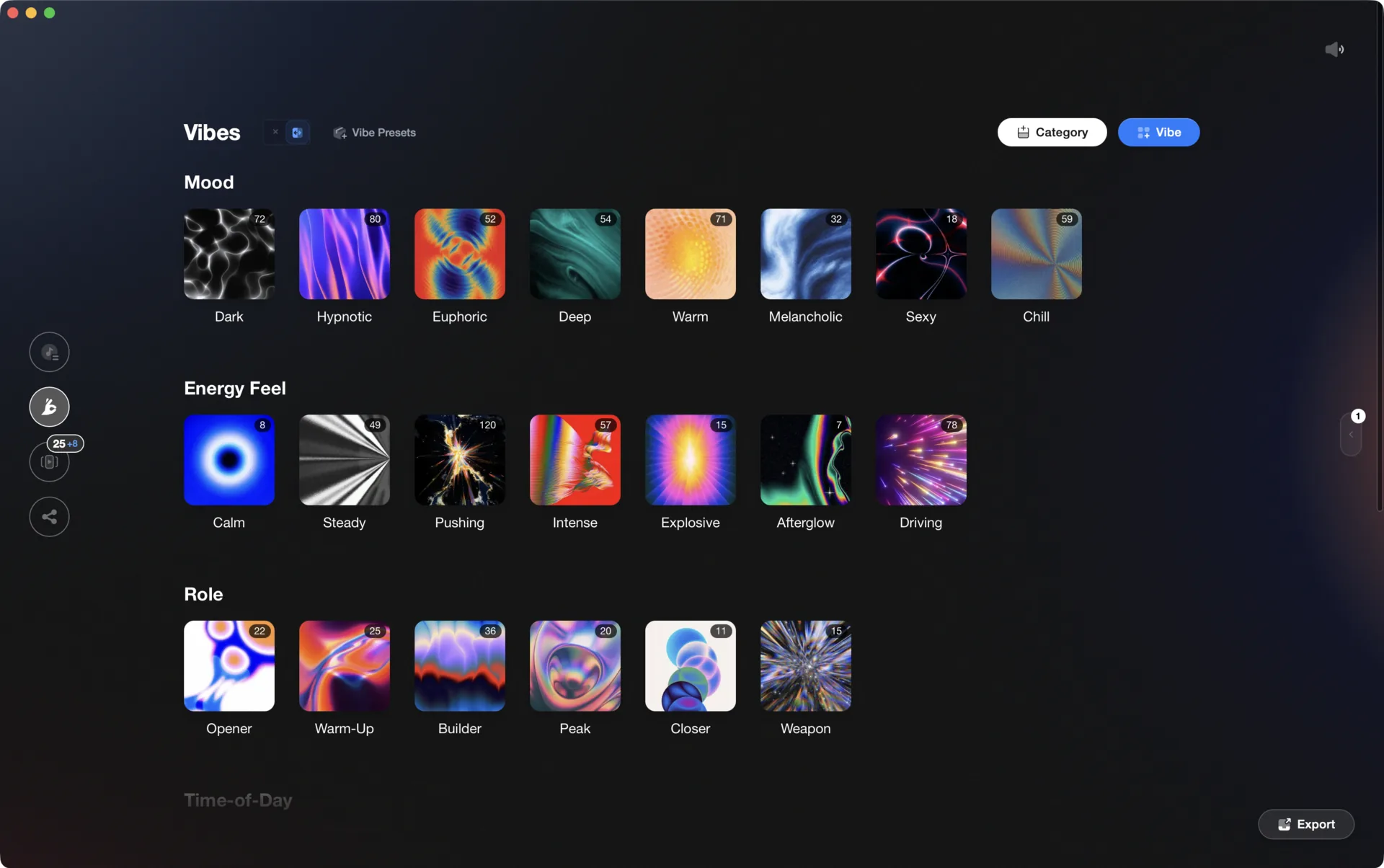
 VibesBest for DJs who organize by feel and prepare sets visually VibesBest for DJs who organize by feel and prepare sets visually |
|
|
Our verdict Pick Vibes if your library problem is finding the right track for the moment, not moving files around. It is built for tagging by mood and energy, sorting fast, and preparing sets on a visual canvas, and it is $49 once. If your actual pain is converting between DJ apps or syncing several machines, one of the next two picks fits better. | ||
| LexiconBest for DJs who need library conversion, cleanup, and cloud backup |
|
|
Our verdict Pick Lexicon if you switch DJ software, run two apps in parallel, or inherited a messy library that needs surgery. Conversion between Rekordbox, Serato, Traktor, Engine DJ, VirtualDJ, and djay Pro costs nothing, and the paid tiers add the repair depth nothing else here matches. It is a librarian first; set prep and feel-based browsing stay secondary. | ||
| MixoBest for DJs who prep on several machines and want cloud sync |
|
|
Our verdict Pick Mixo if your prep happens on more than one machine. The synced library lives in your own Google Drive, OneDrive, or Dropbox rather than on Mixo's servers, which is a genuinely different architecture from everything else here. Know that the free tier organizes but does not export; treat it as a demo of Gold rather than a complete free tool. | ||
| DjoidBest for Zero-setup AI curation of energy and emotion across the library |
|
|
Our verdict Pick Djoid if you want feel-based organization without doing the tagging yourself: its pre-trained model scores every track on energy, danceability, and emotion the moment it sees your library. The trade is ownership. The scores come from Djoid's model, not your own system, and they stop updating if you stop paying, so it suits DJs who value instant results over a personal taxonomy. | ||
| beaTunesBest for Tidying an Apple Music or iTunes library on a budget |
|
|
Our verdict Pick beaTunes if your collection lives in Apple Music and you want it cleaned, keyed, and BPM-tagged for the least money. It writes its results into your file tags, which every DJ app can read, but the bridge stops there: no crates, no cues, no direct database writes. For a listening library that doubles as a DJ source, that is often enough. | ||
| At a glance | Pricing | Model | Platforms |
|---|---|---|---|
 Vibes Vibes | $49 one-time | One-time | macOS, Windows |
| Lexicon | From $10.49 per month, lifetime from $249 | Subscription or lifetime | macOS, Windows |
| Mixo | Free plan, Gold at $7 per month | Freemium | Desktop and mobile |
| Djoid | About $99 per year | Subscription | macOS, Windows |
| beaTunes | About $35 one-time | One-time | macOS, Windows |
How we compared them.
Every tool on this page was judged on the same four questions. Can it read and write your actual DJ library, in both directions, for the app you play on? Does its organization go deeper than folders and genre fields, into the mood, energy, and function tags that decide what you reach for at 1 a.m.? Where does your data live, on your machine, in your own cloud storage, or on the vendor's servers? And what does it really cost across a few years of DJing, once subscriptions compound?
Prices and plan details were last checked against each vendor's official site in July 2026. The August 2026 update to this page revised the copy, not the prices, so treat the numbers as a July snapshot rather than as fresh as the page date suggests. Where pricing changes often we say so instead of pinning a number that will be stale next month.
The honest summary is that this category has no single winner, because the tools solve different pains. Lexicon is the converter and repair shop. Mixo is the sync layer for multi-machine setups. Djoid is instant AI curation you rent. beaTunes is the budget cleanup tool for Apple-centric collections. Vibes, our own entry, is the mood-and-energy layer for set prep. A DJ with a conversion problem who buys a tagging tool ends up with two problems, so match the tool to the pain before comparing prices.
All five have a free tier or a trial. The fastest way to decide is to point each candidate at a slice of your real library, a few hundred tracks you know well, and see which tool makes those tracks feel more playable within an hour.

What to look for in a library manager.
One-time or subscription
Vibes and beaTunes are one-time purchases; Lexicon, Mixo, and Djoid run on subscriptions, with lifetime and free options on some. Decide whether this is a tool you own or a service you rent.
DJ software integration
The manager has to read and write your actual DJ library. Check that your app is supported for both import and export, not just one direction.
Organization depth
Folders and genres run out fast. Look for tagging by mood, energy, and function, plus the BPM, key, and cue analysis that makes a library mixable.
Local or cloud
Mixo is built around cloud sync; Vibes and beaTunes keep everything local. Pick based on how many machines you prep on and how you feel about accounts.
One organized library, every app.
Vibes imports from and exports to Rekordbox, Serato, Traktor, and Engine DJ, so the software you pick is never a lock-in.

Track 001
Artist A
Afterhours Mysterious
 Introspective
Track 002
Artist B
 Cozy FloorPeaceful
 Home
Home
Track 003
Artist C
Rave Aggressive
 Festival
 Build & Release
Frequently asked questions
The honest answers, including the trade-offs.
From a Vibes customer
The import worked perfectly. Have created several sets now and my life is so much easier
One-time purchase
Get Vibes with a single payment. No subscription.
Vibes is the step before you open your DJ software, not a replacement for it.
First 250 licenses at this price, then $79.
14 days • Full access
No strings attached
Secure checkout with Stripe
Already have Companion Pro? Upgrade instead


Methodology
How we keep this honest.

Verified against the source
Every claim about each app is checked against its official site and current pricing.
We own our bias
We make Vibes, a library tool, not DJ mixing software. The picks above are independent, and we recommend the app that fits you, not the one paired with us.
Live pricing
The Vibes price shown comes straight from our checkout, never a hardcoded marketing number.
Kept current
Last reviewed September 2026.
Keep exploring
DJ apps head to head
Works with your software
Vibes for DJs
Vibes features
How-to guides
Best DJ software
Move between apps
DJ tools
Learn to DJ