Transfer your library to Engine DJ in Traktor Pro.
Traktor and Engine DJ use completely different database formats. Here is how to move your collection across, either manually or by letting Vibes handle the import and export for you.
First 500 licenses at $49. Be the first to know when we launch.
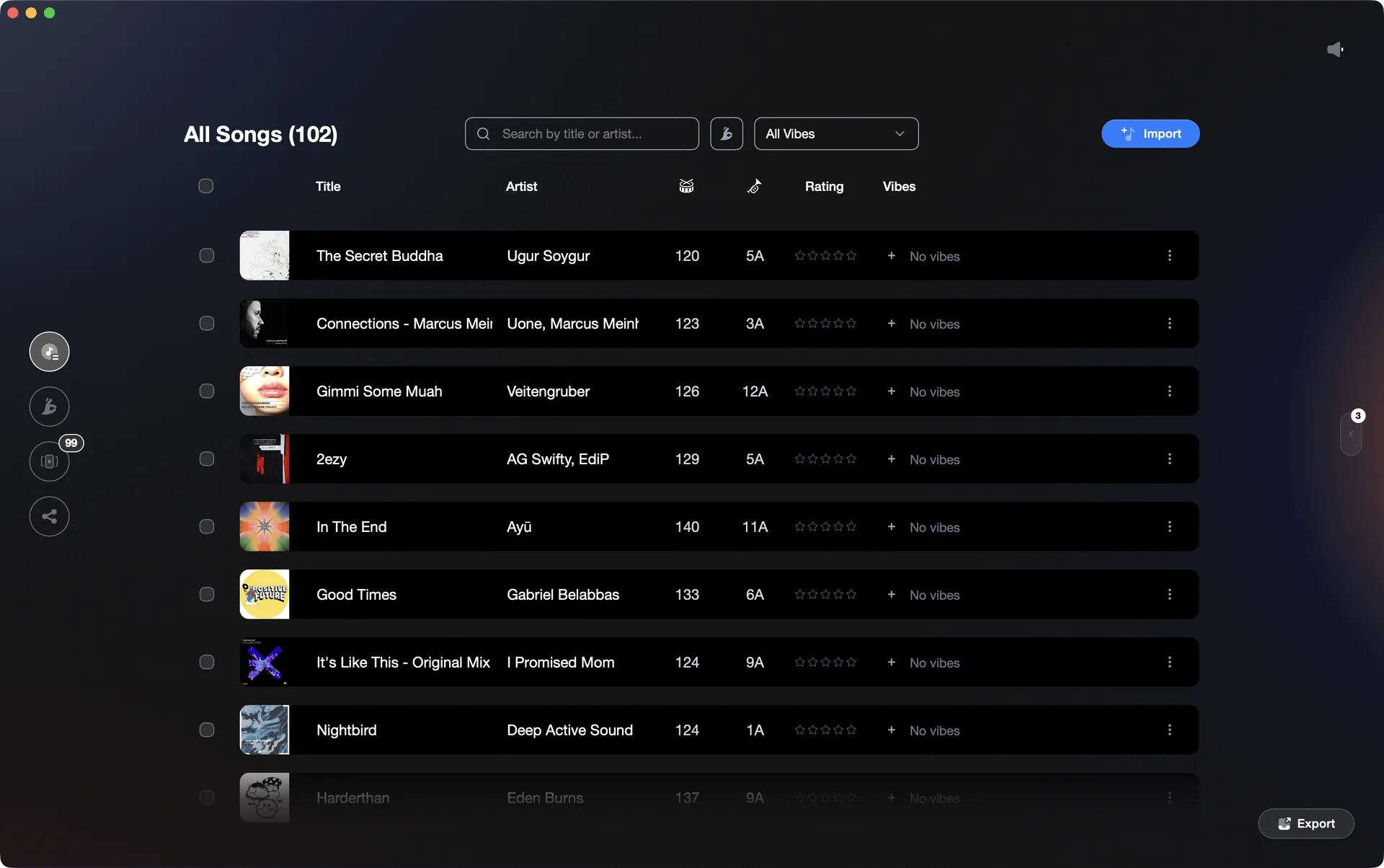
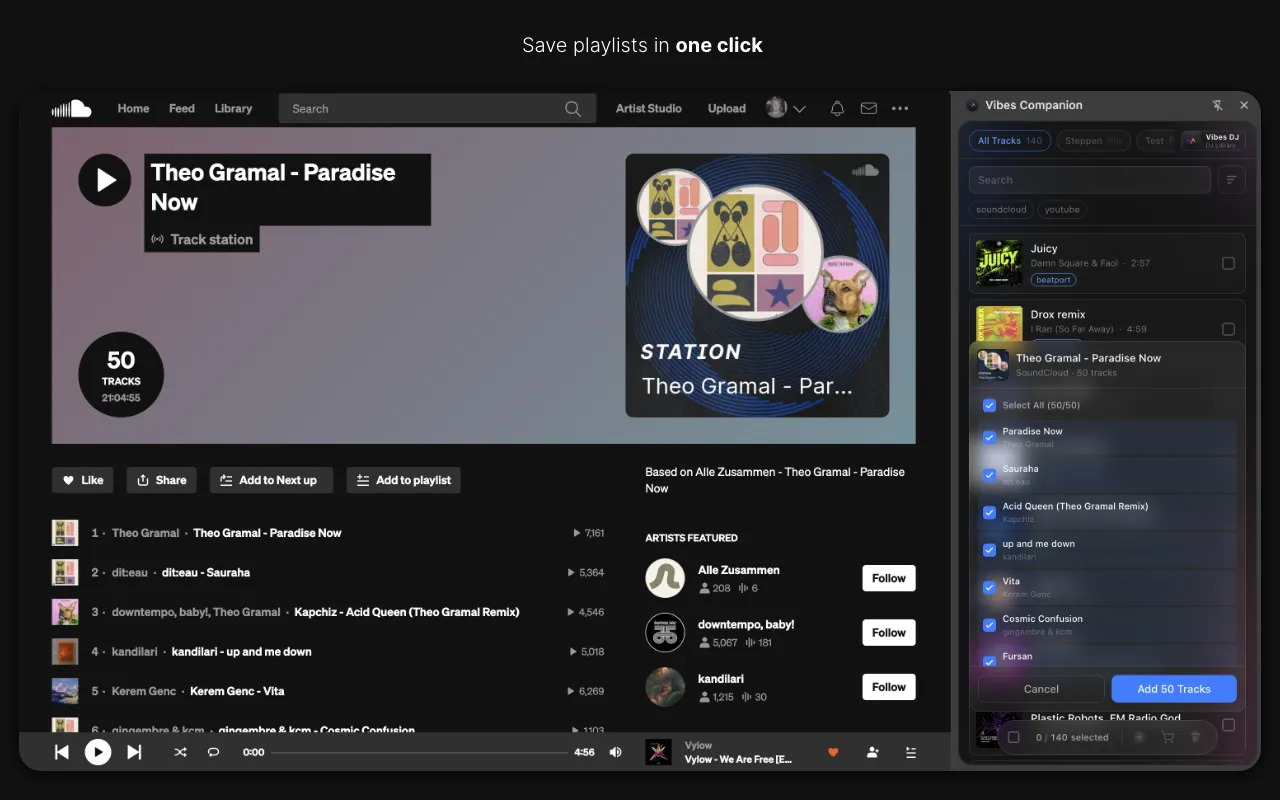
Vibes reads your Traktor NML and writes playlists directly into the Engine DJ database.
Transfer your library to Engine DJ in Traktor Pro, step by step.
Traktor stores its library in an NML file while Engine DJ uses its own database format. Engine DJ Desktop does include a native Traktor NML importer (present since Engine Prime 1.2 and continued through Engine DJ 4.x and 5.0), but real-world results are inconsistent: playlists sometimes import empty, hot cue transfer is unreliable, and BPM grids may need correction. For a complete, reliable transfer, a third-party bridge tool such as Lexicon or MIXO is the more dependable path.
Locate your Traktor NML file
Open Traktor Pro 4 and go to Preferences, then File Management. Under the Directories section, check the Root Dir field to see the path to your Traktor root folder. The collection NML file (collection.nml) lives inside that folder. On macOS the default is Documents/Native Instruments/Traktor 4.x.x and on Windows it is Documents/Native Instruments/Traktor 4.x.x. Note this path before closing Traktor.
Confirm all audio files are accessible
Engine DJ must be able to read the same audio files Traktor references. Make sure your music folder is on a drive that will be connected when you use Engine DJ. If any tracks show as missing in Traktor, relocate them before proceeding so the file paths are correct.
Use Engine DJ's native Traktor importer
Open Engine DJ Desktop (version 4.x or later) and look for the Traktor import option, which may appear as part of an Import Assistant workflow in newer versions. Point it to your collection.nml file. Engine DJ will attempt to import your tracks and playlists. Note that results are inconsistent: playlists sometimes arrive empty, hot cue transfer is unreliable, and BPM grids may be incorrect and need manual correction. Auto-analysis will run on any tracks that need it.
Verify and repair imported data, or use a third-party bridge
After import, check whether your playlists populated correctly and whether hot cues transferred. Engine DJ supports hot cues only (no memory cues). If playlists are empty or cue data is missing, the most reliable fix is to use a dedicated bridge tool such as Lexicon or MIXO, which give more consistent results for playlist structure, hot cues, and beat grids when moving from Traktor to Engine DJ.
The catch
Engine DJ does include a native Traktor NML importer, but its reliability is inconsistent in practice: playlists can import empty, hot cue transfer is not guaranteed, and BPM grids may need manual correction. For a complete transfer of playlist structure and cue points, a third-party tool such as Lexicon or MIXO is the more dependable option.
 Euphoric
 Melancholic
 Mysterious
 Aggressive
 Peaceful
 Rave
Rave Afterhours
 Club
Club Home
HomeThe faster way
Import your NML. Export to Engine DJ. Keep your organization.
Vibes reads your Traktor NML directly, preserving your playlists and letting you layer on vibe tags for energy and mood. It then writes everything into the Engine DJ database in one export, no manual rebuilding.
See how it worksOrganize in Vibes, export to Traktor Pro.
Your playlists, tags, ratings, and cue points travel back to the gear you play on, so nothing you do in Vibes is locked away.
Track 001
Artist A
AfterhoursMysterious Introspective
Track 002
Artist B
 Cozy FloorPeacefulHome
Track 003
Artist C
RaveAggressive Festival
 Build & Release
Frequently asked questions
The honest answers, including the trade-offs.
Methodology
How we keep this honest.

Verified against the app
Every step is checked against the current version of Traktor Pro.
We own our bias
We make Vibes. We show the native way first and honestly, then where Vibes genuinely helps, and we say when it does not.
Live pricing
The Vibes price shown comes straight from our checkout, never a hardcoded marketing number.
Kept current
Last reviewed June 2026.
One-time purchase
Get Vibes with a single payment. No subscription.
First 500 licenses at this price. Be the first to know when we launch.

Keep exploring
Works with your software
Vibes for DJs
How-to guides
Best DJ software
Move between apps