Transfer your library to Rekordbox in Serato DJ.
Serato and Rekordbox keep their libraries in separate databases with no built-in bridge. Here is what the native process involves, and how Vibes bridges the gap by reading your Serato library directly and writing into Rekordbox.
First 500 licenses at $49. Be the first to know when we launch.
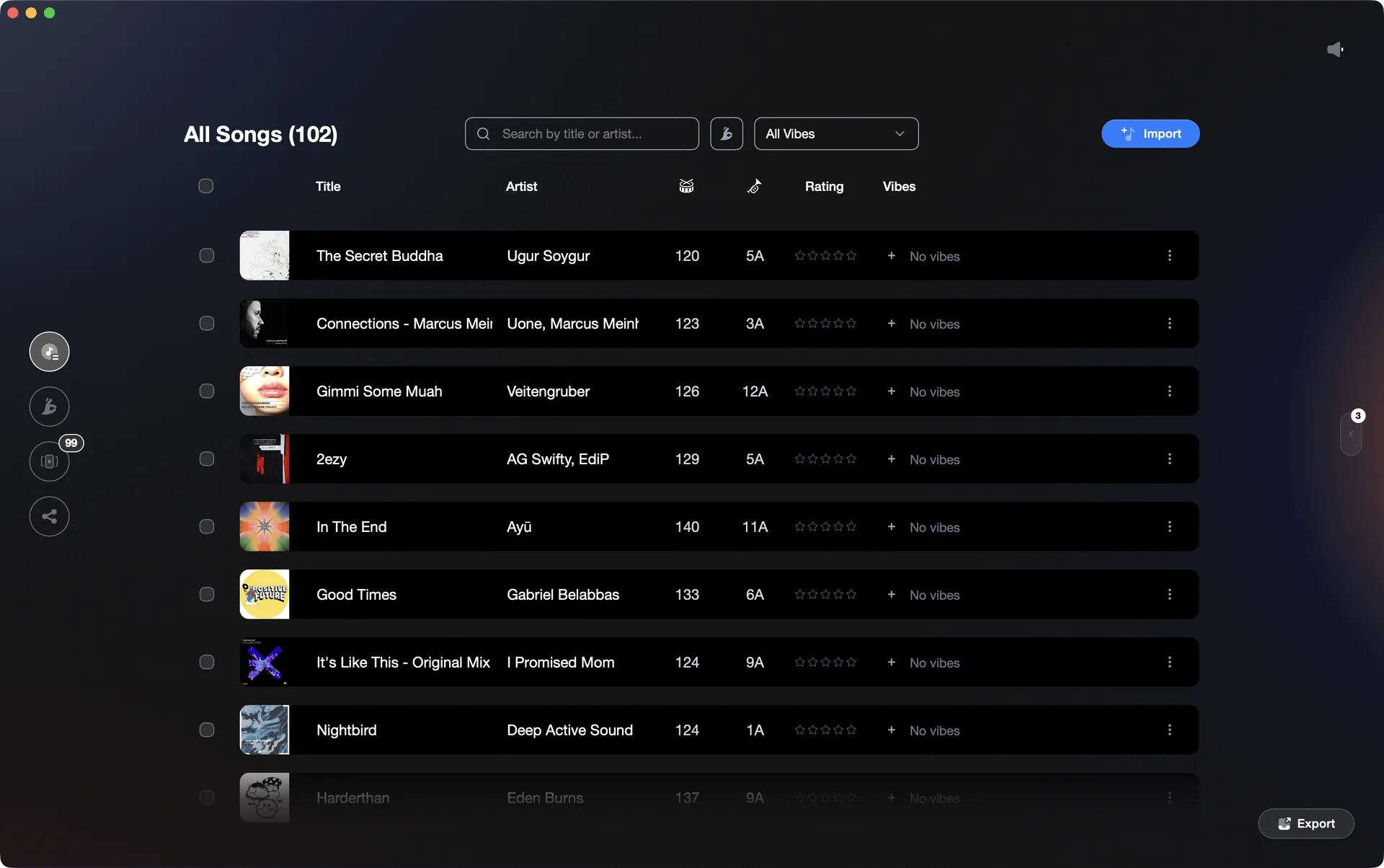
Vibes reads your Serato library and exports it directly into Rekordbox's database.
Transfer your library to Rekordbox in Serato DJ, step by step.
There is no direct export from Serato to Rekordbox built into either app. The native approach involves exporting playlists as files and reimporting them, which means BPM and key data need to be re-analysed in Rekordbox.
Analyse your tracks in Serato DJ Pro
Before exporting anything, make sure all tracks in your Serato library have been analysed. Open Serato DJ Pro, select your crates, and run the Analyze Files function (the button is in the top-left corner of the library, or right-click a crate and choose Analyze Files in version 4.0). This ensures BPM, key, and waveform data are written into your files' tags and Serato database. Note: Rekordbox does not read BPM or key from file tags on import - it always re-analyses from scratch - so this step primarily keeps your Serato library clean and ensures file integrity before the move.
Convert your Serato crates to M3U playlist files
Serato DJ Pro does not have a native option to export crates as M3U files. The only built-in M3U export is from the History panel, which covers tracks you actually played in a session rather than your full crate contents. To convert crates, you need a third-party tool such as the command-line utility cratetom3u, which reads Serato's .crate files and outputs .m3u files. Note that cratetom3u does not support smart crates. Repeat the conversion for each regular crate you want to carry over.
Import the M3U playlists into Rekordbox
In Rekordbox, use File then Import then Import Playlist to load your exported M3U files. Rekordbox will add the tracks to its library and create matching playlists. If Auto Analysis is enabled in Rekordbox Preferences under the Analysis tab, analysis will begin automatically on import; otherwise the tracks are present but treated as unanalysed.
Re-analyse tracks in Rekordbox
Select all imported tracks and run Rekordbox analysis to generate its own BPM grid, key detection, and waveforms. Rekordbox does not use BPM values from file tags, so this step is required regardless of what analysis Serato already performed. This step can take significant time for large libraries. Any cue points or loops you set in Serato will not carry over through this method and must be recreated manually.
The catch
The native route has no built-in way to export crates directly: Serato's only native M3U export is from the History panel, so you must use a third-party tool to convert crates. Once you have M3U files, Rekordbox re-analyses every track from scratch, discards your Serato cue points, and requires you to process each crate separately. Third-party tools such as Lexicon or MIXO can transfer cues and beatgrids intact if that matters to you.
 Euphoric
 Melancholic
 Mysterious
 Aggressive
 Peaceful
 Rave
Rave Afterhours
 Club
Club Home
HomeThe faster way
Vibes imports Serato and exports straight into Rekordbox.
Vibes reads your Serato library including crates and .crate files, then writes directly into Rekordbox's master.db via SQLCipher. Your BPM, key, and vibe-tagged playlists land in Rekordbox without a manual export step or re-analysis from scratch.
See how it worksOrganize in Vibes, export to Serato DJ.
Your playlists, tags, ratings, and cue points travel back to the gear you play on, so nothing you do in Vibes is locked away.
Track 001
Artist A
AfterhoursMysterious Introspective
Track 002
Artist B
 Cozy FloorPeacefulHome
Track 003
Artist C
RaveAggressive Festival
 Build & Release
Frequently asked questions
The honest answers, including the trade-offs.
Methodology
How we keep this honest.

Verified against the app
Every step is checked against the current version of Serato DJ.
We own our bias
We make Vibes. We show the native way first and honestly, then where Vibes genuinely helps, and we say when it does not.
Live pricing
The Vibes price shown comes straight from our checkout, never a hardcoded marketing number.
Kept current
Last reviewed June 2026.
One-time purchase
Get Vibes with a single payment. No subscription.
First 500 licenses at this price. Be the first to know when we launch.

Keep exploring
Works with your software
Vibes for DJs
How-to guides
Best DJ software
Move between apps